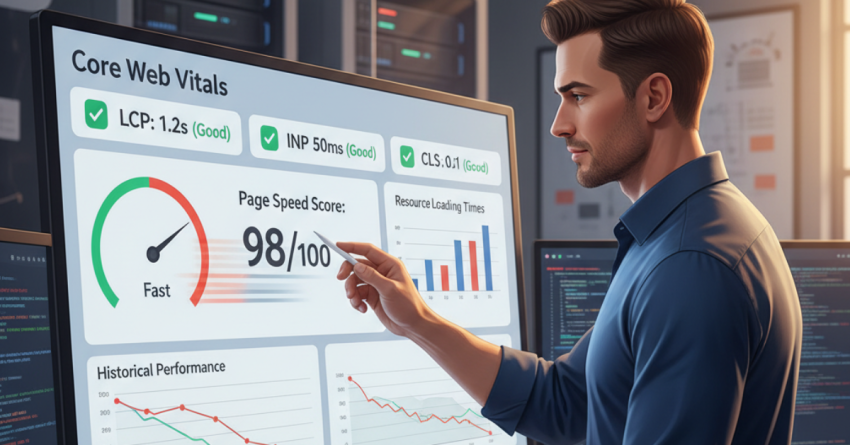
Fast pages aren’t just nice to have, they’re business-critical. Faster load times reduce bounce, improve conversions, and, since Google’s page experience signals matter, help your SEO. Core Web Vitals (CWV) the trio of LCP, INP, and CLS, quantify user experience in concrete numbers, and improving them should be part of every site optimization roadmap. Below is a practical, engineering-minded guide that combines measurement, prioritization, and hands-on fixes you can implement today.
What Core Web Vitals Measure (and why they matter)
Core Web Vitals are Google’s standardized set of real-world metrics that measure loading performance, interactivity, and visual stability. In short: they tell you whether users perceive your pages as fast, responsive, and stable, and Google uses these signals as part of page experience. Google for Developers
Short definitions you’ll refer to here:
- LCP (Largest Contentful Paint): When the page’s main content is visible.
- INP (Interaction to Next Paint): Measures overall responsiveness to user input (replaced FID as the stable interactivity metric).
- CLS (Cumulative Layout Shift): Measures unexpected layout shifts (visual stability).
Ahrefs and other leading SEO authorities note the move from FID to INP (INP better captures real interactive behavior across the whole page lifecycle) keep that in mind when auditing interactivity. Ahrefs
Quick Competitor/Gap Note (what most guides miss)
Most “how to improve Core Web Vitals” articles cover LCP/CLS theory and list generic tips (compress images, minify JS). The gaps you can exploit: practical prioritization for business KPIs, developer-handoff checklists, automation for continuous monitoring, and real examples of where small fixes produced big ranking or conversion lifts. This article focuses on practical, prioritized actions not just theory.
Measure First: Lab vs. Field, and Which Tools to Use
Start with both lab and field data:
- Field Data (CrUX / Page Experience): Real user metrics from Chrome users the canonical source for CWV in Google Search.
- Lab Data (Lighthouse, WebPageTest, Lighthouse in Chrome DevTools): Reproducible diagnostic runs that help you test changes in isolation.
Use Google PageSpeed Insights + Lighthouse for a quick read, and pair that with site-wide audits (Semrush Site Audit, Ahrefs Site Audit, or DebugBear) to find pages with poor metrics across the site. PageSpeed Insights also surfaces lab + field differences and practical suggestions. Semrush+1
Prioritization Framework Where to Start for The Biggest Impact
You can’t fix everything at once. Prioritize like this:
- High-traffic + high-conversion pages with poor CWV immediate ROI.
- Pages with high impressions but low CTR sometimes LCP/CLS hurts perceived relevance.
- Templates or page types (e.g., product pages) that scale fixes here multiply across thousands of pages.
Measure impact after each change using field data; aim for iterative wins rather than a big-bang rewrite.
LCP: Make The Main Content Paint Faster
LCP success is mostly about ensuring the largest visible element loads quickly. Practical steps:
- Identify The LCP Element (image, hero block, video poster, or block of text).
- Prioritize it in The HTML source ensure the browser finds it early rather than after heavy JS execution.
- Deliver Critical Assets Fast: Use critical CSS for above-the-fold rendering, preload important fonts and LCP images (<link rel=”preload”>), and place <img> tags with proper srcset to serve optimal sizes.
- Use a CDN & Optimize TTFB reduce server latency with a CDN and tuned caching. Web.dev’s best practices stress ensuring the LCP resource is discoverable and prioritized and recommend CDNs as a means to improve TTFB. web.dev
Developer Handoff Checklist for LCP
- Mark LCP element and add preload for the main resource.
- Inline critical CSS for hero content.
- Serve images with modern formats (AVIF/WebP) and responsive srcset.
- Implement server-side or edge caching for HTML where possible.
INP: Improve Responsiveness by Reducing Long Tasks
INP measures interactive responsiveness throughout the page lifecycle. Long JavaScript tasks block the main thread and increase INP. Fixes:
- Break Up Long Tasks into smaller asynchronous chunks (use requestIdleCallback, web workers, or code-splitting).
- Remove Unused JS and Third-Party Scripts; audit every tag and keep only what’s needed.
- Defer Non-Essential JS (defer/async) and avoid heavy synchronous scripts during initial load.
- Optimize Hydration for SPA Frameworks server-side rendering (SSR) or partial hydration reduces time-to-interactive.
Web.dev’s INP guidance is practical: observe interactions in real user traces and then break up heavy tasks that block input. web.dev
CLS: Stop Layout Shifts at The Source
Unexpected shifts irritate users and cut into trust. Reduce CLS by:
- Always include size attributes (width + height) or use CSS aspect-ratio for images and iframes so the browser can reserve space.
- Reserve space for ads and embeds use placeholders and avoid injecting content above existing content.
- Avoid layout-triggering CSS animations animate transform/opacity instead of layout properties.
- Preload web fonts carefully avoid FOIT/FOUT scenarios that shift text.
Simple fixes like adding height/width or CSS placeholders often eliminate most CLS issues quickly.
Engineering Best Practices & Advanced Techniques
- Edge rendering & caching: Use edge compute to render cached HTML near users and serve precomputed critical CSS.
- Image optimization pipeline: Automate generation of AVIF/WebP, responsive sizes, and lazy-loading for offscreen images (loading=”lazy”).
- Critical request chains: Use tools to visualize request waterfalls and break long dependency chains that delay LCP.
- Third-party script governance: Create a tag policy. Track the performance impact of each third-party resource and load the worst offenders asynchronously or via a consent gate.
Testing, Monitoring & Automation
- Automate Audits: Run regular CWV checks with Lighthouse CI, Semrush Site Audit, or commercial monitoring (DebugBear, SpeedCurve).
- Alert on Regressions: Set thresholds (e.g., LCP > 2.5s, INP > 200ms, CLS > 0.1) and trigger alerts for pages that fall below target.
- Use CrUX/BigQuery for Trend Analysis: For large sites, CrUX exports to BigQuery allow deep historical and segment analysis so you can connect CWV to geography, device, or version. (See web.dev’s guides on using field data.) web.dev
Quick Wins You Can Implement This Week
- Preload your LCP image and add width/height attributes.
- Defer non-critical JavaScript and remove unused libraries.
- Enable text compression (gzip/Brotli) on the server.
- Use a CDN for static assets and set long cache lifetimes.
- Lazy-load below-the-fold images and videos.
Most sites see immediate LCP gains from these steps, and they’re often low-effort wins that marketing and engineering teams can coordinate on quickly.
Realistic Expectations & Measuring Success
Don’t expect dramatic SEO lifts overnight — Core Web Vitals are one set of signals among many. However, improving CWV often leads to measurable UX gains (lower bounce, higher engagement) which in turn help organic performance. Use A/B tests where possible to correlate performance improvements with conversion metrics.
Semrush and other industry tools provide both site-scoped audits and page-level insights to help you track progress and validate improvements across the site. Semrush
Common Pitfalls to Avoid
- Chasing synthetic scores alone: Lab tools are diagnostic fix the real user experiences (field data).
- Killing UX for score: Don’t remove essential visual elements just to lower LCP if they drive conversion. Balance performance with business KPIs.
- Ignoring segmentation: Mobile and desktop experiences differ optimize for the device mix of your users.
- No governance on third-party scripts: These can stealthily degrade INP and LCP monitor them.
One-Page Developer Handoff (copy/paste)
- Identify LCP element & add <link rel=”preload”> for the resource.
- Add width/height or aspect-ratio to images/iframes.
- Defer/async non-critical JS; split bundles.
- Move heavy logic to web workers; break up long tasks.
- Use CDN + cache headers; enable Brotli/gzip.
- Run Lighthouse CI in your pipeline and configure alerts for regressions.
Final Thoughts
Optimizing page load speed and Core Web Vitals is as much about prioritization and process as it is about technical fixes. Start with high-impact pages, measure with both lab and field tools, and establish automated monitoring so you never regress. The result isn’t just a higher Lighthouse score — it’s happier users, better conversions, and a more resilient SEO foundation.
🚀 Ready to Fix Your Core Web Vitals and Boost Conversions?
Stop guessing which fixes matter most, get a prioritized, results-focused Core Web Vitals audit from experts who turn performance improvements into measurable business wins.
What you get:
- A no-obligation CWV audit highlighting the top 5 fixes with the biggest ROI
- A prioritized engineering roadmap (so devs know exactly what to implement)
- Estimated impact on LCP / INP / CLS and conversion improvements
- Quick-win checklist you can implement this week
Limited offer: Free audit for the first 10 requests this month.