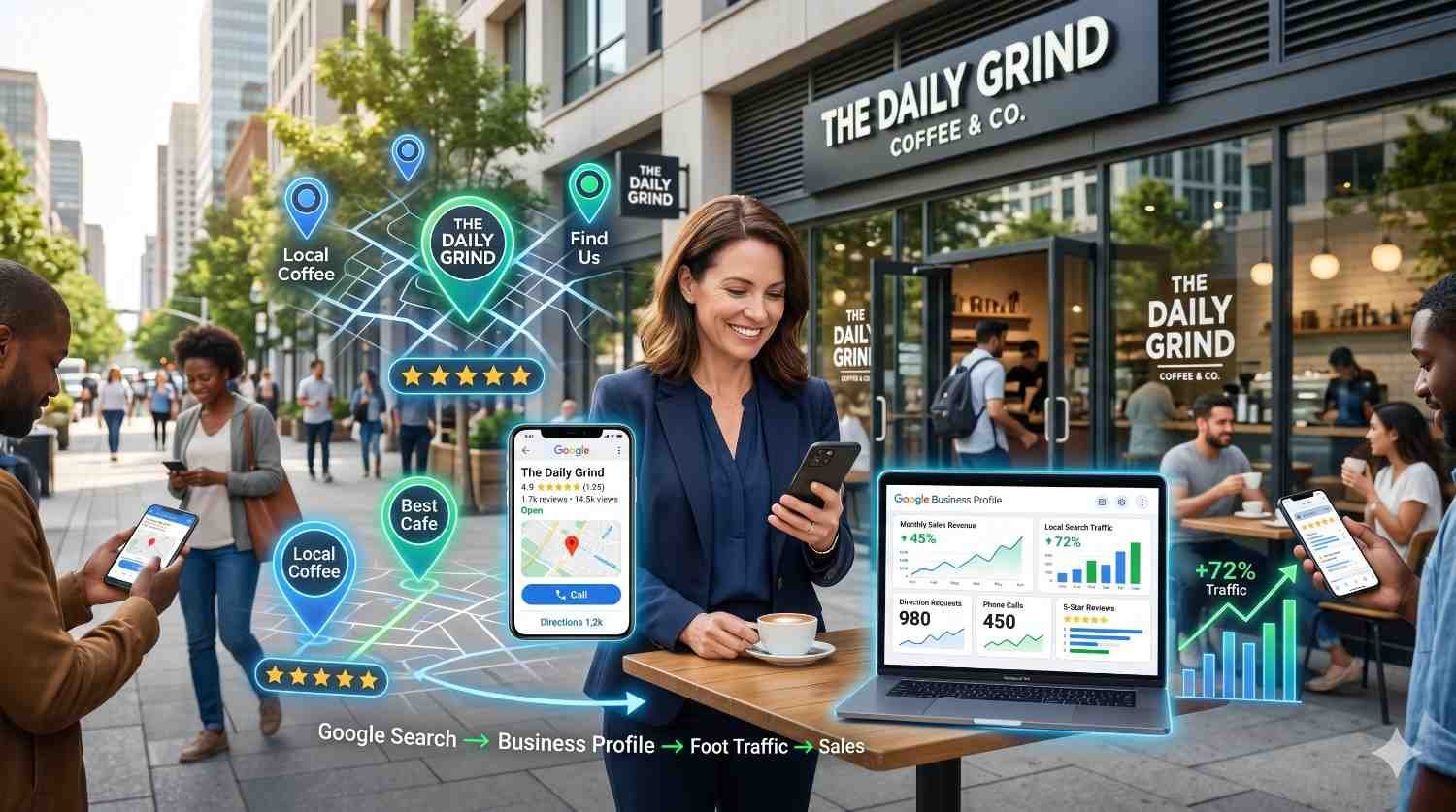
Your Google Business Profile is the single most powerful free tool for local visibility. When optimized correctly, it drives phone calls, website visits, direction requests, and foot traffic directly from Google Search and Maps. Most businesses leave significant ranking potential untapped by treating their profile as a one-time setup rather than an ongoing optimization asset.
Local search has become the primary discovery channel for service-based and retail businesses. Customers searching “near me” or with local intent expect instant, accurate information. Your Google Business Profile delivers that information and influences whether they choose you or a competitor.
This guide covers everything from initial setup and verification through advanced multi-location strategies. You’ll learn the exact optimization tactics that improve local pack rankings, generate more reviews, and convert searchers into customers.

What Is Google My Business (Google Business Profile)?
Google Business Profile is Google’s free business listing platform that displays your company information across Google Search and Google Maps. When someone searches for your business name or relevant local keywords, your profile appears in the local pack, knowledge panel, or Maps results with your address, hours, photos, reviews, and contact information.
The platform serves as your digital storefront on Google’s properties. It controls how your business appears when customers search locally, what information they see before visiting your website, and how easily they can contact you or get directions. For local businesses, it often generates more direct customer actions than organic website rankings.
GMB vs Google Business Profile: Understanding the Name Change
Google rebranded Google My Business to Google Business Profile in November 2021. The functionality remained largely the same, but the management interface changed. Previously, businesses managed listings through a dedicated GMB dashboard. Now, most management happens directly from Google Search or the Google Maps app.
You’ll still see “GMB” used widely in the SEO industry because the term became standard over nearly a decade. Both terms refer to the same platform. Google’s official documentation now uses “Google Business Profile” or “Business Profile,” but the optimization strategies apply regardless of which name you encounter.
The rebrand also eliminated the standalone GMB mobile app. Business owners now manage profiles by searching their business name on Google while logged into their associated Google account, then clicking “Edit profile” or using the Google Maps app’s business management features.

Why Google My Business Matters for Local SEO
Local pack rankings depend heavily on your Google Business Profile optimization. When someone searches “plumber near me” or “best coffee shop downtown,” Google displays a map with three business listings. These local pack results appear above organic website results and capture the majority of clicks for local-intent searches.
BrightLocal’s 2024 Local Consumer Review Survey found that 98% of consumers used the internet to find information about local businesses, with Google being the dominant platform. Your profile optimization directly impacts whether you appear in these high-visibility positions.
Beyond rankings, your profile influences conversion rates. Complete profiles with photos, reviews, and accurate information build trust before customers visit your website. Many customers take action directly from your profile—calling, requesting directions, or booking appointments—without ever reaching your site.
How to Set Up Your Google Business Profile
Setting up your profile correctly from the start prevents verification delays and establishes a strong optimization foundation. The process differs depending on whether you’re creating a new listing or claiming an existing one that Google generated automatically.
Creating a New Google Business Profile Account
Start at google.com/business or search “create google business profile” while signed into your Google account. Click “Manage now” and enter your business name exactly as it appears on signage, legal documents, and other marketing materials. Consistency matters for local SEO.
Select your business category carefully during setup. Your primary category significantly impacts which searches trigger your profile. Choose the most specific category that accurately describes your core business. You can add secondary categories later, but the primary category carries the most ranking weight.
Enter your complete address for storefront businesses. Service-area businesses that travel to customers can hide their address while still specifying service areas. Google will ask for your service radius or specific cities and zip codes you serve.
Complete all requested information including phone number, website URL, and business hours. Provide a local phone number rather than a toll-free number when possible. Local numbers reinforce geographic relevance signals.
Claiming an Existing Business Listing
Google often creates business listings automatically from public data sources, directory listings, and user contributions. Search your business name on Google Maps to check if a listing already exists. If you find one, click “Claim this business” or “Own this business?” to begin the claiming process.
You’ll need to verify your connection to the business through one of Google’s verification methods. Claiming an existing listing preserves any reviews, photos, or information already associated with that listing. Starting fresh with a new listing would abandon that existing equity.
If you find duplicate listings for your business, claim the most complete one and request removal of duplicates through Google’s support channels. Duplicate listings confuse customers and dilute your review count across multiple profiles.
Verification Methods and Timeline
Google requires verification to confirm you legitimately represent the business. Available verification methods vary by business type and location. Common options include postcard verification, phone verification, email verification, and video verification.
Postcard verification remains the most common method. Google mails a postcard with a verification code to your business address. This typically arrives within 5-14 days. Enter the code in your profile to complete verification. Don’t modify your business name, address, or category while waiting for the postcard, as changes can trigger a new verification requirement.
Phone and email verification offer faster options when available. Google calls or texts your business phone number or sends a code to your business email. Video verification requires recording a video showing your business location, signage, and proof of management access.
Some businesses qualify for instant verification if they’ve already verified their website through Google Search Console. Multi-location businesses with established verification history may access bulk verification options.

Essential Google My Business Optimization Strategies
Profile completion is the foundation of GMB optimization. Incomplete profiles rank lower and convert fewer searchers into customers. Google rewards businesses that provide comprehensive, accurate information by showing them more prominently in local results.
Completing Your Business Information (NAP Consistency)
NAP stands for Name, Address, and Phone number. These three elements must remain perfectly consistent across your Google Business Profile, website, and all other online directories. Inconsistencies create confusion for both search engines and customers.
Your business name should match your legal business name and signage exactly. Don’t add keywords, locations, or descriptors that aren’t part of your actual business name. “Joe’s Plumbing” should not become “Joe’s Plumbing – Emergency Plumber in Chicago.” This violates Google’s guidelines and risks suspension.
Format your address identically everywhere it appears online. Decide whether you’ll use “Street” or “St.” and stick with that choice. Include or exclude suite numbers consistently. These details matter for citation consistency across the web.
Use a local phone number with an area code matching your service area. Track calls from your profile using a dedicated tracking number if needed, but ensure the displayed number appears consistently in your other citations.
Selecting the Right Business Categories
Your primary category is the single most influential profile element for ranking purposes. Choose the category that most specifically and accurately describes what your business is, not what it does or sells.
A business that repairs smartphones should select “Mobile Phone Repair Shop” rather than “Electronics Store.” A yoga studio should choose “Yoga Studio” rather than “Gym.” Specificity helps Google match your profile to relevant searches.
Add secondary categories for additional services you offer. A dental practice might have “Dentist” as the primary category with “Cosmetic Dentist,” “Pediatric Dentist,” and “Emergency Dental Service” as secondary categories. Don’t add categories for services you don’t actually provide.
Review competitor profiles to identify categories you might have missed. Search your main keywords and examine which categories top-ranking competitors use. Google’s category list changes periodically, so check for new relevant options quarterly.
Writing an Optimized Business Description
Your business description allows 750 characters to explain what makes your business unique. This description appears in your profile and helps Google understand your business for ranking purposes.
Lead with your most important information. State what you do, who you serve, and what differentiates you from competitors. Include your primary service keywords naturally within the first two sentences.
Avoid promotional language, special offers, or calls to action in your description. Google’s guidelines prohibit this content. Focus on factual information about your business, services, history, and expertise.
Write for humans first. While including relevant keywords helps, the description should read naturally and provide genuine value to potential customers evaluating your business. Keyword stuffing makes your business look unprofessional and may violate guidelines.
Adding Products and Services
The Products and Services sections let you showcase specific offerings with descriptions, photos, and prices. These sections improve your profile’s relevance for specific search queries and give customers detailed information before they contact you.
Create individual product or service listings with descriptive titles. “Emergency Plumbing Repair” is more useful than “Service 1.” Include pricing when possible, as customers often filter by price range.
Write unique descriptions for each product or service. Explain what’s included, who it’s for, and what benefits customers receive. These descriptions provide additional keyword relevance and help customers understand your offerings.
Add high-quality photos to each product listing. Visual content increases engagement and helps customers visualize what they’re purchasing. Update these sections seasonally or when you add new offerings.
Setting Accurate Business Hours and Special Hours
Accurate hours prevent customer frustration and build trust. Nothing damages a business relationship faster than a customer arriving to find you closed when your profile said you’d be open.
Set your regular weekly hours precisely. If you close for lunch, reflect that in your hours. If hours vary by day, enter each day’s specific schedule. Google displays these hours prominently, and customers rely on them.
Add special hours for holidays, seasonal changes, and temporary closures. Google prompts you to confirm hours before major holidays. Take these prompts seriously and update hours proactively rather than waiting for customer complaints.
Use the “More hours” feature to specify different hours for different services. A restaurant might have different hours for dine-in, takeout, and delivery. A retail store might have different hours for in-store shopping versus curbside pickup.

Google Business Profile Photos and Visual Content
Photos significantly impact both rankings and conversion rates. Profiles with photos receive 42% more requests for directions and 35% more website clicks than profiles without photos, according to Google’s own data. Visual content helps customers evaluate your business and builds confidence before they visit.
Types of Photos to Upload (Logo, Cover, Interior, Exterior, Team)
Your logo appears as your profile’s primary identifier across Google products. Upload a square logo image with your business name or recognizable brand mark. This image appears small in search results, so ensure it’s legible at reduced sizes.
The cover photo displays prominently at the top of your profile. Choose an image that represents your business’s personality and primary offering. A restaurant might feature their signature dish or dining room. A law firm might show their professional office environment.
Exterior photos help customers recognize your location when they arrive. Capture your storefront, signage, and surrounding area from multiple angles. Include photos showing parking areas or building entrances if your location is difficult to find.
Interior photos showcase your space and atmosphere. Customers want to know what to expect before visiting. Capture your workspace, waiting areas, product displays, or service areas. Show the environment customers will experience.
Team photos humanize your business and build trust. Feature your staff in professional but approachable settings. Customers prefer doing business with people they can visualize. Team photos also differentiate you from competitors who only show stock imagery.
Photo Optimization Best Practices
Upload high-resolution images that look professional on all devices. Google recommends photos between 10KB and 5MB with minimum resolution of 720 pixels wide by 720 pixels tall. Larger images display better on high-resolution screens.
Use natural lighting whenever possible. Avoid harsh shadows, overexposed areas, or dark images that hide details. Professional photography is worth the investment for key images like your cover photo and interior shots.
Name your image files descriptively before uploading. “chicago-dental-office-waiting-room.jpg” provides more context than “IMG_4521.jpg.” While Google’s image recognition is sophisticated, descriptive filenames add helpful signals.
Add new photos regularly. Fresh visual content signals an active, engaged business. Aim to add at least one new photo monthly. Capture seasonal decorations, new products, completed projects, or team events.
Remove low-quality photos that customers upload. You can’t delete customer photos, but you can flag inappropriate images for removal. Monitor your photo gallery and address problematic uploads promptly.
Adding Videos to Your Profile
Video content captures attention and communicates more information than static images. Google Business Profile supports videos up to 30 seconds long and 75MB in file size.
Create short videos showcasing your business, products, or services. A restaurant might show food preparation. A fitness studio might capture a class in action. A contractor might display completed projects.
Keep videos focused and professional. Thirty seconds passes quickly, so communicate your key message immediately. Avoid lengthy introductions or unnecessary content that wastes limited time.
Upload videos in landscape orientation for best display across devices. Ensure good lighting and clear audio if you include sound. Test how your video appears on mobile devices before publishing.

Managing and Responding to Google Reviews
Reviews directly impact local rankings and customer decisions. They serve as social proof that influences whether searchers choose your business or a competitor. Active review management demonstrates customer service commitment and builds trust with potential customers.
How Reviews Impact Local Search Rankings
Review signals constitute a significant ranking factor for local search. Google’s local algorithm considers review quantity, review velocity, review diversity, and review content when determining local pack positions.
Businesses with more reviews generally outrank competitors with fewer reviews, assuming other factors are equal. However, review quality matters too. A business with 50 reviews averaging 4.8 stars typically outperforms one with 200 reviews averaging 3.5 stars.
Review content provides keyword relevance signals. When customers mention specific services, products, or experiences in their reviews, those terms help your profile rank for related searches. Encourage detailed reviews rather than simple star ratings.
Review recency signals ongoing customer satisfaction. A steady stream of new reviews indicates an active business with consistent quality. Profiles with only old reviews may appear stagnant or potentially closed.
Strategies for Generating More Customer Reviews
Ask customers for reviews at the right moment. The best time is immediately after a positive interaction when satisfaction is highest. Train staff to request reviews after successful service delivery, completed purchases, or resolved issues.
Make leaving reviews easy. Create a direct review link using Google’s review link generator or by adding “/review” to your Google Maps URL. Share this link via email, text message, or printed materials.
Send follow-up emails or texts requesting reviews. Include your direct review link and brief instructions. Keep the request simple and express genuine appreciation for their feedback.
Respond to every review, positive and negative. Customers who see active engagement are more likely to leave their own reviews. Your responses demonstrate that you value customer feedback.
Never offer incentives for reviews. Google prohibits compensating customers for reviews, and this practice violates FTC guidelines. Focus on delivering excellent service that naturally generates positive reviews.
Best Practices for Responding to Positive and Negative Reviews
Respond to positive reviews with genuine appreciation. Thank the customer by name, reference specific details from their review, and invite them to return. Personalized responses show you actually read and value their feedback.
Address negative reviews professionally and constructively. Acknowledge the customer’s experience, apologize for any shortcomings, and offer to resolve the issue offline. Provide contact information for direct follow-up.
Never argue with reviewers publicly. Even if a review seems unfair or inaccurate, defensive responses damage your reputation more than the original complaint. Take the high road and demonstrate professionalism.
Respond promptly to all reviews. Aim to respond within 24-48 hours. Quick responses show attentiveness and may encourage the reviewer to update their rating if you resolve their concern.
Use review responses as marketing opportunities. Mention relevant services, highlight your commitment to quality, or share information that helps future customers. Keep this subtle and natural rather than overtly promotional.
Google Business Profile Posts and Updates
Posts keep your profile fresh and provide additional content for Google to index. They appear in your profile’s “Updates” section and occasionally in search results. Regular posting signals an active business and gives you opportunities to highlight promotions, events, and news.
Types of GMB Posts (Updates, Offers, Events, Products)
Update posts share general news, tips, or information about your business. Use these for announcements, behind-the-scenes content, industry insights, or community involvement. Updates appear for seven days before archiving.
Offer posts promote discounts, sales, or special deals. Include the offer details, any redemption codes, and start/end dates. Offer posts display prominently with a “View offer” button that drives action.
Event posts promote upcoming happenings at your business. Include the event name, date, time, and description. Event posts remain visible until the event date passes, making them ideal for longer-term promotion.
Product posts highlight specific items you sell. These differ from your Products section by allowing promotional messaging and limited-time availability. Use product posts to feature new arrivals, bestsellers, or seasonal items.
Post Optimization and Frequency
Post at least weekly to maintain an active profile. Businesses that post regularly see higher engagement and may receive ranking benefits from the fresh content signals. Create a posting calendar to ensure consistency.
Write compelling post copy that encourages action. Lead with the most important information, keep text concise, and include a clear call to action. Posts display limited text before truncation, so front-load your message.
Include high-quality images with every post. Visual content dramatically increases engagement. Use images that relate directly to your post content rather than generic stock photos.
Add relevant call-to-action buttons. Options include “Learn more,” “Reserve,” “Sign up,” “Buy,” “Get offer,” and “Call now.” Choose the button that best matches your post’s goal.
Track post performance through your profile insights. Identify which post types, topics, and formats generate the most views and clicks. Refine your strategy based on actual performance data.
Using Posts to Drive Engagement and Conversions
Align posts with your marketing calendar. Promote the same offers, events, and content across your website, social media, and Google Business Profile. Consistent messaging reinforces your marketing efforts.
Create urgency with time-limited offers. Posts with expiration dates encourage immediate action. “This weekend only” or “Limited availability” messaging drives faster response than open-ended promotions.
Use posts to answer common customer questions. If you frequently receive the same inquiries, create posts addressing those topics. This provides helpful information while demonstrating expertise.
Highlight customer success stories and testimonials. Share positive outcomes, completed projects, or customer achievements. This social proof builds trust and shows the results customers can expect.
Promote seasonal services or products proactively. Post about snow removal before winter, tax preparation before April, or holiday gift options before December. Anticipate customer needs and position your business as the solution.

Google My Business Attributes and Features
Attributes provide additional details about your business that help customers make decisions. Features like messaging, booking, and Q&A create direct engagement opportunities. Fully utilizing these options improves your profile’s completeness and usefulness.
Adding Business Attributes (Accessibility, Amenities, Highlights)
Attributes vary by business category. Common options include accessibility features (wheelchair accessible, accessible parking), amenities (Wi-Fi, outdoor seating, restrooms), payment methods, and service options (curbside pickup, delivery, dine-in).
Review all available attributes for your business categories. Google adds new attributes regularly, so check quarterly for new options. Select every attribute that accurately applies to your business.
Accessibility attributes help customers with disabilities find suitable businesses. If your location offers wheelchair access, accessible restrooms, or other accommodations, highlight these features. This serves an important customer need while differentiating your business.
Health and safety attributes gained prominence during the pandemic and remain relevant. Options include mask requirements, staff vaccination status, and sanitization practices. Keep these current as policies change.
Identity attributes let you highlight business ownership characteristics. Options include women-owned, veteran-owned, LGBTQ+ friendly, and similar designations. These attributes help customers support businesses aligned with their values.
Enabling Messaging and Direct Communication
Messaging allows customers to contact you directly through your Google Business Profile. Enable this feature to capture inquiries from customers who prefer text communication over phone calls.
Set up automated welcome messages that greet customers and set response time expectations. A message like “Thanks for reaching out! We typically respond within 2 hours during business hours” manages expectations appropriately.
Respond to messages promptly. Google tracks your response time and may display it on your profile. Slow responses frustrate customers and may cause them to contact competitors instead.
Use messaging for pre-sales questions, appointment scheduling, and customer service. Train staff on appropriate messaging protocols and ensure coverage during business hours.
Consider messaging volume before enabling. High-volume businesses may struggle to manage message inquiries alongside other communication channels. Ensure you have capacity to respond consistently.
Setting Up Booking and Appointment Links
Booking integration lets customers schedule appointments directly from your profile. Google partners with various scheduling platforms including Reserve with Google, Booksy, Vagaro, and others.
If you use a supported scheduling platform, connect it to your profile for seamless booking. Customers can see available times and book without leaving Google. This reduces friction and captures appointments that might otherwise be lost.
Alternatively, add a booking link that directs customers to your website’s scheduling page. This works with any scheduling system but requires an extra click. Ensure your scheduling page is mobile-friendly since most profile visitors use mobile devices.
Display your booking link prominently. The “Book” button appears near the top of your profile, making it easy for ready-to-schedule customers to take action immediately.
Using Q&A Section Effectively
The Q&A section allows anyone to ask and answer questions about your business. This creates opportunities and risks. Proactive management ensures accurate information reaches potential customers.
Seed your Q&A section with common questions and authoritative answers. Ask questions from a personal Google account, then answer them from your business account. Cover topics like parking, payment methods, appointment requirements, and frequently asked service questions.
Monitor for new questions regularly. Google notifies you of new questions, but notifications aren’t always reliable. Check your Q&A section weekly and answer new questions promptly.
Upvote helpful answers and downvote inaccurate ones. The community can answer questions about your business, and their answers may contain errors. Your engagement helps surface correct information.
Report inappropriate questions or answers. Spam, offensive content, and competitor sabotage occasionally appear in Q&A sections. Use Google’s reporting tools to request removal of policy-violating content.
Tracking Google Business Profile Performance
Performance data reveals how customers find and interact with your profile. Regular analysis identifies optimization opportunities and measures the impact of your efforts. Google provides built-in analytics through the profile dashboard.
Understanding GMB Insights and Analytics
Google Business Profile Insights shows how customers discover your profile, what actions they take, and how your performance trends over time. Access insights through your profile dashboard or the Google Business Profile Manager.
The “How customers find you” section shows whether customers found you through direct searches (searching your business name), discovery searches (searching for categories or products you offer), or branded searches (searching for a brand related to your business).
Discovery searches indicate how well your profile ranks for non-branded local queries. Growth in discovery searches suggests improving local visibility. Declining discovery searches may indicate ranking problems or increased competition.
The “Customer actions” section tracks calls, direction requests, website clicks, and messages. These metrics measure how effectively your profile converts viewers into engaged prospects. Track these metrics monthly to identify trends.
Key Metrics to Monitor (Views, Searches, Actions)
Profile views indicate how often your listing appears in search results and maps. This metric reflects your overall visibility. Compare views month-over-month and year-over-year to identify trends.
Search queries show the actual terms customers used to find your profile. This data reveals which keywords drive visibility and may uncover opportunities you hadn’t considered. Look for high-volume queries where you could improve rankings.
Photo views and photo quantity comparisons show how your visual content performs relative to similar businesses. If competitors have more photo views, consider adding more or higher-quality images.
Direction requests indicate purchase intent for location-based businesses. Customers requesting directions are likely planning visits. Track this metric to measure foot traffic potential.
Phone calls from your profile represent high-intent leads. If call volume is low despite good visibility, consider whether your profile effectively communicates your value proposition and encourages contact.
Using Performance Data to Refine Your Strategy
Identify your top-performing search queries and optimize further for those terms. If “emergency plumber” drives significant discovery traffic, ensure your profile, posts, and services emphasize emergency availability.
Compare performance across time periods to measure optimization impact. After making changes, allow 4-6 weeks before evaluating results. Local ranking changes often take time to materialize.
Benchmark against previous periods rather than absolute numbers. Seasonal businesses naturally see fluctuations. Year-over-year comparisons provide more meaningful context than month-over-month for seasonal categories.
Test different approaches and measure results. Try different post types, photo styles, or description variations. Track which changes correlate with improved performance metrics.
Set specific, measurable goals for your profile. Rather than vaguely wanting “more visibility,” target specific metrics like “increase discovery searches by 20% this quarter” or “generate 50 direction requests monthly.”

Common Google My Business Optimization Mistakes
Even well-intentioned optimization efforts can backfire when they violate guidelines or neglect important elements. Understanding common mistakes helps you avoid penalties and maximize your profile’s potential.
Incomplete or Inconsistent Business Information
Leaving profile sections empty signals to Google that your listing may be abandoned or low-quality. Complete every available field, even optional ones. Comprehensive profiles outperform sparse ones.
Inconsistent NAP information across the web confuses search engines and customers. Audit your business information on major directories, your website, and social profiles. Correct any variations in name spelling, address formatting, or phone numbers.
Outdated information damages trust and causes customer frustration. Review your profile quarterly to ensure hours, services, and contact information remain accurate. Update immediately when anything changes.
Ignoring Reviews and Customer Questions
Unresponded reviews suggest you don’t value customer feedback. Even positive reviews deserve acknowledgment. Negative reviews left unaddressed fester publicly and discourage potential customers.
Unanswered questions in your Q&A section may receive incorrect answers from random users. Monitor and respond to questions promptly. Inaccurate information in Q&A can mislead customers and damage your reputation.
Failing to request reviews leaves growth potential untapped. Competitors actively generating reviews will accumulate social proof faster. Implement systematic review generation processes.
Keyword Stuffing in Business Name
Adding keywords to your business name violates Google’s guidelines and risks suspension. Your business name field should contain only your actual business name as it appears on signage and legal documents.
“John’s Plumbing – Best Emergency Plumber in Chicago IL – 24/7 Service” is not a business name. It’s keyword stuffing. Google actively penalizes this practice and may suspend offending profiles.
If competitors stuff keywords in their names, report them to Google rather than copying the tactic. Enforcement is inconsistent, but the risk of suspension outweighs any temporary ranking benefit.
Neglecting Regular Profile Updates
Stale profiles signal inactive businesses. Google favors businesses that demonstrate ongoing engagement through posts, photo uploads, and profile updates. Set calendar reminders for regular profile maintenance.
Failing to update special hours for holidays frustrates customers who arrive to find you closed. Google prompts you before major holidays—take these prompts seriously.
Ignoring new features means missing optimization opportunities. Google regularly adds new attributes, post types, and profile sections. Stay informed about updates and implement relevant new features promptly.
Advanced GMB Optimization Tactics
Beyond basic optimization, advanced tactics help businesses with complex needs maximize their local visibility. Multi-location management, citation building, and integrated local SEO strategies compound your optimization efforts.
Multi-Location Business Management
Businesses with multiple locations need consistent optimization across all profiles while maintaining location-specific relevance. Each location should have its own verified profile with unique photos, descriptions, and posts.
Use Google Business Profile Manager for centralized multi-location management. This tool allows bulk updates, performance comparison across locations, and streamlined verification for new locations.
Maintain brand consistency while localizing content. Core business information should match across locations, but photos, posts, and descriptions should reflect each location’s unique characteristics and community.
Assign location-specific management responsibilities. Local managers understand their community and can create relevant content. Provide guidelines and templates while allowing appropriate local customization.
Track performance by location to identify underperformers. Some locations may need additional optimization attention. Compare metrics across locations to establish benchmarks and identify best practices to replicate.
Local Citation Building and NAP Consistency
Citations are mentions of your business name, address, and phone number on other websites. Consistent citations across authoritative directories strengthen your local SEO foundation.
Prioritize major data aggregators and industry-specific directories. Platforms like Yelp, Yellow Pages, Facebook, Apple Maps, and Bing Places carry significant weight. Industry directories relevant to your business category add topical authority.
Audit existing citations for accuracy. Tools like Moz Local, BrightLocal, or Whitespark can identify citation inconsistencies. Correct errors systematically, starting with the highest-authority sources.
Build new citations gradually on relevant platforms. Focus on quality over quantity. A citation on an authoritative, relevant directory provides more value than dozens of citations on obscure, low-quality sites.
Monitor citations ongoing. Business information changes, and citations can become outdated. Include citation audits in your quarterly local SEO maintenance routine.
Leveraging Google Maps SEO
Google Maps optimization extends beyond your Business Profile. Maps rankings depend on profile optimization, website local SEO, citation consistency, and user engagement signals.
Embed Google Maps on your website’s contact page with your business location marked. This reinforces the connection between your website and your Business Profile.
Encourage check-ins and photo uploads from customers. User-generated content signals engagement and authenticity. Some businesses offer small incentives for check-ins, though be careful not to violate review solicitation guidelines.
Optimize your website for local keywords that complement your Business Profile targeting. Your website and profile should work together, not compete for the same terms.
Build local backlinks to your website from community organizations, local news sites, and business associations. Local link signals strengthen both organic and maps rankings.
Integrating GMB with Overall Local SEO Strategy
Your Google Business Profile is one component of comprehensive local SEO. Maximum results come from coordinating profile optimization with website optimization, content marketing, and link building.
Ensure your website includes location-specific pages with consistent NAP information. For multi-location businesses, create unique pages for each location with relevant local content.
Create content that supports local search visibility. Blog posts about local events, community involvement, or location-specific topics build topical relevance and attract local backlinks.
Coordinate review generation across platforms. While Google reviews matter most for Business Profile rankings, reviews on Yelp, Facebook, and industry platforms contribute to overall local authority.
Track local rankings separately from organic rankings. Tools like BrightLocal, Whitespark, or Local Falcon show your position in local pack results for target keywords across different geographic points.

Google My Business for Different Business Types
Different business models require different optimization approaches. Service-area businesses, brick-and-mortar retailers, and hybrid models each have unique considerations for profile setup and optimization.
Service-Area Businesses (SABs)
Service-area businesses travel to customers rather than receiving customers at a business location. Examples include plumbers, electricians, house cleaners, and mobile services. These businesses can hide their address while specifying service areas.
Set up your profile as a service-area business during creation or convert an existing profile. Specify the cities, zip codes, or radius you serve. Your profile will appear in searches within your service area without displaying a physical address.
SABs face unique verification challenges since Google can’t verify a hidden address. Video verification or other alternative methods may be required. Be prepared for a potentially longer verification process.
Optimize for service-area keywords rather than “near me” searches. Customers searching for SABs often include location terms in their queries. Ensure your profile, website, and citations target these location-specific service keywords.
Build citations that support your service area coverage. Directory listings should reflect your service areas consistently. Some directories allow service area specification; use this feature when available.
Brick-and-Mortar Retail Locations
Physical retail locations benefit from foot traffic optimization. Your profile should make it easy for customers to find your location, understand your offerings, and decide to visit.
Emphasize visual content showing your store environment, product selection, and shopping experience. Customers evaluating retail visits want to see what they’ll find. Update photos seasonally to reflect current inventory and displays.
Use product posts and the Products section extensively. Showcase inventory, highlight new arrivals, and promote sales. Customers searching for specific products should see that you carry what they need.
Optimize for “near me” and “open now” searches. Accurate hours, prominent location information, and mobile-friendly engagement help capture customers searching while on the go.
Encourage in-store review requests. Train staff to request reviews after positive shopping experiences. Retail businesses often have more customer interactions than service businesses, creating more review opportunities.
Hybrid and Multi-Location Businesses
Some businesses combine service-area and storefront models. A florist might have a retail shop while also delivering throughout a metro area. These hybrid businesses need profiles that reflect both aspects.
Decide whether to display your address based on your primary business model. If most customers visit your location, display the address. If most customers receive services at their location, consider hiding the address and emphasizing service areas.
Create separate profiles for genuinely distinct locations, not for service area coverage. A business with one physical location shouldn’t create multiple profiles to cover different service areas. This violates guidelines and risks suspension.
Multi-location businesses should maintain consistent branding while allowing location-specific optimization. Each location’s profile should feel like part of the same brand while reflecting its unique community and offerings.
Google Business Profile Updates and New Features
Google continuously evolves the Business Profile platform with new features, interface changes, and algorithm updates. Staying current ensures you leverage new opportunities and adapt to changes that affect rankings.
Recent Algorithm Changes Affecting Local Search
Google’s local algorithm updates increasingly emphasize relevance, proximity, and prominence. Recent changes have refined how Google interprets search intent and matches businesses to queries.
Review signals continue gaining importance. Businesses with strong review profiles—high quantity, high ratings, recent reviews, and detailed content—see ranking benefits. Review velocity (the rate of new reviews) appears to influence rankings.
Behavioral signals from user interactions may influence rankings. Click-through rates, direction requests, calls, and time spent viewing profiles could factor into Google’s quality assessments. Optimizing for engagement supports both conversions and potential ranking benefits.
Mobile experience optimization matters more as mobile searches dominate local queries. Ensure your profile displays well on mobile devices and that linked pages load quickly on mobile connections.
Upcoming Features and How to Prepare
Google regularly tests new Business Profile features before broad rollout. Following industry news sources helps you prepare for changes and adopt new features early.
AI-generated content and responses are expanding across Google products. Business Profiles may incorporate AI-assisted features for responding to reviews, answering questions, or generating post content. Understand these tools while maintaining authentic communication.
Enhanced analytics and performance tracking features continue developing. Prepare by establishing baseline metrics now so you can measure the impact of new tracking capabilities when they launch.
Integration with other Google products deepens over time. Connections between Business Profile, Google Ads, Google Analytics, and Search Console create opportunities for coordinated optimization and measurement.
Google My Business Optimization Checklist
Systematic checklists ensure consistent optimization and prevent overlooked elements. Use these checklists for initial setup, ongoing optimization, and regular maintenance.
Setup and Verification Checklist
Complete these items when creating or claiming your profile:
Verify business name matches legal name and signage exactly. Select the most specific primary category available. Enter complete, accurate address or service area. Add local phone number with correct area code. Include website URL with tracking parameters if desired. Set accurate regular business hours. Complete verification through available method. Add business description using full 750 characters. Upload logo, cover photo, and initial photo set. Add all applicable business attributes. Enable messaging if you can respond promptly. Set up booking integration or link if applicable.
Ongoing Optimization Checklist
Address these items regularly to maintain and improve performance:
Add new photos at least monthly. Publish posts at least weekly. Respond to all reviews within 48 hours. Answer new Q&A questions promptly. Update special hours before holidays. Review and update business description quarterly. Check for new attribute options quarterly. Audit NAP consistency across citations quarterly. Analyze performance insights monthly. Update products and services when offerings change. Remove or flag inappropriate user-generated content. Test all links and contact methods monthly.
Monthly Maintenance Tasks
Schedule these tasks monthly for consistent profile health:
Review performance metrics and compare to previous month. Identify top-performing search queries and optimization opportunities. Publish minimum four posts covering different types. Add minimum two new photos. Request reviews from recent satisfied customers. Check competitor profiles for new tactics or features. Verify all business information remains accurate. Review and respond to any pending messages. Update any seasonal information or offerings. Document changes and results for future reference.
Conclusion
Google Business Profile optimization delivers measurable local visibility improvements when approached systematically. The strategies in this guide—from foundational setup through advanced multi-location tactics—provide a complete framework for maximizing your profile’s ranking potential and conversion effectiveness.
Your profile serves as the primary touchpoint for local searchers evaluating your business. Every optimization element, from complete business information to active review management, contributes to both search visibility and customer trust. Consistent attention to your profile compounds over time, building local authority that competitors struggle to match.
We help businesses implement comprehensive Google Business Profile optimization as part of integrated local SEO strategies. White Label SEO Service provides the expertise and systematic approach needed to achieve sustainable local search growth. Contact us to discuss how we can strengthen your local visibility and drive more customers to your business.
Frequently Asked Questions
How long does Google My Business optimization take to show results?
Initial optimization improvements often appear within 2-4 weeks as Google reindexes your updated profile. Significant ranking improvements typically require 3-6 months of consistent optimization, review generation, and citation building. Local SEO is cumulative—ongoing efforts compound over time.
What are the most important Google Business Profile ranking factors?
The three primary ranking factors are relevance (how well your profile matches search intent), distance (proximity to the searcher), and prominence (your overall online reputation including reviews, citations, and website authority). Complete profile optimization addresses all three factors.
Can I optimize Google Business Profile for multiple locations?
Yes, each physical location should have its own verified profile. Use Google Business Profile Manager for centralized management of multiple locations. Maintain brand consistency while customizing each profile with location-specific photos, posts, and descriptions.
How often should I post on Google Business Profile?
Post at least once weekly to maintain an active profile. Businesses seeing the best results often post 2-3 times weekly. Vary post types between updates, offers, events, and products to keep content fresh and engage different customer interests.
What should I do about negative Google reviews?
Respond professionally within 24-48 hours. Acknowledge the customer’s experience, apologize for any shortcomings, and offer to resolve the issue offline. Never argue publicly. Professional responses to negative reviews often impress potential customers more than the negative review discourages them.
Is Google Business Profile optimization different for service-area businesses?
Service-area businesses hide their physical address and specify service areas instead. Optimization focuses on service-area keywords rather than “near me” searches. Verification may require alternative methods since Google can’t verify a hidden address. Citation building should reflect service areas consistently.
How do I know if my Google Business Profile optimization is working?
Track key metrics in your profile insights including discovery searches, profile views, and customer actions (calls, direction requests, website clicks). Compare month-over-month and year-over-year trends. Increasing discovery searches indicate improving visibility for non-branded local queries.