
Wix ecommerce SEO determines whether your online store gets found by customers actively searching for your products. The platform now supports over 700,000 active online stores, and with proper optimization, Wix sites consistently achieve first-page rankings for competitive commercial keywords.
This matters because organic search drives the highest-converting traffic for ecommerce businesses. Unlike paid ads that stop the moment you pause spending, SEO compounds over time.
This guide covers everything from product page optimization and technical SEO settings to content strategy and platform comparisons. You will learn exactly how to maximize your Wix store’s search visibility.
What Is Wix Ecommerce SEO?
Wix ecommerce SEO refers to the strategies and techniques used to improve organic search visibility for online stores built on the Wix platform. It encompasses on-page optimization, technical configurations, content development, and authority building specific to how Wix structures and renders ecommerce websites.
The goal is straightforward: get your products and category pages ranking in Google when potential customers search for what you sell. This requires understanding both general ecommerce SEO principles and Wix-specific capabilities.
How Wix Handles SEO for Online Stores
Wix uses a JavaScript-based rendering system that has evolved significantly over the years. The platform now implements server-side rendering for critical content, which means Google can crawl and index your product pages effectively.
Your Wix store automatically generates essential SEO elements. The platform creates XML sitemaps, manages canonical tags, and handles basic structured data for products. Each product page gets its own indexable URL with customizable meta information.
Wix also provides a centralized SEO dashboard where you can manage settings across your entire store. This includes bulk editing capabilities for meta titles, descriptions, and URL slugs. The system alerts you to common issues like missing alt text or duplicate content.
The platform handles mobile responsiveness automatically. Every Wix ecommerce template adapts to different screen sizes without requiring separate mobile optimization work.
Wix SEO vs Traditional Ecommerce Platforms
Wix operates differently from self-hosted solutions like WooCommerce or Magento. You trade some technical flexibility for ease of use and managed infrastructure.
Traditional platforms give you complete server access. You can modify robots.txt files directly, implement custom caching rules, and install any SEO plugin you want. Wix restricts some of these capabilities to maintain platform stability.
However, Wix eliminates common technical SEO problems that plague self-hosted stores. You never deal with server downtime, security vulnerabilities affecting crawlability, or plugin conflicts breaking your structured data. The platform handles these concerns automatically.
The practical difference comes down to your technical resources. Businesses with dedicated development teams often prefer the control of traditional platforms. Store owners who want to focus on products rather than server management find Wix’s managed approach more efficient.
Wix Ecommerce SEO Capabilities and Limitations
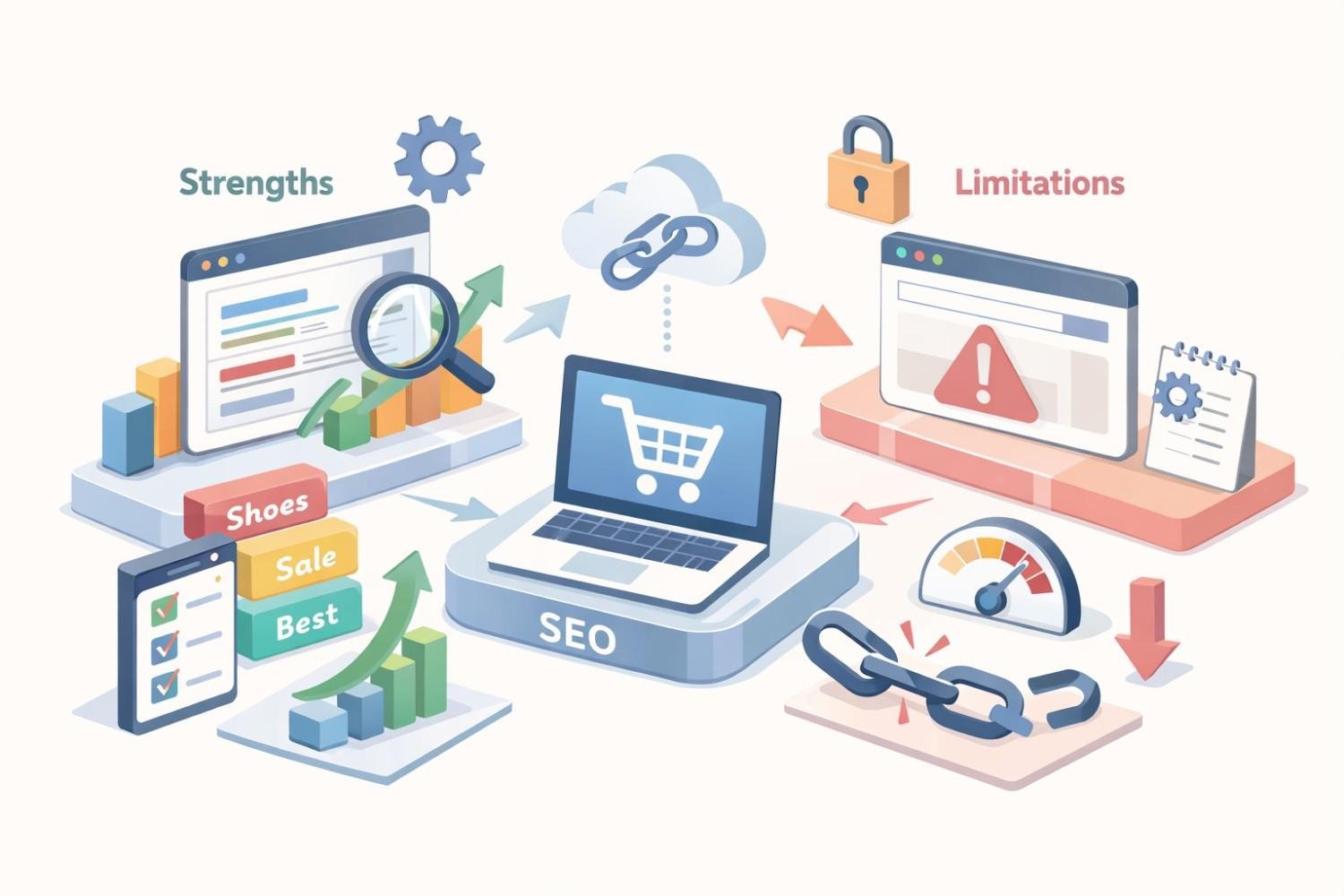
Understanding what Wix can and cannot do prevents frustration and helps you maximize available features. The platform has made substantial SEO improvements, but certain constraints remain.
Built-In SEO Features in Wix Stores
Wix provides a comprehensive set of native SEO tools that cover most optimization needs.
Meta tag management allows full customization of title tags and meta descriptions for every page type. You can set patterns for product pages that automatically pull in product names and categories, or write unique meta content for each item.
URL customization lets you create clean, keyword-rich slugs for products, categories, and content pages. The platform automatically handles redirects when you change URLs.
Image optimization includes automatic compression and WebP format conversion. You can add alt text to every product image, and Wix generates responsive image sizes for different devices.
Structured data is implemented automatically for products, including price, availability, and review information. This enables rich snippets in search results without manual schema coding.
301 redirect management provides a dedicated interface for setting up redirects when you reorganize your store or discontinue products.
Canonical tag handling prevents duplicate content issues by automatically setting canonical URLs for product variations and filtered category pages.
Technical SEO Constraints on Wix
Certain technical optimizations remain outside your direct control on Wix.
Server response times depend on Wix’s infrastructure. While generally fast, you cannot implement custom caching strategies or CDN configurations beyond what Wix provides.
Robots.txt limitations prevent you from adding custom directives. Wix manages this file centrally, though you can control page-level indexing through the dashboard.
JavaScript rendering still requires Google to process your pages through rendering. Although Wix has improved this significantly, pure HTML sites have a slight crawling advantage.
URL structure constraints mean you cannot completely customize URL patterns. Product URLs include “/product-page/” by default, and collection URLs follow Wix’s predetermined structure.
Page speed optimization options are limited to what Wix offers. You cannot minify code manually, defer specific scripts, or implement advanced performance techniques.
What Wix Cannot Do (Platform Limitations)
Some SEO capabilities simply are not available on Wix, regardless of your plan level.
You cannot access server logs to analyze crawl behavior directly. Third-party tools and Google Search Console provide partial alternatives, but raw log analysis is not possible.
Custom schema markup beyond Wix’s automatic implementation requires workarounds. While you can add code through Velo (Wix’s development platform), it is more complex than platforms with dedicated schema plugins.
Advanced international SEO with hreflang tags requires manual implementation through custom code. Wix does not provide a native interface for managing multilingual SEO signals.
Database-level optimizations are impossible since you do not have direct database access. Large stores with thousands of products may experience limitations that self-hosted platforms could address through database tuning.
How to Optimize Your Wix Ecommerce Store for Search
Optimization on Wix follows ecommerce SEO best practices adapted to the platform’s interface. Focus on the elements you can control, and implement them thoroughly.
Product Page SEO Optimization
Product pages drive revenue. They deserve the most attention in your SEO strategy.
Title Tags and Meta Descriptions
Your title tag is the most important on-page ranking factor. Structure it to include your primary keyword while remaining compelling to click.
Effective format: [Product Name] – [Key Benefit or Feature] | [Brand Name]
Keep titles under 60 characters to prevent truncation in search results. Front-load the most important keywords since Google gives more weight to words appearing earlier.
Meta descriptions do not directly affect rankings but significantly impact click-through rates. Write descriptions that:
- Include your target keyword naturally within the first 100 characters
- Highlight unique selling points or promotions
- Create urgency or curiosity
- End with a subtle call to action
Aim for 150-160 characters to maximize visible content without truncation.
Product Descriptions and Keyword Placement
Unique product descriptions separate successful stores from those struggling with thin content penalties. Never use manufacturer descriptions that appear on dozens of competing sites.
Write descriptions that answer customer questions:
- What problem does this product solve?
- What makes it different from alternatives?
- Who is it designed for?
- What are the specifications that matter?
Place your primary keyword in the first paragraph naturally. Use semantic variations and related terms throughout the description. If you sell running shoes, naturally incorporate terms like athletic footwear, jogging sneakers, cushioned soles, and breathable mesh.
Aim for 300+ words on important product pages. This provides enough content for Google to understand relevance while giving customers the information they need to purchase.
Image Alt Text and File Optimization
Product images need descriptive alt text for accessibility and SEO. Write alt text that describes what the image shows while incorporating relevant keywords.
Good alt text: “Blue leather crossbody bag with adjustable strap and brass hardware”
Poor alt text: “bag” or “product-image-001”
Before uploading images, optimize file sizes. While Wix compresses images automatically, starting with optimized files improves performance. Use descriptive file names like “blue-leather-crossbody-bag.jpg” rather than “IMG_4521.jpg.”
Include multiple product images showing different angles, details, and use cases. More images mean more opportunities for alt text optimization and better user experience.
Category and Collection Page Optimization
Category pages often have higher ranking potential than individual products for broader keywords. A well-optimized “Women’s Running Shoes” category page can rank for that competitive term while individual products target specific long-tail queries.
Add unique introductory content to category pages. Wix allows you to include text above or below product grids. Use this space for 150-300 words explaining what the category includes, who it serves, and what differentiates your selection.
Optimize category page titles and meta descriptions with the same care as product pages. Include the category keyword and relevant modifiers.
Structure your category hierarchy logically. Use subcategories when you have enough products to warrant them. This creates more targeted landing pages and improves internal linking.
URL Structure Best Practices
Wix provides URL customization within its structural constraints. Make the most of available options.
Keep URLs short and descriptive. Remove unnecessary words like “the,” “and,” or “for.” Include your primary keyword when it fits naturally.
Good URL: /product-page/blue-leather-crossbody-bag
Poor URL: /product-page/the-best-blue-leather-crossbody-bag-for-women-2024
Use hyphens to separate words. Never use underscores, spaces, or special characters.
When you change URLs, always set up 301 redirects from the old URL to the new one. Wix makes this straightforward through the SEO dashboard.
Site Speed and Core Web Vitals on Wix
Page speed affects both rankings and conversions. Wix handles much of this automatically, but you can still optimize within the platform.
Reduce page weight by limiting the number of apps and widgets on each page. Every third-party integration adds code that slows loading.
Optimize images before uploading. Even though Wix compresses images, starting with properly sized files reduces processing time.
Minimize custom fonts. Each font family requires additional loading time. Stick to two or three fonts maximum.
Use Wix’s built-in features rather than third-party alternatives when possible. Native features are optimized for the platform.
Monitor your Core Web Vitals through Google Search Console. Pay attention to:
- Largest Contentful Paint (LCP): How quickly your main content loads
- First Input Delay (FID): How responsive your page is to interactions
- Cumulative Layout Shift (CLS): How stable your page layout is during loading
Wix sites generally perform well on these metrics, but heavy customization can create issues.
Wix SEO Tools and Apps for Ecommerce
Wix provides native tools and supports third-party apps that extend SEO capabilities. Use these resources strategically.
Wix SEO Wiz and Setup Checklist
The SEO Wiz walks you through fundamental optimization tasks. It is particularly useful for beginners who need guidance on what to optimize first.
The tool analyzes your site and creates a personalized checklist covering:
- Homepage SEO settings
- Business information for local SEO
- Google Search Console connection
- Social media profile linking
- Basic on-page optimization tasks
Complete the entire checklist as a starting point. It ensures you have not missed obvious optimization opportunities.
Beyond the initial setup, the SEO Wiz provides ongoing recommendations as you add new pages and products. Check it periodically for new suggestions.
Third-Party SEO Apps in the Wix App Market
The Wix App Market includes SEO tools that add functionality beyond native features.
Site Booster helps with local business listings and citation building. It submits your business information to directories automatically.
Rabbit SEO provides additional analysis and optimization suggestions. It can identify issues the native tools miss.
Schema App allows more advanced structured data implementation for stores needing custom schema beyond Wix’s automatic markup.
Evaluate apps carefully before installing. Each app adds code to your site, potentially affecting performance. Only install apps that provide clear value for your specific needs.
Read reviews and check update frequency. Apps that have not been updated recently may have compatibility issues or security vulnerabilities.
Google Search Console Integration
Connecting Google Search Console is essential for any serious SEO effort. Wix makes this integration straightforward.
Through Search Console, you can:
- Monitor which queries bring traffic to your store
- Identify indexing issues affecting your pages
- Submit sitemaps and request indexing for new content
- Track Core Web Vitals performance
- Receive alerts about security issues or manual penalties
Check Search Console weekly at minimum. Look for:
- Pages with high impressions but low clicks (opportunity to improve titles and descriptions)
- Queries where you rank on page two (candidates for optimization focus)
- Crawl errors preventing pages from being indexed
- Mobile usability issues affecting rankings
The data in Search Console guides your optimization priorities more effectively than guessing.
Content Strategy for Wix Ecommerce SEO
Product pages alone rarely build enough topical authority to dominate competitive niches. Content strategy expands your ranking opportunities and establishes expertise.
Blogging for Product Visibility
A blog connected to your Wix store creates pages that can rank for informational queries related to your products. These visitors may not be ready to buy immediately, but you capture them early in their journey.
Content types that work for ecommerce:
- Buying guides comparing product options
- How-to tutorials using your products
- Problem-solution articles addressing customer pain points
- Industry news and trend analysis
- Customer success stories and case studies
Each blog post should connect to relevant products through contextual links. A post about “How to Choose Running Shoes for Flat Feet” naturally links to your flat-feet-friendly shoe collection.
Publish consistently rather than sporadically. One quality post per week builds momentum faster than occasional publishing bursts.
Building Topical Authority Around Products
Topical authority means Google recognizes your site as a comprehensive resource on specific subjects. This requires covering topics thoroughly from multiple angles.
Map out the questions and concerns your customers have at every stage:
- Awareness stage: What problem do they have? What solutions exist?
- Consideration stage: How do they evaluate options? What features matter?
- Decision stage: Why choose your product? What do others say about it?
Create content addressing each stage. Over time, your site becomes the go-to resource for your product category.
Interlink related content to show Google how topics connect. Your buying guide should link to relevant how-to articles, which link to product pages, which link back to related guides.
Internal Linking Structure for Wix Stores
Internal links distribute ranking power throughout your site and help Google understand your content hierarchy.
Link from high-authority pages to important products. Your homepage and popular blog posts pass more value than deep pages with few external links.
Use descriptive anchor text. Instead of “click here,” use “browse our collection of leather crossbody bags.”
Create logical pathways. Visitors should be able to navigate from any page to related content through contextual links.
Link to category pages from blog content. When you mention a product type in a blog post, link to the category rather than a single product when appropriate.
Audit your internal links quarterly. Look for orphan pages with no internal links pointing to them, and important pages that could use more internal link support.
Technical SEO Checklist for Wix Online Stores
Technical SEO ensures search engines can crawl, understand, and index your store effectively. Wix handles many technical elements automatically, but verification and optimization remain important.
Indexing and Crawlability Settings
Verify that your important pages are being indexed properly.
Check index status in Google Search Console. Use the URL Inspection tool to see how Google views specific pages.
Review your sitemap to ensure all products and categories are included. Wix generates sitemaps automatically, but verify they are complete.
Control page-level indexing through Wix’s SEO settings. Exclude pages that should not appear in search results, such as thank-you pages, login pages, or duplicate filtered views.
Monitor crawl stats in Search Console to identify any crawling issues. Sudden drops in crawl activity may indicate problems.
Structured Data and Schema Markup
Wix implements Product schema automatically, including:
- Product name
- Price and currency
- Availability status
- Product images
- Brand information
- Review ratings (if you use Wix Reviews)
Verify your structured data using Google’s Rich Results Test. Enter product page URLs to confirm the markup is valid and complete.
For additional schema types like FAQ, HowTo, or Organization markup, you will need to add custom code through Wix Velo or use a third-party app.
Rich snippets from proper schema implementation can significantly improve click-through rates by displaying prices, ratings, and availability directly in search results.
Mobile Optimization
Mobile optimization is non-negotiable. Google uses mobile-first indexing, meaning it primarily uses the mobile version of your site for ranking decisions.
Wix templates are responsive by default, but verify the mobile experience:
- Test all pages on actual mobile devices, not just browser emulators
- Ensure buttons and links are easily tappable
- Verify text is readable without zooming
- Check that images display correctly
- Confirm checkout process works smoothly on mobile
Use Google’s Mobile-Friendly Test to identify specific issues. Address any problems immediately since they directly affect rankings.
XML Sitemap and Robots.txt Configuration
Wix generates your XML sitemap automatically at yoursite.com/sitemap.xml. Submit this URL to Google Search Console if it is not already connected.
The sitemap updates automatically when you add or remove pages. However, verify periodically that new products appear in the sitemap promptly.
Robots.txt on Wix is managed by the platform. You cannot edit it directly, but you can control page-level indexing through the SEO dashboard. Use the “Hide from search results” option for pages you want to exclude.
If you need to block specific URL patterns, contact Wix support or use meta robots tags through custom code.
How Long Does Wix Ecommerce SEO Take to Work?
SEO is a long-term investment. Understanding realistic timelines prevents discouragement and helps you plan resource allocation.
Realistic Timeline Expectations
New Wix stores typically see initial ranking movement within 3-6 months of consistent optimization. Meaningful traffic growth usually takes 6-12 months.
Month 1-3: Focus on technical foundation and on-page optimization. You may see some long-tail keywords start ranking, but significant traffic is unlikely.
Month 4-6: Content strategy begins showing results. More pages get indexed, and you start ranking for a broader range of queries.
Month 7-12: Authority builds as your content ages and accumulates backlinks. Rankings improve for more competitive terms.
Year 2 and beyond: Compounding effects accelerate growth. Established authority makes new content rank faster.
These timelines assume consistent effort. Sporadic optimization extends the timeline significantly.
Factors That Influence Ranking Speed
Several variables affect how quickly your Wix store gains rankings:
Competition level matters enormously. Ranking for “handmade leather wallets” happens faster than ranking for “leather wallets” against major retailers.
Domain age and history influence trust signals. New domains take longer to establish authority than established ones.
Content quality and quantity determine how much Google has to work with. More high-quality pages create more ranking opportunities.
Backlink acquisition rate affects authority growth. Sites earning links from reputable sources rank faster.
Technical health ensures nothing blocks your progress. Indexing issues or speed problems slow everything down.
Optimization consistency compounds over time. Regular improvements outperform occasional bursts of activity.
Measuring SEO Progress on Wix
Track metrics that indicate progress even before significant traffic arrives:
Indexed pages show Google is finding and accepting your content. Monitor this in Search Console.
Impressions indicate your pages are appearing in search results, even if not yet clicked. Growing impressions precede traffic growth.
Average position improvements show your optimization is working. Moving from position 50 to position 20 is progress, even though both positions get minimal clicks.
Keyword rankings for target terms should improve over time. Track your most important keywords weekly.
Organic traffic is the ultimate metric, but it is a lagging indicator. Do not judge success by traffic alone in the first six months.
Conversion rate from organic traffic matters more than traffic volume. Quality traffic that converts beats high volumes that bounce.
Wix Ecommerce SEO vs Shopify SEO vs WooCommerce SEO
Platform choice affects your SEO capabilities and constraints. Understanding the differences helps you make informed decisions.
Feature Comparison Table
| Feature | Wix | Shopify | WooCommerce |
| Custom meta tags | Yes | Yes | Yes |
| URL customization | Partial | Partial | Full |
| Robots.txt editing | No | Limited | Full |
| Schema markup | Automatic | App required | Plugin required |
| Page speed control | Limited | Limited | Full |
| Hosting management | Included | Included | Self-managed |
| Blog functionality | Built-in | Built-in | Full WordPress |
| App/plugin ecosystem | Moderate | Large | Extensive |
| Technical skill required | Low | Low-Medium | Medium-High |
| Monthly cost | $27-59 | $29-299 | Hosting + plugins |
When Wix Is the Right Choice
Wix makes sense for ecommerce businesses that:
- Prioritize ease of use over maximum customization
- Have limited technical resources or development budget
- Sell fewer than 1,000 products
- Want an all-in-one solution without managing hosting
- Need to launch quickly without extensive setup
- Prefer visual, drag-and-drop design tools
The platform works well for small to medium stores where the owner manages everything. Its limitations rarely impact businesses at this scale.
When to Consider Platform Migration
Migration becomes worth considering when:
- You need technical capabilities Wix cannot provide
- Your product catalog exceeds Wix’s comfortable handling capacity
- Page speed issues persist despite optimization
- You require advanced international SEO features
- Your development team wants full code access
- Integration requirements exceed Wix’s app ecosystem
Migration is disruptive and risky for SEO. Only pursue it when clear limitations are holding back growth, not for theoretical advantages.
If you do migrate, plan extensively. Map all URLs for redirects, preserve meta content, and expect a temporary ranking dip during the transition.
Common Wix Ecommerce SEO Mistakes to Avoid
Learning from common errors saves time and prevents ranking setbacks.
Duplicate Content Issues
Duplicate content confuses search engines and dilutes ranking potential. Common causes on Wix stores include:
Product variations creating multiple URLs for essentially the same product. Ensure canonical tags point to the main product page.
Filtered category views generating indexable URLs with parameters. Use Wix’s settings to prevent filter URLs from being indexed.
Copied manufacturer descriptions appearing on your site and competitors. Write unique descriptions for all products.
HTTP and HTTPS versions both being accessible. Wix handles this automatically, but verify only HTTPS versions are indexed.
Audit your site periodically using tools like Screaming Frog or Sitebulb to identify duplicate content issues.
Ignoring Mobile Performance
Mobile accounts for the majority of ecommerce traffic. Ignoring mobile experience hurts both rankings and conversions.
Common mobile mistakes include:
- Pop-ups that cover content and frustrate users
- Buttons too small or too close together to tap accurately
- Text requiring horizontal scrolling to read
- Images that load slowly on mobile connections
- Checkout processes that are difficult on small screens
Test your store on multiple mobile devices regularly. What works on your phone may fail on different screen sizes or operating systems.
Overlooking Product Schema
Product schema enables rich snippets that dramatically improve click-through rates. Wix implements basic product schema automatically, but many store owners do not verify it is working correctly.
Check that your schema includes:
- Accurate pricing information
- Current availability status
- Product images
- Brand information
- Review ratings if applicable
Use Google’s Rich Results Test on your product pages. Fix any errors or warnings that appear.
Missing or incorrect schema means your listings look plain in search results while competitors display prices, ratings, and availability badges.
Advanced Wix Ecommerce SEO Strategies
Once fundamentals are solid, advanced strategies accelerate growth.
Link Building for Wix Stores
Backlinks remain a critical ranking factor. Wix stores can earn links through the same strategies as any ecommerce site.
Product-based link building:
- Send products to bloggers and reviewers for coverage
- Create shareable product content like infographics or guides
- Sponsor relevant events or organizations
- Partner with complementary brands for cross-promotion
Content-based link building:
- Publish original research or data studies
- Create comprehensive resource guides
- Develop tools or calculators related to your niche
- Guest post on relevant industry publications
Digital PR:
- Pitch newsworthy stories to journalists
- Respond to media requests through services like HARO
- Create content tied to trending topics or events
Focus on earning links from relevant, authoritative sites in your industry. A single link from a respected publication outweighs dozens of low-quality directory links.
Local SEO for Wix Ecommerce
If you have a physical location or serve specific geographic areas, local SEO expands your visibility.
Google Business Profile optimization is essential. Claim and complete your profile with accurate information, photos, and regular posts.
Local keywords should appear naturally in your content. Include city and region names where relevant.
NAP consistency (Name, Address, Phone) across all online mentions builds trust signals. Ensure your business information matches everywhere it appears.
Local content targeting geographic queries helps capture nearby customers. Create pages for areas you serve if you have multiple locations.
Customer reviews on Google and other platforms influence local rankings. Encourage satisfied customers to leave reviews.
International SEO Considerations
Selling internationally requires additional SEO considerations that Wix handles partially.
Hreflang tags tell Google which language and region each page targets. Wix does not provide native hreflang management, so you will need custom code implementation.
Currency and pricing should display appropriately for each market. Wix supports multiple currencies through its ecommerce settings.
Localized content performs better than translated content. Adapt your messaging for cultural differences, not just language.
International shipping information should be clear and prominent. Search engines and users both want to know if you ship to their location.
Consider whether international SEO complexity is worth pursuing on Wix, or if a platform with better international support makes more sense for global expansion.
When to Hire an SEO Agency for Your Wix Store
Professional SEO help accelerates results and prevents costly mistakes. Knowing when to invest makes the difference.
Signs You Need Professional SEO Help
Consider hiring an agency when:
- You have been optimizing for 6+ months without meaningful results
- Technical issues persist that you cannot diagnose or fix
- Competitors consistently outrank you despite your efforts
- You lack time to implement SEO consistently
- Your business growth depends on organic traffic
- You need to scale beyond what you can manage alone
DIY SEO works for many small stores. But there is an opportunity cost to learning and implementing everything yourself when professionals could achieve results faster.
What to Expect from an Ecommerce SEO Partner
Quality ecommerce SEO agencies provide:
Technical audits identifying issues affecting your store’s performance and crawlability.
Keyword research uncovering opportunities you may have missed.
On-page optimization improving your existing pages systematically.
Content strategy planning what to create and when.
Link building earning authoritative backlinks to your store.
Reporting showing progress with metrics that matter.
Strategic guidance adapting to algorithm changes and competitive shifts.
Expect clear communication about what they are doing and why. Avoid agencies that promise specific rankings or refuse to explain their methods.
ROI of Professional Wix SEO Services
SEO investment returns compound over time. Unlike paid advertising, the traffic you earn through SEO continues without ongoing ad spend.
Calculate potential ROI by considering:
- Current organic traffic and conversion rate
- Realistic traffic growth projections
- Average order value and customer lifetime value
- Cost of equivalent paid traffic
A store converting 2% of organic visitors with a $100 average order value generates $2,000 revenue per 1,000 organic visitors. Growing from 1,000 to 5,000 monthly organic visitors represents $8,000 additional monthly revenue.
Professional SEO services typically cost $1,500-5,000 monthly for ecommerce. The math works when projected traffic growth justifies the investment.
Conclusion
Wix ecommerce SEO success requires understanding platform capabilities, implementing optimization systematically, and maintaining consistency over time. The platform provides sufficient tools for most small to medium stores to achieve strong organic visibility.
Your SEO strategy should prioritize product page optimization, technical health, content development, and authority building. Each element reinforces the others, creating compounding returns as your store establishes topical authority.
We help ecommerce businesses build sustainable organic growth through strategic SEO implementation. If you are ready to accelerate your Wix store’s search visibility, White Label SEO Service provides the expertise and execution to make it happen.
Frequently Asked Questions About Wix Ecommerce SEO
Is Wix bad for ecommerce SEO?
Wix is not bad for ecommerce SEO. The platform has improved dramatically and now supports all fundamental SEO requirements. Most ranking limitations come from implementation, not the platform itself.
Can Wix stores rank on Google?
Yes, Wix stores rank on Google for competitive keywords across many industries. The platform’s technical infrastructure supports proper indexing and ranking. Success depends on optimization quality and content strategy.
Does Wix automatically submit to Google?
Wix automatically generates sitemaps and can connect to Google Search Console for submission. However, you should manually verify the connection and monitor indexing status to ensure all pages are being crawled.
How do I add keywords to my Wix store?
Add keywords through the SEO settings panel for each page. Customize title tags, meta descriptions, URL slugs, and heading tags. Also incorporate keywords naturally in product descriptions, category text, and blog content.
Is Wix SEO better than Squarespace?
Both platforms offer similar SEO capabilities for most use cases. Wix provides more granular control over some settings, while Squarespace offers cleaner default templates. Neither platform significantly limits SEO potential for typical ecommerce stores.
How many products can Wix handle for SEO purposes?
Wix comfortably handles stores with up to several thousand products. Very large catalogs may experience slower dashboard performance, but SEO functionality remains intact. Most small to medium stores never encounter product limit issues.
Do I need Wix premium for ecommerce SEO?
Yes, ecommerce functionality requires a Wix Business or Ecommerce plan. Free plans do not support online stores and display Wix branding that undermines professional credibility and SEO effectiveness.


