

Moz remains one of the most trusted platforms for link building research, offering Domain Authority metrics, backlink analysis, and competitor insights that help SEO teams prioritize high-value link opportunities. Whether you’re auditing your existing backlink profile or prospecting for new links, Moz provides the data infrastructure to make informed decisions.
Link building continues to be a critical ranking factor, and having reliable tools to analyze link quality separates successful campaigns from wasted outreach efforts. Moz’s toolset addresses the core challenges of identifying worthwhile prospects, avoiding toxic links, and measuring progress over time.
This guide covers everything you need to know about using Moz for link building—from feature breakdowns and competitor comparisons to pricing considerations and practical workflows that drive measurable results.
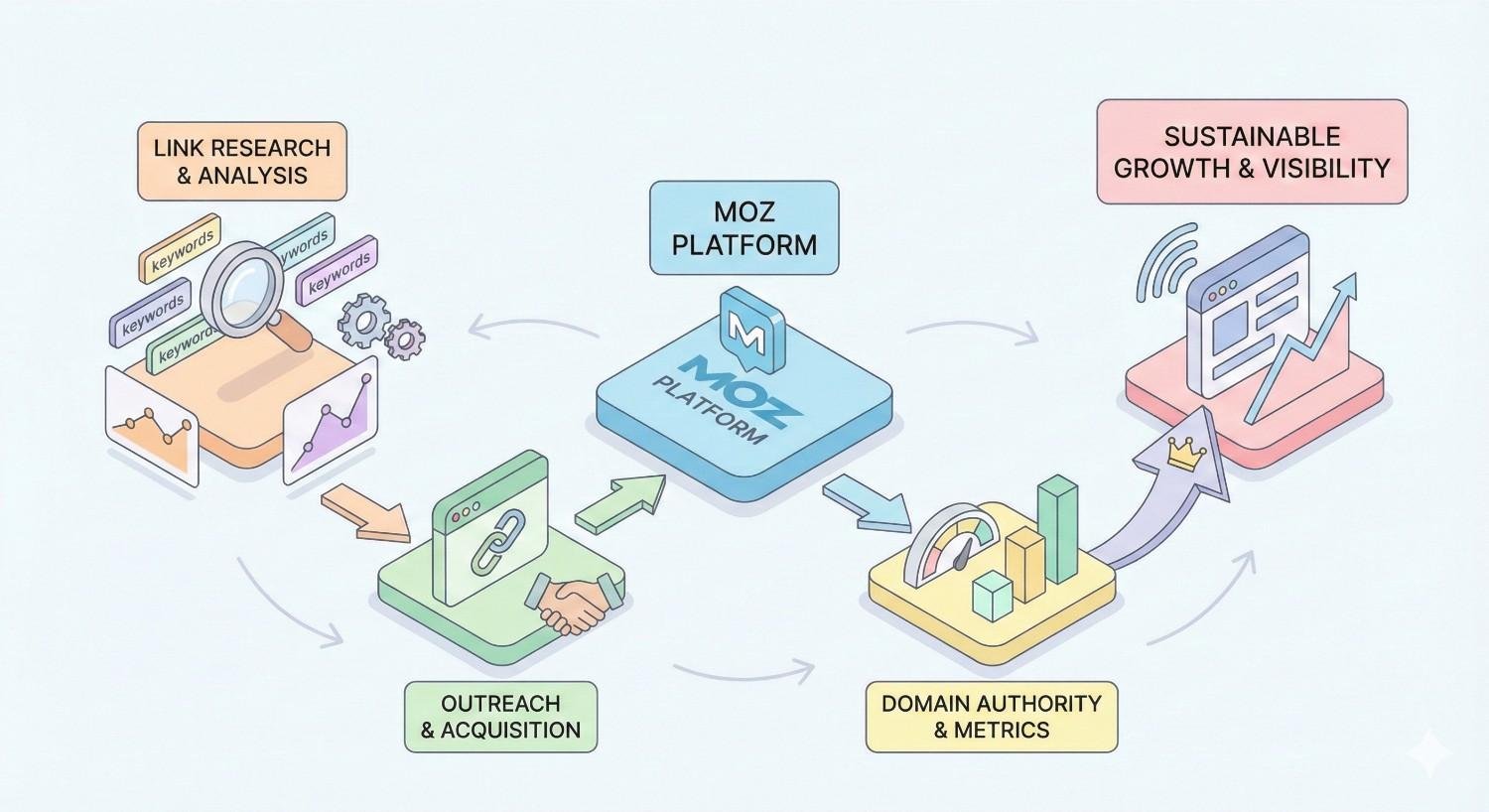
What Is Moz and How Does It Support Link Building?
Moz is a Seattle-based SEO software company founded in 2004 that pioneered many of the metrics and methodologies still used across the industry today. The platform offers a comprehensive suite of tools designed specifically for search engine optimization, with link building capabilities forming a core component of its value proposition.
The company’s approach to link analysis centers on proprietary metrics like Domain Authority and Page Authority, which have become industry-standard benchmarks for evaluating link quality. These metrics help SEO professionals quickly assess whether a potential backlink source is worth pursuing.
Overview of Moz’s Link Building Toolset
Moz’s link building capabilities are primarily housed within Link Explorer, the platform’s dedicated backlink analysis tool. Link Explorer provides access to a web index containing over 44 trillion links across more than 1.25 billion root domains, making it one of the larger link databases available to SEO professionals.
The toolset includes several interconnected features that support different stages of the link building process. Backlink analysis reveals who links to any domain or page. Link Intersect identifies sites linking to competitors but not to you. Spam Score helps filter out potentially harmful link sources before you invest outreach time.
Beyond raw data, Moz provides organizational tools like Link Tracking Lists that help teams manage ongoing campaigns. These features transform link building from a scattered effort into a systematic, trackable process with clear metrics for success.
How Moz Fits Into a Complete Link Building Strategy
Link building requires three distinct phases: research, outreach, and measurement. Moz excels at the research and measurement phases while integrating with external outreach tools and workflows.
During the research phase, Moz helps you identify which sites are worth targeting based on authority metrics, topical relevance, and spam indicators. This prevents wasted effort on low-quality prospects that won’t move the needle on rankings.
For measurement, Moz tracks new and lost links over time, allowing you to correlate link acquisition with ranking improvements. This data proves ROI to stakeholders and helps refine targeting criteria for future campaigns.
The platform doesn’t handle email outreach or relationship management directly. Most teams pair Moz with dedicated outreach tools like Pitchbox, BuzzStream, or even simple spreadsheet workflows to manage the human side of link building.
Key Moz Features for Link Building
Understanding each feature’s specific function helps you extract maximum value from your Moz subscription. The platform offers several specialized tools that address different link building challenges.
Link Explorer – Backlink Analysis and Research
Link Explorer serves as the central hub for all backlink-related research within Moz. Enter any URL—yours or a competitor’s—and receive detailed data about the links pointing to that domain or specific page.
The tool displays linking domains, anchor text distribution, followed versus nofollowed links, and historical link growth trends. You can filter results by Domain Authority, Spam Score, or link type to focus on the most relevant data for your specific needs.
One particularly useful feature is the ability to see newly discovered and recently lost links. This helps you identify link building opportunities (what’s working for competitors) and potential problems (links you’ve lost that might need recovery efforts).
Link Explorer also shows the specific pages on your site receiving the most backlinks. This insight helps you understand what content naturally attracts links, informing future content strategy decisions.
Domain Authority (DA) and Page Authority (PA) Metrics
Domain Authority is Moz’s proprietary metric predicting how likely a website is to rank in search results. Scored on a logarithmic scale from 1 to 100, higher DA generally correlates with stronger ranking potential.
Page Authority applies the same methodology to individual pages rather than entire domains. This distinction matters because a high-DA site might have specific pages with lower authority, and vice versa.
Understanding the logarithmic scale is crucial for setting realistic expectations. Moving from DA 20 to DA 30 is significantly easier than moving from DA 60 to DA 70. Each point becomes progressively harder to achieve as you climb the scale.
These metrics help prioritize outreach targets. A link from a DA 60 site typically carries more weight than one from a DA 20 site, though relevance and traffic should also factor into your decisions.
Spam Score – Identifying Toxic Links
Spam Score predicts the likelihood that a site has been penalized or banned by search engines. The metric analyzes 27 common spam indicators and presents a score from 1% to 100%.
Sites with Spam Scores above 30% warrant closer inspection before pursuing links. Scores above 60% generally indicate sites you should avoid entirely. However, Spam Score is a predictive metric, not a definitive judgment—manual review remains important.
The feature proves especially valuable when auditing your existing backlink profile. Identifying high-spam-score links pointing to your site helps you decide whether to disavow potentially harmful backlinks.
During prospecting, Spam Score acts as an efficient filter. Rather than manually evaluating every potential link source, you can quickly eliminate obviously problematic sites and focus attention on legitimate opportunities.
Link Intersect – Finding Competitor Link Opportunities
Link Intersect reveals sites linking to your competitors but not to you. This feature identifies proven link opportunities—sites that clearly link out to content in your niche.
Enter up to five competitor URLs and your own domain. The tool returns a list of sites linking to one or more competitors, sorted by how many competitors they link to. Sites linking to multiple competitors represent particularly strong prospects.
The logic is straightforward: if a site links to three of your competitors, they’re clearly willing to link to content in your space. Your job becomes creating content worthy of that link or finding an appropriate outreach angle.
Link Intersect transforms competitive analysis from a vague concept into actionable prospect lists. Instead of guessing where to focus outreach efforts, you start with sites that have demonstrated linking behavior.
Link Tracking Lists – Monitoring Outreach Progress
Link Tracking Lists allow you to save and monitor specific link targets over time. Add URLs you’re pursuing, and Moz tracks whether those links appear, their anchor text, and any changes to the linking page.
This feature bridges the gap between research and campaign management. Rather than checking manually whether your outreach efforts resulted in actual links, the tracking list automates monitoring.
Teams can organize lists by campaign, client, or link type. This organizational structure helps maintain clarity across multiple simultaneous link building initiatives.
The historical tracking also helps identify patterns. You might notice that certain types of sites convert from prospect to link more reliably, informing future targeting decisions.
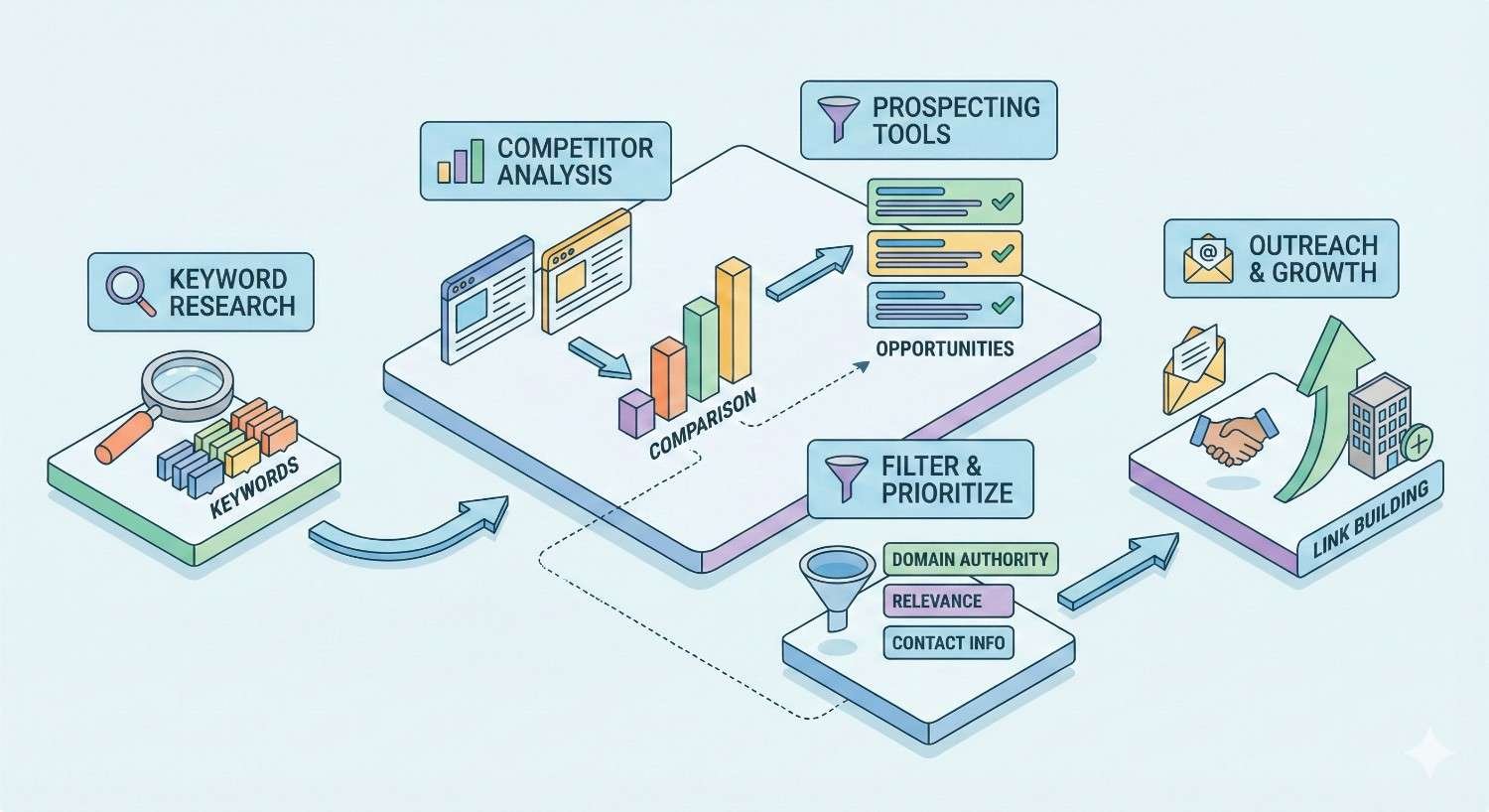
How to Use Moz for Link Prospecting
Effective link prospecting requires systematic analysis rather than random outreach. Moz provides the data infrastructure to build targeted prospect lists based on proven criteria.
Analyzing Competitor Backlink Profiles
Start by identifying three to five direct competitors ranking for your target keywords. Enter each competitor’s domain into Link Explorer to reveal their complete backlink profile.
Look for patterns in their link sources. Do they have links from industry publications, resource pages, directories, or guest posts? Understanding the types of links driving competitor rankings helps you replicate successful strategies.
Pay attention to anchor text distribution. A natural profile includes branded anchors, naked URLs, and varied keyword-rich anchors. If competitors have specific anchor patterns, note whether those align with your target keywords.
Export competitor backlink data for deeper analysis. Spreadsheet manipulation allows you to filter, sort, and deduplicate across multiple competitor profiles, creating a master prospect list.
Identifying High-Quality Link Opportunities
Quality trumps quantity in modern link building. A single link from a relevant, authoritative site often outperforms dozens of links from low-quality sources.
Filter prospects by Domain Authority to focus on sites with genuine ranking power. The specific DA threshold depends on your own site’s authority—targeting sites with DA 10-20 points above your own represents a reasonable stretch goal.
Evaluate topical relevance beyond raw metrics. A DA 40 site in your exact niche typically provides more value than a DA 60 site in an unrelated industry. Moz’s data helps with authority assessment, but relevance requires manual judgment.
Check traffic estimates where available. Sites with actual visitors provide referral traffic benefits beyond pure link equity. A link from a site with engaged readers delivers compound value.
Prioritizing Prospects by DA and Relevance
Create a scoring system that weights both authority and relevance. A simple approach assigns points for DA ranges and relevance categories, then sorts prospects by total score.
For example: DA 50+ earns 3 points, DA 30-49 earns 2 points, DA 15-29 earns 1 point. Highly relevant sites earn 3 points, somewhat relevant earn 2 points, tangentially relevant earn 1 point. A DA 45 highly relevant site scores 5 points, prioritizing it over a DA 55 tangentially relevant site scoring 4 points.
Consider link acquisition difficulty alongside value. Some high-DA sites have clear outreach paths (guest post guidelines, resource pages accepting submissions), while others require significant relationship building. Factor effort into prioritization.
Segment your final list into tiers. Tier 1 prospects receive personalized, high-effort outreach. Tier 2 prospects get templated but customized outreach. Tier 3 prospects might receive scaled outreach or be saved for future campaigns.
Using Moz to Audit Your Backlink Profile
Regular backlink audits protect your site from algorithmic penalties and identify opportunities to strengthen your link profile. Moz provides the data needed for comprehensive audits.
Identifying Lost and Broken Links
Link Explorer tracks links over time, flagging those that have disappeared. Lost links might result from pages being removed, sites going offline, or webmasters removing your link.
Review lost links monthly to identify recovery opportunities. If a valuable link disappeared because the linking page moved, you might reach out to request an updated link. If the page was removed entirely, the opportunity may be gone.
Broken links on your own site also affect link equity. If pages receiving backlinks return 404 errors, you’re wasting the value of those links. Redirect broken URLs to relevant live pages to preserve link equity.
Prioritize lost link recovery by the authority of the linking domain. Losing a DA 70 link warrants immediate attention, while losing a DA 15 link might not justify outreach effort.
Detecting Spammy or Toxic Backlinks
Run your domain through Link Explorer and sort results by Spam Score. Links from high-spam-score sites might harm your rankings or indicate negative SEO attacks.
Not every high-spam-score link requires action. Google’s algorithms have become sophisticated at ignoring low-quality links. However, patterns of spammy links—especially with exact-match anchor text—warrant attention.
For genuinely problematic links, you have two options: request removal from the webmaster or add the domain to your Google disavow file. Disavowing tells Google to ignore specific links when assessing your site.
Document your audit findings and actions taken. This record proves valuable if you ever need to demonstrate link cleanup efforts during a manual penalty recovery.
Benchmarking Against Competitors
Compare your backlink metrics against competitors to identify gaps and opportunities. Moz’s competitive analysis features show how your link profile stacks up.
Key metrics to compare include total linking domains, Domain Authority, and link velocity (how quickly you’re acquiring new links versus competitors). Significant gaps in any area suggest strategic priorities.
Analyze the types of links competitors have that you lack. If competitors have links from industry associations, publications, or resource pages that you don’t, those represent specific targets for your outreach efforts.
Track these benchmarks over time. Monthly or quarterly comparisons reveal whether your link building efforts are closing competitive gaps or falling further behind.
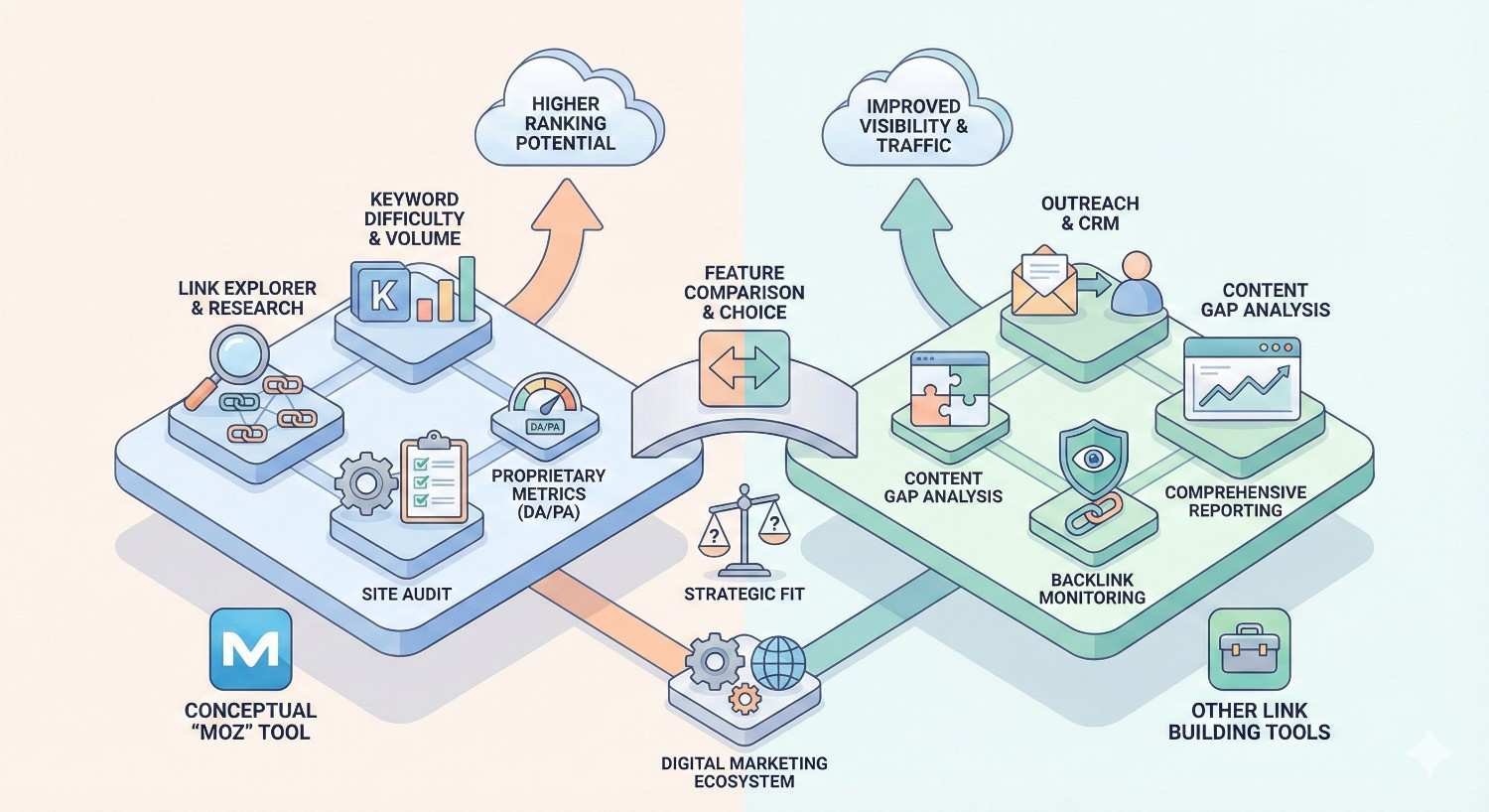
Moz vs Other Link Building Tools
Moz competes with several other platforms offering link analysis capabilities. Understanding the differences helps you choose the right tool for your needs.
Moz vs Ahrefs for Link Building
Ahrefs maintains a larger link index than Moz, with over 35 trillion known links and faster crawl updates. For pure link discovery, Ahrefs typically finds more backlinks to any given domain.
Moz’s Domain Authority metric remains more widely recognized than Ahrefs’ Domain Rating. When communicating with clients or stakeholders unfamiliar with SEO tools, DA often requires less explanation.
Ahrefs offers more granular filtering options and faster data exports. For high-volume link prospecting, these efficiency gains compound significantly.
Moz provides a more approachable interface for users newer to SEO. The learning curve is gentler, and the tool integrates link data with other SEO features more seamlessly.
Moz vs SEMrush for Backlink Analysis
SEMrush positions itself as an all-in-one marketing platform, with backlink analysis as one component among many. Moz offers deeper specialization in link-related features.
SEMrush’s Backlink Analytics tool provides similar core functionality to Moz’s Link Explorer. Both show linking domains, anchor text, and authority metrics. SEMrush uses its own Authority Score metric rather than Domain Authority.
For teams already using SEMrush for keyword research, PPC analysis, or content marketing, keeping link analysis within the same platform simplifies workflows. Moz makes more sense for teams specifically focused on link building.
SEMrush’s link building tool includes built-in outreach features that Moz lacks. If you want prospect management and email outreach in one platform, SEMrush offers that integration.
When to Choose Moz Over Alternatives
Choose Moz when Domain Authority is important to your reporting or client communication. The metric’s industry recognition provides credibility that proprietary alternatives lack.
Moz suits teams wanting a focused link building tool without the complexity of enterprise platforms. The interface prioritizes usability over feature density.
Budget-conscious teams benefit from Moz’s pricing structure, which offers meaningful functionality at lower price points than some competitors. The free tier provides genuine utility for basic link research.
Organizations already invested in Moz’s broader SEO toolset gain efficiency from keeping link analysis within the same ecosystem. Data flows between tools, and team members need only learn one interface.
Moz Pricing and Plans for Link Building
Understanding Moz’s pricing structure helps you select the right plan for your link building needs without overpaying for unused features.
Free vs Paid Moz Features for Link Analysis
Moz offers limited free access through Link Explorer. Free users can run 10 link queries per month with access to basic metrics including DA, PA, and top linking domains.
The free tier suits occasional research needs—checking a competitor’s authority or reviewing your own top backlinks. It doesn’t support systematic link building campaigns requiring regular, high-volume analysis.
Free accounts also access Moz’s browser extension, MozBar, which displays DA and PA for any page you visit. This feature helps evaluate link prospects during normal browsing without logging into the full platform.
Paid plans unlock unlimited queries, full backlink exports, Link Intersect, Link Tracking Lists, and historical data. Serious link building requires these capabilities.
Which Moz Plan Is Best for Link Building?
Moz Pro Standard starts at $99/month (billed annually) and includes Link Explorer with 5 million rows of data per month. This plan suits individual practitioners or small teams with moderate link building activity.
Moz Pro Medium at $179/month increases data limits and adds more tracked campaigns. Growing agencies or in-house teams managing multiple sites benefit from the expanded capacity.
Moz Pro Large at $299/month provides the highest data limits and priority support. Enterprise link building operations with high-volume research needs require this tier.
Evaluate your actual usage patterns before selecting a plan. Many teams overestimate their needs initially. Starting with Standard and upgrading if you hit limits costs less than starting with Large and underutilizing capacity.
Limitations of Moz for Link Building
No tool is perfect. Understanding Moz’s limitations helps you compensate with complementary tools or adjusted expectations.
Database Size and Freshness Considerations
Moz’s link index, while substantial, is smaller than Ahrefs’ index. You may find links in Ahrefs that don’t appear in Moz, particularly for newer or less authoritative sites.
Index freshness varies. Moz updates its index regularly, but newly acquired links might not appear for days or weeks. If you need real-time link monitoring, dedicated tools like Linkody or Monitor Backlinks offer faster updates.
The practical impact depends on your use case. For strategic link prospecting and competitive analysis, Moz’s index provides sufficient coverage. For comprehensive link audits requiring every possible backlink, cross-referencing with additional tools improves accuracy.
Historical data depth also varies by plan level. Lower-tier plans may not show complete historical link trends, limiting your ability to analyze long-term patterns.
When You Need Additional Tools
Moz doesn’t include outreach functionality. You’ll need separate tools for finding contact information, sending emails, and tracking responses. Popular options include Hunter.io for email finding and Pitchbox or BuzzStream for outreach management.
For link monitoring with real-time alerts, dedicated monitoring tools outperform Moz. If knowing immediately when you gain or lose links matters to your workflow, supplement Moz with specialized monitoring.
Content-based link building strategies benefit from tools Moz doesn’t offer. BuzzSumo helps identify shareable content topics. HARO (Help a Reporter Out) connects you with journalists seeking sources. These complement Moz’s analytical capabilities.
Technical SEO audits, while available in Moz Pro, receive deeper treatment in tools like Screaming Frog or Sitebulb. If your link building connects to broader technical optimization, consider the full toolset needed.
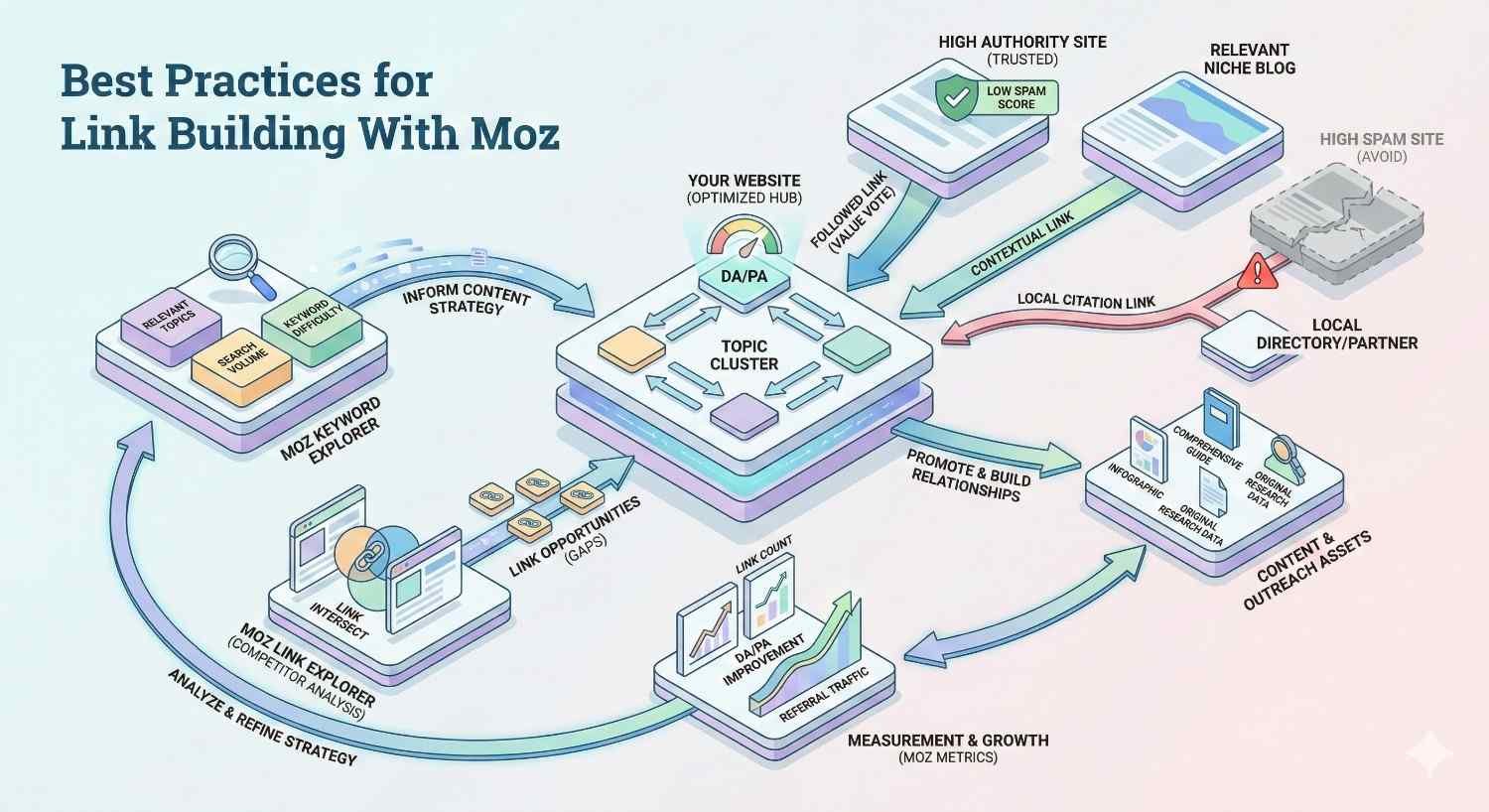
Best Practices for Link Building With Moz
Maximizing Moz’s value requires integrating its data into effective workflows rather than using features in isolation.
Combining Moz Data With Outreach Workflows
Export prospect lists from Link Intersect or competitor analysis into your outreach tool of choice. Include DA, Spam Score, and linking page URL to inform personalization.
Create outreach templates that reference specific data points. Mentioning that you noticed they link to competitors X and Y demonstrates research effort and increases response rates.
Track outreach status alongside Moz data. Knowing which high-DA prospects you’ve contacted, which responded, and which converted to links helps optimize future targeting.
Schedule regular data refreshes. Monthly exports ensure your prospect lists reflect current link landscapes rather than outdated snapshots.
Setting Realistic Link Building Goals Using DA
Domain Authority provides a framework for goal-setting, but requires realistic interpretation. Expecting to acquire links only from DA 70+ sites sets most campaigns up for failure.
Analyze your current link profile’s DA distribution. If your average linking domain is DA 25, targeting DA 30-40 sites represents achievable stretch goals. Targeting DA 60+ sites requires exceptional content or relationships.
Set goals around link quantity at various DA tiers rather than single high-authority targets. Ten links from DA 30-40 sites often impact rankings more than one elusive DA 70 link.
Track DA improvements to your own domain over time. Consistent link building should gradually increase your DA, though the logarithmic scale means gains slow as you climb.
Tracking Link Building ROI With Moz
Connect link acquisition to ranking improvements by tracking both metrics over time. Moz’s rank tracking features show keyword position changes that may correlate with new links.
Calculate cost per link by dividing total link building investment (tools, time, content creation) by links acquired. This metric helps compare link building efficiency across campaigns or time periods.
Measure referral traffic from acquired links using Google Analytics. Links from high-traffic sites deliver immediate value beyond SEO benefits, and this traffic is directly attributable.
Document the relationship between link velocity and ranking changes. Over time, you’ll develop benchmarks for how many links of what quality typically move rankings for your site.
Conclusion
Moz provides a robust foundation for data-driven link building, offering the research capabilities, quality metrics, and tracking features needed to run systematic campaigns. From Link Explorer’s comprehensive backlink analysis to Domain Authority’s widely recognized quality benchmark, the platform addresses core link building challenges effectively.
Understanding Moz’s strengths and limitations helps you build the right toolset for your needs. The platform excels at prospect research, competitive analysis, and link quality assessment while requiring complementary tools for outreach execution and real-time monitoring.
At White Label SEO Service, we leverage Moz alongside our complete link building methodology to deliver measurable results for clients worldwide. Contact our team to discuss how professional link building services can accelerate your organic growth and drive sustainable search visibility.
Frequently Asked Questions About Moz for Link Building
Is Moz Good for Link Building?
Moz is excellent for link building research, prospect identification, and quality assessment. The platform provides the data infrastructure needed to make informed decisions about which links to pursue. However, it requires complementary outreach tools to execute actual link acquisition campaigns.
How Accurate Is Moz’s Domain Authority?
Domain Authority correlates with ranking ability but isn’t a direct Google ranking factor. Moz calculates DA using machine learning models trained on search results, making it a useful predictive metric rather than an absolute measure. Accuracy improves when comparing sites within similar niches rather than across different industries.
Can I Use Moz Free for Link Building?
Moz’s free tier allows 10 link queries monthly with basic metrics access. This supports occasional research but doesn’t provide the volume or features needed for systematic link building. Serious campaigns require paid plans for unlimited queries, exports, and advanced features like Link Intersect.
How Often Does Moz Update Its Link Index?
Moz continuously crawls the web and updates its index, though new links may take days to weeks to appear. The platform doesn’t provide real-time link monitoring. For time-sensitive link tracking, dedicated monitoring tools offer faster update cycles.
What Is a Good Domain Authority Score for Link Prospects?
Good DA depends on your own site’s authority level. Generally, targeting sites with DA 10-20 points above your current DA represents achievable goals. Sites with DA above 50 are considered authoritative, while DA above 70 indicates highly authoritative domains that are typically harder to acquire links from.
Does Moz Show All Backlinks to My Site?
No tool shows every backlink. Moz’s index is comprehensive but smaller than some competitors. For complete backlink visibility, cross-reference Moz data with Google Search Console and potentially other tools like Ahrefs. This multi-source approach ensures you don’t miss important links.
How Does Spam Score Affect Link Building Decisions?
Spam Score helps filter out potentially harmful link sources before investing outreach effort. Sites with Spam Scores above 30% warrant manual review, while scores above 60% generally indicate sites to avoid. Use Spam Score as a screening tool rather than an absolute disqualifier, as the metric is predictive rather than definitive.


