

Finding accurate contact information is the foundation of every successful outreach campaign, sales pipeline, and business development initiative. Whether you need an email address for a decision-maker, a direct phone number for a prospect, or verified data for your CRM, the methods you use determine your results.
The challenge is real: contact data decays at roughly 30% per year, gatekeepers protect high-value contacts, and privacy regulations add complexity to every search. Without a systematic approach, teams waste hours on manual research that yields outdated or inaccurate information.
This guide covers everything you need to build a reliable contact discovery process. You’ll learn proven search techniques, the best tools for different use cases, verification methods that protect your sender reputation, and compliance frameworks that keep your outreach legal.
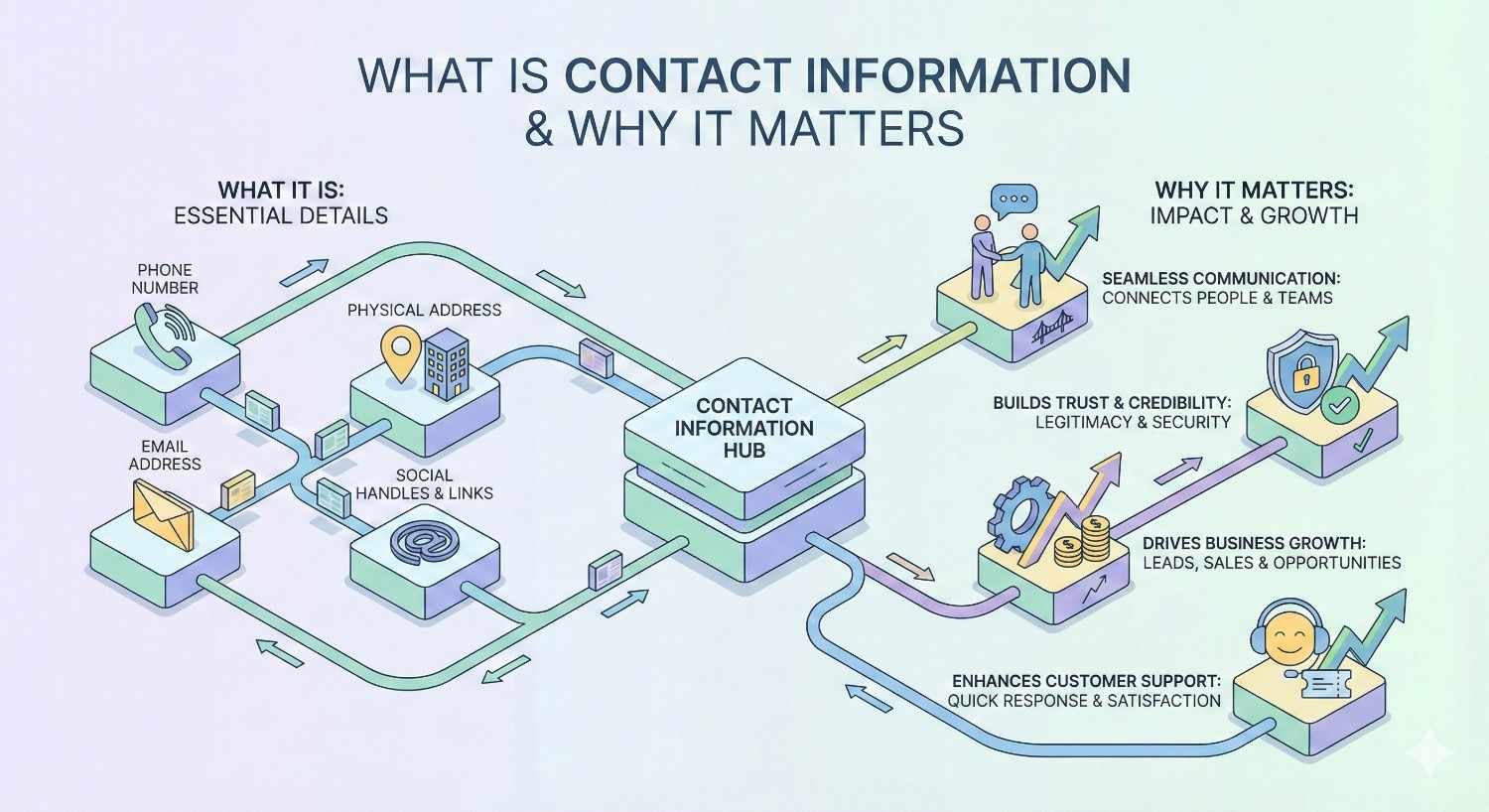
What Is Contact Information and Why Does It Matter?
Contact information refers to the data points that enable direct communication with individuals or organizations. In a business context, this includes professional email addresses, direct phone numbers, social media profiles, and physical mailing addresses. The quality and accuracy of this data directly impacts your ability to connect with prospects, partners, candidates, and media contacts.
For marketing and sales teams, contact information is the raw material that fuels pipeline generation. Without verified contact data, even the best messaging falls flat because it never reaches the intended recipient. The difference between a 2% and 20% response rate often comes down to whether you’re reaching the right person through the right channel.
Types of Contact Information (Email, Phone, Social, Physical Address)
Email addresses remain the primary channel for B2B communication. Professional emails typically follow predictable patterns like firstname.lastname@company.com or first initial plus last name. Understanding these patterns helps you guess and verify addresses even when tools come up empty.
Phone numbers include direct lines, mobile numbers, and main company lines. Direct dials bypass gatekeepers and significantly increase connection rates. Mobile numbers are particularly valuable for reaching executives who rarely answer desk phones.
Social media profiles on LinkedIn, Twitter, and other platforms provide both contact opportunities and research context. LinkedIn InMail offers a direct communication channel, while Twitter DMs can reach people who ignore email.
Physical addresses matter for direct mail campaigns, legal notices, and account-based marketing strategies. Corporate headquarters addresses are publicly available, but reaching specific individuals requires additional research.
Business Use Cases for Contact Data
Sales prospecting depends on accurate contact information to fill pipelines and hit revenue targets. Sales development representatives spend significant portions of their time researching contacts. Better data means more time selling and less time searching.
Recruiting and talent acquisition requires reaching passive candidates who aren’t actively job hunting. Recruiters need personal email addresses and phone numbers because candidates often don’t respond to LinkedIn messages from unknown recruiters.
Public relations and media outreach demands journalist contact information that’s notoriously difficult to find. Media databases help, but journalists change beats and publications frequently, making verification essential.
Partnership and business development initiatives require reaching decision-makers at target companies. Finding the right contact at the right level prevents wasted outreach to people who can’t approve deals.
How to Find Contact Information Online
The internet contains vast amounts of contact information if you know where to look. Effective contact research combines multiple methods and sources to triangulate accurate data. No single approach works for every situation, so building a diverse toolkit increases your success rate.
Using Search Engines Effectively
Google remains the most powerful free tool for finding contact information. Advanced search operators dramatically improve results compared to basic searches.
Site-specific searches using “site:company.com email” or “site:linkedin.com/in firstname lastname” narrow results to relevant pages. This technique surfaces contact pages, team directories, and press releases that contain direct contact information.
Quotation marks around full names or email patterns force exact-match results. Searching for “john.smith@” often reveals the complete email address in cached pages, forum posts, or conference speaker lists.
Filetype searches like “filetype:pdf contact” combined with a company name find downloadable documents containing contact information. Conference presentations, whitepapers, and annual reports frequently include author contact details.
Boolean operators combine terms effectively. Searching for “VP Marketing” AND “company name” AND (email OR contact) surfaces relevant results while filtering noise.
Leveraging LinkedIn and Professional Networks
LinkedIn is the largest professional database in the world, with over 900 million members. Even without premium subscriptions, the platform offers significant contact research value.
Profile analysis reveals job titles, company tenure, and professional history. This context helps you craft personalized outreach and identify the right person for your purpose.
Company pages list employees by function and seniority. Browsing the “People” tab filtered by department quickly identifies potential contacts without knowing names in advance.
LinkedIn Sales Navigator provides advanced search filters, lead recommendations, and InMail credits. For teams doing significant prospecting, the investment typically pays for itself through time savings and improved targeting.
Alumni networks and shared connections create warm introduction paths. Second-degree connections through mutual contacts dramatically improve response rates compared to cold outreach.
Company Website Navigation Strategies
Corporate websites contain more contact information than most people realize. Systematic navigation uncovers data that casual browsing misses.
About and Team pages often list leadership with photos, bios, and sometimes direct contact information. Even when emails aren’t displayed, names and titles enable searches elsewhere.
Press and News sections contain press releases with media contact information. PR contacts can often route inquiries to appropriate internal contacts.
Contact and Support pages provide general inquiry forms and sometimes department-specific contacts. While these often reach gatekeepers, they establish legitimate communication channels.
Job postings frequently name hiring managers or include department contact information. Even if you’re not applying, these details help identify decision-makers.
Privacy policies and legal pages sometimes list data protection officers or legal contacts required by regulations like GDPR.
WHOIS and Domain Lookup Tools
Domain registration records contain contact information for website owners. While privacy protection services have reduced the effectiveness of this method, it still works for many domains.
WHOIS lookups through services like ICANN Lookup or DomainTools reveal registrant names, email addresses, and phone numbers when privacy protection isn’t enabled.
Historical WHOIS data shows previous registration information before privacy protection was added. Services like DomainTools and WhoisXML API maintain historical records.
DNS records and technical contacts sometimes differ from administrative contacts, providing additional research angles.
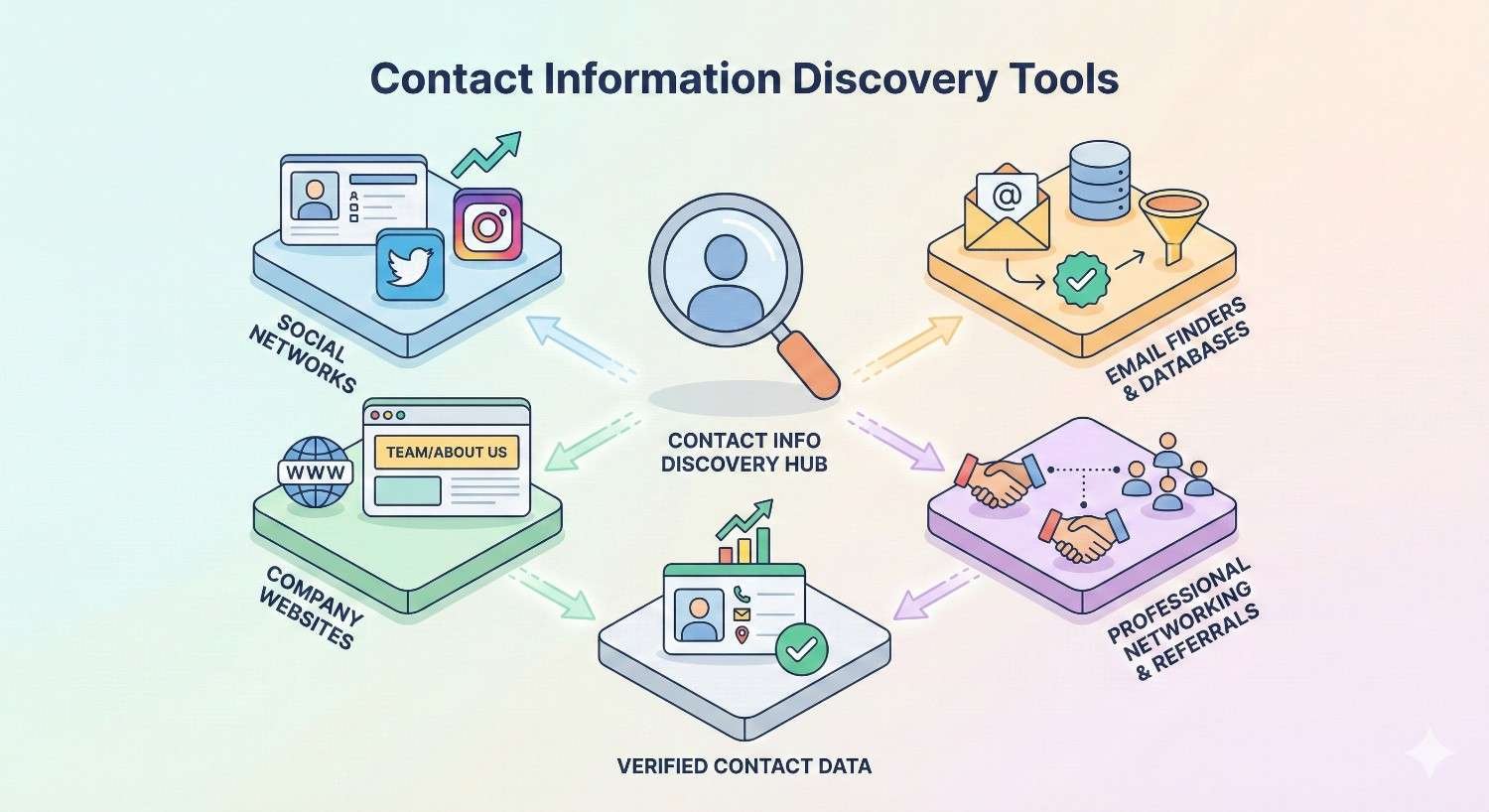
Best Tools for Finding Contact Information
Dedicated contact finding tools automate research that would take hours manually. The market includes options ranging from free browser extensions to enterprise platforms costing thousands monthly. Choosing the right tools depends on your volume, budget, and accuracy requirements.
Email Finder Tools (Hunter, Apollo, Snov.io)
Hunter.io specializes in finding and verifying professional email addresses. The domain search feature reveals all known email addresses at a company, while the email finder locates specific individuals. Hunter’s confidence scores help prioritize verified addresses over guesses.
Apollo.io combines contact data with sales engagement features. The platform includes over 250 million contacts with email addresses, phone numbers, and firmographic data. Apollo’s strength lies in integrating prospecting with outreach sequences.
Snov.io offers email finding, verification, and drip campaign capabilities. The tool excels at building targeted prospect lists from LinkedIn and company websites. Snov.io’s email verifier checks deliverability before you send.
Other notable tools include Lusha, RocketReach, Clearbit, and ZoomInfo. Each has strengths for different use cases, company sizes, and budgets.
Phone Number Lookup Services
Finding direct phone numbers is harder than finding emails because phone data is less publicly available. Specialized services aggregate phone data from various sources.
ZoomInfo maintains one of the largest B2B phone databases, including direct dials and mobile numbers. The platform uses AI and human researchers to verify and update contact information continuously.
Lusha provides phone numbers through a browser extension that works on LinkedIn and company websites. The tool is popular among sales teams for its ease of use and accuracy.
Seamless.AI uses artificial intelligence to find and verify phone numbers in real-time. The platform claims high accuracy rates for direct dials to decision-makers.
Cognism focuses on mobile phone numbers with strong coverage in European markets. The platform emphasizes GDPR compliance and data quality.
Browser Extensions and Plugins
Browser extensions bring contact finding directly into your workflow without switching between applications. These tools work while you browse LinkedIn, company websites, and other platforms.
LinkedIn extensions from Hunter, Lusha, Apollo, and others overlay contact information on LinkedIn profiles. One click reveals email addresses and phone numbers without leaving the page.
Gmail extensions enrich incoming emails with sender information, company data, and additional contact details. Tools like Clearbit Connect and Hunter for Gmail add context to every conversation.
CRM extensions push discovered contacts directly into Salesforce, HubSpot, or other systems. This integration eliminates manual data entry and ensures contacts enter your database immediately.
CRM-Integrated Prospecting Platforms
Enterprise platforms combine contact data with CRM integration, sales engagement, and analytics. These solutions suit teams doing high-volume prospecting who need seamless workflows.
ZoomInfo integrates deeply with major CRMs and marketing automation platforms. The platform enriches existing records, identifies new prospects matching ideal customer profiles, and triggers workflows based on intent signals.
LinkedIn Sales Navigator connects with CRM systems to sync leads, log activities, and prevent duplicate outreach. The integration ensures sales teams work from accurate, updated information.
6sense and Demandbase add intent data to contact information, helping teams prioritize prospects showing buying signals. These account-based platforms identify which contacts at target accounts are actively researching solutions.
Finding Contact Information for Different Purposes
Different outreach goals require different contact finding approaches. The ideal contact, preferred channel, and research depth vary significantly based on your objective.
B2B Sales and Lead Generation
Sales prospecting requires finding decision-makers and influencers within target accounts. The goal is reaching people with budget authority and business pain your solution addresses.
Ideal customer profile alignment should guide contact selection. Finding any contact at a company wastes time if they can’t influence purchasing decisions. Focus research on titles and departments matching your buyer personas.
Multi-threading means finding multiple contacts at each account. Deals involving multiple stakeholders close at higher rates than single-threaded opportunities. Identify economic buyers, technical evaluators, and end users.
Trigger events like job changes, funding rounds, and company news create timely outreach opportunities. Monitoring these signals and quickly finding relevant contacts improves response rates.
Recruiting and Talent Acquisition
Recruiting requires reaching passive candidates through channels they actually check. Most employed professionals don’t monitor job boards, making direct outreach essential.
Personal email addresses often work better than work emails for recruiting. Candidates may not want job inquiries arriving at their current employer’s domain. Tools like RocketReach and ContactOut specialize in personal emails.
Phone outreach remains effective for recruiting despite being less common. A brief, respectful call often gets responses when emails go ignored.
Social media beyond LinkedIn matters for certain roles. Developers are active on GitHub and Twitter. Designers showcase work on Dribbble and Behance. Finding candidates where they’re engaged improves response rates.
PR and Media Outreach
Reaching journalists requires specialized approaches because media contacts change frequently and receive overwhelming pitch volumes.
Media databases like Cision, Muck Rack, and Prowly maintain journalist contact information organized by beat, publication, and location. These tools also track what journalists cover and how to pitch them effectively.
Twitter is where many journalists are most accessible. Following and engaging with reporters before pitching builds familiarity. Many journalists list their DMs as open for story tips.
Byline research identifies who covers your industry at target publications. Reading recent articles reveals the right journalist for your story and provides context for personalized pitches.
Partnership and Business Development
Business development requires reaching senior leaders who can approve strategic partnerships. These contacts are typically harder to find and reach than sales prospects.
Executive assistants often control access to C-level contacts. Building relationships with assistants can open doors that direct outreach cannot.
Conference and event speakers list contact information in speaker directories and presentation materials. Industry events provide both contact data and conversation starters.
Board members and investors sometimes provide introduction paths to executives. Researching company leadership structures reveals potential warm connection routes.
Verifying Contact Information Accuracy
Finding contact information is only valuable if the data is accurate. Sending to invalid addresses damages sender reputation, wastes time, and skews campaign metrics. Verification should be a standard step before any outreach.
Email Verification Methods
Email verification confirms that addresses are deliverable without actually sending messages. This process protects your sender reputation and improves campaign performance.
Syntax checking catches obvious errors like missing @ symbols, invalid characters, and malformed domains. This basic validation eliminates typos and formatting mistakes.
Domain verification confirms the email domain exists and has valid MX records configured to receive mail. Domains without mail servers can’t receive your messages.
Mailbox verification checks whether the specific mailbox exists on the mail server. This step uses SMTP protocols to query the server without sending actual email.
Catch-all detection identifies domains configured to accept all incoming mail regardless of the specific address. Catch-all domains make verification less reliable because any address appears valid.
Verification tools like NeverBounce, ZeroBounce, and Hunter’s built-in verifier process lists quickly and affordably. Most charge fractions of a cent per verification, making bulk validation cost-effective.
Phone Number Validation
Phone verification confirms numbers are active and identifies the line type. This information helps prioritize outreach and choose appropriate contact methods.
Format validation ensures numbers have correct country codes, area codes, and digit counts. International numbers require proper formatting to connect.
Line type identification distinguishes mobile, landline, and VoIP numbers. Mobile numbers are more likely to reach individuals directly, while landlines may connect to offices or gatekeepers.
Carrier lookup reveals which phone company services the number. This information helps identify potential issues and optimize calling strategies.
Active status checking confirms numbers are currently in service. Disconnected numbers waste calling time and indicate outdated contact records.
Data Enrichment and Cross-Referencing
Enrichment adds context to basic contact information, improving targeting and personalization. Cross-referencing multiple sources increases confidence in data accuracy.
Firmographic enrichment adds company information like industry, size, revenue, and location. This context enables better segmentation and more relevant messaging.
Technographic data reveals what technologies companies use. Knowing a prospect’s tech stack helps tailor pitches and identify compatibility.
Intent signals indicate when contacts are actively researching solutions. Combining contact data with intent data prioritizes outreach to in-market buyers.
Multiple source validation compares contact information across different databases. When multiple sources agree, confidence in accuracy increases. Discrepancies flag records needing manual verification.
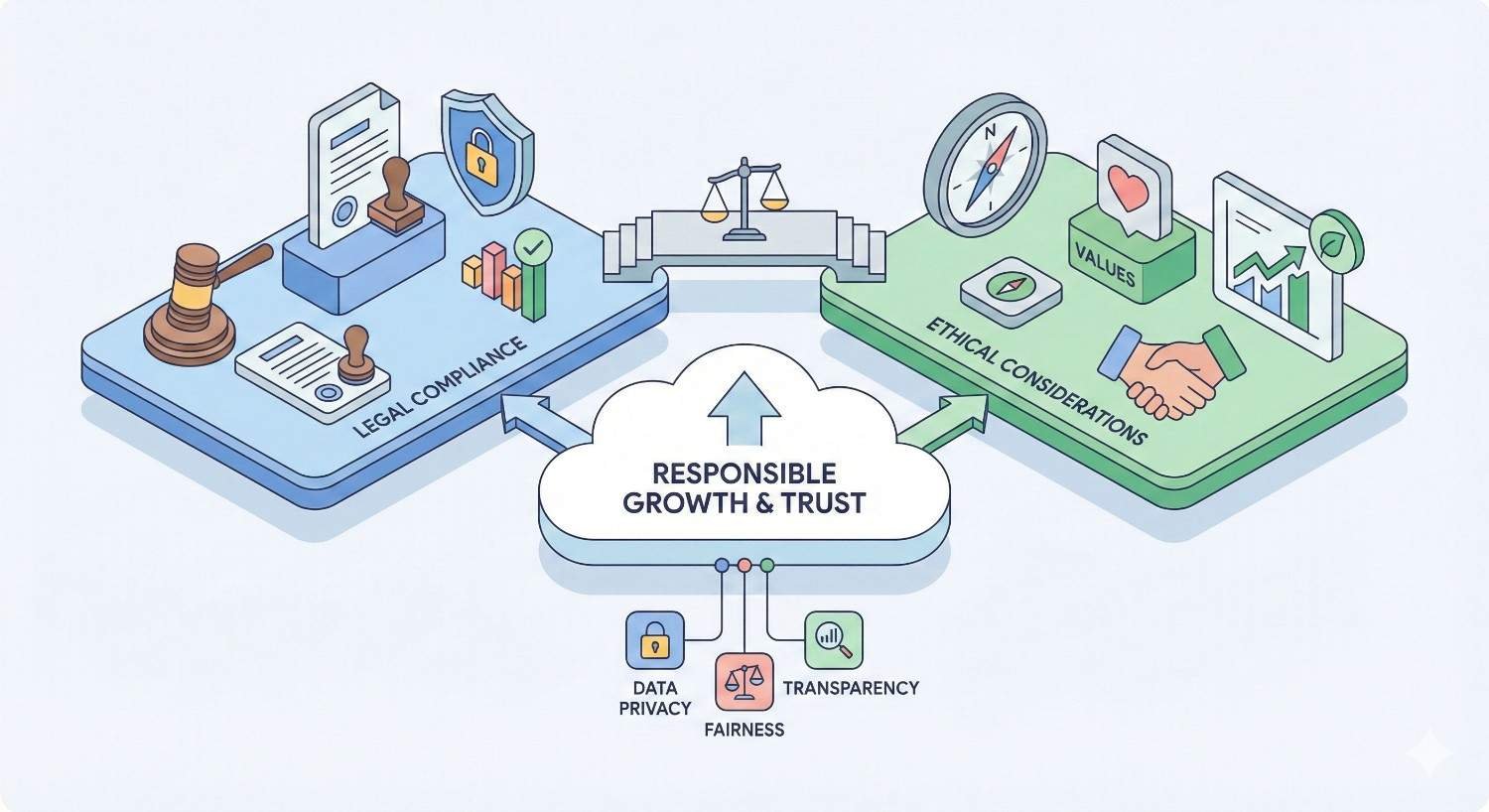
Legal and Ethical Considerations
Contact finding and outreach operate within legal frameworks that vary by jurisdiction and use case. Understanding these regulations protects your organization from fines and reputational damage while building trust with prospects.
GDPR, CCPA, and Data Privacy Compliance
GDPR (General Data Protection Regulation) governs how organizations collect, store, and use personal data of EU residents. The regulation requires lawful basis for processing, which for B2B outreach typically means legitimate interest. You must document your legitimate interest assessment and provide easy opt-out mechanisms.
CCPA (California Consumer Privacy Act) gives California residents rights over their personal information. Businesses must disclose data collection practices and honor deletion requests. While CCPA has broader exemptions for B2B data than GDPR, compliance still requires proper data handling procedures.
Other regulations like Canada’s CASL, Brazil’s LGPD, and various state privacy laws add complexity for organizations operating globally. Working with legal counsel to understand applicable requirements is essential.
Practical compliance means maintaining records of where contact data originated, honoring unsubscribe requests promptly, and implementing data retention policies. Most reputable contact data providers include compliance features and documentation.
CAN-SPAM and Cold Outreach Regulations
CAN-SPAM regulates commercial email in the United States. The law requires accurate header information, clear identification as advertising, physical postal address inclusion, and functioning unsubscribe mechanisms. Violations can result in penalties up to $50,000 per email.
Cold calling regulations vary by jurisdiction. The Telephone Consumer Protection Act (TCPA) restricts calls to mobile phones using automated dialers. Do-not-call registries must be honored. B2B calls have some exemptions but still require compliance with basic rules.
International outreach faces additional restrictions. Many countries require prior consent for commercial communications. Research specific requirements before launching campaigns targeting new markets.
Ethical Best Practices for Contact Discovery
Beyond legal requirements, ethical practices build sustainable business relationships and protect your reputation.
Transparency about how you obtained contact information builds trust. Being upfront when asked shows respect for prospects’ privacy concerns.
Relevance means only contacting people who might genuinely benefit from your outreach. Mass blasting irrelevant messages damages your brand and wastes everyone’s time.
Respect for preferences includes honoring opt-outs immediately, limiting contact frequency, and using preferred communication channels when known.
Data security protects contact information from breaches and unauthorized access. Implementing proper security measures is both ethical and legally required.
Free vs. Paid Methods for Finding Contacts
Budget constraints affect tool choices, but free methods can be surprisingly effective when applied systematically. Understanding the tradeoffs helps allocate resources appropriately.
Manual Research Techniques (No Cost)
Manual research takes more time but costs nothing beyond labor. For small-scale prospecting or high-value targets, manual methods often yield better results than automated tools.
Google advanced search using operators described earlier finds contact information scattered across the web. Conference speaker lists, podcast guest bios, and industry directory listings often include direct contact details.
LinkedIn free tier allows limited profile views and searches. Strategic use of these limited resources focuses on highest-priority prospects.
Company website research systematically explores about pages, team directories, press releases, and job postings. This primary source research often surfaces information tools miss.
Email pattern guessing combined with verification tests common formats against target domains. If you know the company uses firstname.lastname@company.com, you can construct and verify addresses for any employee.
Social media research across Twitter, GitHub, personal blogs, and other platforms reveals contact information people share publicly.
Freemium Tools and Their Limitations
Most contact finding tools offer free tiers with limited credits or features. These options work for low-volume needs but become restrictive at scale.
Hunter.io free tier provides 25 searches and 50 verifications monthly. This allocation suits occasional research but not systematic prospecting.
Apollo.io free plan includes limited credits and basic features. The free tier demonstrates the platform’s capabilities while encouraging upgrades.
LinkedIn free accounts allow profile viewing with restrictions and no InMail. For serious prospecting, Sales Navigator’s advanced features justify the cost.
Limitations of free tools include credit caps, feature restrictions, data freshness issues, and lack of integrations. Teams doing regular prospecting typically outgrow free tiers quickly.
When to Invest in Premium Contact Data
Paid tools make sense when the value of time saved exceeds subscription costs. Calculate your effective hourly rate and compare against tool pricing.
Volume thresholds indicate when paid tools become cost-effective. If you’re spending hours weekly on manual research, a $100/month tool that saves that time pays for itself.
Data quality requirements favor paid sources. Premium databases invest in verification and updates that free sources can’t match. For high-stakes outreach, accuracy matters more than cost.
Integration needs often require paid tiers. Connecting contact tools to your CRM, email platform, and other systems streamlines workflows but typically requires premium subscriptions.
Team scaling multiplies the value of paid tools. What works for one person doing occasional research breaks down when multiple team members need consistent access.
Common Challenges and How to Overcome Them
Even with the best tools and techniques, contact finding presents persistent challenges. Anticipating these obstacles and preparing solutions improves efficiency and results.
Outdated or Inaccurate Information
Contact data decays constantly as people change jobs, companies restructure, and information becomes stale. Managing this reality requires ongoing effort.
Regular verification catches invalid contacts before they damage campaigns. Verify lists before major sends, not just when initially acquired.
Job change monitoring through LinkedIn alerts and news tracking identifies when contacts move. Tools like UserGems and LinkedIn Sales Navigator automate this monitoring.
Multiple data sources provide backup when primary sources fail. Cross-referencing catches errors that single-source data misses.
Feedback loops from bounced emails and disconnected numbers should trigger database updates. Treating delivery failures as data quality signals improves accuracy over time.
Gatekeepers and Hard-to-Reach Contacts
Senior executives and high-profile individuals employ gatekeepers specifically to filter incoming communications. Reaching these contacts requires different approaches.
Direct channels bypass gatekeepers entirely. Mobile phone numbers, personal email addresses, and social media DMs reach individuals without assistant screening.
Warm introductions through mutual connections dramatically improve access. Investing in relationship building creates introduction paths to hard-to-reach contacts.
Value-first outreach gives gatekeepers reasons to pass messages along. When your communication clearly benefits their boss, assistants become allies rather than obstacles.
Persistence with respect means following up appropriately without becoming annoying. Multiple touchpoints across channels increase visibility while respecting boundaries.
Scaling Contact Research Efficiently
Manual research doesn’t scale. As prospecting volume increases, systematic processes and automation become essential.
Standardized workflows document research steps so anyone can follow them consistently. This documentation enables delegation and training.
Tool automation handles repetitive tasks like list building, verification, and CRM entry. Investing in automation frees human time for high-judgment activities.
Outsourcing options include virtual assistants, research services, and data providers. For predictable, repeatable research tasks, external resources often cost less than internal time.
Quality controls ensure scaled processes maintain accuracy. Sampling and verification catch errors before they compound across large datasets.
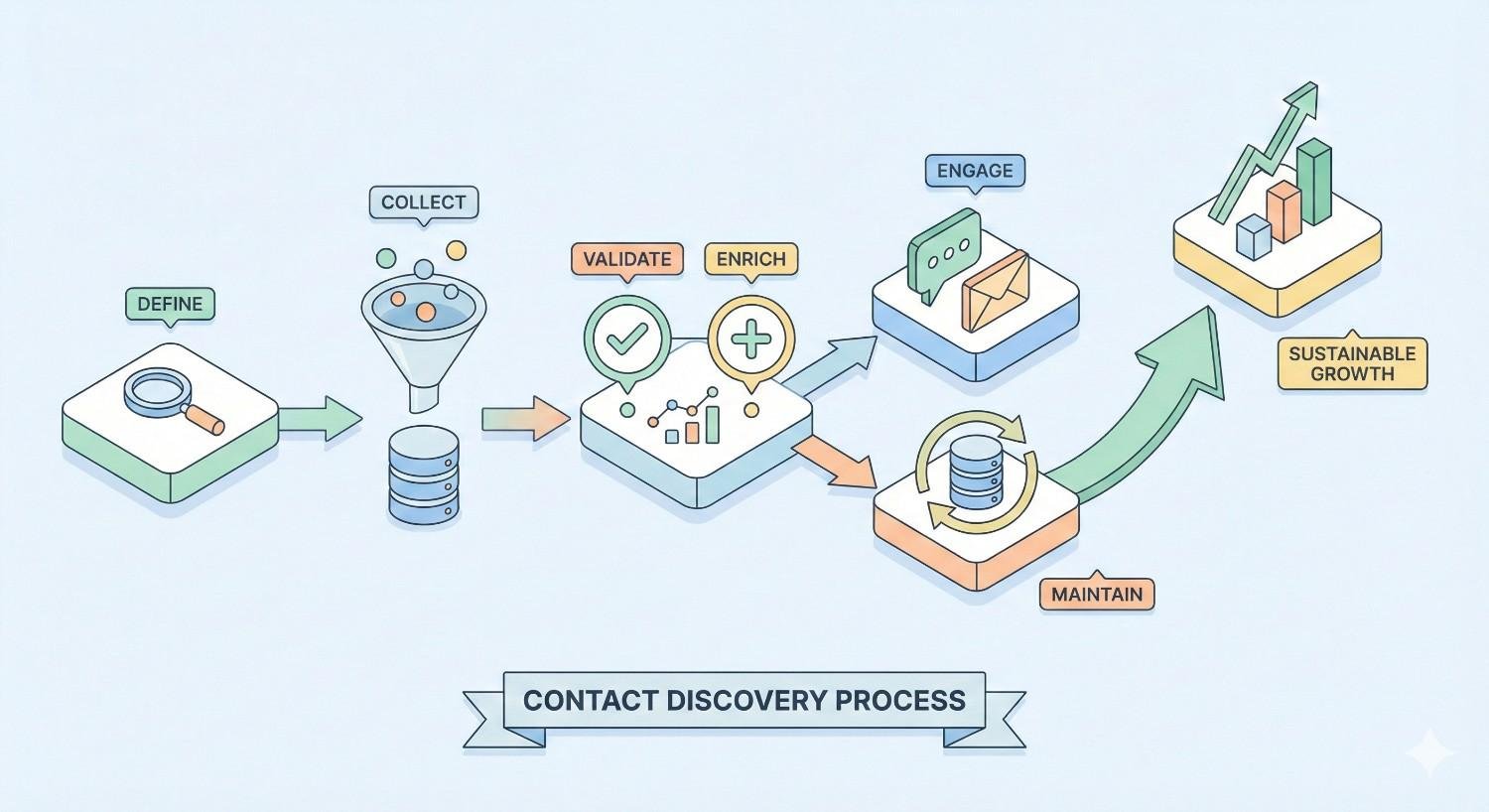
Building a Sustainable Contact Discovery Process
One-time contact finding efforts produce diminishing returns. Building sustainable processes creates ongoing value and competitive advantage.
Integrating Contact Finding into Your Workflow
Contact research should be embedded in daily operations, not treated as a separate project. Integration ensures consistent execution and continuous improvement.
CRM integration makes contact data immediately actionable. When research flows directly into your system of record, nothing falls through cracks.
Trigger-based research initiates contact finding based on events like new target accounts, job changes, or intent signals. Automation ensures timely response to opportunities.
Role clarity defines who does what in the contact finding process. Whether centralized in a research team or distributed across sales reps, clear ownership prevents gaps and duplication.
Tool stack optimization eliminates redundancy and ensures tools work together. Audit your current tools periodically to remove unused subscriptions and add capabilities for emerging needs.
Maintaining and Updating Contact Databases
Databases require ongoing maintenance to remain valuable. Neglected data becomes a liability rather than an asset.
Scheduled verification runs periodically catch decay before it causes problems. Quarterly verification of active prospect lists maintains deliverability.
Update triggers prompt record reviews when signals indicate potential changes. Email bounces, LinkedIn profile updates, and news mentions should trigger verification.
Data hygiene standards define acceptable quality levels and remediation procedures. Establishing standards prevents gradual quality degradation.
Archival policies remove truly obsolete records rather than letting them clutter active databases. Clean databases improve search efficiency and reporting accuracy.
Measuring ROI on Contact Research Efforts
Demonstrating value justifies continued investment in contact finding capabilities. Tracking the right metrics connects research activities to business outcomes.
Cost per contact measures efficiency of different research methods and tools. Compare acquisition costs across sources to optimize spending.
Contact accuracy rates track what percentage of found contacts prove valid. Higher accuracy indicates better sources and methods.
Conversion metrics connect contact quality to downstream outcomes. Do contacts from certain sources convert better? This insight guides future research priorities.
Time tracking quantifies research effort to calculate true costs including labor. Manual methods may seem free but consume expensive human time.
Conclusion
Finding contact information effectively combines the right tools, proven techniques, and systematic processes. The methods covered in this guide, from advanced search operators to enterprise data platforms, provide options for every budget and use case. Success comes from matching your approach to your specific needs while maintaining data quality and legal compliance.
Building sustainable contact discovery capabilities creates lasting competitive advantage. Organizations that consistently reach the right people with relevant messages outperform those struggling with outdated data and inefficient research. The investment in tools, training, and processes pays dividends through improved outreach performance and sales results.
We help businesses build comprehensive organic growth strategies that include content, technical SEO, and authority building. Contact White Label SEO Service to discuss how better visibility and lead generation can transform your business development efforts.
Frequently Asked Questions
How do I find someone’s email address for free?
Use Google advanced search operators like “site:company.com email” combined with the person’s name. Check LinkedIn profiles, company team pages, and conference speaker lists. Guess common email patterns like firstname.lastname@company.com and verify using free tools like Hunter’s email verifier.
What is the best tool to find contact information?
The best tool depends on your needs and budget. Hunter.io excels at email finding and verification. Apollo.io combines contact data with sales engagement. ZoomInfo offers the most comprehensive B2B database but at enterprise pricing. For most small teams, starting with Hunter or Apollo provides good value.
How do I find a CEO’s contact information?
CEOs are harder to reach but not impossible. Check company press releases for media contacts who can route inquiries. Search for conference speaking appearances where contact information is often listed. Use LinkedIn to identify mutual connections who might provide introductions. Executive assistants can be valuable allies when approached respectfully.
Is it legal to use contact finder tools?
Yes, using contact finder tools is legal when you comply with applicable regulations. For B2B outreach, GDPR allows processing based on legitimate interest with proper documentation. CAN-SPAM requires accurate sender information and unsubscribe options. Always honor opt-out requests and follow data protection requirements for your target markets.
How accurate are email finder tools?
Accuracy varies significantly between tools and depends on the contacts you’re searching. Leading tools like Hunter, Apollo, and ZoomInfo report accuracy rates between 80-95% for verified emails. Always verify emails before sending campaigns, as even high-accuracy tools produce some invalid results. Verification costs fractions of a cent per address and protects your sender reputation.
What’s the difference between email finding and email verification?
Email finding discovers email addresses for people or companies you’re researching. Email verification confirms whether a found address is valid and deliverable. These are separate processes, though many tools offer both. Always verify found emails before sending, as finding tools may return addresses that no longer work.
How often should I update my contact database?
Verify active prospect lists at least quarterly, as contact data decays roughly 30% annually. Trigger immediate verification when you see signals like email bounces, LinkedIn job changes, or company news. High-priority accounts warrant more frequent checks. Implement automated monitoring where possible to catch changes quickly.


