

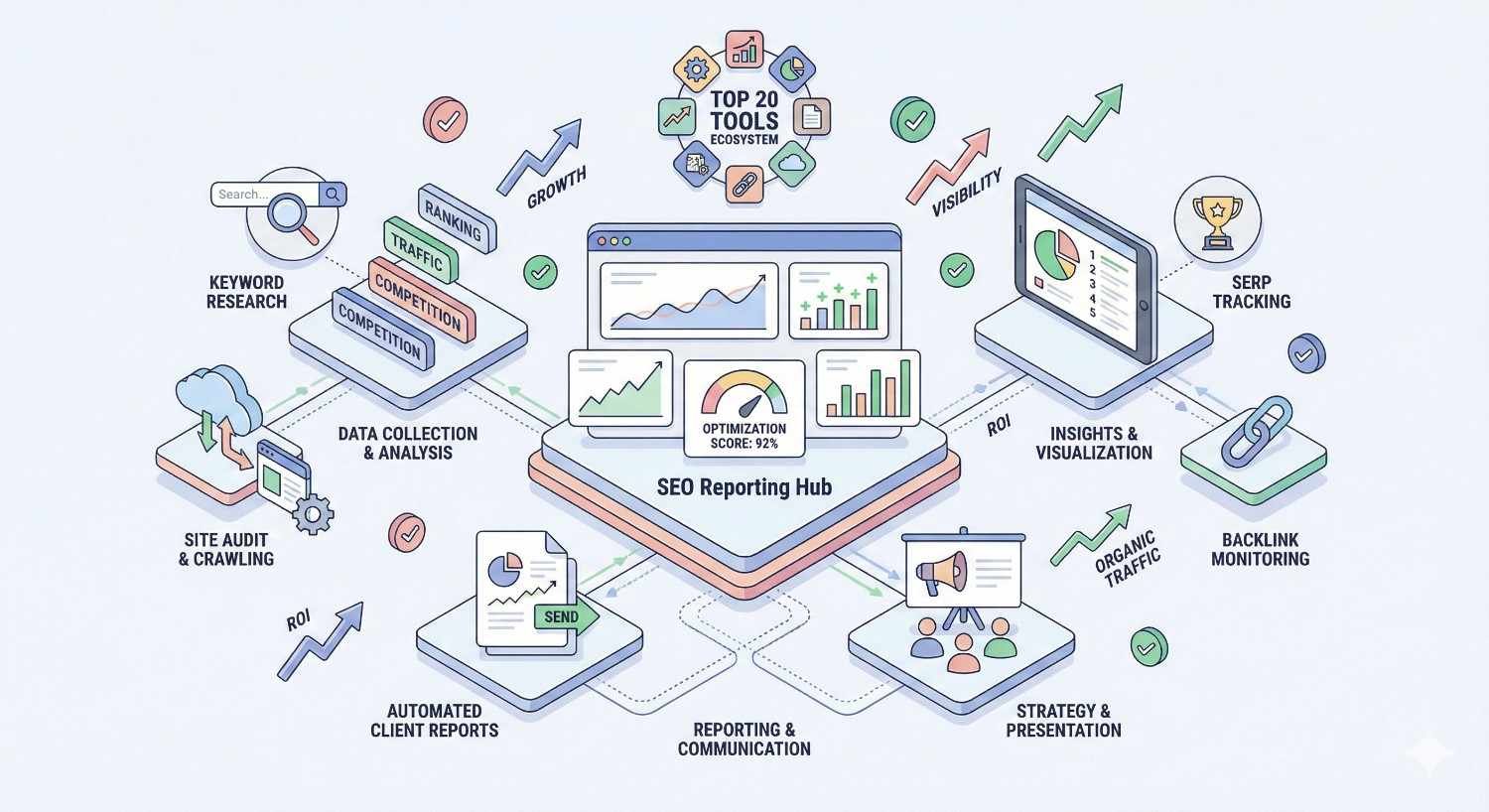
The right SEO reporting tool transforms raw data into actionable insights that drive real business decisions. After testing over 30 platforms with actual client campaigns, we narrowed down the 20 tools that consistently deliver accurate data, flexible reporting, and genuine value.
Choosing the wrong reporting solution wastes hours on manual data compilation and creates confusion for stakeholders who need clear performance visibility. Your reporting tool directly impacts client retention, team efficiency, and strategic decision-making.
This guide covers our complete testing methodology, detailed reviews of each platform, comparison tables, and practical guidance for matching tools to your specific business needs.
What Makes a Great SEO Reporting Tool? (Our Testing Criteria)
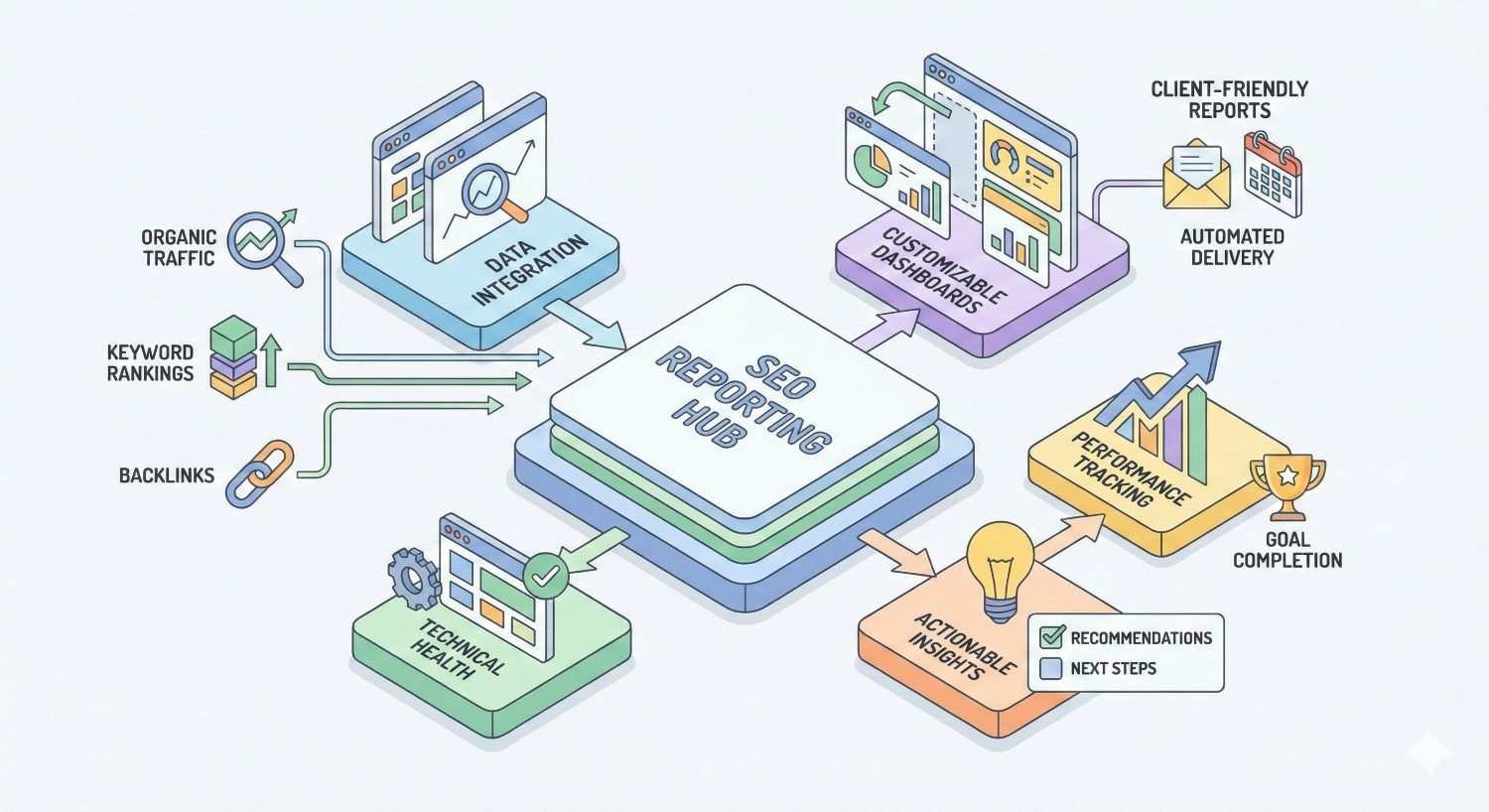
Before diving into individual tools, understanding what separates exceptional reporting platforms from mediocre ones helps you evaluate options against your specific requirements. We developed six core criteria based on years of agency experience and client feedback.
Data Accuracy and Source Reliability
Data accuracy forms the foundation of trustworthy SEO reports. We verified each tool’s data against Google Search Console and Google Analytics 4 to identify discrepancies. The best tools pull directly from first-party sources rather than relying solely on third-party estimates.
Rank tracking accuracy matters significantly. Some tools showed 15-20% variance from actual Search Console position data during our testing. We prioritized platforms that offer Search Console integration alongside their proprietary tracking for cross-verification.
Traffic estimation accuracy varies dramatically between platforms. Tools using clickstream data combined with multiple data sources consistently outperformed those relying on single-source estimates.
Reporting Customization and White-Label Capabilities
Agencies and consultants need reports that reflect their brand, not the software vendor’s. We evaluated white-label depth including custom domains, logo placement, color schemes, and complete brand removal options.
Template flexibility determines how quickly you can create reports for different client types. The strongest platforms offer drag-and-drop builders, pre-built templates, and the ability to save custom configurations for reuse.
Section-level customization allows you to show enterprise clients different metrics than small business clients. We tested how easily each tool accommodates varied reporting requirements within a single account.
Integration with Analytics and Marketing Platforms
Modern SEO reporting requires data from multiple sources. We tested native integrations with Google Analytics 4, Google Search Console, Google Business Profile, social platforms, and CRM systems.
Data freshness varies by integration. Some tools sync hourly while others update daily or weekly. For clients requiring real-time dashboards, integration refresh rates become critical selection factors.
API availability extends integration possibilities beyond native connections. Platforms with robust APIs enable custom data pipelines and connections to business intelligence tools like Tableau or Power BI.
Automation and Scheduling Features
Manual report generation consumes hours that could drive strategy. We measured how completely each tool automates the reporting workflow from data collection through delivery.
Scheduling flexibility includes frequency options, delivery timing, and recipient management. The best tools allow different schedules for different clients and automatic retry logic for failed deliveries.
Alert automation notifies you of significant changes without manual monitoring. Ranking drops, traffic anomalies, and technical issues should trigger immediate notifications rather than waiting for scheduled reports.
User Interface and Ease of Use
Complex interfaces create training overhead and slow adoption. We evaluated learning curves, navigation logic, and how quickly new team members could generate accurate reports.
Dashboard clarity affects how quickly you can assess performance at a glance. Cluttered interfaces with excessive data points reduce usability compared to clean, focused designs.
Mobile accessibility matters for stakeholders who review reports on phones and tablets. Responsive design and dedicated mobile apps improve report consumption rates.
Pricing and Value for Different Business Sizes
Cost structures vary from per-report pricing to unlimited usage tiers. We analyzed total cost of ownership including hidden fees for additional users, integrations, or export features.
Scalability pricing determines long-term value. Some tools become prohibitively expensive as you add clients while others maintain reasonable per-client costs at scale.
Free tier limitations help evaluate tools before commitment. We documented what features require paid upgrades and whether free versions provide genuine utility or merely serve as demos.
How We Tested These SEO Reporting Tools
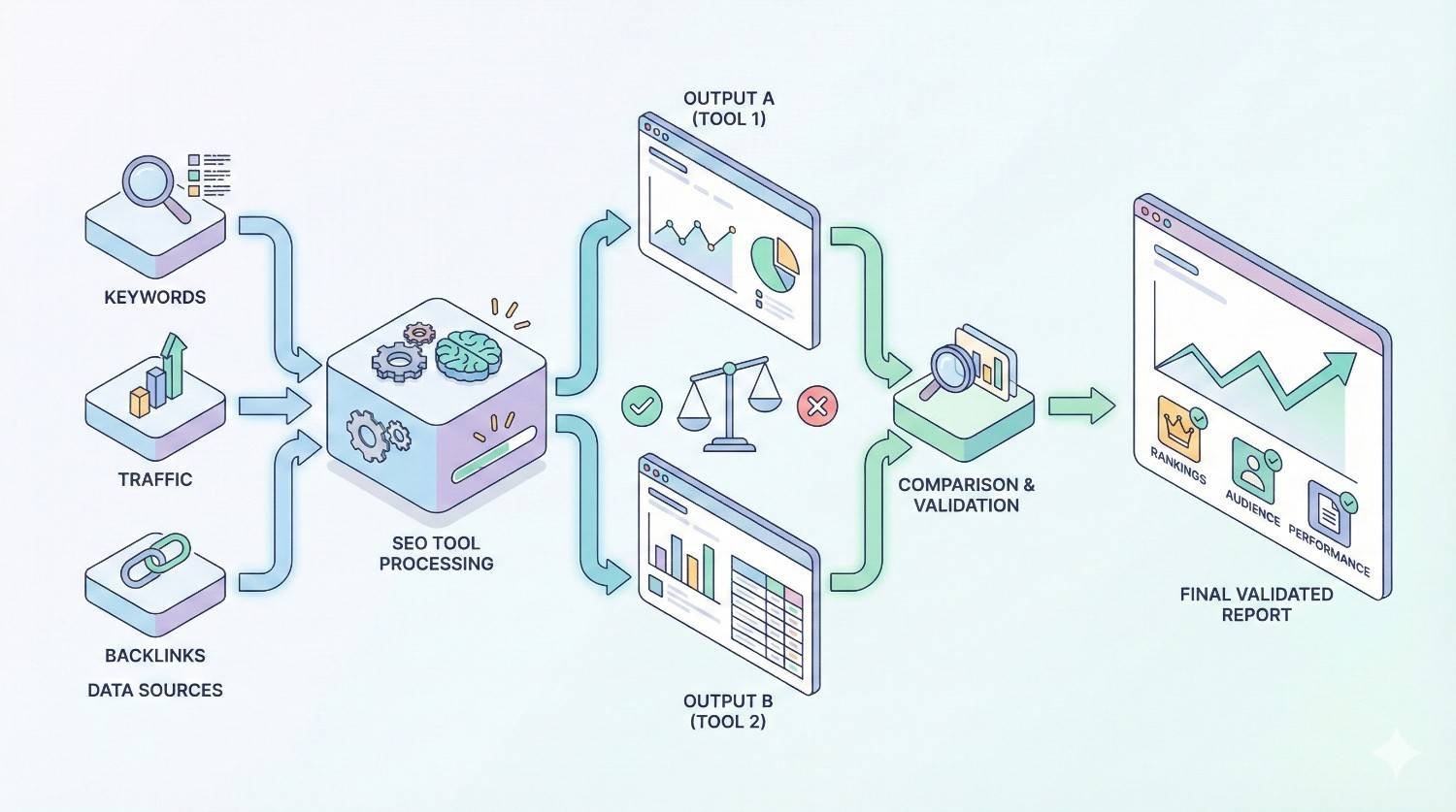
Transparent methodology builds trust in our recommendations. Here’s exactly how we evaluated each platform to ensure our rankings reflect real-world performance rather than marketing claims.
Our Testing Methodology
We created standardized test accounts across all platforms using identical website data. This controlled approach eliminated variables that could skew comparisons between tools.
Each tool underwent a 90-day evaluation period with weekly assessments of data accuracy, feature functionality, and user experience. We documented bugs, support response times, and platform stability throughout testing.
Our evaluation team included SEO specialists, account managers, and client stakeholders to capture diverse perspectives on usability and report effectiveness.
Real Client Data and Use Cases
We tested with actual client websites spanning e-commerce, local service businesses, B2B SaaS, and content publishers. This diversity revealed how tools perform across different SEO scenarios.
Report recipients included marketing directors, business owners, and C-suite executives. Their feedback on report clarity and actionability directly influenced our rankings.
We generated both automated scheduled reports and ad-hoc analysis reports to evaluate flexibility across different use cases.
Evaluation Period and Update Frequency
The SEO tool landscape changes rapidly. We re-evaluated all tools in Q4 2024 to capture recent feature additions, pricing changes, and performance improvements.
Platform stability over time matters more than launch-day features. Our extended testing period revealed which tools maintain consistent performance versus those with reliability issues.
We tracked vendor communication including update announcements, roadmap transparency, and responsiveness to user feedback during our evaluation window.
The 20 Best SEO Reporting Tools (Ranked by Use Case)
Best Overall: Semrush
Semrush delivers the most comprehensive reporting capabilities we tested, combining extensive data coverage with flexible report building and reliable automation.
Key Features
The My Reports builder offers drag-and-drop customization with over 50 widget types covering rankings, traffic, backlinks, and technical SEO. PDF and branded report exports maintain professional presentation quality.
Position Tracking monitors daily ranking changes across multiple search engines and devices. The tool tracks featured snippets, local packs, and other SERP features beyond traditional organic positions.
Site Audit integration pulls technical health data directly into reports without switching between tools. Clients see crawlability issues, Core Web Vitals, and implementation recommendations in unified dashboards.
What We Liked in Testing
Data accuracy consistently matched Search Console within 2-3% variance for traffic estimates. Ranking data aligned closely with manual SERP checks across our test keywords.
Report generation speed impressed us. Complex multi-section reports rendered in under 30 seconds even with extensive historical data comparisons.
The template library saved significant setup time. Pre-built configurations for different client types required minimal customization to deliver professional results.
Limitations
Pricing scales steeply for agencies managing many clients. The per-project model means costs increase linearly with portfolio growth.
White-label options require higher-tier plans. Agencies on entry-level subscriptions cannot fully remove Semrush branding from client deliverables.
Learning curve exists for advanced features. New users can generate basic reports quickly, but mastering custom widgets and data combinations takes time.
Pricing
Plans start at $139.95/month for Pro (5 projects), $249.95/month for Guru (15 projects), and $499.95/month for Business (40 projects). Annual billing provides approximately 17% savings.
Best For
Mid-size agencies and in-house teams needing comprehensive SEO data combined with flexible reporting. Ideal when you want one platform covering research, tracking, and reporting without tool switching.
Best for Agencies: AgencyAnalytics
AgencyAnalytics was purpose-built for agencies managing multiple clients, and this focus shows in every feature decision.
Key Features
Unlimited client dashboards allow scaling without per-client fees on most plans. Each client gets a dedicated login with customized access permissions.
Over 80 native integrations connect SEO data with PPC, social media, email marketing, and call tracking. Unified cross-channel reports demonstrate total marketing impact.
White-label capabilities include custom domains, branded login pages, and complete platform rebranding. Clients never see AgencyAnalytics branding.
What We Liked in Testing
Client management features streamlined our workflow significantly. Bulk actions, client grouping, and template inheritance reduced setup time for new accounts.
Automated report scheduling worked flawlessly throughout testing. Zero failed deliveries across hundreds of scheduled reports over 90 days.
The client-facing dashboard impressed stakeholders in our test group. Clean design and intuitive navigation required no training for report recipients.
Limitations
SEO data depth doesn’t match dedicated SEO platforms. You’ll likely need Semrush, Ahrefs, or similar tools feeding data into AgencyAnalytics.
Custom widget creation has constraints. Complex calculations or unique visualizations may require workarounds or remain impossible.
Mobile app functionality lags behind the web interface. Some features require desktop access for full functionality.
Pricing
Freelancer plan at $79/month (5 clients), Agency plan at $179/month (15 clients), and custom Enterprise pricing. All plans include unlimited users and reports.
Best For
Digital marketing agencies managing diverse client portfolios who need unified reporting across multiple marketing channels with strong white-label presentation.
Best for Enterprise: Conductor
Conductor provides enterprise-grade SEO intelligence with reporting capabilities designed for large organizations with complex requirements.
Key Features
Content Intelligence analyzes performance across thousands of pages with automated recommendations. Enterprise sites with massive content libraries benefit from algorithmic prioritization.
Market share tracking monitors visibility against competitors at scale. Executive dashboards show category-level performance trends over time.
Workflow integration connects with enterprise tools including Salesforce, Adobe Experience Manager, and major CMS platforms. Data flows into existing business processes.
What We Liked in Testing
Scalability handled our largest test site (50,000+ pages) without performance degradation. Report generation remained fast despite data volume.
Role-based access controls satisfied enterprise security requirements. Different teams see relevant data without exposure to sensitive information.
Customer success support provided dedicated assistance throughout implementation. Enterprise clients receive hands-on guidance rather than self-service documentation.
Limitations
Pricing requires custom quotes and typically exceeds $2,000/month for meaningful implementations. Budget constraints eliminate this option for smaller organizations.
Implementation timeline extends several weeks. Unlike SaaS tools with instant access, Conductor requires onboarding and configuration.
Feature complexity creates training requirements. Maximizing platform value demands investment in team education.
Pricing
Custom enterprise pricing based on site size, feature requirements, and support levels. Contact sales for quotes.
Best For
Large enterprises with complex SEO operations, multiple stakeholders, and budget for premium solutions. Ideal for organizations where SEO drives significant revenue.
Best Budget Option: Google Looker Studio (formerly Data Studio)
Google Looker Studio provides powerful reporting capabilities at zero cost, making it accessible to any organization regardless of budget.
Key Features
Native Google integrations connect Search Console, Analytics 4, and Google Ads without configuration complexity. First-party data flows directly into reports.
Unlimited reports and dashboards with no artificial caps. Create as many client reports as needed without subscription tiers.
Community connectors extend data sources beyond Google products. Third-party connectors link Semrush, Ahrefs, and other SEO platforms.
What We Liked in Testing
Data accuracy from Google sources is unmatched. Search Console data in Looker Studio exactly matches the source interface.
Visualization flexibility exceeds many paid alternatives. Custom charts, calculated fields, and conditional formatting enable sophisticated presentations.
Sharing options include embedded dashboards, scheduled email delivery, and granular permission controls. Collaboration features rival enterprise tools.
Limitations
No native SEO tool data without third-party connectors. Connecting Semrush or Ahrefs requires paid connector subscriptions or manual data imports.
Template creation demands technical skills. Building professional reports from scratch requires understanding data blending and calculated metrics.
Support relies on community resources. No dedicated customer service for troubleshooting complex issues.
Pricing
Completely free for unlimited usage. Third-party connectors typically cost $10-50/month depending on data sources.
Best For
Budget-conscious teams comfortable with technical setup who primarily need Google data visualization. Excellent for in-house teams with Analytics and Search Console as primary data sources.
Best for White-Label Reporting: DashThis
DashThis specializes in white-label marketing dashboards with extensive branding customization that makes reports truly yours.
Key Features
Complete white-label control includes custom URLs, email domains, and login pages. Clients interact with your brand throughout the reporting experience.
Preset widget library accelerates report creation. Drag pre-configured KPI displays rather than building visualizations from scratch.
Unlimited dashboards on all plans eliminate per-client calculations. Predictable costs regardless of portfolio growth.
What We Liked in Testing
Branding depth exceeded other platforms. Even automated emails and system notifications reflect agency branding.
Report aesthetics impressed clients consistently. Clean design templates required minimal customization to achieve professional presentation.
Setup speed allowed new client reports within 30 minutes. Intuitive interface reduced training requirements for team members.
Limitations
SEO-specific features are limited compared to dedicated SEO tools. DashThis aggregates data but doesn’t provide SEO analysis capabilities.
Data source options focus on marketing platforms. Some niche integrations require workarounds or manual data entry.
Advanced customization hits walls. Complex reporting requirements may exceed platform capabilities.
Pricing
Individual plan at $49/month (3 dashboards), Professional at $149/month (10 dashboards), Business at $289/month (25 dashboards), and Standard at $449/month (50 dashboards).
Best For
Agencies prioritizing brand presentation and client experience who already have SEO data from other platforms. Ideal when white-label quality matters more than SEO depth.
Best for Automated Reporting: Databox
Databox excels at automated data collection and real-time dashboard updates with minimal manual intervention.
Key Features
Push notifications alert stakeholders to metric changes instantly. Configure thresholds for rankings, traffic, and conversions to trigger automatic alerts.
Goal tracking visualizes progress toward KPIs with automated calculations. Clients see how current performance compares to targets without manual updates.
Mobile app provides full dashboard access with native iOS and Android experiences. Stakeholders monitor performance anywhere.
What We Liked in Testing
Real-time data updates kept dashboards current without scheduled refreshes. Clients accessed live data rather than yesterday’s snapshots.
Scorecard automation generated daily/weekly summaries without configuration. Quick performance snapshots delivered automatically to stakeholder inboxes.
Integration reliability maintained consistent data flow throughout testing. No sync failures or missing data periods.
Limitations
Visualization options feel constrained compared to Looker Studio. Complex custom charts may not be possible.
Metric limits on lower tiers restrict comprehensive reporting. Tracking many KPIs requires higher-priced plans.
Historical data retention varies by plan. Long-term trend analysis may require data exports.
Pricing
Free plan (3 data sources, 3 dashboards), Starter at $59/month, Professional at $169/month, and Growth at $399/month with increasing metrics and features.
Best For
Teams wanting hands-off automated reporting with real-time updates. Excellent for clients who prefer dashboards over static PDF reports.
Best for Custom Dashboards: Klipfolio
Klipfolio provides maximum flexibility for creating custom data visualizations that match exact reporting requirements.
Key Features
Formula engine enables complex calculations combining multiple data sources. Build custom metrics impossible in template-based tools.
API connections support virtually any data source with REST API access. Connect proprietary systems and niche platforms.
Embedded analytics allow dashboard integration into client portals and websites. Reports live within existing digital properties.
What We Liked in Testing
Customization depth satisfied our most demanding reporting requirements. Every visualization element could be modified.
Data transformation capabilities cleaned and combined messy data sources. Built-in ETL functions reduced preprocessing needs.
Performance remained stable with complex dashboards. Heavy calculations didn’t create loading delays.
Limitations
Learning curve is significant. Maximizing Klipfolio requires understanding data modeling concepts.
Time investment for initial setup exceeds simpler alternatives. First dashboards take longer to build.
Support documentation assumes technical proficiency. Non-technical users may struggle with advanced features.
Pricing
Free plan (2 dashboards), Plus at $125/month (10 dashboards), and Pro at $300/month (unlimited dashboards) with additional users and features.
Best For
Technical teams needing maximum customization flexibility and willingness to invest setup time. Ideal when standard templates cannot meet reporting requirements.
Best for Technical SEO Reporting: Screaming Frog + Looker Studio
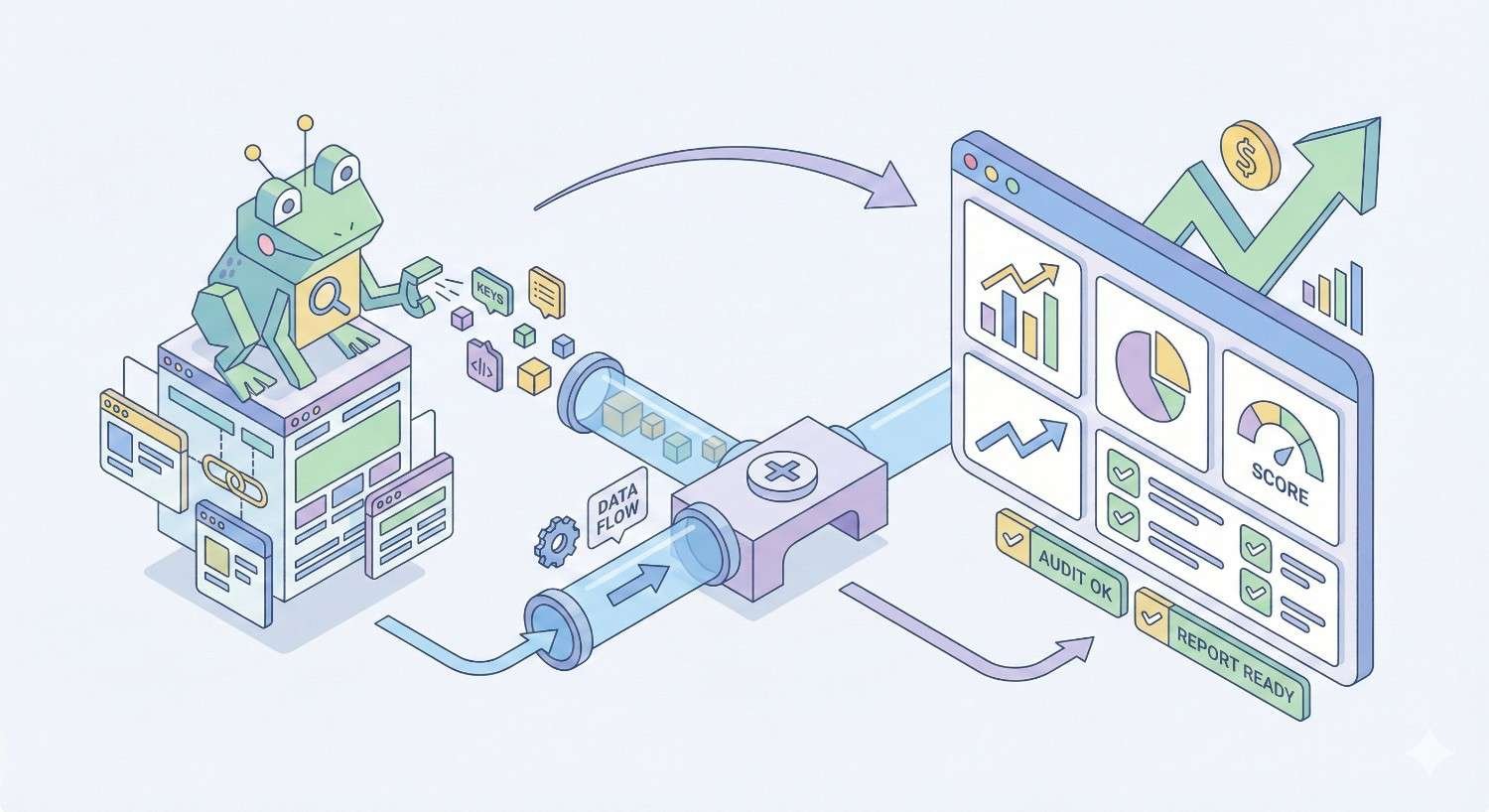
Screaming Frog’s crawler combined with Looker Studio visualization creates the most comprehensive technical SEO reporting solution we tested.
Key Features
Complete crawl data exports include status codes, redirects, canonicals, hreflang, structured data, and Core Web Vitals. Every technical element becomes reportable.
Scheduled crawls automate data collection. Configure weekly or monthly crawls feeding directly into reporting dashboards.
Custom extraction pulls specific page elements for specialized technical audits. Monitor any HTML element across entire sites.
What We Liked in Testing
Technical depth exceeded dedicated reporting platforms. No other tool provided comparable crawl data granularity.
Issue trending over time revealed technical debt accumulation. Historical crawl comparisons showed improvement or regression patterns.
Cost efficiency delivered enterprise-level technical reporting at a fraction of enterprise platform pricing.
Limitations
Assembly required. This solution combines separate tools rather than providing unified experience.
Technical expertise needed for setup and interpretation. Non-technical stakeholders may struggle with raw crawl data.
Real-time monitoring absent. Crawl-based reporting shows point-in-time snapshots rather than continuous monitoring.
Pricing
Screaming Frog at $259/year (unlimited crawls) plus free Looker Studio. Total annual cost under $300 for comprehensive technical reporting.
Best For
Technical SEO specialists and agencies with developer resources who need detailed crawl data visualization. Ideal for sites with complex technical requirements.
Best for Rank Tracking Reports: AccuRanker
AccuRanker focuses exclusively on rank tracking with reporting features optimized for position monitoring use cases.
Key Features
On-demand ranking updates provide current positions rather than daily snapshots. Check rankings anytime without waiting for scheduled updates.
SERP feature tracking monitors featured snippets, local packs, knowledge panels, and other result types. Reports show total SERP visibility beyond organic positions.
Share of Voice metrics quantify visibility against competitors. Executive-friendly percentage comparisons simplify competitive reporting.
What We Liked in Testing
Ranking accuracy consistently matched manual SERP checks. Position data proved reliable across test keyword sets.
Update speed delivered fresh data within minutes of requests. On-demand checks provided genuinely current rankings.
Competitor tracking depth allowed monitoring unlimited competitors per keyword. Comprehensive competitive landscape visibility.
Limitations
Single focus means you need additional tools for traffic, backlinks, and technical SEO. AccuRanker doesn’t replace comprehensive platforms.
Pricing scales with keyword volume. Large keyword portfolios become expensive compared to all-in-one alternatives.
Reporting templates are functional but not visually distinctive. Design customization options are limited.
Pricing
Plans start at $129/month (1,000 keywords) scaling to enterprise tiers for larger volumes. 14-day free trial available.
Best For
Agencies and teams where rank tracking is the primary reporting focus. Ideal when ranking reports drive client conversations and you have other tools for additional metrics.
Best for Backlink Reporting: Ahrefs
Ahrefs maintains the largest backlink index and provides reporting features that leverage this data advantage.
Key Features
Backlink index updates continuously with new link discoveries appearing within hours. Fresh data ensures reports reflect current link profiles.
Link quality metrics including Domain Rating, URL Rating, and traffic estimates help contextualize raw link counts. Reports show link value, not just volume.
Lost and gained link tracking monitors profile changes over time. Automated alerts notify you of significant link losses.
What We Liked in Testing
Index freshness consistently surfaced new links before competitors. Clients saw link building results reflected quickly.
Historical data depth enabled long-term trend analysis. Years of backlink history supported comprehensive profile reviews.
Export flexibility provided raw data for custom analysis. CSV exports included all available link attributes.
Limitations
Reporting interface is functional rather than elegant. Visual presentation requires export to other tools for polished deliverables.
Cost per user adds up for larger teams. Seat-based pricing increases total cost significantly.
Learning curve exists for advanced features. New users need time to understand all available metrics and filters.
Pricing
Lite at $129/month (1 user), Standard at $249/month (1 user), Advanced at $449/month (3 users), and Enterprise at $14,990/year (5 users).
Best For
Link building agencies and teams where backlink reporting is a primary deliverable. Essential when demonstrating link acquisition results drives client retention.
Best for Local SEO Reporting: BrightLocal
BrightLocal specializes in local search with reporting features designed for multi-location businesses and local SEO agencies.
Key Features
Local rank tracking monitors positions in Google Maps and local pack results across specific geographic areas. Reports show visibility where local customers search.
Citation tracking monitors NAP consistency across directories. Reports identify citation errors requiring correction.
Review monitoring aggregates ratings from Google, Facebook, Yelp, and industry-specific platforms. Unified reputation reporting across review sources.
What We Liked in Testing
Local-specific metrics provided insights unavailable in general SEO tools. Geographic ranking granularity revealed neighborhood-level visibility patterns.
Multi-location management streamlined reporting for franchise and multi-branch clients. Bulk operations reduced per-location effort.
White-label options satisfied agency branding requirements. Client-facing reports maintained professional presentation.
Limitations
National/global SEO capabilities are limited. BrightLocal complements rather than replaces comprehensive SEO platforms.
Pricing per location adds up for large portfolios. Costs scale linearly with location count.
Integration options are narrower than general marketing platforms. Fewer native connections to non-local tools.
Pricing
Single Business at $39/month (3 locations), Multi Business at $59/month (6 locations), and SEO Pro at $79/month (100 locations).
Best For
Local SEO agencies and multi-location businesses where local pack rankings and review management drive results. Essential for location-based reporting requirements.
Best for Multi-Channel Reporting: Whatagraph
Whatagraph unifies marketing data across channels with visual reports designed for cross-channel performance analysis.
Key Features
Over 45 native integrations connect SEO, PPC, social, email, and e-commerce platforms. Single reports show total marketing performance.
Visual report templates emphasize graphics over data tables. Executive-friendly presentations communicate results clearly.
Automated cross-channel calculations show combined metrics like total traffic, leads, and conversions across sources.
What We Liked in Testing
Visual quality exceeded most alternatives. Reports looked professionally designed without graphic design effort.
Cross-channel insights revealed attribution patterns. Seeing SEO alongside paid channels clarified total marketing impact.
Client feedback on report clarity was consistently positive. Non-technical stakeholders understood performance without explanation.
Limitations
SEO depth is shallower than dedicated SEO platforms. Technical SEO and detailed ranking data require additional tools.
Pricing is higher than single-channel alternatives. Multi-channel capability comes at premium cost.
Customization has boundaries. Highly specific reporting requirements may exceed template flexibility.
Pricing
Professional at $223/month (5 sources), Premium at $335/month (15 sources), and Custom pricing for larger needs.
Best For
Full-service marketing agencies presenting unified performance across channels. Ideal when demonstrating total marketing ROI matters more than SEO-specific depth.
Best for Content Performance Reporting: Clearscope
Clearscope combines content optimization with performance tracking, creating reports that connect content quality to results.
Key Features
Content grades score pages against topical coverage requirements. Reports show optimization opportunities alongside performance metrics.
Keyword integration tracks rankings for target terms alongside content scores. Correlation between optimization and rankings becomes visible.
Inventory management monitors content portfolio performance at scale. Identify underperforming pages requiring updates.
What We Liked in Testing
Content-to-results connection clarified optimization impact. Clients understood why content updates improved rankings.
Prioritization recommendations focused effort on highest-impact opportunities. Reports included actionable next steps.
Writer-friendly interface made reports useful for content teams, not just SEO specialists.
Limitations
Scope is narrower than comprehensive SEO platforms. Clearscope focuses on content rather than technical or off-page SEO.
Pricing is premium for the feature set. Cost per report is higher than general SEO tools.
Integration options are limited. Fewer connections to external platforms than marketing-focused tools.
Pricing
Essentials at $189/month (20 reports), Business at $399/month (50 reports), and Enterprise with custom pricing.
Best For
Content marketing teams and agencies where content optimization drives strategy. Ideal when connecting content quality to performance matters for stakeholder buy-in.
Best for Competitor Analysis Reports: Similarweb
Similarweb provides competitive intelligence with reporting features designed for market analysis and benchmarking.
Key Features
Traffic estimation covers competitors without requiring their data access. Reports compare your performance against market benchmarks.
Channel breakdown shows competitor traffic sources including organic, paid, social, and referral. Understand competitive marketing mix.
Industry benchmarking contextualizes performance against sector averages. Reports show whether results are above or below market norms.
What We Liked in Testing
Competitive visibility exceeded other platforms. Insights into competitor strategies informed our recommendations.
Market context improved report value. Clients understood performance relative to industry, not just historical trends.
Executive-friendly presentations communicated competitive position clearly. Strategic insights resonated with leadership audiences.
Limitations
Accuracy varies for smaller sites. Traffic estimates are more reliable for high-traffic domains.
Cost is significant for full feature access. Comprehensive competitive intelligence requires premium tiers.
SEO-specific depth is limited. Similarweb provides market intelligence rather than tactical SEO data.
Pricing
Free plan (limited data), custom pricing for paid tiers typically starting around $199/month for basic access.
Best For
Strategy-focused teams needing competitive intelligence and market context. Ideal when competitive positioning drives business decisions and reporting requirements.
Best for E-commerce SEO Reporting: Ryte
Ryte provides e-commerce-specific SEO analysis with reporting features designed for product-focused websites.
Key Features
Product page analysis evaluates SEO elements across large product catalogs. Reports identify optimization opportunities at scale.
Technical SEO monitoring tracks e-commerce-specific issues including faceted navigation, product schema, and inventory-related problems.
Integration with e-commerce platforms connects SEO data with sales performance. Reports show SEO impact on revenue.
What We Liked in Testing
E-commerce focus revealed issues generic tools missed. Product-specific analysis provided actionable insights.
Scale handling managed large catalogs without performance issues. Reports covered thousands of products efficiently.
Revenue connection demonstrated SEO value in business terms. Stakeholders understood ROI clearly.
Limitations
Pricing is enterprise-focused. Smaller e-commerce sites may find costs prohibitive.
Learning curve exists for platform-specific features. E-commerce SEO concepts require understanding.
General SEO reporting is less comprehensive. Ryte excels at e-commerce but isn’t a general-purpose platform.
Pricing
Custom pricing based on site size and requirements. Contact sales for quotes, typically starting around $500/month.
Best For
E-commerce businesses and agencies specializing in online retail. Essential when product page optimization and catalog-scale analysis drive reporting needs.
Best Google Data Studio Alternative: Supermetrics
Supermetrics provides data connectors that enable Looker Studio-like reporting with broader data source access.
Key Features
Over 100 data connectors link marketing platforms to spreadsheets, data warehouses, and visualization tools. Connect virtually any data source.
Scheduled data refreshes automate data collection without manual exports. Reports stay current automatically.
Data transformation cleans and combines data before visualization. Preprocessing reduces dashboard complexity.
What We Liked in Testing
Connector reliability maintained consistent data flow. No sync failures during extended testing.
Flexibility enabled custom reporting workflows. Data could flow to multiple destinations simultaneously.
Cost efficiency provided broad data access at reasonable per-connector pricing.
Limitations
Visualization requires separate tools. Supermetrics moves data but doesn’t create reports directly.
Technical setup needed for optimal configuration. Non-technical users may need assistance.
Connector costs add up with many data sources. Per-source pricing increases total cost.
Pricing
Per-connector pricing varies by destination. Looker Studio connectors start around $39/month per source.
Best For
Technical teams building custom reporting infrastructure who need reliable data pipelines. Ideal when Looker Studio’s native connectors are insufficient.
Best for Small Business: SE Ranking
SE Ranking provides comprehensive SEO tools at price points accessible to small businesses and solo practitioners.
Key Features
All-in-one platform includes rank tracking, site audit, backlink analysis, and reporting in unified subscription. No tool stacking required.
Flexible pricing scales with usage. Pay for the keyword and audit capacity you actually need.
White-label reporting available even on lower tiers. Small agencies can present branded reports professionally.
What We Liked in Testing
Value proposition exceeded expectations. Feature depth rivaled platforms costing significantly more.
Interface simplicity reduced learning curve. New users generated useful reports quickly.
Support responsiveness addressed questions promptly. Small business users received attention despite lower subscription values.
Limitations
Data depth doesn’t match premium platforms. Backlink index and keyword database are smaller than Ahrefs or Semrush.
Advanced features have limitations. Enterprise-level requirements may exceed capabilities.
Brand recognition is lower. Some clients prefer reports from well-known platforms.
Pricing
Essential at $65/month (500 keywords), Pro at $119/month (1,000 keywords), and Business at $259/month (2,500 keywords).
Best For
Small businesses and freelancers needing comprehensive SEO reporting without enterprise budgets. Ideal when value matters more than brand prestige.
Best for Client Reporting: Reportz
Reportz focuses specifically on client-facing report generation with features designed for agency-client communication.
Key Features
Client portal provides dedicated access for each client with customized dashboards. Clients self-serve report access without agency involvement.
Automated commentary adds context to data automatically. Reports explain what numbers mean without manual annotation.
Approval workflows enable report review before client delivery. Quality control built into the reporting process.
What We Liked in Testing
Client experience impressed our test recipients. Portal access and report clarity received positive feedback.
Time savings from automated commentary reduced report preparation effort significantly.
Workflow features prevented errors. Review steps caught issues before client delivery.
Limitations
Data sources are limited compared to broader platforms. Some integrations require workarounds.
Customization depth has boundaries. Highly specific requirements may exceed capabilities.
Market presence is smaller. Less community support and fewer resources than major platforms.
Pricing
Starter at $59/month (5 clients), Professional at $119/month (15 clients), and Agency at $199/month (30 clients).
Best For
Agencies prioritizing client communication and report delivery workflow. Ideal when client experience and presentation quality drive tool selection.
Best for API and Data Export: Moz Pro
Moz Pro provides robust API access alongside reporting features, enabling custom data applications and integrations.
Key Features
Comprehensive API covers rankings, links, site crawl, and keyword data. Build custom applications using Moz data.
Data export flexibility provides CSV, PDF, and API access to all report data. No data lock-in.
Domain Authority and Page Authority metrics provide widely recognized authority measurements for reporting.
What We Liked in Testing
API documentation quality enabled quick integration development. Clear examples reduced implementation time.
Data consistency between interface and API ensured report accuracy regardless of access method.
Export completeness provided all underlying data, not just summary metrics.
Limitations
Feature development pace has slowed compared to competitors. Some capabilities lag behind Semrush and Ahrefs.
Pricing for API access adds cost beyond standard subscriptions. Heavy API usage requires higher tiers.
Link index size is smaller than Ahrefs. Backlink data completeness varies.
Pricing
Standard at $99/month (1 user), Medium at $179/month (2 users), Large at $299/month (3 users), and Premium at $599/month (5 users).
Best For
Development teams building custom SEO applications and integrations. Ideal when API access and data portability are primary requirements.
Best All-in-One SEO Platform with Reporting: Mangools
Mangools bundles five SEO tools with integrated reporting at an accessible price point.
Key Features
Tool suite includes KWFinder (keyword research), SERPChecker (SERP analysis), SERPWatcher (rank tracking), LinkMiner (backlink analysis), and SiteProfiler (SEO metrics).
Unified interface connects all tools seamlessly. Data flows between tools without manual transfers.
Reporting integrates data from all five tools into cohesive deliverables. Single reports cover multiple SEO dimensions.
What We Liked in Testing
User experience prioritized simplicity without sacrificing functionality. Learning curve was minimal.
Visual design made reports client-ready with minimal customization. Clean aesthetics throughout.
Value proposition delivered comprehensive capabilities at competitive pricing.
Limitations
Scale limitations affect larger operations. Enterprise-level keyword volumes and site sizes may exceed capacity.
Advanced features are less developed than specialized tools. Depth in any single area doesn’t match dedicated platforms.
White-label options are limited. Agency branding capabilities are basic.
Pricing
Basic at $49/month (100 keyword lookups/day), Premium at $69/month (500 lookups/day), and Agency at $129/month (1,200 lookups/day).
Best For
Small teams and freelancers wanting comprehensive SEO capabilities in one affordable subscription. Ideal when simplicity and value outweigh advanced feature requirements.
SEO Reporting Tools Comparison Table
| Tool | Best For | Starting Price | Key Strength | Rating |
| Semrush | Overall | $139.95/mo | Comprehensive data | 9.2/10 |
| AgencyAnalytics | Agencies | $79/mo | Client management | 9.0/10 |
| Conductor | Enterprise | Custom | Scalability | 8.8/10 |
| Looker Studio | Budget | Free | Flexibility | 8.5/10 |
| DashThis | White-label | $49/mo | Branding depth | 8.7/10 |
| Databox | Automation | $59/mo | Real-time updates | 8.6/10 |
| Klipfolio | Custom dashboards | $125/mo | Customization | 8.4/10 |
| Screaming Frog | Technical SEO | $259/yr | Crawl depth | 9.0/10 |
| AccuRanker | Rank tracking | $129/mo | Accuracy | 8.8/10 |
| Ahrefs | Backlinks | $129/mo | Link index | 9.1/10 |
| BrightLocal | Local SEO | $39/mo | Local features | 8.7/10 |
| Whatagraph | Multi-channel | $223/mo | Visual quality | 8.5/10 |
| Clearscope | Content | $189/mo | Content analysis | 8.6/10 |
| Similarweb | Competitor analysis | $199/mo | Market intelligence | 8.4/10 |
| Ryte | E-commerce | Custom | Product focus | 8.3/10 |
| Supermetrics | Data connectors | $39/mo | Integration breadth | 8.5/10 |
| SE Ranking | Small business | $65/mo | Value | 8.6/10 |
| Reportz | Client reporting | $59/mo | Client experience | 8.2/10 |
| Moz Pro | API/Export | $99/mo | Data access | 8.3/10 |
| Mangools | All-in-one | $49/mo | Simplicity | 8.4/10 |
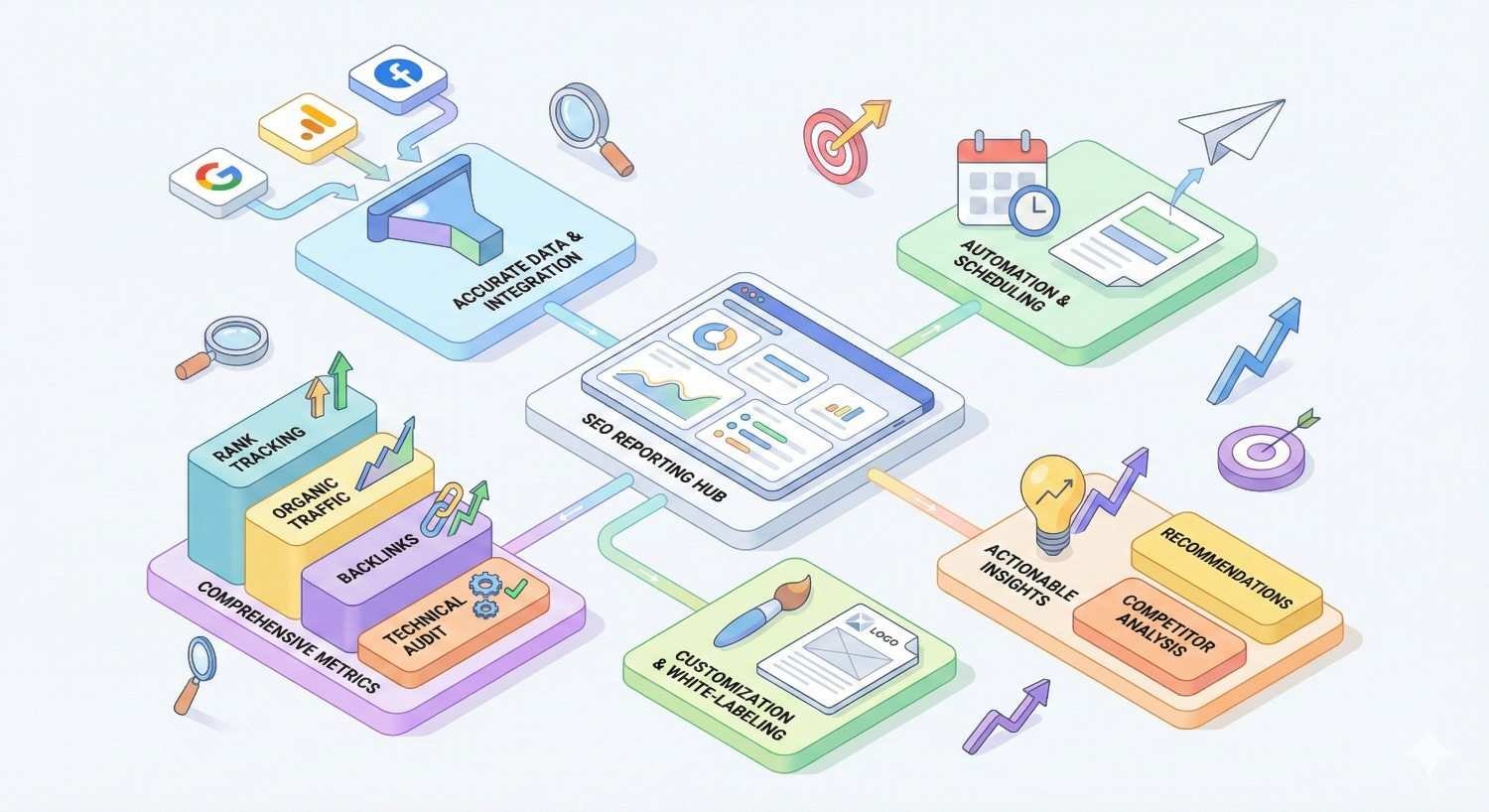
Key Features to Look for in SEO Reporting Software
Data Visualization and Dashboard Capabilities
Effective visualization transforms complex data into understandable insights. Look for tools offering multiple chart types, customizable layouts, and responsive designs that work across devices.
Dashboard interactivity enhances usability. Drill-down capabilities, date range selectors, and filter options let stakeholders explore data without generating new reports.
Design quality affects perception. Professional-looking reports build client confidence regardless of underlying data quality.
Metric Coverage (Rankings, Traffic, Backlinks, Technical)
Comprehensive metric coverage reduces tool stacking. Platforms covering rankings, organic traffic, backlink profiles, and technical health in unified reports simplify workflows.
Metric depth matters alongside breadth. Surface-level data across many areas provides less value than detailed insights in key areas.
Custom metric creation extends standard coverage. Calculated fields and custom KPIs address unique reporting requirements.
Report Scheduling and Automation
Scheduling flexibility accommodates different client needs. Daily, weekly, monthly, and custom schedules should all be available.
Delivery reliability ensures reports reach recipients. Failed delivery handling, retry logic, and delivery confirmation prevent missed reports.
Conditional scheduling triggers reports based on events rather than just time. Ranking changes or traffic anomalies can initiate automated reports.
White-Label and Branding Options
Branding depth varies significantly between platforms. Evaluate logo placement, color customization, custom domains, and complete brand removal capabilities.
Client-facing elements extend beyond reports. Login pages, email notifications, and dashboard interfaces should all support branding.
Brand consistency across touchpoints builds professional perception. Partial branding creates awkward client experiences.
Data Source Integrations
Native integrations provide reliable, maintained connections. Evaluate which platforms connect directly versus requiring third-party connectors.
Integration depth affects data availability. Some connections provide full API access while others offer limited metric subsets.
Sync frequency determines data freshness. Real-time, hourly, daily, and weekly refresh rates suit different reporting needs.
Export Formats and Sharing Options
Format variety accommodates different stakeholder preferences. PDF, web links, embedded dashboards, and raw data exports serve different purposes.
Sharing controls protect sensitive data. Password protection, expiration dates, and access logging provide security options.
Collaboration features enable team workflows. Comments, annotations, and approval processes support report development.
How to Choose the Right SEO Reporting Tool for Your Business
For Agencies and Consultants
Client volume drives tool selection. Platforms with unlimited client dashboards and per-seat rather than per-client pricing scale efficiently.
White-label requirements vary by agency positioning. Premium agencies need complete brand control while others accept vendor co-branding.
Multi-channel capabilities matter for full-service agencies. SEO-only tools may require supplementation for comprehensive marketing reporting.
Workflow features reduce operational overhead. Client management, bulk operations, and template inheritance save significant time at scale.
For In-House Marketing Teams
Integration with existing tools takes priority. Reporting platforms should connect with your current analytics, CRM, and marketing stack.
Stakeholder accessibility affects adoption. Tools requiring technical expertise may limit report consumption across the organization.
Budget justification requires demonstrable ROI. Platforms connecting SEO metrics to business outcomes support internal advocacy.
Collaboration features enable team workflows. Multiple users should access, edit, and contribute to reports efficiently.
For Enterprise Organizations
Scalability handles large data volumes. Enterprise sites with millions of pages and thousands of keywords need platforms built for scale.
Security and compliance requirements are non-negotiable. SOC 2 compliance, SSO integration, and data handling policies matter.
Integration with enterprise systems enables data flow. Connections to Salesforce, Adobe, and business intelligence platforms are essential.
Support levels match enterprise expectations. Dedicated account management and priority support justify premium pricing.
For Small Businesses and Startups
Value optimization maximizes limited budgets. All-in-one platforms reduce total cost compared to tool stacking.
Simplicity accelerates time-to-value. Complex platforms with steep learning curves waste limited resources.
Growth accommodation prevents platform switching. Tools that scale with business growth avoid migration costs later.
Essential features take priority over advanced capabilities. Focus on core reporting needs rather than enterprise features you won’t use.
For Freelancers and Solopreneurs
Cost efficiency is paramount. Per-client pricing models can quickly exceed freelancer budgets.
Presentation quality affects client perception. Professional-looking reports build credibility for independent practitioners.
Time efficiency matters when you’re the entire team. Automation and templates reduce report preparation time.
Portability enables client transitions. Data export capabilities ensure you can move clients between platforms if needed.
What Metrics Should Your SEO Reports Include?
Organic Traffic and User Behavior Metrics
Sessions and users from organic search quantify visibility impact. Segment by landing page, device, and geography for actionable insights.
Engagement metrics including bounce rate, pages per session, and session duration indicate traffic quality. High traffic with poor engagement suggests targeting issues.
New versus returning visitors shows audience building progress. Growing returning visitor percentages indicate brand development.
Keyword Rankings and Visibility
Position tracking for target keywords shows tactical progress. Include both branded and non-branded terms for complete visibility.
Ranking distribution reveals portfolio health. Movement across position ranges (1-3, 4-10, 11-20) provides strategic context.
SERP feature presence tracks visibility beyond traditional organic results. Featured snippets, local packs, and knowledge panels deserve monitoring.
Backlink Profile and Authority Metrics
Total referring domains and backlinks quantify link building progress. New links acquired during reporting periods show campaign effectiveness.
Link quality metrics including Domain Authority, Domain Rating, and traffic estimates contextualize raw counts. Quality matters more than quantity.
Lost links require attention. Significant link losses may indicate problems requiring investigation.
Technical SEO Health Indicators
Crawl errors and indexation issues affect visibility directly. Monitor crawl stats, index coverage, and error trends.
Core Web Vitals impact rankings and user experience. LCP, FID/INP, and CLS scores belong in technical reports.
Site structure metrics including internal linking, orphan pages, and crawl depth reveal optimization opportunities.
Content Performance Metrics
Page-level traffic identifies top performers and underperformers. Focus optimization efforts on high-potential pages.
Content freshness tracking shows update needs. Outdated content may require refreshes to maintain rankings.
Keyword coverage per page reveals optimization gaps. Pages ranking for few keywords may need content expansion.
Conversion and ROI Tracking
Goal completions from organic traffic demonstrate business impact. Connect SEO to leads, sales, and revenue.
Conversion rate by landing page identifies optimization priorities. High-traffic, low-conversion pages need attention.
Revenue attribution quantifies SEO value in business terms. E-commerce tracking and lead value calculations support ROI reporting.
How to Build Effective SEO Reports That Clients Actually Understand
Focus on Business Outcomes, Not Just Metrics
Lead with results that matter to stakeholders. Traffic increases mean nothing without connection to business goals.
Translate SEO metrics into business language. “Rankings improved” becomes “more potential customers finding your business.”
Quantify impact where possible. “SEO generated 47 qualified leads worth approximately $23,500 in pipeline value” resonates more than “organic traffic increased 15%.”
Use Visual Data Representation
Charts communicate trends faster than tables. Line graphs for time series, bar charts for comparisons, and pie charts for composition.
Consistent visual language aids comprehension. Use the same colors, formats, and layouts across reports.
Highlight key findings visually. Callout boxes, annotations, and color coding draw attention to important insights.
Provide Context and Trend Analysis
Comparison periods add meaning to numbers. Month-over-month, year-over-year, and period-over-period comparisons show progress.
Industry benchmarks contextualize performance. Knowing whether results are above or below average informs expectations.
Explain anomalies proactively. Traffic spikes, ranking drops, and unusual patterns deserve explanation before clients ask.
Include Actionable Recommendations
Every report should answer “what’s next?” Recommendations transform reports from scorecards into strategic documents.
Prioritize recommendations by impact and effort. Help clients understand where to focus limited resources.
Connect recommendations to reported data. Show how suggested actions address identified opportunities or problems.
Customize Reports by Stakeholder
Executive summaries serve C-suite audiences. High-level KPIs and business impact without technical detail.
Marketing managers need tactical depth. Campaign performance, channel comparisons, and optimization opportunities.
Technical teams require implementation details. Specific issues, affected URLs, and remediation steps.
Common SEO Reporting Mistakes to Avoid
Reporting Vanity Metrics Without Context
Impressions without clicks, rankings without traffic, and traffic without conversions tell incomplete stories. Connect metrics to outcomes.
Large numbers aren’t inherently meaningful. “1 million impressions” sounds impressive but may indicate poor click-through rates.
Context transforms data into insight. Always answer “so what?” for every metric included.
Overcomplicating Reports with Too Much Data
More data doesn’t equal better reports. Information overload reduces comprehension and actionability.
Curate ruthlessly. Include only metrics that inform decisions or demonstrate progress toward goals.
Layer complexity appropriately. Executive summaries first, detailed appendices for those who want depth.
Ignoring Technical SEO in Performance Reports
Technical issues affect all other metrics. Crawl problems, indexation issues, and Core Web Vitals deserve regular reporting.
Technical debt accumulates invisibly. Regular technical reporting prevents problems from compounding.
Connect technical metrics to performance impact. Show how technical improvements affected traffic and rankings.
Not Connecting SEO Metrics to Business Goals
SEO exists to drive business results. Reports should demonstrate contribution to revenue, leads, or other objectives.
Establish goal connections during onboarding. Understand what success means to each client before building reports.
Track goal progress consistently. Regular measurement against objectives maintains strategic alignment.
Inconsistent Reporting Frequency
Irregular reporting creates anxiety and distrust. Establish and maintain consistent schedules.
Match frequency to client needs. Monthly works for most clients; weekly for active campaigns; quarterly for strategic reviews.
Communicate schedule changes proactively. If timing must shift, inform clients before expected delivery dates.
SEO Reporting Best Practices from Our Agency Experience
Establish Baseline Metrics Before Starting
Document starting positions before optimization begins. Baselines enable accurate progress measurement.
Capture comprehensive baselines including rankings, traffic, technical health, and backlink profiles. Partial baselines limit future reporting.
Store baseline data securely. You’ll reference these benchmarks throughout the engagement.
Set Clear KPIs Aligned with Business Objectives
Define success metrics during onboarding. Agreement on KPIs prevents misaligned expectations.
Limit primary KPIs to 3-5 metrics. Focus enables meaningful progress rather than scattered effort.
Review and adjust KPIs periodically. Business objectives evolve; reporting should follow.
Maintain Consistent Reporting Schedules
Reliability builds trust. Deliver reports on the same day each period without exception.
Automate where possible. Scheduled delivery reduces manual effort and prevents missed reports.
Build buffer time. Complete reports before deadlines to accommodate unexpected issues.
Combine Automated and Manual Insights
Automation handles data collection and formatting. Manual analysis provides interpretation and recommendations.
Review automated reports before delivery. Catch data anomalies and add contextual commentary.
Balance efficiency with quality. Pure automation misses nuance; pure manual effort doesn’t scale.
Track Year-Over-Year and Seasonal Trends
Seasonality affects most businesses. Year-over-year comparisons reveal true progress versus seasonal fluctuation.
Document seasonal patterns. Understanding normal variation prevents misinterpreting expected changes.
Adjust expectations seasonally. Set appropriate goals for high and low seasons.
Free vs. Paid SEO Reporting Tools: What’s the Difference?
Limitations of Free SEO Reporting Tools
Data source restrictions limit comprehensive reporting. Free tools typically access fewer platforms.
Feature constraints affect customization. White-labeling, automation, and advanced visualizations usually require payment.
Support limitations slow problem resolution. Free users receive lower priority than paying customers.
Scale restrictions prevent growth. User limits, report caps, and data volume restrictions constrain operations.
When to Invest in Paid Solutions
Client-facing reporting demands professional presentation. Paid tools provide white-labeling and design quality.
Time costs exceed subscription costs. If manual workarounds consume hours, paid automation provides ROI.
Data requirements exceed free tier limits. Growing operations need tools that scale.
Competitive differentiation matters. Premium tools enable capabilities competitors using free tools cannot match.
Hybrid Approaches That Work
Combine free Google tools with paid specialized platforms. Looker Studio plus Semrush or Ahrefs covers most needs efficiently.
Use free tiers strategically. Many paid tools offer limited free access for evaluation or light usage.
Invest where it matters most. Prioritize paid tools for client-facing work; use free tools for internal analysis.
How We Use SEO Reporting Tools in Our Agency Workflow
Client Onboarding and Baseline Reporting
Initial audits establish starting positions. We document rankings, traffic, technical health, and backlink profiles before work begins.
Baseline reports set expectations. Clients understand current state and realistic improvement timelines.
Tool configuration happens during onboarding. Tracking setup, integration connections, and report templates are established upfront.
Monthly Performance Tracking
Standard monthly reports cover core KPIs. Rankings, traffic, conversions, and technical health receive consistent monitoring.
Automated delivery maintains consistency. Reports arrive on schedule without manual intervention.
Manual review adds interpretation. We annotate automated reports with context and recommendations before delivery.
Campaign-Specific Reporting
Link building campaigns receive dedicated tracking. New links acquired, quality metrics, and ranking impact are monitored.
Content campaigns track publication and performance. New content, optimization updates, and resulting traffic are documented.
Technical projects report implementation and results. Issues resolved, improvements made, and performance impact are captured.
Executive Summaries and Quarterly Reviews
Quarterly reports provide strategic perspective. Longer timeframes reveal trends invisible in monthly data.
Executive summaries distill key insights. Leadership audiences receive high-level overviews without technical detail.
Strategic recommendations accompany reviews. Quarterly reports include forward-looking plans alongside historical analysis.
Frequently Asked Questions About SEO Reporting Tools
What is an SEO reporting tool?
An SEO reporting tool collects, organizes, and visualizes search engine optimization data into understandable reports. These platforms pull data from sources like Google Search Console, Google Analytics, and third-party SEO tools to create dashboards and documents showing organic search performance.
How much do SEO reporting tools cost?
SEO reporting tool pricing ranges from free (Google Looker Studio) to over $500/month for enterprise solutions. Most mid-tier options cost between $50-200/month depending on features, user limits, and data volume. Agency-focused tools often charge per client or offer unlimited client tiers.
Can I automate SEO reports?
Yes, most SEO reporting tools offer automation features including scheduled report generation, automatic email delivery, and real-time dashboard updates. Automation levels vary by platform, with some offering basic scheduling while others provide sophisticated conditional triggers and workflow automation.
What’s the difference between SEO reporting and SEO analytics?
SEO analytics involves collecting and analyzing search performance data to inform strategy. SEO reporting transforms that analysis into formatted documents or dashboards for stakeholder communication. Analytics is the investigation; reporting is the communication of findings.
Do I need different tools for different types of SEO reports?
Not necessarily, but specialized tools often provide deeper capabilities in specific areas. Comprehensive platforms like Semrush cover most reporting needs, while specialized tools like AccuRanker (rankings) or Ahrefs (backlinks) offer superior depth in their focus areas. Many teams combine a primary platform with specialized tools.
How often should I generate SEO reports?
Monthly reporting suits most ongoing SEO engagements, providing enough data to show meaningful trends without overwhelming stakeholders. Weekly reports work for active campaigns or clients requiring close monitoring. Quarterly reports provide strategic perspective for executive audiences.
Can SEO reporting tools track ROI?
Yes, when properly configured with conversion tracking and revenue data. Tools integrating with Google Analytics 4 can report goal completions and e-commerce transactions from organic traffic. Connecting SEO metrics to CRM data enables lead value and pipeline attribution reporting.
What’s the best free SEO reporting tool?
Google Looker Studio (formerly Data Studio) provides the most capable free reporting option. It connects natively to Google Search Console and Analytics 4, offers unlimited reports and dashboards, and provides sophisticated visualization capabilities. Third-party connectors extend its data source options.
How do white-label SEO reporting tools work?
White-label tools allow agencies to present reports under their own branding rather than the software vendor’s. Features typically include custom logos, color schemes, branded domains, and removal of vendor identification. Clients see the agency’s brand throughout the reporting experience.
Final Thoughts: Choosing SEO Reporting Tools That Support Long-Term Growth
The right SEO reporting tool does more than generate documents. It transforms complex data into clear insights that drive strategic decisions, demonstrate value to stakeholders, and support sustainable organic growth over time.
Your choice should align with your specific situation: budget constraints, technical capabilities, client expectations, and growth trajectory. The best tool for an enterprise team differs dramatically from the ideal solution for a freelancer or small agency.
We help businesses build comprehensive SEO strategies including the reporting infrastructure that demonstrates progress and ROI. White Label SEO Service provides full-service SEO support from technical foundations through performance tracking. Contact us to discuss how strategic reporting can strengthen your SEO program and client relationships.
Frequently Asked Questions
Which SEO reporting tool offers the best value for small agencies?
AgencyAnalytics and SE Ranking provide the strongest value for small agencies. Both offer comprehensive features at accessible price points with unlimited client dashboards and white-label capabilities that scale without per-client fees.
Can I use multiple SEO reporting tools together effectively?
Yes, many successful teams combine tools strategically. A common approach pairs a comprehensive platform like Semrush for data with a visualization tool like Looker Studio or DashThis for client-facing reports.
How long does it take to set up an SEO reporting tool properly?
Initial setup typically requires 2-4 hours for basic configuration including data source connections and template customization. More complex implementations with custom dashboards and multiple integrations may take several days.
What should I do if my SEO reporting tool shows different data than Google Search Console?
Discrepancies between tools and Search Console are normal due to different data collection methods. Use Search Console as your source of truth for Google-specific metrics and third-party tools for competitive data and additional insights.
Are enterprise SEO reporting tools worth the higher cost?
Enterprise tools justify their cost for organizations with complex requirements including large-scale operations, multiple stakeholder groups, strict security needs, and dedicated support requirements. Smaller organizations rarely need enterprise-level capabilities.
How do I convince clients to trust automated SEO reports?
Build trust through transparency about data sources, consistent delivery schedules, and manual annotations that add context. Include methodology explanations in reports and offer to walk clients through data interpretation during review calls.
What’s the biggest mistake agencies make when choosing SEO reporting tools?
Selecting tools based on features rather than workflow fit. The most feature-rich platform provides no value if it doesn’t integrate with your processes, match your team’s technical capabilities, and serve your specific client communication needs.


