

A technical SEO audit can increase organic traffic by 50% or more when critical issues are identified and fixed. The question isn’t whether your website needs one. It’s whether you should handle it yourself or bring in professionals.
This decision impacts your budget, timeline, and ultimately your search rankings. Get it wrong, and you waste resources or miss problems that cost you thousands in lost revenue.
This guide breaks down exactly what each approach delivers, when DIY makes sense, when professionals are worth the investment, and how to build a sustainable audit strategy that drives real business results.
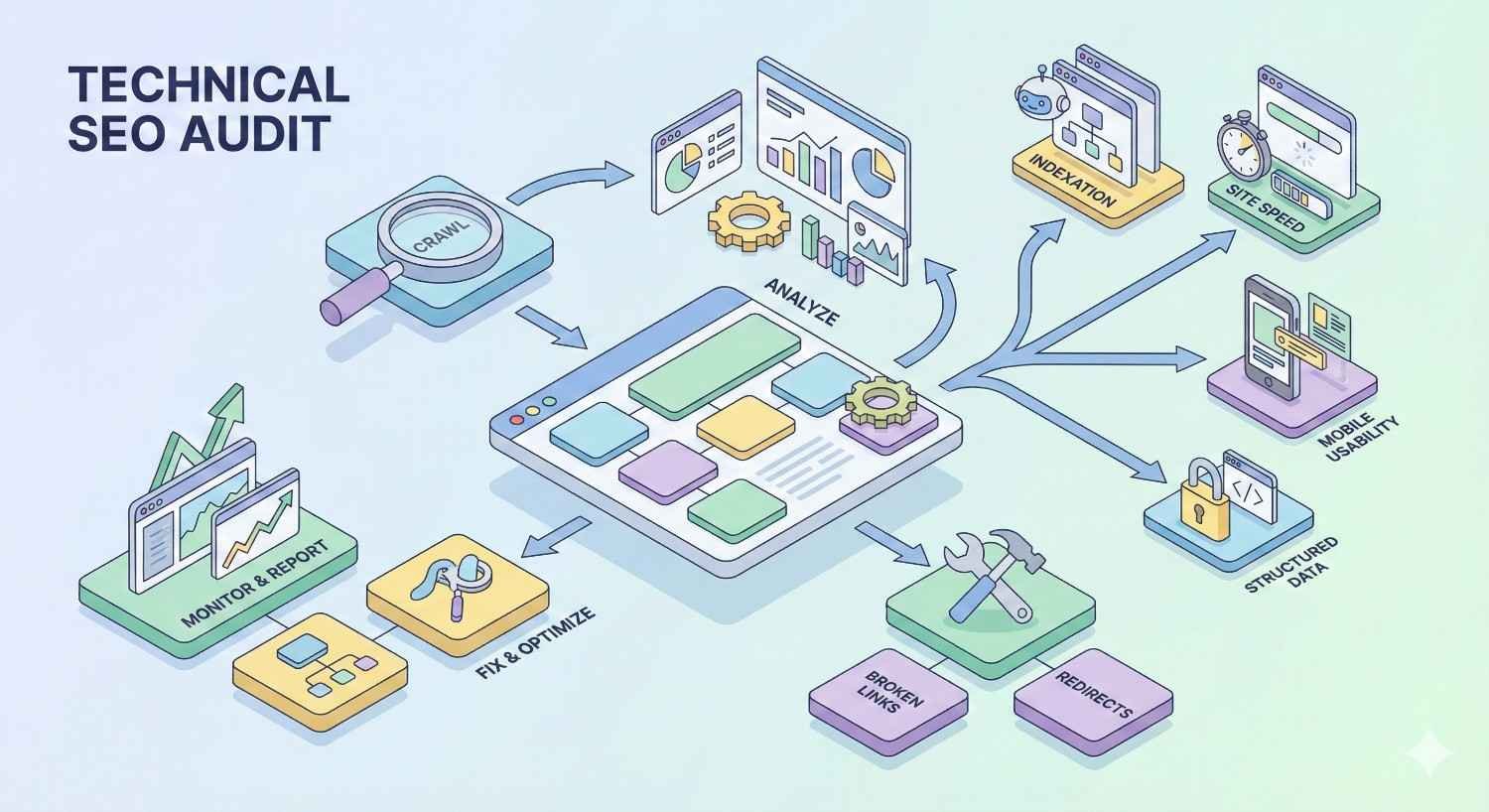
What Is a Technical SEO Audit?
A technical SEO audit is a systematic evaluation of your website’s infrastructure, examining how search engines crawl, index, and render your pages. Unlike content audits that focus on keywords and copy, technical audits dig into the code, server configurations, and structural elements that determine whether Google can even find and understand your content.
Think of it as a health checkup for your website’s foundation. You might have exceptional content and strong backlinks, but if Googlebot can’t efficiently crawl your site or your pages load too slowly, your rankings suffer.
Core Components of a Technical Audit
Every comprehensive technical audit examines six fundamental areas:
Crawlability determines whether search engine bots can access and navigate your pages. This includes robots.txt configuration, XML sitemaps, crawl budget allocation, and internal linking structures.
Indexation verifies that your important pages appear in search engine indexes while keeping thin or duplicate content out. Canonical tags, noindex directives, and index bloat all fall under this category.
Site architecture evaluates how your pages connect and how link equity flows throughout your domain. Flat versus deep structures, orphan pages, and navigation paths directly impact how search engines understand your site hierarchy.
Page speed and Core Web Vitals measure loading performance, interactivity, and visual stability. Google uses these metrics as ranking factors, making them non-negotiable for competitive niches.
Mobile usability ensures your site functions properly across devices. With mobile-first indexing, how your site performs on smartphones determines your desktop rankings too.
Security and technical standards cover HTTPS implementation, mixed content issues, and proper redirect chains.
Why Technical Audits Matter for Organic Growth
Technical issues create invisible ceilings on your SEO performance. You can publish exceptional content and earn quality backlinks, but fundamental crawling problems prevent that work from translating into rankings.
Research from Ahrefs shows that 68% of websites have at least one critical technical SEO issue affecting their visibility. These aren’t minor problems. They’re barriers that block pages from ranking entirely.
The compounding effect matters most. A slow site loses visitors. Those visitors don’t convert. Lower engagement signals tell Google your content isn’t valuable. Rankings drop further. Technical debt accumulates silently until a competitor with better infrastructure overtakes you.
Regular audits catch problems before they compound. They also identify opportunities. Maybe your competitor’s site has structural weaknesses you can exploit. Perhaps a simple schema implementation could earn you rich snippets that double your click-through rate.
DIY Technical Audit: What You Can Do In-House
Running your own technical audit is entirely possible with the right tools and knowledge. Many businesses successfully identify and fix common issues without outside help, especially for smaller sites with straightforward architectures.
The DIY approach works best when you have someone on your team who understands basic SEO principles and can dedicate focused time to the process. You won’t catch everything a specialist would, but you can address the issues that matter most.
Essential Tools for DIY Technical Audits
Your toolkit determines what you can discover. Free tools handle basics well. Paid tools unlock deeper analysis.
Free Tools (Google Search Console, PageSpeed Insights, Screaming Frog Free)
Google Search Console is non-negotiable. It shows you exactly how Google sees your site, including indexing errors, mobile usability problems, Core Web Vitals data, and manual actions. The Coverage report reveals which pages are indexed, excluded, or encountering errors.
PageSpeed Insights analyzes loading performance and provides specific recommendations for improvement. It uses real-world Chrome user data alongside lab testing, giving you both field and diagnostic perspectives.
Screaming Frog SEO Spider (free version) crawls up to 500 URLs, identifying broken links, redirect chains, duplicate content, missing meta tags, and structural issues. For small sites, this covers most needs.
Google’s Mobile-Friendly Test and Rich Results Test round out the free toolkit, checking responsive design and structured data implementation respectively.
Paid Tools (Ahrefs, SEMrush, Sitebulb)
Ahrefs Site Audit crawls your entire domain and scores technical health across 100+ issues. Its strength lies in connecting technical problems to their SEO impact, helping you prioritize fixes.
SEMrush Site Audit offers similar capabilities with excellent visualization of site architecture and internal linking. The tool tracks changes over time, showing whether your fixes actually improved things.
Sitebulb provides the deepest technical analysis of any crawler, with detailed explanations of every issue and prioritized recommendations. It’s particularly strong for JavaScript rendering analysis and accessibility audits.
Most businesses find one paid tool sufficient. Choose based on what other SEO features you need, since these platforms offer much more than just auditing.
Step-by-Step DIY Audit Process
Follow this sequence to cover the essentials systematically:
Week 1: Crawlability and Indexation Start with Google Search Console’s Coverage report. Note any errors or warnings. Then run Screaming Frog to identify pages returning 4xx or 5xx status codes, redirect chains longer than two hops, and pages blocked by robots.txt that shouldn’t be.
Check your XML sitemap against your actual indexed pages. Are important pages missing? Are low-value pages included that shouldn’t be?
Week 2: Site Architecture and Internal Linking Map your site structure using your crawler’s visualization features. Identify orphan pages with no internal links pointing to them. Find pages more than three clicks from your homepage. Look for opportunities to strengthen internal linking to priority pages.
Week 3: Page Speed and Core Web Vitals Run PageSpeed Insights on your five most important page templates (homepage, category pages, product pages, blog posts, landing pages). Document the specific recommendations for each. Check Google Search Console’s Core Web Vitals report for field data across your entire site.
Week 4: Mobile, Security, and Structured Data Test mobile usability across your key templates. Verify HTTPS implementation is complete with no mixed content warnings. Run the Rich Results Test on pages where you’ve implemented schema markup.
Common Issues You Can Identify and Fix Yourself
Many technical problems have straightforward solutions once identified:
Broken internal links waste crawl budget and frustrate users. Update or remove them.
Missing or duplicate meta titles and descriptions hurt click-through rates. Write unique, compelling tags for each page.
Slow-loading images often just need compression and proper sizing. Tools like TinyPNG or ShortPixel handle this easily.
Missing alt text affects accessibility and image search visibility. Add descriptive alt attributes to all meaningful images.
Redirect chains can usually be simplified by updating links to point directly to final destinations.
Missing canonical tags on paginated or filtered pages cause duplicate content issues. Implement self-referencing canonicals or point to preferred versions.
Basic schema markup for articles, products, FAQs, and local businesses can be added using plugins or manual JSON-LD implementation.
Limitations of the DIY Approach
Honesty matters here. DIY audits have real constraints:
You don’t know what you don’t know. Without deep technical experience, you’ll miss issues you’ve never encountered before. JavaScript rendering problems, edge cases in international SEO, complex redirect logic, and server-level configurations often escape DIY detection.
Tool limitations exist. Free tools have crawl limits and feature restrictions. Even paid tools can’t replicate the pattern recognition that comes from auditing hundreds of sites.
Time investment is significant. A thorough DIY audit takes 20-40 hours for a medium-sized site. That’s time not spent on other business priorities.
Prioritization is difficult. Knowing an issue exists differs from knowing how urgently it needs fixing relative to everything else. Without benchmarking experience, you might spend weeks on minor issues while critical problems persist.
Implementation gaps occur. Identifying problems is one thing. Fixing them correctly without creating new issues requires technical skill that varies widely across teams.
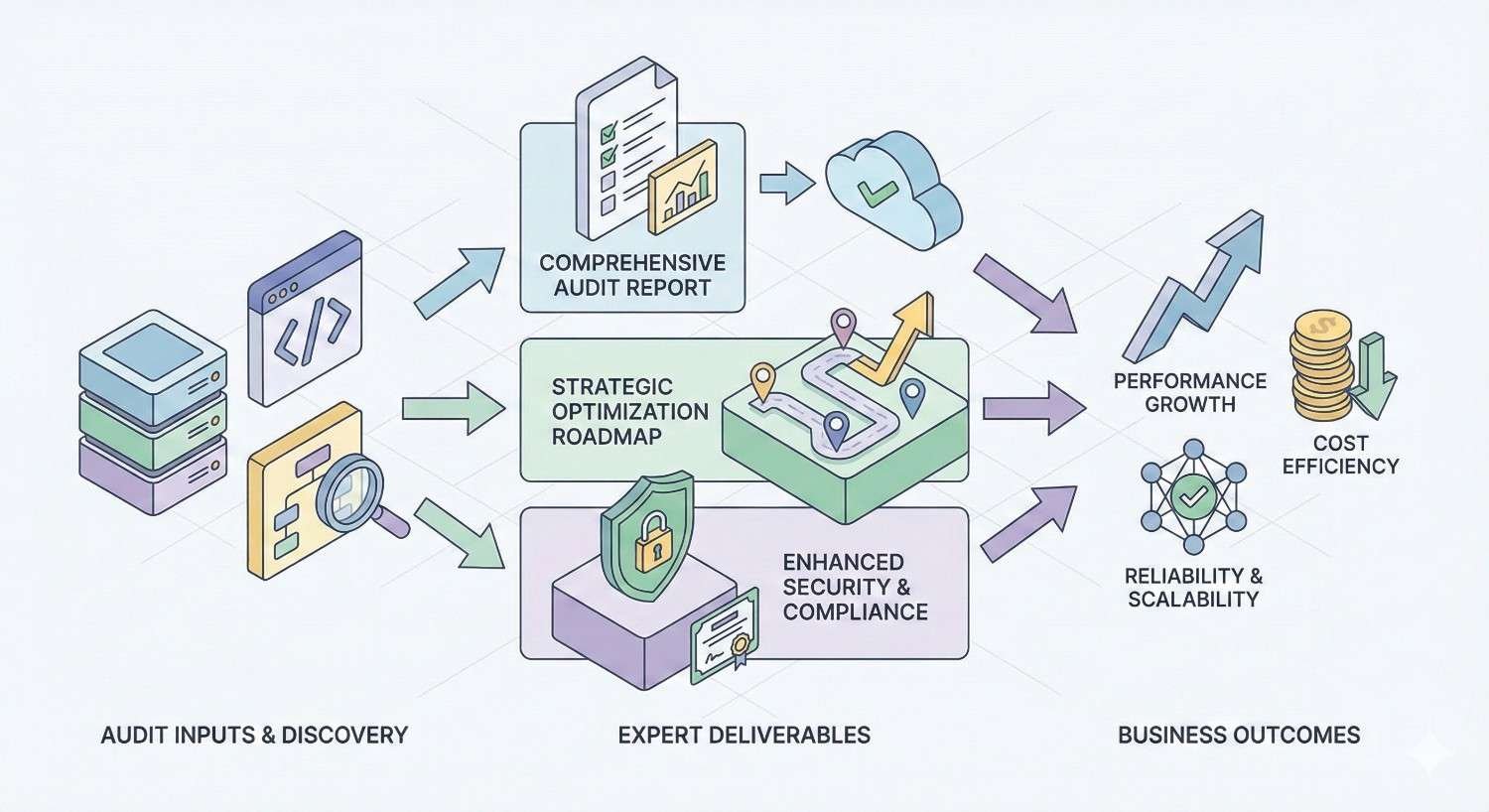
Professional Technical Audit: What Experts Deliver
Professional audits go beyond tool outputs. Experienced SEO specialists bring pattern recognition, strategic context, and implementation expertise that transforms raw data into actionable roadmaps.
The value isn’t just finding more issues. It’s understanding which issues actually matter for your specific situation and how to fix them efficiently.
Comprehensive Audit Scope and Methodology
Professional audits follow structured methodologies refined across hundreds of engagements. They examine areas DIY audits typically miss:
Log file analysis reveals how Googlebot actually crawls your site, not just how tools simulate crawling. This exposes crawl budget waste, bot traps, and pages Google visits frequently versus rarely.
JavaScript rendering audits determine whether search engines see the same content users see. Many modern sites rely heavily on client-side rendering that can hide content from crawlers.
International SEO configurations including hreflang implementation, geotargeting settings, and multi-regional architecture require specialized knowledge to audit correctly.
Server response analysis examines HTTP headers, caching configurations, CDN setup, and edge cases that affect how search engines interact with your infrastructure.
Historical pattern analysis compares current performance against past data to identify when problems started and correlate changes with ranking impacts.
Advanced Technical Analysis Capabilities
Professionals bring capabilities beyond standard tool features:
Custom crawl configurations simulate different user agents, handle authentication, and navigate complex JavaScript frameworks that break standard crawlers.
Cross-referencing multiple data sources combines Search Console data, analytics, crawler outputs, log files, and ranking data to build complete pictures of technical health.
Competitive technical analysis benchmarks your infrastructure against top-ranking competitors, identifying specific advantages they hold and opportunities you’re missing.
Edge case identification catches problems that only affect certain page types, user segments, or geographic regions. These issues often have outsized ranking impacts despite affecting small portions of traffic.
Strategic Recommendations and Prioritization
Raw issue lists overwhelm. Professional audits deliver prioritized action plans:
Impact scoring estimates the ranking and traffic potential of fixing each issue, based on experience with similar sites and problems.
Effort estimation provides realistic assessments of implementation complexity, helping you allocate resources appropriately.
Dependency mapping identifies which fixes must happen before others and which can proceed in parallel.
Quick wins versus long-term projects separates issues you can resolve this week from those requiring development sprints or infrastructure changes.
Risk assessment flags fixes that could cause problems if implemented incorrectly, recommending testing approaches and rollback plans.
Implementation Support and Monitoring
Many professional services extend beyond the audit document:
Developer-ready specifications translate SEO recommendations into technical requirements your development team can execute without interpretation.
Implementation review verifies fixes were applied correctly before moving to the next priority.
Ongoing monitoring tracks whether improvements hold and catches new issues as they emerge.
Stakeholder communication helps you explain technical priorities to executives, developers, and other teams who need to understand why these fixes matter.
DIY vs Professional Technical Audit: Direct Comparison
Understanding the tradeoffs helps you make informed decisions. Neither approach is universally better. The right choice depends on your specific situation.
Cost Analysis: Investment vs. Long-Term Value
DIY costs include tool subscriptions ($100-500/month for premium crawlers) plus internal time. If your team member earns $75,000 annually and spends 40 hours on an audit, that’s roughly $1,500 in labor cost per audit, plus ongoing tool expenses.
Professional audit costs typically range from $2,000-10,000 for one-time comprehensive audits, depending on site size and complexity. According to Ahrefs’ industry survey, most technical SEO audits fall between $3,000-5,000 for mid-sized sites.
The value calculation matters more than raw cost. A professional audit that identifies a critical indexation issue blocking 30% of your pages from ranking delivers ROI that dwarfs the investment. A DIY audit that misses that same issue costs you months of lost traffic.
For sites generating significant revenue from organic traffic, professional audits typically pay for themselves quickly. For smaller sites or those just starting their SEO journey, DIY approaches make more financial sense.
Time Requirements and Resource Allocation
DIY audits require 20-60 hours depending on site complexity and auditor experience. This time comes from somewhere. Either you’re pulling team members from other projects or extending timelines on everything else.
Professional audits typically deliver within 2-4 weeks with minimal client time investment. You’ll spend a few hours on kickoff calls and reviewing deliverables, but the heavy lifting happens externally.
Consider opportunity cost. If your marketing manager spends a week on technical auditing, what campaigns or content doesn’t get created? Sometimes paying for expertise frees internal resources for higher-value activities.
Depth of Analysis and Issue Detection
DIY audits reliably catch common issues that tools flag automatically. Broken links, missing meta tags, slow pages, mobile problems. These represent maybe 60-70% of typical technical issues.
Professional audits uncover the remaining 30-40% that requires expertise to identify. JavaScript rendering failures, crawl budget inefficiencies, complex canonicalization problems, international SEO misconfigurations. These issues often have the largest ranking impacts precisely because they’re harder to find and fix.
The depth difference compounds for complex sites. E-commerce platforms with thousands of products, sites using modern JavaScript frameworks, publishers with massive content archives, and businesses operating across multiple countries all have technical complexity that exceeds DIY capabilities.
Accuracy and Risk of Missed Issues
DIY accuracy depends entirely on the auditor’s experience. Someone running their first audit will miss issues that seem obvious to veterans. Even experienced in-house SEOs have blind spots in areas outside their primary expertise.
Professional accuracy benefits from pattern recognition across many sites. Specialists have seen your problems before, often dozens of times. They know where to look and what subtle signs indicate larger issues.
The risk of missed issues isn’t just about incomplete audits. It’s about the business impact of problems that persist. A crawl trap wasting 40% of your crawl budget might not seem urgent until you realize it’s why your new content takes months to index while competitors rank within days.
Actionability of Recommendations
DIY recommendations often lack context. Tools tell you what’s wrong but not how important it is or exactly how to fix it. You end up with spreadsheets of issues and no clear path forward.
Professional recommendations come with prioritization, implementation guidance, and strategic context. You know what to fix first, how to fix it, and why it matters for your specific business goals.
The difference shows in execution rates. Teams receiving professional audits typically implement a higher percentage of recommendations because the path forward is clear. DIY audits often result in partial implementation as teams get stuck on complex issues or lose momentum without clear priorities.
When to Choose a DIY Technical Audit
DIY audits make sense in specific situations. Recognizing when you fit these scenarios helps you allocate resources appropriately.
Ideal Scenarios for In-House Audits
Small sites under 500 pages with straightforward architectures fall well within DIY capabilities. Standard WordPress sites, simple service business websites, and early-stage startups can handle their own audits effectively.
Limited budgets sometimes make DIY the only option. If professional services aren’t financially viable, a DIY audit beats no audit. You’ll catch the most common issues even if some advanced problems slip through.
Ongoing maintenance audits between professional deep-dives work well in-house. Once you’ve had a comprehensive professional audit, running quarterly DIY checks to catch new issues makes sense.
Learning and skill development justifies DIY even when professional services are affordable. If you’re building internal SEO capabilities, hands-on auditing experience accelerates learning.
Low-stakes situations where SEO isn’t critical to business success reduce the risk of missed issues. If organic traffic represents 5% of your revenue, the consequences of an incomplete audit are manageable.
Required Skills and Knowledge Base
Successful DIY audits require specific competencies:
Basic HTML and CSS understanding helps you interpret crawler findings and implement fixes. You don’t need to be a developer, but you should understand how web pages are structured.
Familiarity with SEO fundamentals including how search engines crawl, index, and rank content provides necessary context for interpreting audit findings.
Analytical thinking enables you to connect symptoms to causes and prioritize issues based on likely impact.
Tool proficiency with at least one major crawler and Google Search Console is essential. Budget time for learning if you’re starting fresh.
Access to implementation resources matters because identifying issues without the ability to fix them wastes effort. Ensure you can either make changes yourself or direct developers effectively.
Realistic Expectations and Outcomes
Set appropriate expectations for DIY audits:
You’ll find the obvious issues. Broken links, missing tags, slow pages, mobile problems. These represent real improvements worth capturing.
You’ll miss some advanced issues. Accept this limitation rather than assuming you’ve found everything. Plan for periodic professional reviews to catch what you’ve missed.
Implementation will take longer. Without expert guidance, you’ll spend more time researching solutions and potentially make mistakes that require correction.
Results will be incremental. DIY audits typically produce steady improvements rather than dramatic ranking jumps. The big wins often come from issues that require professional expertise to identify.
You’ll learn a lot. The process builds valuable skills even when outcomes are imperfect. This knowledge compounds over time, making future audits more effective.
When to Hire a Professional for Your Technical Audit
Certain situations clearly warrant professional expertise. Recognizing these scenarios prevents costly mistakes and missed opportunities.
Signs Your Website Needs Expert Analysis
Unexplained ranking drops that don’t correlate with algorithm updates or content changes often indicate technical problems. If you’ve checked the obvious causes and rankings still suffer, deeper technical analysis is needed.
Stagnant organic growth despite consistent content production and link building suggests technical ceilings. Something is preventing your SEO efforts from translating into results.
Site migrations or redesigns create technical SEO risk. Professional audits before and after major changes catch problems before they impact rankings.
Competitive gaps where similar sites outrank you despite comparable content and authority often trace to technical advantages. Professional analysis identifies what competitors do better technically.
Developer confusion about SEO requirements indicates communication gaps that professional audits can bridge. Clear, technical specifications from SEO experts translate better than vague requests.
Complex Technical Environments
Certain site characteristics exceed DIY capabilities:
JavaScript-heavy frameworks like React, Angular, or Vue require specialized rendering analysis. Standard crawlers may not see what search engines see.
Large sites with 10,000+ pages have scale challenges that compound small issues into major problems. Crawl budget management, internal linking at scale, and index bloat require experienced handling.
E-commerce platforms with product variations, faceted navigation, and dynamic content create technical complexity that standard audits miss.
Multi-language or multi-regional sites need hreflang auditing, geotargeting verification, and international SEO expertise that most DIY auditors lack.
Custom CMS or proprietary platforms don’t have standard solutions documented online. Professional experience with similar systems provides necessary context.
High-Stakes Business Situations
Business context sometimes demands professional assurance:
Significant revenue from organic traffic raises the cost of missed issues. If organic search drives $100,000+ monthly revenue, a $5,000 audit is cheap insurance.
Investor or acquisition due diligence requires professional documentation of technical SEO health. DIY audits don’t carry the same credibility.
Competitive markets where small ranking differences mean large revenue differences justify thorough professional analysis. The margin between position 3 and position 8 might be a technical issue you haven’t identified.
Recovery from penalties or major drops needs expert diagnosis. Guessing at causes wastes time and can make problems worse.
Evaluating ROI of Professional Services
Calculate potential return before dismissing professional costs:
Estimate traffic impact. If fixing technical issues could improve rankings by an average of 3 positions across your target keywords, how much additional traffic would that generate?
Apply conversion rates. What’s that traffic worth in leads or sales based on your historical conversion data?
Consider time value. Professional audits deliver faster results. How much is three months of improved rankings worth compared to six months of DIY trial and error?
Factor in risk reduction. What would a major technical problem cost if it went undetected for another year? Professional audits reduce this risk.
For most established businesses with meaningful organic traffic, professional audits deliver positive ROI within months of implementation.
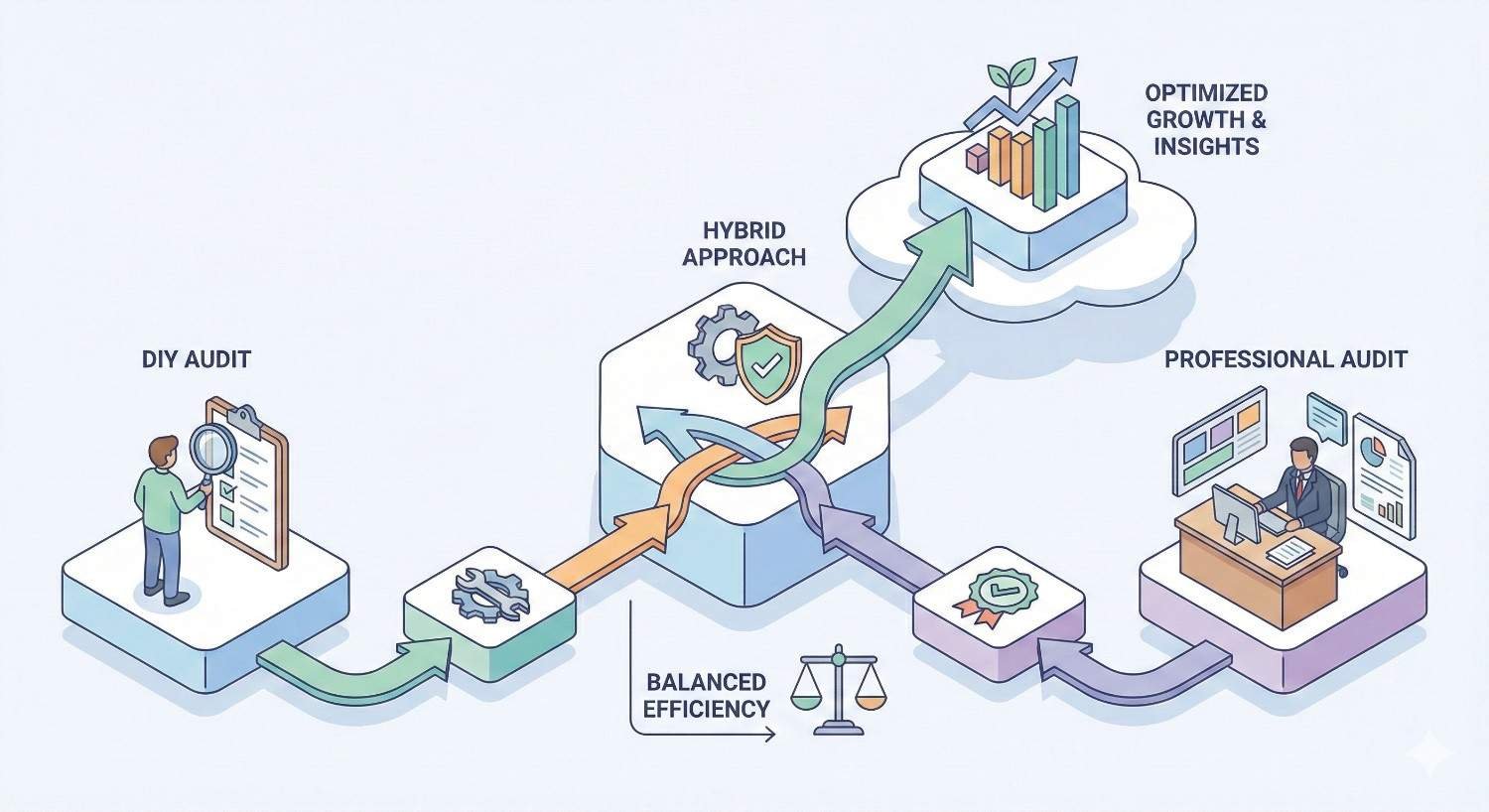
Hybrid Approach: Combining DIY and Professional Audits
The most effective long-term strategy combines both approaches. Use professional expertise for comprehensive analysis and DIY methods for ongoing maintenance.
Building an Ongoing Audit Framework
Structure your audit calendar strategically:
Annual professional audits provide comprehensive baseline assessments. These catch advanced issues, benchmark against competitors, and set priorities for the year ahead.
Quarterly DIY audits monitor for new issues and verify that previous fixes remain in place. Focus on the areas professionals identified as most important for your site.
Monthly monitoring using automated tools catches critical problems quickly. Set up alerts for indexation drops, Core Web Vitals failures, and security issues.
Post-change audits after any significant site update verify that changes didn’t create new problems. These can be DIY for minor updates or professional for major migrations.
What to Handle Internally vs. Outsource
Divide responsibilities based on complexity and impact:
Handle internally:
- Broken link monitoring and fixes
- Meta tag optimization
- Image compression and alt text
- Basic schema implementation
- Content-level technical issues
- Regular Search Console monitoring
- Core Web Vitals tracking
Outsource to professionals:
- Comprehensive annual audits
- JavaScript rendering analysis
- Log file analysis
- International SEO configuration
- Site migration planning and verification
- Complex canonicalization strategies
- Crawl budget optimization
- Competitive technical analysis
Creating a Sustainable Technical SEO Workflow
Build processes that maintain technical health without constant crisis management:
Document everything. Create internal wikis covering your site’s technical SEO configuration, known issues, and standard fixes. This reduces dependency on individual team members.
Establish baselines. Track key metrics monthly so you notice problems quickly. Pages indexed, crawl stats, Core Web Vitals scores, and organic traffic trends all deserve monitoring.
Create fix templates. For common issues, document step-by-step resolution processes. This speeds up fixes and ensures consistency.
Build developer relationships. Technical SEO requires development resources. Establish regular communication channels and help developers understand why SEO matters.
Budget for both approaches. Allocate annual budget for professional services while investing in tools and training for internal capabilities. Neither alone is sufficient.
How to Choose the Right Technical SEO Audit Provider
Not all professional services deliver equal value. Evaluate providers carefully before committing.
Key Qualifications and Experience Indicators
Look for demonstrable expertise:
Relevant case studies showing results for sites similar to yours in size, industry, or technical complexity. Ask for specific examples, not just client logos.
Technical depth in their materials and conversations. Providers who can explain complex concepts clearly understand them deeply.
Tool proficiency across multiple platforms. Reliance on a single tool suggests limited perspective.
Industry recognition through speaking engagements, publications, or certifications provides third-party validation.
Team composition matters for larger projects. Understand who actually does the work versus who sells the service.
Questions to Ask Before Hiring
Get specific answers before committing:
“What’s your methodology for sites like mine?” Listen for structured approaches, not vague promises.
“Who specifically will work on my audit?” Ensure experienced practitioners handle your project, not junior staff learning on your dime.
“What deliverables will I receive?” Expect detailed documentation, not just tool exports with minimal analysis.
“How do you prioritize recommendations?” Look for frameworks that consider business impact, not just technical severity.
“What implementation support do you provide?” Understand whether the relationship ends at the audit document or continues through execution.
“Can you share a sample report?” Reviewing actual deliverables reveals quality better than sales conversations.
Red Flags to Avoid
Watch for warning signs:
Guaranteed rankings are impossible to promise. Anyone claiming otherwise either doesn’t understand SEO or is willing to mislead you.
Proprietary tools only without using industry-standard platforms suggests limited capabilities or attempts to obscure methodology.
Vague pricing that can’t be explained clearly often leads to scope creep and unexpected costs.
No questions about your business indicates a template approach rather than customized analysis.
Pressure tactics pushing immediate decisions suggest the provider values sales over fit.
Outsourced execution where the company you hire subcontracts the actual work reduces accountability and quality control.
Understanding Audit Deliverables and Reporting
Know what you’re paying for:
Executive summaries should communicate key findings and priorities to non-technical stakeholders clearly.
Detailed issue documentation must include specific URLs, screenshots, and technical explanations for each problem.
Prioritized action plans should rank issues by impact and effort, providing clear implementation sequences.
Technical specifications need sufficient detail for developers to implement without extensive back-and-forth.
Benchmark data comparing your site to competitors or industry standards adds valuable context.
Follow-up support terms should be clear. How many questions can you ask? Is implementation review included?
Technical Audit Checklist: Essential Elements to Cover
Whether DIY or professional, comprehensive audits must address these areas.
Crawlability and Indexation
Robots.txt verification: Confirm important pages aren’t blocked. Check for overly broad disallow rules.
XML sitemap audit: Verify sitemaps are submitted, contain only indexable URLs, and update automatically.
Crawl error analysis: Review Search Console for 4xx and 5xx errors. Prioritize fixing errors on important pages.
Index coverage: Compare pages you want indexed against what Google actually indexes. Investigate discrepancies.
Crawl budget assessment: For large sites, analyze log files to understand how Googlebot allocates crawl resources.
Canonical tag review: Ensure canonical tags point to correct URLs and aren’t creating conflicts.
Site Architecture and Internal Linking
Click depth analysis: Verify important pages are reachable within 3 clicks from the homepage.
Orphan page identification: Find pages with no internal links pointing to them.
Internal link distribution: Ensure priority pages receive proportionally more internal links.
Navigation structure: Confirm main navigation includes key category and service pages.
Breadcrumb implementation: Verify breadcrumbs exist, function correctly, and use proper schema markup.
URL structure: Check for consistent, logical URL patterns without unnecessary parameters or depth.
Page Speed and Core Web Vitals
Largest Contentful Paint (LCP): Target under 2.5 seconds. Optimize hero images, server response times, and render-blocking resources.
First Input Delay (FID) / Interaction to Next Paint (INP): Target under 100ms for FID, under 200ms for INP. Minimize JavaScript execution time.
Cumulative Layout Shift (CLS): Target under 0.1. Set explicit dimensions for images and embeds. Avoid inserting content above existing content.
Server response time: Target under 200ms Time to First Byte. Evaluate hosting, caching, and CDN configuration.
Resource optimization: Compress images, minify CSS/JavaScript, eliminate render-blocking resources.
Mobile Usability and Responsiveness
Mobile-friendly verification: Test all page templates using Google’s Mobile-Friendly Test.
Viewport configuration: Confirm proper viewport meta tags exist on all pages.
Touch target sizing: Ensure buttons and links are large enough for finger taps with adequate spacing.
Content parity: Verify mobile versions contain the same content as desktop. Hidden content may not be indexed.
Font legibility: Confirm text is readable without zooming on mobile devices.
Structured Data and Schema Markup
Schema implementation audit: Verify markup exists on appropriate pages and validates without errors.
Rich result eligibility: Test pages using Google’s Rich Results Test to confirm eligibility for enhanced SERP features.
Schema accuracy: Ensure markup accurately represents page content. Misleading schema can result in manual actions.
Coverage gaps: Identify pages that could benefit from schema but lack implementation.
Competitive schema analysis: Review what structured data competitors use successfully.
Security and HTTPS Implementation
HTTPS verification: Confirm all pages load over HTTPS with valid certificates.
Mixed content identification: Find and fix pages loading insecure resources over HTTP.
Redirect verification: Ensure HTTP URLs redirect to HTTPS equivalents with 301 status codes.
Certificate validity: Check expiration dates and certificate chain completeness.
Security header implementation: Review HSTS, CSP, and other security headers that affect both security and SEO.
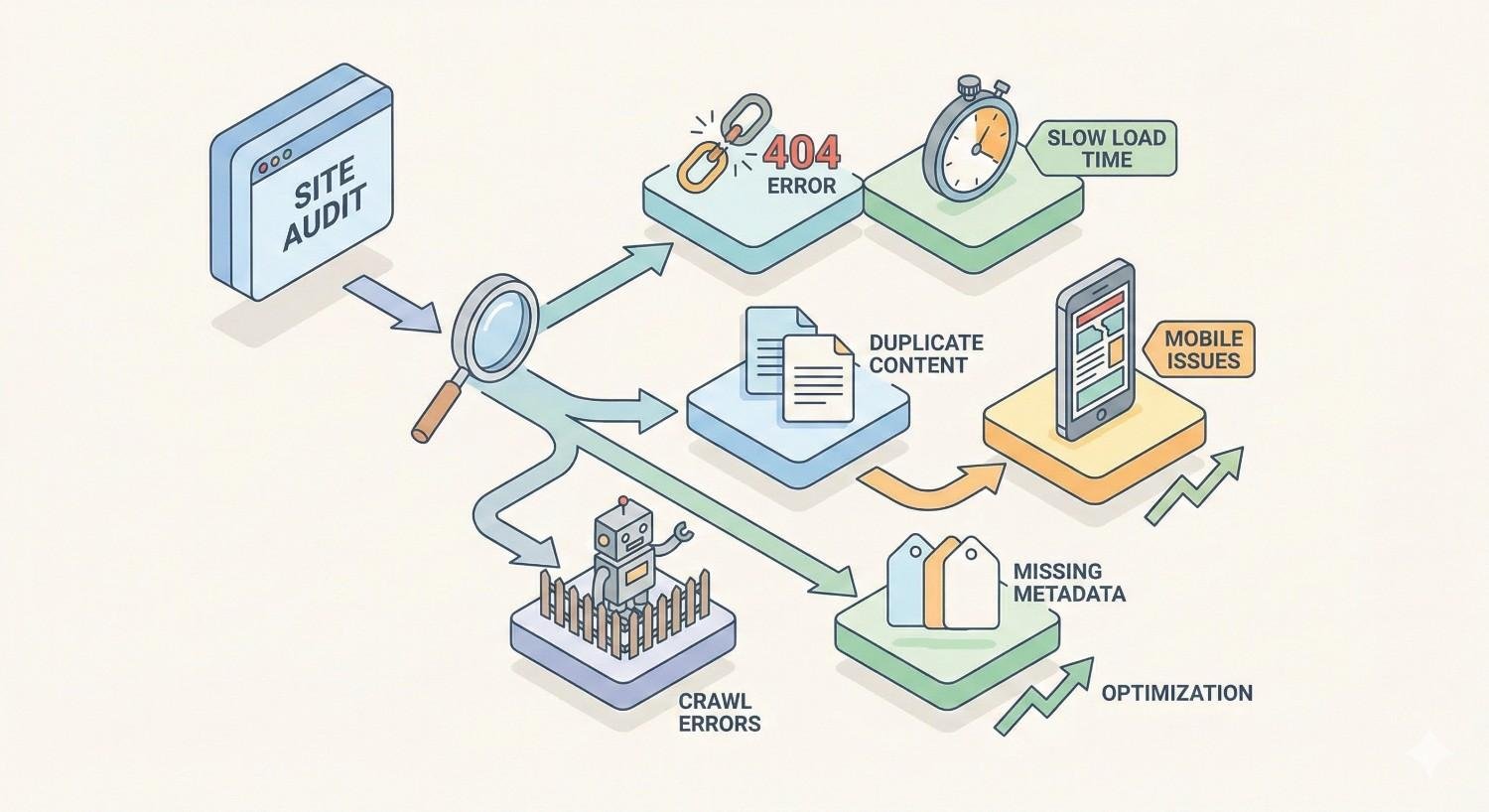
Common Technical SEO Issues Found in Audits
Understanding typical findings helps you anticipate what audits might reveal.
Critical Issues That Require Immediate Attention
Noindex tags on important pages completely block ranking. These sometimes appear accidentally through CMS settings, staging environment carryover, or developer errors.
Robots.txt blocking critical content prevents crawling entirely. One misplaced disallow rule can hide entire site sections from search engines.
Severe Core Web Vitals failures affect rankings directly. Pages failing all three metrics face significant ranking disadvantages.
Broken canonical chains where canonicals point to non-existent pages or create loops confuse search engines about which URLs to index.
Massive duplicate content from parameter variations, HTTP/HTTPS versions, or www/non-www versions dilutes ranking signals across multiple URLs.
Site-wide 5xx errors indicate server problems that prevent crawling and indexing entirely during outages.
Moderate Issues Impacting Performance
Redirect chains longer than two hops waste crawl budget and dilute link equity. Each redirect loses some ranking power.
Thin content pages with minimal unique value may be indexed but rarely rank. They can also trigger quality assessments affecting the broader site.
Missing or duplicate meta tags hurt click-through rates and create indexation confusion.
Slow page speed on key templates affects user experience and rankings, even when not failing Core Web Vitals thresholds.
Poor internal linking to important pages limits their ability to rank by restricting link equity flow.
Orphan pages that exist but have no internal links pointing to them rarely get crawled or ranked.
Minor Issues for Ongoing Optimization
Missing alt text on images affects accessibility and image search visibility but has limited impact on page rankings.
Suboptimal URL structures with unnecessary parameters or excessive depth create minor crawling inefficiencies.
Missing schema markup on eligible pages means missing rich result opportunities but doesn’t directly hurt rankings.
Minor mobile usability issues like slightly small touch targets affect user experience without triggering ranking penalties.
Inconsistent internal link anchor text misses opportunities to reinforce topical relevance but doesn’t create problems.
Measuring Technical Audit Success and ROI
Audits only matter if they produce results. Track the right metrics to demonstrate value.
Key Performance Indicators to Track
Crawl statistics from Search Console show whether Googlebot can access your site more efficiently post-fixes. Watch for increased pages crawled per day and reduced crawl errors.
Index coverage improvements indicate that more of your important pages are appearing in search results. Track the ratio of indexed pages to submitted pages.
Core Web Vitals scores should improve after speed optimizations. Monitor both lab data (PageSpeed Insights) and field data (Search Console).
Organic impressions and clicks from Search Console reveal whether technical improvements translate into visibility gains.
Ranking positions for target keywords show competitive impact. Track a consistent keyword set monthly.
Organic traffic from analytics demonstrates business impact. Segment by landing page to identify which fixes drove improvements.
Crawl budget efficiency for large sites can be measured through log file analysis, showing whether Googlebot spends time on valuable pages.
Timeline for Seeing Results
Technical SEO improvements follow predictable timelines:
Immediate (days): Fixing critical crawl blocks or noindex errors can restore rankings within days once Google recrawls affected pages.
Short-term (2-4 weeks): Speed improvements and mobile fixes typically show ranking impact within a few weeks as Google processes the changes.
Medium-term (1-3 months): Structural changes like improved internal linking and architecture modifications take longer to fully impact rankings as link equity redistributes.
Long-term (3-6 months): Comprehensive technical overhauls show cumulative effects over several months as all changes compound.
Patience matters. Technical SEO rarely produces overnight transformations. Consistent improvement over quarters delivers sustainable results.
Connecting Technical Fixes to Business Outcomes
Translate technical metrics into business language:
Traffic to revenue: Calculate the revenue value of organic traffic increases using your conversion rate and average order value.
Cost avoidance: Estimate what you would have paid for equivalent traffic through paid channels.
Competitive positioning: Document ranking improvements against specific competitors for key commercial terms.
Efficiency gains: Quantify time saved through improved site performance and reduced technical debt management.
Risk reduction: Value the avoided cost of potential technical disasters that audits prevented.
Present these metrics to stakeholders who don’t understand technical SEO. Business impact resonates more than crawl statistics.
Conclusion: Making Your Technical Audit Decision
The choice between DIY and professional technical audits isn’t binary. It’s about matching your approach to your situation, resources, and goals.
DIY audits work well for smaller sites, limited budgets, and ongoing maintenance between professional reviews. They build internal capabilities and catch common issues effectively. Professional audits deliver deeper analysis, strategic prioritization, and implementation support that DIY approaches can’t match. They’re essential for complex sites, high-stakes situations, and when organic traffic significantly impacts revenue.
Most businesses benefit from combining both approaches. Annual professional audits establish comprehensive baselines and catch advanced issues. Quarterly DIY reviews maintain technical health and verify fixes remain in place. This hybrid model maximizes value while managing costs.
At White Label SEO Service, we help businesses worldwide build sustainable organic growth through technical SEO foundations, content strategy, and authority building. Whether you need a comprehensive technical audit or guidance on building internal capabilities, our team delivers actionable insights that drive real business results. Contact us to discuss which approach fits your situation best.
Frequently Asked Questions
How much does a professional technical SEO audit cost?
Professional technical audits typically range from $2,000 to $10,000 depending on site size and complexity. Most mid-sized business sites fall in the $3,000-5,000 range. Enterprise sites with complex architectures or international presence may cost more.
Can I do a technical audit with no SEO experience?
Yes, but with limitations. Free tools like Google Search Console and Screaming Frog can identify common issues. However, you’ll likely miss advanced problems and may struggle to prioritize fixes effectively. Consider starting with DIY and graduating to professional audits as your site grows.
How long does a technical audit take?
DIY audits typically require 20-40 hours spread over several weeks. Professional audits usually deliver within 2-4 weeks with minimal client time investment. Implementation timelines vary based on issue complexity and development resources.
What’s the difference between a technical audit and a full SEO audit?
Technical audits focus specifically on infrastructure: crawlability, indexation, speed, mobile usability, and site architecture. Full SEO audits also include content analysis, keyword research, backlink evaluation, and competitive positioning. Technical audits are one component of comprehensive SEO analysis.
How often should technical audits be performed?
Comprehensive professional audits should happen annually at minimum. Quarterly DIY reviews catch new issues between professional assessments. Additional audits are warranted after major site changes, redesigns, or platform migrations.
What happens after a technical audit is complete?
You’ll receive a prioritized list of issues with implementation recommendations. The next step is creating a fix schedule, allocating development resources, and implementing changes in priority order. Post-implementation verification ensures fixes work correctly.
Which technical SEO issues should be fixed first?
Prioritize issues blocking crawling or indexation first, as these prevent pages from ranking entirely. Next, address Core Web Vitals failures affecting user experience and rankings. Then tackle structural issues like internal linking before moving to optimization opportunities like schema markup.


