
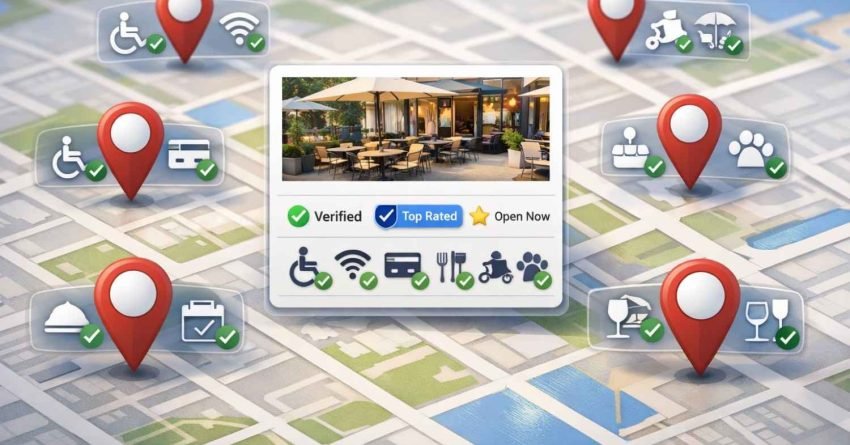
Google My Business attributes are specific descriptors that tell potential customers exactly what your business offers, from payment methods to accessibility features. These profile elements directly influence how your business appears in local search results and Google Maps, affecting both visibility and click-through rates.
Getting your GMB attributes right matters more than ever. With 46% of all Google searches having local intent, these small details can determine whether customers choose you or your competitor. The businesses that optimize every attribute consistently outperform those that leave profiles incomplete.
This guide covers every attribute category, shows you how to select the right ones for your business type, and explains the optimization strategies that drive real local SEO results.

What Are Google My Business Attributes?
Google My Business attributes are predefined characteristics that describe specific features, services, and qualities of your business. They appear on your Google Business Profile and help customers quickly understand what you offer before they visit or contact you.
Think of attributes as quick-reference labels. When someone searches for “wheelchair accessible restaurants near me” or “coffee shops with free WiFi,” Google uses these attributes to match businesses with user intent. Your attribute selections directly influence which searches surface your business.
Attributes differ from categories. Your business category tells Google what type of business you operate. Attributes provide the granular details within that category. A restaurant category tells Google you serve food. Attributes tell customers you offer outdoor seating, accept reservations, and provide vegetarian options.
Google displays attributes prominently in search results and Maps listings. They appear as icons, badges, and text labels that catch attention during the decision-making moment. Research from BrightLocal shows that 87% of consumers read online reviews and business information before visiting a local business, making complete attribute profiles essential for conversion.
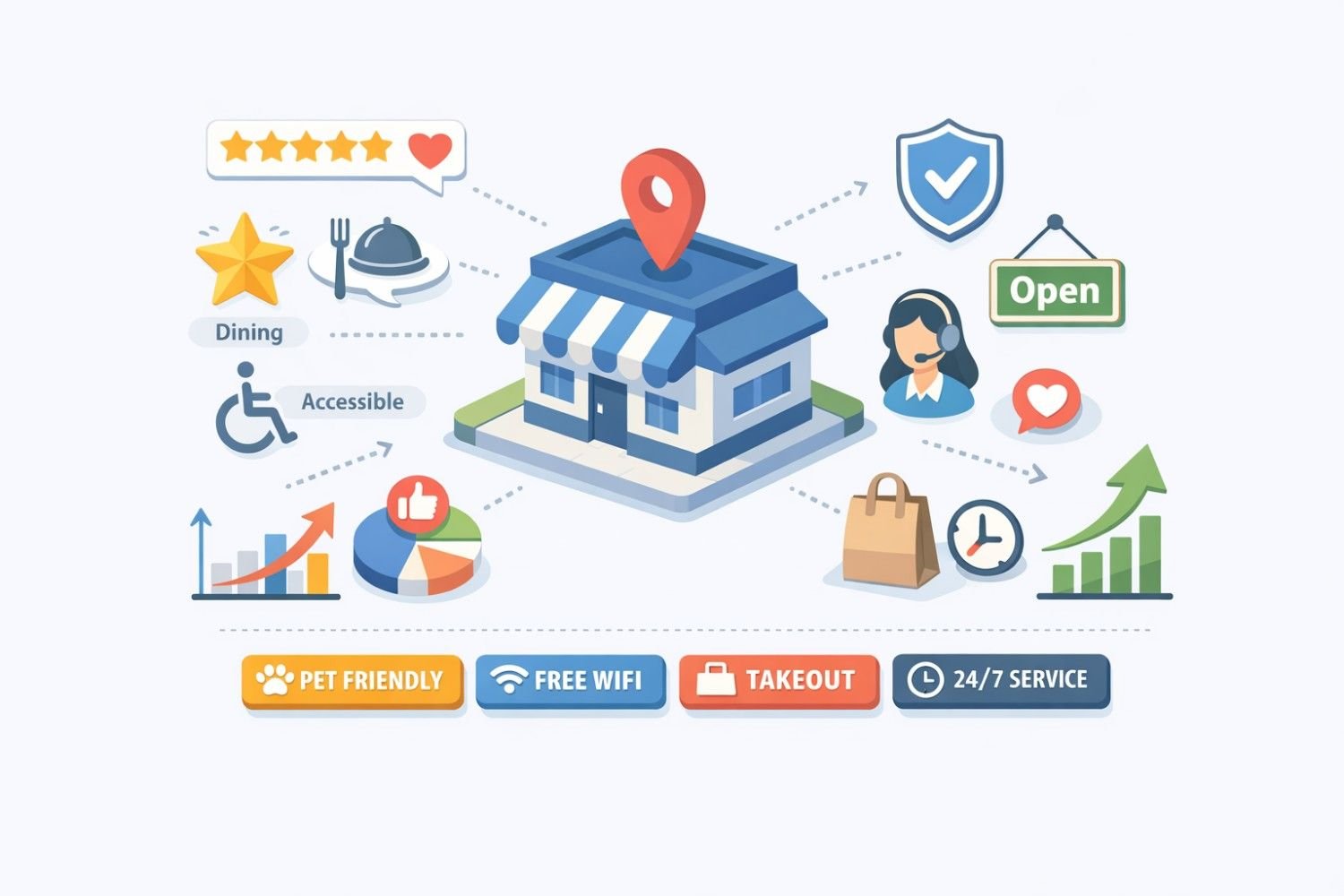
Types of Google My Business Attributes
Google organizes attributes into distinct categories based on business type and industry. Understanding these categories helps you identify which attributes apply to your specific situation.
Factual Attributes
Factual attributes are objective characteristics you control directly through your Google Business Profile dashboard. These include payment methods accepted, accessibility features, amenities offered, and service options available.
Common factual attributes include:
- Payment options: Credit cards, debit cards, NFC mobile payments, cash only
- Accessibility: Wheelchair accessible entrance, wheelchair accessible parking, wheelchair accessible restroom
- Amenities: Free WiFi, outdoor seating, restrooms, parking available
- Service options: Dine-in, takeout, delivery, curbside pickup, drive-through
You add factual attributes by logging into your Google Business Profile, navigating to the “Edit profile” section, and selecting applicable options under “More.” Google provides different attribute options based on your primary business category.
Subjective Attributes
Subjective attributes come from customer feedback and Google’s analysis of reviews and user behavior. You cannot directly control these attributes, but you can influence them through consistent service delivery and customer experience management.
Examples of subjective attributes include:
- “Good for kids”
- “Casual atmosphere”
- “Cozy”
- “Popular with locals”
- “Great coffee”
Google generates these attributes by analyzing patterns in customer reviews and check-in data. When multiple customers mention that your café has a “cozy atmosphere” or is “good for working,” Google may add these subjective attributes to your profile.
Industry-Specific Attributes
Different business categories unlock different attribute options. Google tailors available attributes to match what customers typically want to know about specific business types.
Restaurants and food service gain access to attributes like cuisine type, meal options, dietary accommodations, reservation availability, and alcohol service.
Hotels and lodging see attributes for amenities like pools, fitness centers, pet policies, breakfast options, and room features.
Healthcare providers can indicate insurance acceptance, telehealth availability, appointment requirements, and specialized services.
Retail stores access attributes for in-store shopping, product availability, fitting rooms, and return policies.
Service businesses can highlight service areas, appointment scheduling, free estimates, and emergency availability.
How Google My Business Attributes Impact Local SEO
Attributes function as ranking signals within Google’s local search algorithm. While Google doesn’t publicly disclose exact ranking weights, multiple local SEO studies confirm that profile completeness and attribute accuracy influence local pack rankings.
Search Relevance and Matching
When users include specific qualifiers in their searches, Google matches those terms against business attributes. A search for “pet-friendly hotels downtown” filters results to show only hotels with the pet-friendly attribute enabled.
This matching behavior means incomplete attribute profiles miss relevant searches entirely. If your hotel allows pets but you haven’t added that attribute, you’re invisible to pet owners searching specifically for that feature.
Click-Through Rate Improvement
Attributes displayed in search results influence user behavior before they click. Seeing relevant attributes like “free WiFi” or “outdoor seating” provides immediate value confirmation that increases click likelihood.
Data from Google indicates that businesses with complete profiles receive 70% more location visits and 50% more consideration for purchases than incomplete profiles. Attributes contribute significantly to profile completeness scores.
Trust and Credibility Signals
Accurate attributes build trust with potential customers. When someone visits your business expecting wheelchair accessibility based on your profile and finds it accurate, that positive experience reinforces trust in your entire listing.
Conversely, inaccurate attributes damage credibility. Claiming amenities you don’t offer leads to negative reviews, decreased trust, and potential profile penalties from Google.
Essential Attributes for Different Business Types
Selecting the right attributes requires understanding what your target customers search for and value most. Different industries have different priority attributes.
Restaurants and Cafés
Food service businesses should prioritize attributes that answer common customer questions:
Service style attributes clarify how customers can order and receive food. Enable all applicable options including dine-in, takeout, delivery, curbside pickup, and drive-through. During the pandemic, Google reported that searches for “curbside pickup” increased by 3,000%, demonstrating how service attributes drive discovery.
Dietary attributes help customers with restrictions find suitable options. Indicate vegetarian options, vegan options, gluten-free options, and halal or kosher certifications where applicable.
Atmosphere attributes set expectations for the dining experience. Casual, upscale, family-friendly, and romantic atmosphere indicators help customers choose appropriate venues.
Reservation attributes tell customers whether they need to book ahead or can walk in. This information prevents frustration and improves customer experience.
Retail Stores
Retail businesses benefit from attributes that clarify shopping experience and convenience:
Shopping options should indicate in-store shopping, in-store pickup, and delivery availability. These attributes became critical during recent years and remain important for customer convenience.
Payment attributes help customers prepare appropriately. Indicate all accepted payment methods including contactless options.
Accessibility attributes ensure customers with mobility needs can shop comfortably. Wheelchair accessible entrances and aisles matter significantly for inclusive customer service.
Service-Based Businesses
Service providers need attributes that communicate availability and service delivery:
Appointment attributes clarify whether customers need to schedule in advance or can receive same-day service.
Service area attributes help customers understand if you serve their location, particularly important for businesses that travel to customer sites.
Estimate attributes indicate whether you provide free quotes or consultations, reducing friction in the customer acquisition process.
Healthcare Providers
Medical and healthcare businesses have specialized attribute needs:
Insurance attributes help patients determine coverage compatibility before scheduling appointments.
Telehealth attributes indicate virtual appointment availability, increasingly important for patient convenience.
Accessibility attributes ensure patients with disabilities can access care facilities.
Language attributes help non-English speakers find providers who can communicate effectively.
How to Add and Manage GMB Attributes
Adding attributes to your Google Business Profile requires accessing your dashboard and navigating to the correct sections. The process varies slightly depending on whether you’re using desktop or mobile.
Desktop Process
- Sign in to your Google Business Profile at business.google.com
- Select the business location you want to edit
- Click “Edit profile” in the left menu
- Select “More” to access attribute options
- Browse available attribute categories
- Toggle on all applicable attributes
- Click “Save” to apply changes
Mobile Process
- Open the Google Maps app
- Tap your profile picture and select “Your Business Profile”
- Tap “Edit profile”
- Scroll to find attribute sections
- Select applicable attributes
- Save your changes
Attribute Availability
Not all attributes appear for every business. Google determines available attributes based on your primary business category. If you don’t see expected attributes, verify your category selection is accurate and specific.
Some attributes require verification or supporting documentation. Healthcare-related attributes may need license verification. Accessibility attributes should only be enabled if your location genuinely meets accessibility standards.
Regular Attribute Audits
Attributes require ongoing management. Business circumstances change, and your profile should reflect current reality.
Schedule quarterly attribute reviews to verify accuracy. Check that seasonal offerings are updated appropriately. Remove attributes for services you no longer provide. Add new attributes when you expand offerings.
Google occasionally adds new attribute options. Monitoring your dashboard for new attributes ensures you capture emerging opportunities to differentiate your business.
Optimizing Attributes for Maximum Visibility
Strategic attribute selection goes beyond simply enabling everything available. Optimization requires understanding search behavior and competitive positioning.
Research Customer Search Patterns
Identify what attributes your target customers search for most frequently. Use Google’s autocomplete suggestions to discover common search qualifiers in your industry.
Type your business category into Google followed by common attribute terms. Note which combinations generate autocomplete suggestions. These suggestions indicate search volume and user interest.
For example, searching “restaurants near me with” might reveal autocomplete suggestions for “outdoor seating,” “private rooms,” or “live music.” These suggestions indicate attributes worth prioritizing.
Analyze Competitor Attributes
Review competitor Google Business Profiles to understand attribute patterns in your market. Identify which attributes top-ranking competitors have enabled.
Look for attribute gaps where competitors haven’t claimed relevant features. If you offer something competitors don’t highlight, that attribute becomes a differentiation opportunity.
Prioritize High-Intent Attributes
Some attributes indicate stronger purchase intent than others. Attributes related to immediate needs typically drive more conversions than general amenities.
“Open now” and “24 hours” attributes capture urgent searchers. “Accepts reservations” indicates customers ready to commit. “Free estimates” attracts customers in decision mode.
Ensure high-intent attributes are accurate and prominently featured in your profile.
Align Attributes with Reviews
Your subjective attributes emerge from review content. Encourage customers to mention specific features in their reviews to influence which subjective attributes Google assigns.
If you want Google to recognize your café as “good for working,” ask satisfied remote workers to mention that experience in their reviews. Consistent mentions of specific qualities increase the likelihood of corresponding attribute assignment.
Common Attribute Mistakes to Avoid
Attribute optimization can backfire when businesses make common errors. Avoiding these mistakes protects your profile integrity and customer trust.
Claiming Inaccurate Attributes
Never enable attributes for features you don’t actually offer. Customers who arrive expecting wheelchair accessibility and find stairs will leave negative reviews and report your listing.
Google takes attribute accuracy seriously. Repeated inaccuracy reports can result in profile penalties or suspension. Only claim attributes you can consistently deliver.
Ignoring Industry-Specific Attributes
Generic attributes matter, but industry-specific attributes often drive more relevant traffic. A restaurant that only enables payment attributes while ignoring cuisine type and dietary options misses significant search opportunities.
Review all available attribute categories for your business type. Industry-specific attributes often answer the exact questions your ideal customers are asking.
Neglecting Attribute Updates
Business circumstances change. Seasonal offerings come and go. Service options expand or contract. Attributes that were accurate six months ago may no longer apply.
Outdated attributes create customer experience problems. Someone expecting outdoor seating in winter because you forgot to update seasonal attributes will be disappointed.
Build attribute reviews into your regular business operations. Monthly checks take minutes but prevent significant problems.
Overlooking Accessibility Attributes
Accessibility attributes serve customers with disabilities and demonstrate inclusive business practices. Many businesses overlook these attributes even when they meet accessibility standards.
If your location is genuinely accessible, claim those attributes. You’ll capture searches from customers specifically seeking accessible businesses while demonstrating social responsibility.
Measuring Attribute Performance
Understanding how attributes impact your business requires tracking relevant metrics over time.
Google Business Profile Insights
Your Google Business Profile dashboard provides performance data including:
- Search queries: See which searches led customers to your profile
- Profile views: Track how many people view your listing
- Actions taken: Monitor calls, direction requests, and website clicks
- Photo views: Understand visual content engagement
Analyze search query data to identify which attribute-related searches drive traffic. If “wheelchair accessible” searches appear frequently, that attribute is working effectively.
Conversion Tracking
Connect attribute optimization to business outcomes by tracking conversions from local search traffic.
Use UTM parameters on your website link to identify Google Business Profile traffic in analytics. Track which visitors from local search convert to leads or customers.
Compare conversion rates before and after attribute optimization to measure impact.
Review Monitoring
Monitor reviews for mentions of attributes and features. Positive mentions of specific attributes validate their importance. Negative mentions of missing or inaccurate attributes indicate problems requiring attention.
Review sentiment around attributes helps prioritize future optimization efforts.
Advanced Attribute Strategies
Beyond basic optimization, advanced strategies can further leverage attributes for competitive advantage.
Seasonal Attribute Management
Some businesses have seasonal offerings that warrant temporary attribute changes. Restaurants with seasonal outdoor seating, retailers with holiday services, and service providers with seasonal availability should update attributes accordingly.
Create a seasonal attribute calendar. Note when to enable and disable seasonal attributes. Set reminders to ensure timely updates.
Multi-Location Attribute Consistency
Businesses with multiple locations need consistent attribute management across all profiles. Customers expect similar experiences across locations.
Develop attribute standards for your brand. Document which attributes should be consistent across all locations and which can vary based on individual location features.
Use bulk management tools for efficiency when managing many locations.
Attribute-Driven Content Strategy
Align your website content with your GMB attributes. If you claim “vegetarian options” as an attribute, ensure your website has a dedicated vegetarian menu page.
This alignment strengthens relevance signals and provides customers with detailed information about attributed features.
Create landing pages for your most important attributes. A dedicated accessibility page supports your accessibility attributes while providing valuable information for customers with disabilities.
The Future of Google Business Attributes
Google continuously evolves its local search features. Understanding likely directions helps prepare for future optimization opportunities.
Expanding Attribute Categories
Google regularly adds new attribute options based on user search behavior and business feedback. Recent additions have included health and safety attributes, sustainability indicators, and expanded service options.
Monitor Google’s announcements and your dashboard for new attribute opportunities. Early adoption of new attributes can provide temporary competitive advantage.
AI-Driven Attribute Suggestions
Google increasingly uses artificial intelligence to suggest attributes based on review content and business information. These suggestions may become more prominent and influential in profile optimization.
Maintain accurate, detailed business information to help Google’s AI make appropriate attribute suggestions for your profile.
Integration with Other Google Services
Attributes increasingly connect with other Google products including Google Ads, Google Shopping, and Google Travel. Attribute accuracy affects performance across these platforms.
Businesses using multiple Google services should ensure attribute consistency across all touchpoints.
Conclusion
Google My Business attributes represent one of the most controllable factors in local SEO performance. Every attribute you accurately claim creates another opportunity for customers to find and choose your business. The businesses that treat attribute optimization as an ongoing priority consistently outperform those that set and forget their profiles.
Your attribute strategy should reflect both what your business genuinely offers and what your target customers actively search for. This alignment between business reality and customer intent drives the visibility and conversions that matter for sustainable growth.
White Label SEO Service helps businesses optimize every element of their local search presence, from attribute strategy to comprehensive Google Business Profile management. Contact our team to discuss how we can improve your local visibility and drive more qualified customers to your business.
Frequently Asked Questions
What are Google My Business attributes?
Google My Business attributes are specific descriptors that highlight your business features, services, and amenities on your Google Business Profile. They include details like payment methods, accessibility features, service options, and amenities that help customers understand what you offer before visiting.
How do I add attributes to my Google Business Profile?
Sign in to your Google Business Profile, click “Edit profile,” then select “More” to access attribute options. Browse available categories, toggle on applicable attributes, and save your changes. Available attributes depend on your primary business category.
Why can’t I see certain attributes for my business?
Google determines available attributes based on your primary business category. If expected attributes don’t appear, verify your category is accurate and specific. Some industries have specialized attributes that only appear for relevant business types.
Do Google My Business attributes affect local search rankings?
Yes, attributes influence local search rankings by helping Google match your business with relevant user searches. Complete attribute profiles also contribute to overall profile completeness, which correlates with better local pack performance.
What’s the difference between factual and subjective attributes?
Factual attributes are characteristics you control directly, like payment methods and accessibility features. Subjective attributes come from customer feedback and Google’s analysis of reviews, such as “cozy atmosphere” or “good for kids.”
How often should I update my GMB attributes?
Review attributes quarterly at minimum, with additional updates when business circumstances change. Seasonal offerings, new services, and discontinued features all require attribute updates to maintain accuracy.
Can incorrect attributes hurt my business?
Yes, inaccurate attributes damage customer trust and can lead to negative reviews. Repeated inaccuracy reports may result in Google penalties or profile suspension. Only claim attributes you can consistently deliver.
Which attributes matter most for restaurants?
Service options (dine-in, takeout, delivery), dietary accommodations (vegetarian, vegan, gluten-free), reservation availability, and atmosphere indicators typically drive the most relevant traffic for restaurants.
How do subjective attributes get added to my profile?
Google generates subjective attributes by analyzing patterns in customer reviews and user behavior. Consistent mentions of specific qualities in reviews increase the likelihood of corresponding attribute assignment.
Do attributes appear differently on mobile versus desktop?
Attributes display similarly across devices, though mobile may show fewer attributes initially due to screen size. Core attributes appear prominently on both platforms, with additional details accessible through profile expansion.


