
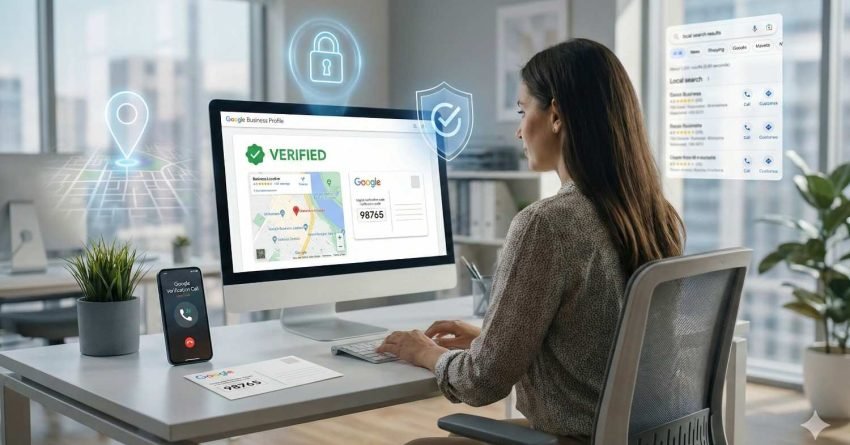
Getting your Google Business Profile verified typically takes between 5 to 14 days, though some businesses complete the process instantly while others wait several weeks. This verification step determines whether your business appears in local search results, Google Maps, and the coveted local pack that drives foot traffic and phone calls.
For business owners and marketing managers focused on organic visibility, an unverified listing represents missed opportunities every single day. Local searches with “near me” intent have grown consistently, and verified businesses capture this traffic while unverified competitors remain invisible.
This guide walks you through every verification method available, explains what affects your timeline, and provides troubleshooting strategies when things go wrong. You’ll understand exactly what to expect and how to accelerate the process.
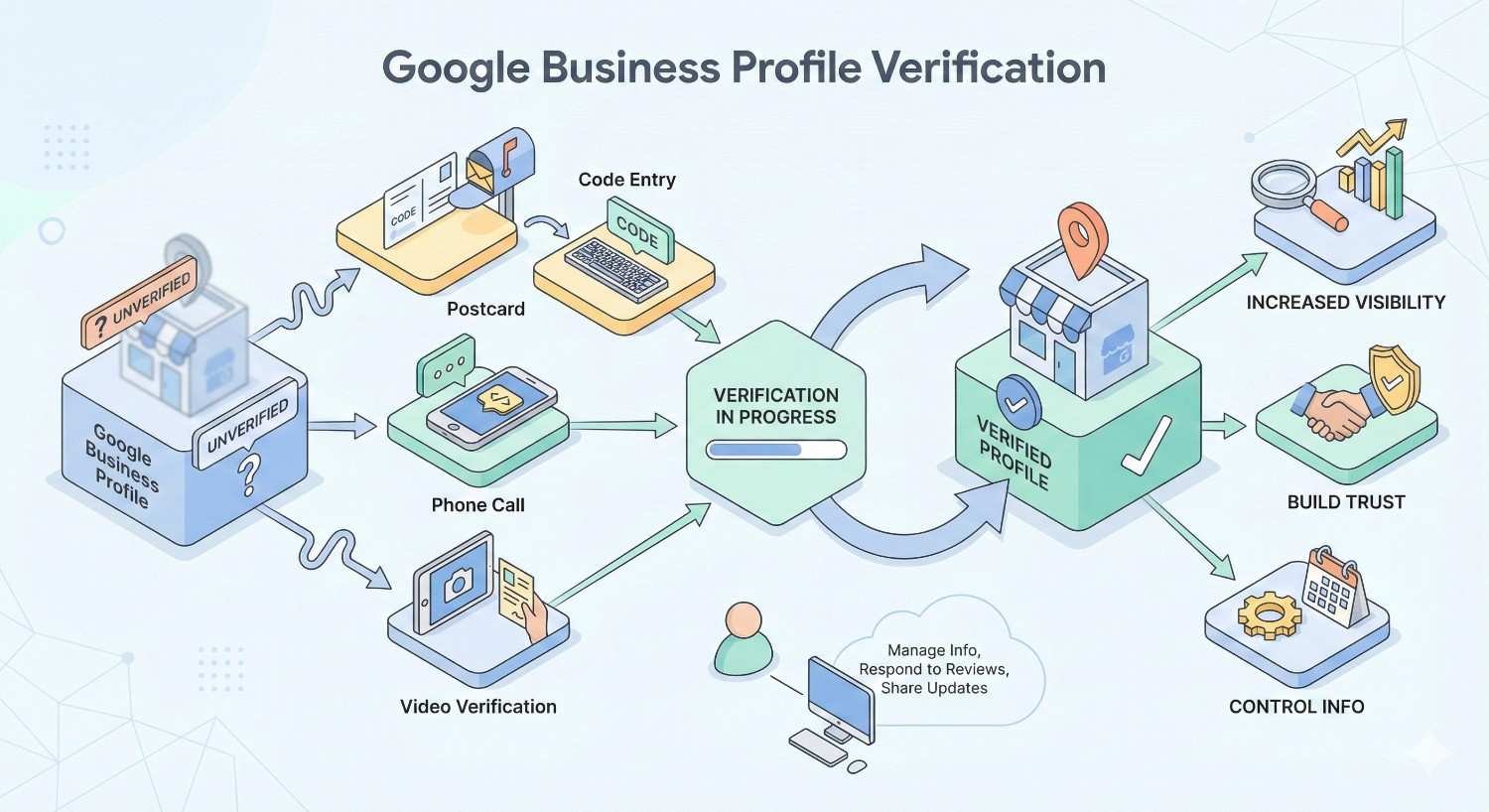
What Is Google Business Profile Verification?
Google Business Profile verification confirms that you legitimately own or manage the business you’re claiming. This authentication process prevents fraudulent listings, protects consumers from scams, and ensures accurate business information appears across Google’s ecosystem.
When you verify your business, Google grants you control over how your company appears in search results, Maps, and other Google services. Unverified profiles have severely limited functionality. You cannot respond to reviews, post updates, add photos, or access performance insights until verification completes.
The verification requirement applies to virtually every business type. Whether you operate a retail storefront, professional service firm, home-based business, or service-area business without a physical location customers visit, Google requires proof that your business exists and that you have authority to manage its online presence.
Google uses verification data to build trust signals into its local search algorithm. Verified businesses receive preferential treatment in local rankings because Google has confirmed their legitimacy. This creates a direct connection between verification status and local SEO performance.
Why Verification Matters for Local SEO Performance
Verification unlocks the full potential of your Google Business Profile as a local search asset. Without it, your business essentially operates with a handicap in local search competition.
Visibility in Local Search Results
Verified businesses appear in the local pack, the prominent three-listing section that displays above organic results for location-based queries. According to BrightLocal’s research, 42% of local searchers click on results within the local pack, making this prime digital real estate for driving traffic.
Unverified listings may appear in broader search results but lack the trust signals that influence click-through rates. Users see verification badges and complete business information on verified profiles, creating confidence that translates into engagement.
Review Management Capabilities
Customer reviews significantly impact local search rankings and consumer decisions. Verified businesses can respond to reviews, demonstrating engagement and customer service quality. This interaction capability influences both algorithmic rankings and human purchasing behavior.
Research from Podium indicates that 93% of consumers say online reviews impact their purchasing decisions. Without verification, you cannot participate in this conversation or address negative feedback publicly.
Access to Performance Analytics
Google provides verified businesses with detailed insights about how customers find and interact with their listings. You can track search queries, view counts, direction requests, phone calls, and website clicks. This data informs local SEO strategy and helps measure return on investment.
Unverified profiles operate blind, unable to access the metrics needed for data-driven optimization decisions.
Content Control and Updates
Verified businesses control their information completely. You can update hours, add services, post announcements, upload photos, and create offers. This content freshness signals relevance to Google’s algorithm and keeps potential customers informed.
Without verification, your listing displays only basic information that Google has gathered from other sources, which may be inaccurate or incomplete.
Google Business Profile Verification Methods Explained
Google offers multiple verification pathways depending on your business type, location, and history. Understanding each method helps you choose the fastest route to verification.
Postcard Verification
The most common verification method involves Google mailing a postcard containing a unique verification code to your business address. This physical mail approach confirms that your business operates at the claimed location.
How it works:
- Complete your Google Business Profile setup
- Request postcard verification
- Wait for the postcard to arrive (typically 5-14 days)
- Enter the verification code in your Google Business Profile dashboard
The postcard contains a five-digit code valid for 30 days. If the code expires before you enter it, you must request a new postcard and restart the waiting period.
Best practices for postcard verification:
Ensure your business address exactly matches how mail carriers deliver to your location. Include suite numbers, building names, or any details that help postal workers find you. Inform staff to watch for the postcard and not discard it as junk mail.
Do not modify your business name, address, or category while waiting for the postcard. Changes can invalidate the pending verification and require starting over.
Phone Verification
Some businesses qualify for instant phone verification. Google calls or texts your business phone number with a verification code that you enter immediately.
Eligibility factors:
Phone verification availability depends on your business category, location, and whether Google can confirm your phone number through existing data sources. Not all businesses see this option.
Advantages:
Phone verification completes within minutes rather than weeks. If this option appears during your setup process, select it for the fastest path to verification.
Email Verification
Certain businesses can verify through email, receiving a code at the email address associated with their Google Business Profile. This method also provides rapid verification when available.
When email verification appears:
Google typically offers email verification to businesses it can already partially verify through other data sources. Service-area businesses and those with established web presences may see this option more frequently.
Video Verification
Google increasingly uses video verification for businesses that cannot verify through traditional methods. This approach requires recording a video that demonstrates your business location and operations.
Video requirements:
Your video must show the exterior of your business, including street signs and neighboring businesses for context. You’ll also record the interior, displaying inventory, equipment, or other evidence of business operations. Finally, you must show proof of management authority, such as access to locked areas or business documentation.
Processing time:
Video verification typically takes 5 business days for Google to review. Ensure your video clearly shows all required elements to avoid rejection and resubmission delays.
Live Video Call Verification
For complex verification situations, Google may offer a live video call with a support representative. During this call, you’ll show your business location and documentation in real-time.
What to prepare:
Have your business license, utility bills, or other official documents ready. Be prepared to show the exterior and interior of your business location. The representative will guide you through what they need to see.
Instant Verification
Businesses that have already verified their website through Google Search Console may qualify for instant verification. This method leverages existing trust signals to bypass the standard verification process.
Requirements:
Your Google Business Profile email must match the email verified in Search Console. Your business website must be verified and in good standing. Not all Search Console users automatically qualify.
Step-by-Step Verification Process
Following the correct sequence prevents delays and rejected verification attempts. Here’s the complete process from start to finish.
Step 1: Create or Claim Your Business Profile
Navigate to Google Business Profile and sign in with your Google account. Search for your business name. If it already exists, you’ll claim the existing listing. If not, you’ll create a new profile.
For existing listings, Google may require you to request access from the current manager or verify your authority to take over the profile.
Step 2: Enter Accurate Business Information
Provide your exact business name as it appears on official documents and signage. Do not add keywords, location modifiers, or marketing language to your business name. Google penalizes keyword stuffing in business names.
Enter your complete address with all relevant details. For service-area businesses that travel to customers, you can hide your address while still specifying your service areas.
Select the most accurate primary category for your business. You can add secondary categories later, but your primary category significantly impacts which searches display your listing.
Step 3: Add Contact Information
Enter your primary business phone number. This should be a local number rather than a toll-free number when possible, as local numbers strengthen local relevance signals.
Add your website URL. Ensure the URL matches your actual business website and uses HTTPS for security.
Step 4: Select Your Verification Method
Google will present available verification options based on your business type and their ability to confirm your information. Choose the fastest method available to you.
If only postcard verification appears, proceed with that option. Attempting to manipulate the system to access other methods typically results in longer delays.
Step 5: Complete the Verification
For postcard verification, wait for delivery and enter your code promptly. For phone or email verification, enter the code immediately upon receipt. For video verification, record and submit your video following all guidelines.
Step 6: Optimize Your Verified Profile
Once verified, complete every section of your profile. Add business hours, services, products, photos, and a detailed business description. Complete profiles rank better and convert more viewers into customers.
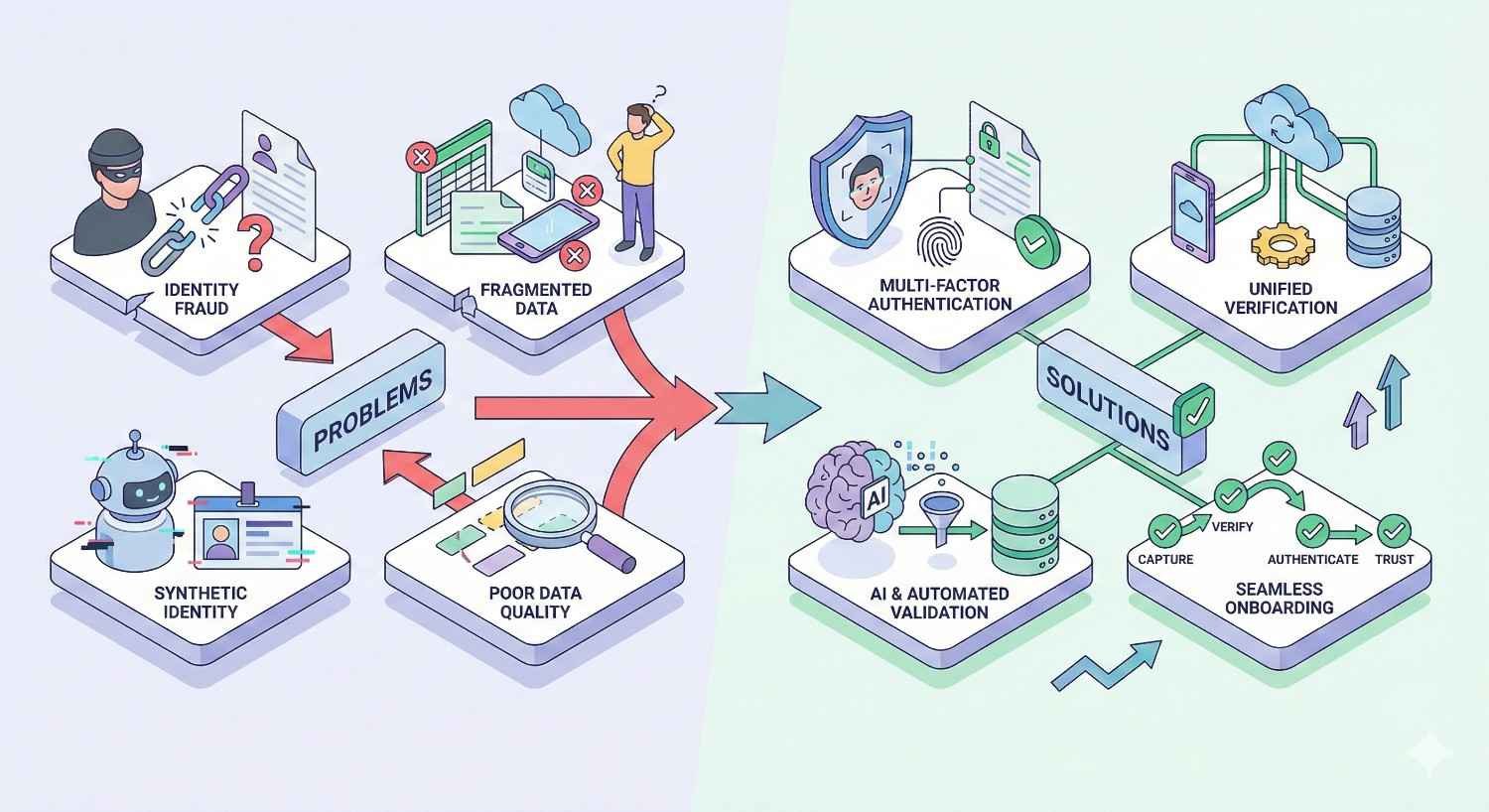
Common Verification Problems and Solutions
Verification doesn’t always proceed smoothly. Understanding common issues helps you resolve problems quickly.
Postcard Never Arrives
If your postcard hasn’t arrived within 14 days, several factors may be responsible. Mail delivery issues, incorrect addresses, or interception by building management can all delay or prevent delivery.
Solutions:
Request a new postcard through your Google Business Profile dashboard. Verify your address is exactly correct, including suite numbers and building names. Contact your local post office to confirm they can deliver to your address. Ask building management if they’ve received mail for your business.
Verification Code Rejected
Entering an incorrect code multiple times can lock your verification attempt. Codes also expire after 30 days.
Solutions:
Double-check you’re entering the code exactly as printed, including any letters that might look like numbers. If the code has expired, request a new one. If you’ve been locked out, wait 24 hours before trying again or contact Google Business Profile support.
Business Already Claimed
If someone else has already verified your business, you’ll need to request ownership transfer or prove your authority to manage the listing.
Solutions:
Use the “Request Access” feature to contact the current manager. If you don’t receive a response within 7 days, you can appeal to Google with documentation proving your business ownership. Prepare business licenses, utility bills, or incorporation documents.
Suspended During Verification
Google may suspend profiles that violate their guidelines, even during the verification process. Common triggers include keyword-stuffed business names, fake addresses, or misrepresented business categories.
Solutions:
Review Google’s guidelines for representing your business. Correct any violations in your profile. Submit a reinstatement request through Google Business Profile support with an explanation of changes made.
Video Verification Rejected
Unclear videos, missing required elements, or poor quality can result in rejection.
Solutions:
Record in good lighting with a steady camera. Clearly show all required elements: exterior signage, street context, interior operations, and management proof. Speak clearly if providing audio narration. Resubmit with improvements addressing the rejection reason.
Verification Timeline Expectations
Setting realistic expectations prevents frustration and helps you plan your local SEO timeline appropriately.
Standard Timelines by Method
Instant verification: Immediate, when available
Phone verification: 1-5 minutes
Email verification: 1-5 minutes
Postcard verification: 5-14 days, sometimes longer
Video verification: 5-7 business days for review
Live video call: Scheduled based on availability, typically within 1-2 weeks
Factors That Extend Timelines
New businesses without established online presence often face longer verification periods. Google has less data to cross-reference, requiring more thorough verification.
Businesses in categories prone to spam, such as locksmiths, lawyers, and contractors, may experience additional scrutiny and longer processing times.
International locations or areas with unreliable mail service can significantly extend postcard delivery times.
Multiple failed verification attempts reset your timeline and may trigger manual review requirements.
Accelerating the Process
Ensure all business information is accurate and consistent with other online sources before starting verification. Inconsistencies trigger additional review.
If phone or email verification options appear, use them immediately rather than defaulting to postcard verification.
Respond promptly to any Google requests for additional information or documentation.
Avoid making changes to your profile while verification is pending.
After Verification: Maximizing Your Profile
Verification is the beginning, not the end, of your Google Business Profile optimization journey.
Complete Every Profile Section
Profiles with complete information rank better and convert more effectively. Add:
- Business hours, including special holiday hours
- All services and products you offer
- High-quality photos of your business, team, and work
- A compelling business description using relevant keywords naturally
- Attributes that apply to your business (wheelchair accessible, free WiFi, etc.)
Establish a Review Generation Strategy
Actively request reviews from satisfied customers. According to Google, businesses that respond to reviews are considered more trustworthy by consumers.
Respond to every review, positive and negative, professionally and promptly. This engagement signals active management and influences both rankings and customer perception.
Post Regular Updates
Google Business Profile posts keep your listing fresh and provide additional content for Google to index. Share announcements, offers, events, and updates regularly.
Posts expire after 7 days, so maintain a consistent posting schedule to keep content visible.
Monitor and Respond to Questions
The Q&A section allows potential customers to ask questions publicly. Monitor this section and provide helpful answers. You can also seed common questions with your own answers to address frequent inquiries proactively.
Track Performance Metrics
Use the Insights section to understand how customers find and interact with your listing. Track trends over time and adjust your strategy based on data.
Key metrics to monitor include search queries, profile views, direction requests, phone calls, and website clicks.
Conclusion
Google Business Profile verification establishes the foundation for local search visibility. The process confirms your business legitimacy, unlocks essential management features, and positions your listing to compete effectively in local search results. Understanding verification methods, timelines, and troubleshooting approaches helps you navigate this critical step efficiently.
Your verification status directly impacts local SEO performance, review management capabilities, and customer engagement opportunities. Every day without verification represents missed visibility in searches that drive real business results. Completing this process should be a priority for any business serious about local market presence.
White Label SEO Service helps businesses navigate Google Business Profile optimization as part of comprehensive local SEO strategies. Contact our team to accelerate your local search visibility and build sustainable organic growth that delivers measurable results.
Frequently Asked Questions
How long does Google Business Profile verification take?
Verification timelines vary by method. Phone and email verification complete within minutes. Postcard verification typically takes 5-14 days. Video verification requires 5-7 business days for Google’s review after submission.
Can I verify my Google Business Profile without a physical address?
Service-area businesses can verify without displaying a physical address. You’ll still need to provide an address for verification purposes, but you can hide it from public view while specifying the geographic areas you serve.
Why was my Google Business Profile verification rejected?
Common rejection reasons include inaccurate business information, keyword-stuffed business names, addresses that don’t match official records, or video submissions missing required elements. Review Google’s guidelines and correct any violations before resubmitting.
Can I speed up the postcard verification process?
You cannot expedite postcard delivery, but you can avoid delays by ensuring your address is completely accurate, informing staff to watch for the postcard, and avoiding any profile changes while verification is pending.
What happens if my verification postcard never arrives?
Request a new postcard through your Google Business Profile dashboard after 14 days. Verify your address is correct and contact your local post office if delivery issues persist. Some businesses may become eligible for alternative verification methods after failed postcard attempts.
Can I have multiple locations verified under one account?
Yes, you can manage multiple verified locations from a single Google account. Each location requires its own verification, but you can oversee all profiles from one dashboard, making multi-location management efficient.
What documents do I need for video verification?
Video verification requires showing your business exterior with street context, interior operations demonstrating business activity, and proof of management authority such as access to restricted areas or official business documentation.
Will changing my business information affect my verification status?
Changes to critical information like your business name, address, or primary category after verification may trigger re-verification requirements. Minor updates to hours, descriptions, or photos typically don’t affect verification status.
How do I verify a home-based business on Google?
Home-based businesses follow the same verification process but can choose to hide their address from public view. Select the service-area business option during setup to specify where you provide services without displaying your home address.
What should I do if someone else has claimed my business?
Use the “Request Access” feature to contact the current profile manager. If they don’t respond within 7 days, you can submit an ownership appeal to Google with documentation proving your authority to manage the business, such as business licenses or incorporation documents.


