
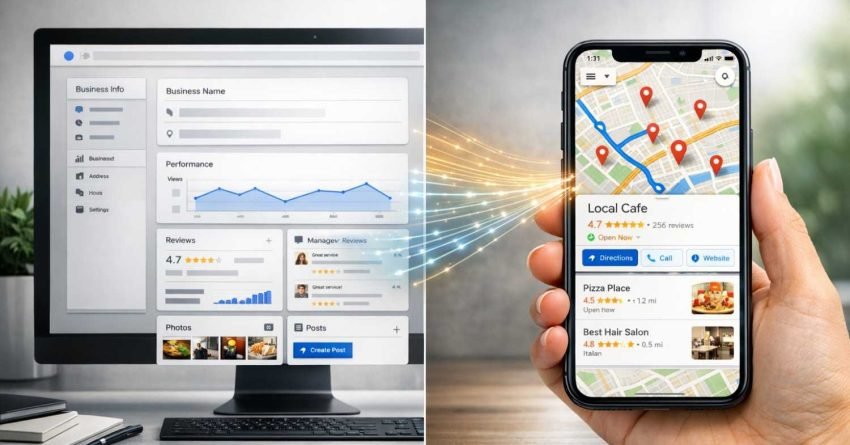
Google Business Profile (formerly Google My Business) is your control panel for managing how your business appears across Google, while Google Maps is the consumer-facing platform where customers actually find and interact with your listing. Understanding this distinction is critical because optimizing the wrong platform wastes time and limits your local search visibility.
Many business owners confuse these two tools, treating them as interchangeable when they serve fundamentally different purposes. This confusion leads to missed optimization opportunities and weaker local rankings. Whether you’re a startup building initial visibility or an established brand protecting market share, knowing exactly how these platforms connect determines your local SEO success.
This guide breaks down the core differences between Google Business Profile and Google Maps, explains how they work together, and shows you exactly where to focus your optimization efforts for maximum local search impact.
What Is Google Business Profile?
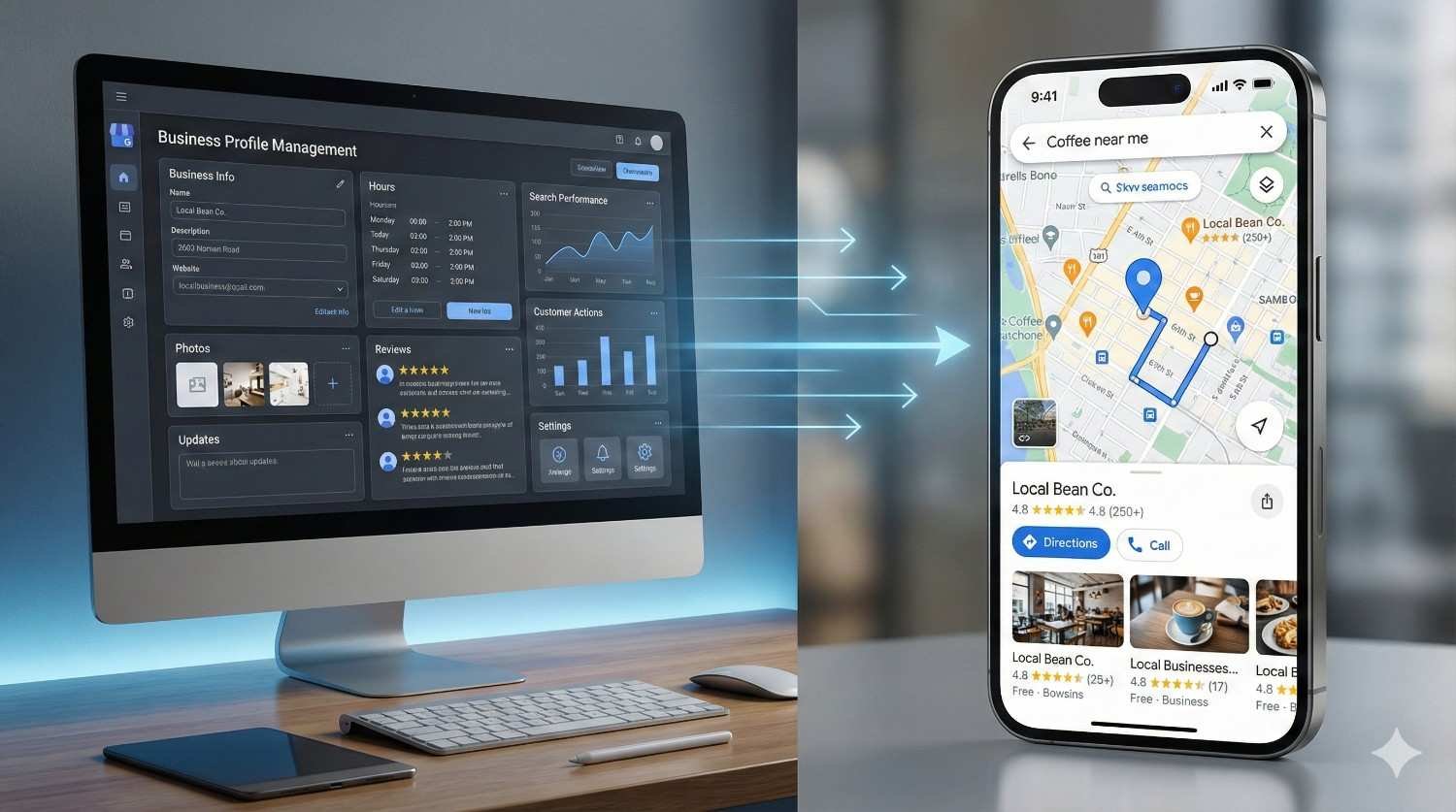
Google Business Profile is the free business management tool that lets you control your company’s information across all Google services. Think of it as your business’s command center within the Google ecosystem.
When you claim and verify your Google Business Profile, you gain direct control over critical business information including your name, address, phone number, business hours, website URL, service areas, and business categories. This information then populates across Google Search, Google Maps, and other Google properties automatically.
The platform evolved from Google Places to Google+ Local to Google My Business, and finally rebranded to Google Business Profile in 2021. Despite the name changes, the core function remains consistent: giving business owners a centralized dashboard to manage their online presence within Google’s ecosystem.
Key Features of Google Business Profile
Your Google Business Profile dashboard provides access to several powerful features that directly impact local visibility:
Business Information Management allows you to update your NAP (Name, Address, Phone) data, business hours, holiday schedules, and service descriptions. Accurate information here feeds directly into how Google displays your business across all its platforms.
Posts and Updates function similarly to social media posts, letting you share promotions, events, product launches, and company news directly on your business listing. These posts appear in both Search and Maps results, providing additional engagement opportunities.
Review Management centralizes all customer reviews in one location. You can respond to reviews, flag inappropriate content, and monitor your overall rating. According to BrightLocal’s 2024 Local Consumer Review Survey, 98% of consumers read online reviews for local businesses, making this feature essential for reputation management.
Insights and Analytics show you how customers find your listing, what actions they take, and how your visibility compares over time. This data helps you understand which optimization efforts are working.
Messaging enables direct communication with potential customers through your listing. When enabled, customers can send questions directly from your Google Business Profile.
Products and Services sections let you showcase specific offerings with descriptions, prices, and images. This feature is particularly valuable for retail businesses and service providers.
What Is Google Maps?
Google Maps is the consumer-facing navigation and discovery platform used by over 1 billion people monthly to find businesses, get directions, and explore locations. It’s where your customers actually see and interact with your business information.
Unlike Google Business Profile, which is a management tool for business owners, Google Maps is designed for end users searching for products, services, and locations. When someone searches “coffee shops near me” or “best plumber in Chicago,” Google Maps displays relevant business listings based on proximity, relevance, and prominence.
The platform integrates multiple data sources to create comprehensive business listings. Your Google Business Profile data forms the foundation, but Google Maps also pulls information from third-party data aggregators, user contributions, and its own crawling systems.
How Google Maps Displays Business Information
When users search on Google Maps, they encounter several display formats:
The Local Pack (also called the Map Pack or 3-Pack) shows the top three local results directly in Google Search results. This prime real estate appears above organic results for local-intent queries and drives significant click-through rates.
Map Listings display businesses as pins on the map interface. Users can click these pins to access full business profiles including photos, reviews, hours, and contact information.
Business Profiles on Maps provide detailed information pages when users select a specific business. These profiles show all the information you’ve added through Google Business Profile, plus user-generated content like photos and reviews.
Local Finder expands beyond the initial 3-Pack to show more business options. Users access this by clicking “More places” or “View all” from the Local Pack.
Core Differences Between Google Business Profile and Google Maps
Understanding the fundamental distinctions between these platforms clarifies where to focus your optimization efforts.
Purpose and Function
Google Business Profile serves as your administrative backend. It’s where you input, update, and manage all business information. You log into this dashboard to make changes, respond to reviews, post updates, and analyze performance data.
Google Maps serves as the customer-facing frontend. It’s where your target audience discovers your business, reads reviews, gets directions, and decides whether to visit or call. You don’t “optimize” Google Maps directly—you optimize your Google Business Profile, which then affects how you appear on Maps.
This distinction matters because many business owners waste time trying to edit their information directly on Google Maps when all changes must flow through Google Business Profile.
Access and Control
With Google Business Profile, you have direct control over your listing after verification. You can edit information, add photos, create posts, and respond to reviews at any time through the dashboard or mobile app.
On Google Maps, you have limited direct control. While you can suggest edits to your own listing through Maps, these suggestions go through Google’s review process. User-generated content like photos and reviews appears on your Maps listing without your direct approval.
Data Flow Direction
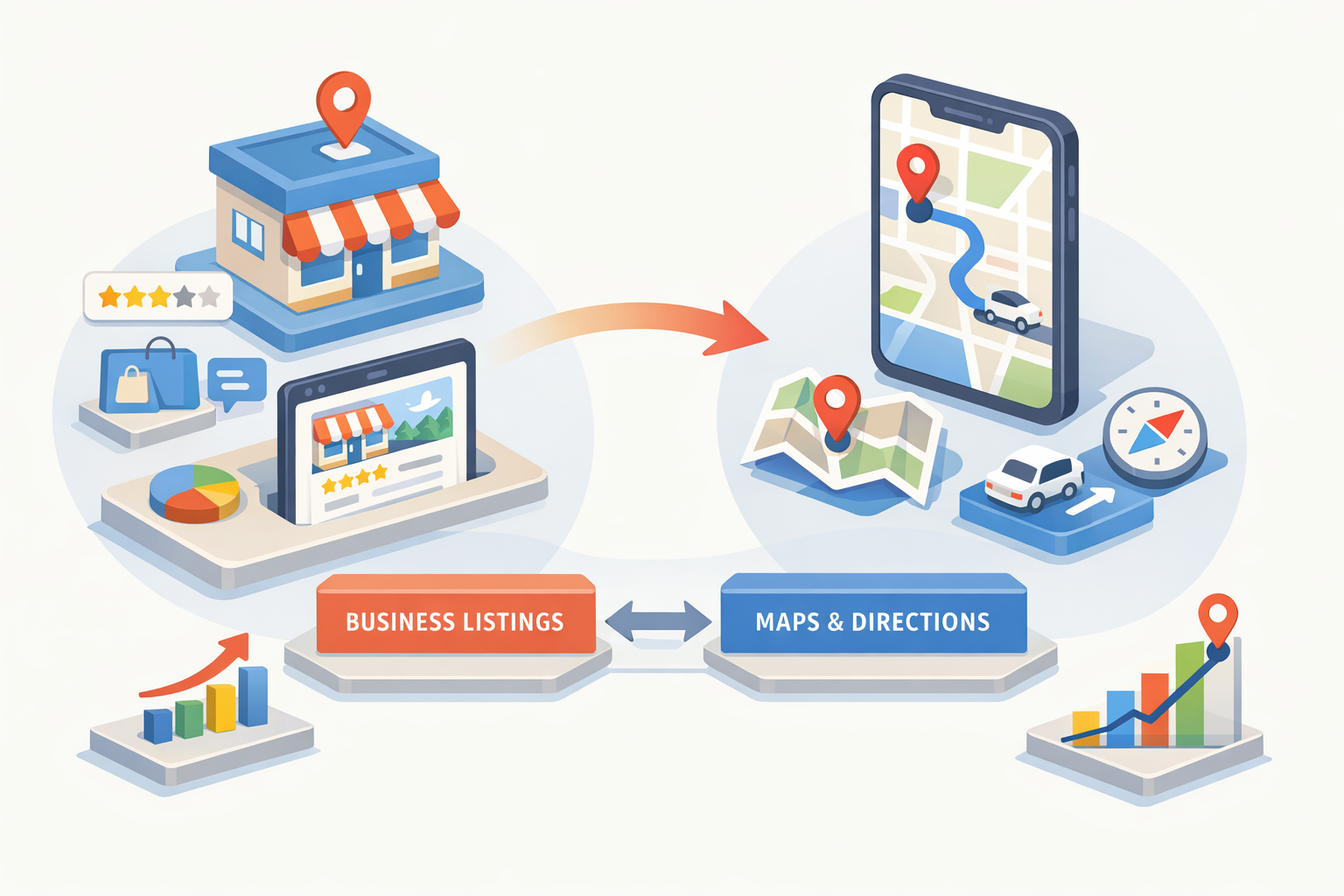
Information flows in one direction: from Google Business Profile to Google Maps. When you update your business hours in Google Business Profile, that change propagates to your Google Maps listing. The reverse doesn’t work—changes made on Maps don’t automatically update your Business Profile.
This one-way data flow means your Google Business Profile is always the source of truth. Any discrepancies between platforms typically indicate either a sync delay or user-suggested edits that Google has accepted.
User Interaction Points
Google Business Profile interactions happen through your dashboard. You see aggregated data, manage settings, and control your listing’s content.
Google Maps interactions happen between customers and your listing. Users search, browse, read reviews, view photos, get directions, call your business, and visit your website—all through the Maps interface.
How Google Business Profile and Google Maps Work Together
These platforms function as two parts of an integrated system. Your Google Business Profile provides the data, and Google Maps displays that data to potential customers.
The Information Pipeline
When you create or update your Google Business Profile, Google’s systems process that information and distribute it across relevant platforms. Your business name, address, and phone number appear in Google Search knowledge panels, Google Maps listings, Google Assistant responses, and other Google properties.
This centralized approach means you only need to update information in one place. However, it also means errors in your Google Business Profile propagate everywhere. A typo in your phone number affects every platform simultaneously.
Ranking Factors That Connect Both Platforms
Google uses similar ranking factors for both Search and Maps local results. According to Google’s own documentation, three primary factors determine local ranking:
Relevance measures how well your listing matches what someone is searching for. Complete, detailed business information helps Google understand your business and match it to relevant searches.
Distance considers how far each potential search result is from the location term used in a search. If a user doesn’t specify a location, Google calculates distance based on what’s known about their location.
Prominence refers to how well-known a business is. Some places are more prominent in the offline world, and search results try to reflect this in local ranking. Prominence is also based on information Google has about a business from across the web, including links, articles, and directories.
Your Google Business Profile optimization directly affects all three factors. Complete profiles improve relevance. Accurate address information ensures correct distance calculations. Reviews, citations, and engagement signals build prominence.
Review Ecosystem Integration
Reviews submitted through Google Maps appear in your Google Business Profile dashboard. Your responses posted through Google Business Profile display on your Google Maps listing. This bidirectional visibility means review management happens in your Business Profile while the customer experience occurs on Maps.
The review count and average rating displayed on Maps directly reflect what’s tracked in your Business Profile. There’s no separate review system—it’s one unified database accessed through different interfaces.
Which Platform Should You Focus On?
The answer is straightforward: focus your optimization efforts on Google Business Profile. This is where you have control, and this is where changes originate.
Google Business Profile Optimization Priorities
Complete Every Section of your profile. Google rewards comprehensive listings with better visibility. Fill out your business description, add all relevant categories, list your services or products, and include attributes that apply to your business.
Maintain NAP Consistency across your Google Business Profile and all other online directories. Inconsistent name, address, or phone information confuses Google’s systems and can hurt your local rankings.
Add High-Quality Photos regularly. Businesses with photos receive 42% more requests for directions and 35% more click-throughs to websites than those without, according to Google.
Post Regular Updates to keep your profile active. Google favors businesses that demonstrate ongoing engagement with their listings.
Respond to All Reviews promptly and professionally. Review responses show potential customers you value feedback and help build trust signals.
Use Google Business Profile Insights to understand how customers find and interact with your listing. This data guides further optimization decisions.
Google Maps Considerations
While you can’t directly optimize Google Maps, you should understand how customers use it to find businesses like yours.
Monitor Your Maps Listing regularly by searching for your business as a customer would. Check that information displays correctly and photos appear as expected.
Encourage Customer Photos since user-generated images often appear prominently on Maps listings. Positive customer photos build social proof.
Track Competitor Listings on Maps to understand how your visibility compares. Note what categories they use, how many reviews they have, and what information they display.
Common Mistakes Business Owners Make
Several misconceptions lead to wasted effort and missed opportunities.
Treating Them as Separate Systems
Some business owners try to manage their Google Maps presence independently from their Google Business Profile. They might attempt to edit information directly on Maps or create duplicate listings. This approach creates inconsistencies and can trigger Google penalties for duplicate content.
Neglecting Google Business Profile After Setup
Many businesses claim their profile, add basic information, and never return. Google Business Profile requires ongoing attention. Regular posts, review responses, photo updates, and information verification all contribute to better local visibility.
Ignoring the Mobile Experience
Most Google Maps usage happens on mobile devices. Your listing needs to work well on small screens. Ensure your photos are clear at small sizes, your business description is scannable, and your contact information is tap-to-call enabled.
Focusing Only on Star Ratings
While your overall rating matters, review recency and response rate also influence customer decisions and potentially rankings. A business with a 4.5 rating and recent reviews often outperforms a 4.8 rating with no reviews in the past year.
Local SEO Strategy: Integrating Both Platforms
Effective local SEO treats Google Business Profile as the foundation while understanding Google Maps as the primary discovery channel.
Build Your Foundation First
Start with a fully optimized Google Business Profile. Verify your business, complete every available field, add photos, and establish a posting schedule. This foundation supports all other local SEO efforts.
Expand Your Citation Network
Your Google Business Profile doesn’t exist in isolation. Google cross-references your information against other directories and data sources. Consistent citations across Yelp, Facebook, industry directories, and data aggregators strengthen your local authority.
Generate and Manage Reviews
Develop a systematic approach to requesting reviews from satisfied customers. Make the process easy by providing direct links to your Google review page. Respond to every review within 24-48 hours when possible.
Create Location-Specific Content
Support your Google Business Profile with location-optimized content on your website. Local landing pages, area-specific service descriptions, and locally relevant blog content all reinforce your geographic relevance.
Monitor and Adjust
Use Google Business Profile Insights alongside Google Analytics and Search Console data to understand your local search performance. Track which queries trigger your listing, how users interact with your profile, and where you’re gaining or losing visibility.
The Future of Local Search
Google continues evolving both platforms. Recent updates have emphasized visual search, AI-powered recommendations, and deeper integration between Search and Maps results.
Google’s Search Generative Experience (SGE) is changing how local results appear. AI-generated summaries may include local business recommendations, making comprehensive Google Business Profile information even more important.
Visual Search Growth means photos and videos in your profile carry increasing weight. Google’s ability to understand image content makes visual optimization a ranking factor.
Review Authenticity Measures are tightening. Google’s systems are better at detecting fake reviews, making genuine customer feedback more valuable than ever.
Staying current with these changes requires ongoing attention to both your Google Business Profile management and how your business appears across Google’s ecosystem.
Conclusion
Google Business Profile and Google Maps serve distinct but interconnected roles in your local search visibility. Your Business Profile is the control center where you manage information, while Maps is the discovery platform where customers find you. Optimizing the former directly improves your presence on the latter.
Success in local SEO requires understanding this relationship and focusing your efforts appropriately. Complete, accurate, and regularly updated Google Business Profile information forms the foundation. Customer reviews, quality photos, and consistent citations build upon that foundation to improve your Maps visibility.
At White Label SEO Service, we help businesses build comprehensive local SEO strategies that maximize visibility across Google’s entire ecosystem. Contact us to discuss how we can strengthen your local search presence and drive more customers to your business.
Frequently Asked Questions
Is Google My Business the same as Google Maps?
No, they are different platforms with different purposes. Google Business Profile (formerly Google My Business) is the management tool where business owners control their listing information. Google Maps is the consumer-facing platform where customers discover and interact with businesses. Information flows from your Business Profile to your Maps listing.
Do I need both Google Business Profile and Google Maps for my business?
You need a Google Business Profile to appear on Google Maps. When you create and verify your Business Profile, your business automatically becomes eligible to appear in Maps results. You cannot create a Maps listing without first having a Business Profile.
Why does my business show differently on Google Maps than in my Google Business Profile?
Discrepancies typically occur due to sync delays, user-suggested edits that Google accepted, or information Google pulled from third-party sources. Check your Business Profile for any pending suggested edits and ensure your information is complete and accurate.
How long does it take for Google Business Profile changes to appear on Google Maps?
Most changes appear within minutes to a few hours. However, some updates, particularly those involving business name or address changes, may take several days as Google verifies the information. During high-volume periods, delays can extend further.
Can customers edit my business information on Google Maps?
Yes, Google allows users to suggest edits to any business listing on Maps. These suggestions go through Google’s review process before being applied. You can monitor and dispute incorrect suggestions through your Google Business Profile dashboard.
Which is more important for local SEO: Google Business Profile or Google Maps?
Google Business Profile is more important for your optimization efforts because it’s where you have direct control. However, Google Maps is where customers actually find you. Focus your work on Business Profile optimization, which automatically improves your Maps presence.
How do reviews work between Google Business Profile and Google Maps?
Reviews are part of a unified system. Customers leave reviews through Google Maps (or Search), and those reviews appear in your Business Profile dashboard. Your responses posted through Business Profile display on your Maps listing. There’s one review database accessed through different interfaces.
Can I advertise on Google Maps without a Google Business Profile?
No, Google Local Services Ads and location extensions for Google Ads both require a verified Google Business Profile. Your Business Profile serves as the foundation for any paid local advertising on Google’s platforms.
Why isn’t my business showing up on Google Maps?
Common reasons include an unverified Business Profile, incomplete listing information, a new listing that hasn’t been indexed yet, or guideline violations. Verify your profile, complete all sections, ensure your address is accurate, and check for any suspension notices in your Business Profile dashboard.
How often should I update my Google Business Profile?
Update your profile whenever business information changes and post new content at least weekly. Regular activity signals to Google that your business is active and engaged. Review and refresh photos quarterly, and verify all information accuracy monthly.


