

Out of stock product pages can either drain your SEO performance or become strategic assets that protect your rankings. The difference comes down to how you handle them. Every e-commerce site faces inventory fluctuations, but most businesses make critical mistakes that cost them organic traffic, backlink value, and crawl efficiency.
This matters because search engines don’t automatically know whether your product is temporarily unavailable or permanently gone. Without proper signals, Google may deindex valuable pages, dilute your topical authority, or send users to dead ends. For businesses managing hundreds or thousands of SKUs, these small errors compound into significant ranking losses.
This guide covers everything you need to manage out of stock product SEO effectively. You’ll learn the right HTTP status codes, schema markup updates, platform-specific configurations, and measurement frameworks to protect your organic visibility during inventory changes.

What Is Out of Stock Product SEO?
Out of stock product SEO refers to the technical and strategic practices used to manage product pages when inventory becomes unavailable. It encompasses HTTP status code selection, structured data updates, internal linking adjustments, and user experience optimizations that preserve search visibility during stock fluctuations.
The goal is straightforward: maintain the SEO value you’ve built while providing a positive experience for users who land on unavailable products. This requires understanding how search engines interpret availability signals and making deliberate choices based on whether products are temporarily or permanently unavailable.
How Search Engines Handle Out of Stock Pages
Google and other search engines evaluate out of stock pages based on multiple signals. The HTTP status code tells crawlers whether the page exists, has moved, or is gone. Schema markup communicates product availability status directly. User behavior signals indicate whether the page still provides value.
When Googlebot encounters an out of stock page returning a 200 OK status, it continues indexing the page normally. The crawler reads any availability schema and may adjust how the page appears in search results. Google’s documentation confirms that product structured data should reflect current availability status.
Pages returning 404 or 410 status codes signal removal. Google typically drops these from the index within days to weeks, depending on crawl frequency. The key distinction: 404 suggests the page might return, while 410 explicitly states permanent removal.
Search engines also monitor soft 404 patterns. If a page returns 200 OK but displays “product not found” messaging without useful content, Google may treat it as a soft 404 and deindex it anyway.
Why Out of Stock Pages Still Have SEO Value
Product pages accumulate SEO equity over time through backlinks, user engagement, and topical relevance signals. A page ranking for valuable keywords represents months or years of optimization work. Deleting it discards that investment.
Backlinks pointing to product pages transfer authority to your domain. When you remove the page without proper redirects, those links hit dead ends. The referring sites still link to you, but the equity dissipates instead of flowing through your site architecture.
Out of stock pages also maintain your topical footprint. Search engines understand your site covers certain product categories partly through the pages you maintain. Removing pages can signal reduced relevance in that topic area.
User intent still exists even when products are unavailable. Someone searching for a specific product wants information about it. Keeping the page live with helpful alternatives, restock notifications, or related products serves that intent better than a 404 error.
The SEO Impact of Out of Stock Products
Inventory changes create ripple effects across your site’s search performance. Understanding these impacts helps you prioritize which pages need attention and what strategies to implement.
Crawl Budget and Indexation Issues
Every site has a crawl budget. Google allocates resources to crawl your pages based on your site’s importance and server capacity. Out of stock pages that return errors or provide thin content waste crawl budget that could go toward valuable pages.
Large e-commerce sites with thousands of products feel this most acutely. If 20% of your catalog shows as out of stock with improper handling, crawlers spend significant time on pages that don’t convert or provide value. This delays indexation of new products and updates to important category pages.
Indexation problems compound over time. Pages stuck in “Discovered – currently not indexed” status in Google Search Console often include out of stock products that Google deemed low value. Once a page loses indexation, regaining it requires demonstrating renewed value.
The solution involves strategic decisions about which pages to keep, which to redirect, and which to remove. Not every out of stock page deserves preservation.
User Experience Signals and Bounce Rates
Users landing on out of stock pages face a decision: stay and explore alternatives or leave. Poor handling pushes them toward leaving. High bounce rates and short dwell times signal to search engines that the page doesn’t satisfy user intent.
Research from Baymard Institute indicates that 37% of users will leave a site entirely when their desired product is unavailable if no alternatives are presented. That’s traffic you’ve already won through SEO, lost at the final step.
Pogo-sticking, where users click your result, immediately return to search results, and click a competitor, sends particularly negative signals. It suggests your page failed to meet the searcher’s needs.
Effective out of stock handling keeps users engaged. Alternative product suggestions, back-in-stock notifications, and clear communication about availability transform a potential bounce into continued browsing.
Link Equity and Authority Loss Risks
External links pointing to product pages represent earned authority. When those pages disappear without redirects, the link equity doesn’t automatically transfer elsewhere. It’s effectively lost.
Internal linking structures also suffer. Product pages typically receive links from category pages, related products, and blog content. Removing a product without updating these links creates orphaned references and broken internal pathways.
The authority loss isn’t always immediately visible in rankings. It accumulates gradually as more pages break, more links point to errors, and your site’s overall link graph weakens. By the time you notice ranking drops, significant damage may have occurred.
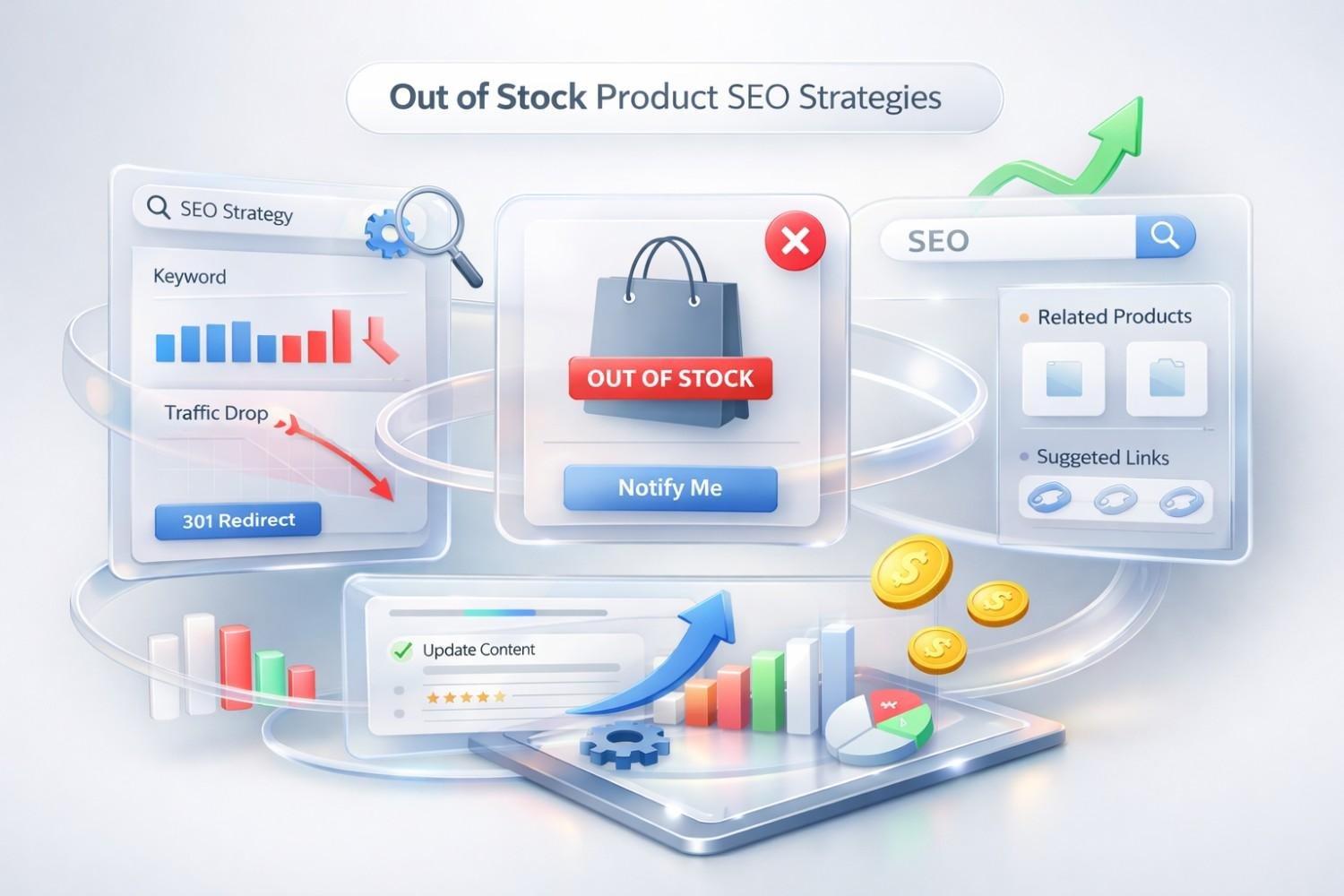
Out of Stock Product SEO Strategies
Strategic handling of out of stock products requires matching the right tactic to each situation. The best approach depends on whether the product will return, how much SEO value the page holds, and what alternatives exist.
Keep the Page Live (When and Why)
Keeping out of stock pages live makes sense when the product will return to stock, the page has accumulated backlinks or rankings, or the page serves informational value beyond purchasing.
A page ranking on page one for a competitive keyword shouldn’t disappear because of a temporary inventory issue. The ranking took effort to achieve and may not return if you remove the page.
Pages with external backlinks deserve preservation. Use tools like Ahrefs or Semrush to check referring domains before making removal decisions. Even a handful of quality backlinks justify keeping the page active.
When keeping pages live, update them to reflect current status. Add clear messaging about unavailability, estimated restock dates if known, and pathways to alternatives. The page should still provide value to visitors.
Implement Proper HTTP Status Codes
HTTP status codes communicate page status to search engines. Choosing the right code determines whether Google keeps indexing the page, removes it, or follows a redirect.
200 OK with Messaging
Use 200 OK when the page should remain indexed. This applies to temporarily out of stock products you expect to return. The page loads normally, but content reflects unavailability.
Update the page to include:
- Clear “out of stock” or “currently unavailable” messaging
- Estimated restock timeline if available
- Email signup for back-in-stock notifications
- Related or alternative product recommendations
- Full product information (descriptions, specs, reviews)
The page continues ranking and collecting traffic. Users get useful information and pathways forward.
301 Redirects
Use 301 permanent redirects when a product is discontinued and a clear replacement exists. The redirect passes most link equity to the destination page.
Redirect to the most relevant alternative:
- Direct replacement product
- Parent category page
- Similar product in the same line
- Brand page if the entire line is discontinued
Avoid redirecting to the homepage. This provides poor user experience and may be treated as a soft 404 by Google if the relevance mismatch is too large.
302 Temporary Redirects
Use 302 redirects sparingly for out of stock situations. They signal that the original URL will return and the redirect is temporary.
In practice, 302s for out of stock products create confusion. If you expect the product back, keep the page live with 200 OK. If it’s gone permanently, use 301. The 302 use case is narrow: perhaps during a site migration or when testing a new page structure.
404 vs. 410 Status Codes
Both 404 and 410 tell search engines the page doesn’t exist. The difference is intent.
404 (Not Found) suggests the page may have existed and might return. Google continues checking periodically.
410 (Gone) explicitly states permanent removal. Google processes removal faster and stops checking for the page.
Use 410 for products you’re certain won’t return and that have no redirect-worthy replacement. Use 404 if there’s any chance of return or if you haven’t made a final decision.
Add “Back in Stock” Notifications
Email capture for restock notifications converts a negative experience into a lead generation opportunity. Users who wanted the product enough to reach the page often want notification when it returns.
Implement notification signups prominently on out of stock pages. Collect email addresses and product interest data. This builds a remarketing list of high-intent users.
From an SEO perspective, notification signups increase page engagement. Users interact with the page rather than immediately bouncing. This sends positive user experience signals.
Automated notification systems trigger emails when inventory updates. This drives return traffic to product pages, generating sales from previously lost opportunities.
Display Alternative Product Recommendations
Alternative product recommendations keep users on your site when their first choice is unavailable. They transform dead-end pages into discovery opportunities.
Effective alternatives include:
- Same product in different colors or sizes (if available)
- Similar products from the same brand
- Comparable products from other brands
- Products frequently bought together with the unavailable item
- Best sellers in the same category
Display alternatives prominently, not buried at the bottom. Users should see options immediately upon realizing their product is unavailable.
Dynamic recommendation engines can automate this based on product attributes, purchase history, and browsing behavior. Manual curation works for smaller catalogs or high-value products.
Use Structured Data for Availability Status
Product schema markup includes an availability property that communicates stock status directly to search engines. Updating this property ensures Google displays accurate information in search results.
The Schema.org ItemAvailability enumeration includes:
- InStock
- OutOfStock
- PreOrder
- BackOrder
- Discontinued
- InStoreOnly
- LimitedAvailability
- OnlineOnly
- SoldOut
Update your product schema when availability changes. If a product is out of stock, change the availability value from “InStock” to “OutOfStock” or “BackOrder” depending on the situation.
Accurate schema prevents user frustration. When Google shows “Out of Stock” in search results, users can make informed decisions before clicking. This may reduce clicks but improves click quality and user satisfaction.
How to Handle Temporarily Out of Stock Products
Temporary stockouts require a preservation mindset. The goal is maintaining SEO value while clearly communicating current status to users and search engines.
Update Product Schema Markup
When a product goes out of stock temporarily, immediately update the structured data. Change the availability property to reflect current status.
For products expected back soon:
json
Copy
“availability”: “https://schema.org/OutOfStock”
For products on backorder with known delivery timelines:
json
Copy
“availability”: “https://schema.org/BackOrder”
Include the priceValidUntil property if pricing may change upon restock. This prevents outdated price information from appearing in search results.
Test your updated schema using Google’s Rich Results Test to verify proper implementation. Errors in structured data can prevent rich snippets from appearing.
Communicate Restock Timelines
When you know when a product will return, share that information. Specific timelines reduce user frustration and encourage them to wait rather than purchase elsewhere.
Display estimated restock dates prominently:
- “Expected back in stock: March 15, 2025”
- “Usually restocked within 2-3 weeks”
- “Pre-order now, ships in April”
If timelines are uncertain, communicate that honestly:
- “Currently out of stock. Sign up for notifications.”
- “Availability varies. Check back soon.”
Avoid false precision. Promising a specific date and missing it damages trust more than acknowledging uncertainty.
Maintain Internal Linking Structure
Temporarily out of stock products should remain in your internal linking structure. Don’t remove them from category pages, navigation, or related product sections.
Removing internal links signals reduced importance to search engines. The page receives less PageRank flow and may drop in rankings. When the product returns, you’ll need to rebuild that internal link equity.
Instead, keep internal links active but add visual indicators of unavailability. Gray out the product image, add an “Out of Stock” badge, or move unavailable products lower in category listings while keeping them present.
This approach maintains link equity flow while setting appropriate user expectations.
How to Handle Permanently Discontinued Products
Discontinued products require different handling than temporary stockouts. The page won’t return in its current form, so decisions focus on preserving accumulated value through redirects or clean removal.
When to Use 301 Redirects
Use 301 redirects when a discontinued product has a clear, relevant replacement. The redirect passes link equity and sends users to a useful destination.
Ideal redirect targets:
- Successor product: The new version or model replacing the discontinued item
- Equivalent product: A different product serving the same purpose
- Category page: When no single product replacement exists
- Brand page: When the entire product line is discontinued
The redirect destination must be relevant. Redirecting a specific product to an unrelated page or the homepage provides poor user experience and may be ignored by Google.
Check the page’s backlink profile before redirecting. High-authority links justify more careful redirect targeting. Low-value pages with no backlinks may not need redirects at all.
When to Use 410 Gone Status
Use 410 status codes when no relevant redirect destination exists and you want Google to remove the page quickly.
Appropriate 410 scenarios:
- Products with no replacement or similar alternative
- Pages with no external backlinks worth preserving
- Content that’s outdated or potentially harmful to keep indexed
- Duplicate products being consolidated
The 410 status tells Google the page is permanently gone. Google processes this faster than 404 and stops attempting to crawl the URL.
Implement 410 through server configuration or your CMS. Some platforms require plugins or custom code to return 410 instead of 404.
Preserving Backlink Value
Before removing or redirecting any product page, audit its backlink profile. External links represent earned authority that shouldn’t be discarded carelessly.
Steps to preserve backlink value:
- Export backlinks using Ahrefs, Semrush, or Moz
- Identify high-authority referring domains
- Choose redirect destinations that maintain topical relevance
- Implement 301 redirects for pages with valuable backlinks
- Monitor redirect performance in Search Console
For pages with significant backlink value but no good redirect target, consider creating a category-level resource page. This provides a relevant destination while capturing link equity.
Contact referring sites for particularly valuable backlinks. Request they update links to point to the new destination directly. This isn’t always possible but maximizes equity transfer when it works.
Out of Stock SEO for E-commerce Platforms
Each e-commerce platform handles out of stock products differently. Understanding your platform’s default behavior and configuration options enables better SEO management.
Shopify Out of Stock SEO Settings
Shopify’s default behavior keeps out of stock products visible but prevents purchase. The “Continue selling when out of stock” setting determines whether customers can still buy.
For SEO purposes, Shopify out of stock products remain indexed by default. The page returns 200 OK with the product displayed. This preserves rankings but may frustrate users if not handled well.
Configure Shopify out of stock handling:
- Inventory tracking: Enable to automatically update availability
- Product status: Keep as “Active” for SEO preservation
- Theme customization: Add out of stock messaging and alternatives
- Apps: Install back-in-stock notification apps like “Back in Stock” or “Notify Me”
Shopify doesn’t natively support different HTTP status codes for out of stock products. You’ll need apps or custom Liquid code to implement redirects for discontinued items.
Update product schema through theme files or apps. Shopify’s default schema may not update availability status automatically.
WooCommerce Out of Stock Handling
WooCommerce provides more configuration flexibility than Shopify. Stock management settings control visibility and behavior of out of stock products.
Key WooCommerce settings (WooCommerce > Settings > Products > Inventory):
- Manage stock: Enable for automatic stock tracking
- Out of stock visibility: Choose whether to hide out of stock products from catalog
- Out of stock threshold: Set when products show as out of stock
For SEO, avoid hiding out of stock products entirely. This removes them from category pages and internal linking, damaging rankings. Instead, keep them visible with clear unavailability messaging.
WooCommerce plugins extend functionality:
- YOAST WooCommerce SEO: Improves product schema handling
- WooCommerce Waitlist: Adds back-in-stock notifications
- Redirection: Manages 301 redirects for discontinued products
Implement redirects through the Redirection plugin or .htaccess file. WooCommerce doesn’t provide native redirect management for products.
Magento Inventory SEO Configuration
Magento (Adobe Commerce) offers enterprise-level inventory management with granular SEO controls. Multi-source inventory (MSI) in Magento 2.3+ adds complexity but also flexibility.
Configure out of stock behavior in:
- Stores > Configuration > Catalog > Inventory
- Display Out of Stock Products: Set to “Yes” for SEO preservation
- Backorders: Allow backorders to keep products purchasable
Magento’s URL rewrite system handles redirects natively. Access through Marketing > SEO & Search > URL Rewrites. Create permanent (301) or temporary (302) redirects for discontinued products.
For large catalogs, use Magento’s mass actions to update multiple products simultaneously. Export product data, modify availability fields, and reimport.
Magento’s product schema implementation varies by theme. Verify your theme outputs correct availability status in structured data. Custom development may be needed for dynamic schema updates.
BigCommerce Stock Management
BigCommerce provides built-in inventory tracking with SEO-conscious defaults. Out of stock products remain visible and indexed unless explicitly hidden.
BigCommerce inventory settings:
- Track inventory: Enable per-product stock tracking
- Out of stock message: Customize messaging displayed to users
- Redirect options: Set up redirects through 301 Redirects feature
Access redirect management in Server Settings > 301 Redirects. BigCommerce supports bulk redirect imports via CSV for large-scale discontinued product handling.
BigCommerce automatically updates product schema based on inventory status. Verify this works correctly using structured data testing tools.
For back-in-stock notifications, BigCommerce offers native functionality or app integrations through their marketplace.
How Do Out of Stock Products Affect My Overall Site Rankings?
Out of stock products affect site rankings through multiple mechanisms. The impact depends on scale, handling approach, and how long products remain unavailable.
Direct ranking factors:
- Pages returning errors lose rankings as Google deindexes them
- Soft 404 patterns trigger quality assessments
- Lost backlink equity reduces domain authority
- Reduced internal linking weakens page authority distribution
Indirect ranking factors:
- Poor user experience increases bounce rates
- Pogo-sticking signals dissatisfaction to Google
- Crawl budget waste delays indexation of valuable pages
- Topical coverage gaps reduce perceived authority
A few out of stock products handled properly have minimal impact. Hundreds of mishandled pages can significantly damage site performance.
The key is proactive management. Don’t let out of stock pages accumulate without attention. Regular audits and systematic handling prevent small issues from becoming ranking problems.
Measuring the SEO Impact of Out of Stock Pages
Measurement enables informed decisions about out of stock handling. Track the right metrics to understand impact and validate your strategies.
Key Metrics to Track
Traffic metrics:
- Organic sessions to out of stock pages
- Bounce rate on out of stock pages vs. in-stock pages
- Time on page for out of stock products
- Exit rate from out of stock pages
Ranking metrics:
- Keyword positions for out of stock product pages
- Ranking changes after stock status changes
- Visibility trends for affected product categories
Technical metrics:
- Crawl frequency of out of stock pages
- Index coverage status changes
- Soft 404 detection rates
- Redirect chain lengths
Conversion metrics:
- Back-in-stock notification signups
- Alternative product click-through rates
- Revenue from redirected traffic
Set up tracking before making changes. Baseline data enables accurate impact assessment.
Google Search Console Monitoring
Google Search Console provides essential data for out of stock SEO monitoring. Several reports reveal how Google handles your unavailable products.
Coverage report:
- Monitor “Excluded” pages for out of stock URLs
- Check “Crawled – currently not indexed” for pages Google found but didn’t index
- Review “Soft 404” errors for pages returning 200 but appearing empty
Performance report:
- Filter by specific out of stock URLs to track ranking changes
- Compare CTR before and after stock status changes
- Monitor impression trends for affected keywords
URL Inspection tool:
- Check individual page index status
- Verify Google sees correct HTTP status codes
- Confirm structured data is parsed correctly
Set up Search Console alerts for coverage drops. Sudden increases in excluded pages may indicate out of stock handling problems.
Crawl Error Analysis
Crawl errors indicate technical problems with out of stock handling. Regular analysis prevents small issues from scaling.
Common crawl errors for out of stock pages:
- 404 errors from removed pages still linked internally
- Redirect chains exceeding 3 hops
- Redirect loops from circular references
- Server errors from misconfigured status codes
Use Search Console’s crawl stats report to monitor error rates. Third-party tools like Screaming Frog provide deeper crawl analysis.
Schedule monthly crawl audits for sites with frequent inventory changes. Quarterly audits suffice for more stable catalogs.
Out of Stock Product SEO Checklist
Use this checklist when products go out of stock to ensure proper SEO handling.
Immediate actions (within 24 hours):
- Update product schema availability status
- Add clear out of stock messaging to page
- Implement back-in-stock notification signup
- Add alternative product recommendations
- Verify page returns correct HTTP status code
Assessment (within 1 week):
- Check page’s backlink profile
- Review current keyword rankings
- Analyze traffic value of the page
- Determine if stockout is temporary or permanent
- Identify best redirect destination if needed
For temporary stockouts:
- Keep page live with 200 OK status
- Maintain internal linking structure
- Communicate expected restock timeline
- Monitor ranking stability
For permanent discontinuation:
- Identify relevant redirect target
- Implement 301 redirect (if target exists)
- Implement 410 status (if no relevant target)
- Update internal links pointing to page
- Remove from XML sitemap
- Monitor redirect in Search Console
Ongoing monitoring:
- Track crawl errors weekly
- Review index coverage monthly
- Audit redirect chains quarterly
- Update notification subscribers when restocked
Common Out of Stock SEO Mistakes to Avoid
Avoiding common mistakes prevents unnecessary ranking losses. These errors appear frequently across e-commerce sites.
Soft 404 Errors
Soft 404s occur when pages return 200 OK status but display error-like content. Google detects these and may deindex the pages anyway, without you realizing.
Common soft 404 patterns:
- “Product not found” message on 200 OK page
- Empty product template with no content
- Generic “item unavailable” page without useful information
- Redirect to homepage (treated as soft 404 for specific product searches)
How to avoid:
- If keeping the page, provide substantial content (descriptions, specs, alternatives)
- If removing the page, use proper 404 or 410 status codes
- If redirecting, ensure destination is topically relevant
Check Search Console’s coverage report for soft 404 detection. Google flags pages it considers soft 404s even when they return 200 status.
Orphaned Product Pages
Orphaned pages have no internal links pointing to them. They become disconnected from your site architecture, receiving no PageRank flow and becoming difficult for crawlers to find.
How pages become orphaned:
- Removed from category pages when out of stock
- Navigation updated without checking all links
- Related product sections not maintained
- Blog posts linking to products not updated
Prevention strategies:
- Audit internal links before removing pages
- Keep out of stock products in category pages (with visual indicators)
- Use crawl tools to identify orphaned URLs
- Maintain a redirect map for discontinued products
Orphaned pages may continue ranking temporarily but typically decline as Google recognizes their disconnection from site structure.
Inconsistent Redirect Chains
Redirect chains occur when one redirect leads to another, which leads to another. Each hop loses some link equity and slows page loading.
Example redirect chain:
- Original URL → 301 → Old replacement → 301 → New replacement → 301 → Current page
Google follows up to 10 redirects but recommends keeping chains under 3 hops. Longer chains risk incomplete equity transfer and crawl inefficiency.
How chains develop:
- Product replaced, then replacement discontinued
- Site migrations without redirect consolidation
- Multiple URL structure changes over time
- Inconsistent redirect management across teams
Resolution:
- Audit existing redirects quarterly
- Update old redirects to point directly to final destination
- Document redirect decisions for future reference
- Use redirect mapping tools to visualize chains
Out of Stock SEO and Seasonal Inventory
Seasonal products require special consideration. Their availability follows predictable patterns, enabling proactive SEO management.
Managing Holiday Product Pages
Holiday-specific products (Christmas decorations, Halloween costumes, Valentine’s gifts) go out of stock annually. Deleting these pages each year wastes accumulated SEO value.
Recommended approach:
- Keep holiday product pages live year-round
- Update content to reflect off-season status
- Add “available again in [month]” messaging
- Collect email signups for next season notifications
- Maintain internal links from holiday category pages
Holiday pages often rank well due to annual link building and consistent URL history. Removing them resets this progress.
For truly discontinued seasonal items, redirect to the parent seasonal category rather than deleting. This preserves some value while acknowledging the specific product is gone.
Pre-Launch and Coming Soon Products
Products not yet available present the opposite challenge: building SEO value before stock exists.
Pre-launch SEO strategies:
- Create product pages early with “Coming Soon” status
- Use PreOrder or BackOrder schema availability
- Build anticipation content (features, comparisons, announcements)
- Collect pre-order signups or waitlist registrations
- Begin internal linking from relevant category and blog content
Pre-launch pages can rank and generate interest before products ship. This captures early-stage search demand and builds backlinks before competitors.
Update schema and messaging immediately when products become available. The transition from “Coming Soon” to “In Stock” should be seamless.
Conclusion
Out of stock product SEO requires deliberate strategy, not default platform behavior. The right approach preserves rankings, maintains link equity, and keeps users engaged even when products are unavailable. Every decision, from HTTP status codes to schema markup, shapes how search engines and users experience your inventory changes.
Effective inventory SEO management separates high-performing e-commerce sites from those that leak organic value with every stockout. The strategies in this guide provide a framework for protecting your search visibility regardless of inventory fluctuations.
We help businesses build sustainable organic growth through technical SEO, content strategy, and performance tracking. Contact White Label SEO Service to develop an out of stock SEO strategy that protects your rankings and maximizes every product page’s value.
Frequently Asked Questions About Out of Stock Product SEO
Should I delete out of stock product pages?
No, deleting out of stock pages is rarely the best choice. Deletion discards accumulated backlinks, rankings, and topical authority. Keep pages live for temporary stockouts or implement 301 redirects for discontinued products with relevant alternatives. Only delete (using 410 status) when no redirect target exists and the page has minimal SEO value.
How long should I keep an out of stock page live?
Keep out of stock pages live indefinitely if you expect the product to return or if the page has significant backlinks and rankings. For products unlikely to return, evaluate within 30-60 days. If no restock is planned, implement redirects to relevant alternatives rather than leaving pages in limbo.
Do out of stock pages hurt my site’s SEO?
Out of stock pages only hurt SEO when handled improperly. Pages returning errors, creating soft 404s, or providing poor user experience can damage rankings. Properly managed out of stock pages with clear messaging, alternatives, and correct schema markup maintain or even build SEO value.
What is the best redirect for discontinued products?
Use 301 permanent redirects for discontinued products when a relevant replacement exists. Redirect to the closest alternative: successor product, equivalent item, or parent category page. Avoid redirecting to the homepage or unrelated pages. If no relevant destination exists, use 410 Gone status instead.
How do I tell Google a product is temporarily unavailable?
Update your product structured data to show “OutOfStock” or “BackOrder” availability status. Keep the page returning 200 OK status with clear messaging about unavailability. Add estimated restock dates if known. Google reads the schema markup and may display availability status directly in search results.
What schema markup should I use for out of stock products?
Use the Schema.org Product type with the availability property set to the appropriate ItemAvailability value. Options include OutOfStock, BackOrder, PreOrder, or Discontinued. Update this property whenever stock status changes. Test implementation using Google’s Rich Results Test tool.
How often should I audit out of stock pages for SEO issues?
Audit out of stock pages monthly for sites with frequent inventory changes, quarterly for more stable catalogs. Check for soft 404 errors, redirect chains, orphaned pages, and outdated schema markup. Use Google Search Console’s coverage report and crawl tools like Screaming Frog to identify issues systematically.


