

Product images drive purchasing decisions, but most e-commerce sites leave significant organic traffic on the table by ignoring image optimization. When properly optimized, your product photos become discoverable assets that attract qualified buyers through Google Images, standard search results, and visual shopping experiences.
The gap between image-optimized stores and those that neglect this area continues to widen. Search engines now process visual content with remarkable sophistication, making image SEO a genuine competitive advantage rather than a technical afterthought.
This guide covers everything from writing effective alt tags to implementing technical image optimizations that improve page speed, accessibility, and search visibility across every major e-commerce platform.

What Is Product Image SEO?
Product image SEO encompasses all optimization techniques that help search engines discover, understand, and rank your product photographs. This includes textual elements like alt tags and file names, technical factors like compression and format selection, and structural components like schema markup and image sitemaps.
Unlike general image optimization, product image SEO specifically targets commercial search intent. The goal extends beyond visibility to driving qualified traffic that converts into sales.
How Search Engines Interpret Product Images
Search engines cannot see images the way humans do. Instead, they rely on contextual signals to understand what an image depicts and whether it deserves to rank for specific queries.
Google’s image understanding combines multiple data points. The surrounding text on the page provides topical context. The alt attribute describes the image content directly. File names offer additional naming signals. Structured data connects images to product information in a machine-readable format.
Machine learning has dramatically improved visual recognition capabilities. Google can now identify objects, text within images, and even product categories without human-provided descriptions. However, explicit optimization signals still carry significant weight in ranking decisions.
The relationship between image and page content matters considerably. An image embedded within relevant, comprehensive product content receives stronger ranking signals than an orphaned image with minimal context.
Why Image Optimization Matters for E-commerce
E-commerce businesses face unique image SEO opportunities. Product searches frequently trigger image results, and Google Shopping relies heavily on product image quality and metadata.
Visual search continues growing as a discovery channel. Users increasingly search by uploading photos or using camera-based search features. Optimized product images position your inventory to capture this emerging traffic source.
Page speed directly impacts conversion rates. Unoptimized images represent the largest contributor to slow-loading pages on most e-commerce sites. Compression and format optimization improve both search rankings and user experience simultaneously.
Accessibility compliance has become a business requirement. Alt tags serve users with visual impairments who rely on screen readers. Beyond legal considerations, accessible sites demonstrate brand values that resonate with modern consumers.
Understanding Alt Tags for Product Images
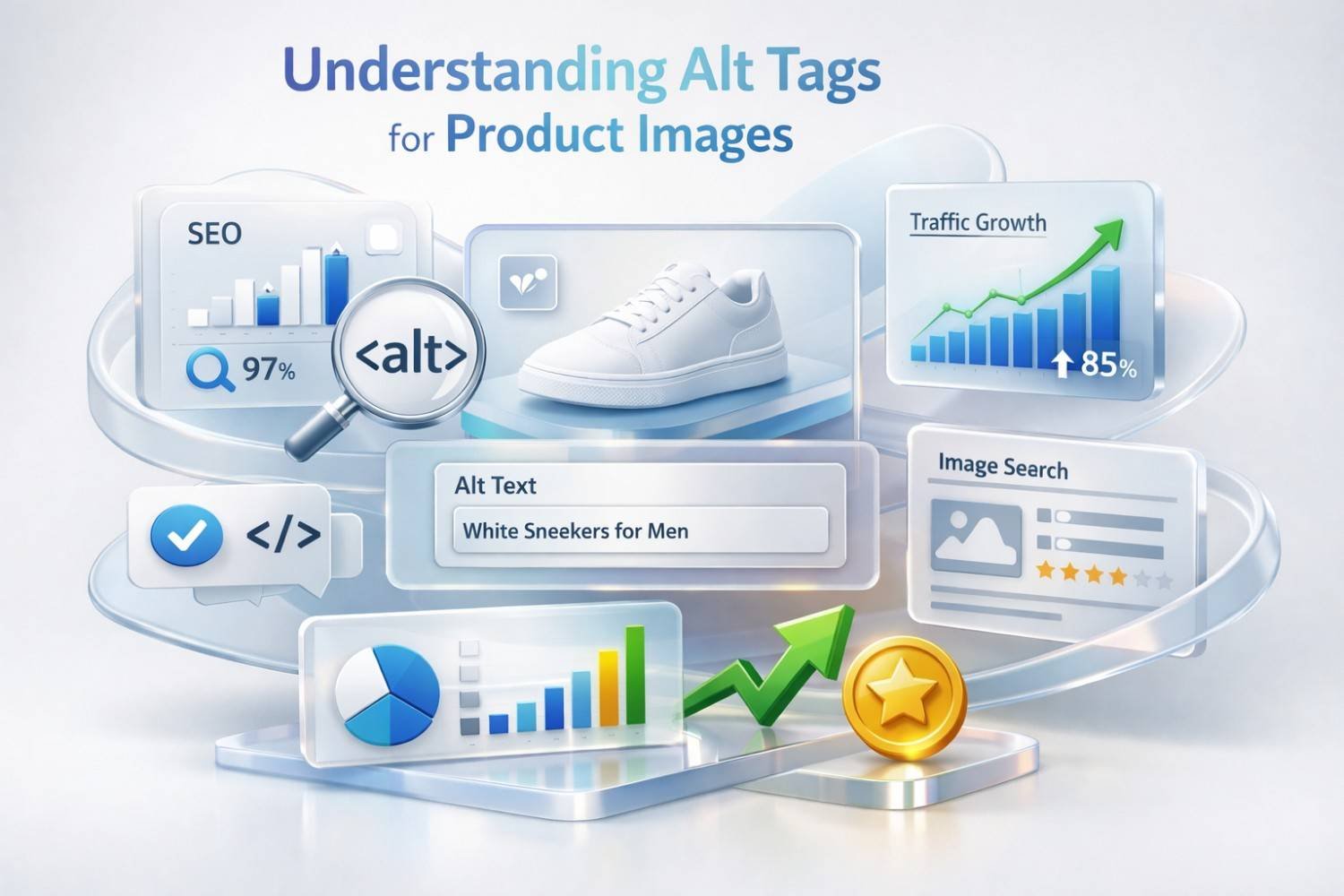
Alt tags remain the foundation of product image SEO. Despite advances in visual recognition, the alt attribute provides the clearest signal about image content and commercial relevance.
What Are Alt Tags (Alt Text)?
Alt tags, technically called alt attributes, are HTML elements that provide text descriptions of images. The code appears within the image tag: <img src=”product.jpg” alt=”Description goes here”>.
Originally designed for accessibility, alt text serves multiple functions. Screen readers announce this text to visually impaired users. The text displays when images fail to load. Search engines use alt text as a primary signal for image understanding.
Alt text differs from other image attributes. The title attribute creates hover text but carries minimal SEO weight. Captions appear visibly below images. Alt text remains invisible to sighted users under normal browsing conditions.
Effective alt text describes what the image shows while incorporating relevant product details. The description should make sense to someone who cannot see the image while providing search engines with indexable content.
How Alt Tags Impact Search Rankings
Alt tags influence rankings in both image search and standard web search results. Google explicitly states that alt text helps them understand image content and determine relevance for search queries.
For image search specifically, alt text functions similarly to page titles in web search. Descriptive, keyword-relevant alt text increases the likelihood of appearing in Google Images results for product-related queries.
The impact extends to web search rankings through several mechanisms. Images with strong alt text contribute to overall page relevance. Product pages with optimized images demonstrate comprehensive optimization that correlates with higher rankings.
Google Shopping and product listing ads also benefit from alt text optimization. While the Merchant Center feed provides primary product data, on-page image optimization strengthens the connection between your product pages and commercial search intent.
Alt Tags and Web Accessibility Compliance
Accessibility requirements have moved from best practice to legal necessity. The Americans with Disabilities Act applies to commercial websites, and lawsuits targeting inaccessible e-commerce sites have increased substantially.
The Web Content Accessibility Guidelines (WCAG) specify alt text requirements. Level A compliance, the minimum standard, requires text alternatives for all non-decorative images. Product images clearly fall into this category.
Screen reader users depend on alt text to understand page content. When shopping online, they need accurate descriptions to evaluate products. Vague or missing alt text creates barriers that may drive customers to competitors.
Beyond compliance, accessibility improvements benefit all users. Alt text displays during slow connections. It helps users understand images when browsing with images disabled. Search engines reward sites that serve all users effectively.
How to Write Effective Alt Tags for Products
Writing effective product alt tags requires balancing descriptive accuracy, keyword relevance, and natural language. The goal is creating text that serves both accessibility and SEO purposes without compromising either.
Alt Tag Best Practices and Formulas
Start with what the image actually shows. Describe the product, its key features, and any visible details that matter to shoppers. Avoid describing what you want the image to represent; describe what it depicts.
A reliable formula for product alt text follows this pattern: [Product Type] + [Key Feature/Attribute] + [Brand if relevant] + [Color/Size/Variant if shown]. This structure ensures consistency while capturing essential details.
Keep alt text concise but complete. Most experts recommend staying under 125 characters, though this limit relates more to screen reader behavior than search engine requirements. Prioritize the most important descriptive elements.
Include your target keyword naturally when it fits the description. Forced keyword insertion creates awkward text that fails both accessibility and SEO goals. If the keyword describes what the image shows, include it. If not, prioritize accuracy.
Avoid starting with “image of” or “picture of.” Screen readers already announce that the element is an image. These phrases waste characters and add no value.
Alt Tag Examples by Product Category
Apparel and Fashion:
- Weak: “Blue dress”
- Better: “Navy blue midi wrap dress with V-neck and three-quarter sleeves”
- Best: “Women’s navy blue midi wrap dress with V-neckline and three-quarter sleeves, size medium”
Electronics:
- Weak: “Laptop computer”
- Better: “Silver laptop open on desk showing screen”
- Best: “15-inch silver laptop with backlit keyboard displaying home screen, side angle view”
Home and Furniture:
- Weak: “Sofa”
- Better: “Gray sectional sofa in living room”
- Best: “L-shaped gray fabric sectional sofa with chaise lounge and removable cushions”
Food and Beverage:
- Weak: “Coffee beans”
- Better: “Roasted coffee beans in bag”
- Best: “Medium roast whole coffee beans spilling from kraft paper bag onto wooden surface”
Beauty and Personal Care:
- Weak: “Face cream”
- Better: “Anti-aging face cream in jar”
- Best: “50ml glass jar of retinol night cream with gold lid, opened showing cream texture”
Common Alt Tag Mistakes to Avoid
Keyword stuffing destroys alt text effectiveness. Cramming multiple keywords into alt attributes triggers spam signals and creates unusable accessibility text. One relevant keyword phrase per image is sufficient.
Generic descriptions waste optimization opportunities. “Product image” or “photo 1” provides no value to search engines or screen reader users. Every product image deserves a specific, accurate description.
Duplicate alt text across multiple images creates confusion. Each image showing a different angle, color, or variant needs unique alt text reflecting what that specific image shows.
Leaving alt attributes empty represents the most common mistake. Empty alt tags tell search engines nothing and leave screen reader users without information. Even decorative images need consideration, though they may use empty alt attributes intentionally.
Overly long alt text becomes problematic. While no strict character limit exists, excessively long descriptions become difficult for screen readers to process and may dilute keyword relevance.
Beyond Alt Tags: Complete Product Image Optimization
Alt tags represent just one component of comprehensive product image SEO. File names, formats, compression, dimensions, and structured data all contribute to search visibility and page performance.
Image File Names and SEO
File names provide another opportunity to signal image content to search engines. Descriptive file names reinforce alt text signals and improve image discoverability.
Replace default camera file names like “IMG_4523.jpg” with descriptive alternatives. Use hyphens to separate words: “blue-leather-messenger-bag.jpg” reads clearly to both humans and search engines.
Include relevant keywords in file names when they accurately describe the image. The file name should make sense even without seeing the image. Someone reading the file name should understand what the image depicts.
Establish consistent naming conventions across your product catalog. Consistency helps with organization and ensures all team members follow the same optimization standards.
Keep file names reasonably concise. Extremely long file names become unwieldy and may truncate in certain contexts. Include essential descriptive elements without unnecessary words.
Image File Formats (JPEG, PNG, WebP, AVIF)
Format selection affects both image quality and file size. Different formats suit different image types and use cases.
JPEG remains the standard for product photography. The format handles photographic images efficiently with good compression and universal browser support. Use JPEG for standard product photos with complex colors and gradients.
PNG supports transparency and handles graphics with sharp edges well. Use PNG for product images requiring transparent backgrounds or images with text overlays. File sizes typically exceed JPEG for photographic content.
WebP offers superior compression compared to both JPEG and PNG while maintaining quality. Browser support has become nearly universal. WebP can reduce file sizes by 25-35% compared to equivalent JPEG images.
AVIF represents the newest format with even better compression than WebP. Browser support continues expanding, though Safari adoption lagged initially. Consider AVIF for maximum compression with fallbacks for unsupported browsers.
Implement format selection based on browser capabilities. Modern approaches serve WebP or AVIF to supporting browsers while falling back to JPEG for older browsers.
Image Compression and Page Speed
Uncompressed images devastate page speed. A single unoptimized product image can exceed the entire recommended page weight for mobile users.
Lossy compression reduces file size by discarding some image data. For product photos, quality settings between 70-85% typically maintain visual quality while achieving significant size reductions.
Lossless compression reduces file size without quality loss but achieves smaller reductions. Use lossless compression when image quality is paramount and file size is secondary.
Automated compression tools integrate with most e-commerce platforms. Shopify, WooCommerce, and other platforms offer apps and plugins that compress images during upload.
Test compression levels against visual quality requirements. Product images need sufficient detail for customers to evaluate items. Over-compression that obscures product details harms conversion rates regardless of speed improvements.
Google’s PageSpeed Insights identifies image optimization opportunities and estimates potential savings from compression improvements.
Image Dimensions and Responsive Images
Serving appropriately sized images prevents bandwidth waste and improves load times. An image displayed at 400 pixels wide should not require downloading a 2000-pixel source file.
Responsive images serve different sizes based on device and viewport. The HTML srcset attribute allows specifying multiple image versions for different display conditions.
Define standard image dimensions for your product catalog. Consistent sizing simplifies responsive image implementation and ensures visual consistency across product listings.
Consider retina displays when setting maximum dimensions. High-density screens benefit from 2x resolution images, though file size implications require balancing quality against performance.
Lazy loading defers off-screen image loading until users scroll near them. This technique dramatically improves initial page load times for pages with many product images.
Structured Data for Product Images (Schema Markup)
Schema markup helps search engines understand product information in a structured format. Product schema includes image properties that connect photos to product data.
The image property within Product schema accepts image URLs. Including high-quality product images in schema markup improves eligibility for rich results in search.
Google’s product structured data requirements specify image guidelines. Images should be at least 50×50 pixels, though larger images perform better in rich results. Multiple images can be specified to show different product views.
Implement schema markup using JSON-LD format, Google’s preferred method. Place the script in the page head or body, ensuring all required properties are included.
Test schema implementation using Google’s Rich Results Test. The tool validates markup and identifies errors that could prevent rich result eligibility.
Technical Image SEO Elements
Technical optimization ensures search engines can efficiently crawl, index, and serve your product images. These elements work behind the scenes to support visibility.
Image Sitemaps for Product Catalogs
Image sitemaps help search engines discover images that might not be found through standard crawling. This proves especially valuable for large product catalogs with thousands of images.
Image sitemap entries extend standard XML sitemap format. Each URL entry can include image-specific tags identifying images on that page along with optional metadata.
Include image title and caption information in sitemap entries when available. This additional context supplements on-page optimization signals.
For large catalogs, consider dedicated image sitemaps separate from page sitemaps. This organization simplifies management and allows different update frequencies.
Submit image sitemaps through Google Search Console. Monitor indexing status to identify any images that fail to index despite sitemap inclusion.
Lazy Loading and Core Web Vitals
Lazy loading delays image loading until images approach the viewport. This technique directly improves Largest Contentful Paint (LCP), a Core Web Vital metric.
Native lazy loading uses the loading=”lazy” attribute, now supported by all major browsers. This simple implementation requires no JavaScript and handles most use cases effectively.
Avoid lazy loading above-the-fold images. The primary product image visible on initial page load should load immediately. Lazy loading this image actually harms LCP scores.
JavaScript-based lazy loading solutions offer more control but add complexity. Native lazy loading suffices for most e-commerce implementations.
Monitor Core Web Vitals in Google Search Console. The Page Experience report identifies pages with image-related performance issues affecting search visibility.
CDN Configuration for Product Images
Content Delivery Networks serve images from geographically distributed servers, reducing latency for users worldwide. For e-commerce sites with global customers, CDN implementation significantly improves image delivery speed.
Most e-commerce platforms include CDN functionality or integrate with CDN providers. Shopify serves all images through their CDN automatically. WooCommerce sites typically require separate CDN configuration.
Configure appropriate cache headers for product images. Long cache durations reduce repeat requests, though you need cache invalidation strategies when images change.
Image-specific CDNs like Cloudinary or imgix offer advanced features including automatic format conversion, responsive image generation, and on-the-fly compression.
Verify CDN configuration serves images correctly across regions. Test from multiple geographic locations to confirm consistent delivery performance.
Canonical Tags for Duplicate Product Images
Product images often appear on multiple pages: the product page, category pages, search results, and related product sections. This duplication can dilute ranking signals.
Canonical tags on product pages help consolidate ranking signals. While canonical tags primarily address page-level duplication, they indirectly help by establishing the authoritative product page.
For images served from CDNs, ensure the canonical image URL remains consistent. Different CDN URLs for the same image can create indexing confusion.
Avoid hosting identical images at multiple URLs. Use the same image URL across all pages where the image appears rather than uploading duplicates.
Google generally handles image deduplication well, but explicit signals through consistent URLs and proper canonicalization reduce ambiguity.
How to Audit Your Product Image SEO
Regular audits identify optimization opportunities and ensure ongoing compliance with best practices. Systematic auditing prevents image SEO from degrading as catalogs grow.
Image SEO Audit Checklist
Alt Text Review:
- Verify all product images have alt attributes
- Check that alt text accurately describes image content
- Confirm alt text includes relevant keywords naturally
- Identify duplicate alt text across different images
File Optimization Check:
- Audit file names for descriptive naming
- Verify appropriate format selection (WebP/AVIF with fallbacks)
- Test compression levels against quality requirements
- Confirm responsive image implementation
Technical Verification:
- Validate image sitemap accuracy and submission
- Test lazy loading implementation
- Verify CDN configuration and cache headers
- Check structured data for image properties
Performance Assessment:
- Measure image contribution to page weight
- Test LCP scores on key product pages
- Identify largest images impacting performance
- Compare mobile versus desktop image delivery
Tools for Analyzing Image Performance
Google Search Console provides image search performance data including impressions, clicks, and average position for image results. The Coverage report identifies indexing issues affecting images.
Screaming Frog crawls sites and exports comprehensive image data including alt text, file sizes, and response codes. The tool identifies missing alt attributes and oversized images efficiently.
GTmetrix and PageSpeed Insights analyze page performance with specific image optimization recommendations. These tools quantify potential savings from compression and format improvements.
Ahrefs and Semrush include image analysis in their site audit features. These tools identify image SEO issues alongside broader technical SEO problems.
Browser developer tools allow inspecting individual images for dimensions, file size, and format. Network panels show actual image delivery performance.
Prioritizing Image Fixes by Impact
Not all image issues deserve equal attention. Prioritize fixes based on traffic potential and implementation effort.
High Priority:
- Missing alt text on high-traffic product pages
- Severely oversized images impacting Core Web Vitals
- Broken images returning 404 errors
- Images blocked from indexing
Medium Priority:
- Generic or duplicate alt text
- Suboptimal format selection (JPEG instead of WebP)
- Missing image sitemap entries
- Incomplete structured data
Lower Priority:
- Minor compression improvements
- Alt text refinement on low-traffic pages
- File name optimization for existing indexed images
Focus initial efforts on issues affecting your highest-value pages. Product pages driving significant traffic and revenue deserve optimization attention before long-tail category pages.
Product Image SEO by Platform
Different e-commerce platforms offer varying levels of image optimization control. Understanding platform-specific capabilities helps maximize optimization within each system’s constraints.
Shopify Image Optimization
Shopify automatically applies some image optimizations but leaves significant control to store owners. Understanding what Shopify handles versus what requires manual attention is essential.
Shopify serves all images through their CDN with automatic WebP conversion for supporting browsers. This handles format optimization without merchant intervention.
Alt text requires manual entry through the product editor or bulk editing via CSV import. Shopify does not auto-generate alt text, making this a common optimization gap.
File names cannot be changed after upload in Shopify. Name files descriptively before uploading, as renaming requires re-uploading images.
Shopify apps like TinyIMG and Crush.pics offer additional compression and bulk alt text management. These tools address gaps in native Shopify functionality.
Theme code modifications enable advanced responsive image implementations beyond Shopify’s default handling. Liquid template customization allows srcset optimization.
WooCommerce Image SEO Settings
WooCommerce provides extensive image control through WordPress’s media handling plus WooCommerce-specific settings. This flexibility enables comprehensive optimization but requires more active management.
WordPress media settings control thumbnail generation. Configure appropriate sizes for your theme to avoid serving oversized images in product grids.
Plugins like Smush, ShortPixel, and Imagify handle compression automatically during upload. These tools integrate with WooCommerce product images seamlessly.
Yoast SEO and Rank Math include image SEO features for WooCommerce. These plugins help manage alt text and provide optimization recommendations.
WooCommerce product data feeds for Google Shopping pull image information from product settings. Ensure primary images meet Google Merchant Center requirements.
Server-level optimizations like WebP conversion through .htaccess or plugin configuration improve format delivery beyond WooCommerce’s native capabilities.
Amazon and Marketplace Image Requirements
Marketplace platforms impose specific image requirements that affect both listing approval and search visibility within their ecosystems.
Amazon requires main images on pure white backgrounds (RGB 255,255,255). Images must be at least 1000 pixels on the longest side for zoom functionality. File names should include the product identifier.
Amazon’s A9 search algorithm considers image quality as a ranking factor. High-resolution images with multiple angles improve both search visibility and conversion rates.
eBay, Etsy, and other marketplaces have platform-specific requirements. Review each platform’s image guidelines before listing to avoid rejection or suppressed visibility.
Marketplace alt text handling varies. Amazon generates alt text from product titles. Other platforms may allow custom alt text entry. Optimize available fields on each platform.
Custom E-commerce Platform Considerations
Custom-built e-commerce sites offer maximum optimization control but require intentional implementation of features that platforms provide automatically.
Implement responsive image delivery using srcset and sizes attributes. Without platform automation, developers must build this functionality explicitly.
Configure server-level compression and format conversion. Tools like mod_pagespeed or image processing libraries enable automatic optimization during delivery.
Build alt text management into your product information management workflow. Custom platforms need explicit fields and processes for capturing alt text during product creation.
Create image processing pipelines that generate required sizes and formats during upload. Automation prevents optimization gaps as catalogs scale.
Measuring Product Image SEO Success
Measurement validates optimization efforts and identifies opportunities for continued improvement. Track metrics that connect image optimization to business outcomes.
Tracking Image Search Traffic in Google Analytics
Google Analytics 4 captures traffic from Google Images when properly configured. Understanding this traffic source reveals image SEO impact.
In GA4, navigate to Reports > Acquisition > Traffic acquisition. Filter or segment by session source to identify traffic from Google Images specifically.
Create custom segments for image search traffic to analyze behavior differences. Image search visitors may exhibit different engagement patterns than standard search visitors.
Compare image search traffic trends against optimization timeline. Traffic increases following optimization efforts validate the investment.
Track conversions from image search traffic separately. Understanding conversion rates helps prioritize image optimization relative to other SEO activities.
Google Search Console Image Performance Reports
Search Console provides the most detailed image search performance data available. The Performance report includes an option to filter by Search type, selecting Image.
Image search metrics include impressions, clicks, CTR, and average position. These metrics reveal which images appear in search and how often users click through.
Identify top-performing images and analyze what makes them successful. Apply insights from high-performers to optimize underperforming images.
Monitor for sudden drops in image impressions or clicks. Decreases may indicate indexing issues, algorithm changes, or competitive displacement.
The Coverage report identifies image indexing problems. Filter by image URLs to find images that failed to index despite optimization efforts.
Key Image SEO Metrics and KPIs
Visibility Metrics:
- Image search impressions (total and by product)
- Image search average position
- Number of images indexed
- Image sitemap coverage
Traffic Metrics:
- Clicks from image search
- Image search CTR
- Image search traffic as percentage of total organic
Performance Metrics:
- LCP scores on product pages
- Total image weight per page
- Image compression ratios achieved
Business Metrics:
- Conversion rate from image search traffic
- Revenue attributed to image search
- Cost savings from reduced bandwidth
Establish baselines before major optimization initiatives. Comparing pre and post-optimization metrics demonstrates ROI and guides future investment.
Building a Sustainable Product Image SEO Strategy
One-time optimization provides temporary benefits. Sustainable strategies build image SEO into ongoing operations for lasting competitive advantage.
Creating Image Optimization Workflows
Integrate image optimization into product creation processes. Optimization should happen before images reach your site, not as a remediation effort afterward.
Define image specifications including dimensions, formats, compression levels, and naming conventions. Document these standards for consistent application.
Create templates or checklists for product photographers and content creators. Include alt text requirements and file naming guidelines in creative briefs.
Implement quality gates that prevent unoptimized images from publishing. Automated checks can flag missing alt text or oversized files before they go live.
Build optimization into your product information management system. Alt text fields should be required, not optional, during product data entry.
Training Teams on Image SEO Standards
Optimization knowledge must extend beyond SEO specialists. Everyone involved in product content creation affects image SEO outcomes.
Train product managers on alt text writing. They understand products best and can create more accurate, detailed descriptions than SEO teams working from limited context.
Educate photographers on technical requirements. Proper capture settings and file handling at the source prevent quality loss during later optimization.
Brief developers on implementation requirements. Technical image SEO elements require correct implementation to function properly.
Create reference documentation accessible to all team members. Quick-reference guides enable self-service for common optimization tasks.
Long-Term ROI of Product Image Optimization
Image SEO investments compound over time. Optimized images continue generating traffic long after initial optimization work concludes.
Calculate ROI by comparing optimization costs against traffic value. Assign monetary value to image search traffic based on equivalent paid advertising costs or conversion value.
Consider efficiency gains from standardized processes. Workflows that prevent optimization debt reduce future remediation costs.
Factor accessibility compliance value into ROI calculations. Avoiding accessibility lawsuits and serving all customers effectively carries significant business value.
Track competitive positioning in image search. Maintaining optimization standards preserves advantages as competitors improve their own image SEO.
Conclusion
Product image SEO extends far beyond adding alt tags. Comprehensive optimization encompasses file naming, format selection, compression, technical implementation, and ongoing measurement. Each element contributes to search visibility, page performance, and user experience.
The businesses that treat image optimization as a systematic practice rather than a one-time task build sustainable competitive advantages. As visual search grows and Core Web Vitals influence rankings, image SEO importance will only increase.
We help e-commerce businesses implement comprehensive image SEO strategies that drive measurable organic growth. White Label SEO Service provides the technical expertise and systematic approach needed to optimize product images at scale. Contact us to discuss how image optimization fits into your broader SEO strategy.
Frequently Asked Questions About Product Image SEO
How long should alt text be?
Alt text should be concise but descriptive, typically between 50-125 characters. Focus on accurately describing the image content and key product details. Screen readers handle longer text, but brevity improves usability. Prioritize the most important descriptive elements rather than trying to include everything.
Should every image have alt text?
Every meaningful image should have alt text. Product images always require descriptive alt text. Decorative images that add no informational value can use empty alt attributes (alt=””) to indicate screen readers should skip them. Never leave alt attributes missing entirely, as this creates accessibility and SEO problems.
Do alt tags help with Google Shopping?
Alt tags support Google Shopping indirectly. While Merchant Center feeds provide primary product data, optimized alt tags strengthen the connection between your product pages and commercial search intent. Google uses on-page signals including alt text when evaluating product page relevance for shopping-related queries.
What’s the difference between alt text and title text?
Alt text describes image content for accessibility and search engines, appearing when images fail to load. Title text creates hover tooltips visible when users mouse over images. Alt text carries significant SEO weight while title text has minimal search impact. Prioritize alt text optimization; title text is optional.
How often should I update product image SEO?
Review image SEO quarterly for established products and optimize immediately when adding new products. Update alt text when products change significantly or when keyword research reveals better targeting opportunities. Technical optimizations like format conversion may warrant bulk updates when new formats gain browser support.
Does image file size affect search rankings?
Image file size affects rankings through page speed impact. Large, uncompressed images slow page loading, harming Core Web Vitals scores that influence rankings. Optimize file sizes through compression and appropriate format selection. The ranking impact comes from speed rather than file size directly.
Can I use the same alt text for different product colors?
Each image showing a different color variant needs unique alt text reflecting that specific variant. Using identical alt text for different images creates duplicate content issues and fails to help users or search engines distinguish between variants. Include color and other distinguishing details in each image’s alt text.


