

SaaS integration pages represent one of the highest-converting organic traffic sources available to software companies today. These dedicated landing pages capture users actively searching for ways to connect their existing tools, making them conversion-ready the moment they arrive. When optimized correctly, a single integration page can generate qualified leads for years with minimal ongoing investment.
The opportunity is significant but often overlooked. Most SaaS companies create integration pages as an afterthought, missing substantial search traffic from users with clear purchase intent. This guide delivers the complete framework for building, optimizing, and scaling integration pages that rank and convert.
You’ll learn keyword research strategies specific to integration queries, on-page optimization techniques, scalable content templates, technical SEO considerations for large directories, and measurement frameworks that connect organic performance to revenue.
What Are SaaS Integration Pages?
Definition and Core Purpose
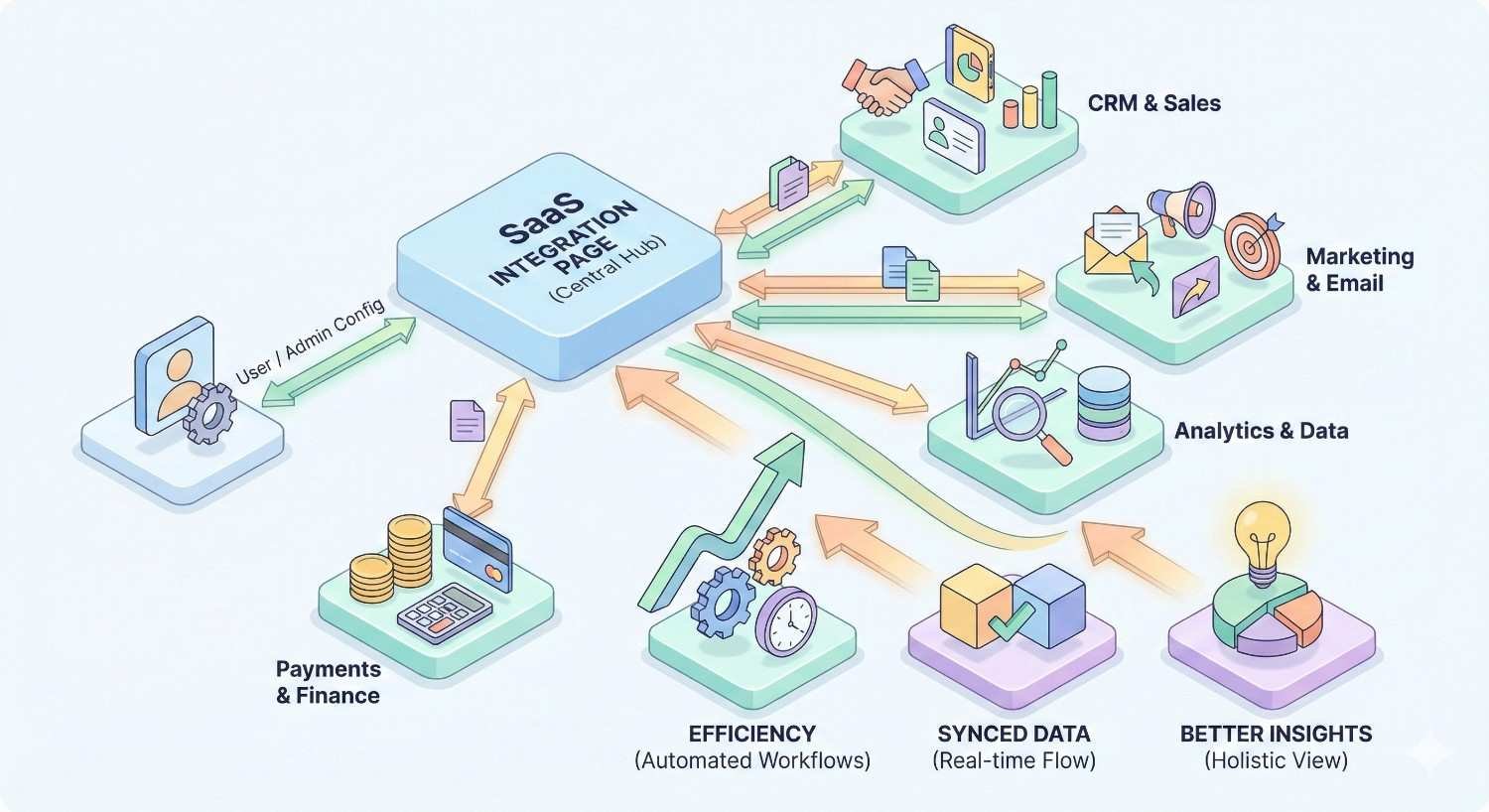
SaaS integration pages are dedicated landing pages that explain how your software connects with other tools in your users’ tech stack. Each page focuses on a specific integration partner, detailing the connection’s capabilities, benefits, and setup process.
The core purpose extends beyond documentation. These pages serve as targeted entry points for users searching for solutions to connect their existing tools. Someone searching “Slack Salesforce integration” has a specific problem and is actively seeking a solution. Your integration page positions your product as that solution.
Integration pages bridge the gap between product functionality and user discovery. They transform technical capabilities into searchable, findable content that attracts qualified prospects at the consideration stage of their buying journey.
Types of Integration Pages (Native, Third-Party, API, Marketplace)
Native integrations are built directly into your product. These pages describe first-party connections your engineering team developed and maintains. They typically offer the deepest functionality and most reliable performance, making them strong candidates for comprehensive SEO investment.
Third-party integrations connect through middleware platforms like Zapier, Make, or Workato. These pages target users searching for automation solutions between tools. The content focuses on workflow possibilities rather than direct technical connections.
API integrations serve developer audiences seeking programmatic connections. These pages require technical documentation alongside SEO-optimized content, balancing discoverability with implementation details.
Marketplace integrations exist within partner ecosystems like Salesforce AppExchange or HubSpot Marketplace. Your pages should complement marketplace listings while capturing search traffic that bypasses those platforms entirely.
Each integration type requires slightly different content approaches, but all share the same SEO fundamentals: clear value propositions, comprehensive coverage, and strategic keyword targeting.
How Integration Pages Differ from Standard Product Pages
Standard product pages describe what your software does. Integration pages describe what your software does with other software. This distinction fundamentally changes the content strategy.
Product pages target broad feature-based queries. Integration pages target specific tool-combination queries with inherently higher purchase intent. A user searching “project management software” is exploring options. A user searching “Asana Slack integration” has already chosen their tools and needs them connected.
The conversion path differs significantly. Product page visitors need education about your solution category. Integration page visitors need confirmation that your product solves their specific connection problem. This means integration pages can be shorter, more focused, and more directly conversion-oriented.
Integration pages also create natural internal linking opportunities. Each page connects to your main product pages, feature pages, and related integration pages, building topical authority across your entire site architecture.
Why SaaS Integration Pages Matter for SEO
High-Intent Commercial Search Traffic
Integration searches signal clear commercial intent. Users aren’t researching concepts; they’re solving immediate problems. They’ve already invested in specific tools and need those tools working together.
This intent translates directly to conversion rates. HubSpot’s research indicates that bottom-of-funnel content converts at 3-5x the rate of top-of-funnel educational content. Integration pages sit firmly at the bottom of the funnel.
The traffic quality compounds over time. Unlike trending topics that spike and fade, integration searches remain consistent as long as both tools maintain market presence. A well-optimized integration page can generate qualified leads for years without content refreshes beyond keeping technical details current.
Long-Tail Keyword Opportunities
Integration queries naturally form long-tail keyword patterns with lower competition and higher specificity. The query “CRM software” has massive competition. The query “Pipedrive Mailchimp integration” has a fraction of the competition with clearer intent.
These long-tail patterns multiply across your integration portfolio. If you support 50 integrations, you have 50 primary keyword targets plus hundreds of variations: “connect X to Y,” “sync X with Y,” “X Y automation,” and similar patterns.
The cumulative traffic from dozens of lower-volume, high-intent pages often exceeds what a single high-volume page could generate. More importantly, that traffic converts better because each visitor found exactly what they were searching for.
Competitive Differentiation in SERPs
Many SaaS companies neglect integration page SEO, creating opportunity gaps. Competitors may have integration pages, but those pages often lack optimization, comprehensive content, or strategic keyword targeting.
Ranking for integration queries positions your brand at the exact moment users are evaluating solutions. Even if a competitor offers the same integration, appearing first in search results captures the initial consideration.
Integration pages also enable competitive positioning. Your “Alternative to [Competitor] + [Tool] Integration” pages can capture users dissatisfied with existing solutions, turning competitor brand searches into your qualified leads.
Conversion-Ready Landing Pages
Integration pages function as landing pages by design. Visitors arrive with specific problems and expect specific solutions. The page structure naturally guides them toward conversion actions: starting a free trial, requesting a demo, or exploring documentation.
The conversion optimization opportunities are substantial. Each integration page can feature partner-specific use cases, testimonials from users of both tools, and CTAs tailored to the integration’s primary audience.
Unlike generic landing pages requiring extensive A/B testing to find messaging that resonates, integration pages have built-in relevance. The visitor searched for this exact combination. Your job is confirming you deliver it and making the next step obvious.
Keyword Research for Integration Pages
Integration-Specific Query Patterns
Integration searches follow predictable patterns that inform your keyword strategy. Understanding these patterns ensures comprehensive coverage across how users actually search.
[Tool A] + [Tool B] Integration represents the most common pattern. Users combine both tool names with “integration” as the connector. Variations include “[Tool A] [Tool B] integration,” “[Tool A] and [Tool B] integration,” and “[Tool A] to [Tool B] integration.”
Connect [Tool A] to [Tool B] captures action-oriented searches. Users searching this pattern want instructions or confirmation that connection is possible. Related variations include “link [Tool A] to [Tool B],” “integrate [Tool A] with [Tool B],” and “add [Tool A] to [Tool B].”
[Tool A] [Tool B] Sync/Automation targets users seeking specific functionality. “Sync” implies data synchronization between tools. “Automation” implies workflow triggers and actions. These modifiers indicate more sophisticated users with clearer requirements.
Additional patterns worth targeting include “[Tool A] [Tool B] connector,” “[Tool A] for [Tool B],” and “[Tool A] [Tool B] API.” Each pattern may have lower individual volume but collectively represents significant search demand.
Mapping Keywords to Integration Partners
Not all integrations deserve equal SEO investment. Mapping keywords to partners requires analyzing search volume, competition, and strategic value for each potential integration page.
Start by listing all current and planned integrations. For each, research the primary keyword pattern “[Your Tool] [Partner Tool] integration” using tools like Ahrefs, Semrush, or Google Keyword Planner.
Categorize integrations into tiers based on search volume and strategic importance. Tier 1 integrations have meaningful search volume and align with your ideal customer profile. Tier 2 integrations have moderate volume or secondary strategic value. Tier 3 integrations have minimal search volume but may warrant pages for completeness.
Consider partner tool popularity and market position. Integrations with market leaders like Salesforce, HubSpot, or Slack typically have higher search volumes than integrations with niche tools. However, niche tool integrations may have less competition and higher conversion rates from highly qualified visitors.
Search Volume vs. Conversion Intent Analysis
Raw search volume misleads integration page prioritization. A query with 500 monthly searches and 5% conversion rate delivers more value than a query with 2,000 monthly searches and 0.5% conversion rate.
Evaluate conversion intent through query specificity. Broad queries like “CRM integrations” indicate early-stage research. Specific queries like “Salesforce HubSpot two-way sync” indicate users ready to implement solutions.
Analyze the SERP composition for intent signals. If results include comparison articles and “best of” lists, the query has informational intent. If results show product pages and documentation, the query has transactional intent. Prioritize queries where product pages rank, indicating Google recognizes commercial intent.
Consider your sales data when available. Which integrations do customers mention during sales calls? Which integrations appear in won deal notes? These signals indicate real-world demand that may not fully appear in keyword research tools.
Competitor Integration Keyword Gap Analysis
Competitor analysis reveals integration opportunities you may have overlooked. Examine which integration pages competitors have created and how those pages perform in search.
Use SEO tools to identify competitor pages ranking for integration keywords. Note which integrations they’ve prioritized, how they’ve structured content, and which keywords they’re capturing that you’re missing.
Look for gaps in competitor coverage. If competitors haven’t created pages for specific integrations you support, those represent low-competition opportunities. If competitors have pages but they’re thin or poorly optimized, you can capture rankings with superior content.
Analyze competitor page performance over time. Pages gaining rankings indicate growing search demand. Pages losing rankings may signal content quality issues you can exploit or declining interest in that integration.
On-Page SEO for SaaS Integration Pages
Title Tag and Meta Description Optimization
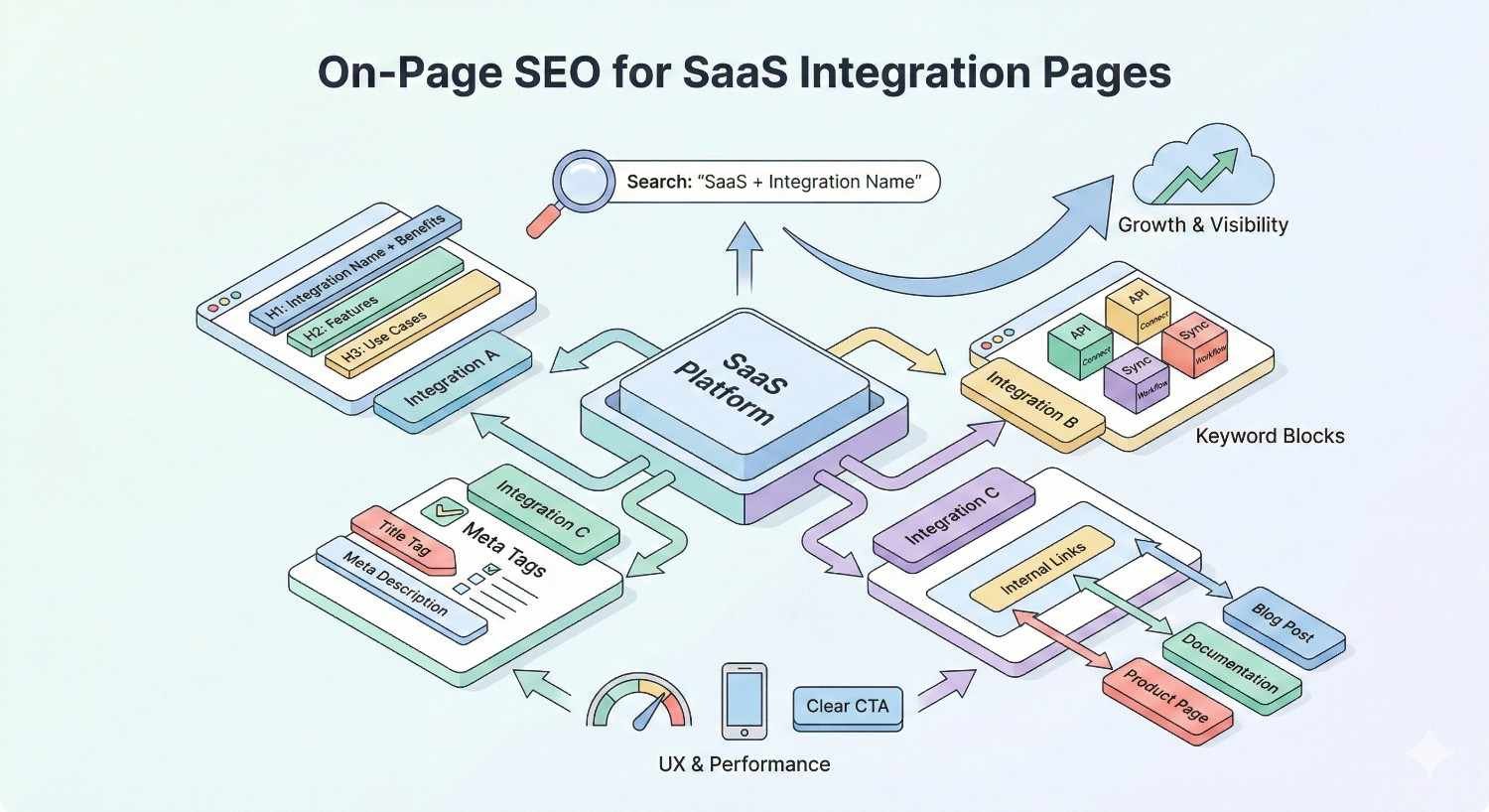
Title tags for integration pages should follow a consistent, keyword-forward pattern. Place the integration name at the beginning where it carries the most weight.
Effective title tag formula: [Your Tool] + [Partner Tool] Integration | [Benefit or Feature]
Examples:
- “Slack + Asana Integration | Automate Task Updates”
- “HubSpot Salesforce Integration | Two-Way CRM Sync”
- “Zapier Notion Integration | Connect 5,000+ Apps”
Keep titles under 60 characters to prevent truncation in search results. Front-load the most important keywords since truncated titles still display the beginning.
Meta descriptions should expand on the title’s promise while including a clear call to action. Describe the integration’s primary benefit, mention key features, and invite clicks with action language.
Meta description formula: [What the integration does] + [Key benefit] + [CTA]
Example: “Connect Slack and Asana to automatically create tasks from messages. Sync projects, update statuses, and keep teams aligned. Start your free trial today.”
URL Structure Best Practices
URL structure for integration pages should be clean, descriptive, and consistent across your integration directory.
Recommended URL patterns:
- /integrations/[partner-name]/
- /integrations/[partner-name]-integration/
- /connect/[partner-name]/
Avoid complex URL structures with unnecessary parameters, session IDs, or category hierarchies that add length without value. Keep URLs under 75 characters when possible.
Use lowercase letters and hyphens to separate words. Avoid underscores, spaces, or special characters that can cause indexing issues or display problems.
Maintain consistency across all integration pages. If your Slack integration lives at /integrations/slack/, your Salesforce integration should follow the same pattern at /integrations/salesforce/.
Header Hierarchy and Content Structure
Proper header hierarchy helps search engines understand content organization and helps users scan for relevant information.
H1 should match or closely reflect the title tag, clearly stating the integration. Use only one H1 per page.
H2s divide the page into major sections: Overview, Features, Use Cases, Setup, and similar logical groupings. Each H2 should be scannable and descriptive.
H3s break down H2 sections into specific details. Under a “Features” H2, H3s might cover individual features like “Two-Way Data Sync,” “Automated Workflows,” and “Custom Field Mapping.”
Avoid skipping header levels. Don’t jump from H2 to H4 without an H3 between them. This confuses both search engines and screen readers.
Include keywords naturally in headers without forcing awkward phrasing. “How to Connect Slack and Asana” reads better than “Slack Asana Integration Connection How-To Guide.”
Schema Markup for Integration Pages
Schema markup helps search engines understand your content’s context and can enable rich results that improve click-through rates.
SoftwareApplication Schema identifies your product as software and can include details like operating system, application category, and offers. Apply this to your main product but reference it from integration pages.
json
Copy
{
“@type”: “SoftwareApplication”,
“name”: “Your Product Name”,
“applicationCategory”: “BusinessApplication”,
“operatingSystem”: “Web”,
“offers”: {
“@type”: “Offer”,
“price”: “0”,
“priceCurrency”: “USD”
}
}
HowTo Schema applies when your integration page includes setup instructions. This can generate step-by-step rich results showing users exactly how to complete the integration.
json
Copy
{
“@type”: “HowTo”,
“name”: “How to Connect [Tool A] and [Tool B]”,
“step”: [
{
“@type”: “HowToStep”,
“name”: “Step 1”,
“text”: “Navigate to Settings > Integrations”
}
]
}
FAQ Schema enables FAQ rich results when your page includes question-and-answer content. This can significantly increase SERP real estate and click-through rates.
Implement schema using JSON-LD format in the page’s head section. Validate markup using Google’s Rich Results Test before deployment.
Internal Linking Strategy
Integration pages should connect strategically to other pages on your site, distributing link equity and guiding users through related content.
Link each integration page to your main integrations directory or marketplace page. This establishes clear site hierarchy and helps search engines understand the relationship between pages.
Cross-link related integrations. If users interested in your Slack integration might also want your Microsoft Teams integration, link between those pages. Group integrations by category (CRM, Marketing, Communication) and link within categories.
Link to relevant feature pages when integration capabilities connect to specific product features. If your Salesforce integration enables custom field mapping, link to your custom fields feature page.
Include contextual links within body content, not just navigation menus. A sentence like “Learn more about our automation capabilities” with a link to your automation feature page provides context and value.
Content Strategy for Integration Pages
Essential Content Elements
Every integration page needs specific content elements to satisfy user intent and support SEO performance.
Integration Overview and Benefits opens the page with a clear explanation of what the integration does and why it matters. Lead with the primary benefit, not technical specifications. Users want to know how this integration improves their workflow before learning how it works.
Use Cases and Workflows demonstrate practical applications. Describe specific scenarios where the integration adds value. “When a new lead enters Salesforce, automatically create a task in Asana for your sales team to follow up within 24 hours.” Concrete examples help users envision the integration in their own context.
Setup Instructions and Documentation provide the technical details users need to implement the integration. Include step-by-step instructions with screenshots where helpful. Link to more detailed documentation for complex configurations.
Feature Comparison Tables clarify what’s included at different pricing tiers or compare your integration’s capabilities against alternatives. Tables are scannable, help users make decisions, and can appear in featured snippets.
Scalable Content Templates
With dozens or hundreds of potential integration pages, templates ensure consistency and efficiency without sacrificing quality.
Create a master template with required sections, placeholder content, and formatting guidelines. Each section should have clear instructions for what information to include and how to present it.
Template sections might include:
- Hero section with integration logo, headline, and primary CTA
- Overview paragraph (50-100 words)
- Key features list (3-5 bullet points)
- Use cases section (2-3 detailed scenarios)
- Setup instructions (numbered steps)
- FAQ section (3-5 common questions)
- Related integrations links
Build flexibility into templates. Some integrations warrant deeper coverage than others. Templates should accommodate both comprehensive pages for high-priority integrations and streamlined pages for lower-priority ones.
Establish a content creation workflow. Define who gathers technical information, who writes content, who reviews for accuracy, and who publishes. Clear ownership prevents integration pages from stalling in production.
Unique Value Proposition per Integration
Template efficiency shouldn’t produce identical pages with swapped partner names. Each integration page needs unique value that justifies its existence to both users and search engines.
Identify what makes each integration specifically valuable. The Slack integration might excel at real-time notifications. The Salesforce integration might offer the deepest data synchronization. Highlight these distinctions prominently.
Gather integration-specific testimonials or case studies when possible. A quote from a customer using that specific integration adds authenticity and unique content that competitors can’t replicate.
Address integration-specific questions and concerns. Users considering your HubSpot integration have different questions than users considering your Mailchimp integration. Anticipate and answer those specific questions.
Visual Content (Screenshots, Diagrams, Videos)
Visual content improves engagement, aids comprehension, and provides additional optimization opportunities through image alt text and video transcripts.
Screenshots show the integration in action. Capture the connection process, the settings interface, and the results of successful integration. Annotate screenshots to highlight important elements.
Diagrams illustrate data flow and workflow logic. A simple diagram showing “When X happens in Tool A, Y happens in Tool B” communicates complex automations quickly.
Videos demonstrate setup processes and showcase integration capabilities. Even short videos (1-2 minutes) can significantly improve page engagement and time on site. Include transcripts for accessibility and additional keyword coverage.
Optimize all visual content. Use descriptive file names (slack-asana-integration-setup.png, not IMG_12345.png). Write alt text that describes the image content and includes relevant keywords naturally.
Technical SEO Considerations
Managing Large-Scale Integration Directories
SaaS companies with extensive integration ecosystems face unique technical SEO challenges. Managing hundreds of integration pages requires systematic approaches to maintain quality and performance.
Implement a clear information architecture. Group integrations by category, use case, or popularity. Create category pages that link to individual integration pages, establishing topical clusters that reinforce relevance.
Use consistent URL patterns and naming conventions across all integration pages. Inconsistency creates confusion for both users and search engines.
Establish governance processes for page creation, updates, and deprecation. When integrations are discontinued, implement proper redirects rather than leaving broken pages or 404 errors.
Monitor index coverage through Google Search Console. Large integration directories can experience crawling issues if pages are too similar, too thin, or blocked by technical errors.
Pagination and Crawl Budget Optimization
Integration directories often require pagination to display all available integrations. Proper pagination implementation ensures search engines can discover and index all pages.
Use rel=”next” and rel=”prev” link elements to indicate pagination relationships. While Google has stated these aren’t required, they remain helpful for other search engines and provide clear signals about page relationships.
Implement self-referencing canonical tags on each paginated page. This prevents duplicate content issues while allowing each page to be indexed independently.
Consider load-more or infinite scroll implementations carefully. These can create crawlability issues if not implemented with proper fallbacks. Ensure all integration pages are accessible through standard HTML links, not just JavaScript-loaded content.
For very large directories, prioritize crawl budget toward high-value pages. Use internal linking to signal importance, and consider noindexing low-value category or filter pages that don’t warrant individual rankings.
Duplicate Content Prevention
Integration pages risk duplicate content issues when templates produce pages that are too similar. Search engines may struggle to differentiate pages or may consolidate rankings to a single page.
Ensure each integration page has substantial unique content. The overview, use cases, and setup instructions should be specific to that integration, not generic text with partner names swapped.
Implement canonical tags correctly. Each integration page should have a self-referencing canonical pointing to its own URL. Don’t canonical integration pages to a main integrations page unless you intentionally want to consolidate.
Avoid creating separate pages for minor variations. If your Slack integration works the same way for Slack Free and Slack Pro, one page covers both. Don’t create separate pages that would contain nearly identical content.
Monitor for unintentional duplication through site audits. Tools like Screaming Frog can identify pages with high content similarity that may need differentiation.
Page Speed and Core Web Vitals
Integration pages must meet Core Web Vitals thresholds to maintain competitive rankings. Slow pages frustrate users and signal poor quality to search engines.
Largest Contentful Paint (LCP) should occur within 2.5 seconds. Optimize hero images, defer non-critical JavaScript, and ensure server response times are fast.
First Input Delay (FID) should be under 100 milliseconds. Minimize JavaScript execution time and break up long tasks that block the main thread.
Cumulative Layout Shift (CLS) should be under 0.1. Reserve space for images and embeds, avoid inserting content above existing content, and use transform animations instead of layout-triggering properties.
Integration pages often include partner logos, screenshots, and embedded content that can impact performance. Lazy load images below the fold, use appropriate image formats (WebP where supported), and size images correctly for their display dimensions.
Mobile Optimization
Mobile optimization is non-negotiable. Google’s mobile-first indexing means your mobile experience determines your rankings, regardless of desktop quality.
Ensure integration pages render correctly on mobile devices. Test across multiple screen sizes and devices, not just responsive design breakpoints.
Make CTAs easily tappable with adequate size and spacing. Buttons should be at least 48×48 pixels with sufficient margin to prevent accidental taps.
Simplify navigation for mobile users. Integration directories with complex filtering may need mobile-specific interfaces that prioritize usability over feature parity with desktop.
Check mobile page speed separately from desktop. Mobile connections are often slower, and mobile devices have less processing power. What loads quickly on desktop may struggle on mobile.
Link Building for Integration Pages
Partner Co-Marketing Opportunities
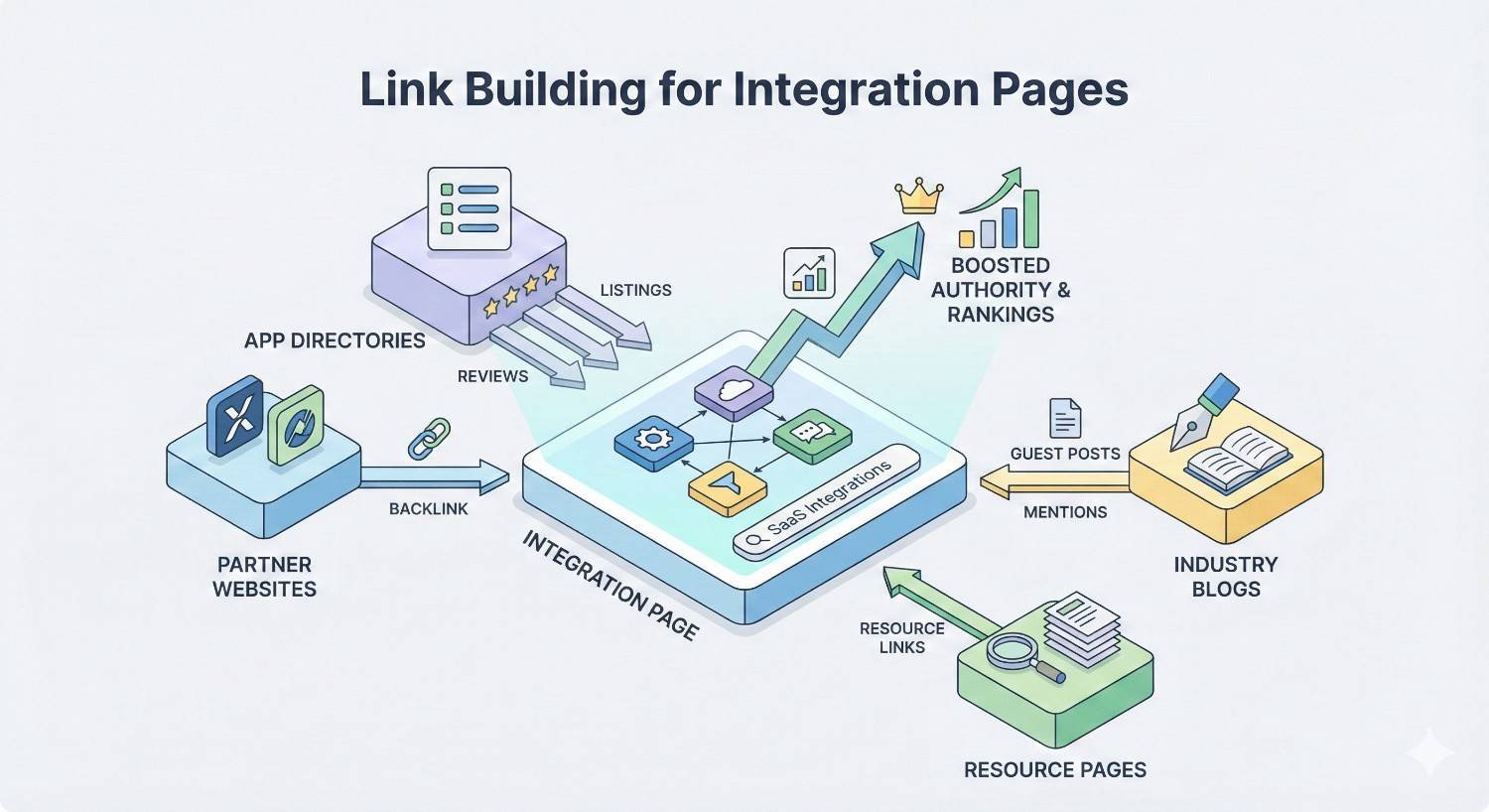
Integration partnerships create natural link building opportunities. Your integration partners have incentive to promote the connection, creating mutual benefit.
Request inclusion on partner integration directories. Most SaaS companies maintain lists of their integrations with links to partner pages. Ensure your integration is listed with a link to your integration page, not just your homepage.
Propose co-marketing content. Joint blog posts, webinars, or case studies featuring the integration can generate links from partner domains while providing valuable content for both audiences.
Coordinate launch announcements. When new integrations launch, both companies can publish announcements linking to each other’s integration pages. This creates natural, relevant backlinks from topically related domains.
Explore co-branded landing pages. Some partnerships warrant dedicated co-branded pages hosted on both domains, creating reciprocal linking opportunities with clear user value.
Integration Directory Submissions
Third-party integration directories aggregate software connections across the ecosystem. Listing your integrations in these directories generates relevant backlinks and referral traffic.
Key directories to consider:
- Zapier’s app directory
- Make (formerly Integromat) app listings
- Product Hunt integrations
- G2 integration listings
- Capterra integration features
Each directory has submission requirements and review processes. Prepare consistent information about your integrations, including descriptions, logos, and feature lists that can be adapted for each platform.
Monitor directory listings for accuracy. Outdated information or broken links reflect poorly on your brand and waste link equity from these authoritative domains.
Guest Content on Partner Blogs
Partner blogs offer guest posting opportunities with built-in relevance. Content about your integration naturally fits their audience and editorial focus.
Propose content that provides value to the partner’s audience, not just promotion for your product. “5 Ways to Automate Your [Partner Tool] Workflow” with your integration as one solution performs better than “Why You Should Use [Your Tool] with [Partner Tool].”
Include contextual links to your integration page within the content. These editorial links from relevant domains carry significant SEO value.
Offer reciprocal opportunities. Invite partners to contribute content to your blog, building relationships that support ongoing link building and co-marketing efforts.
Digital PR for New Integration Launches
New integration launches create newsworthy moments that can generate press coverage and backlinks from industry publications.
Develop press releases for significant integration launches. Focus on the user benefit and market impact, not just the technical connection. “Company X Now Enables Y for Z Users” frames the story around value.
Pitch integration news to relevant industry publications. SaaS-focused outlets, vertical industry publications, and technology news sites may cover significant integrations, especially those connecting popular tools.
Leverage social proof in PR efforts. If the integration resulted from customer demand or enables notable use cases, include those details to make the story more compelling.
Time announcements strategically. Coordinate with partners for maximum impact, and avoid launching during major industry events or news cycles that might overshadow your announcement.
How Long Does It Take for Integration Pages to Rank?
Factors Affecting Ranking Timeline
Integration page ranking timelines depend on multiple factors, making universal predictions impossible. Understanding these factors helps set realistic expectations.
Domain authority significantly impacts ranking speed. Sites with established authority and strong backlink profiles see new pages indexed and ranked faster than newer domains. A page on a DR 70 domain may rank within weeks, while the same page on a DR 20 domain may take months.
Keyword competition determines how much authority and optimization you need to rank. Low-competition integration queries (niche tool combinations) rank faster than high-competition queries (major platform integrations).
Content quality relative to existing results affects ranking potential. If your integration page is substantially better than current rankings, you may rank faster. If existing results are comprehensive and well-optimized, displacing them takes longer.
Technical SEO foundation enables or inhibits ranking. Sites with crawling issues, slow page speeds, or indexing problems will see delayed rankings regardless of content quality.
Realistic Expectations by Domain Authority
Domain authority provides a rough framework for ranking timeline expectations, though individual results vary.
High authority domains (DR 50+): Integration pages targeting low-to-medium competition keywords may see initial rankings within 4-8 weeks. Competitive keywords may take 3-6 months to reach page one.
Medium authority domains (DR 30-50): Expect 2-4 months for low-competition keywords and 6-12 months for competitive terms. Building supporting content and links accelerates timelines.
Lower authority domains (DR under 30): Focus on low-competition, long-tail integration keywords first. Expect 4-6 months minimum for initial rankings, with competitive terms potentially taking 12+ months.
These timelines assume proper optimization and no technical issues. Poorly optimized pages or sites with SEO problems will see extended timelines regardless of domain authority.
Accelerating Results with Strategic Prioritization
Strategic prioritization can compress ranking timelines by focusing resources on highest-opportunity pages.
Prioritize low-competition keywords first. Quick wins build momentum, generate traffic, and provide data for optimization. Success with easier keywords builds authority that helps harder keywords rank faster.
Invest in link building for priority pages. Internal links from high-authority pages on your site and external links from partners and directories accelerate ranking for specific integration pages.
Optimize existing pages before creating new ones. If you have integration pages that rank on page two or three, improving those pages often yields faster results than creating new pages from scratch.
Monitor and iterate based on data. Use Google Search Console to identify pages gaining impressions but lacking clicks (title/description issues) or pages with clicks but poor rankings (content/authority issues). Address specific problems rather than applying generic improvements.
Measuring Integration Page SEO Performance
Key Metrics and KPIs
Effective measurement connects SEO activities to business outcomes. Track metrics at multiple levels to understand full performance.
Organic Traffic by Integration Page measures raw visibility success. Monitor traffic trends over time, comparing month-over-month and year-over-year to account for seasonality. Segment by integration to identify top performers and underperformers.
Keyword Rankings and Visibility track search position for target keywords. Monitor primary keywords (integration name combinations) and secondary keywords (related queries). Track ranking distribution across page one, page two, and beyond.
Conversion Rate and Lead Attribution connect traffic to business value. Track form submissions, trial signups, or demo requests originating from integration pages. Calculate conversion rates by page to identify high-converting integrations worth additional investment.
Engagement Metrics indicate content quality and user satisfaction. Monitor bounce rate, time on page, and pages per session. High bounce rates may indicate content mismatch with search intent. Low time on page may suggest thin content.
Tools for Tracking Performance
Multiple tools provide complementary data for comprehensive performance tracking.
Google Search Console offers authoritative data on impressions, clicks, click-through rates, and average positions. Filter by page to analyze individual integration page performance. Monitor index coverage for crawling or indexing issues.
Google Analytics 4 tracks user behavior after arrival. Set up conversion tracking for key actions, create segments for integration page traffic, and analyze user paths through your site.
SEO platforms (Ahrefs, Semrush, Moz) provide keyword tracking, competitive analysis, and backlink monitoring. Track target keywords across integration pages and monitor competitor movements.
Heatmap and session recording tools (Hotjar, Microsoft Clarity) reveal how users interact with integration pages. Identify content sections users engage with or skip, and optimize based on actual behavior.
Reporting and Iteration Framework
Regular reporting drives continuous improvement. Establish reporting cadences and frameworks that surface actionable insights.
Weekly monitoring catches issues quickly. Check for ranking drops, traffic anomalies, or technical errors that need immediate attention.
Monthly reporting tracks progress against goals. Compare current performance to previous periods, analyze trends, and identify pages needing optimization.
Quarterly reviews assess strategy effectiveness. Evaluate which integration pages drive the most value, identify gaps in coverage, and adjust priorities for the coming quarter.
Structure reports around questions stakeholders care about: How much traffic are integration pages generating? Which integrations drive the most conversions? Where are the biggest opportunities for improvement?
Use data to prioritize optimization efforts. Pages with high impressions but low clicks need title and description improvements. Pages with traffic but low conversions need content or CTA optimization. Pages with no visibility need technical fixes or link building.
Common Mistakes to Avoid
Thin or Duplicate Content Across Integrations
The most common integration page mistake is creating pages that are too similar. When dozens of pages share the same template with only partner names changed, search engines may view them as duplicate content.
Each integration page needs substantial unique content. The overview should describe that specific integration’s capabilities. Use cases should reflect how users actually combine those specific tools. Setup instructions should address that integration’s particular configuration.
Audit existing integration pages for similarity. Tools can identify pages with high content overlap. Pages exceeding 70-80% similarity likely need differentiation.
If an integration genuinely doesn’t warrant unique content, consider whether it needs a dedicated page. Some integrations may be better served by listing pages or documentation rather than SEO-focused landing pages.
Ignoring Low-Volume, High-Intent Keywords
Dismissing keywords with low search volume misses significant opportunities. Integration keywords often have lower volume than broader terms but dramatically higher conversion rates.
A keyword with 50 monthly searches and 10% conversion rate generates 5 conversions monthly. A keyword with 1,000 monthly searches and 0.5% conversion rate generates the same 5 conversions but requires far more traffic.
Evaluate keywords by potential value, not just volume. Consider the lifetime value of customers acquired through specific integrations. High-value customer segments may search low-volume, specific queries.
Build integration pages for strategic partners regardless of search volume. Some integrations matter for sales enablement, partner relationships, or product positioning even without significant organic search demand.
Poor Internal Linking Architecture
Integration pages often exist as isolated islands without proper internal linking. This wastes link equity and makes pages harder for search engines to discover and understand.
Every integration page should link to and from related pages. Link from your main integrations directory. Link between related integrations. Link to relevant feature pages. Link from blog posts mentioning specific integrations.
Audit internal links to integration pages. Identify pages with few or no internal links and add contextual links from relevant content.
Use descriptive anchor text for internal links. “Learn more about our Salesforce integration” provides more context than “click here” or “learn more.”
Neglecting Page Updates After Integration Changes
Integration pages require maintenance. When integrations change, pages with outdated information damage user trust and may rank for queries they no longer satisfy.
Establish processes for updating integration pages when features change. Product and engineering teams should notify content teams of integration updates.
Schedule regular audits of integration page accuracy. Quarterly reviews can catch outdated information before it causes problems.
Monitor user feedback and support tickets related to integration pages. Users encountering outdated instructions will complain, providing signals that pages need updates.
Remove or redirect pages for discontinued integrations. Leaving pages for integrations that no longer exist frustrates users and wastes crawl budget.
SaaS Integration Page SEO Checklist
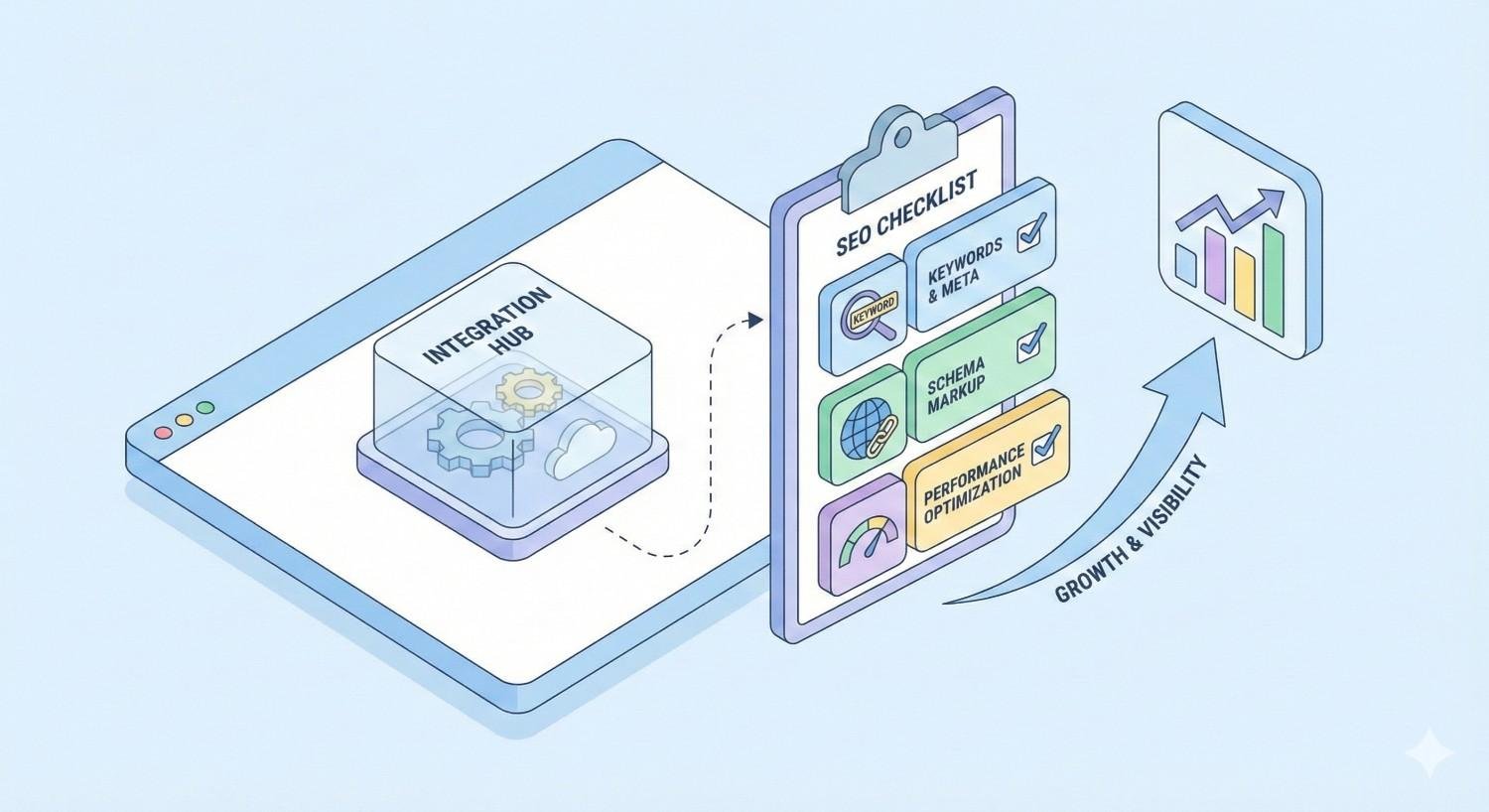
Use this checklist to ensure each integration page meets optimization standards.
Keyword Research
- Primary keyword identified ([Your Tool] + [Partner Tool] integration)
- Secondary keywords mapped (connect, sync, automation variations)
- Search volume and competition analyzed
- Competitor pages reviewed for gaps
On-Page Optimization
- Title tag optimized (under 60 characters, keyword-forward)
- Meta description written (under 160 characters, includes CTA)
- URL follows consistent pattern (clean, descriptive)
- H1 matches title tag intent
- Header hierarchy logical (H2s, H3s properly nested)
- Primary keyword in first paragraph
- Semantic variations used throughout content
Content Quality
- Integration overview explains value clearly
- Use cases demonstrate practical applications
- Setup instructions are accurate and complete
- Content is unique (not duplicated from other integration pages)
- Visual content included (screenshots, diagrams)
- FAQ section addresses common questions
Technical SEO
- Page loads under 3 seconds
- Core Web Vitals pass
- Mobile experience optimized
- Schema markup implemented (SoftwareApplication, HowTo, FAQ)
- Canonical tag self-references
- No crawl or index errors
Internal Linking
- Linked from integrations directory
- Linked from related integration pages
- Linked from relevant feature pages
- Linked from blog content where appropriate
- Links to related integrations included
Conversion Optimization
- Primary CTA visible above fold
- Secondary CTAs throughout content
- Value proposition clear
- Trust signals present (testimonials, partner logos)
Conclusion
SaaS integration pages represent a strategic SEO opportunity that most companies underutilize. These pages capture high-intent traffic from users actively seeking to connect their tools, creating natural conversion opportunities that compound over time.
Success requires treating integration pages as a systematic program rather than an afterthought. Keyword research identifies opportunities. On-page optimization ensures discoverability. Quality content satisfies user intent. Technical excellence supports performance. Measurement connects effort to outcomes.
We help SaaS companies build and scale integration page programs that drive sustainable organic growth. White Label SEO Service provides the technical SEO foundation, content strategy, and ongoing optimization needed to capture integration search traffic and convert it into qualified leads. Contact us to discuss how integration page SEO fits your growth strategy.
Frequently Asked Questions
What is a SaaS integration page?
A SaaS integration page is a dedicated landing page explaining how your software connects with another tool. These pages describe the integration’s capabilities, benefits, use cases, and setup process, serving as both documentation and SEO-optimized entry points for users searching for specific tool combinations.
How do I optimize integration pages for SEO?
Optimize integration pages by targeting specific keyword patterns like “[Tool A] [Tool B] integration,” creating unique content for each integration, implementing proper schema markup, building internal links between related pages, and ensuring technical excellence with fast load times and mobile optimization.
How many integration pages should I create?
Create pages for every integration that has meaningful search demand or strategic value. Prioritize integrations with popular partner tools first, then expand to lower-volume integrations. Quality matters more than quantity; thin pages for every possible integration hurt more than they help.
Should I create pages for integrations with low search volume?
Yes, when the integration has strategic value or high conversion potential. Low-volume keywords often have less competition and higher intent. A page generating 20 highly qualified visits monthly may outperform a page generating 500 casual visitors.
How do I avoid duplicate content on integration pages?
Ensure each integration page has substantial unique content including specific overviews, tailored use cases, and accurate setup instructions. Avoid using identical template text with only partner names changed. Audit pages for similarity and differentiate those exceeding 70-80% content overlap.
What schema markup should I use for integration pages?
Implement SoftwareApplication schema to identify your product, HowTo schema for setup instructions that may generate step-by-step rich results, and FAQ schema for question-and-answer sections. Use JSON-LD format and validate with Google’s Rich Results Test.
How long does it take for integration pages to rank?
Ranking timelines depend on domain authority, keyword competition, and content quality. High-authority sites may see rankings within 4-8 weeks for low-competition keywords. Lower-authority sites should expect 4-6 months minimum. Competitive keywords take longer regardless of domain strength.


