

SaaS template and tool pages are standalone web assets that deliver immediate, practical value to users while capturing high-intent organic traffic. These pages function as lead generation engines, ranking for tool-based queries like “ROI calculator” or “invoice template” that signal clear user needs.
This strategy works because it aligns perfectly with how search engines reward utility. When users find genuine value, they stay longer, share more, and convert at higher rates.
This guide covers everything from building your first tool page to scaling a complete template library strategy that compounds organic growth over time.
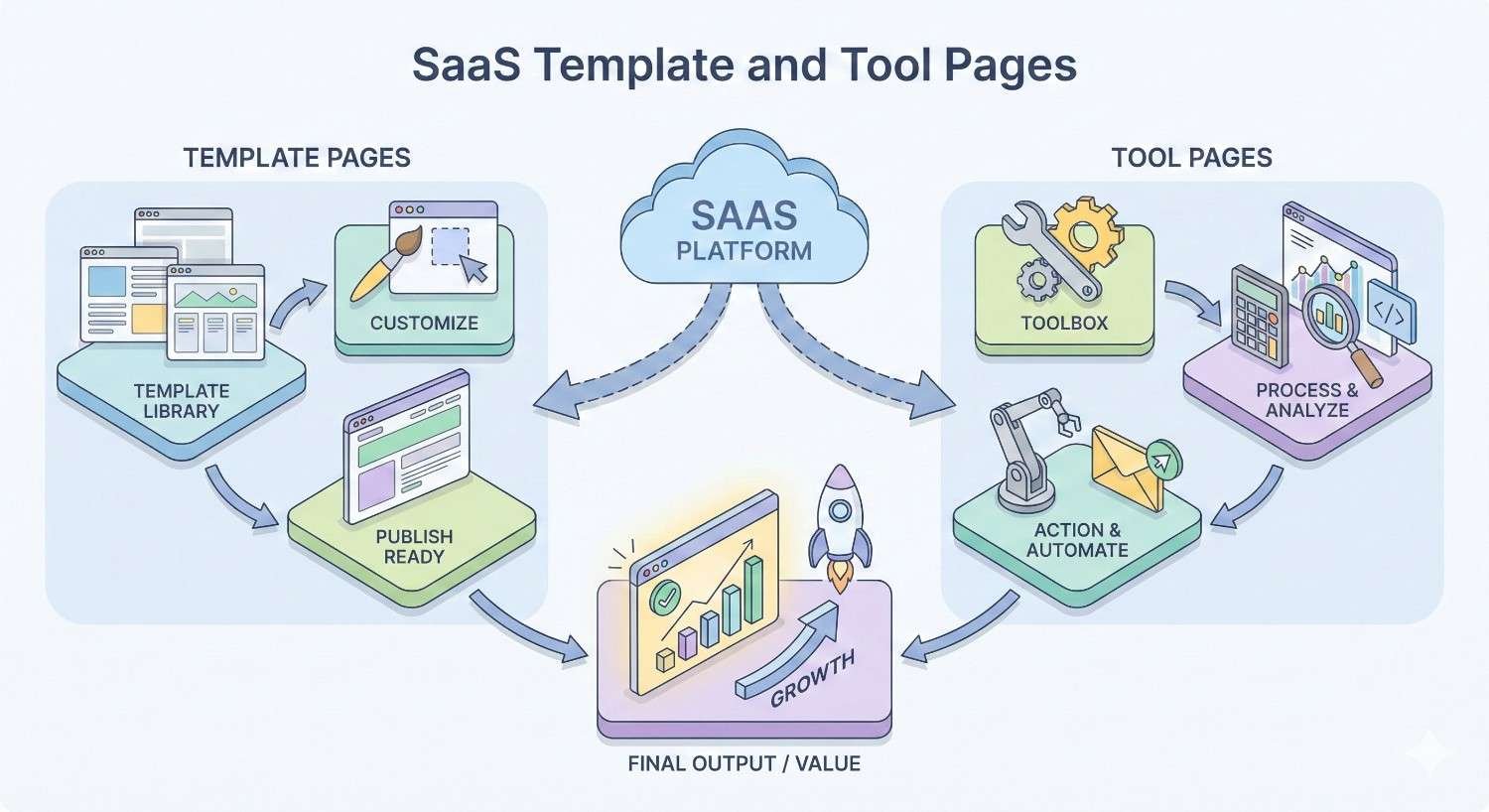
What Are SaaS Template & Tool Pages?
SaaS template and tool pages represent a distinct category of web content designed to provide standalone utility. Unlike traditional marketing pages that describe features, these pages let users accomplish something immediately.
Definition and Core Purpose
A SaaS template or tool page is a dedicated URL that offers a free, functional resource related to your product’s core value proposition. The purpose is threefold: attract organic traffic through utility-focused keywords, demonstrate product capabilities without requiring signup, and capture leads through value exchange.
These pages answer specific user queries with actionable solutions. A project management SaaS might offer a free Gantt chart template. An accounting platform might provide a profit margin calculator. The common thread is immediate, tangible value.
How They Differ from Standard Landing Pages
Standard landing pages focus on conversion through persuasion. They describe benefits, showcase testimonials, and push visitors toward signup forms. Tool pages flip this model entirely.
Tool pages lead with utility. The conversion happens after value delivery, not before. This fundamental difference changes user psychology. Visitors arrive with a specific task in mind, accomplish that task, and then consider whether the full product might help them further.
The SEO implications are significant. Landing pages typically target branded or bottom-funnel keywords with high competition. Tool pages target mid-funnel, utility-focused queries with clearer intent and often lower competition.
Role in the SaaS Customer Journey
Tool pages serve as top-of-funnel entry points that feel like mid-funnel experiences. Users discover your brand while solving an immediate problem, creating positive first impressions that traditional awareness content cannot match.
In the customer journey, these pages bridge the gap between “I have a problem” and “I need a solution.” A marketing manager searching for “email subject line tester” isn’t ready to buy email software. But after using your free tool successfully, they’ve experienced your brand’s value firsthand.
This positions tool pages as relationship starters rather than transaction closers. They build trust through demonstrated competence, making subsequent conversion conversations significantly easier.
Types of SaaS Template & Tool Pages
Different tool page formats serve different strategic purposes. Understanding these categories helps you prioritize based on your product, audience, and competitive landscape.
Free Tool Pages (Calculators, Generators, Analyzers)
Calculator and generator pages rank among the most effective SaaS tool formats. They target explicit utility queries where users need a specific output.
Common examples include ROI calculators, pricing estimators, headline generators, and performance analyzers. These tools work because they solve discrete problems with clear inputs and outputs.
The SEO advantage comes from query specificity. Someone searching “compound interest calculator” has unmistakable intent. They need a calculator, they need it now, and they’ll use whichever one appears first and works well.
For SaaS companies, the key is connecting calculator topics to your product’s value proposition. A CRM platform might offer a “sales pipeline calculator” that naturally leads users toward pipeline management features.
Template Library Pages
Template libraries aggregate downloadable or copyable resources that users can customize for their own purposes. These pages target “template” keywords across virtually every business function.
Effective template libraries include document templates, spreadsheet frameworks, design assets, code snippets, and workflow blueprints. The format works particularly well for products with broad use cases.
From an SEO perspective, template libraries enable massive keyword coverage through individual template pages. A single library might target hundreds of long-tail variations like “marketing budget template,” “project timeline template,” and “employee onboarding checklist template.”
Interactive Demo Pages
Interactive demos let users experience product functionality without creating accounts. These pages blur the line between tool and product trial, offering genuine utility while showcasing capabilities.
Unlike static demos or video walkthroughs, interactive demos respond to user input. They might let visitors build a sample dashboard, configure a workflow, or test an integration. The experience feels like using the actual product.
These pages target queries like “how to [task]” where your product provides the solution. They capture users at the moment of need and demonstrate exactly how your software addresses that need.
Resource Hub Pages
Resource hubs aggregate multiple tools, templates, and educational content around a central theme. They function as comprehensive destinations for specific topics or user personas.
A resource hub might combine calculators, templates, guides, and case studies all focused on a single challenge like “startup financial planning” or “content marketing operations.” This consolidation creates topical authority signals that individual pages cannot achieve alone.
For SEO, resource hubs serve as pillar pages that support clusters of related content. They attract links naturally because they offer comprehensive value that’s worth referencing.
Comparison and Alternative Pages
Comparison pages help users evaluate options, including your product against competitors. While not tools in the traditional sense, they provide utility by simplifying decision-making.
These pages target high-intent queries like “[competitor] alternatives” or “[product A] vs [product B].” Users searching these terms are actively evaluating solutions, making them valuable traffic sources despite their competitive nature.
The key to effective comparison pages is genuine helpfulness. Acknowledge competitor strengths, be honest about your own limitations, and focus on helping users make the right choice for their situation.
Why SaaS Template & Tool Pages Drive Organic Growth
Tool pages outperform traditional content marketing for several interconnected reasons. Understanding these dynamics helps you build a more effective strategy.
Search Intent Alignment and Keyword Targeting
Tool pages match search intent with unusual precision. When someone searches “invoice generator,” they want to generate an invoice. A tool page that generates invoices satisfies that intent completely.
This alignment creates strong ranking signals. Users find what they need, engage deeply with the page, and leave satisfied. Search engines recognize this pattern and reward it with improved rankings.
The keyword landscape for tool queries also tends to be more favorable than informational content. While “what is invoicing” might have massive competition from educational content, “free invoice generator” often has clearer paths to ranking.
Natural Link Acquisition and Authority Building
Tool pages attract backlinks organically because they provide reference-worthy utility. Bloggers, journalists, and content creators link to useful tools as resources for their audiences.
This link acquisition happens without outreach in many cases. A well-designed calculator or template library becomes a go-to resource that people naturally cite. According to Ahrefs research, free tool pages earn backlinks at rates significantly higher than standard blog content.
These links build domain authority over time, improving rankings across your entire site. A single successful tool page can elevate your overall SEO performance.
User Engagement Signals and Dwell Time
Tool pages generate exceptional engagement metrics. Users spend time inputting data, reviewing outputs, and exploring functionality. This extended interaction sends positive signals to search engines.
Bounce rates on effective tool pages tend to be lower than blog content because users have specific tasks to complete. They don’t just scan and leave. They engage, accomplish something, and often explore further.
These behavioral signals contribute to ranking performance. Pages that consistently satisfy users tend to maintain and improve their positions over time.
Lead Generation and Conversion Pathways
Beyond SEO benefits, tool pages convert visitors into leads at impressive rates. Users who receive value are more willing to provide email addresses or create accounts.
The conversion psychology differs from traditional lead magnets. Instead of promising future value in exchange for contact information, tool pages deliver value first. The email capture becomes a natural next step rather than a barrier.
This approach generates higher-quality leads. Users who’ve experienced your tool understand what you offer. They’re not just downloading something to see what happens. They’ve already validated that your approach works for them.
Key Elements of High-Performing SaaS Tool Pages
Successful tool pages share common characteristics that drive both SEO performance and user satisfaction.
Value Proposition and Immediate Utility
The best tool pages deliver value within seconds of arrival. Users should understand what the tool does and how to use it without extensive explanation.
This means leading with the tool itself, not marketing copy. The interface should be visible above the fold, with clear input fields and obvious action buttons. Any explanation should be concise and positioned to support usage rather than delay it.
The value proposition should be specific and measurable. “Save 2 hours on invoice creation” beats “Simplify your invoicing process.” Users respond to concrete benefits they can visualize.
User Interface and Experience Design
Tool page UX directly impacts both engagement metrics and conversion rates. Confusing interfaces drive users away, regardless of how useful the underlying functionality might be.
Effective tool interfaces prioritize clarity over comprehensiveness. Start with essential inputs and reveal advanced options progressively. Use familiar patterns that users recognize from other tools they’ve used.
Mobile optimization is non-negotiable. Many tool queries happen on mobile devices, and a tool that doesn’t work on phones loses significant traffic potential.
Technical SEO Foundations
Tool pages require solid technical SEO to rank effectively. This includes proper indexation, fast load times, and clean URL structures.
JavaScript-heavy tools present particular challenges. Search engines have improved at rendering JavaScript, but static HTML content still performs more reliably. Consider server-side rendering or hybrid approaches for critical content.
Page speed matters especially for tool pages. Users expect tools to respond instantly. Slow-loading calculators or generators frustrate users and hurt rankings.
Content Structure and On-Page Optimization
While the tool itself is primary, supporting content improves SEO performance. This includes explanatory text, usage instructions, and related information that helps search engines understand the page’s purpose.
Structure this content logically with proper heading hierarchy. Include the target keyword naturally in the H1, early body content, and throughout supporting sections. Add related terms and semantic variations without forcing them.
Consider what questions users might have before, during, and after using the tool. Address these questions in supporting content to capture additional long-tail traffic.
Trust Signals and Social Proof
Trust elements encourage both usage and conversion. Users need confidence that your tool will work correctly and that their data is safe.
Include usage statistics when impressive. “Used by 50,000 marketers” or “Generated 1 million invoices” builds credibility. Display recognizable customer logos if you have permission.
Security indicators matter for tools that handle sensitive information. SSL certificates, privacy policy links, and data handling explanations reduce friction for cautious users.
How to Build SaaS Template & Tool Pages for SEO
Building effective tool pages requires systematic planning across research, development, and optimization phases.
Keyword Research for Tool-Based Queries
Start by identifying tool-related keywords in your product’s domain. Look for queries containing terms like “calculator,” “generator,” “template,” “tool,” “checker,” “analyzer,” and “maker.”
Use keyword research tools to find volume and competition data. Prioritize keywords with clear utility intent and reasonable competition levels. A keyword with 1,000 monthly searches and low competition often outperforms one with 10,000 searches and extreme competition.
Map keywords to potential tool concepts. Each keyword should connect to a specific utility you can realistically build. Avoid targeting keywords where you can’t deliver genuine value.
Competitive Analysis and Gap Identification
Analyze existing tools ranking for your target keywords. Identify what they do well and where they fall short. Look for opportunities to differentiate through better functionality, design, or supporting content.
Pay attention to user reviews and complaints about competing tools. These reveal unmet needs you can address. A calculator that’s “too complicated” suggests opportunity for a simpler alternative.
Evaluate competitor backlink profiles to understand what makes tools link-worthy. Tools with strong link profiles often share characteristics you can replicate and improve upon.
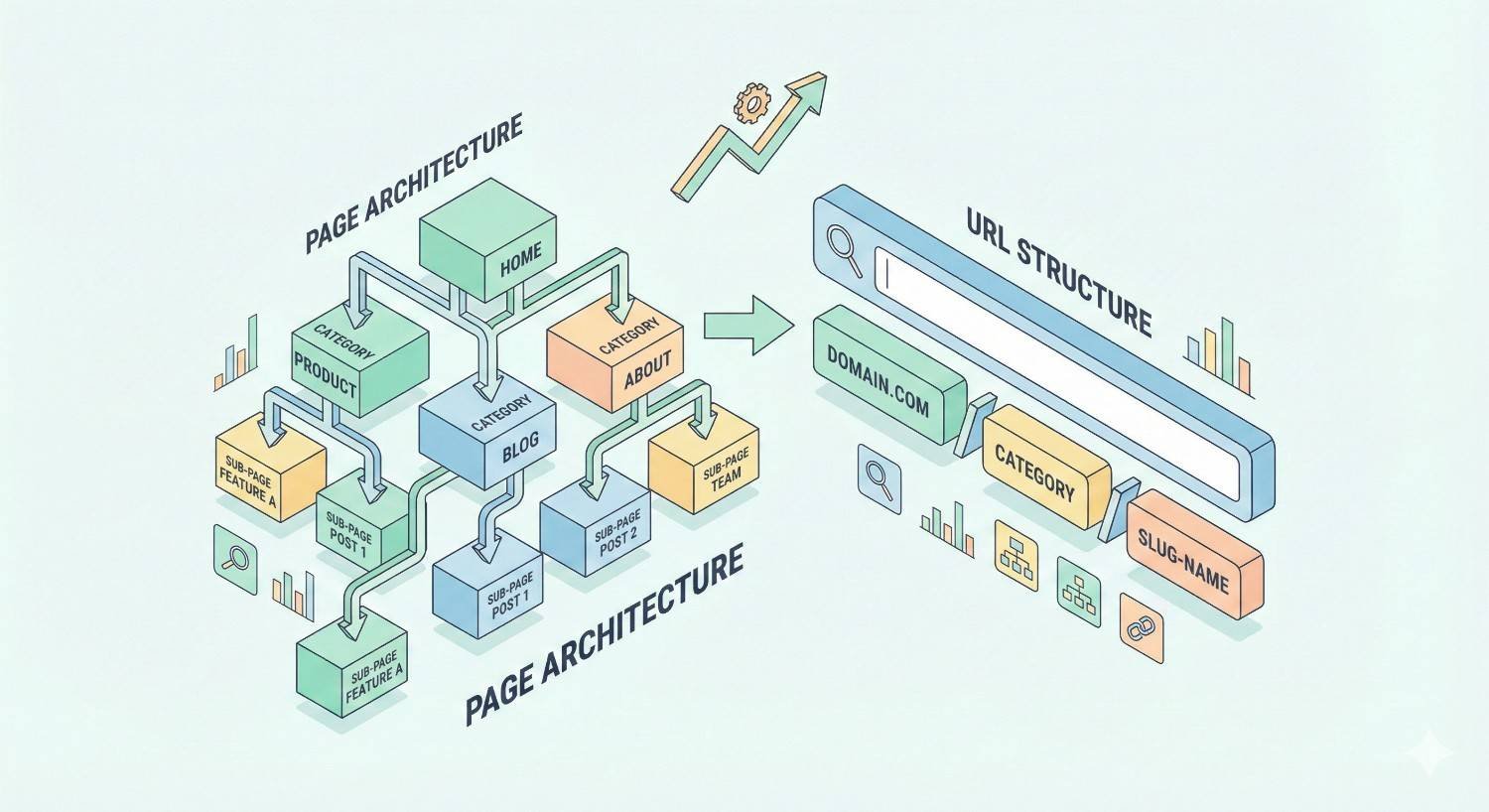
Page Architecture and URL Structure
Plan URL structures that support both individual tool pages and broader organizational schemes. Consider whether tools will live in a dedicated subdirectory (/tools/), subdomain (tools.domain.com), or integrated throughout your site.
Each approach has tradeoffs. Subdirectories keep link equity consolidated on your main domain. Subdomains can provide technical flexibility but may dilute authority signals.
Create logical URL patterns that scale. If you plan to build multiple calculators, establish a consistent structure like /tools/calculators/[specific-calculator]/ from the start.
Content Development and Copywriting
Write supporting content that enhances rather than distracts from tool functionality. Lead with the tool, then provide context for users who want it.
Include sections explaining what the tool does, how to use it, and why the results matter. Add educational content about the underlying concepts for users seeking deeper understanding.
Optimize copy for featured snippets and AI overviews. Structure explanations as clear definitions and step-by-step processes that search engines can extract and display.
Technical Implementation Best Practices
Build tools with performance as a primary consideration. Minimize dependencies, optimize assets, and test load times across devices and connection speeds.
Implement proper schema markup to help search engines understand your tool’s purpose. Use appropriate structured data types for calculators, FAQs, and how-to content.
Ensure tools work without JavaScript where possible, or implement server-side rendering for critical content. Test how search engines see your pages using tools like Google Search Console’s URL inspection.
Internal Linking Strategy
Connect tool pages to relevant content throughout your site. Link from blog posts that discuss related topics. Include tools in resource sections and navigation menus.
Create logical pathways between related tools. A user finishing with your ROI calculator might benefit from your pricing template. Make these connections obvious.
Use descriptive anchor text that includes target keywords naturally. Avoid generic phrases like “click here” in favor of specific descriptions like “use our free ROI calculator.”
Measuring Success: KPIs and Performance Tracking
Effective measurement requires tracking metrics across traffic, engagement, and conversion dimensions.
Organic Traffic and Ranking Metrics
Monitor organic traffic to tool pages through Google Analytics and Search Console. Track impressions, clicks, and average position for target keywords.
Set up position tracking for priority keywords to monitor ranking changes over time. Look for patterns connecting ranking improvements to specific optimizations or content updates.
Segment traffic by device, location, and query type to understand how different audiences find and use your tools.
Engagement Metrics (Time on Page, Bounce Rate)
Track time on page as an indicator of tool usage depth. Longer sessions typically indicate users are engaging with functionality rather than bouncing immediately.
Interpret bounce rate carefully for tool pages. A user who completes their task and leaves satisfied might technically bounce, but that’s a success. Consider implementing scroll depth and interaction tracking for more nuanced engagement data.
Monitor return visitor rates. Tools that users bookmark and revisit regularly indicate strong utility and brand affinity.
Conversion Metrics (Signups, MQLs, SQLs)
Define clear conversion events for each tool page. This might include email signups, account creations, or specific feature interactions.
Track conversion rates by traffic source to understand which channels deliver the most valuable visitors. Organic traffic from tool queries often converts differently than paid or social traffic.
Connect tool page conversions to downstream metrics like MQL and SQL generation. Understand how tool page leads progress through your funnel compared to other acquisition channels.
Backlink Acquisition and Domain Authority Impact
Monitor new backlinks to tool pages using tools like Ahrefs, Moz, or Semrush. Track both quantity and quality of linking domains.
Measure domain authority changes over time and correlate with tool page link acquisition. Successful tool pages often drive measurable authority improvements.
Analyze which tools attract the most links and why. Use these insights to inform future tool development priorities.
Common Mistakes to Avoid with SaaS Tool Pages
Understanding common pitfalls helps you build more effective tool pages from the start.
Prioritizing Design Over Functionality
Beautiful tools that don’t work well fail to achieve their purpose. Users care about results first, aesthetics second.
This doesn’t mean design doesn’t matter. It means functionality must come first. A simple, reliable calculator outperforms a gorgeous one that produces incorrect results.
Test tools thoroughly before launch. Verify calculations, check edge cases, and ensure outputs make sense across various inputs.
Neglecting Mobile Optimization
Mobile traffic represents a significant portion of tool queries. Tools that don’t work on phones miss substantial opportunity.
Mobile optimization goes beyond responsive design. Consider how users interact with tools on small screens. Simplify inputs, enlarge touch targets, and ensure outputs display clearly.
Test on actual devices, not just browser emulators. Real-world mobile usage reveals issues that simulations miss.
Weak Calls-to-Action and Conversion Paths
Tool pages that deliver value but fail to capture leads waste acquisition potential. Every tool page needs clear, compelling next steps.
Position CTAs strategically. After users receive value is the optimal moment to request email addresses or suggest account creation. Don’t interrupt the tool experience with premature conversion attempts.
Make the value exchange clear. “Get your results emailed” or “Save your calculation to your account” explains what users receive in exchange for their information.
Ignoring Page Speed and Core Web Vitals
Slow tool pages frustrate users and hurt rankings. Core Web Vitals directly impact search performance, and tool pages often face particular challenges meeting these standards.
Optimize images, minimize JavaScript, and leverage caching. Test performance regularly using PageSpeed Insights and address issues promptly.
Consider lazy loading for below-fold content. Prioritize loading the tool interface quickly, even if supporting content takes slightly longer.
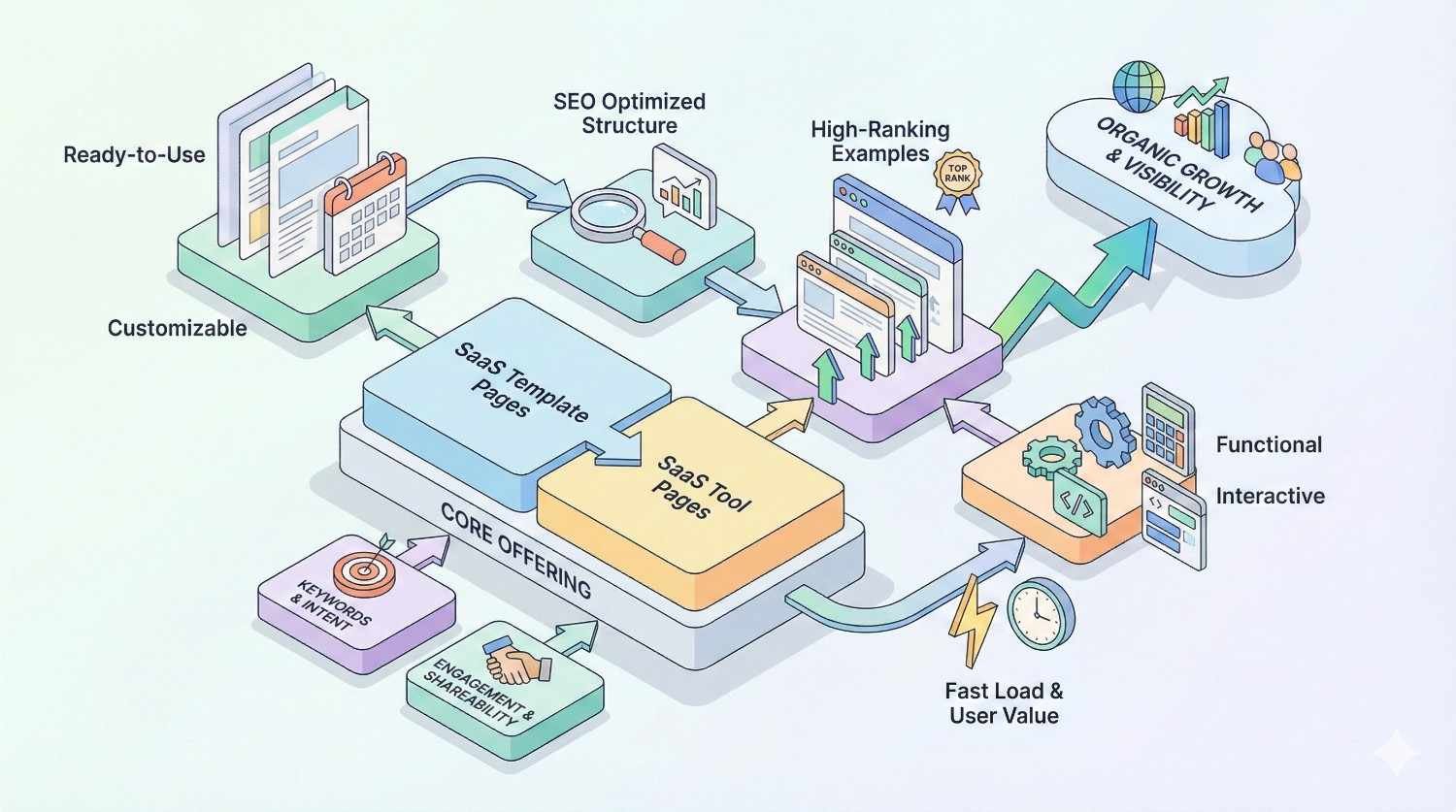
SaaS Template & Tool Page Examples That Rank
Studying successful implementations reveals patterns you can apply to your own strategy.
HubSpot’s Free Tools Strategy
HubSpot has built an extensive library of free tools that drive significant organic traffic. Their Website Grader, Email Signature Generator, and Blog Ideas Generator each target specific utility queries.
These tools succeed because they deliver genuine value without requiring HubSpot accounts. Users can complete their tasks freely, with account creation positioned as an enhancement rather than a requirement.
HubSpot’s tools also integrate naturally with their product ecosystem. The Website Grader identifies issues that HubSpot’s marketing platform can address, creating logical upgrade paths.
Ahrefs’ SEO Tool Pages
Ahrefs offers free versions of several core features as standalone tools. Their Backlink Checker, Keyword Generator, and Website Authority Checker attract users who might not be ready for paid subscriptions.
These tools demonstrate Ahrefs’ data quality and interface design. Users experience the product’s value proposition directly, making the case for paid plans through demonstration rather than description.
The SEO performance of these pages is notable. They rank for highly competitive tool queries, driving substantial traffic that feeds Ahrefs’ growth.
Canva’s Template Library Approach
Canva’s template library represents perhaps the most extensive example of template-based SEO. They offer templates for virtually every design need, each targeting specific long-tail keywords.
The scale is remarkable. Thousands of template pages target queries from “Instagram post template” to “business card template” to “resume template.” Each page serves a specific user need while introducing Canva’s design platform.
Canva’s success demonstrates the power of comprehensive coverage. By addressing every conceivable template need, they’ve built dominant positions across the entire category.
Key Takeaways from Top Performers
Successful tool pages share common characteristics. They deliver immediate value, require minimal friction to use, and connect naturally to paid products.
They also invest in quality. These aren’t minimum viable tools. They’re genuinely useful resources that compete with standalone products.
Finally, they think systematically. Individual tools support broader content strategies, with internal linking, related tools, and educational content creating comprehensive topic coverage.
How to Scale Your SaaS Tool Page Strategy
Moving from individual tools to a comprehensive strategy requires systematic planning and execution.
Building a Template Page Framework
Create reusable frameworks that accelerate tool page development. This includes design templates, content structures, and technical components that can be adapted for different tools.
Standardize elements like navigation, CTAs, and supporting content sections. Consistency improves user experience and reduces development time.
Document your framework so team members can contribute without reinventing approaches. Clear guidelines enable scaling without sacrificing quality.
Prioritizing Tools by Search Demand
Not all tool opportunities are equal. Prioritize based on search volume, competition, and strategic alignment with your product.
Create a scoring system that weighs these factors. A tool with moderate volume but low competition and strong product alignment might outrank a high-volume, high-competition option.
Consider development complexity in prioritization. Quick wins that can launch in weeks often outperform ambitious projects that take months.
Resource Allocation and Timeline Planning
Tool page development requires cross-functional resources. Plan for design, development, content, and SEO contributions.
Set realistic timelines based on tool complexity. Simple calculators might take weeks. Complex interactive tools might take months. Account for testing and iteration time.
Budget for ongoing maintenance. Tools require updates as underlying data changes, user feedback accumulates, and competitive landscapes evolve.
Ongoing Optimization and Iteration
Launch is the beginning, not the end. Monitor performance and iterate based on data.
A/B test different approaches to CTAs, content structure, and tool interfaces. Small improvements compound over time.
Refresh content regularly to maintain relevance. Update statistics, add new features, and address user feedback. Search engines favor actively maintained content.
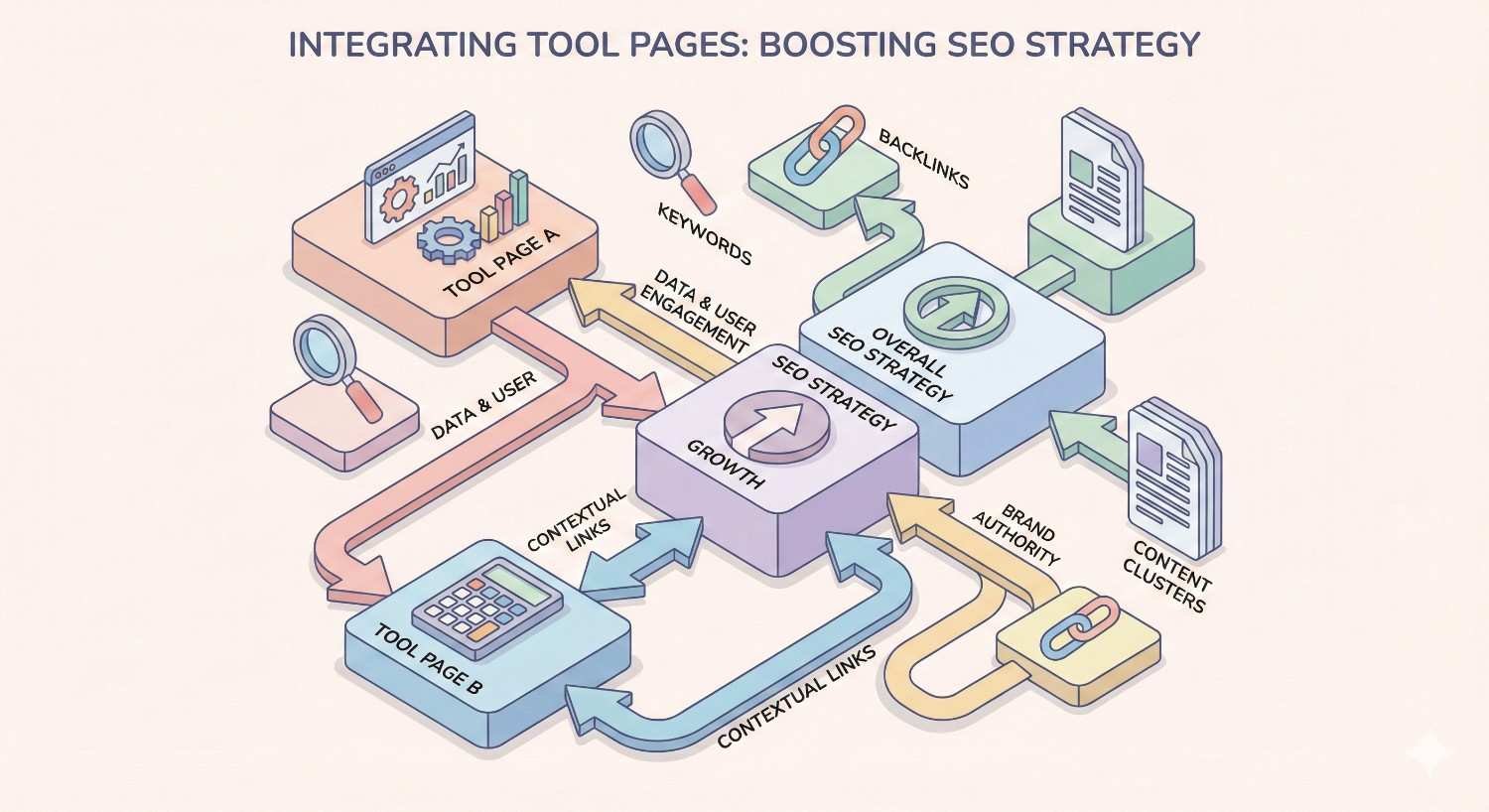
Integrating Tool Pages into Your Overall SEO Strategy
Tool pages work best as part of comprehensive SEO strategies, not isolated tactics.
Aligning with Content Marketing Goals
Connect tool pages to broader content themes. Tools should support and be supported by blog content, guides, and other resources.
Use tools as content upgrades within blog posts. A post about financial planning can link to your budgeting calculator. This creates value for readers while driving tool page traffic.
Plan content calendars that coordinate tool launches with related content. Simultaneous publication of a tool and supporting content maximizes initial impact.
Supporting Product-Led Growth (PLG)
Tool pages align naturally with product-led growth strategies. They let users experience value before committing, reducing friction in the acquisition process.
Design tools that showcase your product’s unique capabilities. The tool experience should make users curious about what the full product can do.
Create clear upgrade paths from free tools to paid features. Users who’ve succeeded with your free calculator are primed to explore your complete platform.
Long-Term Authority Building
Tool pages contribute to topical authority that benefits your entire domain. Comprehensive tool coverage signals expertise to search engines.
Think in terms of topic clusters. A suite of related tools, supported by educational content and connected through internal links, builds stronger authority than isolated pages.
Invest in tools that will remain relevant long-term. Evergreen utility creates compounding returns as pages accumulate links and authority over time.
Conclusion
SaaS template and tool pages represent one of the most effective organic growth strategies available to software companies. They align user intent with genuine utility, creating positive experiences that drive traffic, links, and conversions simultaneously.
Success requires systematic execution across research, development, and optimization phases. The companies winning with this strategy invest in quality tools, measure performance rigorously, and iterate continuously based on data.
We help SaaS companies build and scale tool page strategies that drive sustainable organic growth. Contact White Label SEO Service to discuss how template and tool pages can accelerate your search visibility and lead generation.
Frequently Asked Questions
What is the best type of tool page for B2B SaaS?
Calculators that quantify business outcomes typically perform best for B2B SaaS. ROI calculators, cost estimators, and savings projections help buyers build internal business cases while demonstrating your product’s value proposition.
How do tool pages compare to blog content for SEO?
Tool pages often outperform blog content for link acquisition and conversion rates. They attract backlinks naturally because they provide reference-worthy utility. However, blog content remains valuable for covering informational queries and supporting tool pages with educational context.
Can tool pages work for early-stage startups?
Yes, tool pages can work exceptionally well for startups with limited resources. A single well-executed tool can drive significant traffic and establish brand awareness. Start with one high-potential tool rather than attempting to build a comprehensive library immediately.
How often should tool pages be updated?
Review tool pages quarterly at minimum. Update underlying data, refresh supporting content, and address user feedback. Tools that rely on external data sources may need more frequent updates to maintain accuracy.
What is the typical ROI timeline for tool pages?
Most tool pages begin showing meaningful organic traffic within three to six months of launch. Full ROI realization typically takes six to twelve months as pages accumulate links and authority. High-quality tools in less competitive niches may see faster results.
How much do SaaS tool pages cost to create?
Costs vary significantly based on complexity. Simple calculators might cost $2,000 to $5,000 for design and development. Complex interactive tools can exceed $20,000. Factor in ongoing maintenance costs of 10-20% annually.
What tools do I need to build these pages?
Essential tools include keyword research platforms like Ahrefs or Semrush for opportunity identification, analytics tools like Google Analytics and Search Console for performance tracking, and development resources appropriate to your tool’s complexity. Many simple tools can be built with no-code platforms.


