

Technical SEO determines whether search engines can find, understand, and rank your website. Without a solid technical foundation, even exceptional content remains invisible to Google and your potential customers. The good news: most technical SEO fundamentals are straightforward once you understand how search engines work.
This guide breaks down everything beginners need to know about technical SEO. You’ll learn how crawling and indexing function, which elements require immediate attention, and how to audit your site for common issues.
We’ll cover site speed optimization, mobile-first indexing, structured data implementation, and practical checklists you can apply today. Whether you handle SEO in-house or work with an agency, this knowledge helps you make informed decisions about your website’s search visibility.
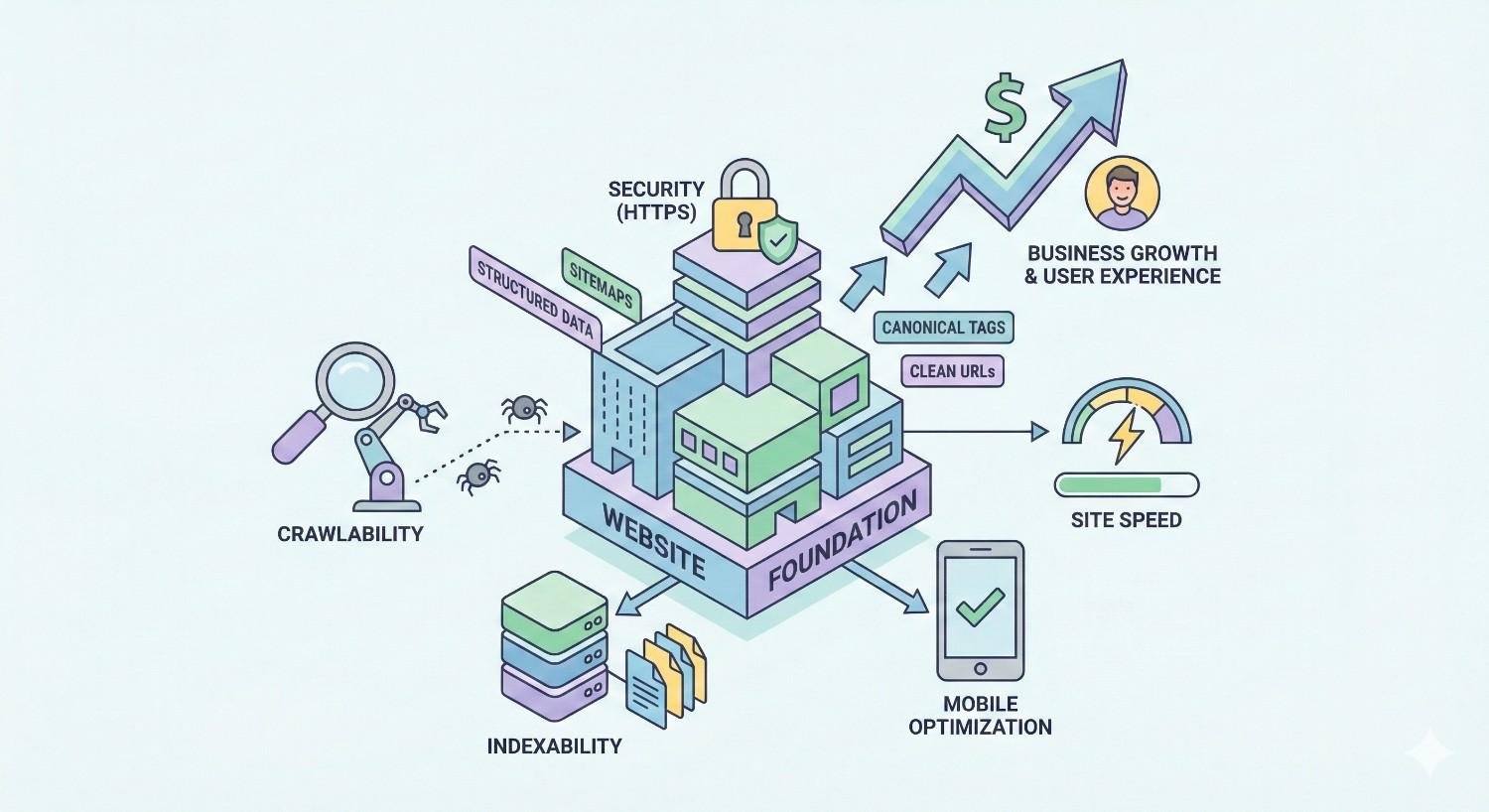
What Is Technical SEO? (And Why It Matters for Your Business)
Technical SEO encompasses all optimization work that helps search engines access, crawl, interpret, and index your website. Think of it as building the infrastructure that allows your content to be discovered. While content SEO focuses on what you publish and off-page SEO addresses external signals like backlinks, technical SEO ensures the foundation supports everything else.
Your website might have valuable content and strong backlinks. But if Googlebot cannot crawl your pages efficiently, encounters broken links, or struggles with slow load times, your rankings suffer. Technical SEO removes these barriers between your content and search engine visibility.
How Technical SEO Differs from Content SEO and Off-Page SEO
Content SEO involves keyword research, content creation, and on-page optimization like title tags and meta descriptions. You’re optimizing what users see and read. Off-page SEO builds authority through backlinks, brand mentions, and social signals from external sources.
Technical SEO operates behind the scenes. It addresses server configurations, site architecture, crawl efficiency, page speed, mobile responsiveness, and structured data. These elements don’t appear directly in your content but significantly impact how search engines process your site.
Consider this analogy: content SEO is the merchandise in your store, off-page SEO is your reputation in the community, and technical SEO is the building itself. Customers can’t browse your products if the doors won’t open or the lights don’t work.
The Business Impact of Technical SEO: Traffic, Rankings, and ROI
Technical SEO issues directly affect your bottom line. Slow page speeds increase bounce rates. Mobile usability problems frustrate users on smartphones. Crawl errors prevent pages from appearing in search results entirely.
Fixing technical issues often produces faster results than content or link building campaigns. When you resolve crawl errors blocking important pages, those pages can start ranking within days of Google’s next crawl. Improving Core Web Vitals can boost rankings for pages already performing reasonably well.
For businesses investing in content marketing and link building, technical SEO maximizes that investment. Every dollar spent on content creation delivers better returns when search engines can properly access and index that content.
How Search Engines Crawl, Index, and Rank Your Website
Understanding how Google discovers and processes your pages helps you identify where technical issues might occur. The process involves three distinct stages: crawling, indexing, and ranking. Problems at any stage can prevent your content from reaching searchers.
Crawling: How Search Bots Discover Your Pages
Googlebot and other search engine crawlers navigate the web by following links. They start from known pages and discover new content through internal links, external backlinks, and XML sitemaps. Each page they visit gets added to a queue for processing.
Crawl budget matters for larger websites. Google allocates limited resources to each domain based on site health and perceived importance. If crawlers waste time on low-value pages, duplicate content, or broken links, they may not reach your most important content.
Several factors affect crawl efficiency. Server response times determine how quickly Googlebot can request pages. Robots.txt files tell crawlers which areas to avoid. Internal linking structures guide crawlers toward priority content. Site architecture determines how many clicks separate important pages from your homepage.
Indexing: Getting Your Content into Google’s Database
After crawling a page, Google processes its content to understand what it covers. This involves parsing HTML, extracting text, identifying entities and topics, and evaluating quality signals. Pages that pass this evaluation get added to Google’s index.
Not every crawled page gets indexed. Google may skip pages with thin content, duplicate content, or quality issues. Pages blocked by noindex tags or canonical tags pointing elsewhere won’t enter the index. Server errors during crawling prevent indexing entirely.
You can check indexing status in Google Search Console. The Index Coverage report shows which pages are indexed, which are excluded, and why. This data helps identify technical issues preventing important pages from appearing in search results.
Ranking: What Determines Your Position in Search Results
Once indexed, pages compete for rankings based on hundreds of factors. Relevance to the search query matters most. Google evaluates how well your content matches user intent, considering keywords, entities, and topical depth.
Technical factors influence rankings directly and indirectly. Page speed affects user experience signals. Mobile-friendliness determines whether you rank in mobile search results. HTTPS provides a minor ranking boost. Structured data can earn rich snippets that improve click-through rates.
Authority signals from backlinks remain important. But technical issues can undermine authority by fragmenting link equity across duplicate URLs or blocking crawlers from discovering linked pages. Clean technical foundations ensure your authority signals reach Google effectively.
Essential Technical SEO Elements Every Website Needs
Certain technical elements form the baseline for search visibility. Missing or misconfigured elements create barriers that content quality alone cannot overcome. Address these fundamentals before investing heavily in content or link building.
Website Architecture and URL Structure
Site architecture determines how pages connect and how authority flows through your site. Flat architectures keep important pages within three clicks of the homepage. Deep hierarchies bury content where crawlers and users struggle to find it.
URL structure should be logical and descriptive. Include relevant keywords naturally. Use hyphens to separate words. Keep URLs reasonably short while maintaining clarity. Avoid parameters, session IDs, and unnecessary complexity when possible.
Consistent URL patterns help users and search engines understand your site organization. Category pages, product pages, and blog posts should follow predictable structures. This consistency supports both crawling efficiency and user navigation.
XML Sitemaps: Helping Search Engines Find Your Content
XML sitemaps list URLs you want search engines to crawl and index. They provide a roadmap supplementing your internal linking structure. For large sites or sites with complex architectures, sitemaps ensure important pages get discovered.
Submit your sitemap through Google Search Console and Bing Webmaster Tools. Include only canonical, indexable URLs. Update sitemaps when you add or remove content. For sites with thousands of pages, use sitemap index files to organize multiple sitemaps.
Sitemaps don’t guarantee indexing. They simply help crawlers find pages. If pages have quality issues or technical problems, they still won’t rank. Think of sitemaps as one tool among many for improving crawl efficiency.
Robots.txt: Controlling What Gets Crawled
The robots.txt file tells crawlers which parts of your site to access or avoid. It sits in your root directory and applies rules to different user agents. Proper configuration prevents crawlers from wasting resources on low-value pages.
Common robots.txt uses include blocking admin areas, staging environments, internal search results, and duplicate filtered views. Be careful not to block important content accidentally. A single misplaced directive can prevent entire sections from being crawled.
Robots.txt blocks crawling, not indexing. If external links point to blocked pages, Google may still index them based on anchor text and context. Use noindex tags when you need to prevent indexing specifically.
HTTPS and Website Security
HTTPS encrypts data between browsers and servers, protecting user information. Google confirmed HTTPS as a ranking signal in 2014. Today, browsers display security warnings for non-HTTPS sites, damaging user trust and engagement.
Migrating to HTTPS requires obtaining an SSL certificate, updating internal links, implementing redirects from HTTP versions, and updating canonical tags. Mistakes during migration can cause temporary ranking drops, so plan carefully and monitor closely.
Beyond rankings, HTTPS protects your users and your reputation. E-commerce sites handling payment information absolutely require encryption. Even informational sites benefit from the trust signals HTTPS provides.
Mobile-Friendliness and Responsive Design
Google uses mobile-first indexing, meaning the mobile version of your site determines rankings for both mobile and desktop searches. If your mobile experience is poor, rankings suffer across all devices.
Responsive design adapts layouts to different screen sizes using CSS media queries. This approach maintains a single URL for each page, simplifying crawling and consolidating link equity. Separate mobile sites (m.example.com) create additional complexity and potential issues.
Test mobile usability regularly. Check that text is readable without zooming, buttons are easily tappable, and content doesn’t require horizontal scrolling. Google Search Console’s Mobile Usability report identifies specific issues affecting your pages.
Page Speed and Core Web Vitals
Page speed affects both rankings and user experience. Slow pages frustrate visitors, increasing bounce rates and reducing conversions. Google’s Core Web Vitals measure specific aspects of loading performance, interactivity, and visual stability.
Core Web Vitals include Largest Contentful Paint (loading), Interaction to Next Paint (interactivity), and Cumulative Layout Shift (visual stability). These metrics appear in Google Search Console and influence rankings as part of the page experience signal.
Speed optimization involves multiple techniques: image compression, code minification, caching, CDN implementation, and server optimization. Prioritize improvements based on impact and feasibility. Even incremental gains compound into meaningful performance differences.
Technical SEO Audit: How to Identify Issues on Your Site
Regular audits reveal technical problems before they significantly impact rankings. Systematic analysis using the right tools helps prioritize fixes based on severity and potential impact. Establish audit routines to catch issues early.
Essential Tools for Technical SEO Analysis
Several tools provide the data needed for comprehensive technical audits. Free options from Google cover essential metrics. Paid tools offer deeper analysis and automation for larger sites.
Google Search Console
Google Search Console provides direct data from Google about your site’s search performance. The Index Coverage report shows indexing status and errors. The Core Web Vitals report tracks performance metrics. The Mobile Usability report identifies mobile-specific issues.
Use Search Console to submit sitemaps, request indexing for new pages, and monitor for manual actions or security issues. The Performance report shows which queries drive traffic and which pages rank. This data guides both technical and content optimization.
Screaming Frog SEO Spider
Screaming Frog crawls your site like a search engine, identifying technical issues at scale. The free version handles up to 500 URLs. Paid versions remove limits and add advanced features like JavaScript rendering and custom extraction.
Use Screaming Frog to find broken links, redirect chains, duplicate content, missing meta tags, and page speed issues. Export data for analysis in spreadsheets. Schedule regular crawls to track changes over time.
PageSpeed Insights and Lighthouse
PageSpeed Insights analyzes individual URLs for performance issues, providing both lab data and field data from real users. Lighthouse, available in Chrome DevTools, offers similar analysis plus accessibility and SEO audits.
These tools identify specific opportunities like unoptimized images, render-blocking resources, and unused code. Recommendations include estimated impact, helping prioritize fixes. Run tests on key page templates to identify site-wide patterns.
Common Technical SEO Issues to Look For
Certain problems appear frequently across websites. Knowing what to look for helps focus audit efforts on high-impact issues.
Crawl Errors and Broken Links
Broken links waste crawl budget and frustrate users. Internal broken links prevent authority from flowing to target pages. External broken links damage user experience and may signal neglected content.
Check server logs and crawl reports for 404 errors. Fix broken internal links by updating URLs or implementing redirects. For external links, either update to working URLs or remove the links entirely.
Duplicate Content and Canonicalization
Duplicate content confuses search engines about which version to index and rank. Common causes include www vs. non-www versions, HTTP vs. HTTPS, trailing slashes, URL parameters, and printer-friendly pages.
Implement canonical tags to specify preferred versions. Use 301 redirects to consolidate duplicate URLs. Configure URL parameters in Google Search Console. Ensure your CMS doesn’t generate unnecessary duplicate pages.
Missing or Poorly Optimized Meta Tags
Title tags and meta descriptions influence click-through rates from search results. Missing titles default to page content, often producing poor results. Duplicate titles across pages create confusion about page purposes.
Audit all pages for unique, descriptive title tags under 60 characters. Write compelling meta descriptions under 160 characters that include relevant keywords and calls to action. While meta descriptions don’t directly affect rankings, they impact clicks.
Slow Page Load Times
Slow pages hurt rankings and conversions. Identify the slowest pages and diagnose causes. Common culprits include unoptimized images, excessive JavaScript, poor server response times, and lack of caching.
Prioritize fixes for high-traffic pages and key conversion pages. Even small improvements on important pages deliver meaningful business impact. Track Core Web Vitals over time to measure progress.
How to Prioritize Technical SEO Fixes
Not all technical issues deserve equal attention. Prioritize based on impact, affected pages, and implementation difficulty.
High-priority issues include anything blocking crawling or indexing of important pages, severe mobile usability problems, and security vulnerabilities. These require immediate attention regardless of implementation complexity.
Medium-priority issues affect rankings or user experience but don’t completely block visibility. Examples include slow page speeds, suboptimal internal linking, and missing structured data. Address these systematically based on available resources.
Low-priority issues have minimal impact or affect few pages. Cosmetic URL improvements, minor redirect chains, and edge-case duplicate content fall here. Fix these opportunistically or during larger site updates.
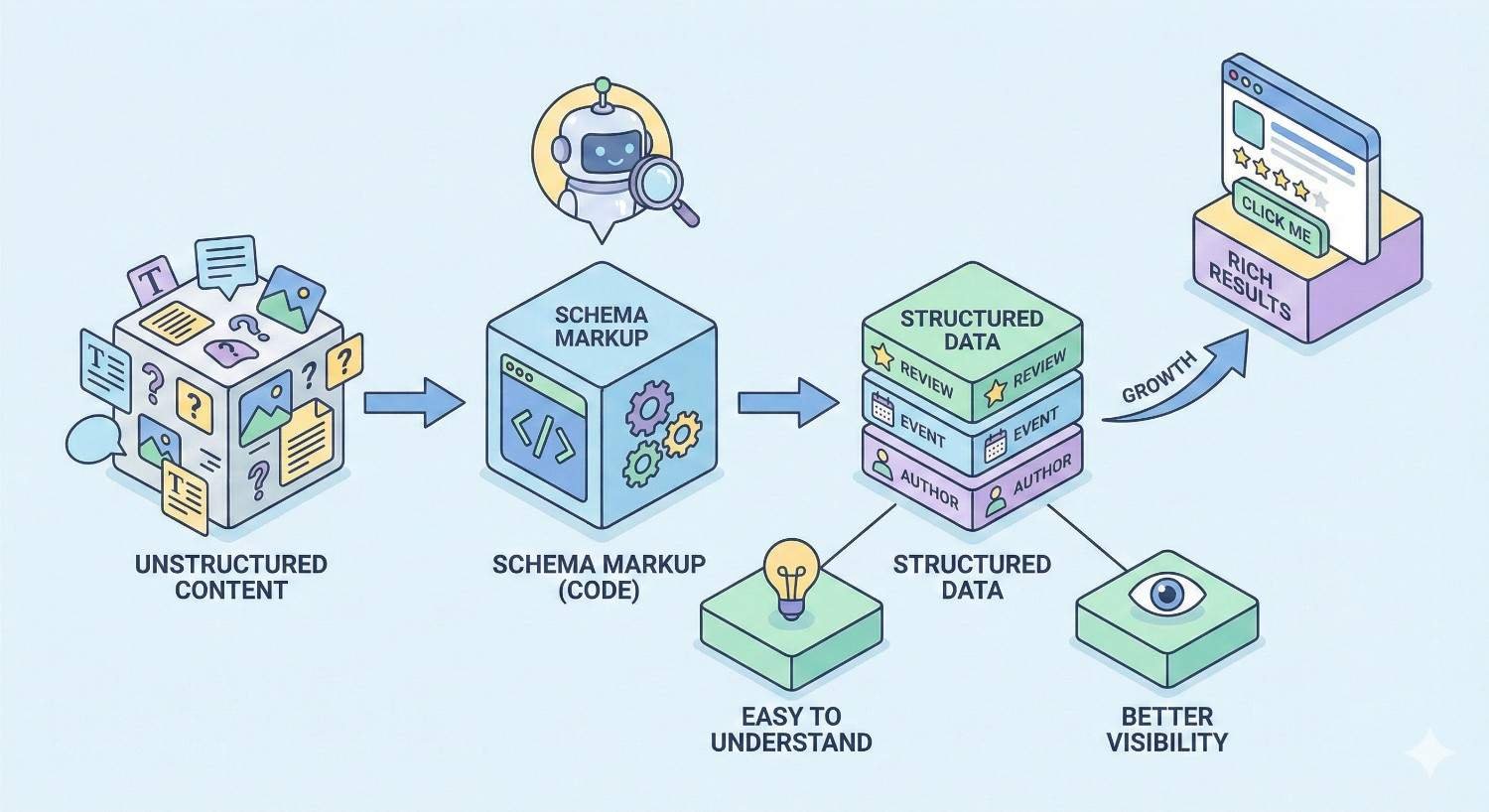
Structured Data and Schema Markup for Beginners
Structured data helps search engines understand your content’s meaning and context. Implementing schema markup can earn rich snippets in search results, improving visibility and click-through rates.
What Is Structured Data?
Structured data uses standardized formats to describe page content explicitly. Rather than inferring meaning from text, search engines read structured data to understand exactly what a page contains. Schema.org provides the vocabulary most search engines recognize.
Common formats include JSON-LD (recommended by Google), Microdata, and RDFa. JSON-LD places structured data in script tags, keeping it separate from visible content. This separation simplifies implementation and maintenance.
Structured data doesn’t directly boost rankings. However, it enables rich results like review stars, FAQ accordions, recipe cards, and event listings. These enhanced displays can significantly improve click-through rates compared to standard blue links.
Common Schema Types for Business Websites
Different schema types suit different content. Choose types that accurately describe your pages and provide value to searchers.
Organization Schema
Organization schema describes your business entity. Include your name, logo, contact information, and social profiles. This helps Google’s Knowledge Panel display accurate information about your company.
Implement organization schema on your homepage or about page. Ensure details match your Google Business Profile and other online listings. Consistency across platforms strengthens entity recognition.
Local Business Schema
Local business schema extends organization schema with location-specific details. Include address, phone number, business hours, and geographic coordinates. This supports local search visibility and Google Maps integration.
For businesses with multiple locations, implement local business schema on each location page. Include unique details for each location while maintaining consistent branding elements.
Article and Blog Post Schema
Article schema helps search engines understand news articles, blog posts, and other editorial content. Include headline, author, publication date, and featured image. This can enable rich results in Google News and Discover.
Specify article type accurately. NewsArticle suits timely news content. BlogPosting works for blog content. Article serves as a general fallback. Accurate typing helps Google display content appropriately.
Product and Review Schema
Product schema describes items for sale, including price, availability, and condition. Review schema adds ratings and review content. Together, they can earn rich snippets showing stars and prices in search results.
Ensure product data stays current. Outdated prices or availability information creates poor user experiences and may result in rich result removal. Automate schema updates when product data changes.
How to Implement Schema Markup (Step-by-Step)
Implementing structured data involves creating the markup, adding it to pages, and validating the results.
Start by identifying which schema types apply to your content. Review Schema.org documentation for required and recommended properties. Use Google’s structured data guidelines to understand which types support rich results.
Generate JSON-LD markup using tools like Google’s Structured Data Markup Helper or schema generators. Customize the output with your specific information. Place the script in your page’s head section or body.
Test implementation using Google’s Rich Results Test. This tool shows whether your markup is valid and eligible for rich results. Fix any errors before deploying to production.
Monitor structured data in Google Search Console. The Enhancements reports show which rich results your site earns and any issues affecting eligibility. Address warnings and errors promptly to maintain rich result visibility.
Site Speed Optimization: Making Your Website Faster
Page speed directly impacts user experience, conversion rates, and search rankings. Faster sites keep visitors engaged and signal quality to search engines. Systematic optimization addresses the most impactful factors first.
Why Page Speed Matters for SEO and User Experience
Users expect pages to load quickly. Research consistently shows that slower load times increase bounce rates and decrease conversions. Even small delays measurably impact engagement metrics.
Google incorporates page experience signals into rankings, with Core Web Vitals as key components. While speed alone won’t overcome relevance deficits, it can differentiate between otherwise similar pages. For competitive queries, speed advantages matter.
Speed optimization also improves crawl efficiency. Faster server responses allow Googlebot to crawl more pages within your crawl budget. This matters especially for large sites where crawl budget constraints affect indexing.
Understanding Core Web Vitals
Core Web Vitals measure specific aspects of user experience. Google uses field data from real Chrome users to assess these metrics. Meeting thresholds for all three metrics earns “good” page experience status.
Largest Contentful Paint (LCP)
LCP measures loading performance by timing when the largest content element becomes visible. This might be a hero image, video thumbnail, or large text block. Good LCP occurs within 2.5 seconds of page load start.
Improve LCP by optimizing the critical rendering path. Ensure the largest element loads early. Preload important resources. Optimize server response times. Avoid lazy loading above-the-fold content.
First Input Delay (FID) / Interaction to Next Paint (INP)
FID measured the delay between user interaction and browser response. Google is transitioning to INP (Interaction to Next Paint), which measures responsiveness throughout the page lifecycle, not just first interaction.
Good INP means interactions respond within 200 milliseconds. Heavy JavaScript execution blocks the main thread, causing delays. Optimize by breaking up long tasks, deferring non-critical scripts, and minimizing main thread work.
Cumulative Layout Shift (CLS)
CLS measures visual stability by quantifying unexpected layout shifts. When elements move after initial render, users may click wrong targets or lose their reading position. Good CLS scores stay below 0.1.
Prevent CLS by specifying dimensions for images and embeds. Reserve space for dynamic content like ads. Avoid inserting content above existing content. Use CSS transforms for animations instead of properties that trigger layout.
Practical Ways to Improve Page Speed
Multiple optimization techniques address different performance bottlenecks. Combine approaches for cumulative improvements.
Image Optimization and Compression
Images often constitute the largest page weight. Compress images without visible quality loss using tools like ImageOptim, TinyPNG, or automated build processes. Serve appropriately sized images for each device using responsive images.
Modern formats like WebP and AVIF offer better compression than JPEG and PNG. Implement format fallbacks for older browsers. Consider using image CDNs that automatically optimize and serve appropriate formats.
Browser Caching and CDN Implementation
Browser caching stores static resources locally, eliminating repeat downloads. Configure cache headers to specify how long browsers should retain files. Balance cache duration against update frequency.
Content Delivery Networks distribute content across global servers, reducing latency for distant users. CDNs also handle traffic spikes and provide DDoS protection. Major options include Cloudflare, Fastly, and AWS CloudFront.
Minifying CSS, JavaScript, and HTML
Minification removes unnecessary characters from code without changing functionality. Whitespace, comments, and long variable names get stripped or shortened. This reduces file sizes and transfer times.
Build tools like Webpack, Gulp, and Parcel automate minification. Many hosting platforms and CDNs offer automatic minification. Combine minification with compression (gzip or Brotli) for maximum size reduction.
Lazy Loading and Resource Prioritization
Lazy loading defers loading of below-the-fold content until users scroll near it. This improves initial load times by reducing upfront resource requirements. Native lazy loading uses the loading=”lazy” attribute on images and iframes.
Prioritize critical resources using preload hints. Tell browsers to fetch important fonts, scripts, and stylesheets early. Defer non-critical resources until after initial render. This optimization improves perceived performance significantly.
Mobile SEO: Optimizing for Mobile-First Indexing
Mobile devices generate the majority of web traffic. Google’s mobile-first indexing means your mobile site determines rankings. Optimizing for mobile isn’t optional; it’s essential for search visibility.
What Is Mobile-First Indexing?
Mobile-first indexing means Google primarily uses the mobile version of your content for indexing and ranking. Desktop content still matters, but mobile content takes precedence. If your mobile site lacks content present on desktop, that content may not be indexed.
Google completed the transition to mobile-first indexing for most sites. New sites are indexed mobile-first by default. Check Google Search Console for your site’s indexing status and any mobile-specific issues.
Ensure content parity between mobile and desktop versions. All important text, images, and structured data should appear on mobile. Don’t hide content behind tabs or accordions that might not be crawled.
Responsive Design vs. Mobile-Specific Sites
Responsive design uses CSS to adapt layouts across screen sizes. A single URL serves all devices, simplifying maintenance and consolidating link equity. Google recommends responsive design as the preferred approach.
Separate mobile sites (m.example.com) require additional configuration. You must implement proper redirects, rel=”alternate” tags, and ensure content parity. This complexity increases maintenance burden and error potential.
Dynamic serving delivers different HTML to different devices from the same URL. This requires Vary HTTP headers and careful user-agent detection. Like separate mobile sites, dynamic serving adds complexity compared to responsive design.
Mobile Usability Best Practices
Beyond responsive layouts, mobile usability involves interaction design considerations. Touch targets need adequate size and spacing. Text must be readable without zooming. Forms should be easy to complete on small screens.
Avoid intrusive interstitials that block content on mobile. Google penalizes pages with pop-ups that frustrate mobile users. Acceptable interstitials include age verification, cookie consent, and small banners that don’t dominate the screen.
Test on actual mobile devices, not just browser emulators. Real-world testing reveals issues with touch interactions, viewport behavior, and performance that emulators might miss. Include various device sizes and operating systems in testing.
Internal Linking Strategy for Technical SEO
Internal links connect your pages and distribute authority throughout your site. Strategic internal linking improves crawling efficiency, helps users navigate, and signals page importance to search engines.
How Internal Links Support Crawling and Indexing
Crawlers discover pages by following links. Pages with more internal links get crawled more frequently. Orphan pages with no internal links may never be discovered or may be deprioritized.
Internal links pass authority (sometimes called “link juice” or PageRank) between pages. Pages receiving more internal links from authoritative pages gain ranking strength. This allows you to boost important pages through strategic linking.
Anchor text in internal links provides context about linked pages. Descriptive anchor text helps search engines understand page topics. Vary anchor text naturally while maintaining relevance to target pages.
Creating a Logical Site Hierarchy
Effective site architecture organizes content into logical categories and subcategories. Users and crawlers should understand your site structure intuitively. Important pages should be accessible within three clicks from the homepage.
Hub pages or pillar content serve as central resources linking to related subtopics. These pages accumulate authority and distribute it to supporting content. Build topic clusters around hub pages to establish topical authority.
Navigation menus, breadcrumbs, and footer links provide consistent internal linking across your site. Ensure these elements include your most important pages. Supplement with contextual links within content for additional relevance signals.
Anchor Text Best Practices for Internal Links
Use descriptive anchor text that indicates what users will find on the linked page. Avoid generic phrases like “click here” or “read more.” Include relevant keywords naturally without over-optimization.
Vary anchor text across different links to the same page. Repetitive exact-match anchor text can appear manipulative. Natural variation includes partial matches, branded terms, and descriptive phrases.
Ensure anchor text accurately represents the linked content. Misleading anchor text frustrates users and may confuse search engines about page topics. Accuracy builds trust and improves user experience.
Common Technical SEO Mistakes to Avoid
Certain technical errors appear repeatedly across websites. Awareness of common mistakes helps you avoid them during development and catch them during audits.
Blocking Important Pages with Robots.txt
Robots.txt mistakes can prevent entire sections from being crawled. A misplaced wildcard or incorrect path can block revenue-generating pages. Always test robots.txt changes before deployment.
Common errors include blocking CSS and JavaScript files that Googlebot needs for rendering, blocking entire directories containing important content, and forgetting to update robots.txt after site migrations.
Use Google Search Console’s robots.txt tester to verify your configuration. Test specific URLs to ensure important pages remain accessible. Review robots.txt whenever you restructure your site.
Ignoring Mobile Optimization
With mobile-first indexing, mobile issues affect rankings across all devices. Sites that work well on desktop but poorly on mobile will underperform in search results.
Common mobile problems include text too small to read, touch targets too close together, content wider than the screen, and slow mobile load times. Address these issues systematically using Google’s Mobile Usability report.
Don’t assume desktop testing covers mobile. Test on actual devices with various screen sizes. Consider different connection speeds and device capabilities when optimizing.
Not Fixing Broken Links and 404 Errors
Broken links waste crawl budget and create poor user experiences. Internal broken links prevent authority from reaching target pages. External broken links may indicate outdated or neglected content.
Monitor for 404 errors in Google Search Console and server logs. Prioritize fixing broken links on high-traffic pages and links to important content. Implement redirects for removed pages that have external backlinks.
Regular link audits catch problems before they accumulate. Schedule monthly checks for new broken links. Address issues promptly to maintain site health.
Duplicate Content Without Canonical Tags
Duplicate content dilutes ranking signals across multiple URLs. Search engines may choose the wrong version to index, or split authority between duplicates. Canonical tags specify your preferred version.
Common duplicate content sources include www vs. non-www, HTTP vs. HTTPS, trailing slashes, URL parameters, and pagination. Implement canonical tags consistently across all duplicate variations.
Self-referencing canonicals on unique pages provide extra clarity. Even pages without duplicates benefit from explicit canonical declarations. This prevents future issues if duplicates are accidentally created.
Neglecting HTTPS Migration
Non-HTTPS sites face ranking disadvantages and browser warnings. Users increasingly expect secure connections. Delaying HTTPS migration costs traffic and trust.
Migration requires careful planning to avoid ranking disruptions. Obtain and install SSL certificates. Update internal links to HTTPS. Implement 301 redirects from HTTP versions. Update canonical tags and sitemaps.
Monitor closely after migration. Check for mixed content warnings, redirect loops, and indexing issues. Verify that Google Search Console shows the HTTPS property as primary.
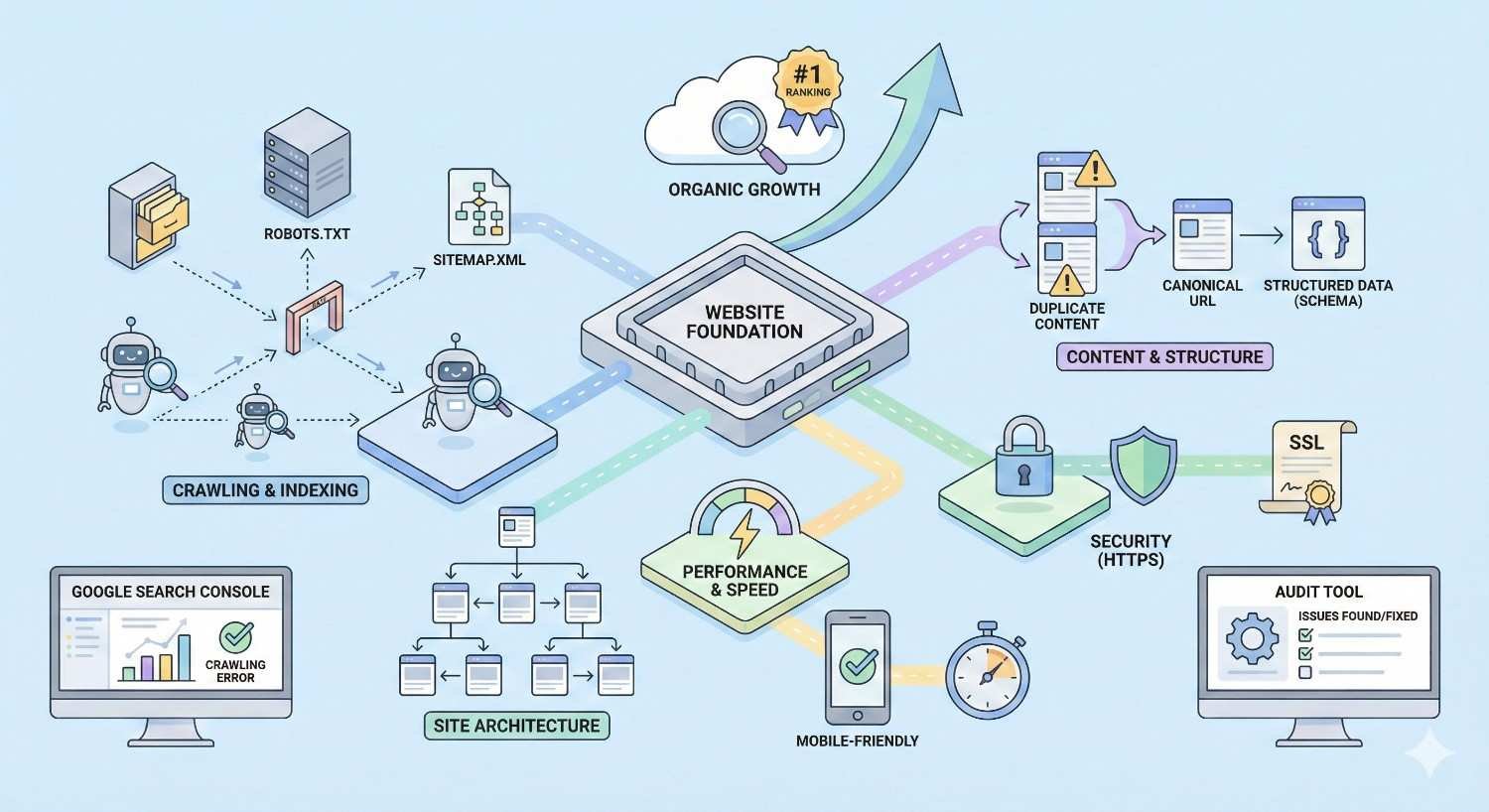
Technical SEO Tools and Resources for Beginners
The right tools make technical SEO manageable. Start with free options to learn fundamentals, then consider paid tools as your needs grow.
Free Technical SEO Tools
Google provides essential tools at no cost. These cover core technical SEO needs for most websites.
Google Search Console
Search Console is indispensable for technical SEO. It shows how Google sees your site, including indexing status, crawl errors, and Core Web Vitals. Submit sitemaps, request indexing, and monitor for issues.
Set up Search Console immediately for any site you manage. Verify ownership through multiple methods for redundancy. Check regularly for new issues and opportunities.
Google PageSpeed Insights
PageSpeed Insights analyzes page performance using both lab and field data. It identifies specific optimization opportunities with estimated impact. Use it to diagnose speed issues and track improvements.
Test representative pages from each template type. Homepage, category pages, product pages, and blog posts may have different performance characteristics. Address issues affecting multiple pages first.
Google Mobile-Friendly Test
This tool evaluates individual URLs for mobile usability issues. It shows how Googlebot renders your page on mobile and identifies specific problems. Use it to verify mobile optimization before launching new pages.
The tool also reveals rendering issues that might affect how Google sees your content. If important content doesn’t appear in the rendered view, investigate JavaScript rendering or content loading issues.
Bing Webmaster Tools
Bing Webmaster Tools provides similar functionality to Google Search Console for Bing search. It includes unique features like backlink data and SEO reports. Optimizing for Bing also benefits other search engines using Bing’s index.
Verify your site in Bing Webmaster Tools alongside Google Search Console. The additional data perspective can reveal issues or opportunities you might otherwise miss.
Paid Technical SEO Tools Worth Investing In
Paid tools offer advanced features, automation, and scale that free tools can’t match. Consider these investments as your technical SEO practice matures.
Screaming Frog SEO Spider (Paid Version)
The paid version removes the 500 URL limit and adds powerful features. JavaScript rendering, custom extraction, and API integrations enable sophisticated analysis. Scheduled crawls and change detection support ongoing monitoring.
For sites with more than 500 pages, the paid version is essential. The annual license cost is modest compared to the time saved on manual analysis.
Ahrefs Site Audit
Ahrefs Site Audit crawls your site and identifies technical issues with severity ratings. It integrates with Ahrefs’ backlink and keyword data for comprehensive analysis. Scheduled audits track progress over time.
The tool excels at identifying issues affecting SEO specifically, prioritizing problems by potential impact. Integration with other Ahrefs tools supports holistic SEO strategy.
SEMrush Site Audit
SEMrush Site Audit provides detailed technical analysis with actionable recommendations. It scores site health and tracks improvements. Integration with SEMrush’s broader toolkit supports comprehensive SEO workflows.
The tool includes specific checks for Core Web Vitals, structured data, and international SEO. Customizable crawl settings let you focus on specific site sections or issue types.
Sitebulb
Sitebulb offers visual crawl analysis with intuitive data presentation. Its hints system explains issues in plain language with specific fix recommendations. The tool excels at making technical data accessible.
Visualization features help communicate technical issues to non-technical stakeholders. Export options support reporting and documentation needs.
Learning Resources and Documentation
Continuous learning keeps your technical SEO skills current. Official documentation and reputable industry sources provide reliable information.
Google’s Search Central documentation covers technical requirements and best practices directly from the source. The Search Central blog announces changes and provides implementation guidance. YouTube videos from Google explain concepts visually.
Industry resources from Moz, Ahrefs, and SEMrush offer practical tutorials and case studies. These complement official documentation with real-world applications and testing results.
How Long Does Technical SEO Take to Show Results?
Technical SEO timelines vary based on issue severity, site size, and Google’s crawl frequency. Setting realistic expectations helps maintain stakeholder support during implementation.
Realistic Timelines for Technical SEO Improvements
Critical fixes like unblocking important pages can show results within days once Google recrawls. Request indexing through Search Console to accelerate discovery of fixes.
Site-wide improvements like speed optimization typically show measurable impact within weeks to months. Google needs time to recrawl affected pages and recalculate metrics. Larger sites take longer due to crawl frequency limitations.
Structural changes like site architecture overhauls may take months to fully reflect in rankings. Authority redistribution through new internal linking patterns happens gradually as Google processes changes.
Quick Wins vs. Long-Term Optimizations
Quick wins address issues blocking immediate visibility. Fixing noindex tags on important pages, resolving critical crawl errors, and implementing redirects for broken high-value URLs deliver fast results.
Long-term optimizations build cumulative advantages. Improving site speed, enhancing mobile experience, and building comprehensive internal linking structures compound over time. These investments pay dividends across your entire site.
Balance quick wins with strategic improvements. Quick wins demonstrate value and build momentum. Long-term optimizations create sustainable competitive advantages.
Measuring Technical SEO Success: Key Metrics to Track
Track metrics that connect technical improvements to business outcomes. Crawl stats show whether Google can access your content efficiently. Index coverage reveals how much of your site appears in search results.
Core Web Vitals metrics indicate user experience quality. Monitor both lab data (controlled testing) and field data (real user measurements). Field data ultimately determines ranking impact.
Organic traffic and rankings demonstrate business impact. Segment data to isolate effects of technical changes from content and link building activities. Track improvements on pages specifically affected by technical fixes.
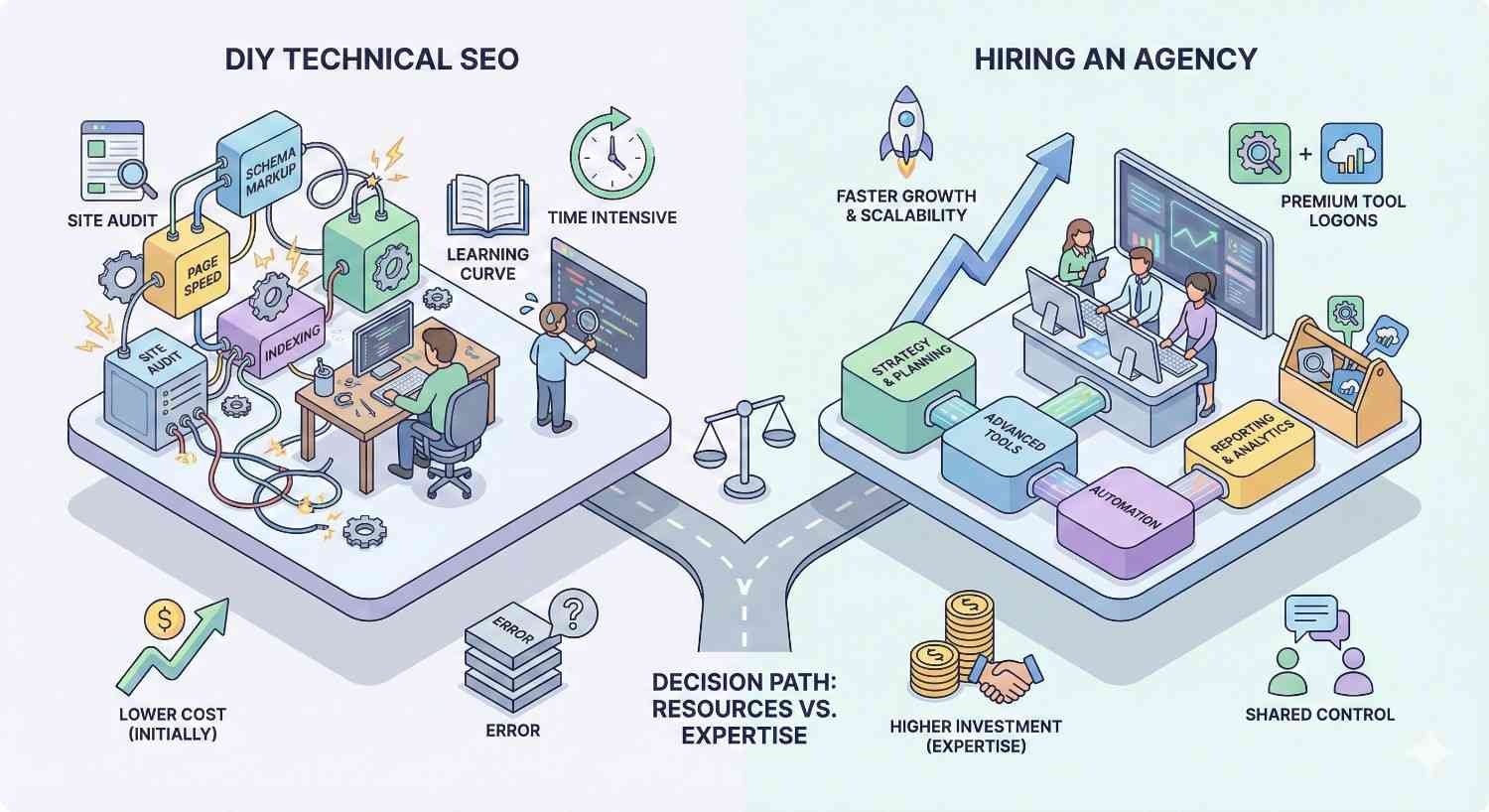
DIY Technical SEO vs. Hiring an Agency
Deciding between in-house technical SEO and agency support depends on your resources, expertise, and site complexity. Both approaches can succeed with proper execution.
When You Can Handle Technical SEO In-House
Small to medium sites with standard CMS platforms often manage technical SEO internally. WordPress, Shopify, and similar platforms handle many technical requirements automatically. Plugins and apps address common needs.
Teams with technical members who can learn SEO fundamentals often succeed with DIY approaches. Developers comfortable with HTML, server configuration, and analytics can implement most technical optimizations.
Ongoing maintenance like monitoring Search Console, fixing broken links, and updating content suits in-house management. These tasks require consistent attention rather than specialized expertise.
When to Bring in Technical SEO Experts
Complex sites with custom development, multiple subdomains, or international targeting often benefit from expert guidance. Edge cases and unusual configurations require experience to diagnose and resolve.
Major projects like site migrations, platform changes, and architecture overhauls carry significant risk. Expert involvement reduces the chance of costly mistakes that damage rankings.
Sites with persistent technical problems despite internal efforts may need fresh perspectives. Experts bring diagnostic experience from working across many sites and industries.
What to Look for in a Technical SEO Provider
Evaluate providers based on technical depth, not just general SEO knowledge. Ask about specific technical challenges they’ve solved. Request case studies demonstrating technical expertise.
Look for providers who explain their methodology clearly. Good technical SEO involves systematic analysis, not just running tools. Understanding their process helps evaluate quality.
Consider communication style and reporting. Technical SEO requires collaboration with developers and stakeholders. Providers should translate technical issues into business impact and clear action items.
Questions to Ask Before Hiring an SEO Agency
Ask how they approach technical audits. What tools do they use? How do they prioritize findings? What deliverables will you receive?
Inquire about their experience with your platform and industry. Technical requirements vary across CMS platforms, e-commerce systems, and business types. Relevant experience accelerates results.
Understand their ongoing support model. Technical SEO requires continuous monitoring, not just one-time fixes. Clarify what happens after initial optimization and how they handle emerging issues.
Technical SEO Checklist for Beginners
Checklists ensure consistent coverage of technical requirements. Use these as starting points, customizing based on your specific situation.
Pre-Launch Technical SEO Checklist
Before launching a new site or major update, verify these fundamentals:
Confirm robots.txt allows crawling of important content. Test with Google’s robots.txt tester. Ensure staging site blocks remain removed for production.
Submit XML sitemap to Google Search Console and Bing Webmaster Tools. Verify all important URLs are included. Check for errors in sitemap validation.
Verify HTTPS implementation across all pages. Check for mixed content warnings. Confirm redirects from HTTP versions work correctly.
Test mobile rendering on multiple devices. Use Google’s Mobile-Friendly Test. Address any usability issues before launch.
Check page speed on key templates. Run PageSpeed Insights on homepage, category pages, and content pages. Address critical issues affecting Core Web Vitals.
Implement basic structured data. Add organization schema to homepage. Include appropriate schema for content types (articles, products, local business).
Verify analytics and Search Console tracking. Confirm data collection works correctly. Set up goal tracking for key conversions.
Monthly Technical SEO Maintenance Tasks
Regular maintenance catches issues before they compound:
Review Google Search Console for new errors. Check Index Coverage, Core Web Vitals, and Mobile Usability reports. Address new issues promptly.
Run crawl analysis to identify broken links. Fix internal broken links immediately. Evaluate external broken links for updates or removal.
Monitor page speed trends. Investigate significant performance degradation. Address new issues from site updates or content additions.
Check for new duplicate content issues. Review canonical tag implementation. Address any indexing anomalies.
Verify structured data remains valid. Test key pages with Rich Results Test. Fix any new errors or warnings.
Quarterly Technical SEO Review Items
Deeper analysis on a quarterly basis supports strategic improvements:
Conduct comprehensive site audit using crawling tools. Compare results to previous quarters. Identify trends and recurring issues.
Review site architecture and internal linking. Identify orphan pages and weak internal link targets. Plan improvements for important content.
Analyze crawl budget utilization for larger sites. Review server logs for crawl patterns. Optimize crawl efficiency if needed.
Evaluate Core Web Vitals field data trends. Compare against competitors when possible. Plan performance improvements for underperforming areas.
Assess mobile experience comprehensively. Test on current devices and browsers. Address any degradation from site updates.
Next Steps: Building Your Technical SEO Strategy
Technical SEO works best as part of an integrated search strategy. Connect technical foundations with content and authority building for maximum impact.
Integrating Technical SEO with Content and Link Building
Technical SEO enables content and link building success. Fast, mobile-friendly pages with proper indexing maximize the value of every piece of content you create and every link you earn.
Coordinate technical improvements with content initiatives. Launch speed optimizations before major content campaigns. Ensure new content sections have proper architecture and internal linking from the start.
Link building benefits from technical excellence. Sites with good user experience earn more natural links. Technical credibility supports outreach efforts to quality publishers.
Creating a Technical SEO Roadmap
Document current state through comprehensive audit. Identify all issues with severity ratings and affected pages. Estimate implementation effort for each fix.
Prioritize based on impact and resources. Quick wins build momentum and demonstrate value. Strategic improvements create lasting advantages. Balance immediate needs with long-term goals.
Set realistic timelines with milestones. Account for development resources and competing priorities. Build in monitoring periods to measure results before moving to next phases.
Setting Up Ongoing Monitoring and Reporting
Establish regular monitoring routines. Daily checks of Search Console for critical errors. Weekly reviews of key metrics. Monthly comprehensive analysis.
Create reporting templates that connect technical metrics to business outcomes. Stakeholders care about traffic and revenue, not crawl stats. Translate technical improvements into business language.
Document changes and their effects. This history supports future decision-making and demonstrates ROI. Track what works to refine your approach over time.
Conclusion
Technical SEO creates the foundation for search visibility. From crawling and indexing to site speed and mobile optimization, these elements determine whether your content can compete in search results. Mastering technical fundamentals positions your site for sustainable organic growth.
The concepts covered here apply across industries and platforms. Whether you manage a small business website or enterprise e-commerce platform, technical SEO principles remain consistent. Start with auditing your current state, prioritize high-impact fixes, and build systematic maintenance routines.
At White Label SEO Service, we help businesses build technically sound websites that rank. Our team handles comprehensive technical audits, implementation, and ongoing optimization so you can focus on your business. Contact us to discuss how technical SEO improvements can drive your organic growth.
Frequently Asked Questions
What is the difference between technical SEO and on-page SEO?
Technical SEO focuses on website infrastructure that helps search engines crawl and index your content. On-page SEO optimizes individual page elements like title tags, headings, and content. Both work together but address different aspects of search optimization.
How often should I perform a technical SEO audit?
Conduct comprehensive audits quarterly for most websites. Monthly monitoring of key metrics catches emerging issues between full audits. Sites undergoing frequent changes or experiencing ranking fluctuations may need more frequent analysis.
Can technical SEO issues completely prevent my site from ranking?
Yes, severe technical issues can block rankings entirely. If robots.txt blocks crawling or noindex tags prevent indexing, pages cannot appear in search results regardless of content quality. Less severe issues reduce ranking potential without complete prevention.
Do I need coding skills to implement technical SEO?
Basic technical SEO tasks like submitting sitemaps and monitoring Search Console require no coding. More advanced implementations like structured data, server configurations, and custom fixes benefit from developer support. Many CMS platforms offer plugins that simplify technical tasks.
How do Core Web Vitals affect my search rankings?
Core Web Vitals contribute to Google’s page experience ranking signal. Pages meeting all three thresholds (LCP, INP, CLS) may rank better than similar pages with poor scores. The impact varies by query competitiveness and other ranking factors.
What’s the most important technical SEO factor for small business websites?
Mobile-friendliness ranks as the most critical factor for small businesses. With mobile-first indexing, poor mobile experience directly hurts rankings. Ensure your site works well on smartphones before addressing other technical elements.
How long does it take to fix technical SEO problems?
Simple fixes like updating meta tags or fixing broken links take hours. Complex issues like site migrations or architecture changes require weeks of planning and implementation. Results appear after Google recrawls affected pages, typically within days to weeks for individual fixes.


