Agency tool buying goes wrong in a predictable way. You subscribe to a platform that fits three clients, then client eleven arrives, and the keyword cap, the seat pricing, or the report builder stops keeping up.
I run SEO delivery across local, national, ecommerce, and SaaS work, so every tool below has been judged on whether it survives a real client load rather than a demo. I cover what agency SEO software actually is and the criteria that separate agency tools from single-site tools, then work through all 20 platforms with honest pros and cons, then move into the practical decisions the roundups skip: recommended tool combinations, real stack costs by agency size, the order to buy in, the mistakes that quietly drain margin, and where the free-versus-paid line genuinely sits.
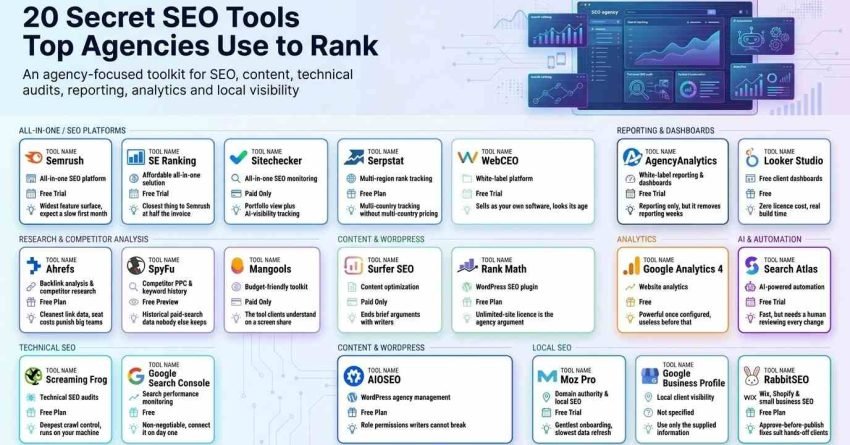
Summary Table: 16 Best SEO Tools for Agencies in 2026
Twenty tools, sorted by the job each one does best. My notes column is the honest one-line verdict after using it on live client work.
| Tool Name | Best For | Free Access | Our Notes |
| Semrush | All-in-one SEO platform | Free Trial | Widest feature surface, expect a slow first month |
| Ahrefs | Backlink analysis & competitor research | Free Plan | Cleanest link data, seat costs punish big teams |
| RabbitSEO | Wix, Shopify & small business SEO | Free Plan | Approve-before-publish fixes suit hands-off clients |
| AgencyAnalytics | White-label reporting & dashboards | Free Trial | Reporting only, but it removes reporting weeks |
| Google Search Console | Search performance monitoring | Free | Non-negotiable, connect it on day one |
| Screaming Frog | Technical SEO audits | Free Plan | Deepest crawl control, runs on your machine |
| SE Ranking | Affordable all-in-one solution | Free Trial | Closest thing to Semrush at half the invoice |
| Moz Pro | Domain authority & local SEO | Free Trial | Gentlest onboarding, slowest data refresh |
| Surfer SEO | Content optimization | Paid Only | Ends brief arguments with writers |
| Rank Math | WordPress SEO plugin | Free Plan | Unlimited-site licence is the agency argument |
| Sitechecker | All-in-one SEO monitoring | Paid Only | Portfolio view plus AI-visibility tracking |
| Mangools | Budget-friendly toolkit | Paid Only | The tool clients understand on a screen share |
| Google Analytics 4 | Website analytics | Free | Powerful once configured, useless before that |
| Search Atlas | AI-powered automation | Free Trial | Fast, but needs a human reviewing every change |
| WebCEO | White-label platform | Free Trial | Sells as your own software, looks its age |
| AIOSEO | WordPress agency management | Free Plan | Role permissions writers cannot break |
| Serpstat | Multi-region rank tracking | Free Plan | Multi-country tracking without multi-country pricing |
| SpyFu | Competitor PPC & keyword history | Free Preview | Historical paid-search data nobody else keeps |
| Looker Studio | Free client dashboards | Free | Zero licence cost, real build time |
| Google Business Profile | Local client visibility | Free | The ranking surface local clients actually get judged on |
The free column matters more than it looks. Six of these twenty cost nothing, and a lean agency stack built around them handles a surprising amount of delivery before the first invoice appears.
What are SEO Software/Tools for Agencies?
Agency SEO software is a category of platform built to run search optimization across many client websites at once, with shared dashboards, delegated user access, and client-ready reporting layered on top of the core research and auditing tools.
The distinction from consumer SEO tools is structural rather than cosmetic. A single-site tool assumes one property, one owner, and one report. An agency tool assumes projects, roles, permissions, branded output, and billing that survives portfolio growth.
That difference decides profitability. Reporting is where agency hours disappear fastest, and a platform that automates the assembly of twelve monthly reports buys back time that a platform with better keyword data never will.
The audience is narrower than the marketing suggests. These platforms serve marketing agencies, SEO consultancies, freelancers carrying several retainers, and in-house teams responsible for large multi-brand portfolios.
Demand for the category keeps rising because search remains the primary discovery channel. Statista reports Google held roughly 90% of the global search engine market through 2025, which is why organic visibility still justifies a dedicated tool budget rather than a browser tab and a spreadsheet.
I treat the stack as delivery infrastructure. It decides how many clients each strategist can carry, how fast an audit turns into a task list, and whether a monthly report takes twenty minutes or a full afternoon.
What to Look for in an SEO Tool for Agencies
Feature lists are the wrong lens. The question is whether the platform still works when your client count triples and your team gains three people who are not SEO specialists.
Eight criteria decide that. I weight them differently depending on how many clients an agency carries, because the criterion that saves a five-client shop is rarely the one that saves a forty-client shop.
| Criterion | Matters most at | Failure symptom |
| Scalability | 10+ clients | Mid-quarter platform migration |
| White-Label Capabilities | 5+ clients | Clients spotting the vendor logo |
| Multi-Project Management | 15+ clients | Strategists lost in account switching |
| Automation Features | 8+ clients | Reporting week every month |
| Data Accuracy | Any size | Recommendations built on stale numbers |
| Integrations | 5+ clients | Manual CSV stitching |
| Team Collaboration | 4+ team members | One shared login, no accountability |
| Pricing Transparency | Any size | Invoice larger than the quoted plan |
Scalability
Scalability is a limits question, not a marketing claim. Check the project ceiling, the tracked-keyword ceiling, the crawl allowance, and how sharply the next tier prices.
Model your client count eighteen months out, not today. Platforms with hard project caps force a migration exactly when you are busiest, and migrating rank-tracking history mid-retainer costs you the trend charts clients rely on.
White-Label Capabilities
White-label means the client sees your agency and nothing else. That covers report headers, dashboard branding, the login domain, and the sender address on scheduled emails.
Half-measures are common. A platform that brands the PDF but not the client portal still exposes the vendor at the moment a client logs in to check progress.
Multi-Project Management
Portfolio work rewards a single screen showing every client side by side. Rankings, site health, traffic direction, and open issues should be comparable without opening eleven tabs.
Account switching is the tax to measure. When a strategist spends the first ten minutes of every session navigating, that cost repeats daily across the whole team.
Automation Features
Automation is where tool spend converts into margin. Scheduled rank checks, recurring crawls, triggered alerts, and auto-delivered reports remove the low-value work from senior calendars.
Alerts matter more than reports. A notification when a client site drops out of the index reaches you before the client’s own analytics does, and that gap is the difference between a fix and an awkward call.
Data Accuracy
Every platform estimates volume and difficulty from its own index, so numbers differ between tools on the same keyword. Accuracy here means consistent, frequently refreshed data you can trend against.
Pick one platform as your reporting source of truth. Mixing tools inside a single client report produces contradictions the client will notice before you do.
Integrations
The two integrations that are genuinely mandatory are Search Console and Analytics, because both hold data no third-party crawler can reproduce. Everything after that is convenience.
Ranking your own connectors helps. Analytics, Search Console, and your CMS come first, then ad platforms, then social, and anything not on that list is a nice-to-have rather than a buying reason.
Team Collaboration
Granular roles protect you from your own team. A writer needs on-page tools and no access to global settings; a developer needs crawl data and no access to client billing.
Seat pricing is the hidden variable. Platforms charging per user turn a five-person team into a materially different monthly number than the headline plan suggests.
Pricing Transparency
Read what the plan excludes rather than what it includes. API calls, extra seats, white-label unlocks, historical data, and additional projects are the four places cost appears after signup.
Calculate a fully loaded annual figure before committing. A cheaper platform that charges per seat and per project frequently ends up above a pricier one with flat pricing.
Key Insights
For comprehensive needs: Semrush or Ahrefs cover the widest ground, and both require a real budget line rather than a discretionary one.
For agency-specific features: AgencyAnalytics or WebCEO deliver the strongest white-label reporting and client-portal experience.
For budget-conscious agencies: SE Ranking, Mangools, or Serpstat cover the core jobs at roughly half the cost of the premium platforms.
For specialized needs: Surfer handles content, Screaming Frog handles technical crawls, and SpyFu handles competitor paid-search history.
For local service lines: Google Business Profile plus Moz Pro covers listings and local rank tracking, which is where local retainers are actually judged.
Essential free tools: Google Search Console, Google Analytics 4, and Looker Studio belong in every stack regardless of budget.
15 Best SEO Tools for Agencies in 2026 (Free + Paid)
Here is the full list, in the order I review them below:
Semrush – best for all-in-one SEO Ahrefs – best for backlink analysis and competitor research RabbitSEO – best for Wix, Shopify, and small business SEO AgencyAnalytics – best for white-label client reporting Google Search Console – best for search performance data Screaming Frog – best for technical SEO audits SE Ranking – best for affordable all-in-one solution Moz Pro – best for domain authority tracking Surfer SEO – best for content optimization Rank Math – best WordPress SEO plugin Sitechecker – best for project monitoring Mangools – best budget-friendly toolkit Google Analytics 4 – best for free website analytics Search Atlas – best for SEO automation WebCEO – best for white-label platform AIOSEO – best for WordPress team management Serpstat – best for multi-region rank tracking on one budget SpyFu – best for competitor PPC and keyword history Looker Studio – best free layer for client dashboards Google Business Profile – best for local client visibility
Twenty entries, four of which most agency roundups leave out despite recommending two of them in passing.
1. Semrush – Best for All-in-One SEO
Best For: Agencies that want research, auditing, content, competitive analysis, and client reporting inside one subscription instead of four.
How I Use It: Semrush is where I start every new engagement. Keyword mapping, a baseline site audit, competitor gap analysis, and position tracking all get set up in the first week, and the reporting layer picks it up from there.
Quick Overview
Semrush is the broadest commercial SEO platform available, and breadth is both its selling point and its cost. Research, technical auditing, content tooling, advertising intelligence, and competitive analysis sit under one login.
The keyword database is the anchor. Coverage spans well over twenty billion keywords across more than a hundred countries, which matters when a single agency carries clients in different markets.
Position tracking runs daily and supports location-level granularity, so a multi-location client gets separate rank data per market instead of a national average. Site Audit scales into the high hundreds of thousands of pages on the upper plans, which covers most ecommerce catalogues.
For agencies specifically, the Agency Growth Kit is the differentiator. It adds a lightweight CRM, a lead-finding tool, and white-label reporting with a client portal on your own subdomain, which is unusual for a research-first platform.
The tradeoff is orientation time. There are enough modules that new team members need supervised weeks before they work independently, and the price sits well above single-purpose tools.
Key Features
- Keyword Magic Tool with a database spanning over twenty billion keywords
- Position Tracking with daily refresh and location-level segmentation
- Site Audit scaling to very large page counts on higher tiers
- Content toolkit including a writing assistant and topic research
- Competitive analysis covering organic keywords, traffic estimates, and ad copy
- Agency Growth Kit with CRM, lead finder, and branded client portal
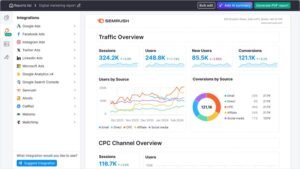
[Image Source: Semrush]
Pros
One subscription covers four jobs: Research, auditing, content, and competitive intelligence. In one place removes the reconciliation work of stitching three vendors together, and it removes three renewal dates from your calendar.
Agency Growth Kit is genuinely agency-shaped: A CRM, lead sourcing, branded PDFs, and a portal on your own subdomain address the commercial side of running an agency, not just the delivery side.
Global keyword coverage: Country-level databases across more than a hundred markets mean a UK client, an Australian client, and a US client all get local volume rather than a blended estimate.
Deep historical data on upper tiers: Multi-year archives let you separate an algorithm event from a seasonal dip, which is the single most useful thing to have during a difficult client review.
Cons
Long ramp-up period – The module count means new hires need weeks of guided use before they are productive without supervision.
Premium pricing – Entry pricing sits far above specialised tools, so smaller agencies pay for capability they will not touch for a year.
Heavy reports run slowly – Full exports on large enterprise properties take minutes rather than seconds, which is awkward mid-call.
Pricing
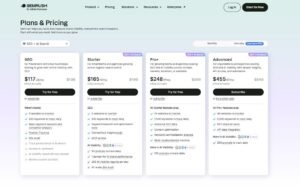
- 7-day free trial
- Starter tier: mid-triple-digit monthly at current published rates
- Higher tiers scale with project, keyword, and historical data limits
- Agency Growth Kit priced as an add-on
Reviews
- G2: 4.5/5 across several thousand reviews
- Capterra: 4.6/5 across several thousand reviews
Reviewer sentiment clusters on breadth and data confidence. The recurring criticism is exactly the ramp-up problem, with reviewers describing months of use before they felt they were getting full value from the subscription.
2. Ahrefs – Best for Backlink Analysis and Competitor Research
Best For: Agencies where link acquisition and competitive research drive the strategy and link data quality is non-negotiable.
How I Use It: Every link building engagement runs through Ahrefs. I audit the existing profile, pull competitor link sets, filter prospects by domain strength, and track new and lost links weekly.
Quick Overview
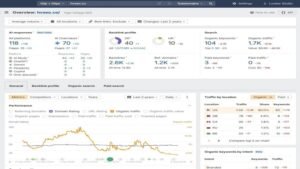
Ahrefs built its reputation on link data and still holds it. The crawler is among the most active on the open web, and the index sits in the tens of trillions of links with refresh cycles measured in minutes rather than days.
Site Explorer is the workhorse. Feed it a competitor domain, and you get their link profile, their best-performing pages, and the keywords driving their traffic, which is enough to reverse-engineer a strategy in an afternoon.
Keywords Explorer covers around twenty-four billion keywords across more than two hundred countries, and its difficulty score is the one I trust most when deciding what a new client can realistically win in six months.
Content Explorer serves a different purpose. It surfaces the highest-performing content on any topic, which turns a blank content plan into a shortlist of proven formats.
The platform stays deliberately inside SEO. There is no PPC suite and no social module, which keeps the interface clean but means Ahrefs alone cannot cover a full digital retainer.
Key Features
- Site Explorer with a link index in the tens of trillions and near-continuous refresh
- Keywords Explorer covering roughly twenty-four billion keywords across 200+ countries
- Content Explorer for identifying proven top-performing content
- Rank Tracker with multi-location monitoring
- Site Audit with crawl allowances scaling from hundreds of thousands to millions of pages.
- Content Gap analysis exposing competitor keywords you do not rank for
Pros
The best link index in the category: Refresh cycles in minutes mean a link placed on Monday appears in your reporting the same week, which matters when you are proving link building value monthly.
Difficulty scores you can plan against: The KD metric weighs link profiles and page authority rather than volume alone, so it predicts real effort accurately enough to build a six-month roadmap on.
Content Gap turns into a content plan: Running a client against three competitors produces a ranked list of missing topics, which is the fastest route from audit to editorial calendar I have found.
Batch Analysis compresses prospecting: Checking two hundred URLs for authority and traffic in one pass removes the slowest manual step in any outreach campaign.
Cons
Seat pricing scales badly – Additional users carry a meaningful monthly cost each, so a six-person team pays substantially above the headline plan.
SEO only – No paid search or social tooling, so agencies running full-funnel retainers need at least one more subscription.
Thin white-label reporting – Client-facing output is functional rather than branded, so reporting usually moves to a dedicated platform.
Pricing
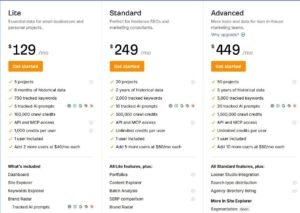
- Lite: entry tier with single-user access
- Standard: adds historical data and higher limits
- Advanced: expanded crawl allowances and API access
- Additional seats billed per user per month
Reviews
- G2: 4.5/5 across 600+ reviews
- Capterra: 4.7/5 across 570+ reviews
Reviewers consistently rank the link data first and the interface second. Seat pricing is the dominant complaint, and it comes almost entirely from agency reviewers rather than individual users.
3. RabbitSEO – Best for Wix, Shopify, and Small Business SEO
Best For: Wix and Shopify site owners, and agencies whose smaller clients want to handle routine on-page fixes without a developer in the loop.
How I Use It: I route small-business clients here for the maintenance layer. They review and approve meta and schema suggestions between our strategy sessions, which keeps momentum without booking developer time for a title tag.
Quick Overview
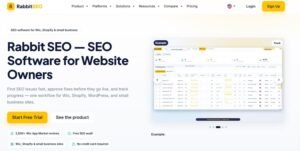
RabbitSEO targets a specific gap: site owners on hosted platforms who need SEO work done but will never learn an enterprise research tool. It sits closer to guided maintenance software than to a competitive intelligence suite.
The platform organises itself into five areas covering auditing, fixing, tracking, research, and reporting. Audits produce a prioritised issue list, and the automated fixer proposes changes to titles, meta descriptions, schema, and image alt text.
The approval step is the part that matters for agency use. No suggested change publishes until someone signs off, which means client-facing wording stays under control.
Rank tracking covers Google positions by country and device, and the competitor and backlink modules surface keyword gaps and link opportunities at a level appropriate to small-business work rather than enterprise campaigns.
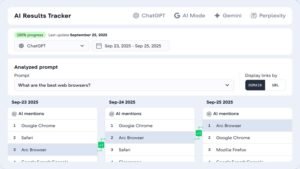
The AI Visibility Checker tracks whether a site surfaces in ChatGPT, Gemini, and Perplexity answers. It reports presence rather than promising placement, which is the honest framing for that feature category.
Platform fit is uneven. Wix and Shopify integrations are native and apply changes directly, while WordPress support depends on the available connection, so the strongest use case remains hosted storefronts.
Key Features
- Site-wide audit with prioritised issue lists
- Automatic fixer for titles, meta descriptions, schema, and alt text, held for approval
- Rank tracker segmented by country and device
- Competitor research for keyword and content gaps
- Backlink monitoring with link-building credits
- AI visibility checker for ChatGPT, Gemini, and Perplexity
- White-label PDF reporting for multi-site management

[Image Source: RabbitSEO]
Pros
Written for non-specialists: Plain-language findings and an approve-before-publish workflow mean a shop owner can act on an audit without an SEO on the call.
Native Wix and Shopify support: Fixes apply directly to storefront pages, which removes the export-and-hand-over step that kills small-client momentum.
Several functions under one subscription: Auditing, fixing, tracking, competitor research, backlinks, and AI visibility in one plan replaces two or three narrow tools at the small-business end.
AI visibility tracking on lower tiers: Several competitors reserve LLM monitoring for top plans, so having it earlier is genuinely useful for clients asking about AI search.
Cons
Large portfolios need a sales conversation – High site counts are supported but not reflected in published pricing, so bigger agencies cannot self-serve.
One-click publishing is platform-limited – Audits work broadly, but direct publishing into the blog is restricted to certain platforms.
Daily tracking caps are tight on lower plans – The free and entry tiers track a small number of keywords daily, though research tools are not held to that limit.
Pricing
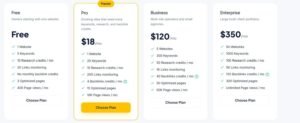
- Free plan covering one website and a small keyword set
- Pro: low double-digit monthly
- Business: low triple-digit monthly
- Enterprise: mid triple-digit monthly
Reviews
- Capterra: 4.9/5 across a small review base
- Trustpilot: 4.4/5 across 50+ reviews
- G2: 4.8/5 across a small review base
- Wix App Market: 4.9/5 across 2,200+ reviews
Praise concentrates on how approachable the audit-and-fix flow feels to non-technical owners, with support responsiveness mentioned often. Recurring criticisms cover billing confusion between the web platform and the marketplace, and entry-tier limits feeling thin for anyone wanting deeper analysis.
4. AgencyAnalytics – Best for White-Label Client Reporting
Best For: Agencies that need automated, fully branded client reporting pulling from every tool in the stack.
How I Use It: This is the layer that ends reporting week. Every data source connects once, dashboards get built from templates per client, and reports schedule themselves on the first of the month.
Quick Overview
AgencyAnalytics does one job and does not pretend otherwise. It aggregates data from other platforms and turns it into branded, client-ready dashboards and reports.
The integration count sits above eighty connectors, spanning the major SEO platforms, Search Console, Analytics, the ad networks, and the social channels. That range is the whole product, because a reporting tool is only as good as the sources it reaches.
White-labelling runs deeper than a logo swap. Reports, dashboards, and the client portal all take your branding, and the portal can live on a custom domain so clients never encounter the vendor name.
The time-saving is where the subscription pays back. Reporting that previously consumed two days a month compresses into a couple of hours once templates exist and scheduling is live.
The platform adds first-party benchmarking data and an AI summary feature that writes plain-language explanations of performance changes, which shortens the narrative-writing part of report prep.
It replaces nothing. Research, auditing, and rank tracking still happen in Semrush, Ahrefs, or SE Ranking, and AgencyAnalytics presents the output.
Key Features
- Over eighty integrations across SEO, paid media, social, and analytics
- Automated report scheduling by PDF, web link, or email
- White-label dashboards with full branding and custom domain support
- Client portals with granular visibility permissions
- Custom KPI and goal tracking across channels
- AI summaries generating plain-language performance explanations
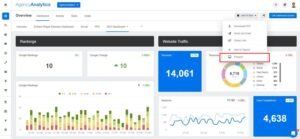
[Image Source: Agency Analytics]
Pros
Built for agencies from the start: Client portals, branded output, team roles, and scheduled delivery are the core product rather than features added later to a research tool.
Connector breadth removes platform-hopping: With SEO, ad, and social sources feeding one dashboard, the monthly data-gathering step disappears entirely.
Reporting hours drop sharply: Recovering ten to twenty hours a month across a portfolio is the difference between reporting being a cost centre and reporting being a deliverable.
Template-driven dashboard building: Widget-based construction with reusable templates means a new client dashboard takes minutes and looks identical to the last twenty.
Cons
No research capability – There is no keyword tool and no link discovery, so it is always an addition to your stack rather than a replacement.
Value depends on other subscriptions – Connectors only work where you hold an active licence, so the reporting layer inherits your other spend.
No site crawling – Technical issues are displayed if another tool found them, but the platform does not crawl.
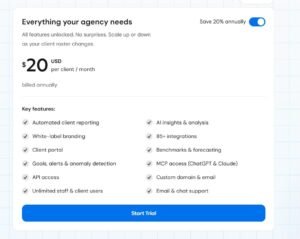
Pricing
- 14-day trial
- Core: low double-digit monthly per client tier
- Higher tiers scale with campaign counts
- Enterprise: custom pricing
Reviews
- G2: 4.7/5 across 400+ reviews
- Capterra: 4.8/5 across 115+ reviews
Reviews cluster around white-labelling, setup speed, and the professional impression branded portals create. Unlimited team seats on standard plans are mentioned repeatedly as a cost advantage against per-user competitors.
5. Google Search Console – Best for Search Performance Data
Best For: Every agency, on every client property, from the first day of the engagement.
How I Use It: Search Console is my first stop whenever performance moves unexpectedly. Query-level clicks and impressions plus the indexing reports usually explain a drop before any third-party tool has refreshed.
Quick Overview
Search Console is Google reporting on Google, which makes it categorically different from every paid platform in this list. Nothing here is modelled or estimated.
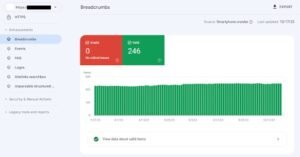
The Performance report carries impressions, clicks, click-through rate, and average position with sixteen months of history, filterable by query, page, country, and device. That query data exists nowhere else, because no third-party tool can see what people actually typed.
Indexing reports handle the diagnostic work. Excluded pages, crawl anomalies, canonical selections, and blocked resources are all visible, and this is usually where a sudden traffic loss is explained.
Core Web Vitals reporting uses field data from real visits rather than a lab test, so the numbers reflect what users experienced rather than what a synthetic run produced.
The URL Inspection tool closes the loop on new work. Publish a page, inspect it, request indexing, and confirm how Google rendered it.
Integration with Analytics and Looker Studio means the data flows into wider reporting, which is how most agencies present it to clients.
Key Features
- Performance reporting with queries, clicks, impressions, CTR, and position
- Index coverage showing indexed, excluded, and error states with reasons
- Core Web Vitals from real user field data
- Mobile usability reporting
- URL Inspection with live testing and index requests
- Sitemap submission and processing status
[Image Source: Moz]
Pros
Free and authoritative: No license cost and no usage tier, and the data comes from the source rather than a crawler’s approximation of it.
Real query data: Actual search terms with real impression and click counts replace estimated volume, which reshapes content strategy in a way no keyword tool can.
Indexing visibility ends guesswork: Seeing precisely which pages are excluded and why turns a vague ranking problem into a specific technical task.
Field-based Core Web Vitals: Because the metrics come from real sessions, you are prioritising the performance issues that genuinely affect users rather than chasing a lab score.
Cons
Sixteen-month history ceiling – Year-over-year analysis beyond that window requires exporting data continuously from the start.
Your site only – No competitor visibility whatsoever, so it cannot inform competitive strategy.
No keyword discovery – It reports on queries you already appear for and cannot surface opportunities outside that set.
Reports are not client-ready – Functional interface, but every agency exports the data into branded reporting.
Pricing
Free.
Reviews
- G2: 4.7/5 across 430+ reviews
- Capterra: 4.8/5 across 210+ reviews
Sentiment is close to unanimous on data trustworthiness. The consistent complaint is the sixteen-month limit, with the interface described as less approachable than commercial alternatives.
6. Screaming Frog – Best for Technical SEO Audits
Best For: Agencies running deep technical audits, especially on large sites where cloud crawl limits become a problem.
How I Use It: Every technical SEO engagement opens with a full Screaming Frog crawl. Redirect chains, canonical conflicts, hreflang errors, and orphaned pages surface here before I write a single recommendation.
Quick Overview
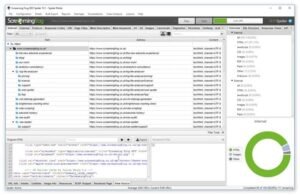
Screaming Frog is desktop software, and that architecture is the whole argument. Crawls run on your machine, so the paid licence carries no URL ceiling and speed depends on your hardware rather than a queue.
The depth of findings exceeds most cloud auditors. Redirect chains, canonical inconsistencies, hreflang implementation faults, duplicate titles and descriptions, broken internal links, and structured data errors all appear in one crawl.
JavaScript rendering means it can crawl framework-built sites the way a search engine does, which matters increasingly as more client sites ship content client-side.
Search Console and Analytics connect directly, so crawl data sits alongside performance data. A page that is technically fine but receives no clicks is a different problem from a page that cannot be crawled, and combining the sources separates them.
Custom extraction via XPath, regex, or CSS selectors is the power-user feature. Pull pricing, stock status, publication dates, or any repeated element across thousands of pages, and you have a dataset no standard audit produces.
The cost is expertise. Crawl configuration, filter logic, and result interpretation all assume real technical SEO knowledge.
Key Features
- Unlimited URL crawling on the paid licence
- Broken link and redirect chain detection
- Duplicate title and meta description analysis
- XML sitemap generation
- JavaScript rendering for framework-built sites
- Custom extraction via XPath, regex, and CSS selectors
[Image Source: Screaming Frog]
Pros
No crawl ceiling: Cloud tools cap crawls at a page count; the desktop licence caps at your hardware, which is what makes million-page audits possible at all.
Local processing is fast: A large crawl that queues for hours in a cloud tool often finishes inside an hour locally, which changes how often you are willing to re-crawl.
Finds what cloud auditors miss: Redirect chains, hreflang faults, orphaned pages, and schema errors surface reliably, and these are the issues that move rankings on established sites.
Custom extraction builds bespoke audits: Pulling any repeated on-page element across a site lets you answer client-specific questions that no packaged report covers.
Cons
Assumes technical fluency – The configuration surface is unforgiving for anyone new to technical SEO.
Desktop only – No remote access and no shareable live dashboard, so findings move via exports.
Crawling only – No rank tracking, no keyword research, no reporting layer.
Manual execution – Crawls run when you start them rather than on a schedule, so ongoing monitoring needs a cloud tool alongside it.

Pricing
- Free version with a 500-URL crawl limit
- Paid licence billed annually per user
Reviews
- G2: 4.7/5 across 180+ reviews
- Capterra: 4.9/5 across 130+ reviews
The value argument dominates reviews: an annual licence against monthly cloud fees with crawl restrictions. Agencies with large clients describe it as the only tool that handles their volume.
7. SE Ranking – Best for Affordable All-in-One Solution

Best For: Small and mid-sized agencies wanting close-to-premium coverage at roughly half the premium price.
How I Use It: SE Ranking handles clients where a full premium suite is not justified. The white-label reporting on every tier means those clients still receive branded output rather than a downgraded experience.
Quick Overview
SE Ranking occupies the value position deliberately. It covers rank tracking, site auditing, backlink monitoring, competitor analysis, keyword research, and on-page recommendations at a price point well below the market leaders.
The flexible tracking frequency is the feature that actually saves money. You choose daily, three-day, or weekly rank checks per project, so priority clients get daily data while maintenance retainers get weekly, and the invoice reflects that.
That single decision is why the platform suits agencies with mixed retainer values. Paying premium tracking rates across a portfolio where half the clients need weekly checks is straightforward waste.
AI-assisted tooling is included rather than sold separately. The on-page checker, SERP analyser, and content assistant come with the plan, which removes a content-tool line item for smaller agencies.
White-label reporting appears on every tier, including the entry plan. Most competitors reserve branding for mid or upper plans, so a small agency here looks the same to clients as a large one.
The honest limitation is link data. The index is adequate for monitoring and competitor comparison but does not match the depth of the specialist link platforms.
Key Features
- Rank tracker with daily, three-day, or weekly frequency options
- Site audit with health scoring and prioritised issues
- Backlink checker for profile monitoring and prospecting
- Competitor analysis covering keywords, traffic estimates, and rankings
- Keyword research with volume, difficulty, and related terms
- On-page checker with AI-assisted recommendations
[Image Source: SERanking]
Pros
Best coverage-per-dollar in the category: Core agency functions at roughly half the premium pricing free up budget for a specialist tool alongside it, which is a better stack than one expensive platform alone.
AI tooling included: The content assistant and on-page checker come with the subscription rather than as add-ons, which removes a separate content-tool subscription at the smaller end.
White-label on every tier: Branded reports and client portals from the entry plan up mean client-facing quality does not depend on your plan size.
Tracking frequency as a cost lever: Matching check frequency to client priority is the clearest cost control any rank tracker offers.
Cons
Smaller link index than the specialists – Fine for monitoring, thin for deep link prospecting on competitive campaigns.
Lighter on paid and social – Some paid-search features exist, but this is an SEO platform rather than a full marketing suite.
Less market recognition – Some clients ask for tools they have heard of, which is a sales conversation rather than a capability gap.
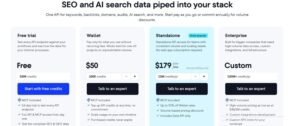
Pricing
- Free trial available
- Essential: low double-digit monthly on annual billing
- Pro: mid double-digit monthly
- Business: low triple-digit monthly
Reviews
- G2: 4.7/5 across 2,300+ reviews
- Capterra: 4.7/5 across 290+ reviews
Reviewers consistently frame it as the value choice, with ease of use mentioned as an unexpected bonus. The recurring caveat is link database depth compared to specialist platforms.
8. Moz Pro – Best for Domain Authority Tracking
Best For: Agencies with mixed-skill teams and a local SEO service line that needs approachable tooling and simple client-facing metrics.
How I Use It: Moz earns its place on local campaigns and in client education. The authority score gives non-technical stakeholders a single number they understand, and the local rank tracking handles multi-location work cleanly.
Quick Overview
Moz is one of the oldest platforms in the category and the origin of Domain Authority, still the most widely quoted third-party authority metric in client conversations.
Approachability is its real strength. Moz is consistently the easiest major platform to learn, which lowers the training cost when your team includes junior coordinators or account managers who touch SEO occasionally.
Coverage spans the standard set: keyword research, rank tracking, site crawling, link analysis, and on-page recommendations. Nothing here is best-in-class, but nothing is missing either.
Local SEO is where it separates. Local rank tracking by geography plus listings management through Moz Local makes it a sensible core for agencies serving restaurants, clinics, dealerships, and multi-location retail.
Domain Authority needs the right framing with clients. It is a comparative 1–100 estimate of link strength, not a Google ranking factor, and presenting it that way avoids an awkward conversation later.
SERP feature tracking rounds it out, monitoring visibility in snippets, local packs, and knowledge panels, which matters as organic listings occupy less of the page.
Key Features
- Domain Authority scoring on a 1–100 comparative scale
- Keyword Explorer with volume, difficulty, and opportunity metrics
- Rank tracker with location-level monitoring
- Site Crawl for technical and on-page issues
- Link Explorer with a large link index
- Local SEO tooling including local rank tracking and listings management
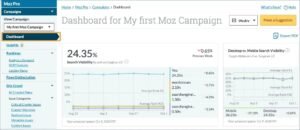
[Image source: Moz Pro]
Pros
A metric clients already understand: Reporting an authority score movement lands with stakeholders who have heard the term, which makes progress legible without an SEO lesson first.
Genuinely strong on local: Geographic rank tracking plus directory listings management covers the two things a local retainer is judged on, in one platform.
Fastest team onboarding: New team members reach useful output in days rather than weeks, which reduces senior supervision time noticeably.
SERP feature visibility: Tracking snippets, local packs, and knowledge panels reflects how results actually look now rather than treating position ten as a win.
Cons
Slower data refresh – Link and ranking data updates less frequently than the leading platforms, which is a real limitation during active link campaigns.
Cost per capability is high – Comparable feature levels sit above the value platforms while offering narrower coverage than the premium ones.
Link index lags – The index is large but refreshes slowly, so newly earned links appear later than agencies proving link value would like.
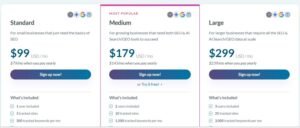
Pricing
- Free trial available
- Standard: mid double-digit monthly
- Medium: low triple-digit monthly
- Large: mid triple-digit monthly
Reviews
- G2: 4.3/5 across 600+ reviews
- Capterra: 4.5/5 across 340+ reviews
Reviewers praise learnability and client-friendly reporting above all. Data freshness is the consistent criticism, and it comes mostly from users running competitive link campaigns.
9. Surfer SEO – Best for Content Optimization

Best For: Agencies producing content at volume who need writers to hit optimisation standards without an SEO editing every draft.
How I Use It: Surfer generates the brief and scores the draft. Writers see the target terms, structure, and length before they start, so the SEO review at the end becomes a check rather than a rewrite.
Quick Overview
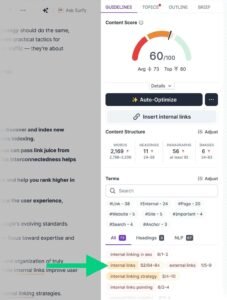
Surfer solved a specific operational problem: content teams optimising by intuition and SEOs rewriting afterwards. The Content Editor scores drafts live against the terms, headings, and length patterns of the pages currently ranking.
The scoring is the mechanism. A writer sees the score move as they work, which turns optimisation from an abstract instruction into immediate feedback and removes the argument about whether a draft is optimised.
Consistency is the real agency benefit. With freelancers or a distributed team, a shared scoring standard produces comparable output regardless of who wrote it.
The Content Audit tool handles the other half of content work. It flags existing pages losing ground and estimates which updates carry the most traffic upside, which is usually higher-return work than publishing something new.
Brand voice templates keep tone consistent across writers, which matters when three freelancers serve one client. The upper plan adds AI drafting for optimised first passes, though those drafts still need real editorial work.
Scope is the trade-off. Surfer optimises content and does nothing else, so research, auditing, and tracking live elsewhere.
Key Features
- Content Editor with live optimisation scoring and term recommendations
- Content Audit identifying pages that need updating
- SERP analyser showing patterns among current top-ranking pages
- Keyword research inside the content workflow
- AI draft generation on the upper plan
- Brand voice templates for tone consistency
[Image Source: Backlinko]
Pros
Live scoring ends brief disputes: A visible score with specific recommendations replaces subjective feedback, which shortens the review cycle on every article.
Recommendations come from live SERPs: Targets derive from what is currently ranking rather than a fixed formula, so guidance updates as the results page changes.
Voice templates hold quality across writers: Consistent tone and structure across a freelancer pool is otherwise the hardest part of scaling content delivery.
Measurable ranking movement: Applying the recommendations to existing underperforming pages produces visible position change often enough to justify the subscription on refresh work alone.
Cons
Content only – No keyword research at scale, no link analysis, no technical auditing, no rank tracking.
Rewards over-optimisation if followed blindly – Chasing a perfect score produces unnatural copy, so editorial judgment must override the tool regularly.
Workflow friction outside Google Docs – Teams built on Word face an extra copy-paste step through the web editor or the Docs add-on.
Pricing
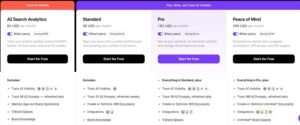
- Standard: mid double-digit to low triple-digit monthly
- Pro: low-to-mid triple-digit monthly
- Higher tiers add AI drafting and larger limits
Reviews
- G2: 4.8/5 across 530+ reviews
- Capterra: 4.9/5 across 420+ reviews
Reviews centre on process improvement more than features, with content teams describing a clear shift from guesswork to measurable standards. Over-optimisation risk is the most cited caution.
10. Rank Math – Best WordPress SEO Plugin

Best For: Agencies running WordPress portfolios who need capable on-page SEO across many sites without per-site licence costs.
How I Use It: Rank Math is the default on WordPress client sites. One licence covers the whole portfolio, and the schema builder handles structured data without a developer or a second plugin.
Quick Overview
Rank Math arrived later than the established WordPress SEO plugins and competed on feature breadth, shipping capabilities in the free version that competitors reserved for premium.
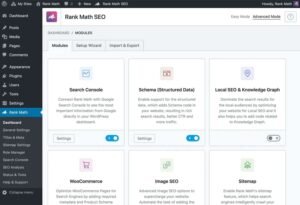
For agencies, licensing is the decisive factor. The unlimited-site tier means one annual fee covers every WordPress client you manage, which compares favourably against per-site or capped-site licensing across a twenty-site portfolio.
Functional coverage is complete for on-page work: meta management, schema with a large type library, XML sitemaps, breadcrumbs, redirect management, 404 monitoring, and a local SEO module.
The schema builder is the standout. Over forty types with a visual interface means rich-result markup gets implemented without writing JSON-LD, which is the difference between structured data happening and structured data staying on the backlog.
The built-in analytics dashboard pulls Search Console and Analytics data into WordPress, so a client checking progress sees it where they already log in rather than in a third-party tool.
Instant indexing through the search engine APIs submits new and updated content immediately, which shortens the gap between publishing and appearing.
Key Features
- On-page analysis with real-time scoring
- Schema markup with forty-plus types and a visual builder
- Built-in analytics pulling Search Console and Analytics data
- Instant indexing via search engine APIs
- Local SEO module with business profile integration
- AI-assisted content optimisation suggestions
[Image Source: Rank Math]
Pros
Unlimited-site licensing: One annual fee across an entire WordPress portfolio changes the maths completely against per-site pricing at twenty or fifty sites.
Deepest free feature set on WordPress: Schema, redirects, 404 monitoring, sitemaps, and local SEO in the free version mean even unmanaged client sites get a proper baseline.
Schema without code: A visual builder covering forty-plus types puts rich-result eligibility within reach of a content editor rather than a developer.
Analytics inside WordPress: Search Console and Analytics data in the admin panel removes a login step for clients and speeds up quick performance checks across sites.
Cons
WordPress only – Clients on Shopify, Wix, Webflow, or custom builds need something else entirely.
Advanced features are paid – Full schema, AI tooling, and complete analytics need the paid tier.
Feature density overwhelms initially – The settings surface is large, and schema in particular needs structured-data understanding to configure well.

Pricing
- Free version with substantial functionality
- Pro: single-digit monthly equivalent, unlimited personal sites
- Business: low double-digit monthly equivalent
- Agency: mid double-digit monthly equivalent with unlimited client sites
Reviews
- G2: 4.8/5 across 110+ reviews
- Capterra: 4.5/5 across 50+ reviews
Schema capability draws the most praise, with reviewers noting they retired separate structured-data plugins. Instant indexing gets credited for faster first appearances on new content.
11. Sitechecker – Best for Project Monitoring
Best For: Agencies wanting one screen across a whole portfolio, with AI search visibility tracking included rather than sold separately.
How I Use It: Sitechecker covers portfolio monitoring. All projects sit in one view with the columns I care about, and the AI visibility tracking answers the question clients now ask about ChatGPT and AI Overviews.
Quick Overview
Sitechecker is built around portfolio monitoring rather than research, and the unified dashboard is the product. Every project appears side by side with configurable columns showing rankings, traffic, open issues, and health.
That view changes how you work at scale. Scanning fifteen clients for anomalies takes a minute instead of fifteen logins, and problems surface before a client email does.
LLM visibility tracking is the differentiator. The platform monitors whether client sites appear in AI-generated answers across the major assistants and AI Overviews, which is increasingly a standing agenda item in client reviews.
Automated auditing supports per-project crawl frequency, so a high-value ecommerce client crawls daily while a small brochure site crawls weekly, and issues arrive sorted by severity rather than as a flat list.
Content change monitoring tracks additions, edits, removals, and indexability shifts. On client sites where other teams also publish, that log has repeatedly explained a ranking change nobody reported.
Unlimited users on all plans is the pricing decision that matters for teams. Adding a strategist or a junior costs nothing, which is unusual in this category.
Key Features
- Unified dashboard across all projects with configurable metrics
- LLM visibility tracking across major AI assistants and AI Overviews
- Automated audits with per-project crawl frequency
- Content change monitoring including indexability status
- Rank tracking across locations and engines
- Backlink monitoring with new and lost link alerts
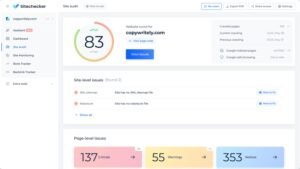
[Image Source: Sitechecker]
Pros
A real portfolio view: Side-by-side project comparison with chosen columns replaces the account-switching tax that eats the first minutes of every session at ten-plus clients.
AI visibility included: LLM tracking on standard plans rather than as a premium add-on means you can answer the AI search question without a second subscription.
Per-project crawl scheduling: Matching crawl frequency to client value spends your crawl budget where it earns, instead of treating every site identically.
Unlimited seats on every plan: Team growth carries no marginal licence cost, which compares well against platforms charging meaningfully per user.
Cons
Less established brand – Lower recognition than the legacy platforms, which occasionally becomes a client conversation.
Narrower specialist depth – A younger platform means less depth in niche use cases than the long-established suites.
Fewer integrations – Connector coverage is limited compared with dedicated reporting platforms, so paid and social data is harder to consolidate.
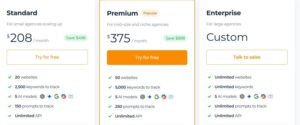
Pricing
- 14-day free trial
- Basic: mid double-digit to low triple-digit monthly
- Standard: low-to-mid triple-digit monthly
- Premium: mid triple-digit monthly
Reviews
- G2: 4.6/5 across 120+ reviews
- Capterra: 4.6/5 across 360+ reviews
Unlimited seats draws the most consistent praise from agency reviewers on cost grounds. Content monitoring is credited with catching problems before they affected rankings.
12. Mangools – Best Budget-Friendly Toolkit

Best For: Freelancers and small agencies wanting the core SEO jobs covered in the most approachable interface available.
How I Use It: Mangools handles early-stage keyword research, particularly on calls. The interface is clear enough that a client follows the reasoning live instead of watching me narrate a spreadsheet.
Quick Overview
Mangools bundles five focused tools rather than building one large platform, and the bundle covers keyword research, SERP analysis, rank tracking, link analysis, and competitor profiling under a single subscription.
Interface quality is the actual selling point. The design is the clearest in the category, and that matters more than it sounds when the person reading the screen is a client rather than an SEO.
Keyword research is the strongest module. The difficulty score is reliable and colour-coded, which makes the easy-win identification step fast even for someone new to the discipline.
SERP analysis adds the competitive layer, showing authority metrics, link counts, and signals for each ranking page, which is enough to judge whether a keyword is realistically winnable.
Rank tracking runs daily with clean visual trend charts, and those charts drop into client reports without redesign work.
The limits are honest ones. There is no site crawler, no content optimisation module, and the databases are smaller than the premium platforms, so long-tail and niche link discovery both thin out.
Key Features
- Keyword research with reliable difficulty scoring
- SERP analysis covering ranking difficulty and result features
- Daily rank tracking with visual trend reporting
- Backlink analysis and link prospecting
- Competitor profiling with authority and trust metrics
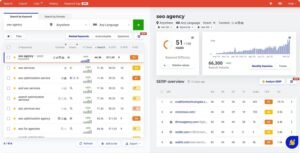
[Image Source: Mangools]
Pros
Lowest realistic entry point: Five working tools for less than most platforms charge for one makes it the sensible first paid subscription for a new agency.
Clearest interface in the category: Clean design makes keyword data legible to clients and juniors, which turns the tool into a communication aid rather than an internal-only system.
Trustworthy difficulty scores: The colour-coded metric identifies winnable keywords quickly, which is exactly what early-stage strategy needs.
Effectively no learning curve: New users are productive within an hour, so onboarding a junior costs a conversation rather than a training week.
Cons
No technical auditing – No crawler at all, so technical work needs a separate tool from day one.
Smaller databases – Long-tail keywords and niche link opportunities go missing against the larger indexes.
Daily lookup limits – Even the top tier caps daily queries, which high-volume research operations will hit.
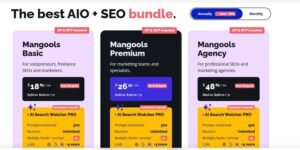
Pricing
- Free tier with limited daily lookups
- Basic: high single-digit to low double-digit monthly on annual billing
- Premium: mid double-digit monthly
- Agency: mid double-digit to low triple-digit monthly
Reviews
- G2: 4.7/5 across 95+ reviews
- Capterra: 4.8/5 across 90+ reviews
Design and clarity dominate the reviews, with users describing it as pleasant to work in, which is rare feedback for SEO software. Feature ceilings are the consistent limitation raised by growing agencies.
13. Google Analytics 4 – Best for Free Website Analytics

Best For: Every agency, because SEO results are unprovable without behaviour and conversion data.
How I Use It: GA4 connects on day one and gets configured properly in week one. Organic landing page performance, engagement, and conversion events are what turn a ranking report into a business result.
Quick Overview
GA4 is Google’s current analytics platform and the only version still collecting data, which removes the question of whether to use it. The event-based model replaced the older session-based approach entirely.
For agencies, this is the layer that proves value. Rankings and impressions show visibility; GA4 shows what visitors did next, and that is the data that renews retainers.
The event model tracks discrete interactions rather than page groupings. Views, clicks, scrolls, video plays, form submissions, and purchases are all events, which gives far finer behavioural detail than the previous model allowed.
Automated insights surface anomalies and trends without a manual query, which is useful for catching a conversion drop between reporting cycles.
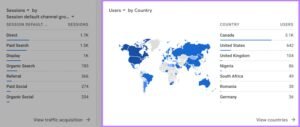
Native integration with Search Console, Google Ads, and BigQuery lets you follow a visitor from query through to conversion, connecting SEO work to revenue rather than to traffic.
Configuration is the real cost. Default tracking captures very little of what matters, and useful reporting depends on deliberately configured events and conversions.
Key Features
- Event-based tracking for granular interaction data
- Automated insights detecting anomalies and trends
- Conversion tracking against defined business goals
- Audience segmentation by behaviour and attribute
- Cross-platform tracking across web and app
- Native integration with Search Console, Ads, and BigQuery
[Image Source: Semrush]
Pros
Complete journey visibility: Following visitors from entry through engagement to conversion or exit shows which organic pages produce business outcomes rather than just sessions.
Automated anomaly detection: Machine-generated alerts on unusual patterns catch problems between monthly reviews, which is when most of them actually happen.
Cross-device tracking: Signed-in users are stitched across devices, which reveals the multi-session research journeys that single-device tracking splits into unrelated visits.
Free at agency scale: Full functionality across an entire client portfolio at no cost is the largest single value item in any agency stack.
Cons
Steep conceptual shift – The event model and the interface both differ enough from the previous version that experienced analysts need retraining.
Useless without configuration – Default installation misses the events that matter, so value depends entirely on setup quality.
Sampling on high-traffic properties – Large sites hit data sampling in detailed reports, which reduces precision on granular analysis.
Pricing
- Free with usage limits
- Enterprise tier available at high annual cost
Reviews
Formal review coverage is limited given the platform’s default status.
Practitioner sentiment splits predictably. The data depth and free access draw praise, and the learning curve plus configuration burden draw the criticism.
14. Search Atlas – Best for SEO Automation

Best For: Agencies willing to trade some control for speed, and those whose clients are already asking about AI search visibility.
How I Use It: Search Atlas covers the automation experiment and the AI visibility question. Its agent handles repetitive on-page and technical work, and I review every change before it goes live.
Quick Overview
Search Atlas positions itself as consolidation plus automation, replacing several point tools with one platform where an AI agent executes work rather than only recommending it.
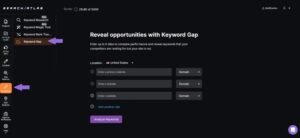
The agent is the differentiator. It deploys technical fixes, optimises content, pursues link opportunities, and publishes changes with limited human involvement, which is a genuinely different model from suggestion-based tooling.
LLM visibility monitoring tracks whether client sites surface in AI-generated answers across the major assistants and AI Overviews. That reporting line has moved from novelty to a standing agenda item in client reviews faster than most people expected.
Underneath the automation sits a conventional platform: keyword research, rank tracking, site auditing, link analysis, local SEO, and white-label reporting all function independently of the agent.
For agencies, the commercial case is subscription consolidation. Replacing several specialist tools with one platform changes the monthly total meaningfully if the coverage genuinely holds.
The honest caveat is oversight. Autonomous changes to client properties need a review process, because an unreviewed automated edit on a client site is a client conversation you do not want.
Key Features
- AI agent executing SEO tasks autonomously
- LLM visibility tracking across major assistants and AI Overviews
- Automated technical fixes deployed directly
- AI-assisted content generation and optimisation
- Link building outreach automation
- White-label dashboards for client reporting
[Image Source: Search Atlas]
Pros
Execution rather than recommendation: An agent that deploys fixes removes the implementation bottleneck that stalls most audit findings, which is where agency recommendations usually die.
Broad workflow automation: Auditing through fixing, content, and outreach under one system compresses the manual labour that makes SEO delivery expensive.
Built for AI search: LLM visibility monitoring as a core feature rather than an add-on positions the agency ahead of a client question that is now routine.
Consolidates several subscriptions: SEO, content, AI visibility, local, and reporting in one platform produces real savings when the coverage genuinely replaces what it claims to.
Cons
Limited track record – A newer platform means fewer independent case studies validating the automation claims over time.
Automation demands supervision – Autonomous edits to client sites require a review workflow, especially in the first months.
Managing the agent is a skill – Setting parameters, reviewing output, and knowing when to override is its own competency to develop.

Pricing
- 7-day free trial
- Starter: mid double-digit to low triple-digit monthly
- Growth: low-to-mid triple-digit monthly
- Pro: mid-to-high triple-digit monthly
- Agency: high triple-digit to four-figure monthly
Reviews
- G2: 4.7/5 across 95+ reviews
- Capterra: 4.8/5 across 65+ reviews
Reviewers skew toward agencies deliberately differentiating on AI capability. Consolidation gets positive feedback when it works smoothly, and the cautions concentrate on automation oversight.
15. WebCEO – Best for White-Label Platform
Best For: Agencies that want clients logging into what appears to be proprietary agency software.
How I Use It: WebCEO earns consideration purely on white-labelling depth. Hosting the whole interface on our own subdomain changes the client perception of the toolset, and the free-audit widget doubles as a lead capture mechanism.
Quick Overview
WebCEO has operated since 2000, which means it has survived every major algorithm shift in search, and it remains in active development.
Full white-labelling is the reason to choose it. The entire interface hosts on a domain you control with your branding throughout, so clients log into your platform rather than a rebranded third-party tool.
That distinction runs deeper than a branded PDF. Most competitors brand the report and expose the vendor at login; here the vendor never appears.
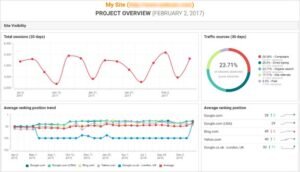
The report library holds over ninety pre-built reports spanning technical audits, rankings, link profiles, competitor analysis, and social engagement, all customisable and schedulable with your branding on delivery.
The lead generation widget is genuinely useful commercially. Prospects enter a URL on your site, receive an instant audit, and you capture the contact, which converts your own website into a pipeline source.
Integrations cover the major data sources plus API access for feeding your own CRM or portal. The clear weakness is the interface, which shows its age against newer platforms.
Key Features
- Ninety-plus pre-built reports across technical, ranking, link, and competitor analysis
- Full white-label hosting on your own domain
- Lead generation widget offering free audits to capture prospects
- Automated scheduling for reports, audits, and monitoring
- Integrations with major link, analytics, and search data sources
- API access with support for custom integrations
[Image source: WebCEO]
Pros
Deepest white-labelling available: Hosting the full platform on your subdomain with complete branding means clients experience proprietary software, which is a positioning advantage no branded PDF delivers.
Lead generation built in: The audit widget turns your website into a prospecting tool, capturing contacts from visitors who were only curious, at negligible per-audit cost.
Ninety-plus ready reports: A comprehensive report library removes report construction entirely, which is the slowest part of onboarding a new client into a reporting workflow.
Two decades of continuity: Long operating history means the platform has adapted through repeated algorithm shifts rather than being built for one moment.
Cons
Dated interface – Functional but visually and structurally behind modern platforms, which affects daily experience.
Navigation takes longer – Locating specific features requires more steps than competitors, adding friction to routine work.
Lower brand recognition – Less market presence than the leading names, which occasionally matters in client conversations.

Pricing
- 14-day free trial
- Agency Unlimited: mid double-digit to low triple-digit monthly
- Startup: low triple-digit monthly
- Corporate: mid triple-digit monthly
Reviews
- G2: 4.7/5 across 160+ reviews
- Capterra: 4.8/5 across 70+ reviews
White-labelling depth and the lead widget draw the strongest praise from agency reviewers. Interface age is the near-universal criticism, raised alongside otherwise positive assessments.
16. AIOSEO – Best for WordPress Team Management
Best For: Agencies managing WordPress portfolios with mixed-skill teams who need real permission boundaries.
How I Use It: AIOSEO goes on WordPress sites where several people touch content. Writers get the on-page tools they need and cannot reach global settings, which removes an entire category of accidental damage.
Quick Overview
AIOSEO has been in the WordPress SEO plugin market since 2007 and carries millions of active installations, which means broad theme and plugin compatibility.
Access control is the feature that justifies it for agency use. SEO-specific roles let a writer use keyphrase and content analysis tools while global configuration stays locked, and a client can view analytics without changing anything.
That boundary solves a real recurring problem. On sites where writers, developers, and clients all have logins, the accidental settings change is a genuine risk, and role-scoped access removes it structurally.
TruSEO scoring evaluates pages in real time across more than twenty factors covering keyphrase placement, meta content, internal and external links, length, images, and schema. It assesses implementation quality rather than checking boxes.
Coverage includes schema for the common content types, WordPress multisite support, a local business module with profile integration, and WooCommerce-specific optimisation for ecommerce clients.
The unlimited-site licence matters for the same reason it does with other plugins: one annual fee across a whole WordPress portfolio removes per-site cost from the maths.
Key Features
- Access control with granular SEO-specific user roles
- TruSEO scoring across twenty-plus real-time factors
- Schema markup for articles, products, events, and more
- WordPress multisite support for centralised management
- Local business SEO with profile integration
- WooCommerce optimisation for ecommerce properties
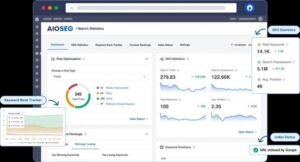
[Image Source: Aioseo]
Pros
Role permissions built for teams: Scoping writers to on-page tools while locking global settings removes the accidental-change risk on any site with multiple contributors.
Substantive on-page scoring: Assessing twenty-plus factors including placement quality, readability, schema, and link structure holds a distributed content team to one consistent standard.
Safe client access: Clients viewing analytics without configuration rights means transparency without exposure, which is difficult to arrange otherwise.
Multisite support: Central management across networked installations suits agencies running twenty or more WordPress properties from one place.
Cons
WordPress only – Clients on other platforms need entirely different tooling.
Key features are paid – Local SEO, WooCommerce optimisation, and full analytics require paid tiers.
Permission setup takes learning – Configuring granular roles well requires understanding WordPress capabilities, which is not immediately obvious.
Pricing
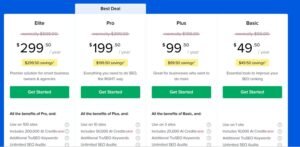
- Basic: low double-digit annual equivalent per month
- Plus: mid double-digit annual equivalent
- Pro: low triple-digit annual equivalent
- Elite: mid triple-digit annual equivalent
Reviews
- G2: 4.8/5 across 180+ reviews
Reviewers with multi-site portfolios single out multisite management most often. TruSEO scoring is credited with maintaining consistency across distributed teams of varying skill.
17. Serpstat – Best for Multi-Region Rank Tracking on One Budget
Best For: Agencies with clients in several countries who need genuine multi-region tracking without paying per-market pricing.
How I Use It: Serpstat handles international rank tracking. When one client targets three countries, tracking each market separately in a premium platform gets expensive fast, and this covers it inside one plan.
Quick Overview
Serpstat is a value-positioned platform whose strongest use case is multi-market work. Rank tracking spans a wide set of country- and city-level search databases at a price that does not scale per market.
That structure is the reason to consider it. An agency running a client across the US, UK, and Germany is otherwise triplicating tracking costs, and here those markets sit inside one project.
The platform covers the standard toolkit: keyword research, competitor analysis, site auditing, backlink data, and rank tracking. None of it leads the market; all of it works.
The clustering tool is genuinely useful for content planning. Feeding it a keyword list returns topical groups based on SERP overlap, which converts a raw export into a page-level content structure in one step.
Site auditing produces prioritised technical issues with severity scoring, sufficient for ongoing monitoring though not a replacement for a full desktop crawl on a large property.
API access sits on relatively accessible tiers, which matters for agencies building custom client dashboards rather than using packaged reporting.
Key Features
- Rank tracking across a wide range of country and city databases
- Keyword clustering based on SERP overlap
- Competitor analysis with keyword and traffic comparison
- Site audit with severity-scored issue prioritisation
- Backlink analysis and monitoring
- API access on mid-tier plans
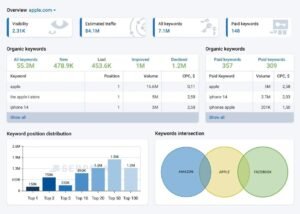
[Image Source: Serpstat]
Pros
Multi-market tracking without multi-market pricing: Covering several countries inside one plan is the clearest saving available to any agency with international clients.
Clustering shortcuts content planning: SERP-overlap grouping turns a keyword export into a page structure directly, removing the manual sorting step that consumes hours.
API on accessible tiers: Programmatic access without an enterprise contract lets smaller agencies build custom dashboards rather than accepting packaged reporting.
Broad coverage at low cost: Research, auditing, tracking, and links in one affordable plan make it a credible core for a lean stack.
Cons
No standout module – Competent across the board, best-in-class nowhere, so specialist work still needs specialist tools.
Smaller link index – Adequate for monitoring, insufficient for competitive link prospecting at scale.
Interface density – More cluttered than the cleanest platforms, which slows new users initially.
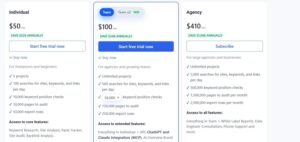
Pricing
- Free plan with limited daily queries
- Entry tier: mid double-digit monthly
- Mid tiers: low triple-digit monthly
- Agency tier: mid triple-digit monthly
Reviews
- G2: 4.5/5 across 200+ reviews
- Capterra: 4.6/5 across 100+ reviews
Reviewers with international portfolios rate it highest, citing multi-region coverage against cost. Link index depth is the standard criticism, alongside interface density.
18. SpyFu – Best for Competitor PPC and Keyword History
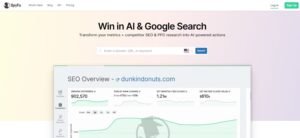
Best For: Agencies pitching new business and running combined SEO and paid campaigns where competitor ad history informs strategy.
How I Use It: SpyFu is my pitch tool. Showing a prospect which keywords their competitors have paid for over the past several years reframes the conversation from what we might do to what their market has already proven works.
Quick Overview
SpyFu occupies a genuinely different position from everything else here. Its value is historical depth on competitor paid search, going back well over a decade on major domains.
That history is the differentiator. Most platforms show current competitor activity; SpyFu shows the ad copy, the keywords, and the budget patterns a competitor has cycled through over years, including what they abandoned.
For pitching, this is unusually persuasive. A competitor who has bid on the same fifty keywords for eight consecutive years has effectively published their profitable keyword list, and that is a stronger argument than any volume estimate.
Organic coverage exists alongside it, with keyword rankings, competitor comparison, and backlink data, though it is less deep than the specialists.
The Kombat feature compares three domains and returns shared keywords plus each domain’s exclusive terms, which is a fast route to a competitive gap list.
Pricing is notably accessible for the data depth, and plans include unlimited searches and data exports rather than metering lookups, which suits agencies doing heavy research in bursts.
Key Features
- Historical paid search data spanning well over a decade
- Competitor ad copy history with keyword-level detail
- Kombat comparison across three domains simultaneously
- Organic keyword rankings and competitor comparison
- Backlink analysis and outreach contact data
- Unlimited searches and exports on paid plans
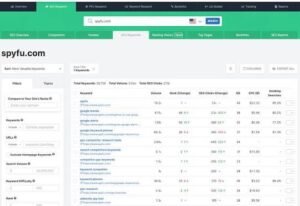
[Image Source: SpyFu]
Pros
Paid search history nobody else keeps: A decade-plus of competitor ad activity reveals which keywords survived repeated budget reviews, which is a far stronger profitability signal than search volume.
Genuinely persuasive in pitches: Showing a prospect their competitors’ long-term paid keyword list converts abstract SEO discussion into a market-proven target list.
Kombat produces gap lists fast: Three-domain comparison returning shared and exclusive keywords compresses competitive analysis into a single query.
Unlimited searches and exports: No lookup metering suits the burst research pattern of agency work, where a pitch week involves hundreds of queries and quiet weeks involve none.
Cons
Organic data is secondary – Rankings and link data trail the specialist platforms, so it complements rather than replaces them.
No site auditing – No crawler, so technical work happens elsewhere entirely.
Estimates need framing – Traffic and spend figures are modelled, so presenting them as directional rather than exact avoids credibility problems.
Pricing
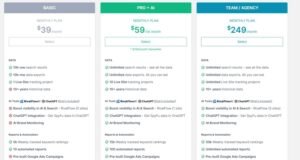
- Free preview with limited results
- Basic: mid double-digit monthly
- Professional: low triple-digit monthly
- Team: mid triple-digit monthly
Reviews
- G2: 4.5/5 across 100+ reviews
- Capterra: 4.6/5 across 100+ reviews
Reviewers consistently rate the historical paid data as the reason they subscribe, with pitching mentioned often as the primary use. Organic data depth is the standard limitation raised.
19. Looker Studio – Best Free Layer for Client Dashboards
Best For: Agencies that need branded client dashboards before the budget justifies a paid reporting platform.
How I Use It: Looker Studio covers reporting for clients whose retainer will not carry a reporting subscription. Search Console and Analytics feed one branded dashboard, and once a template exists, new clients take under an hour.
Quick Overview
Looker Studio is Google’s free reporting and visualisation platform, and for SEO reporting specifically, it is unusually well suited because the two most important data sources are Google’s own.
Search Console and Analytics both connect natively with no cost and no middleware. That covers query performance, landing page data, engagement, and conversions, which is the substance of most SEO reports.
Templates are where the time-saving lives. Building one dashboard properly and duplicating it per client turns reporting into a data-source swap rather than a build, which is the same efficiency a paid platform sells.
Branding is fully controllable. Logos, colours, typography, and layout all adjust, and a shared link presents cleanly enough that clients treat it as an agency deliverable.
Live data means the dashboard is always current, which shifts client conversations from monthly retrospectives to ongoing visibility and reduces mid-month status requests noticeably.
The cost is build time and connector limits. Non-Google sources need third-party connectors that usually charge, and complex dashboards need real-time investment.
Key Features
- Native free connectors for Search Console and Analytics
- Fully customisable branding across logos, colours, and layout
- Template duplication for rapid per-client deployment
- Live data with automatic refresh
- Shareable links and scheduled email delivery
- Blended data sources for combined reporting
Pros
No licence cost at any scale: Reporting across an entire portfolio for free removes the highest fixed cost from a small agency’s stack, and the output is client-ready.
Native Google connectors: Search Console and Analytics connect without paid middleware, and those two sources cover the majority of what an SEO report needs to say.
Templates make new clients fast: One well-built dashboard duplicated per client reduces setup to swapping data sources, which is the same payoff a paid reporting tool delivers.
Live dashboards reduce status requests: Clients checking current data themselves cuts the mid-month email traffic that quietly consumes account management time.
Cons
Build time replaces licence cost – The first dashboard is a real project, so the saving is financial rather than temporal at the start.
Paid connectors for non-Google sources – Third-party platform data usually requires a paid connector, which erodes the free advantage on multi-channel reporting.
No agency-specific features – No client portals, no team roles, no white-label domain, so it is a reporting canvas rather than an agency reporting system.
Performance degrades on complex reports – Heavy dashboards with many blended sources load slowly, which is awkward when presenting live.
Pricing
Free. Enterprise tier available for organisations needing governance features.
Reviews
- G2: 4.4/5 across 300+ reviews
- Capterra: 4.5/5 across 200+ reviews
Reviewers praise flexibility and cost above everything, and the recurring criticism is the build effort and the learning curve on blended data sources.
20. Google Business Profile – Best for Local Client Visibility
Best For: Every agency with local clients, because this is the surface local rankings are actually judged on.
How I Use It: Profile work sits at the front of every local engagement. Categories, service areas, hours, attributes, photos, and review responses get handled before any on-site work, because the map pack often moves faster than organic.
Quick Overview
Google Business Profile is the free management interface for a business’s listing in local results and Maps, and for local SEO it functions as the primary ranking surface rather than a supporting one.
Its importance is structural. A local search returns a map pack above the organic results, and inclusion there depends on profile signals more than on-site factors, which makes profile management the highest-leverage local work available.
Category selection is the setting with the most influence and the one most often wrong. The primary category determines which searches the listing is eligible for, and a mismatched choice caps visibility regardless of everything else.
Reviews function as both a ranking input and a conversion input. Volume, recency, and responses all matter, and this is where response management happens.
The Insights reporting shows how people found the listing, which actions they took, and which queries surfaced it, which is client-facing performance data available nowhere else.
Local demand justifies the attention. Think with Google documented that “near me” mobile searches grew by more than 500% across a two-year measurement window, and that behaviour is exactly what the profile serves.
Key Features
- Business information management including categories, hours, and service areas
- Review monitoring and response management
- Photo and video publishing
- Posts, offers, and event publishing
- Insights reporting on discovery method and customer actions
- Messaging and booking integration
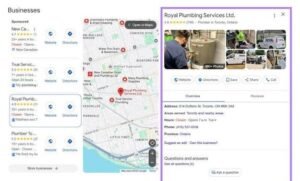
[Image Source: Semrush]
Pros
Direct control of the local ranking surface: Profile signals drive map pack eligibility, so this is the only tool that operates on the exact surface local clients are measured against.
Free with immediate effect: No cost and changes that propagate within days make it the fastest visible win available at the start of a local engagement.
Insights data exists nowhere else: Discovery method, action counts, and surfacing queries give local performance reporting a data source no third-party tool reproduces.
Review management in one place: Monitoring and responding where the reviews live keeps response times short, which affects both ranking signals and conversion.
Cons
Manual across multiple locations – Managing many listings individually is slow without a listings management platform layered on top.
Suspension risk on edits – Category, name, or address changes occasionally trigger verification suspensions, which interrupt visibility during reinstatement.
Limited historical reporting – Insights carry a short retention window, so long-term trending requires exporting regularly.
No competitor visibility – Your listing only, so competitive local analysis needs a separate tool.
Pricing
Free.
Reviews
Formal review coverage is limited given the platform’s default status in local search.
Practitioner sentiment is consistent on necessity and equally consistent on frustration with suspension handling and the short reporting window.
Recommended Tool Combos for Agencies
| Goal | Core Tools |
| Start lean | Search Console + Analytics 4 + Looker Studio + Rank Math |
| Win on reporting | Semrush + AgencyAnalytics + Screaming Frog |
| Dominate with content | Semrush + Surfer SEO + Rank Math |
| Scale to 40+ clients | Semrush + AgencyAnalytics + Screaming Frog + Surfer |
| Future-proof with AI | Semrush + Search Atlas + Sitechecker |
| Serve local clients | Moz Pro + Google Business Profile + Screaming Frog |
| Pitch and win new business | SpyFu + Ahrefs + Looker Studio |
The lean row is the one most agencies skip too early. Four free or near-free tools cover the first handful of clients properly, and delaying a premium subscription until client six preserves margin during the period when margin is thinnest.
How Much Should an Agency Budget for Its SEO Stack?
Stack cost should track revenue, not ambition. A useful working ceiling is three to six percent of monthly retainer revenue, and crossing that consistently signals overlapping subscriptions rather than genuine capability needs.
Here is what the stack realistically costs at each stage, based on the tools above.
| Agency size | Typical stack | Monthly range |
| Solo / 1–4 clients | Search Console + Analytics + Looker Studio + Mangools or Rank Math | Under $50 |
| 5–15 clients | SE Ranking or Semrush + Screaming Frog (annual) + Rank Math Agency | $150–$400 |
| 15–40 clients | Semrush + Ahrefs + AgencyAnalytics + Surfer + Screaming Frog | $700–$1,400 |
| 40+ clients | Above plus Sitechecker or Search Atlas, extra seats, API access | $1,500–$3,000+ |
Two line items reliably exceed their estimate. Additional seats on per-user platforms and API access on mid-tier plans both arrive after signup, so calculate them into the original comparison rather than discovering them on the second invoice.
The other cost is the one nobody budgets. Two platforms doing the same job is a duplicated fee every month, and it usually happens because the second tool was bought for one feature and then retained for everything.
Annual billing is the easiest real saving available. Most platforms discount meaningfully for annual commitment, and desktop licences like Screaming Frog are annual by default, which flatters the monthly comparison against subscription crawlers considerably.
How to Build Your Agency SEO Stack in 5 Steps
Buying order matters more than tool selection, because the wrong order means paying for capability you cannot yet use.
Step 1: Connect the free layer on every client. Search Console and Analytics 4 go on every property before anything is purchased. Both hold data no paid tool reproduces, and both need historical depth, which only accrues if they are connected early.
Step 2: Buy the crawler before the research platform. Technical problems block everything else, and an annual desktop crawler licence costs less than one month of a premium suite. Fix what is broken before researching what to build.
Step 3: Add one research platform, not two. Choose SE Ranking for value or Semrush for breadth, then commit. Running two research platforms in parallel duplicates cost and produces contradictory numbers inside the same client report.
Step 4: Solve reporting at client five. Reporting time scales linearly with client count, and the payback point on a reporting platform arrives around the fifth or sixth retainer. Before that, Looker Studio templates cover it at no cost.
Step 5: Buy specialist tools against service lines, not curiosity. Add Surfer when content is a paid deliverable, Ahrefs when link building is, SpyFu when new business pitching is a repeated process. A tool bought before the service line exists sits unused and renews anyway.
Review the whole stack quarterly. Cancel anything that has not been opened in sixty days, because unused subscriptions renew silently, and that is where stack cost creeps without any decision being made.
SEO Tool Mistakes That Quietly Drain Agency Margins
The expensive mistakes are rarely the obvious ones. They are the subscriptions that made sense once and were never revisited.
Paying twice for the same job. Two platforms with overlapping keyword research is the most common overlap I see, usually because one was bought for a single feature and then kept for everything. Audit for duplication before renewing anything.
Buying seats instead of managing them. Per-user pricing rewards discipline. Seats for occasional users cost as much as seats for daily users, and a shared read-only reporting link often replaces three of them.
Running monthly billing on tools you will keep. Annual commitment discounts are substantial across this category, and paying monthly for a platform you have used for two years is a purely avoidable cost.
Mixing data sources inside one client report. Volume and difficulty differ between platforms on the same keyword, and a report that quotes two sources produces a contradiction the client finds first. Pick one reporting source of truth per client.
Treating tool output as the deliverable. A platform-generated audit sent unedited to a client is not a deliverable, because it lists issues without prioritisation or business context. The interpretation is the work.
Retaining tools through client churn. Plans sized for a portfolio you no longer have keep charging for the portfolio you had. Resize after churn rather than at renewal, which is often months later.
Ignoring the onboarding cost. A platform nobody on the team can use produces zero return regardless of capability, and the ramp-up time on the broadest suites is measured in weeks of partly productive work.
Free vs Paid SEO Tools: Where the Line Actually Sits
The free-versus-paid question is usually framed wrongly. Free tools are not limited versions of paid tools; they cover different jobs, and some jobs have no free equivalent at all.
| Job to be done | Free option exists? | Where paid becomes necessary. |
| Search performance data | Yes — Search Console covers it fully | Only for history beyond sixteen months |
| Traffic and conversion data | Yes — Analytics 4 covers it fully | Only at enterprise sampling scale |
| Client reporting | Yes — Looker Studio | At five-plus clients, when build time exceeds licence cost |
| Local listing management | Yes — Business Profile | At multi-location scale, for bulk listing management |
| Technical crawling | Partly — 500-URL free tier | Immediately on any site above 500 pages |
| Keyword research | Barely | Immediately, as free volume data is too coarse to plan on |
| Competitor analysis | No | Immediately, as no free tool shows competitor keywords or links |
| Rank tracking | No | Immediately, as manual checking does not scale or stay objective |
| Backlink data | No | Immediately, as no free tool indexes links at usable depth |
The pattern is clear. Google’s own tools cover your own data completely and cover competitor data not at all, which is precisely where paid platforms earn their place.
That makes the first paid purchase easy to identify. It is whichever tool covers competitor visibility, link data, or rank tracking, because those three are the jobs with no free substitute at any scale.
Conclusion: Best SEO Tools for Agencies?
No two agency stacks should look identical, because stacks follow service lines rather than best-of lists. What every stack shares is a free foundation and one research platform that does not need replacing at client twenty.
Start with Search Console, Analytics 4, and Looker Studio, add a crawler, then commit to one research platform. Layer Surfer for content, AgencyAnalytics for reporting, and SpyFu for pitching as each becomes a paid deliverable rather than an interest.
We build stacks this way at White Label SEO Service across local, national, ecommerce, and SaaS engagements, and the tooling always follows the work. If you want technical SEO, link building, GMB optimisation, content, or analytics delivered under your own brand, we handle the delivery while you keep the client relationship.
Frequently Asked Questions
What is the best SEO tool for a small agency?
SE Ranking offers the strongest coverage per dollar for agencies with five to fifteen clients, including white-label reporting on every tier and flexible tracking frequency.
Can an agency run entirely on free SEO tools?
Partly. Search Console, Analytics 4, Looker Studio, and Business Profile cover your own data and reporting, but competitor research, link data, and rank tracking have no free equivalent.
How many SEO tools does an agency actually need?
Four to six covers most agencies: a free analytics layer, one research platform, a crawler, a reporting tool, and one or two specialists tied to paid service lines.
Do agencies need both Semrush and Ahrefs?
Only above roughly fifteen clients where link building is a paid deliverable. Below that, one research platform plus a crawler covers the same ground for less.
What does an agency SEO stack cost per month?
Under $50 for a solo operator, $150 to $400 at five to fifteen clients, and $700 to $1,400 at fifteen to forty clients, including reporting and content tools.
Which SEO tool is best for white-label reporting?
AgencyAnalytics leads in connector breadth and client portals. WebCEO goes further by hosting the entire platform on your own domain under your branding.