
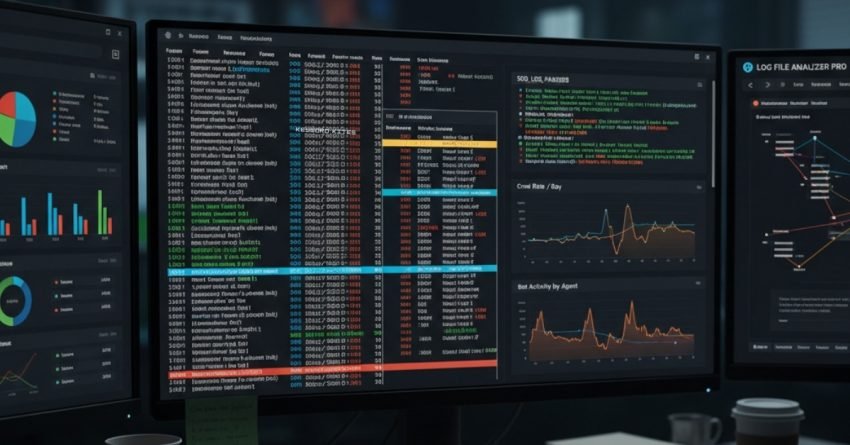
If you want the clearest, least biased picture of how crawlers and bots interact with your website, look no further than your server logs. Log file analysis is the secret weapon of technical SEOs it shows which URLs bots visit, how often they come, which user agents hit your site, and where crawl budget is being wasted. This guide explains how to get started, what to monitor, practical fixes, and how to turn log insights into real SEO wins written in plain language by someone who’s fixed too many “mystery” drops with nothing but logs and coffee.
Quick Competitor Gap Analysis
I reviewed leading coverage from Semrush, Ahrefs, OnCrawl, Botify, Screaming Frog, and Search Engine Journal. The common strengths: solid explanations of what logs are and lists of tools. The gaps I found (and what this post focuses on) are:
- Actionable Prioritization: Many guides explain metrics but don’t say which issues to fix first.
- Monitoring Playbooks: Few give ongoing monitoring routines or alert ideas.
- Bot Differentiation: Lots of content talks about Googlebot but fewer address filtering malicious bots, LLM crawlers, and tag management implications.
- Developer Handoffs: Practical copy/paste steps for devs and ops are often missing.
This post aims to close those gaps giving priority, routines, and dev-ready steps.
What Log Files Actually Tell You
Server logs record every request your server processes: timestamp, requested URL, status code (200, 404, 301, etc.), user agent, IP, referrer, and sometimes response time. From this raw stream you can answer questions like:
- Are search engines crawling my new content?
- Which pages waste crawler time (e.g., archive pages, faceted filters)?
- Are redirects creating chains or loops?
- Which bots are scraping my site, and are they legit?
Logs are the ground truth Google Search Console can lag or be sampled, but logs are real-time and complete.
Tools to Use For Log File Analysis
You Can Start With Free/Open Tools Or Move To Specialized Platforms As Scale Grows:
- Screaming Frog Log File Analyser — great for small-to-medium sites.
- Logstash / ELK Stack — flexible, self-hosted parsing and dashboards.
- BigQuery + Cloud Logging (with Cloudflare/Logflare) — ideal for long-term, large-scale storage.
- OnCrawl, Botify, JetOctopus — enterprise-friendly with SEO-focused UIs.
- Custom Scripts (Python/R) — for bespoke parsing or unique questions.
Pick a tool that matches your site size and the team’s skill set. You don’t need Botify to get value start with Screaming Frog or BigQuery if you’re technical.
First Things First: How to Collect Logs Safely
- Get logs from your web server or CDN (Cloudflare, Fastly, Akamai). CDN logs are often cleaner and include edge behavior.
- Make sure logs include timestamp, IP, user agent, requested URL, status code, referrer, and response time.
- Rotate and archive logs securely; for large sites send raw logs to BigQuery or S3 for processing.
- Mask or remove PII (if any) before analysis to comply with privacy rules.
If you use a managed host, ask support how to export raw access logs most will provide SFTP or direct cloud export.
Core Metrics and What They Reveal
- Bot Hits By User Agent: Tells you which bots visit and frequency (Googlebot, Bingbot, Baiduspider, LLM crawlers, etc.).
- Crawl Frequency Per URL: Shows pages crawled most; if unimportant pages dominate, you have waste.
- Status Code Distribution: 404s, 5xxs, and redirect chains become obvious.
- Time Of Crawl: Understand crawl window patterns (when bots crawl most).
- Response Time Per Request: Slow pages are crawled less and cause higher resource use.
Prioritize fixes that affect high-traffic or high-crawl pages first.
Practical Use Cases and Prioritization
- Find Crawl Budget Waste — If faceted navigation, tag pages, or duplicate parameter URLs get most bot hits, block or canonicalize them. (High impact)
- Detect Indexing Gaps — If important new pages aren’t being crawled, check noindex, robots, server errors, or internal link depth. (High impact)
- Fix Redirects And 5xx Errors — Logs reveal loops and frequent server errors that harm crawl efficiency. (High impact)
- Identify Malicious Or Unwanted Bots — High-frequency scraping bots can be rate-limited or blocked. (Medium impact)
- Monitor Bot Migration — track whether Googlebot moves from desktop to smartphone user agents and adjust mobile-first priorities. (Medium impact)
Start with items that affect revenue pages and scale to site-wide hygiene.
Common Pitfalls and How to Avoid Them
- Trusting User Agent Strings Blindly: Bots spoof user agents. Verify IPs (Google publishes IP ranges) or use reverse DNS for validation.
- Blocking Via Robots.Txt Without Considering Canonicals: Robots.txt blocks crawling but not necessarily indexing; choose noindex for explicit removal.
- Neglecting CDN vs Origin Logs: Bot behavior at the CDN may differ from origin; analyze both if possible.
- Overreacting To One-Off Spikes: Correlate logs with deployments, marketing pushes, or bot crawls before changing robots rules.
Logs provide answers, but context matters check deployments and marketing calendars before panicking.
Monitoring Playbook (Weekly / Monthly Checks)
Weekly:
- Check top 100 URLs by bot hits are they high-value pages?
- Scan for new 5xx spikes and redirect chain counts.
- Review unusual user agents.
Monthly:
- Compare crawl distribution vs sitemap; ensure sitemaps match actual crawl targets.
- Review changes in crawl frequency for critical landing pages.
- Audit top referrers and bots for suspicious increases.
On Release:
- Run a focused log check for the first 48–72 hours after production deploys to catch regressions (500s, new 301 loops).
Set simple alerts (e.g., >2000 5xx in 1 hour, or sudden 10x rise in requests from unknown bot) using your log tool.
Developer Handoff: Concrete Steps to Fix Issues
- For discovered redirect chains, map the chain and implement one-to-one 301s (A → B).
- For highly crawled parameter URLs, implement canonical tags, update sitemap, and add parameter rules in Search Console if needed.
- For unwanted bot traffic, implement rate limiting at the CDN or firewall, or add conditional rules to robots.txt (careful).
- For slow response pages, profile server-side functions and optimize or cache responses.
Include sample log snippets and clear examples in tickets so devs don’t have to re-interpret the data.
Quick Wins You Can Deploy Today
- Export last 7 days of logs and list top 50 URLs by bot hits; if non-essential pages dominate, address them.
- Identify repeated 404s and redirect or restore important content.
- Add sitemap and internal links for important URLs that show low crawl frequency.
- Implement simple rate limits for non-Google bots that request thousands of pages/minute.
Even a few targeted changes here often frees up crawl budget for priority pages.
Final Thought
Log file analysis isn’t one-time busywork it’s an ongoing hygiene and intelligence stream that tells you how bots and users interact with your site. Start small, automate what you can, and build a monitoring rhythm. Over time, you’ll stop being surprised by indexing issues and start proactively shaping how search engines see your site.
Frustrated watching Google crawl everything except the pages that actually matter?
You’re not alone most sites waste crawl budget on filters, archives, and endless redirects without even knowing it. The result? Slow indexing, lost rankings, and traffic that never reaches its full potential.
That’s where we step in. Our technical SEO team digs deep into your log files, uncovering exactly how search engines interact with your site what they crawl, what they skip, and where you’re losing efficiency. Then we turn those insights into an action plan your devs can implement right away to reclaim crawl budget and drive faster, more consistent indexing.
Stop letting search engines decide what’s important on your site. Let’s help them find and prioritize your best pages.
👉 Request Your Log File Audit Today


