I’ve watched too many business owners treat their Google Business Profile as a “set it and forget it” listing. Google Business Profile ROI is the measurable return a business generates from the calls, direction requests, website visits, and bookings that originate from its free Google listing, weighed against the time or money spent maintaining it. For most local businesses, this profile sits at the exact moment a customer decides where to go.
I’ve seen companies pour budget into ads while ignoring a free asset sitting at the top of local search. That gap costs real revenue every month.
This guide walks through what actually counts as GBP performance, how to calculate ROI accurately, the optimization moves that move the needle, and realistic timelines for results. We’ll also cover the tools worth using and when outside help makes sense.
What Is Google Business Profile ROI?
Google Business Profile ROI measures the value generated from your free Google listing against the effort or cost invested in managing it. I think of it less like a marketing campaign and more like a storefront window that never closes.
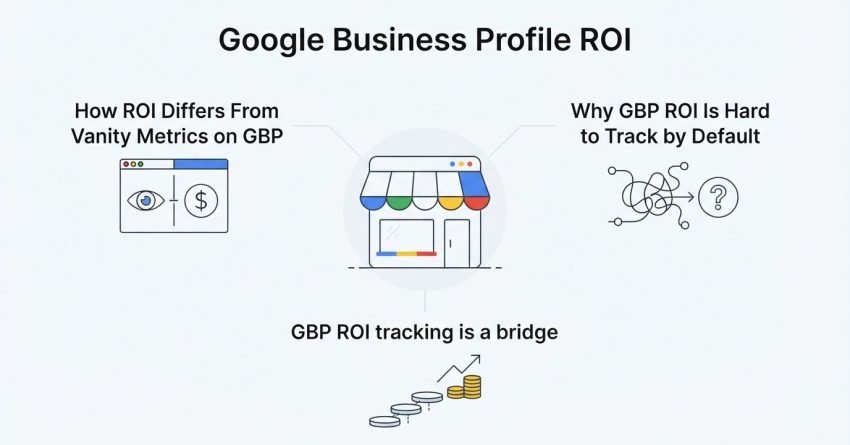
How ROI Differs From Vanity Metrics on GBP
Profile views and search impressions look good on a report, but they don’t pay bills. I care about calls, direction requests, and website clicks because those are the actions tied to actual customer intent, and these interaction metrics tell a completely different story than raw visibility numbers.
A profile can rack up thousands of views and still produce zero revenue if nothing on it prompts action.
Why GBP ROI Is Hard to Track by Default
Google doesn’t hand you a revenue dashboard. It hands you counts of actions, and connecting those actions to closed deals takes deliberate setup on your end.
I always tell clients that GBP ROI tracking is a bridge you build yourself between Google’s data and your own sales records.
Why Google Business Profile Matters for Local Business Growth
Google Business Profile matters because it controls how a business appears in the exact moment someone searches for a nearby solution. I’ve watched businesses double their call volume just from fixing profile basics.
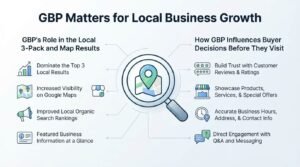
GBP’s Role in the Local 3-Pack and Map Results
The local 3-pack is the box of three businesses Google shows above organic results for local searches, and it pulls its data almost entirely from Google Business Profile signals. Landing in that box changes everything about visibility.
I’ve seen a single 3-pack placement outperform an entire month of paid search spend for a local service business.
How GBP Influences Buyer Decisions Before They Visit
People check reviews, hours, and photos before ever picking up the phone. A weak profile loses the sale before your team even knows the lead existed.
I treat every field on the profile as a small trust signal that adds up.
Key Metrics That Determine Your GBP ROI
The metrics that determine GBP ROI are calls, direction requests, website clicks, message inquiries, and the conversion rate from those actions to paying customers. Everything else is secondary.
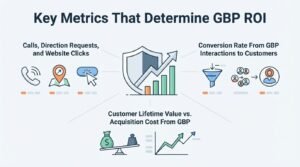
Calls, Direction Requests, and Website Clicks
These three actions represent the clearest intent signals Google gives you, and I weight them far above impressions or views. A jump in direction requests usually means your map presence is working.
I watch these numbers weekly for active clients because sudden drops often point to a profile issue, like a suspended listing or a category change.
Conversion Rate From GBP Interactions to Customers
Not every call becomes a customer, so tracking your close rate from GBP-originated leads matters separately. Conversion tracking tells you whether the volume you’re generating is actually valuable.
I’ve worked with businesses generating plenty of calls but converting poorly, which pointed to a staff training issue rather than a marketing one.
Customer Lifetime Value vs. Acquisition Cost From GBP
A single GBP-sourced customer might be worth far more than the cost of managing the profile over years of repeat business. Comparing lifetime value against the time invested reframes the whole ROI conversation.
I run this comparison every quarter with clients because it changes budget decisions more than any single monthly metric.
How to Calculate Google Business Profile ROI
You calculate Google Business Profile ROI by dividing the net profit generated from GBP-sourced customers by the total cost of managing the profile, then multiplying by 100. The formula is simple; the inputs are the hard part.
The Basic GBP ROI Formula
ROI equals (Revenue from GBP leads minus cost of GBP management) divided by cost of GBP management. A Semrush analysis of local search behavior found that 76% of people who search for something nearby visit a business within a day, which shows how quickly GBP actions translate into real-world visits.
I recommend tracking cost as actual hours spent or agency fees paid, not an estimate.
Attribution Challenges in Multi-Channel Journeys
Customers rarely convert on a single touchpoint. Someone might see your GBP listing, visit your site later from a different device, then call from a third channel entirely.
I use call tracking numbers specific to GBP listings to cut through this noise whenever budget allows.
Google Business Profile Insights and Analytics Explained
Google Business Profile Insights shows how customers find and interact with your listing, breaking down searches by discovery versus direct queries. This built-in data is the starting point for any ROI calculation.
Reading GBP Performance Reports
The performance dashboard separates search queries, customer actions, and photo views into distinct sections. I look at query type first because it reveals whether people find you by name or by category search.
A business showing up mostly for branded searches has a visibility gap in category-based discovery.
Connecting GBP Data to Google Analytics
Linking your website to Google Analytics lets you trace GBP-driven website clicks all the way to on-site behavior and conversions. Without this connection, GBP traffic just blends into your “direct” or “referral” bucket.
I set up UTM-tagged website links inside the profile specifically so this traffic never gets lost.
Factors That Influence Your Google Business Profile Performance
Three factors determine Google Business Profile ranking: proximity, relevance, and prominence. Understanding these explains why some competitors outrank you despite a weaker-looking business.
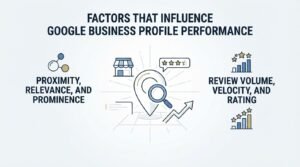
Proximity, Relevance, and Prominence
Proximity measures how close the searcher is to your location, relevance measures how well your profile matches the search, and prominence measures your overall reputation and web presence. You can’t change proximity, but the other two are fully within your control.
I focus client effort on relevance and prominence since those are the levers that actually move.
Review Volume, Velocity, and Rating
The number of reviews, how quickly they accumulate, and the average star rating all factor into prominence. A BrightLocal consumer review survey found that 98% of consumers read online reviews for local businesses before making a decision.
I’ve seen review velocity alone shift map rankings within a few weeks when a business suddenly starts collecting feedback consistently.
Optimizing Your Google Business Profile for Maximum ROI
Optimizing a Google Business Profile means keeping every field accurate, adding fresh photos and posts regularly, and structuring your categories and services to match real search demand. This is the highest-leverage work available on the platform.
Business Information Accuracy and Categories
Your primary category shapes which searches you appear for more than almost any other setting. I’ve corrected mismatched categories and watched impressions climb within days.
Inconsistent name, address, and phone details across the web also quietly undermine trust signals Google uses for ranking.
Photos, Posts, and Product/Service Listings
Profiles with photos receive far more direction requests and website clicks than those without, according to Google’s own guidance for business owners. I upload new photos monthly at minimum, and weekly for retail or hospitality clients.
Structured service listings also give Google more specific text to match against long-tail local searches.
Q&A Section and Attributes
The Q&A section lets anyone post a question, and unanswered questions look neglected to potential customers browsing the profile. I seed this section with the questions we already know customers ask.
Attributes like “women-led” or “wheelchair accessible” also feed into relevance matching for specific searcher filters.
The Role of Customer Reviews in Driving GBP ROI
Customer reviews drive Google Business Profile ROI by increasing both ranking prominence and the click-through rate from searchers comparing options. Review strategy is not optional at this point.
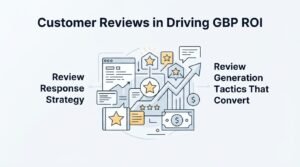
Review Response Strategy
Responding to every review, positive or negative, signals to both Google and future customers that the business is active and engaged. I keep responses specific rather than templated because generic replies read as insincere.
A thoughtful response to a negative review often does more trust-building than five generic five-star replies.
Review Generation Tactics That Convert
Asking at the right moment, right after a positive interaction, produces far higher review rates than a generic email blast weeks later. I’ve had the best results with a direct link sent via text message within an hour of service completion.
Automated review request systems help, but timing still matters more than the tool used.
Google Business Profile Posts and Content Strategy
Google Business Profile posts function like mini social media updates that appear directly on your listing, covering offers, events, and updates. They’re an underused lever for keeping a profile active.
Post Types and Posting Frequency
Google offers several post formats, including offers, events, and standard updates, each with a short shelf life before they expire from the profile. I post at least weekly because posting frequency correlates with a profile that Google’s systems treat as active.
An inactive posting history won’t tank rankings outright, but a consistently updated one adds a small, steady advantage.
Common Mistakes That Hurt Google Business Profile ROI
The most common mistake I see is treating the profile as a one-time setup rather than an ongoing asset that needs regular attention. This single mindset shift changes outcomes more than any individual tactic.
Neglected Profiles vs. Over-Optimized Profiles
A neglected profile has outdated hours, stale photos, and unanswered reviews, all of which quietly erode trust and rankings over time. On the other end, keyword-stuffed business names and irrelevant categories violate Google’s guidelines and risk suspension.
I’ve had to fix both extremes, and the suspended, over-optimized profiles are always harder to recover than the neglected ones.
How Google Business Profile Fits Into Your Broader SEO Strategy
Google Business Profile is one component of local SEO, which itself sits inside a broader organic search strategy covering technical SEO, content, and links. Treating GBP in isolation leaves value on the table.
Local SEO vs. Organic SEO Synergy
Local SEO focuses on map-based and “near me” visibility, while organic SEO targets broader informational and commercial search intent across your entire site. The two reinforce each other when a strong website backs up a strong profile.
I’ve seen GBP performance improve simply because the linked website became more authoritative through separate content work.
Tools for Tracking and Improving Google Business Profile ROI
The right tools for tracking GBP ROI combine Google’s native Insights dashboard with call tracking software and a connected Google Analytics account. Manual tracking works, but it doesn’t scale past a handful of locations.
Free vs. Paid GBP Management Tools
Google’s built-in tools cover the basics for free, while paid platforms add multi-location management, review automation, and deeper reporting. I recommend starting free and upgrading only once a business has more than a couple of locations to manage.
The jump to paid tools usually pays for itself once review response time becomes a bottleneck.
How Long It Takes to See ROI From Google Business Profile Efforts
Most businesses start seeing measurable ROI improvements from Google Business Profile optimization within 60 to 90 days of consistent effort. Some quick wins, like fixing incorrect hours, show impact within days.
Realistic Timelines by Business Type
Highly competitive categories in dense urban markets take longer to see ranking movement than niche businesses in smaller service areas. I set client expectations around 90 days for meaningful map ranking shifts, with earlier gains showing up in review volume and engagement metrics.
Seasonal businesses also need to account for demand cycles that skew short-term data.
When to Bring in Professional Help for GBP Management
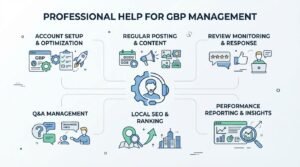
Professional help makes sense once a business lacks the time to post consistently, respond to reviews, or diagnose why a profile suddenly lost visibility. Doing it inconsistently often produces worse outcomes than not doing it at all.
Signs Your GBP Strategy Needs Expert Support
A sudden ranking drop, a suspended listing, or reviews going unanswered for weeks are all signs the profile needs dedicated attention. I’ve taken over accounts in far worse shape than if they’d simply been left alone from the start.
Multi-location businesses in particular struggle to manage GBP consistently without a dedicated process.
Conclusion
Google Business Profile ROI comes down to tracking the right actions, optimizing consistently, and connecting profile data to real revenue.
This profile works alongside your broader SEO strategy, not apart from it, and the deeper resources here go further into each piece.
We built White Label SEO Service to handle this complexity for you. Let’s turn your profile into a measurable growth channel.
Frequently Asked Questions
How much does managing a Google Business Profile cost?
Managing a Google Business Profile is free through Google directly, though many businesses pay for tools or professional management. Costs typically range from time invested in-house to monthly agency fees for full management.
Does Google Business Profile affect regular website SEO rankings?
Google Business Profile primarily affects local map pack rankings rather than organic website rankings directly. A strong profile can indirectly support organic visibility through increased brand searches and site traffic.
How often should I post on Google Business Profile?
Most businesses should post at least once a week to keep the profile signaling activity to Google. Retail and hospitality businesses often benefit from more frequent updates tied to promotions or events.
Can a suspended Google Business Profile be recovered?
A suspended Google Business Profile can often be recovered by identifying the guideline violation and submitting a reinstatement request. Recovery timelines vary from days to several weeks depending on the violation type.
What’s a good star rating to aim for on Google Business Profile?
A rating above 4.0 stars is generally considered strong enough to support both trust and ranking performance. Review volume and recency matter alongside the raw star average.
Do photos actually impact Google Business Profile performance?
Photos directly impact performance by increasing engagement actions like direction requests and website clicks. Profiles with regularly updated photos also signal ongoing activity to Google’s ranking systems.
Should every business respond to Google Business Profile reviews?
Every business should respond to reviews, both positive and negative, to demonstrate active management and build trust with future customers. Timely, specific responses perform better than generic templated replies.