Managing multiple Google Business Profiles at scale means overseeing ten, fifty, or thousands of location listings under one coordinated system rather than logging into each profile individually to update hours, respond to reviews, or post content. Businesses with several branches, franchisees, or client accounts hit this need the moment manual, one-by-one management becomes too slow to sustain accuracy across every location.
I’ve watched multi-location brands lose rankings simply because nobody owned this process. Twenty inconsistent listings hurt visibility more than five accurate ones ever could.
This guide covers how Google structures multi-location ownership and permissions, the bulk verification and upload process, review and content management at scale, performance tracking across locations, and the compliance risks that get profiles suspended. We’ll move from setup fundamentals through to the operational workflow that keeps everything running.
What Counts as “Managing GBPs at Scale” Actually Means
Managing Google Business Profiles at scale means administering ten or more listings through a shared account structure instead of individual logins tied to separate email addresses. The threshold isn’t a fixed number Google publishes; it’s the point where manual tracking stops being reliable.
I consider five locations the informal tipping point where spreadsheets and personal logins start failing. Below that, most owners manage fine on their own.
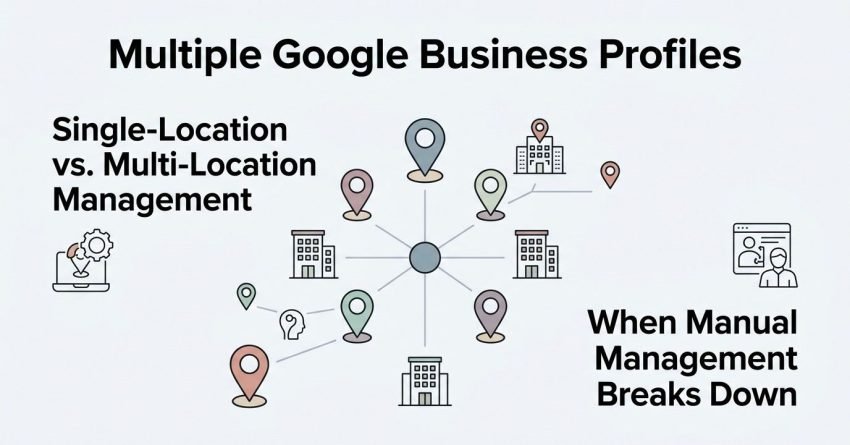
Single-Location vs. Multi-Location Management
A single-location owner logs into one dashboard, updates one set of hours, and replies to a handful of reviews weekly. That workflow doesn’t scale linearly; it breaks entirely once tracking spans multiple cities or brands.
Multi-location management requires a shared ownership structure, standardized templates, and one team (internal or outsourced) accountable for consistency. Business Profile groups solve the login-sharing problem that individual account management can’t.
When Manual Management Breaks Down
Manual management breaks down once a business owns more listings than one person can meaningfully audit each week. I’ve seen ten-location brands still functioning fine manually, and three-location brands already drowning.
The signal is missed reviews, stale hours during holidays, and inconsistent NAP data across branches. Standardizing NAP data is usually the first fix needed once this starts happening.
Google’s Rules on Multi-Location and Agency Ownership
Google requires each Business Profile to have a designated owner, but allows managers and additional owners to be added for multi-location or agency oversight. This distinction between ownership and access matters enormously once outside teams get involved.
I always clarify ownership before taking on a new multi-location client. Confusion here causes more suspensions than any single ranking factor.
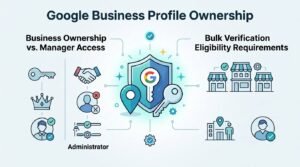
Business Ownership vs. Manager Access
The business itself should always retain primary ownership of its own listings, even when an agency manages day-to-day updates. Manager access grants edit permissions without transferring legal ownership of the profile.
This separation protects the business if an agency relationship ends. Losing primary ownership to a third party is one of the most common and costly mistakes I see in this space.
Bulk Verification Eligibility Requirements
Bulk verification through Google’s location group upload is available only to businesses managing ten or more locations under a single legal entity. Businesses below that threshold verify each location individually through standard methods.
Bulk location upload requires a consistent spreadsheet format that Google validates before approving group verification. Getting the entity name and address formatting wrong is the top rejection cause.
Choosing a Management Structure – Business Groups vs. Individual Accounts
A Business Profile group is Google’s native structure for organizing multiple locations under shared management, letting one or more users control several listings from a single dashboard. Choosing the right structure upfront prevents a painful migration later.
I default every client with five or more locations into a group structure from day one. Retrofitting it after months of individual accounts wastes real time.
Business Manager Groups Explained
A Business Manager group functions like a folder containing every location profile a business or agency oversees. Users get assigned roles at the group level rather than individually per listing, which speeds up onboarding new team members considerably.
Groups also simplify offboarding: removing one user instantly revokes access across every location in that group. This single control point is why groups outperform individual accounts at any real scale.
Agency Account Structures
Agencies managing profiles for multiple client businesses typically maintain their own manager account added to each client’s individual Business Profile group. This keeps client ownership intact while giving the agency centralized access across all accounts.
Assigning manager-level access rather than ownership-level access is the standard agency practice here. Ownership transfer should almost never happen in a service-provider relationship.
Bulk Location Upload and Verification Process
Bulk location upload lets eligible businesses submit dozens or hundreds of locations simultaneously through a Google-provided spreadsheet rather than filing verification requests one at a time. This process alone can cut multi-location onboarding time from months to days.
I’ve run bulk uploads for chains with over 200 locations. The spreadsheet format tolerance is unforgiving, and small formatting errors cascade into batch rejections.
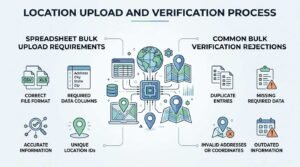
Spreadsheet Bulk Upload Requirements
Google’s bulk upload spreadsheet requires exact-match business names, standardized address formatting, accurate category codes, and consistent phone number formatting across every row. One malformed row can stall an entire batch’s review.
An Ahrefs local SEO study found that listings with inconsistent NAP formatting see measurably slower indexing across Google’s local systems compared to standardized entries.
Common Bulk Verification Rejections
Rejections most often trace back to entity name mismatches between the spreadsheet and official business registration documents. Address formatting inconsistencies and duplicate location detection cause the next largest share of rejected batches.
Google typically flags duplicates when two locations share a phone number or nearly identical address. Duplicate and fake listing detection runs automatically during this review step, well before a human ever looks at the batch.
Assigning Roles, Permissions, and Access Levels
Google Business Profile offers three access levels: Owner, Manager, and Site Manager, each granting different editing and administrative permissions. Assigning the correct level to each team member prevents both security risk and accidental data changes.
I set every new hire to Manager by default and only escalate to Owner when someone needs billing or user-management control. Overpermissioning is a common, avoidable mistake.
Owner, Manager, and Site Manager Roles
Owners hold full control, including the ability to remove other owners and manage billing for linked services. Managers can edit most profile details but can’t remove owners or transfer primary ownership.
Site Managers hold the most restricted access, typically limited to responding to reviews and creating posts. This tiered structure matters most once a team grows past two or three people touching the same profiles.
Agency Access Best Practices
Agencies should request Manager-level access rather than Owner access whenever a client relationship is temporary or contract-based. This protects the client’s long-term control while still giving the agency full operational capability.
I’ve seen agencies lose entire client relationships in disputes because they held Owner access and refused to release it. Manager access avoids that entire conflict category.
Standardizing NAP Data Across Locations
NAP consistency means keeping a business’s Name, Address, and Phone number identical across every online listing, directory, and location profile. Inconsistent NAP data confuses Google’s local ranking systems and directly undermines multi-location visibility.
I run a NAP audit as the very first step with any new multi-location client, before touching reviews or posts. Nothing else matters much if the base data is wrong.
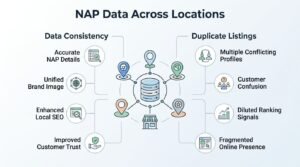
Data Consistency and Duplicate Listings
Duplicate listings usually appear when a location gets verified twice under slightly different name variations or address formats. Google’s algorithm sometimes merges these automatically, but often it doesn’t, which splits review counts and ranking signals across two competing profiles.
Removing duplicate listings restores the ranking signal strength that was previously split between competing entries. This single fix often produces visible ranking improvement within weeks.
Managing Reviews at Scale
Managing reviews at scale requires centralized monitoring tools and standardized response workflows, since manually checking dozens of individual profile dashboards for new reviews isn’t sustainable past a handful of locations. Response speed and consistency both directly affect local ranking signals.
I treat unanswered reviews past 48 hours as a red flag on any account I manage. Response time is one of the easiest signals to control directly.
Review Response Templates and Workflows
Standardized response templates, customized per review sentiment and location, keep response quality consistent across a large team without sounding robotic. Templates should always leave room for a specific detail from the actual review, not a fully generic reply.
A BrightLocal survey found that businesses responding to reviews within 24 hours earn measurably higher trust scores from consumers compared to slower responders.
Review Monitoring Tools
Centralized review monitoring dashboards pull new reviews from every connected location into a single feed, eliminating the need to check each profile separately. Most multi-location tools also flag negative reviews for priority response automatically.
This centralization is often the single biggest time-saver once a business passes ten active locations. Manual checking simply doesn’t scale past that point.
Posting and Content Updates Across Multiple Profiles

Bulk posting tools let businesses publish the same update, offer, or announcement across every connected location simultaneously rather than posting to each profile individually. This matters most for franchises running unified promotions across many markets at once.
I schedule recurring posts a month ahead for clients with seasonal promotions. Doing this one location at a time simply isn’t realistic past ten profiles.
Bulk Post Scheduling
Bulk scheduling tools typically allow location-specific customization within a shared template, so a national promotion can still include local store details. This balances brand consistency with the local relevance signals Google rewards.
Local ranking factors like proximity and relevance respond well to genuinely localized post content rather than identical copy pasted across every profile.
Tracking Performance Across Locations
Tracking performance across multiple Google Business Profiles means consolidating insights, data views, calls, direction requests, and website clicks into one dashboard instead of checking each profile separately. Without consolidation, spotting underperforming locations becomes nearly impossible at scale.
I review aggregate performance monthly and flag any location dropping more than 15% month-over-month for a closer look. That threshold catches most real problems early.
Key GBP Insights Metrics to Monitor
The core metrics worth tracking across every location are search views, map views, website clicks, direction requests, and phone calls generated directly from the profile. Comparing these across locations reveals which markets are underperforming relative to comparable ones.
Google’s own Business Profile performance data shows that profiles with complete information receive significantly more customer actions than incomplete ones, reinforcing why data completeness matters at every single location.
Multi-Location Reporting Dashboards
Third-party dashboards aggregate insights data from every connected profile into unified reports, often exportable for client or executive reporting. This is typically where agencies and internal marketing teams spend most of their actual analysis time.
Local SEO Ranking Factors Unique to Multi-Location Businesses
Multi-location local SEO ranking depends heavily on proximity, relevance, and prominence signals evaluated independently for each individual listing rather than the brand as a whole. A strong flagship location doesn’t automatically boost a newly opened branch across town.
I explain this to every franchise client early. Each location essentially starts its own reputation from scratch in Google’s local system.
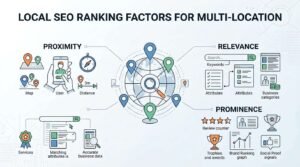
Proximity, Relevance, and Prominence at Scale
Proximity measures how close a searcher is to a specific location, which no amount of optimization can change. Relevance and prominence, by contrast, respond directly to complete profile data, review volume, and consistent posting activity.
Prominence in particular rewards the accumulated signals covered earlier: accurate categories, consistent NAP data, and active review responses. Locations lagging on these fundamentals consistently underperform nearby competitors regardless of brand size.
Third-Party Tools for Managing GBPs at Scale
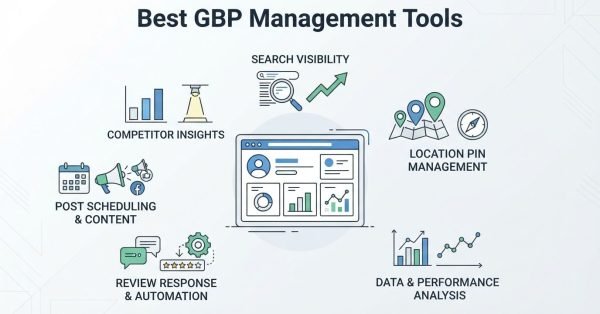
Third-party multi-location management platforms connect to Google’s Business Profile API to enable bulk editing, review monitoring, and reporting beyond what Google’s native dashboard supports. These tools become close to essential once a business passes fifty locations.
I’ve tested most of the major platforms across client accounts, and the differences mainly show up in reporting depth and review workflow automation quality.
Google-Approved API Partners
Google maintains a list of approved API partners authorized to connect directly to Business Profile data at scale. Using an unapproved or unofficial tool risks account flags or access revocation, since it violates Google’s data access terms.
Verifying partner approval status before connecting any third-party tool is a five-minute check that prevents a much larger problem later.
Common Compliance Risks and Suspension Triggers
Google Business Profile suspensions at scale most often result from keyword stuffing in business names, duplicate listings, or ineligible bulk verification submissions. A single suspended profile in a linked group can sometimes trigger review of every connected listing.
I treat compliance as a prevention exercise, not a recovery exercise. Reinstating a suspended multi-location profile takes weeks and sometimes never fully succeeds.
Keyword Stuffing in Business Names
Adding descriptive keywords to a business name field, like “Smith Plumbing – Best Emergency Plumber Chicago,” directly violates Google’s guidelines and is one of the most common suspension triggers. This tactic still shows measurable short-term ranking lift, which is exactly why so many businesses keep risking it.
Google’s enforcement here has gotten notably stricter over the past two years, with bulk detection now catching patterns across entire location groups at once.
Duplicate and Fake Listings
Duplicate listings created accidentally during bulk uploads, or deliberately to manipulate review counts, both violate the same guideline and trigger the same suspension risk. Google’s detection systems flag matching addresses and phone numbers automatically, regardless of intent.
Removing duplicates proactively before Google’s system flags them independently is far safer than waiting for an automatic suspension notice.
Building a Repeatable Multi-Location Workflow
A repeatable multi-location GBP workflow assigns clear ownership for verification, review response, posting, and reporting, so the system runs consistently regardless of staff turnover. Without documented ownership, quality inevitably degrades as a brand adds more locations.
I build this workflow as a shared document with every client in month one. It becomes the reference point for every new hire touching the account afterward.
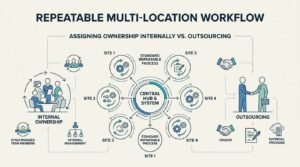
Assigning Ownership Internally vs. Outsourcing
Some businesses keep GBP management entirely in-house with a dedicated team member; others outsource the entire workflow to an agency managing it alongside broader SEO work. The right choice usually comes down to internal bandwidth and how many locations need active weekly attention.
Businesses managing this well typically review the whole system quarterly, checking whether the ownership model still fits the current location count.
Conclusion
Managing Google Business Profiles at scale comes down to structuring proper ownership, consistent NAP data, and centralized review and reporting workflows across every location.
The tools and rules covered here connect into a broader local SEO strategy that compounds as location count grows over time.
We help brands build and maintain that exact system. Reach out to White Label SEO Service to scale your local visibility properly.
Frequently Asked Questions
What is considered “multiple” Google Business Profiles?
There’s no official Google threshold, but ten or more locations under one entity typically qualify for bulk verification. Below that, most businesses manage individually without issue.
How many Google Business Profiles can one account manage?
A single Google account can be added as manager or owner to an unlimited number of profiles. Practical management limits come from workflow capacity, not Google’s technical restrictions.
Can I manage GBPs for other businesses without owning them?
Yes, Google’s Manager role allows full editing access without transferring ownership. This is the standard structure agencies use for client accounts.
What triggers a Google Business Profile suspension at scale?
Keyword stuffing in business names, duplicate listings, and ineligible bulk verification submissions are the most common triggers. Suspensions can sometimes cascade across linked location groups.
Do bulk-verified locations rank differently than individually verified ones?
No, verification method doesn’t directly affect ranking. Ranking depends on proximity, relevance, and prominence signals evaluated per listing.
How much does it cost to manage multiple GBPs professionally?
Costs vary widely based on location count, ranging from a few hundred to several thousand dollars monthly for full-service management. Pricing typically scales with the number of locations and reporting complexity required.
Should franchises use one account or separate accounts per location?
Franchises should use a Business Profile group structure with individual listings per location, not one shared listing. Each location needs its own profile to accurately reflect local address and proximity signals.