
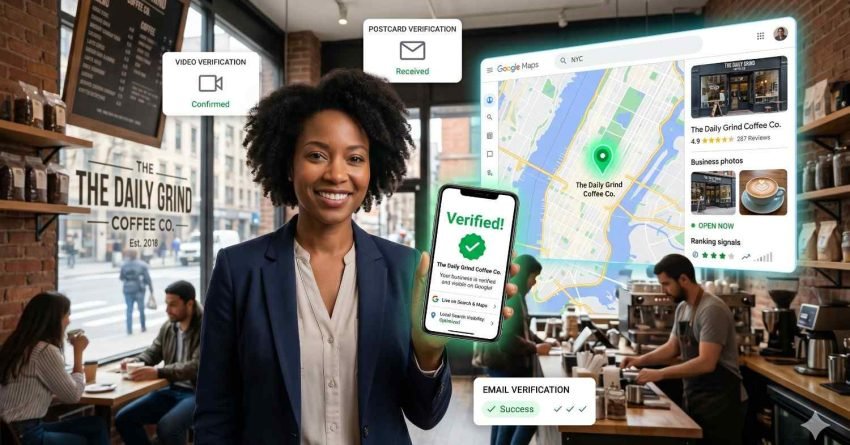
Google Business Profile verification is the process Google uses to confirm that a business is real, legitimate, and operated by the person managing the listing. Without it, your profile cannot appear in Google Search or Maps results.
Local search continues to drive most discovery for small businesses today, and an unverified profile completely blocks new customers from finding you when searching nearby.
This guide walks you through verification methods, the exact step by step process, troubleshooting failed attempts, and best practices for keeping your verified profile active.
What Google Business Profile Verification Is and Why It Matters
Google Business Profile verification is the trust mechanism Google uses before publishing your business in Search, Maps, and the local pack. Until verification is complete, your listing exists in a pending state. Customers cannot see it, your photos do not display, your hours are hidden, and your reviews cannot accumulate.
Verification confirms three things to Google: the business is real, the address and contact information are accurate, and the person managing the profile has authority to do so. According to Google’s official Business Profile help center, every new or transferred listing must pass at least one verification step before going live.
Verification is the gateway step before any deeper Google Business Profile optimization work, which is where your listing actually starts winning local rankings and customer clicks.
How Verification Signals Trust to Google
Verification creates a baseline trust score for your profile. Once verified, Google begins weighting your listing against local ranking factors such as proximity, relevance, and prominence. Without that initial trust signal, your business cannot enter the ranking system at all.
What Happens to Unverified Profiles
Unverified profiles remain invisible to searchers. Edits you make do not publish, calls cannot route through the listing, and customers cannot leave reviews. Long-pending profiles risk being flagged or removed entirely by Google’s quality systems.

Verification Methods Google Offers in 2026
Google does not let you choose your verification method freely. The system assigns one or more options based on business category, address type, history, and risk signals. The four main methods you may see are video, phone, email, and postcard.
Verification fits inside a broader set of local SEO ranking factors that determine how well your business appears in nearby searches and map results.
Video Verification (Live and Recorded)
Video verification has become Google’s default option for most service-area and storefront businesses. You record a short video showing your location signage, indoor workspace, equipment, and proof of management access. Google’s video verification guidelines detail exactly what must appear in frame.
Phone and Text Verification
Phone verification sends a one-time code through automated call or SMS to the public phone number on your listing. It is the fastest option when available, usually completing within minutes. It only appears for businesses whose number Google can match to a verified directory record.
Email Verification
Email verification sends a code to an email address linked to your business domain. It is offered selectively, often when domain ownership is already established and the business email matches the listing’s website. It typically completes within an hour.
Postcard Verification
Postcard verification remains available for many storefront businesses. Google mails a physical postcard containing a five-digit code to the listed address. Delivery normally takes five to fourteen days. The method is slower but still trusted by Google when other signals are weaker.
How to Verify Your Google Business Profile Step by Step
The verification workflow is structured, and most failures happen because steps are skipped or business details are inconsistent across the web.
Before submitting your listing details, align them with NAP consistency standards so your business name, address, and phone match every directory Google cross-checks during review.
Prepare Your Business Information First
Confirm your legal business name exactly as it appears on signage and registration documents. Gather your physical address or service area, your primary phone number, business hours, website URL, and your primary category. Inconsistent data is the single largest reason verifications are rejected.
Claim or Create Your Listing
Sign in at business.google.com using the Google account you want to own the listing long term. Search for your business. If it already appears, click “Claim this business.” If it does not, click “Add your business to Google” and follow the prompts.
Complete the Verification Method Google Assigns
After entering your details, Google will display one or more verification options. Choose the fastest method available to you. For video, record in a single uninterrupted take, show real proof of operation, and submit through the dashboard. For phone or email, enter the code immediately. For postcard, wait for delivery and enter the code without opening a new listing in the meantime.

How to Troubleshoot Failed or Delayed Verifications
Failed verifications are common, especially for newer businesses, home-based service providers, and accounts without prior history with Google.
Failed verifications often trace back to inconsistent listings, which makes structured local citation building an important parallel project that strengthens the trust signals Google relies on.
Common Reasons Verification Fails
Mismatched business name between your listing and signage is the leading cause of rejection. Other frequent issues include unclear video footage, missing exterior signage, virtual office addresses, P.O. boxes, generic categories that do not match what is shown on site, and duplicate listings tied to other Google accounts.
How to Request a Reverification
If a verification attempt is rejected, do not start a new listing. Open the dashboard, locate the rejection notice, and click “Request another verification.” Use a different method if available. Submit through the Google Business Profile support contact form when no method works, providing utility bills, business licenses, or lease documents.
What to Do After Your Profile Is Verified
A verified profile is the starting line, not the finish. Google now lets your listing enter ranking calculations, but the listing must be filled out fully and maintained actively to gain visibility.
Once verified, your next priority is a deliberate Google Maps SEO strategy that turns the listing into a recurring source of calls, directions, and bookings from local searchers.
Complete every section: primary and secondary categories, services and products, opening hours including holiday hours, high-quality photos of the location and team, a complete business description, and accurate website and booking links. Begin requesting reviews from existing customers immediately. Reviews accelerate ranking growth and increase click-through rates from the map pack.

Best Practices to Maintain a Verified Profile
Verification can be lost. Google reverifies listings periodically when risk signals appear, ownership changes, or category edits trigger review.
Profiles can lose verified status without warning, so understanding profile suspension recovery protects you when policy violations or sudden flags interrupt your visibility.
Follow Google’s prohibited and restricted content policies carefully. Keep your name, address, and phone identical across your website, schema markup, and major directories. Avoid keyword stuffing the business name field. Update hours during holidays and closures. Respond to reviews within seventy-two hours. Add fresh photos monthly, and post updates through the Google Posts feature to keep the listing active.
Conclusion
Google Business Profile verification connects your real-world business to Google’s local ecosystem, unlocking visibility in Search, Maps, and the local pack while signaling legitimacy across the entire ranking system.
Done correctly, verification becomes the foundation for sustainable local growth, where consistent information, active management, and policy compliance compound into long-term visibility and customer trust.
We help businesses verify, optimize, and protect their listings every day at White Label SEO Service, building durable local authority that drives qualified calls, directions, and bookings for the long term.
Frequently Asked Questions
How long does Google Business Profile verification take in 2026?
Phone and email verifications complete within minutes. Video verification typically takes one to five business days. Postcard verification usually arrives within five to fourteen days depending on location.
Why does Google keep asking me for video verification?
Google prioritizes video verification for service-area businesses, home offices, and any listing where other trust signals are limited. Submitting clear footage of signage, workspace, and proof of access usually resolves it quickly.
Can I verify a Google Business Profile without a physical address?
Yes. Service-area businesses without a public storefront can verify using a hidden address. You enter your real location for Google’s review, then hide it publicly and specify the regions you serve.
What happens if my verification is rejected multiple times?
After repeated rejections, request manual review through the official support contact form. Provide business licenses, utility bills, or lease documents. Avoid creating duplicate listings, which can permanently flag the account.
Do I need to reverify after editing my business name or address?
Significant edits to name, address, or category often trigger automatic reverification. Make changes carefully, keep supporting documentation ready, and avoid editing multiple core fields in a single session.
Is Google Business Profile verification free?
Yes. Verification is completely free through every official method. Any service or third party charging a fee specifically to verify your listing is not endorsed by Google and should be avoided.


