
Google My Business optimization is the structured process of configuring, populating, and maintaining your Google Business Profile so it earns maximum visibility inside Google Search, Google Maps, and the local pack. For SMEs, agencies, and in-house marketing teams, it has become the single highest-leverage local SEO lever available, and the fastest path to qualified, intent-driven local traffic.
Every month a profile sits half-optimized, real revenue moves to competitors that fill in categories, photos, posts, and reviews with discipline rather than guesswork or wishful thinking.
This guide walks through every dimension that matters: what GBP is, why it ranks, how to set it up, optimize core info, manage visuals, earn reviews, post consistently, track performance, build citations, and avoid suspensions.
What Is Google My Business (Now Google Business Profile)?
Google My Business is the free business listing platform Google operates to power how your business appears across Search, Maps, and the local pack. In 2021 Google officially renamed the product to Google Business Profile, retired the standalone GMB app, and moved profile management directly into Google Search and Maps interfaces.
From GMB to Google Business Profile
The rebrand did not change the underlying mechanics. Categories, attributes, reviews, posts, and photos still drive the same ranking and engagement outcomes. What changed is the management surface: you now edit your listing directly from Search by typing your business name into Google while signed into the owner account, rather than through a separate dashboard.
Why It Sits at the Center of Local SEO
For any business that serves customers in a defined geography, the profile sits at the intersection of search intent, location data, and conversion behavior. It is the first impression in over 80% of local discovery journeys, and the deciding factor in whether a searcher calls, clicks, or drives.
Google Business Profile is the free Google-hosted business listing that powers your appearance across Search, Maps, and the local pack — our dedicated breakdown of Google Business Profile fundamentals <!–NEW PAGE NEEDED–> walks through every component, panel feature, and visibility surface so you understand exactly where your listing appears and why it matters.
Why GMB Optimization Drives Local Visibility and Revenue
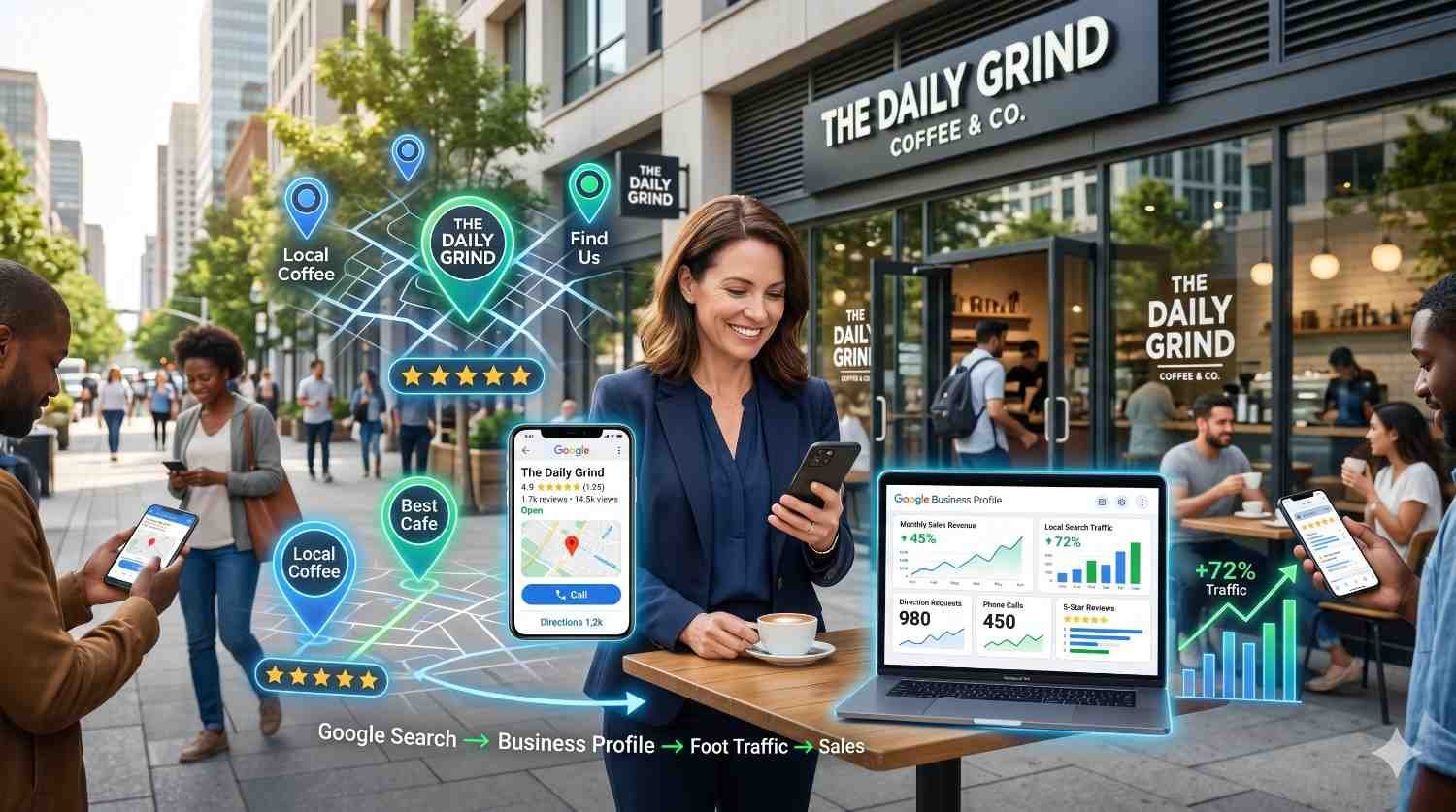
The business case for taking GBP seriously rests on three measurable outcomes: local pack rankings, branded knowledge panel completeness, and conversion-stage trust signals. According to BrightLocal’s 2024 Local Consumer Review Survey, 87% of consumers used Google to evaluate local businesses in the past year, up from 81% in 2021.
Local Pack Rankings and the Map Three-Pack
Google’s local pack, often called the map three-pack, is the cluster of three businesses displayed with map pins above the standard organic results for location-intent queries. Inclusion in this pack typically drives 44% of all clicks on a local SERP, making it the single most valuable real estate in local search.
Ranking inside the pack is governed by three signals Google publicly confirms: relevance (how well your profile matches the search), distance (proximity to the searcher), and prominence (how well-known your business is online). GBP optimization directly influences relevance and prominence.
GMB’s Role in Conversion and Trust Signals
Even when searchers find you through organic results, your knowledge panel often appears alongside, and its completeness shapes click behavior. Profiles with photos, recent reviews, posts, and full attribute coverage convert at significantly higher rates than sparse listings.
GMB is the single most influential signal inside the local pack, but it works in tandem with on-page signals, citations, and reviews — our complete local SEO strategy <!–NEW PAGE NEEDED–> walks through how every local ranking factor connects, helping you understand where GMB fits inside the broader local visibility engine.
Setting Up and Verifying Your Google Business Profile
Setup is where most optimization mistakes are baked in, often before a single customer ever sees the profile. Correct setup eliminates 80% of issues teams later try to fix retroactively, including suspensions, category mismatches, and verification failures.
Eligibility, Categories, and Account Creation
Google requires that your business has either a physical address customers can visit or a defined service area where you meet customers in person. Pure online businesses do not qualify. Your primary category is the highest-impact field in the entire profile, and choosing the wrong one suppresses relevance signals across hundreds of related queries.
Verification Methods (Postcard, Video, Phone, Email)
Verification proves you have authority to manage the listing. Google now defaults to video verification for most new profiles, requiring a short unbroken recording showing your business location, signage, and proof of operation. Postcard verification still exists but is increasingly reserved for established categories.
Setting up your profile correctly the first time prevents months of suspension headaches and verification delays — our step-by-step GBP setup walkthrough <!–NEW PAGE NEEDED–> covers every eligibility rule, category choice, and verification path including the new video verification process Google now uses by default.
Optimizing Core Business Information for Maximum Relevance
Once verified, the bulk of optimization happens inside your core business information fields. These fields tell Google what you do, where you do it, and who you serve. Every field matters because Google cross-references them against external signals across the web to validate your prominence.
Business Name, Address, Phone (NAP) Accuracy
Your business name should match your real-world signage exactly, with no keyword stuffing. Adding location modifiers, service descriptors, or marketing taglines violates Google’s guidelines and is the single most common cause of suspensions. The same NAP data must appear identically across every directory, website, and citation.
Primary and Secondary Category Selection
You can choose one primary category and up to nine secondary categories. The primary category drives the strongest ranking signal, so it must reflect the core service customers search for most. Use secondary categories to capture adjacent queries without diluting your primary relevance.
Business Description, Services, and Attributes
The 750-character business description should describe what you do, who you serve, and what makes you distinctive. Services and products lists allow you to add specific offerings with prices. Attributes (wheelchair accessibility, free Wi-Fi, women-owned, online appointments) surface in filtered searches and increasingly drive discovery queries.
Hours, Special Hours, and Service Areas
Hours accuracy matters more than most businesses realize. Profiles with frequent “closed now” or “may be closed” labels lose trust and visibility. Set special hours for holidays, and use service areas to define where you deliver if you do not serve customers at a physical address.
Inconsistent business names, addresses, or phone numbers across the web confuse Google’s confidence in your listing and quietly suppress local rankings — our NAP consistency best practices <!–NEW PAGE NEEDED–> breaks down every audit step, formatting rule, and citation alignment workflow your team needs to run a clean local profile.

Visual Content Optimization for Higher Engagement
Photos and videos signal that your business is real, active, and worth visiting. Profiles with active photo programs receive measurably more clicks, direction requests, and calls than visually inactive ones.
Photo Types Google Prioritizes
Google distinguishes between several photo types: logo, cover, interior, exterior, team, product, and at-work. Each plays a role in how your panel renders across different query types. Cover and logo are the only photos you control placement of directly; all others are surfaced algorithmically based on relevance to the search.
Videos, 360° Tours, and Logo Standards
Videos must be under 30 seconds and 100MB, and 360° tours through Google Street View Trusted photographers add a strong differentiation signal in saturated markets. Logo images should be square, high resolution, and recognizable at small render sizes.
Profiles with regularly updated, properly sized, and correctly tagged visuals consistently outperform static listings on engagement and conversion — our full guide to GMB photo and video optimization <!–NEW PAGE NEEDED–> covers every image type, dimension, geotagging detail, and upload cadence Google rewards.

Google Reviews and Reputation Management
Reviews are arguably the most important ongoing optimization activity. They are the only ranking factor your customers actively contribute to, and they influence both visibility and conversion simultaneously.
How Reviews Influence Local Ranking
Google uses review count, average rating, review velocity (how often new reviews arrive), and review content (keywords and entities mentioned) as signals. Profiles with consistent fresh reviews outrank stagnant ones with higher historical ratings.
Earning Reviews Ethically (Anti-Gating Policy)
Google’s policy explicitly prohibits “review gating,” where you filter customers to direct only positive reviewers to public platforms. Asking every customer the same way, in the same channel, with the same simple link is the only compliant approach. Incentives and discounts in exchange for reviews are also prohibited.
Responding to Positive and Negative Reviews
Response rate is itself a signal. Replying to both positive and negative reviews within 48 hours signals an engaged business. Negative reviews handled professionally often convert browsers better than uniformly five-star profiles, which can read as suspicious.
Reviews influence both your visibility in the local pack and your conversion rate once searchers find you, making them one of the highest-leverage assets you control — our Google reviews acquisition strategy <!–NEW PAGE NEEDED–> covers ethical request workflows, response templates, and how to handle negative or fraudulent reviews without violating Google’s guidelines.
Google Posts, Q&A, and Messaging for Ongoing Engagement
Posts, Q&A, and messaging are the activity layer of GBP. They signal freshness, control narrative, and convert searchers who would otherwise leave for a competitor.
Post Types (Update, Offer, Event, Product)
GBP supports four post types: updates, offers, events, and products. Each renders differently in the knowledge panel and serves a different purpose. Offers and events expire on dates you set; updates stay visible for seven days before rotating out.
Managing Q&A and Direct Messaging
The Q&A section is user-generated by default, meaning any searcher can ask a question and any searcher can answer. Owners should seed common questions with authoritative answers and monitor for misinformation. Messaging, when enabled, must be responded to within 24 hours or Google may disable the feature.
Consistent posting signals to Google that your business is active, while strategic Q&A management lets you control the most common questions surfaced on your panel — our Google Posts publishing playbook <!–NEW PAGE NEEDED–> details every post type, recommended cadence, CTA structure, and UTM tracking setup.
GMB Insights and Performance Tracking
Optimization without measurement is guesswork. The Performance dashboard inside GBP gives you direct visibility into how customers find and interact with your listing, and pairing it with Google Search Console closes the loop on organic visibility.
Key Metrics (Searches, Views, Actions, Calls)
The Performance dashboard tracks searches (how many people saw your profile and what they searched), interactions (calls, direction requests, website clicks, bookings), and trends over rolling 30, 90, and 180-day windows. Direct searches versus discovery searches reveal whether your prominence is building or stalling.
Connecting GBP to Google Analytics and Search Console
Tagging your GBP website URL with UTM parameters routes profile-driven traffic into Google Analytics, where you can attribute revenue and conversions to local discovery. Pairing GBP insights with organic search data gives a complete picture of how customers find you — our walkthrough on using Google Search Console <!–NEW PAGE NEEDED–> covers connecting your property, interpreting key reports, and aligning GBP performance with broader organic visibility.
Without proper measurement, you cannot tell whether optimization work is producing real visibility or just activity — our deep-dive on tracking GBP performance <!–NEW PAGE NEEDED–> covers every metric inside the new Performance dashboard, how to connect it to GA4, and which signals matter for ROI reporting.

Local Citations and NAP Consistency Across the Web
Citations are mentions of your business name, address, and phone number on other websites. They function as off-profile validation that the entity Google sees in GBP is the same entity recognized across the web. Strong citations amplify the prominence signal that drives local pack rankings.
Top-Tier Citation Sources
Tier-one citations include Apple Maps, Bing Places, Yelp, Facebook, Better Business Bureau, and industry-specific directories like Healthgrades for medical or Avvo for legal. These platforms feed data to broader local ecosystems, so accuracy here cascades through dozens of secondary listings.
Auditing and Cleaning Inconsistent Listings
Most established businesses have inconsistent citations created over years by employees, contractors, and old phone numbers. A structured audit identifies every existing citation, flags inconsistencies, and prioritizes corrections by domain authority and traffic impact.
Citations on directories like Yelp, BBB, Apple Maps, and industry-specific sites reinforce the legitimacy of your GMB data when names, addresses, and phone numbers match exactly — our complete guide to building local citations correctly <!–NEW PAGE NEEDED–> covers tier-one sources, audit workflows, and submission priorities.
Common GMB Mistakes, Penalties, and Suspensions to Avoid
Even well-intentioned optimization can trigger suspensions if you cross Google’s guidelines. Suspensions remove your listing from the local pack, knowledge panel, and Maps entirely, and reinstatement is inconsistent and slow.
Guideline Violations That Trigger Suspensions
The most common triggers include keyword stuffing in business names, using a virtual office or coworking address, listing service-area businesses with a public address, creating duplicate listings, and rapid bulk edits across multiple fields. Many suspensions happen during legitimate updates because Google’s automated systems flag unusual edit patterns.
Reinstatement and Prevention Best Practices
If your profile is suspended, the appeal process requires documentation proving your business is real and operates from the stated location. Utility bills, signage photos, and business registration documents are typically required. Prevention is far simpler than recovery, and disciplined adherence to guidelines is the only reliable defense.
Suspensions can happen without warning, and reinstatement requests are notoriously inconsistent unless you understand exactly what Google looks for — our walkthrough on recovering a suspended GMB listing <!–NEW PAGE NEEDED–> explains the most common trigger categories and how to prepare a successful appeal.
When to Bring in a Local SEO Partner
GMB optimization is learnable, but at scale it becomes operationally heavy. Multi-location brands, agencies serving SMB clients, and in-house teams with limited capacity often reach a point where structured execution by specialists produces better ROI than continued internal trial and error.
For teams managing dozens of locations or competing in saturated markets, working with a dedicated team running managed local SEO services <!–NEW PAGE NEEDED–> often compresses six to twelve months of trial and error into structured execution backed by data and proven playbooks.
Conclusion
GMB optimization spans setup, core info, visuals, reviews, posts, insights, citations, and penalty avoidance, with each dimension reinforcing the others to compound local visibility.
Treat this guide as your orientation map, and use the linked cluster resources whenever you need to execute any single dimension at depth.
When you are ready to scale local visibility without the operational drag, we at White Label SEO Service build, manage, and grow profiles that win local pack positions.
Frequently Asked Questions
Is Google My Business still called Google My Business?
Google rebranded the platform to Google Business Profile in 2021. The acronym GMB is still widely used in industry, but all official documentation, support, and management surfaces now reference Google Business Profile.
How long does GMB verification take?
Video verification is typically reviewed within five business days. Postcard verification takes one to two weeks to arrive plus a few days for processing. Phone and email verifications, where eligible, complete almost instantly.
How often should I post on my Google Business Profile?
A consistent weekly cadence is the practical sweet spot for most businesses. Posting more often is fine, but posting less than once a month signals inactivity and reduces the freshness signal Google rewards.
Do Google reviews affect local ranking?
Yes, reviews directly influence local pack rankings. Google uses review count, average rating, review velocity, and the keywords contained in review content as combined relevance and prominence signals for local search.
Can I have multiple Google Business Profile listings for one business?
Only if you have multiple physical locations. Creating duplicate listings for the same location violates Google’s guidelines and triggers suspensions. Service-area businesses get exactly one profile per legal entity and location.
Why was my Google Business Profile suspended?
Common triggers include keyword stuffing in the business name, using a virtual or ineligible address, listing a service-area business with a public address, duplicate listings, and rapid bulk edits across multiple profile fields.
Is Google Business Profile free?
Yes, Google Business Profile is completely free. Google does not charge for listing creation, verification, posts, messaging, insights, or any standard feature. Anyone claiming you must pay Google to maintain visibility is misrepresenting the product.