

On-page SEO is the practice of optimizing every element a search engine sees on your page — content, HTML tags, internal links, and user experience signals — to rank higher and earn more qualified organic traffic. For business owners, marketers, and website operators, on-page optimization is the most controllable lever in your SEO strategy because every adjustment compounds into measurable visibility gains.
Search engines reward pages that match intent precisely, load fast on every device, and demonstrate clear topical authority. Get these signals right and rankings, traffic, and revenue follow predictably.
This guide covers keyword research, title tags, meta descriptions, headers, URLs, content depth, internal linking, image SEO, schema, Core Web Vitals, mobile, audits, performance measurement, and when to call in expert help.
What Is On-Page SEO and Why It Drives Rankings
On-page SEO refers to every optimization made directly on a webpage to improve its ranking position and relevance for target queries. Unlike off-page signals such as backlinks, on-page optimization sits entirely within your control, which makes it the foundation of any sustainable organic growth program.
The discipline covers three intersecting layers: content optimization (the words on the page, their structure, and their semantic depth), HTML element optimization (title tags, meta descriptions, headers, and structured data), and user experience optimization (page speed, mobile usability, and interactive elements). When all three layers align with searcher intent, Google’s algorithms interpret your page as the most useful result for a given query.
Research from Backlinko’s analysis of 11.8 million Google results found that pages with higher on-page SEO scores rank significantly better, with content depth, title relevance, and page experience emerging as dominant signals. For SMEs and startups operating on tight budgets, this matters profoundly — on-page work delivers compounding ROI without ongoing ad spend.
On-page SEO is not a one-time project. It is a continuous discipline of refinement, measurement, and re-optimization as algorithms evolve and competitor pages improve. The remaining sections of this guide walk through each on-page element you need to master, starting with the strategic foundation that everything else depends on: keyword research.

Keyword Research and Search Intent Mapping
Keyword research is the strategic foundation of every on-page optimization decision you will ever make. Before you write a title tag, structure a header, or optimize body copy, you must know exactly what queries your target audience is using and what they expect to find when they search.
Modern keyword research moves beyond simple search-volume targeting. The strongest SEO programs map keywords by search intent — informational, navigational, commercial, or transactional — and then build content that matches each intent type precisely. A page optimized for an informational query with commercial-style copy will underperform regardless of how technically optimized it is.
A complete keyword strategy includes three layers:
- Seed keywords — broad terms that define your topic universe
- Long-tail variations — specific phrases with lower competition and clearer intent
- Semantic and entity terms — related vocabulary that signals topical depth to search engines
Ahrefs research shows that over 92% of all keywords get 10 or fewer searches per month, meaning long-tail coverage is where most organic traffic actually lives. Combine that with intent mapping and you get a keyword set that drives qualified visitors, not vanity rankings.
For each target query, document the dominant search intent, the SERP features present, the competitor pages ranking, and the gaps you can fill. This research becomes the brief for every on-page element that follows.
Keyword research is the process of identifying the exact terms your audience uses when searching and understanding their intent, volume, and competition — our complete keyword research guide walks through every method, tool, and prioritization framework you need to build a winning keyword strategy from scratch.
Title Tag Optimization — The #1 On-Page Ranking Signal
The title tag remains one of the strongest direct ranking signals in on-page SEO, and it doubles as your primary click-through driver in the SERP. Get it right and you earn both algorithmic relevance and human attention.
A high-performing title tag has four characteristics:
- Primary keyword positioned near the front for maximum semantic weight
- Length between 50 and 60 characters so the title displays without truncation
- Clear value proposition that signals what the page delivers
- Differentiation from competitor SERP listings that earns the click
Moz’s title tag research confirms that titles featuring the target keyword in the first 60 characters consistently outrank generic or keyword-stuffed alternatives. Title tags also influence Google’s understanding of page topic, which is why mismatched titles often trigger Google to rewrite them — a sign your tag needs improvement.
Common title tag patterns that perform well include the “primary keyword + benefit + brand” structure, the “how-to + outcome + qualifier” structure, and the “year + primary keyword + descriptor” structure. The right pattern depends on intent type and SERP competition.
Avoid the most common mistakes: duplicate titles across pages, keyword stuffing, vague descriptions, and titles longer than 60 characters that get truncated.
Title tags carry more direct ranking weight than almost any other on-page element, which is why our dedicated guide to title tag optimization techniques breaks down every formula, character-length rule, and CTR-boosting pattern proven to lift rankings.
Meta Description Writing for Higher CTR
Meta descriptions do not directly influence rankings, but they have an outsized impact on click-through rate — and CTR is a downstream ranking signal that Google measures across every SERP.
A strong meta description is the 150–160 character pitch that decides whether a searcher clicks your result or scrolls past it. It should include the primary keyword (which Google bolds in the SERP), a clear value statement, and a soft call to action that mirrors the searcher’s next logical step.
The most effective meta description patterns share three traits:
- Specificity over vagueness — concrete benefits, numbers, or outcomes
- Active voice and direct address — “you” or implied second person
- Action verbs that align with intent — “discover,” “compare,” “learn,” “get”
When Google rewrites your meta description in the SERP, that is a signal your description does not match the query well enough. Audit those pages and rewrite the descriptions to align more tightly with the dominant search intent. Pages with optimized meta descriptions routinely lift organic CTR by 20–30%, according to HubSpot’s CTR benchmarks.
While Google does not use meta descriptions as a direct ranking factor, click-through rate absolutely is — and our deep-dive on writing meta descriptions that convert covers the exact frameworks, length rules, and CTA structures that earn higher SERP clicks.
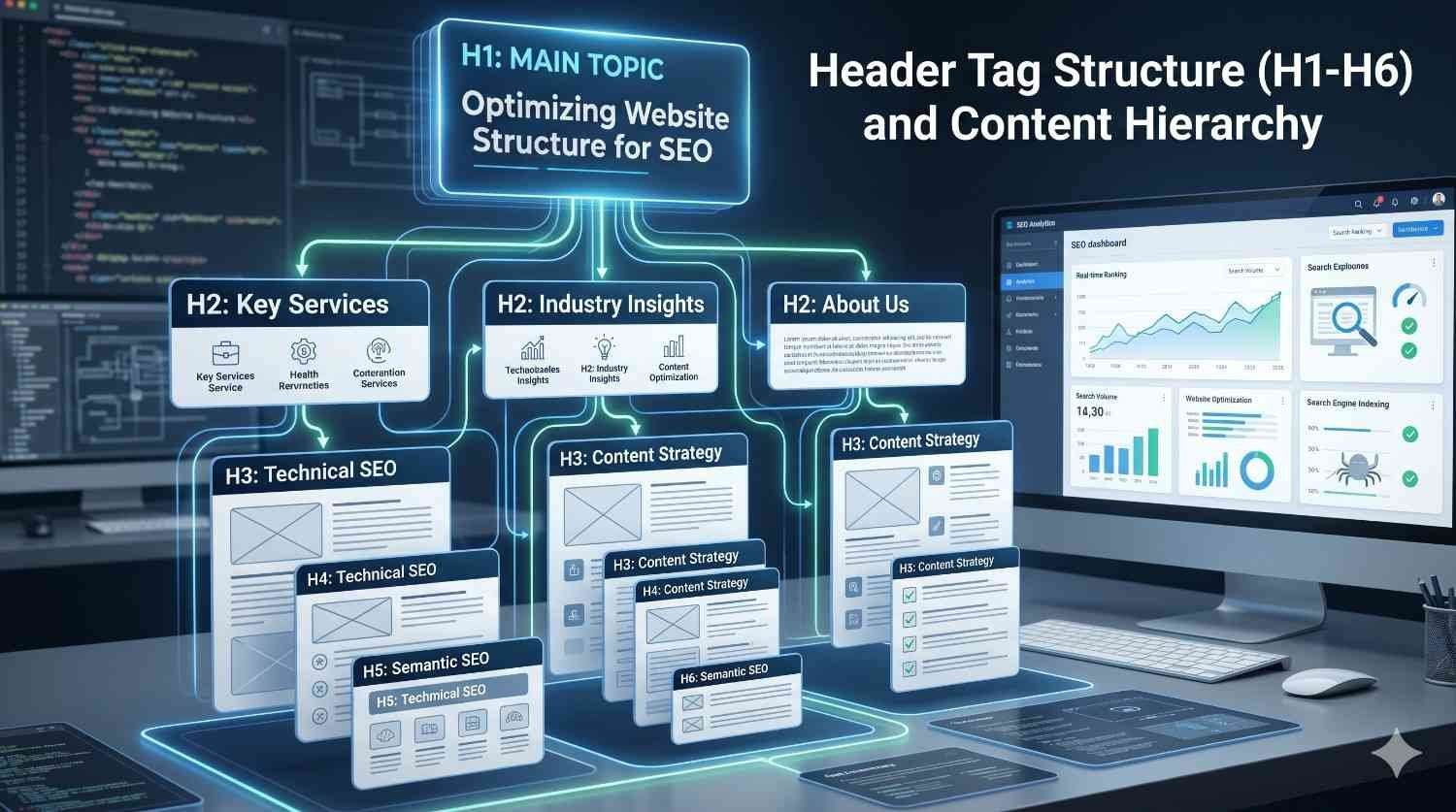
Header Tag Structure (H1–H6) and Content Hierarchy
Header tags create the semantic skeleton search engines use to parse your content’s structure and meaning. A well-organized header hierarchy makes your page scannable for humans and crawlable for algorithms — both essential for ranking.
Every page should have exactly one H1 containing the primary keyword. H2s introduce major subtopics, H3s break those subtopics into supporting concepts, and H4 through H6 handle granular detail only when genuinely needed. Skipping levels (jumping from H2 to H4, for example) breaks the semantic structure and confuses both readers and crawlers.
Header optimization principles:
- Use natural language in headers, not keyword-stuffed phrases
- Front-load important terms when it reads naturally
- Match headers to the questions your audience asks in PAA and related searches
- Maintain a clear, logical progression through the content
Headers also drive featured snippet eligibility. Google frequently pulls snippet answers from H2 or H3 sections that directly match a query, so structuring headers as natural-language questions or descriptive phrases can earn high-value SERP real estate.
Header tags create the semantic skeleton search engines use to understand your content’s hierarchy, and our complete walkthrough of header tag optimization explains how to structure H1 through H6 to maximize topical clarity and snippet eligibility.
URL Structure and SEO-Friendly Slugs
URL structure communicates topic and hierarchy at a glance — to users, search engines, and AI crawlers. Clean URLs improve CTR in the SERP, simplify internal linking, and make your site easier to audit and maintain.
The principles of an SEO-friendly URL are straightforward but consistently violated:
- Keep URLs short — under 75 characters when possible
- Use hyphens to separate words, never underscores
- Include the target keyword without stuffing
- Avoid stop words (the, and, of) unless they aid readability
- Use lowercase only for consistency and to prevent duplicate content issues
- Keep folder depth shallow — two or three levels maximum
URL changes are high-risk, so the cleaner your URL strategy is from launch, the less migration pain you will encounter later. When changes are unavoidable, implement 301 redirects from old URLs to new ones to preserve link equity and rankings.
Clean, descriptive URLs signal topic relevance to both users and crawlers, and our guide on SEO-friendly URL structure covers every rule on length, slugs, parameters, and folder architecture you need to follow.
Content Optimization — Depth, Quality, and Semantic Coverage
Content is where on-page SEO either delivers or fails. Every other on-page element exists to support content that matches search intent better than any competitor result. Modern content optimization is no longer about keyword density — it is about comprehensive topical coverage, semantic depth, and demonstrated expertise.
Google’s Helpful Content System and the broader E-E-A-T framework reward pages that demonstrate experience, expertise, authoritativeness, and trustworthiness. Practically, this means content that answers the primary query completely, addresses related questions naturally, includes original data or first-hand insight where possible, and is written by someone qualified to write it.
The four pillars of optimized content:
- Search intent match — the content type, depth, and angle align with what the SERP rewards
- Semantic completeness — related entities, subtopics, and questions are covered naturally
- Structural clarity — headers, lists, tables, and visuals support scanning
- Originality — fresh data, unique perspective, or first-hand experience that competitors lack
Word count is not a ranking factor, but comprehensive coverage usually correlates with longer content. According to HubSpot’s content research, pillar-style content between 2,250 and 2,500 words tends to attract the most organic traffic and backlinks — though intent should drive length, not arbitrary targets.
Optimize for the reader first. Use plain language, define technical terms, break up dense paragraphs, and surface answers fast. Then layer in entity mentions, supporting data, and internal links that strengthen topical signals.
Refresh top-performing pages every 6–12 months. Add new data, expand thin sections, update examples, and re-optimize headers for current PAA questions. Refreshed content consistently outperforms static content over time.
Content optimization is where keywords, entities, and search intent converge into a page that actually deserves to rank — our full breakdown of on-page content optimization strategies explains how to plan semantic depth, structure topical coverage, and outperform competitor pages.

Internal Linking Strategy for Topical Authority
Internal linking is one of the most underused on-page levers in SEO. Done well, internal links distribute PageRank across your site, define topical relationships for search engines, and guide readers toward the next logical step in their journey.
A strong internal linking strategy is built on the hub-and-spoke model: a pillar page (like this one) covers a broad topic at orientation depth and links to dedicated cluster pages that go deeper on each subtopic. Each cluster page links back to the pillar, creating a tightly connected topical silo that signals authority to Google.
The fundamentals of effective internal linking:
- Use descriptive anchor text that mirrors the destination page’s topic
- Place links contextually within informative sentences, never as isolated “click here” drops
- Vary anchor text across multiple links to the same destination
- Prevent orphan pages — every important page should receive at least 2–3 internal links
Anchor text is the single strongest internal linking signal. Generic anchors like “read more” or “this article” waste an optimization opportunity. Specific, entity-rich anchors of 2–6 words give Google clear context about the destination page and the linking sentence’s topic.
Audit your internal linking structure regularly. Look for orphan pages, broken links, excessive click depth, and over-anchored phrases. Each issue dilutes the authority signals you have already earned.
Internal links distribute authority across your site and define how search engines understand topical relationships, which is why our complete guide to building a strong internal linking structure walks through anchor text rules, pillar-cluster architecture, and orphan page prevention.
Image SEO and Alt Text Optimization
Images influence two distinct ranking dimensions: page speed (heavy images slow load times and hurt Core Web Vitals) and discoverability (well-optimized images can rank in Google Image Search and earn additional organic traffic).
Image SEO best practices break into four areas:
- File naming — descriptive, hyphen-separated names that include the target keyword
- Alt text — concise, descriptive text that explains the image to screen readers and crawlers
- File format and compression — modern formats (WebP, AVIF) with aggressive compression
- Lazy loading — defer off-screen images so they do not block initial page render
Alt text is also a critical accessibility requirement. Around 15% of the global population lives with some form of disability, according to the World Health Organization, and screen readers depend on alt text to interpret images. Optimizing for accessibility and optimizing for search engines is the same work.
Add image schema where relevant — particularly for product images, recipes, how-to graphics, and editorial photography — to unlock rich result eligibility.
Images influence both page speed and visual search performance, and our practical reference on optimizing images for SEO covers file naming, alt text writing, compression, lazy loading, and image schema in full detail.
Schema Markup and Structured Data
Schema markup is structured data added to your HTML that helps search engines interpret your content as specific entity types rather than generic text. The right schema unlocks rich results in the SERP — star ratings, FAQs, breadcrumbs, product information, event details, and more — which dramatically improves visibility and CTR.
The most impactful schema types for most websites:
- Article — for blog posts and editorial content
- FAQ — for question-and-answer sections
- HowTo — for step-by-step tutorials
- Product — for ecommerce listings
- LocalBusiness — for businesses with physical locations
- Breadcrumb — for site navigation hierarchy
Implementing schema correctly requires choosing the right schema type, using JSON-LD format (Google’s preferred implementation method), validating with Google’s Rich Results Test, and monitoring Search Console for schema errors. A single typo in JSON-LD can disable rich result eligibility entirely.
Google’s documentation on structured data confirms that schema is a clarification signal, not a ranking factor — but the rich results it unlocks indirectly boost CTR, traffic, and downstream ranking signals.
Structured data helps search engines interpret your content as specific entities rather than generic text, and our hands-on resource on implementing schema markup covers every common schema type, validation step, and rich result opportunity.
Core Web Vitals and Page Experience Signals
Core Web Vitals are the three user-experience metrics Google uses to measure page experience as a ranking factor: Largest Contentful Paint (LCP) for loading speed, Interaction to Next Paint (INP) for interactivity, and Cumulative Layout Shift (CLS) for visual stability.
Google’s target thresholds:
- LCP under 2.5 seconds
- INP under 200 milliseconds
- CLS under 0.1
Pages that meet all three thresholds are classified as having “good” page experience and receive a measurable ranking advantage in competitive SERPs. According to Google Search Central data, sites that improved Core Web Vitals reported up to 24% lower bounce rates and meaningful improvements in conversion metrics.
Common Core Web Vitals issues include unoptimized images blocking LCP, heavy JavaScript blocking INP, and unsized images or ads causing layout shift. Each issue has a clear technical fix, but diagnosing the root cause requires real user data from Search Console or PageSpeed Insights, not synthetic tests alone.
Core Web Vitals are not a one-time fix. Performance regresses every time a new feature, plugin, or third-party script is added, which is why CWV monitoring should be continuous, not project-based.
Core Web Vitals measure how real users experience your page’s loading, interactivity, and visual stability — three signals that directly influence rankings, which is why understanding Core Web Vitals is essential for any technical SEO audit.

Mobile Optimization and Responsive Design
Google now uses mobile-first indexing for every site, meaning the mobile version of your page is the version Google crawls, indexes, and ranks. If your mobile experience is weaker than desktop, you are leaving rankings on the table — period.
Mobile optimization spans three layers:
- Responsive design — a single codebase that adapts to every screen size
- Mobile usability — tap targets, font sizing, viewport configuration, and no horizontal scroll
- Mobile performance — fast load times and smooth interactivity on slower mobile networks
Statista data shows that mobile devices generate over 60% of global website traffic, with that share continuing to climb. For most B2C businesses, mobile is now the primary user experience — and Google’s algorithms treat it that way.
Test every important page with Google’s Mobile-Friendly Test and Search Console’s Mobile Usability report. Fix every flagged issue, then audit the same pages from a real mobile device on a real network. Synthetic tests miss real-world friction.
Google’s mobile-first indexing means your mobile experience is now the primary version Google ranks, and our guide on mobile SEO optimization covers responsive design, mobile usability fixes, and performance tuning specifically for handheld devices.
How to Run an On-Page SEO Audit
An on-page SEO audit is the systematic process of evaluating every on-page element across your site against current best practices, identifying gaps and issues, and prioritizing fixes by impact. Audits transform on-page SEO from a guessing game into a measurable improvement program.
A complete on-page audit covers six dimensions:
- Indexability and crawlability — robots.txt, sitemap, meta robots, canonical tags
- HTML elements — title tags, meta descriptions, headers, schema
- Content quality — depth, freshness, intent match, semantic coverage
- Internal linking — orphans, click depth, anchor text distribution
- User experience — Core Web Vitals, mobile usability, accessibility
- Performance signals — CTR, rankings, organic traffic, engagement
The tools that make audits practical include Google Search Console (for indexing, performance, and Core Web Vitals data), Screaming Frog or Sitebulb (for technical crawl analysis), Ahrefs or Semrush (for keyword and content gap analysis), and PageSpeed Insights (for performance diagnostics).
The audit workflow:
- Crawl the full site to inventory every URL
- Pull performance data from Search Console and analytics
- Identify the top 20 pages by traffic and the top 20 by potential (high impressions, low CTR)
- Audit those 40 pages first against on-page best practices
- Prioritize fixes by effort vs. impact
- Implement, measure, and iterate
A structured audit is the only way to surface every on-page issue at scale, and our resource on the comprehensive SEO audit process walks through every checkpoint, tool, and prioritization framework professional auditors use to diagnose underperforming pages.
Measuring On-Page SEO Performance
On-page SEO without measurement is guesswork. The metrics that actually indicate on-page success are organic ranking position, click-through rate from the SERP, organic traffic, engagement signals (time on page, scroll depth, bounce rate), and conversion rate from organic visits.
Google Search Console is the primary measurement platform for ranking and CTR data. Google Analytics 4 layers in traffic, engagement, and conversion data. Together they tell you whether your on-page work is moving the metrics that matter.
Set realistic timelines. On-page changes typically begin showing measurable ranking impact within 4–12 weeks for established sites and 3–6 months for newer domains. Performance tracking also includes diagnosing how authority flows through your site, and our resource on internal linking diagnostics explains how to audit orphan pages, click depth, and anchor distribution to refine your structure.
Build a monthly reporting cadence that tracks ranking movement, CTR changes, traffic trends, and conversion impact. Pair every change with a measurable before/after baseline so you can attribute results to specific optimizations.

When to Bring in Professional On-Page SEO Help
On-page SEO is learnable, but execution at scale is hard. If your site has hundreds of pages, complex technical infrastructure, or aggressive growth targets, a structured engagement with experienced specialists usually pays for itself within a quarter.
The clearest signals you need professional help include declining organic performance despite consistent effort, a backlog of audit findings you cannot prioritize, in-house teams stretched across competing priorities, and a need to scale on-page execution across multiple sites or markets.
For teams that need on-page execution at scale without building an in-house specialist team, partnering with a full-service SEO agency can compress months of trial-and-error into a structured engagement focused on measurable organic growth.
Conclusion
On-page SEO ties together keyword strategy, HTML elements, content depth, internal linking, structured data, and user experience into a single discipline that determines whether your pages rank.
Every cluster page linked from this guide goes deeper on a specific on-page dimension, giving you a complete topical roadmap to follow as your strategy matures and your site scales.
We help businesses turn on-page fundamentals into sustainable organic growth. Talk to White Label SEO Service about building your roadmap today.
Frequently Asked Questions
What is on-page SEO in simple terms?
On-page SEO is the practice of optimizing the content, HTML elements, and user experience of a webpage so search engines rank it higher. It includes title tags, headers, content, internal links, and page speed.
How long does on-page SEO take to show results?
Most on-page changes begin showing ranking impact within 4–12 weeks on established sites. Newer domains usually need 3–6 months before Google reflects on-page improvements meaningfully in organic positions.
Is on-page SEO more important than off-page SEO?
Both matter, but on-page SEO is fully within your control and forms the foundation. Without strong on-page optimization, backlinks and off-page signals deliver far less ranking value to your pages.
What are the most important on-page SEO factors?
Title tags, content quality, search intent match, header structure, internal linking, and Core Web Vitals are the most impactful on-page factors. Each one directly affects rankings, click-through rate, or both.
How often should I update on-page SEO?
Audit high-priority pages every 6–12 months and refresh title tags, content depth, and internal links based on current SERP performance, ranking shifts, and new search intent signals from Search Console.
Can I do on-page SEO myself or do I need an expert?
Small sites can absolutely handle on-page SEO in-house with good tools and discipline. Larger sites or competitive niches usually benefit from professional execution to scale audits, optimizations, and measurement effectively.
What tools do I need for on-page SEO?
Google Search Console, Google Analytics 4, Screaming Frog or Sitebulb, PageSpeed Insights, and a keyword research platform like Ahrefs or Semrush cover every essential on-page SEO workflow you need.


