Your white-label SEO tools decide two things nobody talks about in the sales demo. How many hours you lose every month cleaning up reports, and whether a client opens your dashboard and thinks “professional” or “spreadsheet.”
I have watched both outcomes play out across client accounts. The gap between them is almost never the feature list. It is data that matches Google, branding that holds up under a client’s eye, and a setup process that does not eat an afternoon per account.
Thirty-five platforms made this list. Every one is here because it does one job properly, not because it does thirty jobs adequately.
I grouped them so you can skip ahead. First, the definition and the buying criteria I use before any tool gets a credit card. Then the all-in-one platforms and the reporting dashboards that handle client-facing delivery. Then the specialists that beat the generalists at rank tracking, technical crawling, local search, and content scoring. Then the research engines that power the work behind the report. After the reviews, I break down what these tools actually cost per client at three agency sizes, the mistakes that lose agencies accounts, and how to pick based on where your agency sits today.
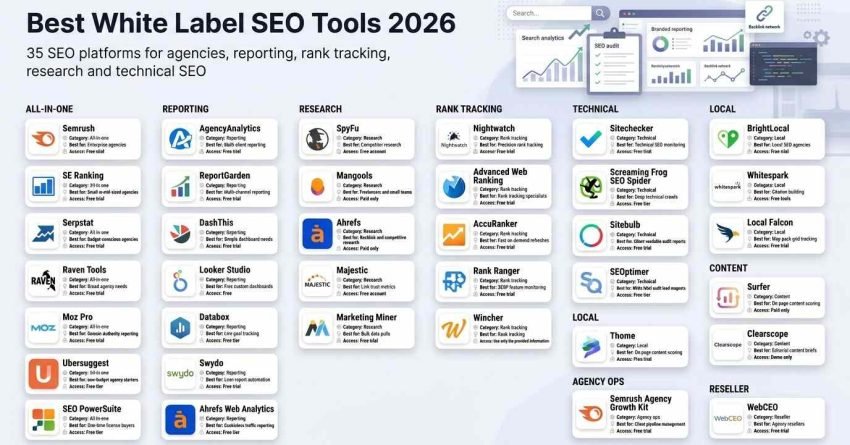
Summary Table: Best White Label SEO Tools
Here is every tool in this guide with its category, its strongest use case, and how you can try it. Use this to shortlist three or four candidates, then read those sections in full.
Pricing shown throughout this article reflects publicly listed tiers at the time of writing. Vendors change plans, currencies, and limits frequently, so confirm on the vendor site before you commit to an annual contract.
| # | Tool Name | Category | Best For | Free Access |
| 1 | Semrush | All-in-one | Enterprise agencies | Free trial |
| 2 | SE Ranking | All-in-one | Small to mid-sized agencies | Free trial |
| 3 | AgencyAnalytics | Reporting | Multi-client reporting | Free trial |
| 4 | Serpstat | All-in-one | Budget-conscious agencies | Free trial |
| 5 | SpyFu | Research | Competitor research | Free account |
| 6 | Mangools | Research | Freelancers and small teams | Paid only |
| 7 | BrightLocal | Local | Local SEO agencies | Free trial |
| 8 | Raven Tools | All-in-one | Broad agency needs | Free trial |
| 9 | Nightwatch | Rank tracking | Precision rank tracking | Free trial |
| 10 | Sitechecker | Technical | Technical SEO monitoring | Free trial |
| 11 | WebCEO | Reseller | Agency resellers | Free trial |
| 12 | Advanced Web Ranking | Rank tracking | Rank tracking specialists | Free trial |
| 13 | ReportGarden | Reporting | Multi-channel reporting | Free trial |
| 14 | DashThis | Reporting | Simple dashboard needs | Free trial |
| 15 | Ahrefs | Research | Backlink and competitive research | Paid only |
| 16 | Moz Pro | All-in-one | Domain Authority reporting | Free trial |
| 17 | Whitespark | Local | Citation building | Free tools |
| 18 | Screaming Frog SEO Spider | Technical | Deep technical crawls | Free tier |
| 19 | AccuRanker | Rank tracking | Fast on-demand refreshes | Free trial |
| 20 | Majestic | Research | Link trust metrics | Free account |
| 21 | Surfer | Content | On-page content scoring | Paid only |
| 22 | Clearscope | Content | Editorial content briefs | Demo only |
| 23 | Looker Studio | Reporting | Free custom dashboards | Free |
| 24 | Sitebulb | Technical | Client-readable audit reports | Free trial |
| 25 | Ubersuggest | All-in-one | Low-budget agency starters | Free tier |
| 26 | SEOptimer | Technical | White-label audit lead magnets | Free tier |
| 27 | Semrush Agency Growth Kit | Agency ops | Client pipeline management | Free trial |
| 28 | Databox | Reporting | Live goal tracking | Free tier |
| 29 | Swydo | Reporting | Lean report automation | Free trial |
| 30 | Rank Ranger | Rank tracking | SERP feature monitoring | Free trial |
| 31 | SEO PowerSuite | All-in-one | One-time license buyers | Free tier |
| 32 | Local Falcon | Local | Map pack grid tracking | Free trial |
| 33 | Ahrefs Web Analytics | Reporting | Cookieless traffic reporting | Free tier |
| 34 | Marketing Miner | Research | Bulk data pulls | Free trial |
| 35 | Wincher | Rank tracking | Simple client-facing rank reports | Free trial |
Three categories carry most agencies. All-in-one platforms cover the widest ground for the fewest subscriptions. Reporting dashboards win when you deliver across SEO, paid, and social together. Specialists win when one metric decides whether the client renews.
What is a White Label SEO Tool?
A white label SEO tool is software an agency rebrands as its own before delivering the output to a client. The platform runs the crawls, tracks the positions, and pulls the analytics, while every dashboard, PDF, and login screen the client touches carries the agency’s logo, colours, and domain.
The mechanics vary by depth. At the shallow end, you add a logo to a PDF export. At the deep end, you host a client portal on a subdomain you control, with the vendor’s name stripped from the interface, the URL, and the notification emails.
That distinction matters more than most feature comparisons. A client who receives a PDF with your logo on page one and a vendor watermark in the footer notices the seam immediately, and the illusion of proprietary capability collapses.
Agencies, consultants, and resellers use these platforms because building equivalent software in-house is not a realistic use of capital. You rent enterprise-grade crawling, indexing, and ranking infrastructure, then sell the interpretation of it.
The commercial logic is straightforward. The tool handles data collection at a fixed monthly cost. You handle strategy, prioritisation, and execution, which is what the client actually pays a premium for.
There is a limit worth stating plainly. White labelling changes who appears to own the data, not who owns the results. A branded dashboard showing flat rankings is still a branded dashboard showing flat rankings.
What to Look for in the Best White Label SEO Tools?
Most agencies evaluate these platforms by comparing feature grids, which is the least useful method available. A feature you never open costs you the same as one you use daily.
Here are the seven criteria I apply, each with a concrete test you can run inside a free trial rather than a vague quality judgement.
Data Accuracy
The platform’s organic numbers need to sit close to what Google Search Console reports for the same property over the same window. Wide divergence turns every client call into a defence of your own reporting instead of a discussion about strategy.
Run this test during the trial. Connect one live property, pick twenty tracked keywords, and compare positions and impressions against Search Console for fourteen days. A platform that drifts steadily in one direction has a systematic problem, not a sampling problem.
White Label Customization
Branding control runs on a spectrum, and vendors describe every point on it as “full white label.” What you want is logo replacement, colour control, a custom domain or subdomain for hosted reports, and vendor name removal from emails and login pages.
Test it by sending a branded report to your own inbox from a fresh address. Read the sender name, the subject line, the footer, and the link domain. Anywhere the vendor’s name survives is a place your client will find it.
Pricing Transparency
Credit systems, query allowances, and per-report charges make monthly costs unpredictable at exactly the moment you need predictability, which is when you are quoting a retainer. Flat tiers with clearly stated limits are worth paying slightly more for.
Ask one question before signing. What happens on the day I exceed the limit? Does the platform stop, queue, or bill me automatically? The answer tells you whether the pricing page is the real pricing page.
Reporting Features
Automation is the whole point. A platform that generates reports but requires you to click send on each one has automated the formatting and left you the labour.
Look for scheduled delivery, per-client templates you can clone, editable commentary blocks, and control over which metrics appear. The commentary block matters more than agencies expect, because a number without interpretation generates a phone call.
Integrations
Every manual export is a point where data goes stale and human error enters. Native connections to Analytics, Search Console, Google Ads, and your ad platforms remove that.
Count the integrations you will genuinely use, not the total advertised. Twelve relevant connectors beat eighty irrelevant ones every time.
Scalability
Platforms that feel fast on three accounts behave differently at forty. Report generation queues, dashboards time out, and bulk actions start failing silently.
Test it by cloning your trial setup across the maximum number of dummy projects the plan permits, then generating every report simultaneously. Note the wall-clock time. That number is your future Monday morning.
Ease of Use
Onboarding cost is real and recurring. Every hire, every account manager, and every junior analyst pays it again.
My threshold is simple. A new team member should configure a client account and produce a first branded report without a training session. Platforms that fail this quietly tax you forever.
How I Selected the Best White Label SEO Tools
I evaluated well over sixty platforms to build this list of thirty-five. These are not tools I opened once, clicked around, and rated from a marketing page.
I use them across live campaigns spanning technical SEO services, local SEO services, ecommerce SEO services, and link building services, which means each platform gets tested against the kind of work it claims to support rather than a generic demo site.
Here is what I measured.
Real-World Performance Under Client Loads
I run each platform against a realistic account volume with mixed requirements some local, some national, some e-commerce- rather than a single clean test project. Platforms that stall during simultaneous report generation or crawl scheduling drop out, because that stall lands on a deadline day, not a quiet Tuesday.
Data Accuracy Against Google Search Console
Every platform gets connected to live properties and compared against Search Console across a multi-month window. I care less about the absolute gap than the consistency of it, because a stable offset is something you can explain to a client while an erratic one destroys trust in the whole report.
White Label Flexibility
I check four things specifically. Custom domain support, vendor logo removal, template control, and whether notification emails carry my sender identity. A platform that passes three of four is a partial solution, and I note which one it fails.
Ease of Client Onboarding
I time the full path from creating a new account to sending the first branded report. Anything that runs long gets marked down, because that time multiplies by every client you sign and every client you lose and replace.
Pricing vs. Value
I compare what each platform charges against what the nearest alternative charges for the same job. Some premium tools earn the premium through data quality you cannot get elsewhere. Others charge premium prices for a feature set that a cheaper competitor matches, and I say so in the review.
What decides the ranking is not feature count. It is whether the platform reduces your hours, holds up in front of a client, and produces numbers you can defend. These thirty-five clear that bar.
Best White Label SEO Tools in 2026 (Free + Paid)
Here are all thirty-five platforms, grouped by the job they do rather than listed as one undifferentiated block. Most agencies end up running two or three across different categories.
All-in-one platforms
- Semrush: Best for enterprise agencies
- SE Ranking: Best for small to mid-sized agencies
- Serpstat: Best for budget-conscious agencies
- Raven Tools: Best for all-in-one agency needs
- Moz Pro: Best for Domain Authority reporting
- Ubersuggest: Best for low-budget agency starters
- SEO PowerSuite Best for one-time license buyers
Reporting and dashboards
- AgencyAnalytics: Best for multi-client reporting
- ReportGarden: Best for reporting across multiple channels
- DashThis: Best for simple dashboard creation
- Looker Studio: Best for free custom dashboards
- Databox: Best for live goal tracking
- Swydo: Best for lean report automation
- Ahrefs Web Analytics: Best for cookieless traffic reporting
Rank tracking specialists
- Nightwatch: Best for precision rank tracking
- Advanced Web Ranking: Best for rank tracking specialists
- AccuRanker: Best for fast on-demand refreshes
- Rank Ranger: Best for SERP feature monitoring
- Wincher: Best for simple client-facing rank reports
Technical SEO
- Sitechecker: Best for technical SEO audits
- Screaming Frog SEO Spider: Best for deep technical crawls
- Sitebulb: Best for audit reports clients can read
- SEOptimer: Best for white-label audit lead magnets
Local SEO
- BrightLocal: Best for local SEO agencies
- Whitespark: Best for local citation building
- Local Falcon: Best for map pack grid tracking
Research, content, and agency operations
- SpyFu: Best for competitor research
- Mangools: Best for freelancers and small teams
- WebCEO: Best for building white-label SEO packages
- Ahrefs: Best for backlink analysis and competitive research
- Majestic: Best for link trust metrics
- Surfer Best for on-page content scoring
- Clearscope: Best for editorial content briefs
- Semrush Agency Growth Kit: Best for client pipeline management
- Marketing Miner: Best for bulk data pulls
Each review below follows the same structure: who it suits, how I use it, an overview, features, pros, cons, pricing, and the sentiment pattern in public reviews.
1. Semrush Best for Enterprise Agencies
Best For: Semrush suits agencies serving enterprise clients who expect competitive analysis backed by the deepest keyword and advertising databases available, and who have retainers large enough to absorb the subscription.
How I Use It: Semrush is my strategy tool, not my reporting tool. Before a campaign brief exists, I use it to map which competitors own which query clusters and where the addressable gaps sit.
Quick Overview
Semrush occupies the top of the market on database size, and that single characteristic drives almost everything else about the platform. Where narrower tools sample, Semrush indexes, and the difference shows up most clearly in niches that other platforms treat as thin.
The platform grew outward from keyword research into paid search intelligence, content tooling, local listings, and social scheduling. That breadth is genuine, though not every module competes with the best specialist in its category.
White labelling arrived later in the product’s life and reflects that ordering. Branded PDF exports work, and they are adequate for a monthly deliverable, but you are not building a client portal that passes as proprietary software.
I get the most out of it during campaign planning. Mapping a competitive landscape properly takes a couple of focused sessions, and the output shapes the next six months of content and link priorities across national SEO services and ecommerce SEO services alike.
The fit is clearest for agencies whose clients ask strategic questions. If your deliverable is a monthly position report, you are paying enterprise rates for a tracking function that costs a fraction of this elsewhere.
Against the other deep-data platform in this space, Semrush is the stronger choice for advertising intelligence and content tooling, while the alternative holds an edge on link index freshness. Running both is common at larger agencies and hard to justify below that.
Semrush Key Features
- Keyword research at index scale: Query volumes, difficulty, intent classification, and SERP feature presence across a very large multi-country database, with clustering to group terms into buildable topics.
- Multi-domain gap analysis: Load several competitor domains at once and separate shared terms from terms only they rank for, which turns competitor research into a prioritised content list.
- Position tracking: Daily updates with device and location segmentation, plus competitor sets tracked in parallel so movement is always relative rather than absolute.
- Site audit: Large-volume crawling with issue prioritisation covering technical errors, Core Web Vitals signals, and international targeting problems.
- Content tooling: Topic research, an optimisation assistant that scores drafts against ranking pages, and audit functionality for existing content libraries.
- Advertising intelligence: Competitor ad copy, landing page destinations, and estimated spend patterns, useful when the same client buys both organic and paid.
- Branded PDF export: Logo and colour application to scheduled reports, with template control that is functional rather than deep.
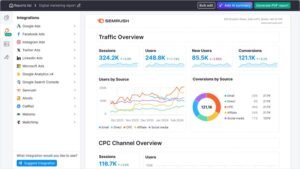
Semrush Pros
- Database depth that holds up in thin niches. The most common failure of cheaper platforms is empty result sets on specialised queries. Semrush returns usable data where thinner indexes return nothing, which is the whole reason it earns its price.
- Competitive analysis that produces a plan, not a list. Gap analysis sorted by traffic potential converts directly into a content calendar, which shortens the distance between research and execution considerably.
- Advertising data strengthens integrated pitches. Seeing which terms a competitor buys and how long they have bought them makes a combined organic and paid recommendation concrete rather than theoretical.
- Toxic link identification and disavow export. The audit flags questionable referring domains and produces a correctly formatted disavow file, which removes the manual assembly step from cleanup work.
- Native Analytics and Search Console connections. Pulling first-party data into the same interface as third-party estimates makes discrepancy investigation faster.
- Sustained development pace. The platform ships meaningful additions regularly rather than coasting, which matters over a multi-year subscription.
- Substantial free training library. The certification programme teaches transferable methods, not just interface navigation, which makes it genuinely useful for onboarding junior staff.
Semrush Cons
- The price is a real barrier below a certain revenue level. Agencies running a handful of small retainers will find the subscription consuming a visible share of margin, and the depth advantage does not compensate at that scale.
- White labelling is a feature, not a philosophy. Branded PDFs are the ceiling. There is no client portal on your own domain, which is exactly what purpose-built reseller platforms deliver.
- The interface rewards investment and punishes casual use. With this many modules, finding the right one is itself a skill. Expect a meaningful ramp before anyone on your team works efficiently.
- Rank refresh cadence trails the specialists. Daily updates suit most reporting rhythms but fall short when a client needs same-day confirmation that a change moved a position.
- Reports live on the vendor’s infrastructure. Clients receive files or vendor-hosted links, which is a visible difference from platforms that serve reports from your own subdomain.
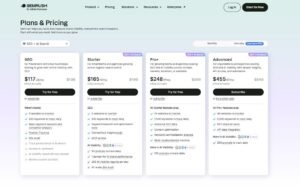
Semrush Pricing
- 7-day free trial
- Starter tier
- Pro tier
- Advanced tier with expanded limits and white label access
Semrush Reviews
Public sentiment clusters around a consistent trade-off. Reviewers praise data depth and competitive intelligence more than any other attribute, and they raise cost more than any other objection.
The recurring positive theme is that the competitive analysis wins new business. The recurring criticism is that smaller agencies buy more platform than they use.
2. SE Ranking Best for Small to Mid-Sized Agencies

Best For: SE Ranking fits agencies managing a moderate client roster who need dependable tracking, genuine white-label control, and a monthly cost they can forecast without a spreadsheet.
How I Use It: This is my default recommendation for agencies setting up client reporting for the first time. Setup is fast enough that a new account does not consume an afternoon, and the branding controls are complete rather than partial.
Quick Overview
SE Ranking sits deliberately between the beginner tools and the enterprise platforms, and it is one of the few products that occupies that middle ground without feeling like a compromise on either side.
The positioning shows up most clearly in pricing structure. Flat tiers with stated limits mean the number on your invoice matches the number on the pricing page, which sounds unremarkable until you have managed a credit-based platform through a busy month.
Tracking covers a wide search engine range with location granularity that goes below city level, which matters for the local SEO services side of an agency’s work. Audit and backlink monitoring round out the core without pretending to compete with dedicated specialists.
Where it earns its place on this list is client onboarding speed. Template cloning means the second client account takes a fraction of the time the first one did, and that compounding effect is the difference between reporting being a task and reporting being a burden.
The natural fit is an agency between roughly five and twenty accounts. Below that, cheaper focused tools cover the need. Above that, the reporting-first platforms start pulling ahead on consolidation.
Against the budget all-in-ones, SE Ranking offers better branding control and steadier tracking. Against the enterprise platforms, it trades database depth for predictability and speed.
SE Ranking Key Features
- Full white-label reporting: PDF and web reports with your logo, colours, and a custom subdomain, plus scheduled delivery on your chosen cadence.
- Multi-engine rank tracking: Position monitoring across major search engines and video search, with device separation and location targeting down to postal code level.
- Site audit: Scheduled crawling that surfaces broken links, duplicate content, missing metadata, and performance problems with severity grouping.
- Backlink monitoring: Profile analysis with new and lost link alerts, plus competitor profile comparison for gap identification.
- Keyword research: Volume, difficulty, and cost data with topic grouping and historical performance tracking on saved sets.
- Competitor tracking: Parallel monitoring of several competitor domains with automatic gap surfacing where they rank and you do not.
- Paid search research: Competitor advertising keyword visibility, which supports agencies selling PPC services alongside organic.
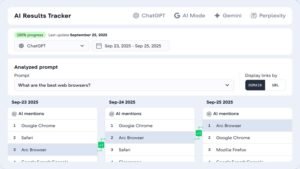
[Image Source: SERanking]
SE Ranking Pros
- Tracking that tracks Search Console closely enough to defend. The offset stays consistent rather than drifting, which means you can explain it once and never revisit it on a client call.
- Template cloning makes onboarding compound in your favour. Setting up your tenth client takes a fraction of the time your first one did, which is the single biggest hidden cost in agency reporting.
- Reports served from your own subdomain. A client clicking through to a URL on your domain reads the whole deliverable differently from one clicking a vendor link, and this is not a small perception difference.
- Scheduled delivery that runs unattended. Once configured, weekly and monthly reports go out without intervention, which is the entire point of automation and something several competitors fail at.
- Paid search data included rather than upsold. Seeing competitor ad targets inside the same platform supports integrated pitches without a second subscription.
SE Ranking Cons
- The interface shows its age. Everything functions, but the design language has not kept pace with newer entrants, and that registers with clients who see the portal directly.
- The link index is mid-tier. Adequate for monitoring your own profile and spotting obvious competitor patterns. Insufficient as the foundation for a serious link building programme.
- API access is gated to higher plans. Agencies wanting programmatic data extraction or custom dashboard feeds need to move up a tier, which changes the cost calculation.
- No content optimisation scoring. There is no on-page grading of drafts against ranking pages, so content-led agencies need a separate tool for that workflow.
- Keyword research depth is functional, not deep. Fine for campaign planning. Thin for exhaustive gap analysis in competitive verticals.

SE Ranking Pricing
- Free trial available
- Core tier
- Pro tier
- Business tier with expanded limits and API access
SE Ranking Reviews
Reviewers consistently describe SE Ranking as the platform that does what it says without complications. The white label features draw specific praise for working as documented rather than partially.
Criticism centres on interface age and link data depth, and both appear as accepted trade-offs rather than dealbreakers in most accounts.
2. AgencyAnalytics Best for Multi-Client Reporting

Best For: AgencyAnalytics suits agencies reporting across several marketing channels who need one consolidated client dashboard rather than separate deliverables from separate tools.
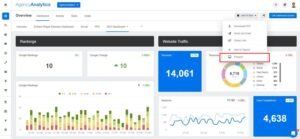
How I Use It: I use it as the consolidation layer. Organic data, paid performance, social metrics, and call tracking land in one branded dashboard, which removes the assembly work that used to consume the first week of every month.
Quick Overview
AgencyAnalytics was built for agency workflow from the outset rather than adapted to it, and the difference is visible in how the platform handles multiple accounts. Client switching, permission tiers, and template reuse all work the way an agency actually operates.
The integration library is the core asset. Pulling organic, paid, email, social, and call data into a single view means clients stop receiving four disconnected reports that they then have to reconcile themselves.
That consolidation changes the client relationship more than agencies expect. When everything sits in one dashboard, the conversation moves from channel performance to overall marketing performance, which is a better conversation to be having.
The platform suits diverse retainers particularly well. One client needing organic and paid alongside another needing social and email is a configuration problem rather than a subscription problem, because each dashboard is independent.
Full-service agencies get the most from it. If your entire deliverable is organic search, the SEO modules alone do not justify the platform over a focused tool.
Against the other multi-channel reporting platforms, AgencyAnalytics carries deeper native SEO functionality while keeping comparable integration breadth, which is a genuinely useful combination.
AgencyAnalytics Key Features
- Extensive integration library: Native connections across analytics, search, advertising, social, email, and call tracking platforms with automatic scheduled syncing.
- Drag-and-drop dashboard construction: Widget-based building with layout, sizing, and styling control so dashboards match your brand rather than the vendor’s.
- Automated client reporting: Scheduled PDF delivery and always-live dashboards, configured once and running without further input.
- Built-in rank tracking: Position monitoring with local and device segmentation, removing the need for a separate tracker on smaller accounts.
- Site auditing: Technical crawling covering link integrity, metadata gaps, speed issues, and mobile usability, presented in client-readable form.
- Call tracking integration: Attribution from search terms and campaigns through to inbound phone calls, which matters enormously for service-business clients.
- Client access control: Individual logins with scoped permissions so each client sees only their own data.
[Image Source: Agency Analytics]
AgencyAnalytics Pros
- Report assembly time collapses after setup. The recurring monthly labour of pulling exports and reconciling them disappears entirely once dashboards are configured, and that reclaimed time is the platform’s real return.
- Live dashboards reduce status enquiries. Clients who can check performance on demand stop emailing to ask how things are going, which quietly removes a category of interruption from your week.
- Branding control is thorough rather than partial. Custom domains, complete vendor logo removal, and branded notification emails mean the client never encounters the underlying platform.
- Industry templates shorten first setup. Pre-built configurations for local, ecommerce, and B2B accounts give you a working starting point instead of an empty canvas.
- Ranking drop alerts arrive before the client notices. Threshold notifications let you investigate and prepare an explanation ahead of the question, which is a meaningful difference in client management.
AgencyAnalytics Cons
- SEO depth trails dedicated platforms. The tracker and auditor handle reporting duties well but will not replace a research platform for competitive analysis or a specialist crawler for complex technical work.
- Several integrations require their own paid subscriptions. Pulling data from a premium third-party platform means paying for that platform separately, so the consolidated dashboard does not consolidate the invoices.
- Complex dashboards take real configuration time. Templates cover standard cases. A bespoke dashboard with many widgets across multiple sources is a sitting-down job, not a five-minute one.
- No keyword discovery functionality. The platform tracks and reports on keywords you already have. Finding new ones happens elsewhere.
AgencyAnalytics Pricing
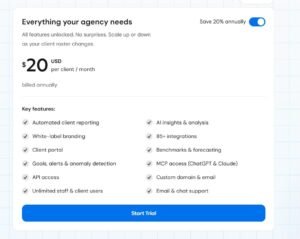
- 14-day trial available
- Per-client scaling tiers
- Enterprise pricing on request
AgencyAnalytics Reviews
The dominant positive theme is time recovery. Reviewers repeatedly describe monthly reporting shifting from a multi-day exercise to a brief configuration check.
The consistent caveat is depth. Agencies with specialist SEO requirements note that this platform reports well but does not research well, and they run something alongside it.
5. Serpstat Best for Budget-Conscious Agencies

Best For: Serpstat suits agencies that want the functional range of an enterprise platform research, tracking, auditing, link analysis at a price point closer to a mid-tier tool.
How I Use It: I run Serpstat on accounts where the retainer will not support enterprise tooling, but the client still needs comprehensive coverage. It handles the fundamentals across all four core areas competently.
Quick Overview
Serpstat’s proposition is coverage per pound rather than depth per feature. You get research, tracking, auditing, and link analysis in one subscription at a cost that leaves room in a modest retainer.
Pricing follows the flat-tier model with no credit mechanics, which removes the mid-month anxiety that credit-based platforms generate. What you see on the pricing page is what appears on the invoice.
Data quality is the honest trade. Volume figures diverge from primary sources more than the premium platforms do, and that gap widens outside the major English-language markets. For directional planning, it is workable. For precise forecasting, it is not.
The platform is strongest on straightforward small and mid-market accounts where the competitive landscape is legible without forensic analysis. Enterprise prospects tend to expect data from the recognised premium names specifically.
Batch processing deserves particular mention. Analysing a large URL set or keyword list in one operation rather than sequentially saves genuine hours during audit-heavy phases of a project.
Against the mid-tier all-in-ones, Serpstat covers more ground but with less polished white-label output. Against the premium platforms, it costs substantially less and delivers correspondingly less depth.
Serpstat Key Features
- Multi-market keyword research: Volume, cost, competition, and related term data across a broad country list with topic clustering.
- Daily rank tracking: Device-separated position monitoring with competitor comparison across a generous competitor allowance.
- Large-scale site auditing: High page-limit crawling covering technical faults, duplication, link integrity, and performance.
- Backlink analysis: Referring domain metrics, anchor distribution, and quality scoring for profile monitoring.
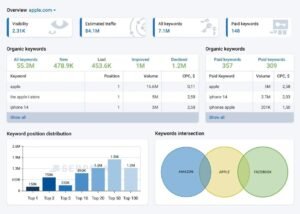
- Competitor research: Keyword overlap, traffic estimation, and content gap surfacing against identified rivals.
- Batch processing: Bulk analysis of URL and keyword sets in a single operation rather than one at a time.
- API on every paid tier: Programmatic access without needing to reach a premium plan first.
[Image Source: Serpstat]
Serpstat Pros
- Genuine cost advantage over the premium tier. The savings against enterprise platforms are substantial enough to change which clients you can profitably serve, which is the entire point of the tool.
- No credit mechanics or overage exposure. Fixed monthly pricing with clear limits means you can quote retainers without building in a tooling contingency.
- Four core functions under one subscription. Research, tracking, auditing, and link monitoring in one place remove both the cost and the context-switching of multiple tools.
- API available on entry tiers. Most competitors reserve programmatic access for top plans, so this is a real differentiator for agencies building custom dashboards or automations.
- Batch analysis saves hours on large projects. Auditing a substantial page set or researching a long keyword list in one pass rather than sequentially is a meaningful workflow improvement.
- Adequate white-label output. Logo and branding application to PDF reports covers the basic requirement, though template flexibility is limited compared with specialist reporting tools.
Serpstat Cons
- Index depth falls short on specialised queries. Long-tail and niche terms that premium platforms cover comfortably sometimes return sparse or empty results here.
- Accuracy varies noticeably by market. English-language major markets perform acceptably. Smaller and non-English markets show wider divergence from primary sources.
- Navigation is unintuitive. Feature discovery requires more clicking than it should, and the layout does not make the logical grouping of tools obvious.
- Link data is monitoring-grade, not campaign-grade. Fine for watching your own profile. Insufficient as the primary dataset behind a link building services programme.
- Support response is slower than premium alternatives. Ticket turnaround runs longer, and live assistance is not reliably available across all time zones.
- Report templating is basic. Branding applies, but layout control is limited compared with dashboard-first platforms.

Serpstat Pricing
- Individual tier
- Team tier
- Agency tier with expanded limits
Serpstat Reviews
The prevailing sentiment frames Serpstat as a deliberate value trade. Reviewers describe getting most of the premium functionality for a fraction of the premium cost, and they accept the data gap knowingly.
Criticism concentrates on index depth in narrow niches and on interface navigation, with support responsiveness appearing as a secondary theme.
6. SpyFu Best for Competitor Research

Best For: SpyFu suits agencies selling combined organic and paid strategy, and anyone who needs to demonstrate competitive intelligence during a pitch rather than after a contract is signed.
How I Use It: This is a business development tool that happens to be an SEO platform. Showing a prospect what their competitor has been buying, and for how long, changes a sales conversation faster than any capability deck.
Quick Overview
SpyFu chose a narrow lane early and stayed in it. While broader platforms expanded outward, this one went deeper on a single question: what has your competitor been doing in search, and for how long?
The historical archive is the differentiator. Multi-year advertising history means you can see not just current activity but the full arc of a competitor’s search investment, including which campaigns they abandoned and which they doubled down on.
That temporal dimension changes the analysis. A term a competitor has bought continuously for years is a term that converts for them, and that inference is unavailable from a snapshot view.
I find it most valuable in competitive service verticals where advertising spend is heavy and visible. Being able to quantify a rival’s sustained commitment to a query makes the case for matching it concrete.
The platform is not a technical tool. There is no crawler, no page speed analysis, no schema validation. It researches competitors and stops there deliberately.
Against the broad platforms’ competitor modules, SpyFu offers deeper advertising history at lower cost. It trades geographic breadth for that depth, concentrating on major English-language markets.
SpyFu Key Features
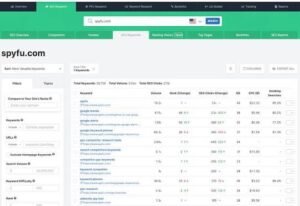
- Organic competitor research: Complete ranking keyword sets for any domain with traffic estimation and position history over extended periods.
- Paid search history: Multi-year advertising records covering creative variants, destination pages, spend estimation, and active bidding terms.
- Side-by-side domain comparison: Multi-competitor overlap analysis that separates shared terms from exclusive ones in a single view.
- Backlink and link gap analysis: Referring domain identification with surfacing of sites linking to several competitors but not to you.
- Rank tracking with competitor context: Position monitoring alongside rival performance, with alerts on new competitive entries.
- Branded report export: PDF output carrying your logo, covering competitive findings and keyword opportunity sets.
[Image Source: SpyFu]
SpyFu Pros
- Advertising history that no comparable tool matches. Multi-year paid search records reveal budget patterns, seasonal behaviour, and campaign persistence that no competitor would ever disclose voluntarily.
- Side-by-side comparison replaces spreadsheet work. Visualising overlap and exclusivity across several rivals in one screen turns what would be a manual reconciliation exercise into a few minutes of reading.
- Unrestricted keyword list export. Pulling complete competitor term sets without export caps is essential when the output feeds a content strategy rather than a curiosity check.
- Exceptional as a pitch asset. Presenting a prospect with their competitor’s search investment before any contract exists establishes credibility immediately and shortens the sales cycle noticeably.
SpyFu Cons
- Volume estimates diverge from primary sources. The figures work for relative comparison and prioritisation but should not drive precise traffic forecasting without cross-checking.
- Link index is smaller than the specialists. Adequate for identifying obvious link gaps. Not the foundation for a serious acquisition campaign.
- No technical SEO capability whatsoever. No crawler, no speed testing, no markup validation. Pair it with a technical tool or accept the gap.
- Historical coverage thins for smaller domains. Established competitors with long search histories are well covered. Newer or smaller sites show gaps in the archive.
SpyFu Pricing
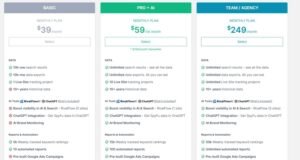
- Basic tier
- Professional tier with introductory pricing
- Team and agency tier
SpyFu Reviews
The strongest recurring theme in reviews is commercial rather than technical. Users describe the platform paying for itself through won business rather than through hours saved.
Criticism focuses consistently on volume estimate reliability and on the absence of technical functionality, both of which are acknowledged design choices rather than defects.
7. Mangools Best for Freelancers and Small Teams

Best For: Mangools suits freelancers, solo consultants, and small teams who need reliable research and tracking without absorbing the learning cost of an enterprise platform.
How I Use It: I point people here when they are buying their first paid SEO subscription. The interface removes the intimidation factor that stops newer practitioners from using their tools properly.
Quick Overview
Mangools took the opposite approach to almost everyone else in this market. Rather than one platform with forty modules, it ships five focused tools that each do a single job and stay out of the way.
That restraint produces the clearest interface in the category. There is no other SEO platform I would hand to a non-technical account manager and expect useful output within the hour.
The suite covers keyword research, SERP analysis, rank tracking, link analysis, and site metrics. Each tool opens directly onto its function without a dashboard layer to navigate first.
Localisation depth is a genuine strength that gets overlooked. Keyword data resolves to a granular geographic level, which supports local SEO services work far better than the interface simplicity suggests.
The fit is a small client roster where research needs are real but not exhaustive. Agencies already running a premium platform will find limited additional value.
Against the other beginner-friendly options, Mangools offers cleaner data and considerably better SERP analysis. Against the mid-tier all-in-ones, it trades auditing and technical functionality for usability.
Mangools Key Features
- Keyword research: Long-tail discovery with volume, trend, and difficulty scoring, filterable across an extensive location and language set.
- Rank tracking: Unlimited keyword monitoring with daily updates, device separation, and visual performance graphing with traffic estimation.
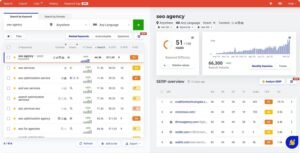
- SERP analysis: Full result-page breakdown showing authority metrics, link counts, and traffic estimates for every ranking position.
- Backlink analysis: Link discovery and evaluation with type, anchor, and quality filtering plus export for outreach workflows.
- Branded reporting: PDF output with logo and colour application, configurable metric selection, and scheduled client delivery.
- Granular location targeting: Keyword data resolving to city and postal level for local campaign work.
[Image Source: Mangools]
Mangools Pros
- The most approachable interface in the category. Team members with no prior tool experience become productive within an hour, which removes a training cost that other platforms impose permanently.
- Difficulty scoring that matches reality. The difficulty metric aligns well with observed ranking effort, which makes it trustworthy for prioritisation rather than merely indicative.
- SERP analysis in a single view. Authority, link counts, and traffic estimates for every ranking page on one screen remove the tab-switching that other tools require for the same picture.
- Strong local keyword resolution. City-level data supports local campaign planning better than the tool’s simplicity would suggest, which is a genuine advantage for agencies serving local clients.
Mangools Cons
- No technical SEO functionality at all. No crawler, no broken link detection, no performance analysis. A dedicated technical tool is mandatory alongside it.
- Link index is modest. Workable for competitor spot-checks. Inadequate as the primary dataset for a link acquisition programme.
- Rank history starts when you add the keyword. There is no retroactive position data, so switching to this platform means starting your historical record from zero.
- White-label control is basic. Logo application to reports is the extent of it. No custom domains, no portal, no deep template control.
- Research volume limits bind on entry tiers. Daily lookup caps that seem generous become restrictive quickly during intensive research on a competitive vertical.

Mangools Pricing
- Free tier with limited daily lookups
- Basic tier
- Premium tier
- Agency tier
- Short money-back window on paid plans
Mangools Reviews
Reviewers consistently single out usability as the defining characteristic, often framing it as the thing other platforms sacrificed in pursuit of features.
The recurring limitation noted is scope. Users describe outgrowing it as their client roster expands, which is a reasonable outcome for a tool positioned at the entry point.
8. BrightLocal Best for Local SEO Agencies

Best For: BrightLocal suits agencies whose clients are physically located businesses, practices, trades, restaurants, and retail where map pack visibility and review volume drive revenue directly.
How I Use It: Every local account runs through BrightLocal. General platforms treat local as a filter on national data, and that approach misses how map pack ranking actually behaves.
Quick Overview
BrightLocal has stayed in a single specialism for its entire existence, and that discipline produces capabilities the generalist platforms simply do not attempt.
Local search behaves differently from organic search in ways that matter operationally. Map pack position varies by physical location within a single city, listing consistency across directories affects visibility directly, and review signals feed the ranking system. Generalist tools model none of this properly.
The platform handles all three. Location-specific tracking resolves below the city level, citation auditing checks listing consistency across a large directory set simultaneously, and review monitoring aggregates across the platforms that actually matter for local businesses.
I have compared local pack positions from generalist tools against manual checks from a specified location, and the generalists diverge regularly. Specialist local tracking does not have that problem because it was built for the query type.
The fit is agencies with a meaningful local client base, or anyone running local citation services and GMB optimization services as a defined offering. National and international work has no use for this platform at all.
Against the other local specialists, BrightLocal carries stronger white-label reporting and broader citation coverage, while some alternatives go deeper on specific sub-functions.
BrightLocal Key Features
- Local rank tracking: Map pack, local organic, and Maps position monitoring with targeting by postal code, neighbourhood, or coordinates.
- Citation building and auditing: Automated submission to a large directory set plus consistency scanning with alerts when listing details diverge.
- Review aggregation: Multi-platform review collection into one dashboard covering the major consumer platforms and industry-specific sites, with new-review alerting.
- Business profile auditing: Listing optimisation analysis covering posting cadence, imagery, question activity, and competitive benchmarking.
- Review generation: Request campaigns delivered by email or message, with branded landing pages routing customers to chosen review platforms.
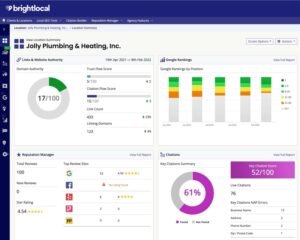
- Branded local reporting: Fully customisable PDF output covering positions, citations, reviews, and competitor comparison, with scheduled delivery.
[Image Source: Capterra]
BrightLocal Pros
- Local pack tracking that reflects reality. Positions verified against manual checks from specified locations hold up consistently, which generalist trackers do not manage for map pack results.
- Citation auditing replaces hours of manual checking. Scanning a large directory set automatically and flagging inconsistencies removes what is otherwise a tedious multi-hour task per client.
- Review monitoring in one place. Aggregating across every relevant platform with instant alerting eliminates the daily round of separate logins that local account management otherwise requires.
- Review request campaigns produce measurable volume increases. Structured, automated requesting reliably lifts review counts compared with ad hoc asking, which directly affects local visibility.
- Report customisation is the deepest in the local category. Full control over which metrics, graphs, and recommendations appear means the deliverable matches your service definition rather than the vendor’s.
- Training material teaches local strategy. The educational content covers method and algorithm behaviour rather than interface navigation, which makes it useful for developing staff capability.
- Direct business profile management. Posting, review responses, and information updates happen inside the platform without separate logins.
BrightLocal Cons
- Zero applicability to non-local work. National, international, and pure ecommerce campaigns get nothing from this platform. It is a specialist tool with a specialist scope.
- No keyword research or link analysis. Competitive research and link acquisition require entirely separate tooling.
- Some citation submissions still need manual verification. Automation covers a large share of directories, but a residual set requires human completion.
- Review generation depends on client behaviour. The platform can send requests, but the client still has to prompt customers in person for the campaign to perform.
- Multi-location pricing accumulates. Franchise and multi-site clients push the cost up quickly under per-location pricing compared with flat-rate alternatives.
BrightLocal Pricing
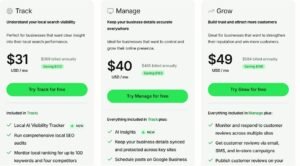
- 14-day free access
- Track tier
- Manage tier
- Grow tier
BrightLocal Reviews
The consistent theme across reviews is that generalist tools get local wrong, and this one gets it right. Local pack accuracy is the most frequently cited strength.
Criticism is almost entirely about scope rather than quality. Users note that it does one thing, and they expect to run other tools alongside it.
9. Raven Tools Best for All-in-One Agency Needs
Best For: Raven Tools suits small and mid-sized full-service agencies who would rather run one adequate platform across several channels than four excellent ones across four subscriptions.
How I Use It: I have used it on mid-market accounts where the client wants a single marketing report rather than channel-by-channel deliverables, and where no individual channel needs specialist depth.
Quick Overview
Raven Tools has been consolidating agency workflow for a long time, and its identity is breadth rather than excellence in any single area.
The platform covers tracking, auditing, link monitoring, social reporting, advertising analysis, and competitive research. No module leads its category, and the platform does not pretend otherwise.
The consolidated reporting is where the value concentrates. Pulling analytics, advertising, social, and third-party SEO data into one branded output means a single deliverable rather than four, which is exactly what non-specialist clients want.
That matters more than agencies expect. Clients who do not distinguish between organic, paid, and social simply want to know whether marketing is working, and a unified report answers that question directly.
The fit is a small to mid-sized full-service agency with a mixed roster. Specialist SEO agencies will find the depth insufficient in every direction.
Against the reporting-first platforms, Raven carries stronger native SEO functionality but weaker visual output. Against the premium research platforms, it costs considerably less and delivers correspondingly smaller databases.
Raven Tools Key Features
- Site auditing: Crawling with issue prioritisation covering broken links, duplication, missing attributes, and redirect problems.
- Rank tracking: Multi-engine position monitoring with local targeting and parallel competitor comparison.
- Backlink monitoring: Profile tracking with gain and loss alerting plus competitor profile analysis for opportunity identification.
- Multi-source reporting: Data aggregation from a substantial connector list into branded PDF output via a drag-and-drop builder.
- Competitor research: Domain analysis covering organic terms, paid terms, links, and traffic estimation with gap surfacing.
- Social scheduling and reporting: Post scheduling across major networks with engagement metrics feeding the same client report as search data.
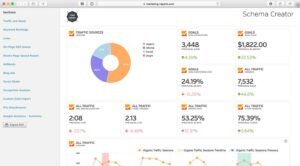
[Image Source: Raven Tools]
Raven Tools Pros
- Genuine multi-channel reporting in one subscription. Reporting organic, paid, and social from a single platform removes both the cost and the reconciliation labour of separate tools.
- Report building is properly flexible. Drag-and-drop arrangement with saveable templates means each client’s report matches how they read data rather than a fixed layout.
- Substantial connector library. Pulling from analytics, advertising, social, and third-party SEO platforms automatically covers most of what a mixed roster needs.
- Client access management suits agency structure. Scoped client logins expose their own data without revealing other accounts or your underlying tool costs.
- Auditing output is client-readable. Issues are described in language a non-technical stakeholder can act on, which is not universal among technical crawlers.
Raven Tools Cons
- No module leads its category. Tracking trails the specialists, link data trails the research platforms, and auditing trails the dedicated crawlers. Breadth is bought with depth everywhere.
- Keyword research depends on integrations. There is no native discovery tool, so you rely on connected third-party platforms that carry their own subscription costs.
- Social functionality is minimal. Agencies where social is a primary service line will find dedicated scheduling platforms far more capable.
- Large report generation runs slowly. Pulling many sources across many clients simultaneously produces noticeable processing delays and occasional timeouts.
- No content optimisation or AI-assisted features. Compared with platforms that have added content scoring and clustering, the toolset feels a generation behind.

Raven Tools Pricing
- Free trial available
- Small business tier
- Start tier
- Grow tier
- Thrive tier
- Lead tier
Raven Tools Reviews
Reviewers characterise Raven as dependable and unglamorous, which is an accurate summary. The value framing is consistently about subscription consolidation rather than capability.
Criticism centres on depth in every category and on report generation speed at higher data volumes.
10. Nightwatch Best for Precision Rank Tracking

Best For: suits agencies working competitive verticals where a two-position difference changes click volume materially, and where ranking accuracy is the metric the retainer is judged on.
How I Use It: I run it on accounts in high-competition sectors where positions move daily, and the client watches closely. When a strategy decision hinges on whether you are at position three or position six, approximate is not good enough.
Quick Overview
Nightwatch made accuracy its entire product strategy. Where other platforms added modules, this one refined the single function it started with.
The practical differences are refresh frequency and location resolution. Multiple daily updates instead of one, and tracking that resolves to coordinates rather than city names.
That coordinate-level precision matters most for service businesses with defined catchment areas. Position at the city centroid tells you very little about position in the suburb where your client’s customers actually live.
Comparing tracking output against manual result-page checks is the only honest test, and specialist trackers hold up under it noticeably better than the tracking modules inside broad platforms.
The fit is narrow and clear. If ranking position is the primary contractual metric, precision justifies the subscription. If rankings are one signal among several, this is more precision than the situation requires.
Against the other tracking specialists, Nightwatch offers a cleaner interface and stronger mobile handling, while trading away the deep configuration options of desktop alternatives.
Nightwatch Key Features
- High-frequency tracking: Multiple daily position refreshes revealing intraday movement during algorithm volatility or immediately after deployment.
- Coordinate-level location targeting: Tracking by country, region, city, or precise geographic point for genuine catchment-area monitoring.
- SERP feature monitoring: Tracking of snippets, local packs, knowledge panels, and image results alongside standard organic position.
- Competitor benchmarking: Parallel monitoring of a substantial competitor set with alerting on overtakes and losses.
- Branded reporting: Full logo, colour, and custom domain application with scheduled client delivery.
- API access on all paid plans: Programmatic data extraction for custom dashboards without requiring a premium tier.
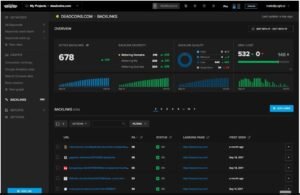
[Image Source: G2]
Nightwatch Pros
- Accuracy that survives manual verification. Checking tracked positions against live result pages from the specified location produces close agreement consistently, which is the only test that matters for a tracking tool.
- Multiple daily refreshes catch movement early. During volatility, seeing changes hours before daily-refresh platforms report them gives you time to investigate before the client asks.
- SERP feature tracking is comprehensive. Knowing precisely when you lose a snippet or shift local pack position is data that most trackers do not capture at all, and it often explains traffic changes that position data alone cannot.
- API on every paid plan. Building custom reporting or feeding rank data into your own systems does not require moving up a tier.
Nightwatch Cons
- Cost scales sharply with keyword volume. Large tracked sets across multiple clients accumulate quickly compared with flat-rate platforms that bundle tracking with other functions.
- It tracks rankings and nothing else. No auditing, no link analysis, no keyword research. Every other function needs separate tooling.
- No retroactive position history. Tracking begins when you add a keyword, so migrating to the platform means rebuilding your historical record from that date forward.
- No keyword discovery workflow. Terms have to be identified elsewhere and imported, which adds a step to campaign setup.
- Report layout control is limited. Branding applies cleanly, but structural flexibility trails the dashboard-first platforms.

Nightwatch Pricing
- 14-day trial
- Keyword-volume-based tiers
- Cancellation available at any point
Nightwatch Reviews
Reviewers frame the value proposition around proof. The recurring description is that other trackers are approximately right while this one is precisely right, and that the difference matters when defending a retainer.
Criticism is limited to scope and to cost at high keyword volumes, both consistent with a specialist tool.
11. Sitechecker Best for Technical SEO Audits

Best For: Sitechecker suits agencies delivering technical SEO services who need continuous monitoring and client-readable audit output rather than a developer-grade crawler.
How I Use It: I run it during prospect audits and as ongoing monitoring on active accounts. The output translates technical faults into language a business owner can approve a budget against.
Quick Overview
Sitechecker’s contribution is not finding more issues than other crawlers. It is presenting the issues it finds in a form a non-technical stakeholder can act on.
That framing solves a real commercial problem. A developer-grade crawler produces an exhaustive issue list that a client cannot read, which means you spend billable hours translating it before you can propose the work.
The platform categorises by severity, explains the business consequence of each issue type in plain terms, and provides remediation guidance. That combination turns an audit from a document into a proposal.
Coverage is deliberately less exhaustive than the specialist crawlers. It catches the issues that affect most sites most of the time and skips the long tail of edge cases.
Continuous monitoring is the other differentiator. Automatic recrawling with change alerting means you find out about a new problem when it appears rather than at the next scheduled audit.
Against the premium platforms’ audit modules, Sitechecker costs less and communicates better. Against the developer-grade crawlers, it finds less and explains more.
Sitechecker Key Features
- Automated crawling: Scheduled scanning identifying link integrity failures, duplication, metadata gaps, performance problems, and mobile issues.
- On-page analysis: Page-level optimisation review covering titles, descriptions, heading structure, keyword usage, and image handling.
- Performance monitoring: Core Web Vitals and load time tracking with threshold alerting and remediation guidance.
- Rank tracking: Daily position monitoring with device separation and competitor comparison.
- Backlink monitoring: Profile tracking with gain and loss alerting plus basic competitor link analysis.
- Branded reporting: PDF output with logo application covering technical findings, on-page recommendations, and position data.
- Browser extension: On-demand page analysis without opening the platform, useful during prospecting and competitive review.
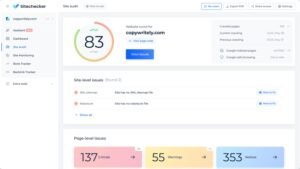
[Image Source: Sitechecker]
Sitechecker Pros
- The clearest technical output for client consumption. Severity grouping with plain-language consequence explanation means a client can read the audit and approve remediation without a translation call.
- Performance alerting catches regressions early. Threshold notifications on Core Web Vitals surface degradation before it affects positions, which turns a reactive problem into a proactive one.
- On-page analysis supports content work directly. Comparing a draft against currently ranking pages produces a concrete change list rather than a general recommendation.
- Continuous monitoring beats scheduled auditing. Automatic recrawling with alerting means new issues surface as they appear rather than at your next planned review.
- Browser extension speeds up ad hoc analysis. Checking any page during prospecting or competitive review without opening the platform is a small convenience that compounds across a week.
Sitechecker Cons
- Less exhaustive than developer-grade crawlers. Very large sites, complex JavaScript rendering, and unusual configurations expose edge cases this platform misses.
- Link index is small. Monitoring-grade only. Serious link analysis requires a dedicated research platform.
- No keyword discovery. Terms must be sourced elsewhere and imported for tracking.
- Rank tracking is basic against the specialists. Daily refresh with country and city targeting, not the coordinate-level precision or intraday updates that dedicated trackers provide.
- Report layout is fixed. Branding applies, but there is no structural rearrangement of report sections.

Sitechecker Pricing
- 14-day free trial
- Basic tier
- Standard tier
- Premium tier
Sitechecker Reviews
Reviewers position it as the practical middle ground between free diagnostics and enterprise crawling. Clarity of output is the most frequently praised attribute.
The consistent limitation noted is depth on large or complex properties, where users report supplementing with a specialist crawler.
12. WebCEO Best for Building White Label SEO Packages

Best For: WebCEO suits agencies operating a reseller model, where the objective is selling recurring SEO packages under your own brand with a client-facing portal that appears proprietary.
How I Use It: I recommend it to agencies productising their service delivery. The client portal infrastructure is the deepest available, which is a different requirement from branded reports.
Quick Overview
WebCEO is one of the longest-operating platforms in this market, and its distinguishing characteristic is white-label infrastructure rather than any individual tool.
The difference between branded reports and a branded platform is substantial. Reports carry your logo. A portal carries your domain, your interface, your login page, and your notification identity, so the client experiences your software rather than your vendor’s.
The toolset spans tracking, auditing, link analysis, research, competitive analysis, and social monitoring. Individually, these are competent rather than leading, which is the expected trade-off for this breadth.
The reseller features are where the value sits. Custom domains, tiered sub-account management, granular access control, and API availability give you the scaffolding to sell software-shaped SEO packages.
The margin logic is straightforward for agencies with functioning sales capability. Platform cost is fixed and modest while package pricing is set by you, so the model scales on sales capacity rather than tooling cost.
The fit is an established agency standardising delivery across a substantial roster. A small client count does not justify the setup investment.
WebCEO Key Features
- Comprehensive toolset in one platform: Tracking, auditing, link analysis, keyword research, competitive analysis, and social monitoring under a single subscription.
- Full client portal white labelling: Branded dashboards on your own domain with complete vendor identity removal from interface, URLs, and emails.
- Sub-account management: Unlimited client accounts with tiered permissions controlling visible data and accessible tools per client.
- Custom report building: Drag-and-drop report construction with saveable templates and scheduled delivery on configurable cadences.
- API access: Programmatic data extraction with documentation for custom integrations and proprietary dashboards.
- Embeddable audit widget: Site audit form for your website capturing prospect details and delivering an automatic report.
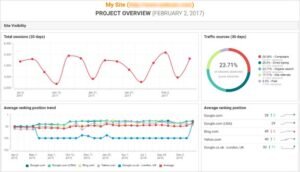
[Image source: WebCEO]
WebCEO Pros
- The most complete white-label infrastructure available. Rebranding extends to the entire platform rather than just the export, which means the client never encounters the vendor at any point in the experience.
- Sub-account management built for agency structure. Tiered access, per-client tool visibility, and central administration match how a multi-client agency actually operates.
- Broad functional coverage in one subscription. Having tracking, auditing, research, and link analysis integrated removes both subscription sprawl and context switching.
- The audit widget generates qualified leads. A prospect who runs a free audit on your site and sees their own problems arrives at the sales conversation already convinced there is work to do.
- API documentation is thorough. Agencies with development capability can build custom integrations or feed data into proprietary systems without guesswork.
WebCEO Cons
- The interface shows its age clearly. Functional but visually dated, which matters more here than elsewhere because clients see the portal directly.
- Onboarding takes substantially longer than simpler tools. A wide toolset combined with extensive white-label configuration means new team members need considerably more ramp time.
- No individual tool leads its category. Tracking, link analysis, and auditing all trail their respective specialists. You buy the infrastructure, not the modules.

WebCEO Pricing
- 14-day free trial
- Agency unlimited tier
- Startup tier
- Corporate tier
WebCEO Reviews
Reviewers are consistently clear-eyed about the trade. The platform is described as the best reseller infrastructure rather than the best tool in any individual function.
Criticism concentrates on interface age and onboarding time, with individual module depth appearing as an accepted limitation.
13. Advanced Web Ranking Best for Rank Tracking Specialists
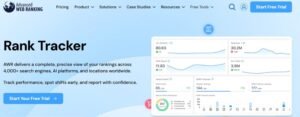
Best For: Advanced Web Ranking suits agencies tracking very large keyword sets, working across non-Google search engines, or serving clients whose data governance rules prohibit cloud storage.
How I Use It: I use it on international accounts spanning multiple search engines and on large tracked sets where cloud platforms start straining. Local processing handles volume that browser-based tools struggle with.
Quick Overview
Advanced Web Ranking is among the oldest continuously developed tracking tools available, and its desktop architecture is the defining characteristic rather than a legacy quirk.
Running locally changes what is possible. Processing power is yours rather than shared, data storage is unlimited and local, and there are no platform-imposed query ceilings.
Configuration depth follows from that. Refresh scheduling, engine selection, language handling, device targeting, and export formatting are all controllable to a degree that cloud platforms cannot match.
The international coverage is the standout capability. Tracking across the major regional search engines outside the Western market is handled properly here and treated as an afterthought almost everywhere else.
Local data storage solves a specific commercial problem. Clients in regulated sectors sometimes cannot permit third-party cloud storage of performance data, and that requirement eliminates every cloud platform immediately.
The fit is technically comfortable agencies with complex tracking requirements. Teams wanting browser access from anywhere will find the desktop model restrictive.
Advanced Web Ranking Key Features
- Desktop application: Windows and macOS installation with local processing and unlimited local data retention.
- Extensive engine coverage: Position tracking across a very large search engine list including major regional engines, with broad country and language support.
- Configurable refresh scheduling: Hourly, daily, weekly, or manual updates configurable per keyword group by priority.
- Location-specific tracking: City, postal code, and coordinate-level monitoring including map results.
- Unlimited competitor comparison: Parallel benchmarking without competitor caps, with export for presentation.
- Multi-format branded reporting: PDF, HTML, and spreadsheet output with full branding, scheduled delivery, or publication to your own domain.
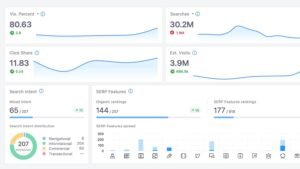
[Image Source: Advanced Web Ranking]
Advanced Web Ranking Pros
- Configuration depth no cloud platform matches. Granular control over refresh cadence, engine selection, device type, and location settings handles requirements that cloud tools cannot express at all.
- Large tracked sets run without degradation. Local processing handles keyword volumes that cause cloud platforms to queue or time out, which matters when a single client tracks thousands of terms.
- Regional search engine coverage is genuinely reliable. Agencies serving markets where the dominant engine is not Google find this the only tool that treats those engines as first-class rather than an afterthought.
- Position history is retained indefinitely. Local storage means no rolling retention window, so multi-year historical comparison remains available permanently.
- Export flexibility is exceptional. Multiple output formats plus direct pushes to analytics and dashboard platforms support whatever downstream analysis you run.
- Perpetual licensing is available. A one-time purchase option changes the long-run economics considerably for agencies with stable tracking requirements.
- No cloud data storage. Local retention satisfies governance requirements in regulated sectors that eliminate every cloud alternative.
Advanced Web Ranking Cons
- Desktop installation constrains access. Working from a different machine requires remote access infrastructure, which is friction that cloud tools simply do not have.
- Configuration depth produces a steep ramp. The same flexibility that makes it powerful means new users face many decisions before the tool works the way they need.
- Tracking only. No auditing, no link analysis, no content tooling. Every other function needs separate software.
- Interface design is dated. Functional and dense in the manner of enterprise software rather than modern consumer applications.
- Updates require manual installation. No automatic patching, which means version drift across a team unless someone actively manages it.
- Mobile access is view-only. Reports are readable on mobile, but configuration and refresh triggering require the desktop application.

Advanced Web Ranking Pricing
- Pro tier
- Agency tier
- Enterprise tier
- High-volume enterprise tier
Advanced Web Ranking Reviews
The dominant theme in reviews is non-Google engine coverage. Users working outside Western markets describe it as the only reliable option in that category.
Criticism focuses on the desktop model and the learning curve, both understood as consequences of the architecture rather than defects.
14. ReportGarden Best for Reporting Across Multiple Channels

Best For: ReportGarden suits full-service agencies consolidating organic, paid, social, and email reporting into unified client dashboards where visual presentation quality matters.
How I Use It: I use it for clients with a marketing manager overseeing several channels who wants one interface rather than four reports. The visual output holds up in a boardroom better than most alternatives.
Quick Overview
ReportGarden competes in the multi-channel reporting category on presentation quality, which is a narrower differentiator than it sounds but a real one.
Most reporting platforms produce functional output. This one produces output that looks designed, and that difference registers with clients who present your reports upward to their own stakeholders.
The widget library drives setup speed. Pre-built components for the common platforms drop into a dashboard without configuration, which turns client onboarding into an assembly task rather than a build task.
The consolidation value is the same as its category peers. One dashboard covering organic, paid, social, and email removes the reconciliation work that separate reports impose on the client.
Budget tracking across advertising platforms is a useful addition that pure SEO tools lack entirely. Seeing spend against performance in the same view supports the conversation about reallocation.
The fit is a full-service agency with a substantial mixed roster. SEO-only agencies will find the search functionality shallow relative to dedicated platforms.
ReportGarden Key Features
- Broad integration library: Connections across analytics, advertising, social, email, and CRM platforms feeding a single dashboard.
- Pre-built widget library: Drag-and-drop components for common metrics with colour and layout customisation.
- Branded live dashboards: Always-current client-accessible dashboards updating automatically without manual regeneration.
- Scheduled PDF reporting: Automated branded report delivery with editable executive summary and commentary sections.
- Cross-platform budget tracking: Advertising spend monitoring with threshold alerting and spend-versus-performance comparison.
- Client portal: Individual client logins with scoped data visibility and controlled metric access.
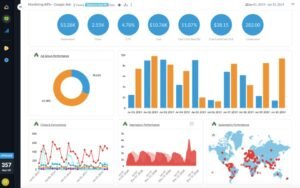
[Image Source: Capterra]
ReportGarden Pros
- The strongest visual output in the reporting category. Charts and layouts look professionally designed rather than functionally adequate, which matters when your report gets forwarded to a client’s own leadership.
- Templates compress new client setup dramatically. Cloning a configuration, connecting sources, and applying branding takes a fraction of the time a build from scratch requires.
- Live dashboards eliminate the monthly generation cycle. Clients check current data whenever they want, and PDF generation becomes a presentation artefact rather than a recurring task.
- Budget tracking across platforms in one view. Total spend, cost per conversion, and return across advertising channels together support reallocation conversations that channel-siloed reporting cannot.
- Client collaboration features are well considered. In-platform commenting and change requests keep report feedback in one thread rather than scattered across email.
- White label control is comprehensive. Custom domains, branding, colour schemes, and sender identity are all configurable, so the vendor stays invisible throughout.
ReportGarden Cons
- Search functionality is shallow. Basic position tracking, no crawler, and link data dependent on connected third-party platforms that you pay for separately.
- Advanced dashboard work has a real learning curve. Templates handle standard cases, but custom metrics and calculated fields require understanding the widget system properly.
- No dedicated mobile application. Dashboards render in mobile browsers, but there is no native app experience for clients who prefer one.

ReportGarden Pricing
- 14-day free trial
- Tiered pricing scaling with client count
ReportGarden Reviews
Reviewers consistently cite subscription consolidation as the primary benefit, with visual quality as the differentiator against category peers.
Criticism centres on SEO depth, which users treat as expected for a reporting-first platform.
15. DashThis Best for Simple Dashboard Creation
Best For: DashThis suits agencies that need branded client dashboards operational immediately, and non-technical team members who need to build them without support.
How I Use It: I recommend it to agencies delivering their first branded reports and to account managers who find full dashboard platforms intimidating. Time from signup to a live client dashboard is genuinely short.
Quick Overview
DashThis is optimised for one variable and largely ignores the rest. That variable is time to first working dashboard.
The result is the fastest setup in this category by a clear margin. Connect sources, drag widgets, apply branding, and a client dashboard exists. No configuration layer, no calculated field syntax, no data modelling.
That simplicity is a deliberate ceiling rather than an incomplete implementation. You cannot build complex derived metrics, and the platform does not pretend you can.
The template library is unusually practical. Industry-specific configurations work as delivered rather than serving as generic starting points requiring substantial rework.
The fit is a small agency needing competent reporting quickly, or a consultant whose time is better spent on strategy than dashboard construction. Requirements involving custom calculations belong on a more flexible platform.
Against the free dashboard alternatives, DashThis trades flexibility for immediacy and adds client management features those tools lack.
DashThis Key Features
- Industry template library: A substantial set of pre-built dashboard configurations for common agency scenarios, customisable with your sources and branding.
- Drag-and-drop widgets: Metric components added without configuration or code, covering the standard reporting set.
- Platform integrations: Native connections across the common analytics, advertising, social, and email platforms.
- Scheduled delivery: Automated dashboard emailing on configurable cadence with custom commentary fields.
- White label configuration: Logo, brand colours, and custom URLs with vendor branding removed from client-facing views.
- Spreadsheet import: Manual data upload for metrics from sources without native connectors.
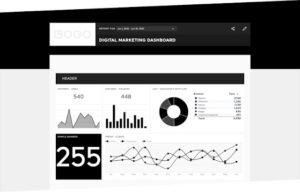
[Image Source: DashThis]
DashThis Pros
- Fastest setup of any platform in this category. Account creation to a delivered branded client report happens inside a single sitting, which no other tool here matches.
- Effectively no learning curve. Account managers with no data background build professional dashboards without training, which removes an onboarding cost that persists on other platforms.
- Templates are genuinely usable as delivered. Unlike the generic starting points most platforms ship, these industry configurations produce a sensible dashboard immediately.
- Commentary fields improve client comprehension. Text blocks explaining what the numbers mean reduce the follow-up calls that raw data invariably generates.
- Scheduled delivery is dependable. Configured reports arrive consistently without intervention, which is the baseline expectation and something not every competitor meets.
DashThis Cons
- Smaller integration library than category peers. Common platforms are covered, but less mainstream tools may require spreadsheet import instead of native connection.
- No calculated or derived metrics. The widget library defines the ceiling. Custom formulas and complex calculations are not available.
- Visual output is functional rather than polished. Charts communicate clearly but do not match the design quality of presentation-focused alternatives.
- No branded client portal. Clients receive emailed reports or dashboard links rather than logging into a portal on your domain.
- No native SEO functionality. No tracking, no auditing, no crawling. It reports data that other tools generate.
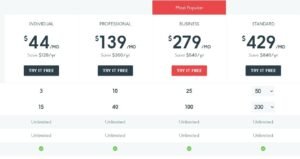
DashThis Pricing
- Individual tier
- Professional tier
- Business tier
- Standard tier
DashThis Reviews
Reviewers frame it explicitly against more powerful alternatives, describing it as the tool that trades capability for immediacy and considering that trade worthwhile.
Criticism focuses on integration count and customisation ceilings, both consistent with the design intent.
16. Moz Pro Best for Domain Authority Reporting

Best For: Moz Pro suits agencies whose clients already understand Domain Authority as a benchmark, and teams that want an approachable all-in-one platform with strong educational backing.
How I Use It: I use it when a client tracks Domain Authority as a reporting metric, which happens more often than the metric’s technical significance warrants. Meeting clients where their understanding sits is part of the job.
Quick Overview
Moz Pro carries an advantage that has nothing to do with its feature set. Domain Authority became the most widely recognised third-party authority metric in the industry, and that recognition has commercial value.
When a client, a prospect, or a link seller references site authority, they usually mean DA. Reporting in a vocabulary the client already speaks removes an explanation step from every conversation.
The platform itself covers the standard all-in-one range: research, tracking, auditing, and link analysis. Each module is competent, and the interface is more approachable than the enterprise platforms.
Link data is the strongest technical component. The index is substantial, and the spam scoring provides a usable first filter when evaluating acquisition targets.
Educational resources deserve mention. The learning material has taught a large share of the industry its fundamentals, which makes it genuinely useful for developing junior staff.
Against the deeper research platforms, Moz Pro carries a smaller keyword index and lighter competitive intelligence. Against the budget all-in-ones, it offers better link data and considerably better name recognition.
Moz Pro Key Features
- Domain Authority and Page Authority scoring: Predictive authority metrics for any domain or page, widely recognised across the industry as a shared benchmark.
- Link Explorer: Backlink profile analysis with referring domain counts, anchor distribution, and spam scoring for target evaluation.
- Keyword Explorer: Research with volume, difficulty, organic click-through estimation, and priority scoring combining multiple signals.
- Rank tracking: Position monitoring with local and mobile segmentation and competitor comparison.
- Site crawling: Scheduled auditing surfacing technical issues with prioritisation by estimated impact.
- On-page grading: Page-level optimisation scoring against a target keyword with specific improvement recommendations.
- Branded reporting: Custom report generation with logo application and scheduled client delivery.

[Image source : Moz Pro]
Moz Pro Pros
- Domain Authority is the industry’s shared vocabulary. Reporting in a metric clients, prospects, and vendors already understand removes an explanation step from every authority conversation, which has real practical value regardless of the metric’s technical merits.
- Spam scoring filters link prospects efficiently. A quick quality signal on referring domains speeds up the evaluation stage of link building services considerably.
- Priority scoring combines signals usefully. Rather than presenting volume and difficulty separately, the platform combines them with click-through estimates into a single ranking that maps to actual opportunity.
- The interface is more approachable than enterprise peers. Feature discovery is straightforward, which shortens onboarding for team members moving from simpler tools.
- Educational material is genuinely instructional. The learning resources teach method rather than interface navigation, which makes them useful for building capability rather than just competence.
Moz Pro Cons
- Keyword index is smaller than the leading platforms. Niche and long-tail coverage thins noticeably compared with the deepest databases, which shows up as sparse results in specialised verticals.
- Competitive intelligence is lighter. Analysing a competitor’s full strategy requires more manual assembly here than in platforms built around that use case.
- No advertising data. Paid search competitive research needs a separate tool entirely.
- White label functionality is basic. Logo application to reports is the extent of it. No custom domains, no client portal, no deep template control.
- Crawl limits bind on lower tiers. Larger properties push against page allowances faster than expected on entry plans.

Moz Pro Pricing
- Free trial available
- Standard tier
- Medium tier
- Large tier
- Premium tier
Moz Pro Reviews
Reviewers consistently identify Domain Authority recognition and educational quality as the primary strengths, often independently of the platform’s technical capabilities.
Criticism concentrates on index depth relative to the leading platforms and on limited white label control.
17. Whitespark Best for Local Citation Building

Best For: Whitespark suits agencies running local citation services as a defined offering, particularly those who want manual submission quality rather than automated bulk distribution.
How I Use It: I use it when citation quality matters more than citation count. Manually built listings on well-chosen directories outperform bulk-distributed listings across low-value sites consistently.
Quick Overview
Whitespark occupies a specific position in local SEO tooling. Where most platforms automate citation submission, this one offers manual building as a service alongside its software.
That distinction matters because citation quality varies enormously by source. A listing on a relevant industry directory carries different weight from a listing on a generic aggregator, and bulk automation cannot make that judgement.
The Local Citation Finder is the core software product. It identifies where competitors hold listings that you do not, which converts citation building from guesswork into a prioritised target list.
Rank tracking includes geo-grid visualisation showing map pack position across a geographic area rather than at a single point, which reveals catchment coverage that single-point tracking hides entirely.
Reputation tooling covers review monitoring and generation, though with less breadth than the dedicated local platforms.
The fit is an agency treating citations as a deliverable rather than a checkbox. Agencies wanting one platform for all local work will find the broader local specialists more complete.
Whitespark Key Features
- Local Citation Finder: Competitor citation discovery identifying directories where rivals hold listings and you do not, prioritised by relevance.
- Manual citation building service: Human-completed submissions on selected directories rather than automated bulk distribution.
- Geo-grid rank tracking: Map pack position visualised across a geographic grid showing coverage variation within a service area.
- Listing management: Ongoing monitoring of listing accuracy across built citations with change alerting.
- Review management: Review monitoring across major platforms with request campaign functionality.
- Branded reporting: Client-facing reports covering citation status, local positions, and review performance.

[Image Source: Whittespark]
Whitespark Pros
- Manual building produces higher-quality placements. Human submission on selected directories avoids the low-value bulk placements that automated distribution generates, and the difference shows in listing durability.
- Citation Finder turns building into a target list. Seeing exactly where competitors hold listings you lack replaces guesswork with a prioritised queue.
- Geo-grid visualisation reveals coverage gaps. Map pack position across an area rather than at one point exposes weak zones within a catchment that single-point tracking simply cannot show.
- Listing accuracy monitoring catches drift. Directories change, and aggregate data propagates errors, so ongoing verification prevents the slow degradation that undermines local visibility.
- Focused scope keeps the interface clean. The platform does local citation and local rank work without the module sprawl of broader tools.
Whitespark Cons
- Narrower than the full local platforms. Business profile auditing, competitive local analysis, and broader reputation tooling are less developed than in dedicated local suites.
- Manual building costs more per citation. Quality has a price, and agencies optimising for volume will find automated distribution cheaper per listing.
- No general SEO functionality. No keyword research beyond local terms, no site auditing, no link analysis outside citations.
- Reporting is less customisable than the local leaders. Branding applies, but layout and metric control trail the specialist reporting platforms.
- Turnaround on manual work takes time. Human submission is slower than automated distribution, which affects how quickly a new client sees citation progress.
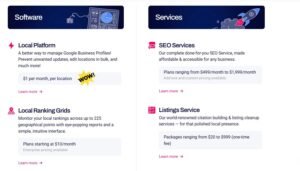
Whitespark Pricing
- Free citation-finding tools available
- Software subscription tiers
- Manual citation building priced per campaign
Whitespark Reviews
Reviewers consistently praise citation quality and the Citation Finder specifically, framing manual building as worth the premium over bulk automation.
Criticism centres on scope, with users noting that a broader local platform is usually needed alongside it.
18. Screaming Frog SEO Spider Best for Deep Technical Crawls

Best For: Screaming Frog SEO Spider suits agencies delivering technical SEO services on large or complex sites, particularly migrations where missing an edge case has serious consequences.
How I Use It: I run it on every migration and every large-site audit. When a technical error carries real cost, the exhaustive crawler is not optional regardless of how well other tools present their findings.
Quick Overview
Screaming Frog is a desktop crawler rather than a reporting platform, and understanding that distinction determines whether it fits your workflow.
The tool crawls a site the way a search engine would and returns everything it finds. There is no severity grouping, no plain-language explanation, and no client-ready output. There is a complete dataset.
That completeness is the point. On a migration, the redirect chain that other crawlers sample past is exactly the one that costs you traffic, and only an exhaustive crawl surfaces it reliably.
Configuration depth supports genuinely complex work. JavaScript rendering, custom extraction via selectors, API integration with analytics and search data, and crawl comparison between runs all handle scenarios that simpler tools cannot express.
White labelling is not a feature here in any meaningful sense. Output is data for you to interpret and present through another tool, which is why it appears in this guide as an engine rather than a deliverable platform.
The fit is any agency doing serious technical work. Pair it with a presentation-focused tool for the client-facing layer.
Screaming Frog SEO Spider Key Features
- Exhaustive site crawling: Complete URL discovery with response codes, redirect chains, canonical relationships, and directive analysis.
- JavaScript rendering: Crawling of client-rendered content to see what search engines see rather than what the source HTML contains.
- Custom extraction: Selector-based scraping of any on-page element for bespoke auditing requirements.
- API integration: Direct connection to analytics and search platforms to overlay performance data onto crawl results.
- Crawl comparison: Differential analysis between two crawls showing exactly what changed, which is essential for migration verification.
- Structured data validation: Markup detection and error identification across the crawled URL set.
- Log file analysis: Separate capability for comparing crawler behaviour against actual bot activity.
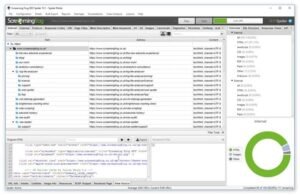
[Image Source: Screaming Frog]
Screaming Frog SEO Spider Pros
- Nothing else finds as much. The crawler returns a genuinely complete picture rather than a sampled one, and on migrations that completeness is the difference between a clean transition and a traffic loss you spend months explaining.
- JavaScript rendering handles modern sites properly. Client-rendered content that simpler crawlers miss entirely gets crawled and analysed here, which matters increasingly as frameworks proliferate.
- Custom extraction handles requirements no tool anticipated. Selector-based scraping means unusual audit needs get met without waiting for a vendor feature.
- Crawl comparison verifies migrations objectively. Differential analysis between pre– and post-migration crawls produces evidence rather than assurance.
- Performance data overlays onto crawl results. Connecting analytics and search data means technical issues get prioritised by actual traffic impact rather than by theoretical severity.
- The free tier is genuinely useful. Smaller sites can be crawled completely without any subscription, which makes it accessible for prospecting.
Screaming Frog SEO Spider Cons
- Output is not client-ready in any form. Raw data requires interpretation and re-presentation before any client sees it, which adds a workflow step.
- No white-label capability whatsoever. This is an internal tool. Client-facing deliverables need a separate platform entirely.
- Desktop installation with local resource demands. Large crawls consume substantial memory and processing, and very large sites require configuration tuning to complete at all.
- The learning curve is steep. Configuration depth means the tool rewards expertise and frustrates casual use.
- No rank tracking, keyword research, or link analysis. It crawls. Everything else needs other software.

Screaming Frog SEO Spider Pricing
- Free tier with a URL crawl limit
- Annual paid licence removing crawl limits and unlocking advanced features
Screaming Frog SEO Spider Reviews
Reviewers treat it as a professional standard rather than an option, with completeness and configuration depth cited most frequently.
Criticism is uniformly about accessibility rather than capability. Users describe it as powerful and unfriendly in equal measure.
19. AccuRanker Best for Fast On-Demand Rank Refreshes

Best For: AccuRanker suits agencies that need position data updated on demand rather than on a schedule, particularly during launches, migrations, and algorithm volatility.
How I Use It: I use it when timing matters. Publishing a change and being able to check its effect within the hour rather than the next day changes how quickly you can iterate.
Quick Overview
AccuRanker built its reputation on refresh speed, which sounds like a minor specification until you need it.
Most trackers update on a schedule. This one updates when you ask, which means the feedback loop between making a change and measuring its effect compresses from a day to minutes.
That compression changes working method. Testing a title change, a content revision, or an internal linking adjustment becomes an iterative process rather than a wait-and-see one.
The platform pairs on-demand refresh with substantial keyword volume handling and a clean, fast interface. Data segmentation via tagging supports large tracked sets across multiple clients.
Integration with analytics and search platforms pulls first-party data alongside position tracking, which supports the traffic-versus-position analysis that position data alone cannot deliver.
The fit is agencies working at pace on competitive accounts. Steady-state monitoring does not require this and does not justify the cost.
AccuRanker Key Features
- On-demand refresh: Manual position updates triggered whenever needed rather than waiting for scheduled runs.
- High-volume tracking: Large keyword set handling with fast interface performance and responsive filtering.
- Tag-based segmentation: Keyword grouping and filtering supporting analysis across large tracked sets.
- SERP feature tracking: Monitoring of result page features alongside standard organic position.
- Analytics integration: Search Console and analytics connections overlaying traffic data onto position movement.
- Branded reporting: Scheduled report delivery with logo and colour application.
- Share of voice measurement: Aggregate visibility scoring across a keyword set rather than position-by-position reading.
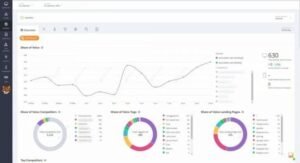
[Image Source: AccuRanker]
AccuRanker Pros
- On-demand refresh compresses the feedback loop. Checking the effect of a change within the hour rather than the next day turns optimisation into an iterative process, which is a genuine methodological improvement rather than a convenience.
- Interface performance holds at high keyword volumes. Filtering and segmentation stay responsive on large tracked sets where other platforms slow noticeably.
- Share of voice reframes reporting usefully. Aggregate visibility across a keyword set communicates progress better than individual position movements, particularly to clients who fixate on single rankings.
- Tagging supports genuine analysis. Segmenting by intent, funnel stage, or product line turns a flat keyword list into something you can actually interrogate.
- First-party data overlays cleanly. Seeing traffic alongside position reveals when a ranking gain did not translate, which is a conversation worth having early.
AccuRanker Cons
- Tracking only. No auditing, no research, no link analysis. It is a single-function tool by design.
- Cost scales with keyword volume. Large tracked sets across many clients accumulate meaningfully compared with platforms bundling tracking into a broader subscription.
- No retroactive history. Position records begin at the point of adding a keyword.
- White label control is moderate. Branding applies to reports, but there is no client portal on your own domain.
- Keyword discovery happens elsewhere. Terms must be sourced from another tool and imported.
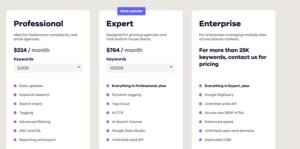
AccuRanker Pricing
- Free trial available
- Keyword-volume-based tiers
- Higher tiers add expanded limits and additional features
AccuRanker Reviews
Speed is the overwhelming theme in reviews, both refresh speed and interface responsiveness at volume.
Criticism is consistently about scope and per-keyword cost, both understood as characteristics of a specialist tracker.
20. Majestic Best for Link Trust Metrics

Best For: Majestic suits agencies where link quality assessment drives acquisition decisions, and teams that want topical relevance signals alongside raw authority scoring.
How I Use It: I use it as a second opinion on link prospects. Trust Flow and topical categorisation catch quality problems that volume-based authority metrics miss entirely.
Quick Overview
Majestic has focused on link data alone for its entire existence, and its distinguishing contribution is the metric pair that separates link quantity from link quality.
Trust Flow and Citation Flow measure different things deliberately. Citation Flow reflects link volume, Trust Flow reflects proximity to trusted seed sites, and the ratio between them exposes profiles built on quantity rather than quality.
That ratio is genuinely diagnostic. A domain with high citation and low trust has accumulated links that carry little weight, and no single-number authority score reveals that pattern.
Topical Trust Flow adds relevance categorisation, showing which subject areas a domain’s link equity comes from. A link from a topically aligned trusted site is worth more than a link from an unrelated trusted site, and this is one of the few tools that quantifies that.
The historical index is another asset. Long-term link history reveals acquisition patterns and losses that a current snapshot cannot show.
The fit is link-focused agencies running link building services where prospect evaluation quality directly affects campaign outcomes.
Majestic Key Features
- Trust Flow and Citation Flow: Paired metrics separating link quality from link quantity, with the ratio exposing profile composition.
- Topical Trust Flow: Subject-area categorisation of link equity showing which topics a domain carries authority in.
- Historical and fresh indexes: Separate long-term and recent crawl datasets for both trend analysis and current-state assessment.
- Link context data: Anchor distribution, link placement, and referring page details for individual link evaluation.
- Comparison tooling: Multi-domain link profile comparison for competitive gap identification.
- Bulk backlink checking: Batch processing of domain lists for efficient prospect evaluation at scale.
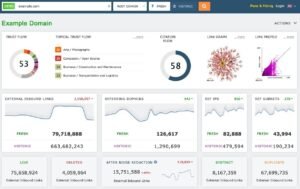
[Image Source: Majestic ]
Majestic Pros
- The trust and citation pairing exposes profile quality. A single authority number hides the difference between a domain with many weak links and one with few strong links, and this metric pair makes that distinction visible immediately.
- Topical categorisation quantifies relevance. Knowing which subject areas a domain’s authority derives from turns relevance from a judgement call into a data point.
- Historical index depth supports trend analysis. Long-term link history reveals acquisition patterns, sustained growth, and losses that current-snapshot tools cannot show.
- Bulk checking scales prospect evaluation. Processing large domain lists in batch rather than individually is essential when qualifying outreach targets at volume.
- Focused scope keeps the tool fast. No module sprawl means the interface stays quick and the data stays current.
Majestic Cons
- Link data only. No keyword research, no rank tracking, no auditing. It is one dataset, comprehensively delivered.
- The metrics require explanation to clients. Trust Flow and Citation Flow are less widely recognised than the dominant authority metric, so reporting on them means teaching first.
- Interface design is dated. Functional and dense rather than modern, which affects onboarding speed for newer team members.
- No white-label reporting to speak of. Data export exists, but client-facing branded output requires another platform entirely.
- Volume estimates and traffic data are absent. Link analysis only, so traffic context comes from elsewhere.
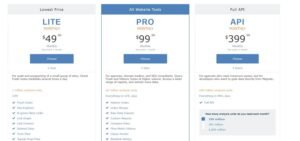
Majestic Pricing
- Free account with limited data access
- Lite tier
- Pro tier
- API tier for programmatic access
Majestic Reviews
Reviewers consistently praise the trust metric pairing and topical categorisation as analytical capabilities unavailable elsewhere.
Criticism focuses on interface age and on the effort required to explain the metrics to clients accustomed to a different authority score.
21. Surfer Best for On-Page Content Scoring

Best For: Surfer suits agencies producing content at volume who need writers to hit optimisation targets without a strategist reviewing every draft.
How I Use It: I use it to standardise content quality across writers. A scored brief means a freelancer produces something structurally sound without needing my judgement on every piece.
Quick Overview
Surfer solved a specific operational problem for content-producing agencies. Optimisation knowledge sat with strategists, while writing sat with writers, and the gap between them required constant review.
The platform closes that gap by encoding optimisation targets into a scored editor. A writer sees what terms to include, at what depth, with what structure, and gets real-time feedback as they write.
Scoring derives from analysis of currently ranking pages for the target query, which grounds the recommendations in observed patterns rather than fixed rules.
Content audit functionality extends the same analysis to existing pages, identifying where published content falls short of what currently ranks and prioritising revision by opportunity.
The obvious risk is mechanical writing. A score-chasing writer produces keyword-stuffed prose, so the tool needs editorial judgement layered on top rather than replacing it.
The fit is agencies running content writing services at volume where consistency across contributors matters more than individual brilliance.
Surfer Key Features
- Content editor with live scoring: Real-time optimisation feedback as writing progresses, with term, length, and structure targets derived from ranking pages.
- SERP analysis: Breakdown of currently ranking content showing structural and topical patterns for the target query.
- Content audit: Existing page analysis against current ranking pages with prioritised revision recommendations.
- Keyword clustering: Grouping of related terms into buildable content topics rather than isolated targets.
- Brief generation: Automated outline and requirement production for handing to writers.
- Internal linking suggestions: Identification of relevant linking opportunities across an existing content library.
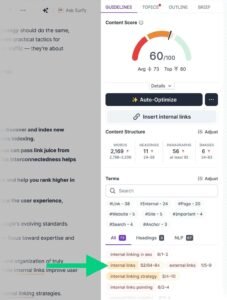
[Image Source: Backlinko]
Surfer Pros
- Scoring standardises output across writers. Freelancers and junior writers produce structurally sound content without a strategist reviewing every draft, which is the operational problem the tool actually solves.
- Recommendations derive from observed ranking pages. Grounding targets in what currently ranks rather than fixed rules keeps guidance current as result pages change.
- Content audit prioritises revision work. Identifying which existing pages sit closest to competing tells you where revision effort produces the fastest return.
- Brief generation compresses the handoff. Producing a structured outline automatically removes an hour of strategist time per piece.
- Internal linking suggestions surface forgotten pages. Identifying relevant links across a large library catches connections that manual review misses.
Surfer Cons
- Score-chasing produces mechanical writing. Writers optimising for the number rather than the reader generate prose that hits targets and reads badly, so editorial oversight remains necessary.
- Recommendations can be literal to a fault. Term suggestions occasionally push phrasing that no competent writer would produce naturally.
- No rank tracking, auditing, or link analysis. Content optimisation only.
- Cost scales with content volume. Agencies producing at high volume find per-article economics matter more than the headline subscription price.
- White-label capability is minimal. This is an internal production tool rather than a client deliverable platform.
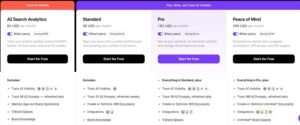
Surfer Pricing
- Essential tier
- Scale tier
- Enterprise tier on request
Surfer Reviews
Reviewers describe consistent quality improvement across distributed writing teams as the primary benefit.
The recurring caution is over-optimisation, with experienced users noting that the score is a guide rather than a target.
22. Clearscope Best for Editorial Content Briefs

Best For: Clearscope suits agencies producing higher-value editorial content where brief quality matters more than production volume, particularly in specialised or technical verticals.
How I Use It: I use it on content where the writer needs subject direction rather than term targets. The briefs read like editorial guidance rather than optimisation checklists.
Quick Overview
Clearscope competes with the content optimisation category on brief quality rather than feature count, and the difference is one of tone as much as capability.
Where scoring platforms produce term lists, Clearscope produces briefs that read as editorial direction. Writers who resist mechanical optimisation tools tend to accept these.
The grading system uses letter grades rather than numeric scores, which subtly changes writer behaviour. A grade communicates sufficiency rather than a number to maximise.
Term recommendations include relevance weighting and usage context rather than raw frequency targets, which produces more natural incorporation.
The platform is deliberately narrower than its competitors. There is no clustering module, no internal linking engine, no audit at scale. It produces briefs and grades drafts.
The fit is agencies whose content competes on editorial quality rather than production volume, particularly in verticals where subject credibility matters.
Clearscope Key Features
- Content reports: Comprehensive briefs covering term recommendations with relevance weighting, structural guidance, and competitive context.
- Letter-grade scoring: Draft grading against ranking content using a scale that communicates sufficiency rather than encouraging maximisation.
- Term relevance weighting: Recommendations ranked by importance with usage context rather than flat frequency targets.
- Document integrations: Direct connection to common writing environments so grading happens where writers work.
- Competitive content analysis: Breakdown of ranking pages showing depth, structure, and topical coverage patterns.
- Content inventory monitoring: Tracking of published content performance against its original grade.
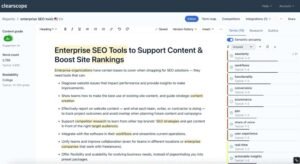
[Image Source: Clearscope]
Clearscope Pros
- Briefs read as editorial direction rather than checklists. Writers who resist mechanical optimisation tools engage with these because the guidance addresses subject coverage rather than term counting.
- Letter grading discourages score-chasing. A grade communicates that the draft is sufficient, which produces more natural writing than a number that invites maximisation.
- Relevance weighting improves term incorporation. Ranked recommendations with context lead writers toward natural usage rather than forced insertion.
- Integration with writing environments removes friction. Grading inside the document where the writer works means feedback arrives without a tool switch.
- Competitive analysis informs depth decisions. Seeing how thoroughly ranking pages cover a subject tells you what depth the query actually demands.
Clearscope Cons
- Pricing sits high for the functional scope. The platform does one thing, and the cost per brief is meaningfully above alternatives.
- No clustering or topic planning. Content strategy happens elsewhere; this tool executes against decisions already made.
- No rank tracking or technical functionality. Single-purpose by design.
- No white-label capability. Internal production tool with no client-facing output.
- Volume economics are unfavourable. Agencies producing at high volume will find per-report costs accumulate faster than competing platforms.
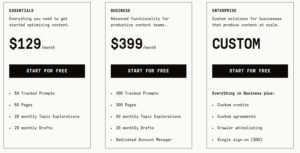
Clearscope Pricing
- Demo available on request
- Tiered pricing based on report volume and seats
Clearscope Reviews
Reviewers consistently describe brief quality as the differentiator, with writer acceptance cited as a practical advantage over more mechanical alternatives.
Criticism concentrates almost entirely on price relative to functional scope.
23. Looker Studio Best for Free Custom Dashboards
Best For: Looker Studio suits agencies with data capability who want complete dashboard control at no licence cost, and teams comfortable building rather than configuring.
How I Use It: I use it when a client’s reporting requirement does not fit any template. Complete control over data modelling and presentation means any requirement is buildable given enough time.
Quick Overview
Looker Studio is a general-purpose data visualisation platform rather than an SEO tool, and that distinction defines both its strengths and its costs.
There is no licence fee, which changes the economics of client reporting entirely for agencies willing to invest build time instead of subscription spend.
Native connections to analytics and search platforms are direct and free. Third-party SEO data requires either a paid connector or manual import, which is where hidden costs enter.
Flexibility is essentially unlimited. Calculated fields, blended data sources, custom visualisations, and conditional formatting support any reporting requirement you can specify.
The cost is build time and skill. Producing a polished multi-client dashboard system is a project, not a configuration task, and maintaining it requires ongoing capability.
The fit is agencies with data-capable staff and enough client volume to amortise the build investment across many accounts.
Looker Studio Key Features
- Free platform access: No licence cost for the visualisation and dashboard platform itself.
- Native Google platform connections: Direct free integration with analytics, search, advertising, and spreadsheet data.
- Data blending: Combination of multiple sources into unified visualisations with join logic.
- Calculated fields: Custom metric creation using formula syntax for derived measurements.
- Full visual control: Complete layout, styling, and chart type control with no template constraints.
- Template sharing: Dashboard duplication across clients with source swapping.
- Scheduled email delivery: Automated dashboard distribution on a configurable cadence.
Looker Studio Pros
- No licence cost changes reporting economics. Removing the subscription line from client reporting means the entire cost is your build time, which is a fundamentally different equation from per-client platform pricing.
- Flexibility has no practical ceiling. Any reporting requirement a client specifies is buildable, which eliminates the “the platform does not support that” conversation permanently.
- Native connections to first-party data are direct and free. Analytics and search data flow in without connector fees, which covers a large share of most SEO reports.
- Templates replicate across clients efficiently. Once a dashboard design exists, deploying it to a new client is a source-swap rather than a rebuild.
- Data blending answers questions single sources cannot. Combining search, analytics, and advertising data in one visualisation supports analysis that siloed reporting cannot produce.
Looker Studio Cons
- Build time replaces subscription cost. The platform is free; producing a polished multi-client system is a substantial project.
- Third-party SEO data requires paid connectors. Rank tracking and link data from external platforms need connector subscriptions, which reintroduces cost.
- Real skill is required. Calculated fields, blending logic, and performance optimisation are technical work, not configuration.
- Performance degrades with complexity. Heavily blended dashboards with large datasets load slowly, which affects client experience.
- White labelling is partial. Dashboards can be branded and embedded, but the underlying platform identity is not fully removable.
- No agency management layer. No client account structure, no permission tiers, no centralised administration.
Looker Studio Pricing
- Free platform access
- Third-party connectors priced separately by their vendors
- Enterprise version available with additional governance features
Looker Studio Reviews
Reviewers consistently frame it as maximum flexibility at zero licence cost, with build effort as the trade-off; criticism concentrates on the skill requirement and on performance at high dashboard complexity.
24. Sitebulb Best for Audit Reports Clients Can Read
Best For: Sitebulb suits agencies who need exhaustive technical crawling and client-presentable output from the same tool, without the translation step between them.
How I Use It: I use it when an audit is a client deliverable rather than an internal document. The output explains why each issue matters, which removes the interpretation work that raw crawl data requires.
Quick Overview
Sitebulb occupies the space between developer-grade crawling and client-facing presentation, which is a genuinely underserved position.
The crawler is thorough. Coverage extends across rendering, structured data, internationalisation, performance, and crawl efficiency at a depth that competes with the specialist crawlers.
What separates it is the presentation layer. Findings arrive with severity ratings, plain-language explanations of consequence, and prioritisation by estimated impact rather than as an undifferentiated list.
Hints are the distinctive feature. Rather than reporting an issue and stopping, the tool explains why it matters and what typically causes it, which shortens the diagnostic step considerably.
Visualisation of site architecture is another strength. Crawl depth and internal link distribution rendered graphically communicate structural problems to non-technical stakeholders far better than tables.
The fit is agencies delivering technical audits as a billable product rather than as internal preparation.
Sitebulb Key Features
- Comprehensive crawling: Deep technical analysis covering rendering, indexation, structured data, internationalisation, and performance.
- Prioritised hints: Issue reporting with severity, explanation of consequence, and typical causes rather than bare error listing.
- Architecture visualisation: Graphical rendering of crawl depth and internal link distribution for structural analysis.
- Crawl comparison: Differential analysis between runs showing exactly what changed between audits.
- Client-ready export: Report output designed for presentation rather than requiring reformatting.
- Search and analytics integration: Performance data overlay onto crawl findings for impact-based prioritisation.
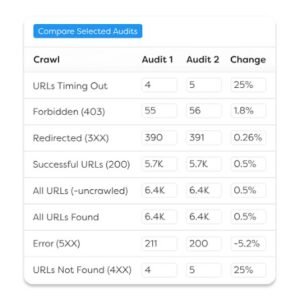
[Image Source: Sitebulb]
Sitebulb Pros
- Audit output is presentable without rework. Findings arrive with severity, explanation, and prioritisation already applied, which removes the hours of translation that raw crawl data demands before a client sees it.
- Hints shorten diagnosis considerably. Explaining why an issue matters and what usually causes it turns a finding into a starting point rather than a research task.
- Architecture visualisation communicates structure clearly. Graphical crawl depth and link distribution make structural problems obvious to stakeholders who cannot read a table of URLs.
- Crawl depth competes with the specialists. Coverage is thorough enough for serious technical work rather than being a simplified alternative.
- Impact-based prioritisation focuses effort. Overlaying performance data means the issue list is ordered by consequence rather than by technical severity alone.
Sitebulb Cons
- Desktop installation with resource demands. Large crawls need substantial local resources, and very large sites require configuration attention.
- Cloud option costs meaningfully more. The hosted version removes the desktop constraint at a considerably higher price.
- Crawling only. No rank tracking, no keyword research, no link analysis.
- Branding control is limited. Reports can carry your identity, but full white-label configuration trails dedicated reporting platforms.
- Learning curve is real. Less steep than the most technical crawlers, but still meaningful for newer users.
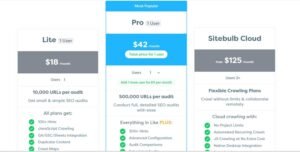
Sitebulb Pricing
- Free trial available
- Desktop licence tiers by project volume
- Cloud version priced separately
Sitebulb Reviews
Reviewers praise the combination of crawl depth and readable output, frequently describing it as the tool that removed a manual reporting step.
Criticism focuses on resource demands and on cloud pricing relative to the desktop version.
25. Ubersuggest Best for Low-Budget Agency Starters

Best For: Ubersuggest suits new agencies, solo consultants, and anyone whose current alternative is doing keyword research with free tools and guesswork.
How I Use It: I recommend it as a stepping stone rather than a destination. It covers enough ground to run small accounts properly, and the lifetime licence option changes the economics for anyone at the start of their agency journey.
Quick Overview
Ubersuggest gets dismissed frequently by practitioners running premium tools, and that dismissal misses who the platform is actually for.
The relevant comparison is not against enterprise platforms. It is against no paid tool at all, and against that baseline the value is substantial.
Coverage spans keyword research, position tracking, site auditing, backlink analysis, and content ideas. Each is basic, and each is meaningfully better than the free alternative.
Data quality is the honest limitation. Volume and difficulty figures diverge from primary sources more than premium platforms, which affects precision but not directional usefulness.
The lifetime licence option is genuinely unusual in this market. A one-time payment removing the subscription entirely changes the calculation for anyone whose cash flow cannot support recurring tool costs.
The fit is early-stage agencies and consultants. Anyone with a substantial client roster will outgrow it, and that is the expected outcome.
Ubersuggest Key Features
- Keyword research: Volume, difficulty, and cost data with suggestion generation and content idea surfacing.
- Rank tracking: Position monitoring with device separation and basic competitor comparison.
- Site auditing: Crawling with issue identification and prioritisation for common technical problems.
- Backlink analysis: Profile overview with referring domain data and new link alerting.
- Competitor analysis: Domain overview covering ranking terms, traffic estimation, and top pages.
- Content ideas: Topic suggestions based on performing content in the target subject area.
- Free daily allowance: Limited daily searches without any subscription.
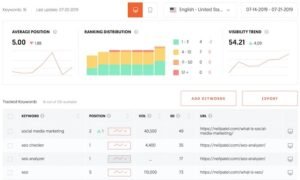
[Image source: Neil Patel]
Ubersuggest Pros
- The lifetime licence changes early-stage economics entirely. A one-time payment instead of a recurring subscription removes tool cost from the monthly calculation, which matters enormously when cash flow is the binding constraint.
- Coverage spans the fundamentals in one place. Research, tracking, auditing, and link data together means a starting agency has no gap in basic capability.
- The interface is approachable. Newer practitioners get productive quickly without a training investment.
- The free tier is genuinely usable. Daily search allowances support prospecting and small-scale research without any payment.
- Content ideas support planning. Topic suggestions based on performing content give a starting point for agencies without an established research process.
Ubersuggest Cons
- Data accuracy trails premium platforms noticeably. Volume and difficulty figures diverge enough that precise planning needs verification elsewhere.
- Index depth is shallow in niche verticals. Specialised queries frequently return sparse results.
- Each module is basic. Nothing here competes with a dedicated tool in any category.
- White label capability is minimal. Report branding is limited, and there is no client portal.
- Limits bind quickly at agency scale. Project and keyword allowances that suit a solo consultant become restrictive with a real client roster.

Ubersuggest Pricing
- Free tier with daily search limits
- Individual, business, and enterprise monthly tiers
- Lifetime licence available at each tier level
Ubersuggest Reviews
Reviewers who evaluate it against its intended audience rate it well, citing accessibility and the lifetime option specifically.
Criticism comes predominantly from users comparing it against premium platforms, where data depth is the consistent complaint.
26. SEOptimer Best for White Label Audit Lead Magnets
Best For: SEOptimer suits agencies using free site audits as a lead generation mechanism, where the audit needs to look like your own tool and convert prospects into conversations.
How I Use It: I use it as a prospecting asset. An embedded audit form on your site that returns a branded report gives a prospect a reason to talk to you before you have made any claim about your capability.
Quick Overview
SEOptimer approaches auditing from a commercial angle rather than a technical one. The crawler is competent; the lead generation wrapper around it is the actual product.
The embeddable audit widget is the core mechanism. A prospect enters their URL on your website, receives a branded audit report, and you receive their contact details alongside a documented list of their problems.
That sequence does substantial sales work. The prospect arrives at the conversation already aware of specific issues, which changes the discussion from persuasion to prioritisation.
Report branding is thorough for this price tier. Custom domains, logo application, colour schemes, and your own recommendations text make the output read as proprietary.
The auditing itself is mid-depth. It catches common issues reliably and does not attempt the edge-case coverage of developer-grade crawlers.
The fit is agencies with inbound traffic to convert. Without site visitors to run through the widget, the primary value proposition does not apply.
SEOptimer Key Features
- Embeddable audit widget: White-label audit form for your website capturing prospect details and delivering an automatic branded report.
- Branded audit reports: PDF output with your logo, colours, custom domain, and editable recommendation text.
- Site auditing: Crawling covering on-page factors, technical issues, performance, and mobile usability.
- Rank tracking: Position monitoring with location targeting and competitor comparison.
- Backlink monitoring: Profile overview with change alerting.
- WhiteWhite-labelform access: Client-facing dashboard with vendor identity removed.
- Lead capture and management: Prospect detail collection with export to your CRM.
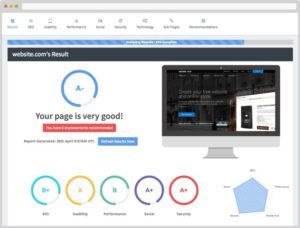
[Image Source: SEOptimer]
SEOptimer Pros
- The audit widget converts traffic into qualified conversations. A prospect who has seen their own problems documented in your branded report arrives at the sales call already persuaded that work is needed, which shortens the cycle materially.
- Report branding is thorough at this price point. Custom domains and editable recommendation text mean the output reads as your own tool rather than a rebranded export.
- Audit output is client-readable. Issues are described in accessible language with actionable guidance rather than technical shorthand.
- Lead details flow into your pipeline. Prospect capture with CRM export turns the widget into a proper acquisition channel rather than a curiosity.
- Pricing is accessible for the capability. The white label depth on offer costs less than comparable functionality elsewhere.
SEOptimer Cons
- Audit depth trails dedicated crawlers. Common issues are caught reliably; complex sites and edge cases are not.
- Rank tracking is basic. Functional for reporting but not competitive with dedicated trackers on accuracy or refresh frequency.
- No keyword research. Terms must be sourced elsewhere.
- Link data is monitoring-grade only. Insufficient for acquisition campaign planning.
- Value depends on inbound traffic. Without site visitors to convert, the widget’s primary benefit does not materialise.
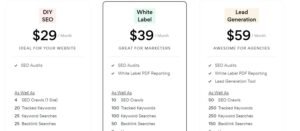
SEOptimer Pricing
- Free audit tool with limited use
- DIY tier
- White label tier
- White label and embedding tier
SEOptimer Reviews
Reviewers who use the widget as a lead channel rate it highly, citing conversion performance as the primary benefit.
Criticism focuses on audit depth relative to specialist crawlers, which users generally accept given the platform’s commercial focus.
27. Semrush Agency Growth Kit Best for Client Pipeline Management
Best For: The Agency Growth Kit suits agencies already running the parent platform who need client acquisition and management infrastructure alongside their SEO data.
How I Use It: I use it where the operational gap is pipeline management rather than reporting. Most tools on this list handle delivery; very few handle the commercial layer around it.
Quick Overview
This add-on addresses a category almost entirely absent from the white-label SEO tool market. Every other platform here handles delivery, and none handle the business of winning and managing the client.
The kit combines lead capture, pipeline tracking, client portal access, and white-label reporting into a layer that sits on top of the underlying SEO data.
Lead generation runs through embeddable audit tools that capture prospect details and produce branded reports, similar in mechanism to dedicated lead magnet platforms but connected to the full data set behind it.
Pipeline management covers opportunity tracking through the sales process, which is functionality agencies usually buy separately in a CRM.
The client portal provides branded access to reports and data, addressing the white-label gap in the parent platform.
The fit is for agencies already committed to the parent subscription. Buying into this ecosystem purely for the agency layer is an expensive route to functionality available cheaper elsewhere.
Semrush Agency Growth Kit Key Features
- Lead generation tools: Embeddable audit widgets capturing prospect contact details with automated branded report delivery.
- Pipeline management: Opportunity tracking through sales stages with activity logging and follow-up scheduling.
- Branded client portal: Client-facing access to reports and performance data with agency branding applied.
- White label reporting: Report generation with logo, colour, and domain customisation addressing the parent platform’s reporting gap.
- Agency directory listing: Presence in the vendor’s partner directory as an additional inbound channel.
- Client management: Centralised account administration with per-client access control.
Semrush Agency Growth Kit Pros
- It fills a genuine category gap. Almost no platform in this market addresses client acquisition and pipeline management, so having it connected to the delivery data is structurally useful.
- Lead capture connects directly to the full data set. Audit widgets backed by a comprehensive database produce more substantive prospect reports than standalone lead magnet tools.
- The client portal addresses the parent platform’s weakest area. Branded portal access solves the white-labeling that otherwise pushes agencies to a second subscription.
- Directory listing provides an additional inbound channel. Partner directory presence generates enquiries that would not otherwise arrive.
- Centralised client administration suits agency structure. Managing accounts, access, and reporting from one place matches how a multi-client agency operates.
Semrush Agency Growth Kit Cons
- It requires the parent subscription. This is an add-on, not a standalone product, so the total cost includes an already-expensive platform.
- Pipeline functionality trails dedicated CRM software. Adequate for basic opportunity tracking, insufficient for agencies with structured sales processes.
- Total cost is high for the combined stack. Parent platform plus add-on produces a monthly figure that only larger agencies absorb comfortably.
- The client portal is less configurable than reseller-first platforms. Branding applies, but structural control trails purpose-built white-label infrastructure.
- Value depends entirely on already using the parent platform. Agencies on other tools have cheaper routes to the same functionality.
Semrush Agency Growth Kit Pricing
- Add-on pricing on top of a parent platform subscription
- Tiered by client volume and feature access
Semrush Agency Growth Kit Reviews
Reviewers already committed to the parent platform describe the add-on as filling a real operational gap.
Criticism concentrates on combined cost and on pipeline functionality relative to dedicated CRM tools.
28. Databox Best for Live Goal Tracking Dashboards
Best For: Databox suits agencies reporting against explicit targets, where the client conversation is about pacing toward a goal rather than reviewing historical performance.
How I Use It: I use it where a retainer has quantified targets. Showing progress against a goal with pacing context changes the monthly review from a data walkthrough to a status conversation.
Quick Overview
Databox differentiates on a framing choice rather than a feature. Most reporting platforms present what happened; this one presents progress toward what should happen.
Goal tracking with pacing calculation is the mechanism. Set a target, and the platform shows current position, required rate, and projected outcome, which reframes reporting around trajectory.
That framing changes client conversations. A number in isolation invites interpretation; a number against a target with a projection invites decision-making.
The platform handles broad multi-source integration in the manner of its category peers, pulling analytics, search, advertising, and business data into unified views.
Mobile access is unusually strong here. Native applications mean clients check performance on their phone, which increases engagement with the reporting meaningfully.
The fit is agencies working to explicit numeric targets. Retainers defined by activity rather than outcome get less from the goal framing.
Databox Key Features
- Goal tracking with pacing: Target setting with current position, required rate, and projected outcome calculation.
- Broad integration library: Connections across analytics, search, advertising, CRM, and business platforms.
- Live dashboards: Continuously updating client-accessible views with automatic refresh.
- Native mobile applications: Dedicated apps for iOS and Android rather than mobile browser access only.
- Alerting and notifications: Threshold-based alerts on metric movement delivered to chosen channels.
- Data calculations: Custom metric creation combining data from multiple sources.
- Branded configuration: Logo, colour, and domain customisation for client-facing views.
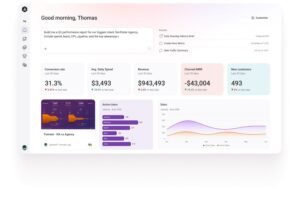
[Image Source: Databox]
Databox Pros
- Goal pacing reframes the client conversation productively. Showing trajectory toward a target rather than historical performance moves the monthly review from reporting to decision-making, which is a better use of the meeting.
- Native mobile apps increase client engagement. Clients who can check progress on a phone do so far more often than clients who must open a browser dashboard, which changes how present your work stays in their mind.
- Alerting catches movement before the review. Threshold notifications mean you investigate a change when it happens rather than discovering it while preparing a report.
- Integration breadth covers business data too. Connecting revenue and pipeline data alongside marketing metrics supports the outcome conversation that channel data alone cannot.
- Calculated metrics combine sources meaningfully. Deriving measurements across platforms produces the composite indicators that individual tools cannot express.
Databox Cons
- No native SEO functionality. No tracking, no crawling, no research. It visualises data that other tools produce.
- Free and entry tiers are restrictive. Dashboard and data source limits bind quickly at agency scale.
- Setup requires deliberate configuration. Goal definition and pacing logic need thinking through rather than being template-driven.
- White-label control is moderate. Branding applies, but structural platform identity is less removable than reseller-first tools.
- Cost scales with data source count. Multi-source dashboards across many clients accumulate meaningfully.

Databox Pricing
- Free tier with strict limits
- Starter tier
- Professional tier
- Growth and premium tiers
Databox Reviews
Reviewers cite goal tracking and mobile access as the distinguishing features, with client engagement improvement mentioned frequently.
Criticism focuses on tier limits and on the absence of native SEO capability.
29. Swydo Best for Lean Report Automation
Best For: Swydo suits smaller agencies that need dependable automated reporting across search and advertising without paying for dashboard-platform breadth they will not use.
How I Use It: I recommend it where the requirement is genuinely just automated reports. Agencies often buy a full dashboard platform when what they actually need is scheduled PDFs that arrive reliably.
Quick Overview
Swydo competes on focus rather than breadth. It automates recurring client reports across the main marketing channels and does not attempt to be a business intelligence platform.
That restraint produces two advantages: lower cost and faster setup. There is less to configure because there is less to configure.
Integration coverage focuses on the platforms most agencies actually use analytics, search, and the major advertising networks rather than chasing connector count.
Report templating with cloning across clients handles the multi-account workflow properly, which is the core requirement for an agency reporting product.
Goal and KPI tracking is included, supporting target-based reporting without the depth of the goal-focused platforms.
The fit is a small to mid-sized agency with straightforward reporting needs. Complex multi-source analysis belongs on a more capable platform.
Swydo Key Features
- Automated report scheduling: Recurring PDF and online report delivery on configurable cadences without manual intervention.
- Core platform integrations: Connections across analytics, search, and the major advertising platforms.
- Template cloning: Report configurations duplicated across clients with source swapping.
- KPI and goal tracking: Target setting with progress monitoring included in report output.
- Branded reporting: Logo, colour, and sender identity customisation with vendor branding removed.
- Client access: Online report viewing with scoped client permissions.
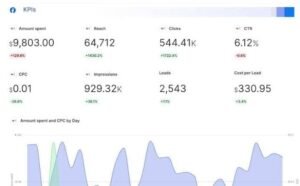
[Image Source: Swydo]
Swydo Pros
- Setup is fast because scope is limited. Fewer configuration decisions means a new client report exists sooner, which matters when reporting setup is a bottleneck rather than a differentiator.
- Cost is lower than dashboard platforms. Agencies paying for breadth they never use find the focused pricing meaningfully better.
- Scheduled delivery is dependable. Reports arrive consistently without intervention, which is the entire requirement and something not every platform manages.
- Template cloning handles multi-client workflow properly. Duplicating a configuration and swapping sources makes each additional client cheap in time terms.
- Branding removes vendor identity completely. Sender names, logos, and report identity all carry your agency, so the client never sees the underlying tool.
Swydo Cons
- Integration count is smaller than dashboard platforms. Common platforms are covered; less mainstream tools are not.
- No custom calculations. Derived metrics and blended-source measurements are not available.
- Visual output is functional rather than designed. Reports communicate clearly without matching presentation-focused alternatives.
- No native SEO functionality. Reports data from other sources rather than generating it.
- Limited analytical depth. Suitable for reporting rather than investigation.
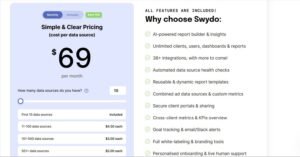
Swydo Pricing
- Free trial available
- Tiered pricing scaling with report volume
Swydo Reviews
Reviewers describe it as doing exactly what it claims without complication, with reliability of scheduled delivery cited most often.
Criticism focuses on integration breadth and on the absence of advanced analysis features.
30. Rank Ranger Best for SERP Feature Monitoring

Best For: Rank Ranger suits agencies where result page composition matters as much as position, particularly in verticals dominated by snippets, packs, and other non-standard results.
How I Use It: I use it where organic position stopped explaining traffic. When a page holds position two and traffic falls, the answer usually lies in what else appeared on the result page.
Quick Overview
Rank Ranger built depth in an area most trackers treat as a secondary metric. Result pages are no longer ten blue links, and tracking position without tracking composition produces incomplete data.
The platform monitors a wide range of result page features and reports their presence, ownership, and change over time alongside standard position data.
That combination explains traffic patterns that position alone cannot. A stable position with declining traffic almost always corresponds to a composition change above it.
Beyond feature tracking, the platform covers rank monitoring, reporting, and a substantial API for programmatic access.
White-label capability is genuine, with branded reporting and client access rather than logo application to exports.
The fit is agencies in verticals where result pages carry heavy feature presence, and teams whose clients question traffic patterns that position data does not explain.
Rank Ranger Key Features
- Comprehensive SERP feature tracking: Monitoring across a wide feature range including snippets, packs, panels, carousels, and video results.
- Feature ownership reporting: Identification of which domain holds each feature and when ownership changes.
- Rank tracking: Standard position monitoring with location and device segmentation.
- Branded reporting and portal: White-label report generation and client-facing access with agency identity.
- API access: Programmatic data extraction with substantial documentation.
- Custom dashboard building: Configurable client views combining position, feature, and integrated analytics data.
Rank Ranger Pros
- Feature tracking explains traffic that position cannot. When a stable ranking coincides with falling traffic, a composition change is usually the cause, and this is one of the few tools that documents it properly.
- Feature ownership tracking identifies specific losses. Knowing precisely when a competitor took a snippet turns a vague traffic decline into an actionable target.
- White labelling is genuine rather than cosmetic. Branded reporting with client portal access covers the requirement properly rather than applying a logo to an export.
- API depth supports custom workflows. Programmatic access with thorough documentation enables integration into proprietary reporting systems.
- Dashboard configurability suits varied client needs. Combining position, feature, and analytics data in custom views matches how different clients want to read performance.
Rank Ranger Cons
- Pricing sits above simpler trackers. The feature depth costs more than agencies tracking only position need to spend.
- The interface carries a learning curve. Configuration depth means new users take time to work efficiently.
- No keyword research or auditing. Tracking and reporting only.
- Feature data requires interpretation. Knowing a feature changed is only useful if you understand what to do about it, which is analyst work rather than tool output.
- Setup takes longer than lightweight alternatives. More configuration options mean more decisions before the tool works as needed.
Rank Ranger Pricing
- Free trial available
- Tiered pricing by keyword volume and feature access
- Enterprise and API tiers available
Rank Ranger Reviews
Reviewers cite feature tracking depth as the primary differentiator, often describing it as the tool that explained traffic patterns other platforms could not.
Criticism focuses on price relative to basic trackers and on the configuration learning curve.
31. SEO PowerSuite Best for One-Time License Buyers

Best For: SEO PowerSuite suits agencies that prefer capital purchase over recurring subscription, and teams comfortable with desktop software running locally.
How I Use It: I point agencies here when subscription accumulation becomes the problem rather than any individual tool’s capability. A perpetual licence changes the long-run cost structure fundamentally.
Quick Overview
SEO PowerSuite bundles four desktop applications covering rank tracking, site auditing, link analysis, and link management, with a licensing model that departs from the industry norm.
The perpetual licence option is the defining characteristic. A one-time payment grants permanent use of the version purchased, with paid updates optional rather than mandatory.
That model suits agencies with stable requirements. If your workflow does not change annually, paying once for tooling that works is straightforward economics.
Desktop architecture means local processing and local data storage, with the same access constraints and the same governance advantages that it implies.
Each application is competent rather than leading, which is the consistent trade-off across bundled suites. You buy coverage and cost structure, not category leadership.
The fit is cost-conscious agencies with technically comfortable staff and stable tracking requirements.
SEO PowerSuite Key Features
- Rank tracker application: Position monitoring across search engines with location targeting and competitor comparison.
- Website auditor application: Site crawling with technical issue identification and on-page analysis.
- Backlink analysis application: Link profile examination with quality assessment and competitor comparison.
- Link management application: Outreach tracking and link acquisition campaign management.
- Branded reporting: Report generation with logo and branding application across all four applications.
- Local data storage: Unlimited local retention without cloud storage or platform limits.
- Perpetual licensing option: One-time purchase with permanent use of the purchased version.
[Image Source: SEO PowerSuite]
SEO PowerSuite Pros
- Perpetual licensing changes long-run economics. Paying once rather than monthly removes a permanent line from the cost base, which compounds substantially across years of operation.
- Four core functions in one purchase. Tracking, auditing, link analysis, and outreach management together cover most agency requirements without subscription sprawl.
- Local processing removes platform limits. No query ceilings, no rate limiting, no queue times, which matters on large tracked sets and big crawls.
- Unlimited local data retention. Historical records persist indefinitely without rolling retention windows.
- Outreach management is unusual in a bundle. Link acquisition campaign tracking is normally a separate purchase entirely.
SEO PowerSuite Cons
- Desktop installation constrains access. Working across machines or remotely requires additional infrastructure.
- No single application leads its category. Each is competent; none competes with a dedicated specialist.
- Interface design is dated across all four applications. Functional rather than modern.
- Perpetual licences do not include future versions. Major updates require additional purchase, so the one-time cost is not permanently one-time if you want current features.
- Large crawls demand local resources. Processing capacity is your hardware’s capacity.
- White label control is basic. Report branding applies, but there is no client portal.

SEO PowerSuite Pricing
- Free tier with feature limits
- Professional tier
- Enterprise tier
- Perpetual licence available at each paid tier
SEO PowerSuite Reviews
Reviewers focused on cost structure rate the perpetual model highly, describing it as the only genuine alternative to permanent subscription accumulation.
Criticism concentrates on interface age and on individual application depth relative to specialists.
32. Local Falcon Best for Map Pack Grid Tracking
Best For: Local Falcon suits agencies serving businesses with defined service areas where map pack visibility varies substantially across the catchment.
How I Use It: I use it on local accounts where a single tracked position hides the real picture. Ranking well at the business address and poorly three miles out is common, and only grid tracking exposes it.
Quick Overview
Local Falcon solves a measurement problem that most local tracking ignores entirely. Map pack position is not a single value; it varies continuously across geography.
A business ranking first at its own address may sit outside the pack a short distance away, and traditional tracking at a single point reports only the flattering number.
Grid tracking scans position across a matrix of points covering the service area, then renders the results as a heat map showing exactly where visibility holds and where it fails.
That visualisation is unusually persuasive with clients. A map showing green at the centre and red at the edges communicates a problem no table of positions can convey.
Competitor grid comparison shows where rivals hold the coverage you lack, which converts the visualisation from diagnosis into strategy.
The fit is agencies running GMB optimization services for businesses whose customers come from a defined geographic area.
Local Falcon Key Features
- Geo-grid scanning: Map pack position measured across a configurable point matrix covering the service area.
- Heat map visualisation: Graphical rendering of position variation across geography showing coverage and gaps.
- Competitor grid comparison: Rival position mapping across the same grid revealing where competitors dominate.
- Scan scheduling: Recurring automated scans tracking coverage change over time.
- Branded reporting: Client-facing reports with heat map visuals and agency branding.
- Average position metrics: Aggregate scoring across the grid summarising overall catchment visibility.

[Image Source: Local Falcon]
Local Falcon Pros
- Grid scanning exposes coverage gaps single-point tracking hides. A business ranking first at its address and nowhere three miles out is a common and invisible problem, and this is the tool that makes it visible.
- Heat map visuals persuade clients immediately. A colour-coded map communicates a coverage problem in a way no position table achieves, which shortens the conversation about why additional work is needed.
- Competitor grid comparison turns diagnosis into strategy. Seeing exactly where rivals hold the coverage you lack identifies specific geographic targets rather than general improvement goals.
- Scheduled scanning tracks coverage change. Recurring scans show whether optimisation work expanded the visible area, which is a better progress measure than a single position.
- Reporting output is genuinely client-facing. Branded heat map reports work as deliverables rather than requiring reinterpretation.
Local Falcon Cons
- Single-function scope. Map pack grid tracking only. Everything else in local SEO needs other tools.
- Scan-based pricing accumulates. Frequent scanning across many clients and large grids costs meaningfully more than flat-rate tracking.
- Grid configuration affects results. Point density and radius choices change the picture, so comparability requires consistent configuration.
- No citation, review, or profile management. Purely a measurement tool.
- Interpretation requires local SEO knowledge. The heat map shows what is happening, not why, which remains analyst work.
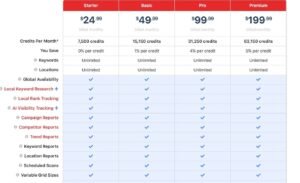
Local Falcon Pricing
- Free trial available
- Scan-credit-based pricing tiers
- Higher tiers add scheduling and additional locations
Local Falcon Reviews
Reviewers consistently describe the heat map visualisation as the feature that changed client conversations about local performance.
Criticism focuses on scan-based pricing at volume and on the tool’s narrow single-function scope.
33. Ahrefs Web Analytics Best for Cookieless Traffic Reporting
Best For: Ahrefs Web Analytics suits agencies whose clients face privacy constraints, consent-banner friction, or data governance requirements that complicate conventional analytics.
How I Use It: I use it where consent rejection has made conventional analytics data unreliable. When a substantial share of visitors decline tracking, the reported numbers stop reflecting reality.
Quick Overview
Web analytics changed materially as privacy regulation and consent requirements spread, and conventional platforms now report a filtered picture rather than a complete one.
This tool takes a cookieless approach, which means it operates without the consent friction that suppresses conventional analytics coverage.
The practical consequence is more complete traffic data. Where conventional platforms miss the share of visitors who decline consent, this approach captures them.
Functionality is deliberately narrower than full analytics platforms. Traffic, source, page, and geography reporting rather than deep behavioural segmentation and funnel analysis.
For SEO reporting specifically, that narrower scope covers most requirements. Organic traffic, landing page performance, and referral sources are what appear in a search report.
The fit is agencies with privacy-sensitive clients or those in jurisdictions where consent rejection materially affects data quality.
Ahrefs Web Analytics Key Features
- Cookieless tracking: Traffic measurement without cookies, avoiding consent-banner suppression of data coverage.
- Traffic and source reporting: Visitor volume with referral source breakdown including organic, direct, and referral segmentation.
- Page-level performance: Landing page traffic and engagement data for content performance assessment.
- Geographic reporting: Visitor location breakdown by country and region.
- Lightweight script: Minimal page weight impact compared with conventional analytics tags.
- Free tier availability: Usable functionality without subscription for smaller properties.
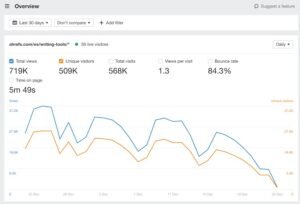
[Image source: Ahrefs ]
Ahrefs Web Analytics Pros
- Cookieless tracking captures traffic conventional analytics misses. Where a meaningful share of visitors decline consent, the reported numbers understate reality, and this approach closes that gap.
- Privacy positioning resolves client governance concerns. Clients in regulated sectors or privacy-conscious markets accept this approach where conventional tracking raises objections.
- The script is genuinely lightweight. Minimal page weight impact matters on properties where performance is already a ranking concern.
- Setup is simple. Script installation and data appear without the configuration depth conventional analytics platforms require.
- The free tier is usable. Smaller properties get functional reporting without any subscription cost.
Ahrefs Web Analytics Cons
- Functionality is narrower than full analytics platforms. No deep behavioural segmentation, funnel analysis, or advanced attribution modelling.
- No conversion tracking depth. Goal and event tracking is limited compared with conventional platforms.
- Historical data starts at installation. No retroactive record, so it supplements rather than replaces existing analytics initially.
- Not a white-label tool; data feeds into your reporting rather than providing branded client output.
- Client familiarity is low. Clients accustomed to conventional analytics need an explanation of why numbers differ.
Ahrefs Web Analytics Pricing
- Free tier with pageview limits
- Paid tiers scaling with traffic volume
- Included with certain parent platform subscriptions
Ahrefs Web Analytics Reviews
Reviewers value the privacy positioning and data completeness, particularly in markets with high consent rejection rates.
Criticism focuses on functional narrowness relative to conventional analytics platforms.
34. Marketing Miner Best for Bulk Data Pulls

Best For: Marketing Miner suits agencies processing large data volumes routinely, particularly during audits, migrations, and large-scale keyword research.
How I Use It: I use it when the task is volume rather than depth. Pulling metrics for thousands of URLs or keywords in one operation is a different requirement from analysing any single one carefully.
Quick Overview
Marketing Miner approaches SEO tooling from a data processing angle. The core proposition is bulk operations across large input sets rather than interactive analysis of individual items.
That framing suits specific workflows. Auditing a large site, qualifying a large link prospect list, or researching an extensive keyword set are all volume problems that interactive tools handle badly.
The platform supports a wide range of bulk operations across keyword data, URL metrics, SERP analysis, and link data, all accepting large input lists and returning structured output.
Report generation and scheduling round out the capability, though the platform’s centre of gravity is data extraction rather than presentation.
Pricing is credit-based, which introduces the predictability problem that credit systems always carry, though at a lower cost base than premium alternatives.
The fit is technically comfortable for agencies with recurring bulk processing requirements.
Marketing Miner Key Features
- Bulk keyword analysis: Volume, difficulty, and related data across large input lists in single operations.
- Bulk URL metrics: Authority, link, and traffic data for large URL sets.
- SERP scraping: Result page data collection across large query sets.
- Rank tracking: Position monitoring with standard segmentation.
- Data export: Structured output in formats suitable for downstream analysis.
- Report generation: Scheduled reporting with branding application.
- API access: Programmatic integration for automated workflows.
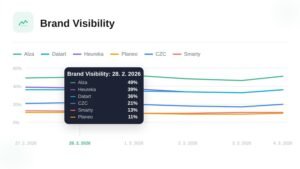
[Image source: Marketing Miner]
Marketing Miner Pros
- Bulk processing handles volume interactive tools cannot. Running thousands of queries in one operation rather than sequentially converts a multi-day task into a single job, which is the entire value proposition.
- Input flexibility supports varied workflows. Accepting large lists across keywords, URLs, and domains means the tool adapts to whatever the current project needs.
- Cost per data point is low. For volume work specifically, the economics compare favourably against premium platforms charging for interactive access.
- Export formats support downstream analysis. Structured output feeds into spreadsheets, databases, and visualisation tools without reformatting.
- API access enables automation. Recurring bulk operations can run without manual triggering.
Marketing Miner Cons
- Credit pricing introduces cost unpredictability. Heavy usage periods produce variable monthly costs, which complicates retainer pricing.
- Interactive analysis is not its strength. Examining a single keyword or URL carefully is better served elsewhere.
- Data depth trails premium platforms. Bulk coverage does not match the index depth of the leading research tools.
- White label capability is limited. Report branding exists, but this is fundamentally an internal processing tool.
- The interface assumes technical comfort. Bulk operation configuration is not designed for casual use.
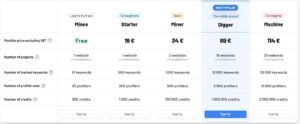
Marketing Miner Pricing
- Free trial available
- Credit-based tiers scaling with processing volume
Marketing Miner Reviews
Reviewers processing large data volumes rate it well on throughput and cost per operation.
Criticism focuses on credit pricing predictability and on data depth relative to premium research platforms.
35. Wincher Best for Simple Client-Facing Rank Reports

Best For: Wincher suits agencies and consultants who need dependable rank tracking with clean client reporting at the lowest sensible cost, without functionality they will not use.
How I Use It: I use it on smaller accounts where rank reporting is the entire deliverable. Paying for an all-in-one platform to send a position report is an easy mistake to make.
Quick Overview
Wincher does one job at a price point that reflects doing one job, which is a rarer proposition in this market than it should be.
Rank tracking with clean reporting covers a substantial share of what small clients actually receive, and buying a full platform to deliver it is a common overspend.
The interface is straightforward. Adding keywords, configuring locations, and scheduling reports involves no learning investment.
Reporting output is clean and client-appropriate, with branding applied and scheduling automated.
Integration with content platforms adds keyword tracking directly inside publishing workflows, which is a useful convenience for content-led accounts.
The fit is consultants and small agencies with straightforward reporting requirements. Growing rosters and complex needs will outgrow it, which is expected at this position in the market.
Wincher Key Features
- Rank tracking: Daily position monitoring with device and location segmentation.
- Competitor tracking: Parallel rival position monitoring with comparison views.
- Branded reporting: Scheduled PDF delivery with logo and colour application.
- Keyword research: Basic volume and difficulty data for term selection.
- Content platform integration: Direct keyword tracking inside common publishing environments.
- Position alerts: Notifications on significant ranking movement.
- Shareable dashboards: Client-accessible position views without full portal infrastructure.
[Image Source: Wincher]
Wincher Pros
- Cost matches scope honestly. Paying for rank tracking rather than for a platform that includes rank tracking makes the economics work on small accounts where margin is tight.
- Setup takes minutes. Adding keywords and scheduling a report involves no configuration learning, which suits consultants without operational overhead.
- Reporting output is clean and appropriate. Branded position reports look professional without needing customisation work.
- Content platform integration suits content-led workflows. Tracking keywords inside the publishing environment removes a tool switch from the content process.
- Alerting catches movement without monitoring. Notifications on significant changes mean you do not need to check dashboards routinely.
Wincher Cons
- Rank tracking only. No auditing, no link analysis, no meaningful research capability.
- Keyword research is minimal. Basic data suitable for selection rather than strategy.
- No client portal. Shareable dashboards rather than branded portal infrastructure.
- Accuracy trails the tracking specialists. Reliable for standard reporting, not competitive with precision-focused trackers.
- Limited SERP feature tracking. Result page composition coverage is thin compared with feature-focused platforms.

Wincher Pricing
- Free trial available
- Keyword-volume-based tiers
- Business tier with expanded limits
Wincher Reviews
Reviewers appreciate the honest scope and pricing, describing it as the right tool when rank reporting is the actual requirement.
Criticism is consistently about scope, which users accept given the positioning and price.
A Tool Worth Using Alongside Your White Label Platform
Some tools an agency depends on daily do not belong in a white-label list at all, because they produce nothing a client ever sees.
Everything above handles delivery: the dashboards, the branded reports, the client-facing output. The tool below handles the research those deliverables are built on, which is a different job entirely.
Most agencies on this list run it in the background alongside a reporting platform rather than choosing between them. Treating the two categories as alternatives is the mistake; they are layers of the same stack.
Ahrefs Best for Backlink Analysis and Competitive Research

Best For: Ahrefs suits agencies where link acquisition and competitive research drive strategy, and where research quality determines campaign outcomes.
How I Use It: It opens first on any link building services project. Understanding why a competitor ranks starts with understanding who links to them, and this is where that question gets answered.
Quick Overview
Ahrefs has no white-label reporting. No branded dashboards, no custom domains, no client-facing output carrying your identity. That is precisely why it sits outside the main list.
It appears here because the research layer matters as much as the delivery layer, and no serious agency operates without one.
The link index is the foundation. Crawl volume and refresh frequency mean new links appear faster here than elsewhere, which matters when campaign progress needs verification.
Beyond links, the platform covers keyword research, position tracking, site auditing, and content research. Each is competent, and the link data remains the reason to subscribe.
Content research deserves specific mention. Identifying which content in a subject area has actually earned links removes the guesswork from content-led acquisition planning.
Use it for research and strategy. Use the platforms above for what the client sees. That division covers the full stack.
Ahrefs Key Features
- Site Explorer: Complete link profile, traffic estimation, top page, and ranking keyword analysis for any domain with historical trend data.
- Content Explorer: Searchable index of published content filterable by link count, traffic, and social engagement for topic identification.
- Keywords Explorer: Multi-engine keyword research with volume, difficulty, and click estimation showing realistic traffic potential.
- Rank Tracker: Position monitoring with daily updates, device separation, and competitor comparison.
- Site Audit: Technical crawling identifying a broad range of issues with prioritisation and progress tracking.
- Alerts: Notifications on new links, lost links, brand mentions, and ranking movement.
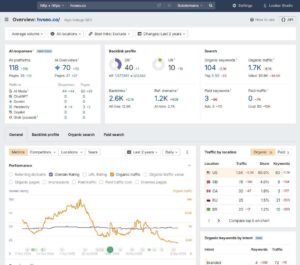
Ahrefs Pros
- The freshest link index available. New links appear here before they appear elsewhere, which matters when you need to verify that an acquisition campaign is actually working rather than waiting weeks for confirmation.
- Content Explorer removes guesswork from content planning. Finding topics that have demonstrably earned links replaces speculation with evidence, which changes the success rate of content-led acquisition substantially.
- Interface design is genuinely good. New team members become productive faster here than on comparably deep platforms, which is a real cost saving across hiring.
- Difficulty scoring aligns with observed effort. The metric maps to actual ranking difficulty closely enough to drive prioritisation confidently.
- Domain Rating is widely understood. The metric has become common currency in link discussions, so clients and vendors interpret it without explanation.
- Disavow workflow is straightforward. Identifying problem links and exporting a correctly formatted file removes manual assembly from cleanup work.
- Video search keyword data is included. Clients running video content get keyword research for that channel without an additional tool.
Ahrefs Cons
- No white-label capability at all. Client-facing branded reporting requires a separate platform, which means this is an addition to your stack rather than a replacement for anything.
- Rank tracking trails the specialists. Functional for general monitoring but short of dedicated trackers on refresh frequency and precision.
- Site auditing is good rather than exhaustive. Deep technical work on complex properties still needs a dedicated crawler.
- Credit mechanics complicate cost forecasting. Different operations consume different allowances, and heavy research periods produce unpredictable usage against limits.
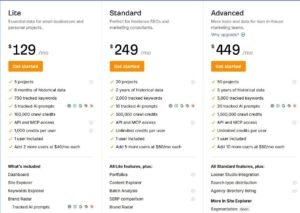
Ahrefs Pricing
- Lite tier
- Standard tier
- Advanced tier
- Enterprise tier
Ahrefs Reviews
Reviewers consistently identify link data quality as the defining strength, frequently describing it as finding links that competing indexes miss entirely.
Criticism focuses on credit mechanics and on the absence of client-facing reporting capability.
How White Label SEO Tool Pricing Actually Scales as You Add Clients
Every review above quotes tiers. None of that tells you what tooling actually costs per client, which is the number that determines whether a retainer is profitable.
Here is how the maths behaves at three agency sizes, using the pricing structures rather than specific figures that change quarterly.
At five clients, tooling cost per client is at its worst. Platform minimums are fixed, so a single subscription divided across five accounts produces a high per-client figure. This is the stage where the lifetime-licence and perpetual-licence options genuinely change the equation, and where running one focused tool rather than three overlapping ones matters most.
At twenty clients, per-client cost drops sharply because most platform tiers accommodate that volume without a step change. This is the efficient zone for mid-tier all-in-ones and reporting platforms, and it is where agencies typically over-buy by adding a second and third subscription before the first is fully used.
At fifty clients, the picture inverts again. Per-client platform costs are low, but keyword-volume pricing on trackers and per-location pricing on local tools begin scaling linearly rather than flatly. An agency at this size usually runs a reporting layer, a research layer, and one or two specialists, and the specialists become the largest line rather than the platform.
Three patterns cause most overspend.
Overlapping subscriptions. Running two platforms that both include rank tracking and both include site auditing means paying twice for functions you use once. Audit your stack for duplication before adding anything.
Buying depth you do not sell. An enterprise research subscription only pays for itself if competitive strategy is a billable deliverable. If your retainers are execution-only, the depth is a cost rather than an asset.
Ignoring per-unit scaling. Keyword-based and location-based pricing look cheap at low volumes and compound quietly. Model the cost at your projected client count, not your current one, before signing an annual agreement.
The useful benchmark is tooling as a percentage of retainer revenue. Track it monthly, and treat an upward trend as a signal to audit rather than a cost of growth.
Common White Label SEO Tool Mistakes That Cost Agencies Clients
The failures that lose accounts are rarely about picking the wrong tool. They are about how the tool gets used.
Reporting numbers you cannot explain. A client asks why the platform shows different traffic from their own analytics, and an answer of “the tools measure differently” reads as evasion. Understand the methodology gap before it appears in a meeting, and state the offset proactively in the first report rather than defending it in the third.
Letting vendor branding leak. A logo on page one and a vendor footer on page four undo the entire white label investment. Test every touchpoint from a client’s perspective the email sender, the subject line, the link domain, the login page before the first delivery.
Reporting activity instead of outcome. A dashboard full of positions, crawl errors, and link counts tells a client what you did. It does not tell them whether it worked. Lead every report with the outcome metric the retainer was signed on, then support it with the activity data.
Automating without reviewing. Scheduled reports are the point, but a report that delivers automatically while rankings decline arrives as an unwelcome surprise rather than a managed conversation. Review before delivery on any account where performance is moving.
Switching platforms mid-engagement. Rank history rarely transfers, and a client seeing their historical chart reset to zero reads it as data loss regardless of your explanation. Choose deliberately at the start of an engagement, and if a switch is unavoidable, run both in parallel for a reporting cycle and explain the transition before it appears.
Buying features to justify pricing. Adding a platform because the retainer feels expensive relative to the work is backwards. Clients pay for outcomes and clarity, not for the number of dashboards you can produce.
Treating the dashboard as the deliverable. The most consistent failure across every tool in this guide is the same. A branded portal with no interpretation attached is a data feed, not a service. The tool produces the numbers, and you produce the reason they matter.
What’s the Best White Label SEO Tool for You?
Thirty-five tools, and the honest answer is that the right one depends entirely on where your agency currently sits.
If you are forced to pick a single platform with no other considerations, the deepest research platform remains the strongest all-round choice. Database coverage, competitive intelligence, and the ability to answer why a competitor outranks a client are capabilities the cheaper alternatives approximate rather than match. The cost is real, and it is justified when strategic analysis is something clients pay for rather than something you provide for free.
That said, buying the deepest platform before your client roster supports it is the most common and most expensive mistake in this market.
Starting out with branded reporting?
Begin with a mid-tier all-in-one that offers genuine white-label control and predictable flat pricing. Onboarding speed matters more than database depth at this stage.
Running a mixed roster across search, paid, and social?
A dedicated reporting platform saves more hours than any research tool, because report assembly is where the time actually goes.
Serving local businesses? A local specialist is not optional. Generalist tools model local search incorrectly, and the resulting inaccuracy shows up in client conversations.
Judged on ranking positions specifically?
A precision tracker earns its keep, because approximate positions cannot support a retainer defended on exact ones.
Building a reseller programme?
Reseller-first infrastructure with client portals and sub-account management is a different product category from branded PDFs, and only one of them scales.
Constrained on cash flow?
Perpetual licence and lifetime options exist and are genuinely viable. Recurring subscription is a convention rather than a requirement.
Across service lines, the pattern I follow is consistent. Technical SEO services need a proper crawler alongside a presentation layer. Link building services need a serious link index rather than a monitoring-grade one. Local SEO services and GMB optimization services need local-specific tracking rather than a filter on national data. Content writing services benefit from a scoring layer that standardises output across contributors.
Start with what your current client load actually requires. Add capability when a specific piece of work demands it, not when a pricing page suggests it.
Conclusion
Thirty-five tools is more choice than any agency needs, and that abundance is itself the problem. The platforms that survive in a stack are the ones that either save measurable hours or produce data you can defend in front of a client, and everything else eventually gets cancelled.
Pick two or three from the shortlist above based on your current client count and the service lines you actually sell. Run them properly for a quarter before adding anything. Track tooling cost as a share of retainer revenue and treat any upward drift as a signal to audit rather than a cost of doing business.
We help businesses, startups, and brands build sustainable organic growth across technical SEO, content strategy, and authority building. If you want a stack recommendation matched to your service mix, or you would rather hand the delivery layer to a partner running these platforms daily, we are glad to talk it through.
Frequently Asked Questions
Do white label SEO tools guarantee my clients better rankings?
No. These platforms measure and report performance. Rankings improve through strategy and execution, which remains your work regardless of which tool produces the dashboard.
Can I use more than one white label SEO tool at the same time?
Yes, and most agencies do. A common structure is one reporting platform for client delivery plus one research platform running behind it for strategy work.
Will clients find out which platform powers my reports?
Only if branding leaks. Test the sender name, subject line, link domain, and login page from a client’s perspective before your first delivery.
What does a white label SEO tool typically cost per client?
It depends entirely on client count. Per-client cost is highest at five accounts and drops sharply by twenty, then rises again where keyword or location pricing scales linearly.
Should freelancers use white label SEO tools or free alternatives?
Paid tools become worthwhile once client reporting is a recurring deliverable. Below that point, free tiers and lifetime licence options cover the requirement adequately.
Does switching white label platforms lose my ranking history?
Usually yes. Most trackers begin recording when you add a keyword, so run both platforms in parallel for one reporting cycle before you switch.