If you manage local search visibility for even one business, you already know a single “rank” number means almost nothing. A business can sit at position 1 in one neighborhood and fall off the map three miles away, and most owners never find out until a competitor quietly takes their customers.
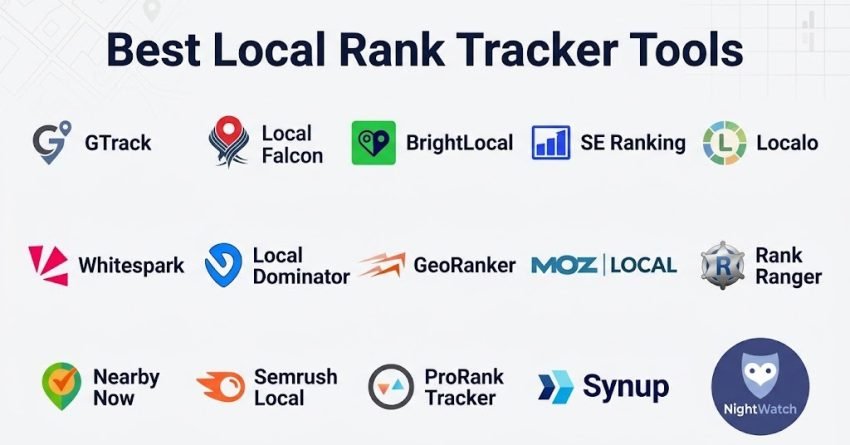
A local rank tracker fixes that blind spot by showing rankings across a grid of real locations rather than one guessed data point. In this guide, I tested and compared 15 local rank tracker tools across pricing, accuracy, feature depth, and the type of business each one fits best. I cover the core geo-grid players, the platforms built for agencies managing many clients, tools aimed at tighter budgets, and a few newer entrants that solve problems the bigger names still ignore. By the end, you will know exactly which tool matches your situation and what to expect to pay for it.
Quick Comparison: Best Local Rank Tracker Tools (2026)
| Tool | Starting Price | Free Plan / Trial | Tracks Maps + Local Pack | Best Use Case |
| GTrack | $19.99/mo | 200 credits, no card | Yes, combined scan | All-round local tracking |
| Local Falcon | $24/mo | No | Maps + heatmap | Visual geo-grid reporting |
| BrightLocal | $39/mo | 14-day trial | Maps + organic (separate) | Full local SEO suite |
| SE Ranking | $65/mo | 14-day trial | Local + national combined | Agencies running both |
| Localo | $29/mo | Limited free tier | Maps focus | Simple single-location setups |
| Whitespark | $0.005/pin/scan | 200 trial credits | Local Pack + Maps | Citation-heavy strategies |
| Local Dominator | $39/mo | No | Maps + SERPs | Multi-location management |
| GeoRanker | $99/mo | No | Hyper-local | Enterprise competitive intel |
| Moz Local | $14/mo | No | Basic monitoring | Listing management |
| Rank Ranger | $79/mo | No | Multi-engine | Custom cross-channel reporting |
| Nearby Now | $35/mo | 7-day trial | Maps + service-area radius | Hyperlocal service businesses |
| Semrush Local | $30/mo add-on | Trial via Semrush plan | Maps + organic | Existing Semrush users |
| ProRankTracker | $13/mo | 7-day trial | Local + organic | Freelancers on a budget |
| Synup | $83/mo | No | Multi-location Maps | Franchise and multi-brand reporting |
| Nightwatch | $32/mo | 14-day trial | Local + national SEO | Combined SEO and local tracking |
Why Local Rank Tracking Matters in 2026
Local intent now drives a massive share of daily search behavior, and the businesses that win are the ones who can actually see how their visibility changes block by block, not just city by city.
Here’s the part most owners miss entirely: a Google Maps ranking is never one fixed number. It shifts based on exactly where the person searching is standing. A coffee shop might rank first for someone one block away and disappear completely for someone ten minutes across town, and neither version of that ranking shows up if you only check from your own office.
A local rank tracker solves this by running what’s called a geo-grid scan, a set of simulated searches spread across your service area so you can see the pattern instead of a single snapshot. Skip this step and your local SEO decisions are built on a view of your rankings that may not represent most of your actual customers.
The 15 Best Local Rank Tracker Tools in 2026
I grouped these 15 tools from strongest all-round performer down through the specialists, so you can find the fit for your exact situation rather than reading every profile top to bottom.
1. Local Dominator, Best for Multi-Location Management

Local Dominator targets scale directly. Running local SEO for ten locations looks nothing like running it for one, and this platform’s audit tools plus GBP management are built around that reality.
Key Features
- Full local SEO audit tooling
- Google Business Profile management built in
- Custom reporting across multiple locations
- Single dashboard for the whole portfolio
Pros
- Strong fit for genuinely multi-location operations
- Audit depth holds up under complex accounts
- Reporting scales without becoming unreadable
Cons
- No real free plan
- Learning curve is steeper than simpler tools
- Overkill if you only manage one location
Pricing: Starts at $39 per month.
Best For: Teams running local SEO across many locations who need one dashboard instead of ten tabs.
2. Local Falcon, Best for Visual Geo-Grid Reporting
Local Falcon helped establish the geo-grid category back in 2018, and its heatmap display is still the clearest way to show a client exactly where rankings hold and where they collapse.
Instead of scrolling a table of numbers, you get a color map that makes geographic weak spots obvious at a glance, which turns a client reporting call into a five-minute conversation instead of a spreadsheet walkthrough.
Key Features
- Color-coded heatmaps showing ranking variation point by point
- Historical tracking to compare grid results over time
- Competitor position overlay on the same grid
- Combined Google Maps and Google Search tracking
Pros
- The strongest visual output in this comparison
- Deep focus on Google Maps specifically
- Makes geographic patterns obvious without manual analysis
Cons
- No free plan of any kind
- No AI-assisted features
- New users often find the interface dense at first
- Export options are limited compared to newer tools
Pricing: Starts at $24 per month.
Best For: Agencies and visual thinkers who need to present geographic ranking data clearly in client meetings.
3. BrightLocal, Best Full Local SEO Platform
BrightLocal goes beyond rank tracking into a full local SEO operating system, bundling citation management, review monitoring, and audits alongside its tracking tool.
For an agency running several local clients at once, that breadth means fewer logins and fewer tools to reconcile when building a monthly report.
Key Features
- Tracking across Google, Bing, and Apple Maps
- Up to 100 tracked keywords per report
- Citation management built into the same dashboard
- White-label reports for agency use
Pros
- One of the most complete local SEO suites available
- Long-standing reputation in the local SEO space
- Solid white-label options
- Covers multiple search engines, not just Google
Cons
- Pricing climbs quickly once you need full feature access
- Heavier interface than dedicated rank trackers
- No AI-driven insights
- Geo-grid visuals are weaker than specialist tools
Pricing: Starts at $39 per month, with a 14-day free trial.
Best For: Established agencies that want one platform covering every local SEO task, not just tracking.
4. SE Ranking, Best for Combined Local and National SEO

SE Ranking fits businesses running local and national campaigns side by side, since it puts both inside one toolkit instead of forcing a second subscription.
Key Features
- Local and national tracking in a single dashboard
- Full keyword research module
- Technical site audit tools
- Competitor tracking across both local and organic results
Pros
- Covers two SEO disciplines without switching platforms
- Pricing holds up well against the feature list
- Reporting is genuinely usable, not just exportable
Cons
- Local-specific depth trails dedicated local tools
- Geo-grid visualization is basic
- No AI-assisted local insights
Pricing: Starts at $65 per month, 14-day trial included.
Best For: Teams running local and national SEO together who want one subscription instead of two.
5. Localo, Best for Small Business Simplicity

Localo strips the category down to what a non-SEO person actually needs, trading advanced configuration for a dashboard you can understand in your first five minutes.
Key Features
- A single visibility score summarizing local presence
- Real-time alerts on ranking movement
- Local SEO health checks built in
- Minimal, uncluttered dashboard
Pros
- No SEO background required to get value on day one
- Alerts fire quickly when something changes
- Reasonable price for straightforward tracking
Cons
- Fewer advanced controls than larger platforms
- No AI-driven recommendations
- Not built with agency workflows in mind
Pricing: Starts at $29 per month.
Best For: Owner-operators who want clear local data without learning a new discipline first.
6. Whitespark, Best for Citation-Focused Businesses

Whitespark pairs rank tracking with one of the most established citation tools in local SEO, which matters if citation consistency is already part of your strategy.
Key Features
- Local Pack and Google Maps tracking
- Support for tracking multiple locations at once
- Citation management built into the same account
- CSV export for offline analysis
Pros
- Citation tools and tracking live in one place
- Interface stays clean even at scale
- Tracking data has held up well in independent testing
- Strong fit if citations are a core strategy pillar
Cons
- Feature set stays fairly narrow outside tracking and citations
- No AI features
- Geo-grid visuals are basic compared to Local Falcon
- Costs rise once you need the advanced tier
Pricing: Starts around $33 per month, with 200 trial credits available.
Best For: Businesses that treat citation building as a core part of local SEO and want it paired with tracking.
7. GTrack, Local Rank Tracker

GTrack earns the top spot because it pairs genuinely accurate geo-grid scanning with AI keyword suggestions, and it does both without forcing you through a steep setup process most tools in this category still require.
The platform goes beyond a simple map grid. On paid tiers, it tracks whether your business gets named when customers ask ChatGPT, Perplexity, Gemini, or Google AI Mode their actual questions, which matters more every month as AI answers absorb a share of searches that used to land on a map pack.
Key Features
- AI keyword discovery that suggests local terms based on category and location, removing the guesswork from keyword selection
- Grid sizes from 3×3 up to 13×13 for granular control over scan area
- Instant alerts when a competitor’s position shifts
- White-label reporting on Business and Pro tiers
- Built-in UULE generator for simulating searches from exact coordinates
Pros
- 200 free credits with no card required, the most generous entry point tested
- Only tool in this set offering AI keyword discovery
- Clean interface that works for solo operators and agency teams alike
- Handles multi-location scaling without extra complexity
Cons
- Built around Google Maps rather than Bing or Apple Maps
- Shorter track record than some legacy competitors
Pricing: Free plan available. Paid plans start at $19.99 per month.
Best For: Small and mid-size businesses, agencies, and any local business that wants to actually own its Google Maps presence rather than guess at it.
8. GeoRanker, Best for Enterprise Competitive Intelligence

GeoRanker goes narrow and deep, built for agencies and enterprise accounts that need hyper-precise location data and genuinely detailed competitor breakdowns.
Key Features
- High-precision location-based tracking
- Detailed competitor analysis tooling
- Full local SEO audit capability
- Ranking data broken out by device type
Pros
- Among the most precise geo-targeting tested
- Competitive analysis goes deeper than most alternatives
- Strong fit for complex audit work
Cons
- Priced well above most of this list
- Steeper learning curve
- No AI features
- Trial access is limited
Pricing: Starts at $99 per month.
Best For: Enterprise teams and agencies that need granular competitive data in complex markets.
9. Moz Local, Best for Listing Management

Moz Local leans into listing consistency more than ranking depth, using Moz’s reputation to help keep NAP data aligned across directories while tracking rankings on the side.
Key Features
- Local ranking monitoring
- Directory listing management across major platforms
- Integration with the broader Moz Pro suite
- Location data syndication to directories
Pros
- Strong name recognition in the SEO space
- Data has proven reliable over time
- Plays well if you already use other Moz tools
Cons
- Ranking depth takes a back seat to listings
- No geo-grid visualization at all
- No AI-driven insights
- Not the strongest option if tracking is your main need
Pricing: Starts at $14 per month for the listing management tier.
Best For: Businesses already inside the Moz ecosystem who want listings and basic tracking together.
10. Rank Ranger, Best for Custom Reporting

Rank Ranger builds its value around configuration. You can shape dashboards around whatever combination of local and broader SEO metrics your reporting actually needs.
Key Features
- Multi-engine tracking across Google, Bing, and others
- Highly configurable reporting dashboards
- Geo-targeting down to city or postal code
- White-label reporting for agency accounts
Pros
- Reporting flexibility is genuinely strong
- Covers more search engines than most local-only tools
- Agency white-label options hold up well
Cons
- Priced higher than most dedicated local trackers
- Not built specifically for local SEO
- Geo-grid capability is limited
- Interface takes time to learn
Pricing: Starts at $79 per month.
Best For: Agencies that need deeply customized reporting spanning local and other SEO channels.
11. Nearby Now, Best for Hyperlocal Service Businesses
Nearby Now targets a segment the bigger platforms mostly ignore: service-area businesses like plumbers, electricians, and HVAC companies that don’t operate from a single storefront location.
Because these businesses rank based on a service radius rather than a fixed address, generic geo-grid tools often misrepresent their visibility. Nearby Now builds its grid logic around service-area boundaries instead of a single pin, which gives a more honest picture for this business type.
Key Features
- Service-area radius mapping instead of single-point tracking
- Job-type keyword tracking by trade category
- Review response tracking alongside rankings
- Simple dashboard built for non-technical owners
Pros
- One of the only tools built specifically for service-area businesses
- Setup takes minutes, not hours
- Pricing sits in a reasonable middle range
Cons
- Less useful for storefront businesses with a fixed location
- Feature set is narrower than full local SEO suites
- No AI-assisted features
Pricing: Starts at $35 per month, with a 7-day trial.
Best For: Service-area trades that need accurate tracking without a storefront address to anchor it.
12. Semrush Local, Best for Agencies Already on Semrush
Semrush Local works as an add-on module rather than a standalone product, which makes sense if your agency already runs its SEO, PPC, and content work through Semrush and doesn’t want another separate login.
The tracking data draws on the same infrastructure Semrush uses for its broader SEO toolkit, so it sits naturally alongside keyword research and site audit data you’re likely already pulling for the same clients.
Key Features
- Local tracking integrated with existing Semrush projects
- Combined local and organic visibility reporting
- Listing management bundled into the same module
- Shared client reporting with other Semrush tools
Pros
- Removes the need for a separate tracking subscription
- Reporting ties directly into existing Semrush client data
- Setup is fast if you’re already a Semrush user
Cons
- Only makes financial sense if you already pay for Semrush
- Geo-grid depth is lighter than dedicated local tools
- Limited value as a standalone purchase
Pricing: Around $30 per month as an add-on to an existing Semrush plan.
Best For: Agencies already running client work through Semrush who want local tracking without adding a new vendor.
13. ProRankTracker, Best for Budget-Conscious Freelancers

ProRankTracker strips out the extras and focuses on affordable, reliable tracking, which fits freelancers and single-location owners who don’t need an agency-grade feature set.
Key Features
- Local and organic rank tracking in one account
- Scheduled email reports
- Keyword grouping by location or campaign
- Basic competitor comparison
Pros
- One of the lowest entry prices in this comparison
- Covers the tracking fundamentals without clutter
- Fast to set up for a single site or client
Cons
- Lacks the geo-grid depth of specialist tools
- No white-label reporting
- Interface feels dated next to newer platforms
Pricing: Starts at $13 per month, with a 7-day trial.
Best For: Freelancers and single-location businesses that need dependable tracking on a tight budget.
14. Synup, Best for Multi-Location Franchise Reporting
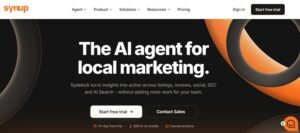
Synup is built around the reporting problem franchises actually have: dozens or hundreds of locations that each need their own ranking data rolled up into one coherent brand-level report.
Key Features
- Location-level and brand-level reporting views
- Bulk listing management across all locations
- Automated reporting schedules per franchise group
- API access for enterprise integrations
Pros
- Purpose-built for large multi-location accounts
- Reporting scales cleanly from single store to full brand
- Strong listing management alongside tracking
Cons
- Pricing reflects its enterprise focus
- Unnecessary complexity for a single location
- No AI-driven features
Pricing: Starts at $83 per month.
Best For: Franchise brands and multi-location businesses that need rollup reporting across every location.
15. Nightwatch, Best for Combined SEO and Local Tracking
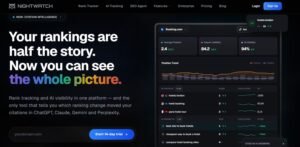
Nightwatch blends local and broader organic SEO tracking into one tool, giving teams a single source of truth when a campaign touches both local pack results and standard organic rankings.
Key Features
- Combined local pack and organic rank tracking
- Keyword tagging by campaign or location
- Shareable client-facing reports
- Google Search Console integration for traffic context
Pros
- Useful when local and national SEO run from the same campaign
- Reporting is clean and easy to share with clients
- Search Console integration adds useful context
Cons
- Local-specific features are lighter than dedicated local tools
- No AI-assisted insights
- Grid customization is more limited than Local Falcon
Pricing: Starts at $32 per month, with a 14-day trial.
Best For: Teams tracking local and organic SEO together under one campaign view.
How to Choose the Best Local Rank Tracker for Your Business
With 15 solid options on the table, the right pick comes down to your actual situation rather than which tool has the longest feature list.
If you run one or two locations, start with GTrack’s free plan, Localo, or ProRankTracker. All three are built to get you useful data fast without a learning curve.
If you’re an agency managing multiple clients, GTrack, BrightLocal, Local Dominator, or Synup give you the white-label reporting and multi-location controls that agency work actually requires.
If visual reporting matters most, Local Falcon’s heatmaps remain the clearest way to show geographic ranking shifts in a client call.
If citation management needs to live alongside tracking, Whitespark or BrightLocal cover both in one account.
If you run a service-area trade business without a storefront, Nearby Now is built specifically for that ranking model.
If you need enterprise-level competitive depth, GeoRanker and Synup both scale to complex, high-location-count accounts.
What to Look for in a Local Rank Tracker
Before you commit to a subscription, weigh these criteria against your actual needs:
Geo-grid tracking: Does the tool show how rankings shift across your service area, or just a single average number? This is the single most important feature in the category.
Update frequency: Daily scans are the standard now. Some platforms also offer on-demand scans, which matter when you’re testing a specific change and don’t want to wait for the next scheduled run.
Keyword capacity: Check how many keywords you can track per location before the price jumps. Match this against your real keyword list, not a rounded guess.
Competitor tracking: Can you see how competitors rank across the same grid? Without this context, you’re optimizing in a vacuum.
Reporting and export: Confirm you can pull data into a client-ready format. White-label options matter if you’re reporting to anyone outside your own team.
Price per location: Most platforms charge per location, per keyword, or both. Run the real math for your exact setup before signing up, since advertised starting prices rarely reflect multi-location costs.
Local Rank Tracker Pricing: What You Should Actually Expect to Pay
Advertised starting prices across this list range from $13 to $99 a month, but that range hides what most buyers actually end up paying once they add real keyword counts and multiple locations.
A single-location business tracking 20 to 30 keywords typically lands in the $15 to $35 monthly range regardless of which tool they choose, since most platforms price their entry tier for exactly this use case. The jump happens once you add a second location or push past roughly 50 tracked keywords, where several tools on this list shift you into a $60 to $100 monthly tier without warning.
Agencies managing 10 or more client locations should expect to negotiate custom pricing on platforms like BrightLocal, Synup, or GeoRanker rather than relying on the published tiers, since published pricing on these platforms is built around far smaller accounts. Pay-per-scan models like Whitespark work differently. Instead of a flat monthly fee, your cost scales directly with how often you scan and how large your grid is, which can work out cheaper for infrequent checks and more expensive for daily high-resolution scans.
The practical move before committing to any tool is to map your actual keyword count and location count against each platform’s real pricing tiers, not just their advertised starting price.
How Local Rank Tracking Works
A local rank tracker simulates searches from multiple points across a geographic area to show exactly where your business shows up in Google Maps results at each one.
When someone searches “dentist near me,” Google uses their real location to decide which businesses to surface. A rank tracker recreates this by firing queries from a grid of coordinates spread across your target area, then recording your position at every single point on that grid.
The output is a geo-grid: a visual or tabular map of your ranking across the whole area. Positions 1 through 3 count as strong visibility, 4 through 10 are visible but competing for attention, and anything past 11 means you’re effectively invisible to searchers standing in that spot.
Grid size controls how granular that picture gets. A tight 3×3 grid works for a single neighborhood, while a 13×13 grid stretches across an entire city, and most platforms on this list, including GTrack, Local Falcon, and BrightLocal, let you adjust grid size to match the area you actually serve.
Common Local Rank Tracking Mistakes That Skew Your Data
Even accurate tools produce misleading results when the setup behind them is wrong, and a few mistakes show up constantly across accounts I’ve reviewed.
Setting the grid radius too wide is the most common one. If your real customers come from a 5-mile radius but your grid spans 15 miles, you’ll see artificially weak average rankings that don’t reflect the area that actually matters to your business.
Tracking the wrong keyword set causes the second most common distortion. Broad head terms like “restaurant” behave completely differently from a specific, realistic search like “italian restaurant open late,” and blending both into one report muddies the picture of where you genuinely stand.
Ignoring scan frequency creates a third problem. Local rankings move more than most owners expect, sometimes within the same week, so a single monthly scan can miss a ranking drop early enough to act on it, while daily or weekly scans catch the trend while there’s still time to respond.
Finally, comparing your grid results against a competitor using a different grid size or scan date produces numbers that look comparable but aren’t. Any competitor comparison only holds up if both sides were scanned under matching conditions.
Conclusion
The best local rank tracker for most businesses in 2026 is still GTrack, since it’s the only tool in this comparison combining a genuinely usable free plan, AI-assisted keyword discovery, and accurate geo-grid data in an interface that doesn’t demand an SEO background to operate.
That said, the right choice always depends on your specific situation. An agency already standardized on BrightLocal workflows may have little reason to switch, and a franchise managing dozens of locations will likely get more long-term value from Synup’s rollup reporting than from a simpler single-location tool.
Whichever tool you choose, the real point is to start measuring. At White Label SEO Service, we work with agencies and businesses building sustainable organic visibility, and local rank data is one of the clearest signals we rely on to show whether a local SEO strategy is actually working. Without that data, you’re guessing. With it, every decision you make about your local search presence is grounded in what’s really happening on the map.
Frequently Asked Questions
What is the most accurate local rank tracker?
Accuracy depends on scan frequency and grid precision. GTrack, Local Falcon, and Whitespark consistently test as the most reliable for Google Maps data in independent checks.
How often should I check my local rankings?
Weekly tracking covers most businesses well. If you’re mid-campaign or just updated your Google Business Profile, daily checks show impact faster.
Can I track rankings for multiple locations?
Yes. Every tool on this list supports multi-location tracking, though pricing usually scales per location. GTrack, Synup, and Local Dominator handle large portfolios especially well.
Do local rank trackers work for Google Maps only?
Most specialized tools focus on Google Maps since it drives the bulk of local traffic. BrightLocal, SE Ranking, and Nightwatch also track Bing, which matters for some audiences.
Is there a free local rank tracker?
GTrack offers the most usable free tier, with 200 monthly credits for real geo-grid scans. It’s the strongest starting point before committing to a paid plan.
How many keywords should I track per location?
Most businesses get solid insight tracking 15 to 30 keywords per location. Focus on terms customers actually search rather than every possible variation.
What grid size should I use for my scans?
A 3×3 or 5×5 grid fits a single neighborhood, while a 9×9 or 13×13 grid suits businesses covering an entire city or wide service area.