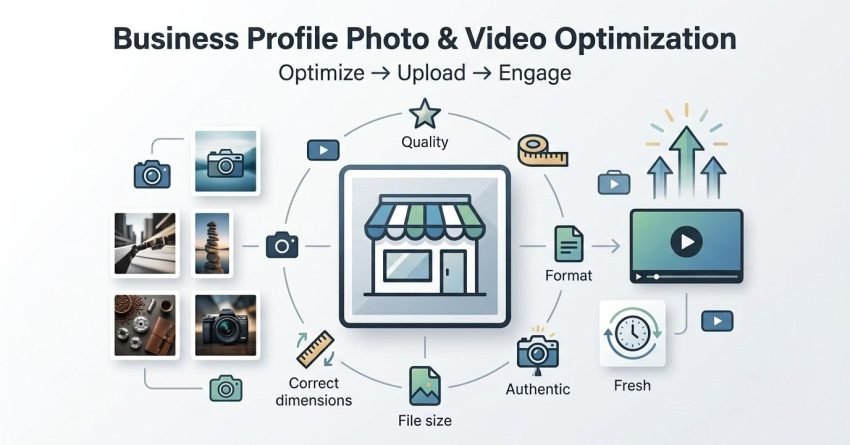
Google Business Profile photo and video optimization is the process of formatting, sizing, and uploading visual content so it meets Google’s technical standards while maximizing local search visibility and customer engagement. I’ve watched businesses double their profile views simply by fixing image quality and upload consistency. Getting this right matters because visuals are often the first thing a potential customer sees before they ever visit your website.
Profiles with complete, optimized photo sets get more clicks, calls, and direction requests than those without. Ignoring this costs you visibility every single day.
This guide covers what makes visual content effective on your profile, the technical specs Google expects, the different photo types you need, video optimization rules, and how to track whether your visuals are actually performing. I’ll also flag the mistakes that quietly hurt profiles.
What Photo and Video Optimization Means for Google Business Profile
Photo and video optimization for Google Business Profile means preparing visual assets that meet Google’s technical requirements while signaling relevance, authenticity, and business quality to both users and the algorithm. I think of it as two jobs happening at once one for the human scrolling past your listing, and one for the system deciding whether to show it.
Google Business Profile is the free listing that appears in Google Search and Maps when someone looks up a business by name or category. The photos and videos attached to it directly influence engagement metrics that feed into local pack ranking factors, things like click-through rate and time spent viewing the profile. I’ve noticed that profiles with fresh, high-quality images consistently outperform static, outdated ones in the same category and location.
Why Photos and Videos Impact Your Google Business Profile Rankings
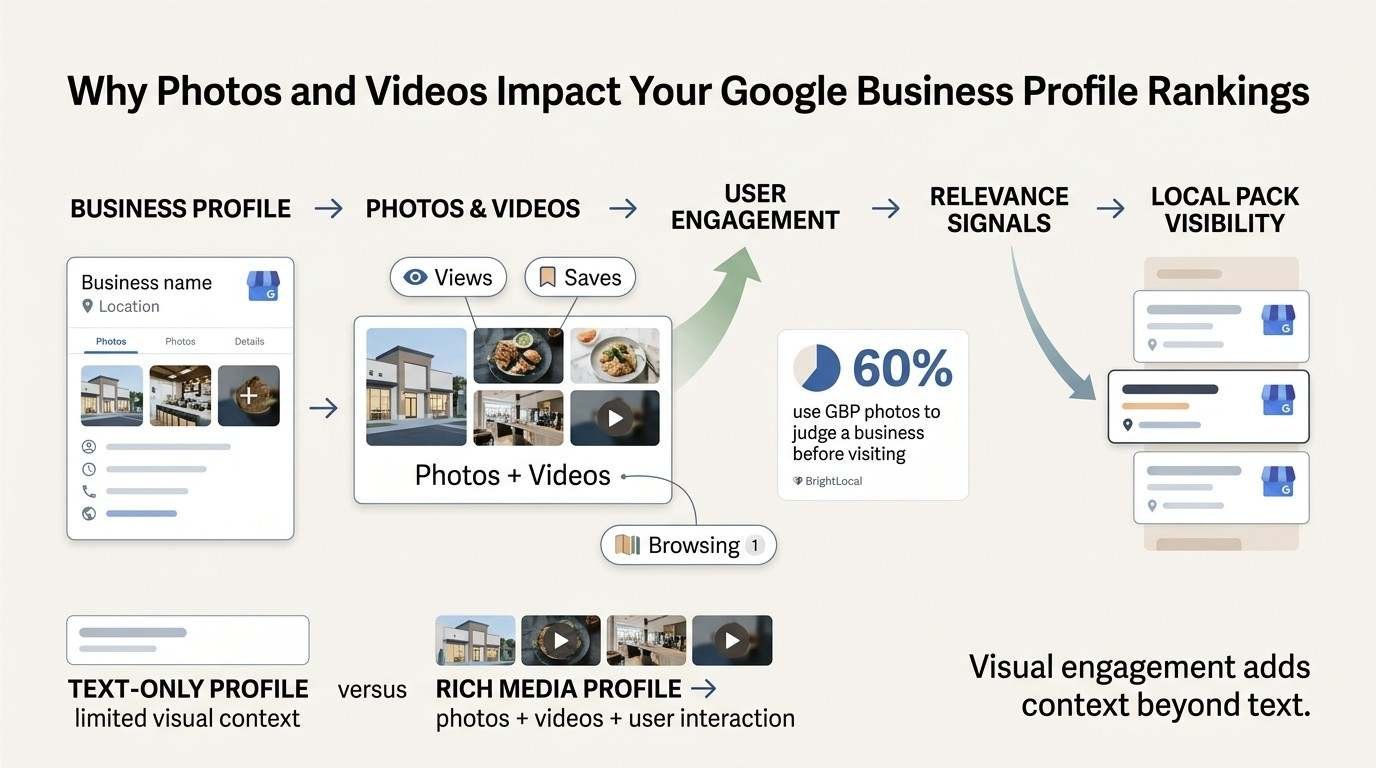
Photos and videos impact Google Business Profile rankings primarily through engagement signals, which Google uses as an indirect measure of business quality and relevance. We’ve seen this play out repeatedly across client accounts: profiles with more views tend to convert more of those views into actions.
Engagement Signals and Local Pack Visibility
Google tracks how users interact with a profile’s photos, including views, saves, and time spent browsing them. A BrightLocal study of local search behavior found that 60% of consumers use Google Business Profile photos to judge a business before visiting. That engagement data becomes part of the broader relevance calculation search engines make when deciding local pack placement.
I always tell clients that a profile racking up photo views is quietly building a trust signal that a text-only listing simply can’t replicate.
How Google Uses Image Data for Relevance Matching
Google’s systems analyze uploaded images for context, including embedded metadata and even visual content recognition, to confirm that a business genuinely operates in its listed category. A restaurant with kitchen and food photos reinforces category alignment far more convincingly than a handful of stock images ever could. This category alignment process connects directly to how Google Business Profile categories are matched against real-world signals.
Google Business Profile Photo Requirements and Specifications
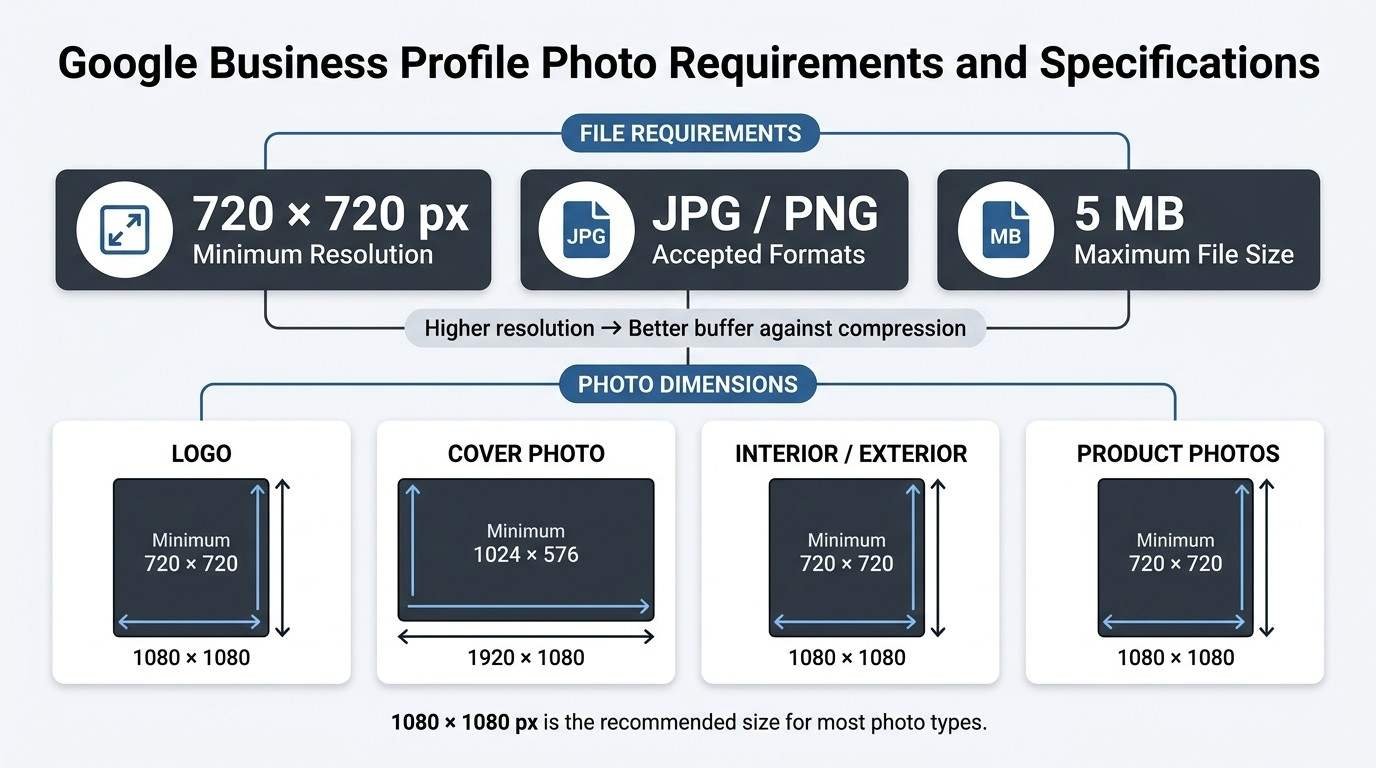
Google Business Profile requires photos to be at least 720 x 720 pixels, saved in JPG or PNG format, and under 5MB in file size. I run into more rejected uploads over resolution than any other single issue.
File Size, Format, and Resolution Standards
Google accepts JPG and PNG formats exclusively, with a hard cap of 5MB per image, according to Google’s own Business Profile guidelines. Images below the minimum resolution get auto-rejected or, worse, accepted but rendered blurry to users.
I always recommend exporting images at higher resolution than the stated minimum, since Google compresses uploads and quality loss compounds fast.
Minimum and Recommended Image Dimensions
The recommended dimension for most photo types sits at 1080 x 1080 pixels, well above Google’s stated 720 x 720 minimum. This buffer protects against the compression Google applies during upload and display.
| Photo Type | Minimum Size | Recommended Size |
| Logo | 720 x 720 px | 1080 x 1080 px |
| Cover Photo | 1024 x 576 px | 1920 x 1080 px |
| Interior/Exterior | 720 x 720 px | 1080 x 1080 px |
| Product Photos | 720 x 720 px | 1080 x 1080 px |
Types of Photos Your Google Business Profile Needs
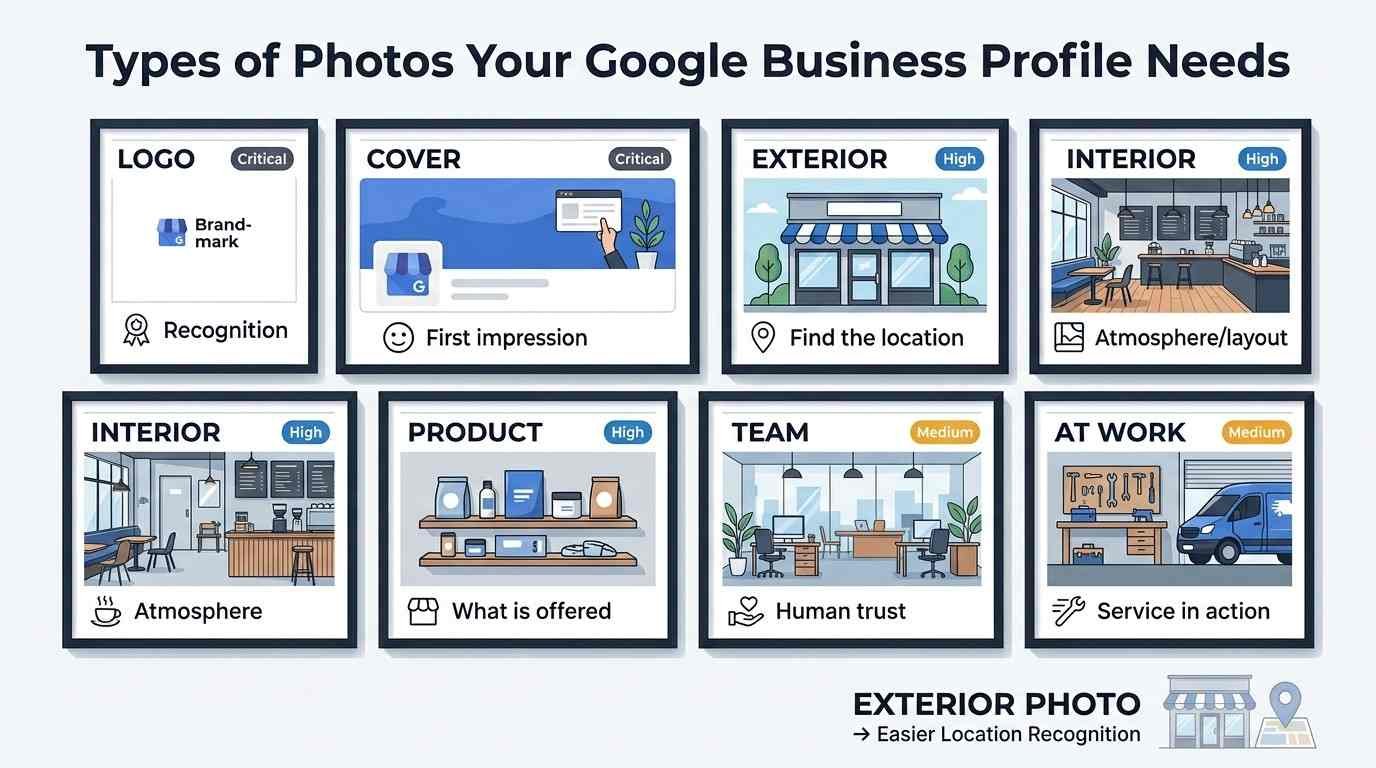
A complete Google Business Profile needs seven core photo types: logo, cover, interior, exterior, product, team, and at-work photos. Each type plays a distinct role in building trust with a potential customer scanning the listing.
| Photo Type | Purpose | Upload Priority |
| Logo | Brand recognition across Search and Maps | Critical |
| Cover Photo | First visual impression on profile visit | Critical |
| Exterior | Helps customers locate the physical premises | High |
| Interior | Sets expectations for atmosphere and layout | High |
| Product | Showcases what’s actually sold or offered | High |
| Team | Builds trust through human connection | Medium |
| At-Work | Demonstrates service quality in action | Medium |
Profiles missing exterior shots see more confused customers and lower foot traffic conversion, in my experience, simply because people aren’t sure they’ve found the right building.
How to Optimize a Cover Photo for Maximum Impact
The cover photo is the single largest and most visible image on a Google Business Profile, so it should feature the business’s most visually compelling, brand-representative scene. I treat this as the billboard moment of the whole listing.
A well-optimized cover photo avoids text overlays, since Google tends to favor natural, unedited imagery over anything resembling an advertisement. Bright, well-lit, horizontally oriented shots consistently outperform dark or vertically cropped alternatives in click-through testing I’ve reviewed across multiple industries.
How to Optimize a Google Business Profile Logo Image
A Google Business Profile logo image should be a square crop of the primary brand mark, uploaded at a minimum of 720 x 720 pixels against a clean, uncluttered background. This image appears in search results, Maps pins, and review notifications, so clarity at small sizes matters more than artistic composition.
I’ve seen businesses upload full signage photos as their logo, which renders as an unreadable blur in the tiny circular thumbnail Google displays. Keeping the logo isolated, high-contrast, and centered avoids that problem entirely.
Naming and Metadata Best Practices for GBP Images
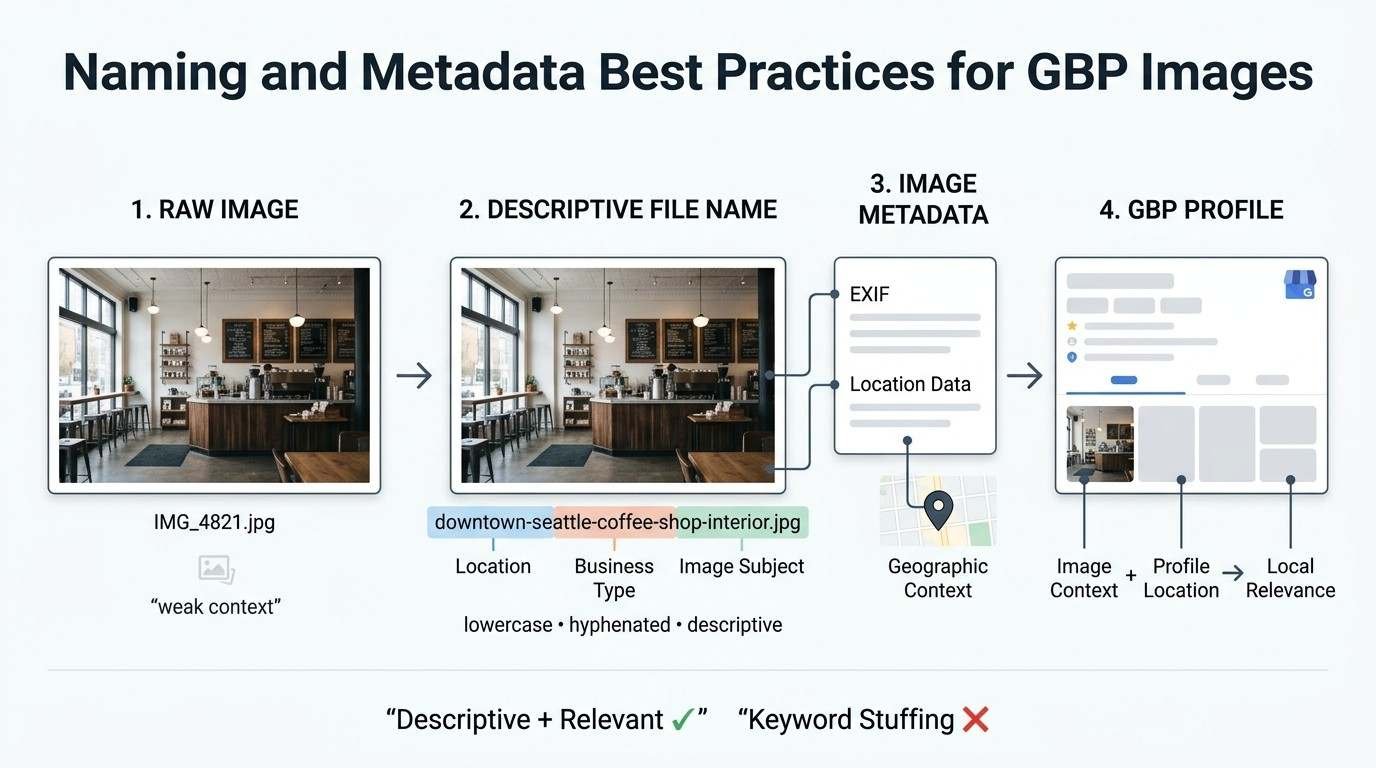
Naming and metadata practices for Google Business Profile images involve using descriptive file names and relevant embedded data before upload, since this reinforces topical and geographic relevance. I build this into every client’s upload workflow now.
File Naming Conventions for SEO
A file named “IMG_4821.jpg” tells Google nothing, while “downtown-seattle-coffee-shop-interior.jpg” reinforces both location and business category before the image even loads. I keep names lowercase, hyphenated, and descriptive without turning into a keyword-stuffed mess.
Geotagging and EXIF Data Considerations
Embedding location data into an image’s EXIF metadata before upload can reinforce the geographic relevance signals Google already pulls from the profile address. This connects directly to the same local pack ranking factors mentioned earlier, since location consistency across signals strengthens the overall relevance picture Google builds for a listing.
How to Optimize Videos for Google Business Profile
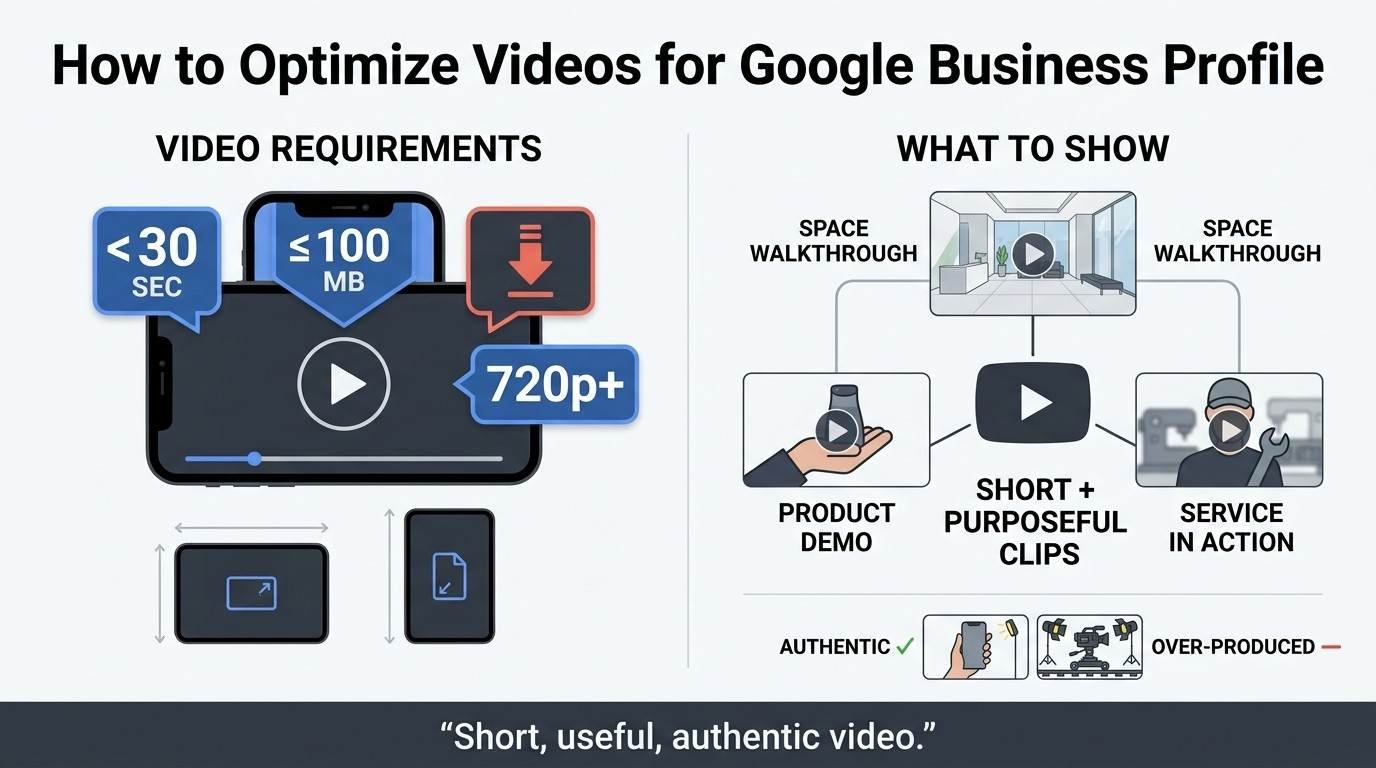
Google Business Profile videos must be under 30 seconds, no larger than 100MB, and shot in either landscape or portrait orientation at a minimum resolution of 720p. Video is still underused by most businesses I audit, which makes it a genuine differentiation opportunity.
Video Length, Format, and Resolution Rules
Google caps video uploads at 100MB and 30 seconds according to Google’s Business Profile help documentation, which forces businesses to think in short, purposeful clips rather than long-form content. Vertical video shot on a modern smartphone typically clears the 720p resolution bar without any extra equipment.
Video Content Types That Perform Best
Short walkthroughs of a physical space, quick product demonstrations, and behind-the-scenes clips of service delivery tend to generate the strongest engagement. I’ve found that unpolished, authentic clips often outperform highly produced ones, since users seem to trust the former as a more honest representation.
Ideal Upload Frequency for Photos and Videos
Businesses should upload new photos or videos to their Google Business Profile at least once a month to signal ongoing activity and relevance. Profiles that go quiet for six months or longer tend to lose the freshness edge over competitors uploading regularly.
I recommend building this into a recurring calendar task rather than treating it as an occasional afterthought, since consistency matters more than volume here.
Common Photo and Video Optimization Mistakes
The most common Google Business Profile visual mistakes include uploading low-resolution images, using stock photography, ignoring video entirely, and failing to update seasonal content. These mistakes show up constantly during profile audits.
- Uploading blurry or low-resolution images that fail Google’s minimum standards
- Relying on stock photos instead of authentic business imagery
- Skipping video content entirely despite it being underused by competitors
- Leaving outdated seasonal or promotional photos live for months
- Uploading images with text overlays or watermarks
- Ignoring customer-submitted photos that may misrepresent the business
How Customer-Submitted Photos Affect Your Profile
Customers can upload their own photos directly to a business’s Google Business Profile, and these images appear alongside official business uploads without requiring approval. This surprises a lot of business owners the first time they encounter it.
A poorly lit or unflattering customer photo can sit at the top of a profile’s image gallery for months if the business doesn’t actively counterbalance it with fresh, high-quality uploads of its own. Reporting genuinely inappropriate images is possible, but outright removal of neutral, honest customer photos generally isn’t.
How to Track the Performance of Your Google Business Profile Visuals
Google Business Profile’s built-in Performance section shows how many times photos and videos were viewed compared to competitor profiles in the same category. I check this monthly for every client account we manage.
This data reveals whether a recent upload cycle actually moved the needle on engagement or simply added volume without impact. Pairing these insights with Google Search Console data gives a fuller picture of how profile visibility connects to actual website traffic.
How Visual Optimization Fits Into Your Broader Local SEO Strategy
Photo and video optimization is one component of local SEO, working alongside citation consistency, review management, and on-page signals to determine local pack rankings. I never treat visual optimization as a standalone tactic.
A profile with perfect photos but inconsistent business citations across directories will still underperform. This is why local SEO strategy needs to treat visual content as one input among several, not the entire equation.
Conclusion
Photos and videos shape how Google and customers judge a business profile’s quality and relevance. Getting the technical specs, photo types, and upload cadence right builds lasting visibility.
Visual optimization works best as part of a complete local SEO approach, alongside citations, reviews, and on-page signals across your presence.
We help businesses build these strategies from the ground up. Contact White Label SEO Service to strengthen your local visibility today.
Frequently Asked Questions
What image size does Google Business Profile recommend?
Google Business Profile recommends images sized at 1080 x 1080 pixels, though it accepts a minimum of 720 x 720 pixels. Larger sizes reduce quality loss from Google’s automatic compression during upload.
How many photos should I upload to my Google Business Profile?
There’s no fixed number, but profiles with at least 10-15 photos covering logo, cover, interior, exterior, and product shots perform best. More complete profiles generate significantly more customer engagement.
Does video content improve Google Business Profile rankings?
Video content itself isn’t a direct ranking factor, but it increases engagement metrics that indirectly support visibility. Most businesses still don’t use video, making it a competitive advantage.
Can I remove customer-uploaded photos from my profile?
Businesses cannot directly delete customer-submitted photos unless they violate Google’s content policies. Reporting inappropriate images is possible through Google’s flagging system, but neutral photos generally stay.
What file format is best for Google Business Profile photos?
JPG and PNG are the only formats Google Business Profile accepts for image uploads. JPG is generally preferred for photographs due to smaller file sizes at comparable quality.
How often should I update my Google Business Profile photos?
Businesses should update their Google Business Profile photos at least monthly to maintain freshness signals. Seasonal or promotional images should be swapped out as soon as they become outdated.
Do geotagged photos help local SEO rankings?
Geotagged photos can reinforce location relevance signals that support local SEO efforts, though the effect is modest on its own. They work best combined with consistent citations and accurate business information.