Google Business Profile Insights is the free performance dashboard built into every Google Business Profile that shows how customers find and interact with a business listing on Search and Maps. It tracks search queries, views, calls, direction requests, and website clicks in one place. I use this data every week with clients because it’s the clearest signal of how local visibility translates into real customer actions.
Ignoring this data means guessing at what’s working. Business owners who check it monthly catch ranking drops and demand shifts before they become revenue problems.
This guide covers how to locate and read the Insights dashboard, the core metrics it tracks search queries, map views, and customer actions how to spot trends over time, how it compares to Google Analytics and Search Console, and how to turn the numbers into decisions that improve local rankings.
What Are Google Business Profile Insights?
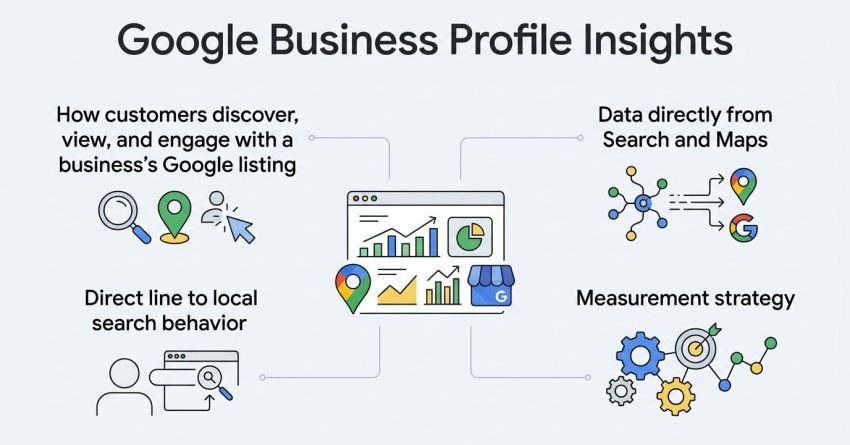
Google Business Profile Insights is a free analytics feature that shows how customers discover, view, and engage with a business’s Google listing. It pulls data directly from Search and Maps, two of the highest-intent local discovery surfaces that exist. I treat it as the first data source I check before touching any other local SEO metric.
This data matters because it’s a direct line to local search behavior rather than a proxy. Website analytics tell me what happens after someone clicks through, but Google Business Profile performance data tells me whether someone found the business at all.
Insights doesn’t replace a full analytics stack. It sits alongside Google Analytics and Search Console as one piece of a broader measurement strategy, and each tool answers a different question about the customer journey.
Why Insights Data Matters for Local SEO
Local rankings shift constantly, and Insights is often the earliest warning sign of a change. A sudden drop in search views usually shows up here before it shows up in foot traffic or call volume.
I’ve seen businesses catch category miscategorization issues purely because discovery searches dropped while direct searches stayed flat. That kind of pattern only surfaces in this dashboard.
Where Insights Fits Into Your Broader Marketing Stack
Insights covers Google Search and Maps behavior specifically, not the entire customer journey. It works best paired with on-site analytics and conversion tracking so the full path from search to sale is visible.
Treating it as one input among several, rather than a standalone scorecard, keeps expectations realistic and prevents over-reacting to normal week-to-week fluctuation.
How to Access Your Google Business Profile Insights
Insights data is accessed directly through the Google Business Profile you manage, either through Google Search or Google Maps, with no separate login required. I check both entry points depending on whether I’m on desktop or mobile.
Accessing Insights via Google Search
Signing into the Google account tied to the business listing and searching the business name by name pulls up the profile with a “Performance” tab visible near the top. Clicking it opens the full dashboard.
This is the fastest route on desktop, and it’s the one I default to when reviewing multiple client profiles in one sitting.
Accessing Insights via Google Maps
Opening Google Maps, tapping the business profile, and selecting “Business Profile” surfaces the same performance data in a mobile-friendly layout. This route works better for a quick check between meetings.
Both paths pull from the same underlying dataset, so the numbers match regardless of which one is used.
The Google Business Profile Performance Dashboard Explained
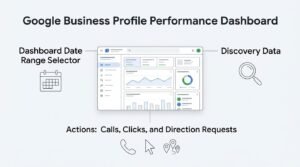
The Performance dashboard organizes data into sections covering how customers found the listing, what actions they took, and how photos performed, all filterable by date range. I read it top to bottom in that order every time.
The layout groups discovery data first because that’s the input; everything below it calls, clicks, direction requests is the output of that discovery.
Understanding the Dashboard Date Range Selector
The date range selector lets a user compare custom periods, which is the single most useful control on the whole dashboard. Comparing this month to last month, or this quarter to the same quarter last year, is where the real signal shows up.
A single month of data in isolation rarely tells a useful story. The comparison view is what turns raw numbers into a trend worth acting on.
Key Metrics Tracked in Google Business Profile Insights
Google Business Profile Insights tracks three core metric categories: how customers searched for the business, how they viewed it on Search or Maps, and what actions they took afterward. Each category answers a distinct question about the customer’s path.
| Metric Category | What It Measures | Why It Matters |
| Search Views | How many times the listing appeared in search results | Shows raw visibility |
| Map Views | How many times the listing appeared on Maps | Shows local discovery reach |
| Customer Actions | Calls, website clicks, direction requests, bookings | Shows real engagement, not just impressions |
Search Views (Direct vs. Discovery)
Search views split into direct searches, where someone searched the exact business name, and discovery searches, where someone searched a category or product and the business appeared as a result. Discovery volume is usually the better indicator of true ranking strength.
A business with high direct searches but low discovery searches is living off brand recognition rather than search visibility, which is a different problem to solve.
Map Views
Map views count how often the listing surfaced within Google Maps results, separate from Search. This number tends to matter more for businesses depending on foot traffic and drive-by discovery.
Customer Actions (Calls, Visits, Bookings)
Customer actions capture calls placed, website visits, direction requests, and any booking clicks tied directly to the profile. This is the metric I weight most heavily because it’s the closest proxy to actual business value in the entire dashboard.
How Customers Search for Your Business (Search Queries Report)
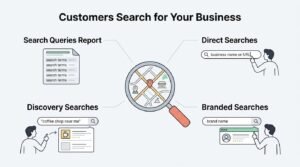
The search queries report shows the actual terms customers used to find a business listing before clicking or calling. Reading this report regularly surfaces demand patterns that keyword research tools alone won’t catch, because it’s built from real, local, in-market search behavior.
Direct vs. Discovery vs. Branded Searches
Search queries fall into three buckets: direct (business name), discovery (category or product term), and branded-but-not-exact (business name with a typo or partial match). Discovery queries are the ones worth tracking closely for local keyword performance, since they reveal what customers actually call the service or product being offered.
Understanding Customer Actions Data
Customer actions data records every website click, phone call request, and direction request generated directly from the Business Profile listing. This section answers the question every other metric leads up to: did the visibility turn into contact?
Website Clicks
Website click volume shows how many people moved from the Google listing to the actual website. A high view count paired with low website clicks usually points to a weak business description or missing photos rather than a ranking problem.
Phone Call Requests
Phone call requests are tracked as tap-to-call events, giving a direct count of calls initiated from the profile. This number matters enormously for service businesses where phone contact is the primary conversion path.
Direction Requests
Direction requests count how many times someone tapped to get driving directions to the business location. Retail and brick-and-mortar businesses use this metric as their closest equivalent to foot traffic tracking.
Photo and Video Performance Insights
Photo and video performance data shows how many views a business’s uploaded images receive compared to the photo count uploaded by competitors in the same category. Listings with more recent, higher-quality photos consistently pull higher view counts across this section of the dashboard.
I check this every quarter for clients because photo view volume correlates strongly with overall profile engagement, even though it’s easy to overlook next to the call and click numbers.
How to Analyze Trends Over Time in Your Performance Data
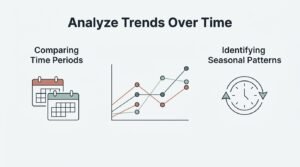
Analyzing trends means comparing performance across matching time periods rather than reading any single month in isolation. A month-over-month or year-over-year comparison filters out normal seasonal noise and surfaces genuine directional change.
Comparing Time Periods
Setting the dashboard to compare two equivalent periods, say, this quarter against the previous quarter, reveals whether visibility is actually growing or simply fluctuating. This is the single most reliable way to validate whether recent SEO or content changes are working.
Identifying Seasonal Patterns
Seasonal patterns show up as recurring dips or spikes tied to the same calendar period each year rather than random fluctuation. A landscaping business seeing a March-to-May surge every year isn’t experiencing a ranking win; that’s seasonal demand showing up on schedule.
Insights vs. Google Analytics vs. Search Console: What’s the Difference?
Google Business Profile Insights, Google Analytics, and Google Search Console each measure a different stage of the customer journey, and none of them fully substitutes for the other two. Insights covers pre-click behavior on Search and Maps, Search Console covers organic website ranking and click data, and Analytics covers what happens once a visitor lands on the site.
| Tool | Measures | Best For |
| GBP Insights | Profile views, map views, customer actions | Local discovery and pre-click engagement |
| Search Console | Website impressions, clicks, rankings | Organic search performance for the domain |
| Google Analytics | On-site behavior, conversions, traffic sources | Post-click user behavior and conversion tracking |
Running Google Search Console performance reports alongside Insights closes the gap between discovery and on-site behavior, giving a complete picture instead of three disconnected numbers.
How to Use Insights Data to Improve Local Rankings
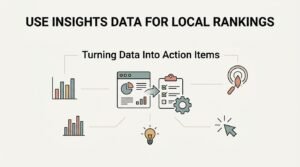
Insights data becomes useful the moment it’s tied to a specific action rather than just observed. A drop in discovery searches, for example, is a signal to revisit category selection and service descriptions on the profile.
Turning Data Into Action Items
Low website clicks despite strong search views usually means the listing needs stronger photos, an updated business description, or more complete service attributes. Rising call volume from discovery searches signals that a specific category or keyword theme is working and worth reinforcing in on-page content too.
I treat every metric drop as a question rather than a verdict. The dashboard tells you something changed, but connecting it to Google Business Profile optimization tactics is what actually fixes it.
Common Google Business Profile Insights Errors and Limitations
Google Business Profile Insights has known reporting limitations, including data delays, rounding, and privacy-based thresholds that suppress low-volume metrics entirely. Treating every number as perfectly precise leads to overreacting to noise that isn’t a real trend.
Data Discrepancies and Delays
Insights data typically lags by 24 to 48 hours and occasionally longer during platform updates, so same-day comparisons are unreliable. I always give the dashboard a few days to settle before drawing conclusions from a recent change.
Privacy Thresholds and Hidden Metrics
Google suppresses certain metrics entirely when a business’s volume falls below a minimum threshold, which shows as blank or missing data rather than a zero. Low-traffic or newly created profiles run into this constantly, and it’s not a sign of a broken listing.
How Often Should You Review Your Performance Data?
Reviewing Google Business Profile Insights monthly is enough for most small businesses, while high-volume or multi-location businesses benefit from weekly checks. Checking daily usually just surfaces normal fluctuation rather than any meaningful signal.
Monthly reviews line up naturally with broader marketing reporting cycles, which makes it easier to connect Insights trends to other campaign activity happening in the same period.
Exporting and Reporting on Google Business Profile Data
Google Business Profile Insights data can be exported directly from the dashboard as a spreadsheet, covering a custom date range for offline analysis or client reporting. This export function is the most direct way to build a recurring reporting workflow without manual data entry.
Pulling this export into a broader reporting dashboard alongside Analytics and Search Console data gives a fuller month-over-month view than any single tool provides alone.
How Google Business Profile Insights Fits Into Your Local SEO Strategy
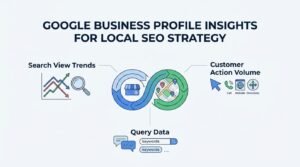
Google Business Profile Insights data works best as one input into a broader local SEO strategy rather than a standalone metric to optimize in isolation. Search view trends, customer action volume, and query data all feed directly into decisions about content, citations, and on-page local signals.
We treat this data as a feedback loop: the numbers show what’s working, and that informs where the next round of optimization effort goes.
Conclusion
Google Business Profile Insights connects search visibility directly to customer actions: calls, clicks, and directions. Reading these metrics alongside Analytics and Search Console builds a complete local performance picture.
This data only creates value when it’s reviewed consistently and tied to strategy, not treated as a one-time check.
We help businesses turn this raw performance data into a working local SEO strategy. Partner with White Label SEO Service to translate your Insights numbers into sustainable ranking growth.
Frequently Asked Questions
What is Google Business Profile Insights?
Google Business Profile Insights is a free built-in dashboard showing how customers find and interact with a business listing. It tracks search queries, views, and customer actions like calls and clicks.
How do I find Insights on Google Business Profile?
Insights is accessed by searching the business name while signed into the linked Google account and clicking the “Performance” tab. It’s also available through the Business Profile section in Google Maps.
What is the difference between search views and map views?
Search views count appearances in Google Search results, while map views count appearances within Google Maps. Both are tracked separately since they represent different discovery surfaces.
Why don’t my Insights numbers match Google Analytics?
Insights measures pre-click behavior on Google Search and Maps, while Analytics measures on-site behavior after a click. They track different stages of the customer journey, so matching numbers isn’t expected.
How far back does Google Business Profile Insights data go?
Google Business Profile Insights typically retains data for up to 18 months. Older data may become inaccessible after platform updates or account changes.
What does “discovery search” mean in Insights?
A discovery search happens when a customer finds a business by searching a category or product term rather than the business name directly. It’s a strong indicator of genuine search visibility rather than brand recognition.
How can I use Insights data to get more customers?
Insights data highlights which searches, photos, and actions drive engagement, pointing directly to what to improve. Acting on drops in discovery searches or low website clicks typically increases customer contact volume over time.