A suspended Google Business Profile means Google has removed your listing from Search and Maps because it flagged a policy violation or suspicious activity. I’ve seen this hit healthy, honest businesses overnight, and it stops calls, direction requests, and reviews cold. We built this guide because the panic that follows a suspension usually leads to worse mistakes.
Losing your profile costs more than visibility. Every day it’s down, competitors absorb your local searches, and your review history goes dark.
This guide covers why suspensions happen in the first place, the difference between a soft and a hard suspension, the exact reinstatement process, realistic timelines, and how to keep it from happening again. I’ll also flag when this becomes a job for someone who does it daily.
What Does a Suspended Google Business Profile Mean?
A suspended Google Business Profile is a listing that Google has removed from public view on Search and Maps because it violated guidelines or triggered a spam signal. I think of it as Google hitting pause on your entire local presence, not just editing one field.
There are two suspension states, and they behave very differently once you’re inside one.
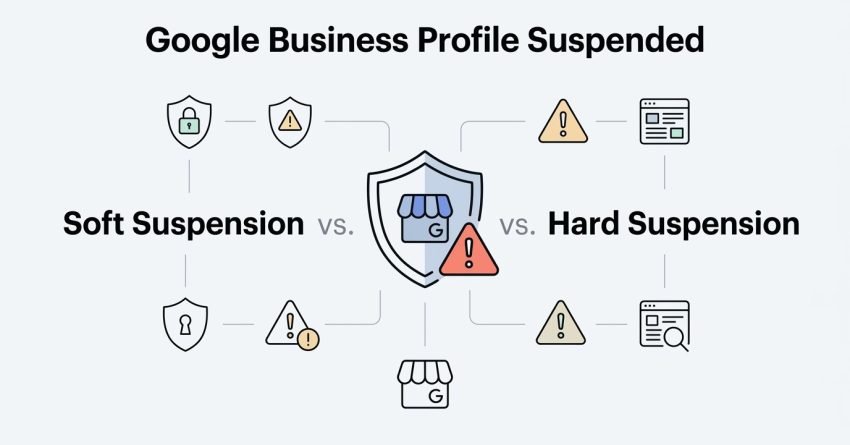
Soft Suspension vs. Hard Suspension
A soft suspension hides your listing from Search and Maps but leaves your dashboard and edit history intact, which usually means the fix is faster. A hard suspension removes your entire account, including every profile you manage under it, and often points to a more serious or repeated violation.
I always check which one I’m dealing with before touching anything, because the two suspension types call for different reinstatement paths, and I’ll walk through both later in this guide.
Why Does Google Suspend Business Profiles?
Google suspends business profiles primarily for guideline violations, verification mismatches, and suspicious activity patterns detected by its automated spam-detection systems. According to Google’s own Business Profile guidelines, listings get flagged when information doesn’t match real-world business presence.
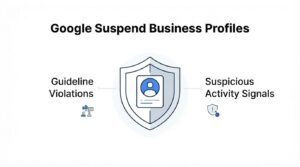
Guideline Violations (Content, Eligibility, Verification)
Content violations happen when your business name, category, or description doesn’t match what customers actually experience at your location. Eligibility violations cover things like unauthorized service-area businesses claiming a storefront presence they don’t have.
Verification mismatches occur when the address, phone number, or ownership details in your profile don’t line up with public records or your website. I’ve traced a large share of suspensions back to a simple mismatch between the website’s footer address and the profile’s listed address.
Suspicious Activity Signals (Reviews, Edits, Rapid Changes)
Google’s spam systems watch for unnatural patterns: a sudden spike in five-star reviews, rapid repeated edits to the business name, or multiple profiles sharing one phone number. Google’s algorithm update history confirms that automated review and edit monitoring has intensified across recent Business Profile updates.
A profile that gets edited five times in a week looks like manipulation even when the owner is just fixing typos.
Common Triggers That Lead to Suspension
The most common suspension triggers are keyword-stuffed business names, incorrect category selection, and ineligible address types like virtual offices or P.O. boxes. These three account for the majority of suspensions I encounter.
Keyword Stuffing in Business Name
Adding descriptive keywords to a business name field, like “Smith Plumbing – Best Emergency Plumber Chicago,” directly violates Google’s naming policy. The business name field must match your real-world signage and legal name only.
Incorrect Business Categories
Choosing a category that doesn’t reflect your actual primary service, often to rank for a more competitive search term, gets flagged quickly once volume in that category is unusually high. I match categories to what a customer would call the business, not what I want it to rank for.
Virtual Office or Ineligible Addresses
Service-area businesses that list a virtual office, coworking space, or residential address without meeting a customer there violate the address eligibility rules. Google’s guidelines on service-area businesses explicitly prohibit this address type when no in-person customer visits occur there.
How to Tell If Your Profile Is Suspended
A suspended Google Business Profile typically shows a red banner in the dashboard reading “Business Profile is suspended” and disappears entirely from Search and Maps results. I check three places before assuming the worst: the dashboard homepage, the “Info” tab, and a direct search for the business name.
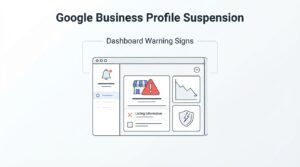
Dashboard Warning Signs
The clearest signal is the suspension banner itself, but a secondary sign is when insights and performance data stop updating entirely. If edits suddenly won’t save or the profile reverts changes automatically, that’s often the early stage of a soft suspension before the banner even appears.
Soft Suspension: What Happens and What To Do
A soft suspension removes your listing from public search results while keeping your dashboard access and edit history fully intact. This is the more common and more recoverable of the two suspension types.
I start by reviewing every recent edit to the profile, since soft suspensions usually trace back to a specific change: a name edit, category swap, or address update. Reverting the flagged change often resolves it without a formal appeal.
If reverting doesn’t restore visibility within a few days, filing a reinstatement request becomes the next step, which I cover in detail further down this guide.
Hard Suspension: What Happens and What To Do
A hard suspension removes the entire Google Business Profile account, including every location or listing tied to it, and signals a more serious or repeated policy violation. This type doesn’t leave the dashboard accessible, which makes self-diagnosis harder.
Hard suspensions usually stem from patterns rather than single mistakes: multiple guideline violations, a history of suspicious edits, or account-level spam signals tied to the same phone number or address across several listings.
Recovery requires a full reinstatement appeal through Google’s support form, since there’s no dashboard access to make corrective edits first.
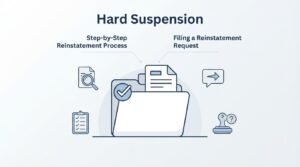
Step-by-Step Reinstatement Process
Reinstating a suspended Google Business Profile requires submitting a reinstatement request through Google’s official appeal form along with supporting documentation proving business legitimacy. The process has stayed fairly consistent through 2026, even as Google tightens verification requirements.
Filing a Reinstatement Request
I submit the request through the Business Profile reinstatement form, selecting the suspension type and providing a clear, factual explanation of the business and why the flag was likely triggered. Vague or emotional appeals get denied more often than specific, documented ones.
Required Documentation for Verification
Google typically asks for a government-issued business license, utility bills matching the listed address, or trade-specific certifications. Photos of signage, interior/exterior shots, and a website with matching NAP (name, address, phone) details all strengthen the appeal.
How Long Does Reinstatement Take?
Google Business Profile reinstatement typically takes anywhere from a few days to six weeks, depending on suspension type and documentation quality. Soft suspensions with a quick corrective edit often resolve within 3 to 7 days.
Hard suspensions requiring a full appeal with documentation frequently take two to six weeks, and incomplete submissions restart the review clock entirely.
What to Do If Your Reinstatement Request Is Denied
A denied reinstatement request means Google found the appeal unconvincing or the underlying violation still unresolved, and it typically allows for one additional appeal before further escalation is needed. I re-read the denial reason carefully, since Google usually names the specific policy that triggered it.
If a second appeal also fails, escalation through Google’s Business Profile community forum, where Google’s own Product Experts sometimes intervene on stuck cases, becomes the remaining option.
How to Prevent Future Suspensions
Preventing future Google Business Profile suspensions comes down to strict guideline compliance, minimal unnecessary edits, and ongoing monitoring for unauthorized changes. Most repeat suspensions I see trace back to the same business making the same mistake twice.
Profile Compliance Best Practices
Keeping the business name identical to real-world signage, selecting the single most accurate primary category, and avoiding address changes unless the business physically moves all reduce suspension risk significantly.
Monitoring and Alerts
Setting up Google’s own notification alerts for profile edits, combined with periodic manual checks of the live listing, catches unauthorized changes before they escalate into a suspension. Competitors and malicious actors can suggest edits to public profiles, so monitoring catches tampering early.
Google Business Profile Suspension and Local SEO Impact
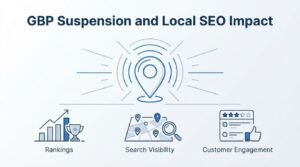
A suspended Google Business Profile causes an immediate drop in local pack rankings and map visibility, since Google can’t display a listing it has removed from its index. Every day of suspension compounds the local SEO impact, because review velocity stalls and engagement signals flatline.
Rankings rarely snap back instantly after reinstatement either; I usually see a gradual recovery over two to four weeks as Google re-crawls and re-trusts the listing.
When to Get Professional Help for a Suspended Profile
Professional help becomes worth it when a hard suspension hits a multi-location business, when a first appeal gets denied, or when the suspension is costing measurable revenue every day it stays down. I don’t think every suspension needs an agency involved, but repeated denials usually mean something structural is being missed.
We built our reinstatement process at White Label SEO Service around exactly this scenario, pairing documentation strategy with local SEO recovery once the profile is back live.
Conclusion
A suspended Google Business Profile comes down to guideline mismatches, verification gaps, or suspicious activity signals Google’s systems catch automatically. Soft and hard suspensions demand different recovery paths, timelines, and documentation.
We’ve walked through the reinstatement process, realistic timelines, and prevention steps that keep it from happening twice. Local visibility depends on staying ahead of these signals, not just reacting to them.
We help businesses recover suspended profiles and rebuild local rankings fast. Reach out to White Label SEO Service today and let’s get your listing back where customers can find it.
Frequently Asked Questions
Can a suspended Google Business Profile be permanently banned?
Yes, repeated violations after reinstatement can result in a permanent suspension with no further appeal option. Google reserves this for businesses showing a clear pattern of policy abuse rather than a single mistake.
Does a suspended profile lose its reviews?
No, reviews remain attached to the profile and reappear once reinstatement is complete. They are not deleted during the suspension period itself.
Can I create a new listing instead of appealing?
Creating a new listing for a suspended business typically violates Google’s policies and can trigger suspension of the new profile too. Appealing the original listing is the recommended path.
Does changing my business name trigger a review?
Yes, significant name changes often trigger a re-verification review, especially if the new name doesn’t closely resemble the original. Minor corrections rarely cause issues.
Will reinstatement affect my star rating?
No, your star rating and review count stay exactly as they were before suspension. Reinstatement restores the profile without altering historical review data.
Can a competitor get my listing suspended?
Yes, malicious edit suggestions or spam reports from competitors can trigger a review that leads to suspension. This is why monitoring for unauthorized edits matters.
Is verification required again after reinstatement?
Sometimes, particularly after a hard suspension, Google may require re-verification through mail, phone, or video to confirm business legitimacy. Soft suspensions rarely require this extra step.