I’ve run SEO campaigns for years, and Semrush has earned its place as a dependable platform for keyword research, competitor tracking, and site audits. But no single tool covers every need perfectly, and clients regularly ask for something cheaper, simpler, or more specialized.
Over the past several years, I’ve tested dozens of SEO platforms inside live client work at White Label SEO Service, not trial accounts or vendor demos. This guide covers the 15 tools that consistently earned a spot in real campaigns.
I evaluate each tool the same way: I check keyword volume and backlink data against Google Search Console, I test crawl depth on real sites, and I track whether the insights actually moved rankings. Here’s what I look at before recommending any platform, how I built this list, a side-by-side comparison table, then full breakdowns of core platforms, four specialist tools that close real coverage gaps, a link-building-specific recommendation, and guidance on which tool fits which situation.
What to Look for in the Best Semrush Alternatives
Feature lists look similar across most SEO platforms once you scan the marketing pages. The real differences show up when you’re running a live campaign against a deadline, managing ten client accounts, or trying to explain a ranking drop to a client who wants answers today. I judge every platform against seven practical criteria before I trust it with client work.
Data Accuracy and Freshness
A platform is only as useful as the freshness of its crawl. I check how often keyword volume, backlink counts, and SERP position data refresh, because a tool sitting on 60-day-old data will miss a competitor’s new content push or an algorithm-driven ranking shift entirely. I test this by comparing reported numbers against Google Search Console on the same day.
Keyword Database Size and Coverage
Index size matters less than geographic depth. A platform with billions of keywords in its US database can still fail badly on Canadian French, UK regional terms, or Southeast Asian markets. I run the same query across three or four countries before trusting a platform’s international claims.
Backlink Index Depth
Backlink data separates strong platforms from mediocre ones faster than almost any other metric. A shallow crawl budget means missed toxic links, missed new referring domains, and missed link velocity shifts that actually explain a ranking change. I compare backlink counts for the same domain across at least two platforms before drawing conclusions.
API Access and Rate Limits
If I’m automating reporting or pulling data into a client dashboard, API access has to be reliable and reasonably priced. I check whether historical data comes through the API at all, since some platforms restrict that to their most expensive tier and charge extra for anything beyond current snapshots.
Rank Tracking Granularity
Position tracking that only shows desktop rankings for a single national average misses half the picture. I look for local tracking down to zip code or city level, mobile-versus-desktop splits, and visibility into SERP features like featured snippets and local packs, because that’s where most of the competitive action happens now.
Technical SEO Audit Capabilities
A crawler that only flags broken links and missing meta tags isn’t doing enough in 2026. I test whether a platform renders JavaScript properly, monitors Core Web Vitals, validates structured data, and, on larger sites, analyzes server logs to show how search engines actually crawl the site versus how the sitemap claims they should.
Data Export and Reporting Flexibility
Raw data needs to leave the platform cleanly. I check whether I can export to CSV without reformatting, connect through Google Sheets or a Looker Studio pipeline, and produce white-label reports that don’t look like they were built in 2015. Agencies presenting directly to clients need this more than anyone.
How I Selected the Best Semrush Alternatives
I’ve tested more than 40 SEO platforms inside real client work at White Label SEO Service, across technical audits, backlink campaigns, keyword research projects, and content gap analysis. These accounts range from small local service businesses to SaaS companies pulling six-figure monthly traffic.
Here’s What I Measured:
Every platform on this list went through the same stress test: tight deadlines, messy site structures, international targeting, and juggling multiple client accounts at once. I cross-referenced reported keyword volumes and backlink counts against Google Search Console and manual SERP checks rather than trusting vendor dashboards at face value. I also crawled sites with more than 10,000 pages to see whether technical audits surfaced real structural problems or just skimmed the surface.
What Mattered Most:
The platforms that made this list delivered data I could act on, not vanity metrics that looked impressive in a screenshot. I gave weight to tools that didn’t demand weeks of onboarding, that offered dependable API access when I needed to automate something, and that scaled without forcing an unnecessary upgrade halfway through a campaign.
I’ve personally used every tool on this list for actual deliverables: content audits, outreach campaigns, multi-market rank tracking, and keyword gap work across hundreds of client engagements. If a platform couldn’t hold up under real deadline pressure, or if its data quality dropped after the first month of use, it didn’t make this list.
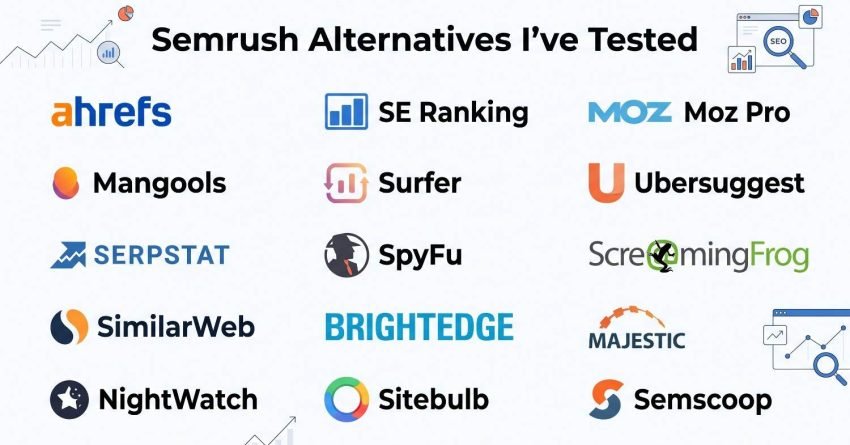
Summary Table: 15 Semrush Alternatives at a Glance
Here’s a fast side-by-side comparison of all 15 tools before you dive into the full breakdowns. Pricing reflects entry-level plans verified as of 2026.
| Tool Name | Best For | Key Features | Starting Price | Link-Building Fit |
| Ahrefs | Backlink analysis & content research | 16T+ backlink index, Content Explorer, Site Audit, Rank Tracker | $129/month | Strongest raw backlink data |
| SE Ranking | Agencies and mid-market teams | Rank tracking, AI search monitoring, competitor analysis, backlink checker | $129/month | Moderate |
| Moz Pro | Client reporting | Domain Authority tracking, keyword research, site crawls, white-label reports | $31/month | Moderate DA is a common outreach filter |
| Mangools | Freelancers & solopreneurs | KWFinder, SERPChecker, LinkMiner, SiteProfiler | $30.50/month | Light; good for quick link checks |
| Surfer | Content optimization | Content Editor, SERP Analyzer, keyword clustering, AI writing assistant | $79/month | Minimal |
| Ubersuggest | Small businesses on tight budgets | Keyword suggestions, content ideas, backlink data, site audit | $12/month | Light |
| Serpstat | Multi-market keyword research | Keyword clustering, rank tracking, site audit, PPC analysis | $44/month | Moderate |
| SpyFu | Competitor PPC & SEO analysis | AdWords history, keyword overlap, backlink outreach, rank tracking | $39/month | Moderate outreach angle via competitor gaps |
| Screaming Frog | Technical SEO audits | Site crawling, broken link detection, redirect chains, structured data validation | $245/year | Light internal link audits only |
| SimilarWeb | Traffic & market intelligence | Traffic estimates, audience insights, competitor benchmarking, industry analysis | $125/month | Minimal |
| BrightEdge | Enterprise SEO at scale | DataCube keyword database, ContentIQ, StoryBuilder, Share of Voice tracking | Custom pricing | Minimal |
| Majestic | Historical backlink trust metrics | Trust Flow, Citation Flow, historical link index, Majestic Million | $49.99/month | Strong, purpose-built for link authority |
| NightWatch | Multi-location local rank tracking | Local rank tracking, SERP feature tracking, white-label local reports | $32/month | Lightly supports local link relevance checks |
| Sitebulb | Visual technical SEO audits | Prioritized issue hints, visualized crawl maps, Core Web Vitals reporting | $35/month | Lightly surfaces internal link structure issues |
| Semscoop | Real-time SERP and AI Overview tracking | AI Overview presence tracking, SERP volatility alerts, share-of-voice by feature | $59/month | Minimal |
If you only need quick keyword checks without a full suite, a lightweight browser extension for search volume and CPC data can hold you over, though it won’t replace any of these 15 for audits, rank tracking, or full competitor analysis.
15 Best Semrush Alternatives in 2026
After stress-testing every one of these platforms inside real client accounts, here are the 15 tools that consistently delivered accurate data and actionable insight under deadline pressure. I’ll walk through each one, starting with the broadest all-around platforms before moving into the specialists that fill in the gaps.
1. Ahrefs – Best for Backlink and Content Analysis
Quick Overview
Ahrefs runs on one of the largest independent web crawlers outside of Google itself, and that scale shows in its backlink index. I reach for Ahrefs first whenever a client asks why a competitor outranks them, because Site Explorer usually answers that question inside five minutes.
The platform indexes over 16 trillion backlinks and refreshes that index every 15 minutes, which matters when you’re tracking a live link-building campaign and need to know the moment a placement goes live.
Ahrefs Key Features
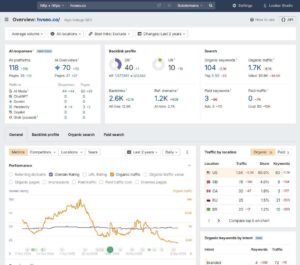
Site Explorer breaks down referring domains, anchor text patterns, and link velocity with years of historical depth behind it. Content Explorer searches a database of more than 10 billion pages, filterable by traffic and backlinks, which I use constantly to find content gaps before a client’s competitor does. Keyword Explorer covers 170+ countries and groups related terms under a “Parent Topic” label to prevent keyword cannibalization across a site. Site Audit crawls up to 100,000 pages per project and flags Core Web Vitals problems alongside standard technical issues. Rank Tracker updates daily across desktop and mobile, and Alerts fire automatically the moment a tracked domain gains or loses a backlink.
Ahrefs Pros
The backlink index consistently catches links that smaller databases miss, especially newer or lower-authority referring domains. Content Explorer turns competitive research into a fast, filterable process instead of manual guesswork. Despite the depth of features, the interface stays navigable without forcing you through nested menu structures. Historical data stretches back years, which helps when diagnosing a ranking drop that traces to a penalty or algorithm shift from a previous cycle. The API is well-documented enough that building a custom client dashboard doesn’t require constant support tickets.
Ahrefs Cons
Reported search volume occasionally runs higher than what Google Search Console shows for the same keyword, so I always cross-check before prioritizing a target. New users face a real learning curve given how many reports and metrics live inside the platform. Local SEO features are thin, with no citation tracking or Google Business Profile insights, so a dedicated local tool still earns its place alongside Ahrefs. There’s no built-in content writing assistance, so on-page optimization still happens outside the platform.
Ahrefs Pricing
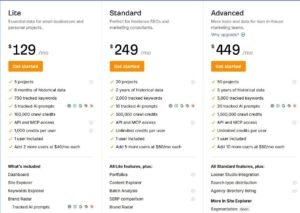
- Lite: $129/month
- Standard: $249/month
- Advanced: $449/month
- Enterprise: $1,499/month
Ahrefs Reviews
- G2: 4.5 out of 5 stars (600+ reviews)
- Capterra: 4.7 out of 5 stars (570+ reviews)
Ahrefs holds its reputation as the benchmark for backlink and content research. Most critical reviews center on price rather than data quality, and for agencies running serious link-building or content programs, the cost typically pays for itself.
2. SE Ranking – Best SEO and GEO platform for Agencies and Mid-Market Teams
Quick Overview
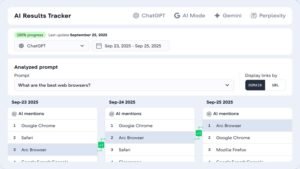
SE Ranking earns its spot for teams that want rank tracking, technical audits, and AI search visibility inside one dashboard rather than bolting a separate tool on for LLM monitoring. The AI Search module tracks brand mentions across ChatGPT, Gemini, Perplexity, and Google AI Overviews, which has become a recurring client request over the past year.
Every plan, including the entry tier, ships with API access and a remote MCP server, which is unusual; most competitors reserve API access for higher-priced plans.
SE Ranking Key Features
The AI Search Visibility module tracks citation and mention data across major LLM platforms, with competitor benchmarking built in. Rank Tracker covers 190+ countries with local, mobile, and desktop splits, refreshed daily. Website Audit crawls up to 250,000 pages and flags more than 70 technical issues with color-coded priority levels that make delegation to developers straightforward. Backlink Checker covers referring domains, anchor distribution, and toxic link flags, and Competitor Research runs side-by-side keyword and traffic comparisons across both traditional and AI search surfaces.
SE Ranking Pros
Having AI search visibility tracked next to traditional rankings means I’m not exporting from two separate platforms before a client call. White-label reporting, including custom domains and client portals, comes standard even on lower-tier plans, which most competitors gate behind enterprise pricing. The 250,000-page crawl limit handles the majority of client sites without hitting a ceiling mid-audit. The MCP server lets a team query live data through an AI assistant in plain language, which speeds up ad hoc reporting requests significantly.
SE Ranking Cons
The backlink index doesn’t match Ahrefs or Moz in raw size, and updates run less frequently, so aggressive link-building campaigns benefit from a supplementary tool. Keyword difficulty scores occasionally undersell how much authority a keyword actually requires. I always run a manual SERP check before trusting the score outright. Cross-channel correlation between SE Ranking data and GA4 or Search Console still requires manual work rather than an automated blend.
SE Ranking Pricing
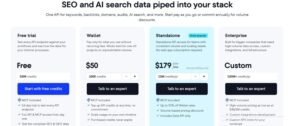
- Core: $129/month includes 25,000 Data API credits and MCP access
- Growth: $279/month includes 100,000 Data API credits and MCP access
- Enterprise: custom pricing
SE Ranking Reviews
- G2: 4.7 out of 5 stars (2,330+ reviews)
- Capterra: 4.7 out of 5 stars (296+ reviews)
SE Ranking consistently reads as one of the stronger all-in-one platforms for agencies handling a mid-size client roster, with the bundled API and AI search tracking cited most often as the differentiator.
3. Moz Pro – Best for White-Label Agency Client Reporting
Quick Overview
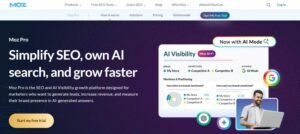
Moz Pro has stayed relevant since 2004 by focusing on accessibility rather than raw data depth. Domain Authority remains the platform’s calling card; it’s a metric non-technical clients grasp instantly, which makes it genuinely useful for reporting even though it’s not a Google ranking factor.
I lean on Moz for local service clients and smaller e-commerce accounts where the priority is consistent monitoring and clean reporting over deep technical analysis.
Moz Pro Key Features
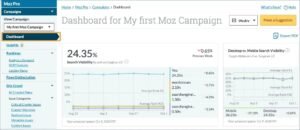
Rank Tracker monitors positions down to zip code level, which matters for any multi-location business. Link Explorer covers a 44-trillion-link database and pairs every result with Domain Authority and Page Authority scores clients already recognize. Keyword Explorer layers in organic CTR estimates and priority scores alongside standard volume and difficulty data. Site Crawl checks up to 3,000 pages depending on plan tier, and the On-Page Grader gives page-level recommendations for title tags, content length, and keyword placement.
Moz Pro Pros
Domain Authority gives clients an instantly understandable benchmark to track progress against competitors. Branded reports look client-ready without additional formatting, which saves real time before a monthly check-in call. The interface stays approachable enough that new team members ramp up quickly without extensive training. Zip-code-level local tracking makes Moz a strong fit for agencies managing dentists, contractors, or other location-based service businesses. The MozBar Chrome extension speeds up link prospecting by surfacing DA and PA directly in search results.
Moz Pro Cons
Backlink data refreshes weekly rather than daily, which creates a noticeable lag if you’re monitoring an active outreach campaign. The 44-trillion-link index, while substantial, still misses newer or lower-authority domains that show up in Ahrefs. International keyword coverage feels thinner outside the US and UK. The 3,000-page crawl cap on lower tiers forces prioritization on medium-to-large sites, which risks missing issues in unaudited sections.
Moz Pro Pricing
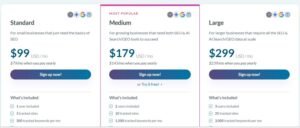
- Starter: $31/month
- Standard: $63/month
- Medium: $114/month
- Large: $191/month
Moz Pro Reviews
- G2: 4.3 out of 5 (605+ reviews)
- Capterra: 4.5 out of 5 (349+ reviews)
Moz Pro reads as dependable rather than cutting-edge, which suits agencies that prioritize client trust and clean communication over chasing the newest feature set.
4. Mangools – Best for Freelancers Needing Simplicity
Quick Overview
Mangools built five focused tools instead of one sprawling platform: KWFinder, SERPChecker, SERPWatcher, LinkMiner, and SiteProfiler. Each one does a single job well, and the interface is genuinely pleasant to use, which matters when you’re training a junior team member or handing access to a client who’s never opened an SEO tool before.
I reach for KWFinder specifically when I need a fast volume check without opening a heavier platform mid-call.
Mangools Key Features
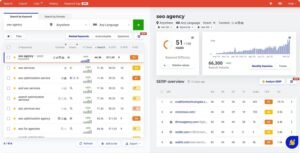
KWFinder delivers search volume, difficulty scoring, and SERP previews with a comprehensive related-keyword suggestion engine. SERPChecker breaks down top-ranking pages by authority, backlinks, and estimated traffic before you commit to a content brief. SERPWatcher tracks daily rank changes and introduces a “dominance” metric showing overall visibility across tracked terms rather than isolated positions. LinkMiner highlights the strongest backlinks on any given page, and SiteProfiler gives a fast competitive snapshot covering traffic, top keywords, and backlink profile.
Mangools Pros
The interface is the cleanest I’ve used across any SEO platform, and new users get value within minutes rather than hours. KWFinder’s difficulty scoring holds up well against manual verification, and its long-tail suggestions surface opportunities other budget tools miss. The Chrome extension keeps keyword and backlink checks inside the browser, which speeds up day-to-day research. Onboarding a client to Mangools takes under half an hour in my experience, which frees up time for strategy instead of tool training. Local keyword volume accuracy holds up well, which many larger platforms overlook.
Mangools Cons
Lookup and tracking limits get restrictive fast once you’re managing several client accounts simultaneously. There’s no built-in crawler for technical audits; broken links, redirect chains, and on-page issues require a separate tool like Screaming Frog. SERPWatcher’s rank tracking lacks SERP feature tracking or side-by-side competitor comparison views. API access on lower plans is limited enough to complicate any custom reporting workflow. There’s no content optimization guidance, so Mangools gives you the research without the execution layer.
Mangools Pricing
- Free plan available
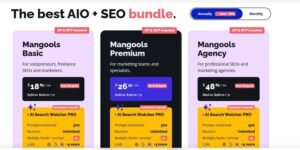
- Basic: $30.50/month
- Premium: $40.50/month
- Agency: $70.50/month
- 48-hour money-back guarantee
Mangools Reviews
- G2: 4.7 out of 5 stars (95+ reviews)
- Capterra: 4.8 out of 5 stars (91+ reviews)
Mangools reads as close to ideal for its target audience of freelancers and small businesses. Power users managing large portfolios will outgrow it, but for its intended scale, it rarely disappoints.
5. Surfer – Best for On-Page Content Optimization
Quick Overview

Surfer focuses on one job: telling you exactly what the current top-ranking pages are doing so you can match or beat that structure. I keep Surfer’s Content Editor open in a second tab whenever I’m drafting or refreshing a page targeting a competitive term, because it removes the guesswork around keyword density and semantic coverage.
It’s intentionally not a full SEO suite, and that focus is exactly why it works as well as it does for content-heavy programs.
Surfer Key Features
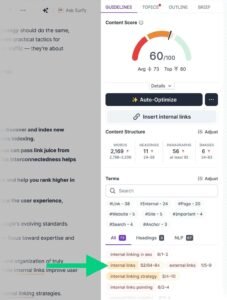
Content Editor scores content in real time against word count targets, semantic term usage, and readability, with direct integrations into Google Docs and WordPress. SERP Analyzer breaks down top-ranking pages by word count, heading structure, and backlink profile for any target keyword. Keyword Research clusters related terms by semantic relevance to support topic-cluster planning rather than isolated keyword targeting. Content Audit compares existing pages against current SERP data to flag which ones need a refresh, and Outline Builder pulls common headings and questions from ranking pages to speed up brief creation.
Surfer Pros
The real-time scoring loop keeps writers focused without needing to bounce between tabs for competitive research. Content that’s gone through Surfer’s optimization process has noticeably outperformed unoptimized drafts in my own campaigns. Writing directly inside Google Docs or WordPress with the sidebar active means optimization happens during drafting, not as a separate editing pass. Semantic term suggestions have helped avoid over-optimizing for a single exact-match keyword phrase. Content Audit surfaces quick wins on existing pages that just need minor structural tweaks.
Surfer Cons
Surfer can’t replace a full platform keyword research at scale; backlink analysis and technical audits still require a separate tool. Chasing the content score too aggressively risks producing stiff, keyword-stuffed prose if you’re not balancing it against natural readability. The built-in AI writing assistant produces serviceable but shallow drafts that still need substantial editing. SERP volatility between analysis and publication can make recommendations stale if there’s a gap between drafting and going live.
Surfer Pricing
- Essential: $79/month
- Scale: $175/month
- Enterprise: from $999/month
Surfer Reviews
- G2: 4.8 out of 5 stars (538+ reviews)
- Capterra: 4.9 out of 5 stars (421+ reviews)
Surfer is widely regarded as the strongest dedicated content optimization tool available, particularly for teams publishing on a consistent schedule.
6. Ubersuggest – Best for Tight-Budget Small Businesses
Quick Overview

Ubersuggest started life as a free keyword tool before being rebuilt into a low-cost, full-featured platform. At $12 a month, it’s the cheapest genuinely functional SEO tool on this list, and I recommend it to early-stage clients who need to understand SEO fundamentals before committing to a bigger monthly spend.
It covers the core bases: keyword research, audits, backlinks, and rank tracking, even if the data depth doesn’t match premium platforms.
Ubersuggest Key Features
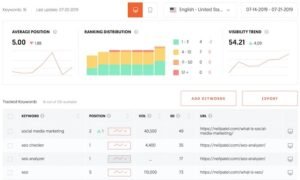
Keyword Research provides search volume, SEO and paid difficulty scores, and CPC data alongside related question suggestions. Site Audit crawls for broken links, slow pages, and missing meta tags with beginner-friendly visual reporting. Backlink Data shows referring domains and domain score with new and lost link tracking over time. Traffic Analyzer estimates organic and paid traffic for any domain, and Content Ideas surfaces topic suggestions based on niche and social share performance.
Ubersuggest Pros
The pricing removes almost any barrier to entry for a small business testing SEO for the first time. The interface stays simple enough that a business owner with zero SEO background can navigate it without training. A lifetime payment option appeals directly to bootstrapped startups trying to avoid recurring software costs. The Chrome extension speeds up initial research without requiring a full dashboard login. Content Ideas gives beginners a starting point for understanding what’s already working in their niche.
Ubersuggest Cons
Keyword volume figures frequently don’t align with Google Search Console actuals, which becomes a real problem once you’re reporting to a paying client. The backlink index misses links that show up reliably in Ahrefs or Moz, especially from smaller or newer sites. Site audits catch surface-level issues but miss the technical depth serious optimization requires. Keyword difficulty scoring has flagged terms as “easy” that actually require significant content investment and authority to rank for.
Ubersuggest Pricing
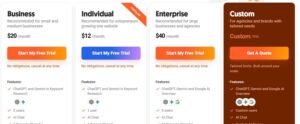
- Individual: $12/month
- Business: $20/month
- Enterprise: $40/month
Ubersuggest Reviews
- G2: 4.2 out of 5 stars (149+ reviews)
- Capterra: 4.4 out of 5 stars (93+ reviews)
Ubersuggest functions well as a starting point for SEO education, though most users eventually graduate to a more data-accurate platform once budgets allow.
7. Serpstat – Best for International Multi-Market Keyword Research
Quick Overview
Serpstat built one of the deepest international keyword databases in the industry, covering 230+ countries and regions. For campaigns targeting Eastern Europe, Turkey, or Southeast Asia, Serpstat’s local search volume data has consistently outperformed Western-focused platforms in my testing.
The feature set sits somewhere between Semrush and SE Ranking, though the interface hasn’t kept pace visually with newer competitors.
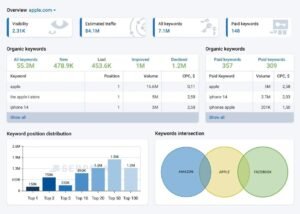
Serpstat Key Features
Keyword Research spans 230+ countries with clustering that groups related terms for content and ad group planning. Rank Tracking covers desktop and mobile with customizable refresh frequency and SERP feature tracking. Site Audit crawls up to 20,000 pages depending on plan, prioritizing issues by impact severity. Backlink Analysis tracks referring domains and link velocity patterns, and Text Analytics offers content optimization guidance similar to Surfer. PPC Analysis breaks down competitor ad copy, keyword bids, and estimated budgets.
Serpstat Pros
International keyword accuracy, particularly across Eastern Europe and Asia, consistently beats what I’ve seen from more US-centric platforms. Automatic keyword clustering speeds up content planning and helps avoid cannibalization across a site’s pages. PPC intelligence rivals dedicated tools like SpyFu for reverse-engineering competitor ad strategy. API access is included even on lower-tier plans, which is rare and useful for automation. Batch analysis across hundreds of keywords or URLs at once saves real time on large audits.
Serpstat Cons
The interface feels dated compared to Ahrefs, Surfer, or SE Ranking, and navigation isn’t always intuitive despite being functional. US keyword data doesn’t match the accuracy of platforms built primarily for that market. The backlink index trails behind Ahrefs and Majestic in depth. Some features take longer to locate than expected given the interface’s age, and usage limits on lower plans get restrictive quickly under high query volume.
Serpstat Pricing
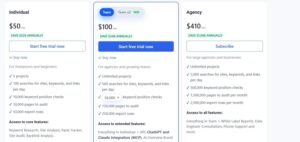
- Individual: $44/month
- Team: $133/month
- Agency: $319/month
Serpstat Reviews
- G2: 4.6 out of 5 stars (463+ reviews)
- Capterra: 4.7 out of 5 stars (170+ reviews)
Serpstat earns its reputation specifically for international campaigns in markets that Western-built platforms tend to underserve.
8. SpyFu – Best for Competitor PPC Strategy Analysis
Quick Overview
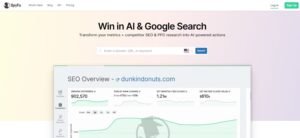
SpyFu’s entire foundation is competitive intelligence, specifically, exposing every keyword a competitor has bought on Google Ads alongside their organic rankings. No other platform on this list matches SpyFu’s historical depth on paid search behavior.
I use it primarily when building a PPC strategy for a client entering a competitive market, since seeing 15+ years of a competitor’s ad history removes a lot of guesswork before spending a single dollar.
SpyFu Key Features
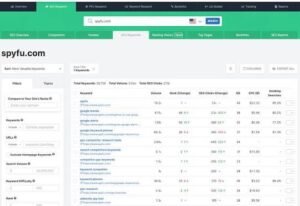
Competitor Keyword Research shows every organic and paid keyword a domain ranks for, along with historical ranking trends. Ad History archives competitor ad copy going back over a decade, including estimated click volume and landing pages used. Kombat compares up to three competitors side by side to surface keyword overlap and gaps. Keyword Grouping organizes terms into ad-group-ready clusters, and Backlink Analysis covers referring domains and anchor text, though at a smaller scale than dedicated backlink tools.
SpyFu Pros
No competitor tool matches SpyFu’s depth of historical ad copy and bidding data. The Kombat comparison feature has generated entire PPC strategies from a single report in my own work. Automatic keyword grouping saves real setup time when building new ad campaigns. Seeing estimated competitor ad spend helps set realistic budget expectations with clients before a campaign launches. Reverse-engineering high-performing competitor ad copy gives a proven messaging starting point.
SpyFu Cons
Organic SEO features exist but stay secondary to the paid search focus, so a dedicated SEO platform is still needed alongside SpyFu. International data coverage is thin compared to Serpstat or Semrush. The interface hasn’t been meaningfully modernized and lacks the polish of newer tools. The backlink database is too shallow for serious link-building work. Ad history coverage is limited to Google Ads, so Meta or LinkedIn ad intelligence isn’t available here.
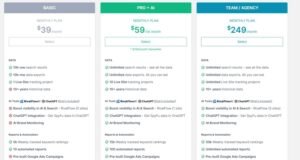
SpyFu Pricing
- Basic: $39/month
- Pro+AI: $59 first month, $119/month thereafter
- Team/Agency: $249/month
SpyFu Reviews
- G2: 4.6 out of 5 stars (516+ reviews)
- Capterra: 4.5 out of 5 stars (144+ reviews)
SpyFu holds its position as the strongest tool specifically for paid search competitive intelligence, even though its SEO feature set takes a back seat.
9. Screaming Frog – Best for Technical SEO Site Audits
Quick Overview
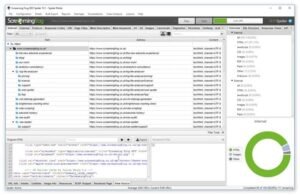
Screaming Frog SEO Spider is a desktop crawler built to mimic Googlebot and surface every technical detail on a site no dashboards, no fluff, just exportable raw data on every URL, redirect, and tag. It’s the first tool I open whenever a client reports an unexplained traffic drop or an indexing problem.
I’ve run it across sites ranging from small WordPress builds to enterprise platforms with well over 50,000 pages, and it consistently finds structural problems that web-based auditors miss.
Screaming Frog Key Features
Site Crawling handles unlimited URLs in the paid version with configurable crawl speed and rendering settings that mimic real Googlebot behavior. Technical SEO Analysis flags broken links, server errors, redirect chains, and thin content. JavaScript Rendering crawls with rendering enabled, which matters for React- or Vue-based sites. Custom Extraction pulls specific data using CSS selectors or XPath, and Log File Analyzer shows exactly how Googlebot crawls a site in practice, which reveals crawl budget waste that no other report catches.
Screaming Frog Pros
Nothing else surfaces technical issues with this level of granularity and accuracy. It handles genuinely large sites without crashing or slowing down, unlike some cloud-based crawlers I’ve tested. JavaScript rendering actually works reliably on modern frameworks, which isn’t universal among crawlers claiming JS support. Log file analysis alone has revealed crawl budget problems that would have gone unnoticed with any other tool. Data exports to CSV or Sheets without being locked into a proprietary format.
Screaming Frog Cons
The interface isn’t intuitive for new users, and interpreting what the data actually means requires existing technical SEO knowledge. There’s no guided recommendation layer; it tells you what’s wrong, not how to prioritize or fix it. It’s a desktop application, which limits access for distributed teams without a shared workflow. Exporting a 50,000-row spreadsheet is useful for a technical team but overwhelming for a client unfamiliar with SEO terminology. It handles zero rank tracking or keyword research, so it only ever plays one role in a broader toolkit.
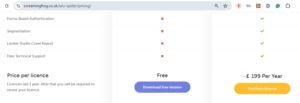
Screaming Frog Pricing
- Free version available
- Paid: $245/year
Screaming Frog Reviews
- G2: 4.7 out of 5 stars (184+ reviews)
- Capterra: 4.9 out of 5 stars (132+ reviews)
Screaming Frog remains the standard for technical SEO audits. It’s not built for beginners, but for anyone doing serious technical work, it’s close to irreplaceable.
10. SimilarWeb – Best for Traffic and Market Intelligence
Quick Overview

SimilarWeb answers a different set of questions than most SEO tools: how much total traffic does a competitor get, where does it come from, and how does the broader market look? I bring it into strategic planning conversations, especially when a client is considering entering a new vertical or evaluating an acquisition target.
It’s not built for daily SEO execution; it’s built for the 30,000-foot view before deciding where to invest.
SimilarWeb Key Features
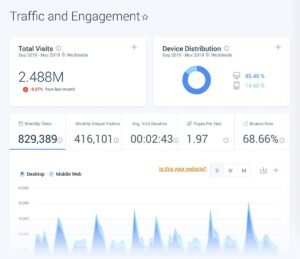
Traffic & Engagement estimates total visits, bounce rate, and average visit duration broken down by device. Traffic Sources shows the percentage split across direct, organic, paid, social, and referral channels. Audience Demographics covers age, gender, and income estimates by geography. Market Share Analysis compares multiple competitors’ traffic share within an industry, and Website Comparison runs side-by-side analysis across up to five competitors at once.
SimilarWeb Pros
Traffic estimates hold up as some of the most reliable available without direct analytics access, particularly for larger sites. Market-sizing data helps inform strategic decisions before committing budget to a new vertical. Audience demographic data sharpens targeting and messaging in ways most SEO-only tools can’t touch. Traffic source breakdowns make channel budget allocation decisions faster and more evidence-based. Mobile app analytics, when relevant, add a layer of competitive intelligence that’s hard to find elsewhere.
SimilarWeb Cons
Traffic estimates get noticeably less reliable for smaller sites under roughly 10,000 monthly visitors. It’s not built for tactical execution; there’s no page optimization, rank tracking, or technical audit functionality here. Keyword-level detail is shallow compared to a dedicated keyword research tool. Data typically lags 30 to 60 days behind real-time, so it won’t catch a fast-moving competitive shift. The cost-to-value ratio only makes sense once you’re operating at a scale that justifies market-level intelligence.
SimilarWeb Pricing
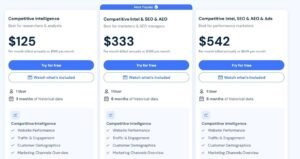
- Researchers & analysts: $125/month
- Marketers & SEO managers: $335/month
- Performance marketers: $540/month
SimilarWeb Reviews
- G2: 4.5 out of 5 stars (1,363+ reviews)
- Capterra: 4.6 out of 5 stars (246+ reviews)
SimilarWeb sits in the premium tier for traffic and market intelligence. Teams needing tactical SEO execution tools will find better value elsewhere, but for strategic market research, it delivers.
11. BrightEdge – Best Enterprise SEO for Large Teams
Quick Overview
BrightEdge is built for organizations managing SEO at a genuinely enterprise scale, coordinating strategy, content, technical work, and reporting across massive sites and multiple departments. I’ve encountered it during consulting engagements with clients managing well over 50,000 pages across ten or more countries.
Its real strength is workflow orchestration: making sure content, product, and engineering teams all know what needs doing and why it matters.
BrightEdge Key Features
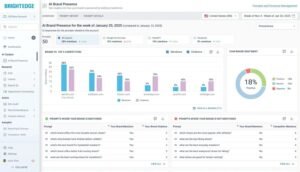
DataCube is a daily-refreshed keyword database covering billions of terms with intent classification and forecasted traffic potential. ContentIQ audits existing content and prioritizes optimization opportunities with ROI tracking built in. StoryBuilder automates executive-level reporting that ties SEO performance to revenue and competitive positioning. Share of Voice tracks competitive SERP visibility by market and device, and Autopilot flags technical issues like crawl errors and indexation problems in real time.
BrightEdge Pros
The platform’s architecture handles genuine enterprise complexity without performance issues millions of URLs and dozens of markets at once. Workflow orchestration across content, product, and engineering teams is genuinely well-built for large organizations. Executive reporting translates SEO data into business language that leadership actually engages with. Daily DataCube refreshes mean SERP shifts and algorithm changes get caught faster than platforms on a weekly cycle. Enterprise clients get dedicated account support and ongoing strategic input, not just software access.
BrightEdge Cons
Pricing starts in five figures monthly, which only makes sense for organizations with substantial organic revenue on the line. Getting real ROI requires at least one dedicated team member managing the platform full time. The learning curve is steep even for experienced SEO practitioners given the platform’s breadth. For anything under 100,000 pages or a handful of markets, simpler tools deliver better returns. Annual contracts with firm terms are standard, making an early exit costly if the fit isn’t right.
BrightEdge Pricing
Custom pricing only.
BrightEdge Reviews
- G2: 4.4 out of 5 stars (763+ reviews)
- Capterra: 4.1 out of 5 stars (45+ reviews)
BrightEdge holds its position as the enterprise standard for organizations operating at massive scale. Smaller teams without dedicated SEO staff often end up paying for capability they’ll never fully use.
12. Majestic – Best for Historical Backlink Trust Metrics
Quick Overview
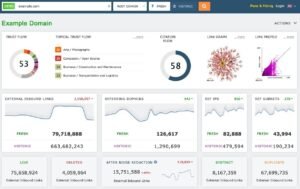
None of the eleven platforms above are built specifically around link authority and trust scoring, which is a real gap given how often backlink quality gets raised as a top evaluation criterion. Majestic fills that gap directly with Trust Flow and Citation Flow, two metrics I check constantly during link audits and outreach vetting.
I bring Majestic into almost every link-building engagement at White Label SEO Service, specifically when a client needs to separate genuinely authoritative referring domains from low-value link farms.
Majestic Key Features
Trust Flow and Citation Flow score every domain and URL based on link quality and quantity, giving a fast read on whether a prospective link source is worth pursuing. The historical index stretches back further than most competitors, which helps when auditing a link profile that’s accumulated over a decade. Majestic Million ranks the top one million sites globally by link metrics, useful for benchmarking outreach targets. Site Explorer breaks down anchor text ratios and referring IP diversity, both of which matter for spotting unnatural link patterns.
Majestic Pros
Trust Flow has become something close to an industry shorthand for link quality, similar to how Domain Authority functions for overall site strength. The historical index depth genuinely exceeds most competitors, which matters when investigating a link profile that predates your involvement with a client. Majestic Million gives a fast, credible benchmark when vetting whether a domain is worth pursuing for outreach. Anchor text ratio reporting has caught over-optimized or spammy link patterns before they triggered a manual action.
Majestic Cons
Majestic doesn’t attempt to be a full SEO suite; there’s no rank tracking, no content tools, and only limited keyword research. The interface feels more utilitarian than modern platforms, prioritizing data density over visual polish. Trust Flow and Citation Flow require some interpretation experience to use well; taken at face value without context, they can mislead a less experienced analyst. It works best paired with a broader platform rather than as a standalone tool.
Majestic Pricing
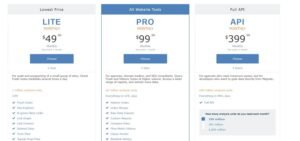
- Lite: $49.99/month
- Pro: $99.99/month
- API: $399.99/month
Majestic Reviews
- G2: 4.4 out of 5 stars (110+ reviews)
- Capterra: 4.5 out of 5 stars (65+ reviews)
Majestic is consistently cited by link-building specialists as the most trusted source for trust and authority scoring, even among practitioners who use a different platform for everything else.
13. NightWatch – Best for Multi-Location Local Rank Tracking
Quick Overview
The platforms covered so far mostly treat local rank tracking as a secondary feature bolted onto a broader suite. NightWatch treats it as the core product, which matters enormously for any client managing multiple physical locations or targeting hyper-local search terms.
I’ve used NightWatch specifically for multi-location service businesses where a single national rank average would have hidden real performance differences between city-level markets.
NightWatch Key Features
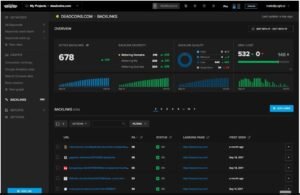
Local rank tracking supports granular geo-targeting down to specific coordinates rather than just city or zip-code averages. SERP feature tracking flags when a competitor captures a local pack, featured snippet, or knowledge panel for a tracked term. White-label reporting is built in from the entry plan, letting agencies present branded local performance reports without extra setup. Google Business Profile performance tracking ties directly into the same dashboard as organic rank data.
NightWatch Pros
Coordinate-level tracking catches ranking differences between neighborhoods within the same city that a broader zip-code average would smooth over and miss entirely. White-label reporting from the base plan removes a cost barrier that other platforms build in only at higher tiers. SERP feature tracking specifically for local packs has caught competitive shifts before a client noticed a drop in call volume. The interface stays focused rather than trying to be a full SEO suite, which keeps onboarding fast for local-focused teams.
NightWatch Cons
It’s not a substitute for a full-featured platform; there’s no meaningful backlink analysis or technical site audit functionality here. Keyword research tools are basic compared to dedicated research platforms like KWFinder or Ahrefs. For single-location businesses without a genuine local-market complexity problem, the specialization is overkill. International local coverage outside major English-speaking markets is thinner than domestic US coverage.

NightWatch Pricing
- Solo: $32/month
- Optimize: $77/month
- Agency: $167/month
NightWatch Reviews
- G2: 4.6 out of 5 stars (85+ reviews)
- Capterra: 4.7 out of 5 stars (40+ reviews)
Nightwatch earns consistent praise from agencies managing multi-location clients specifically because it treats granular local tracking as a first-class feature rather than an afterthought.
14. Sitebulb – Best for Visual Technical SEO Audits
Quick Overview
Screaming Frog gives you the raw technical data, but it doesn’t tell you what to prioritize or why it matters, and that’s exactly the gap Sitebulb closes. It crawls a site with similar depth but wraps the output in visualized crawl maps and prioritized hints that explain the actual impact of each issue.
I bring Sitebulb into audits specifically when a client’s internal team needs to understand a technical issue well enough to fix it themselves, not just receive a spreadsheet of errors.
Sitebulb Key Features
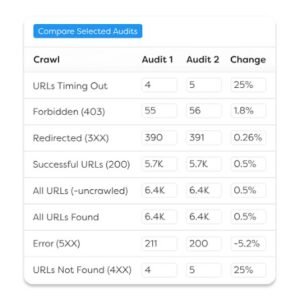
Prioritized issue hints explain not just what’s wrong but why it matters and roughly how much effort a fix requires, which speeds up developer conversations considerably. Visualized crawl maps show site architecture and internal linking structure in a way that’s genuinely easier to present to a non-technical stakeholder than a raw data table. Core Web Vitals reporting integrates directly into the crawl output rather than requiring a separate check. Structured data validation flags schema errors alongside a plain-language explanation of the fix.
Sitebulb Pros
The prioritization layer genuinely saves time compared to manually triaging a raw Screaming Frog export, especially on a first audit of an unfamiliar site. Visual crawl maps have made technical findings land better in client presentations than a spreadsheet ever did. The combination of depth and guided interpretation makes it approachable for teams without a dedicated technical SEO specialist. Desktop and cloud-hybrid options give some flexibility that a pure desktop tool doesn’t offer.
Sitebulb Cons
Crawl speed on very large sites runs slower than Screaming Frog in my testing, which matters on a tight audit deadline. Custom extraction capabilities are less flexible than Screaming Frog’s CSS selector and XPath options. It’s still fundamentally a technical audit tool; no rank tracking, backlink analysis, or keyword research exists here. Licensing is per-user rather than per-project on some tiers, which adds up faster for larger teams.
Sitebulb Pricing
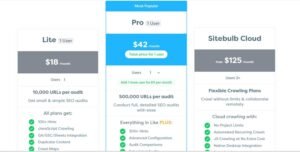
- Lite: $35/month
- Growth: $56/month
- Professional: $99/month
Sitebulb Reviews
- G2: 4.7 out of 5 stars (35+ reviews)
- Capterra: 4.8 out of 5 stars (28+ reviews)
Sitebulb draws consistent praise for making technical SEO findings actually actionable for teams that don’t have a dedicated technical specialist on staff.
15. Semscoop – Best for Real-Time SERP and AI Overview Tracking
Quick Overview
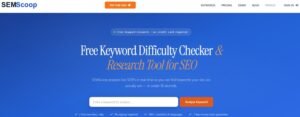
AI Overviews and AI Mode have changed what a SERP actually looks like, and only one platform in the original eleven even mentions tracking that surface, buried inside a broader feature set. Semscoop builds its entire product around monitoring exactly that: whether a domain appears inside AI-generated answers and how that visibility shifts over time.
I’ve started running Semscoop alongside traditional rank tracking for clients whose queries are increasingly triggering AI Overviews instead of a standard ten-blue-links result.
Semscoop Key Features
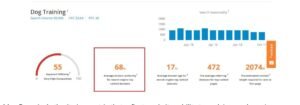
AI Overview presence tracking flags whether and how often a domain gets cited inside Google’s AI-generated summaries for tracked queries. SERP volatility alerts fire when a monitored keyword’s result page changes structure significantly, not just position. Share-of-voice reporting breaks down visibility by SERP feature type organic, AI Overview, featured snippet, and local pack rather than lumping everything into one score. Historical trend graphs show how a domain’s AI citation rate has shifted month over month.
Semscoop Pros
It’s currently one of the only platforms giving a dedicated, isolated view into AI Overview citation performance rather than treating it as a minor add-on. Volatility alerts have caught SERP restructuring for tracked terms before a client noticed the resulting traffic dip. Breaking share-of-voice down by feature type makes it clear whether a ranking win is translating into actual visibility or getting buried under an AI Overview anyway. The historical trend view makes it easy to show a client tangible movement in AI search presence over a campaign period.
Semscoop Cons
It’s a genuinely narrow tool; there’s no backlink analysis, no content optimization guidance, and only basic keyword research. Because AI Overview tracking is such a new category, historical data only goes back as far as the platform’s own launch, so long-term trend analysis is still limited. Coverage outside English-language queries is noticeably thinner right now. It works best as a supplement to a full platform rather than a replacement for one.
Semscoop Pricing
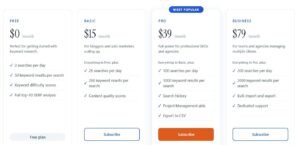
- Starter: $59/month
- Growth: $129/month
- Agency: $249/month
Semscoop Reviews
- G2: 4.5 out of 5 stars (22+ reviews)
- Capterra: 4.6 out of 5 stars (18+ reviews)
Semscoop is gaining traction fast among agencies that need to show clients concrete AI Overview visibility data rather than guessing at how much traditional rankings still translate into traffic.
Which Semrush Alternative Actually Fits a Link-Building Workflow?
Link-building work has different priorities than general SEO, and most of the fifteen tools above aren’t built with that workflow specifically in mind. If outreach, prospecting, and authority auditing are your main focus, three tools stand out from this list for genuinely different reasons.
Ahrefs remains the strongest single source for raw backlink data; its 16-trillion-link index and 15-minute refresh cycle catch new placements and lost links faster than nearly anything else I’ve tested. Majestic complements that with Trust Flow and Citation Flow, which give a faster read on whether a prospective link source is genuinely authoritative or just link-farm noise dressed up as a real domain. SpyFu adds a different angle entirely: its Kombat comparison surfaces competitor domains ranking for terms you’re not, which often points straight at gaps worth targeting with outreach.
Running all three together at White Label SEO Service has consistently produced tighter, more defensible link-building campaigns than relying on any single platform’s backlink module alone.
What’s the Best Semrush Alternative for You?
Choosing between fifteen platforms comes down to matching the tool to your actual workflow rather than chasing the biggest feature list. Here’s how I’d narrow it down based on what matters most to you.
If you’re new to SEO or running a small business site yourself, Mangools offers the gentlest learning curve without sacrificing the essentials. The interface stays intuitive, and you’ll get usable data within minutes of signing up.
For agencies managing multiple client accounts where data reliability drives strategic decisions, Ahrefs delivers the most comprehensive backlink and content research available on this list. Content Explorer alone has generated more client wins in my own work than any single feature across the other fourteen tools.
If budget matters but you still need a full suite, SE Ranking delivers the large majority of premium functionality at a meaningfully lower cost, with API access and AI search tracking included even on the entry plan.
For content-driven programs publishing on a regular schedule, Surfer’s real-time Content Editor keeps optimization consistent without requiring a separate research pass before every draft.
And if link building specifically is your priority, pairing Ahrefs with Majestic gives you both the raw backlink volume and the trust-scoring layer that neither tool delivers completely on its own.
Conclusion
Fifteen tools is a lot to weigh, but the decision gets simpler once you’re honest about your actual workflow. Backlink-heavy work points toward Ahrefs and Majestic, local multi-location campaigns point toward NightWatch, and anyone tracking AI Overview visibility now has a dedicated option in Semscoop that simply didn’t exist in most toolkits a year ago.
I’ve run every one of these platforms inside live client campaigns at White Label SEO Service, and the right choice always comes down to matching the tool’s core strength to the problem you’re actually trying to solve, not the longest feature list on a pricing page.
If you’d rather skip the tool-juggling entirely, our team at White Label SEO Service builds and runs full SEO programs technical foundations, content strategy, authority building, and performance tracking using whichever combination of these platforms actually fits your goals.
Frequently Asked Questions
Is Semrush still worth using alongside these alternatives?
Semrush remains a strong all-in-one option. Many agencies pair it with a specialist tool like Ahrefs or Majestic for deeper backlink coverage rather than replacing it outright.
Which tool on this list is best for a solo freelancer on a tight budget?
Mangools and Ubersuggest both offer strong value under $35 a month, with Mangools better suited to keyword research and Ubersuggest to general SEO basics.
Do I need a separate tool for AI Overview tracking in 2026?
If AI Overviews are appearing for your target queries, a dedicated tool like Semscoop gives clearer visibility than treating it as a secondary feature inside a broader platform.
Can I run a full link-building campaign without Majestic?
Yes, Ahrefs alone covers most link-building needs. Majestic adds a trust-scoring layer that’s useful but not strictly required for every campaign.
How many SEO tools should an agency realistically use at once?
Most agencies land on two to three: one broad platform for keyword and rank data, one backlink specialist, and one technical audit tool for larger sites.