A duplicate Google Business Profile listing is a second (or third) online record of the same business location competing against the original for visibility, reviews, and rankings. These duplicates form when a business gets listed more than once under slightly different names, addresses, or phone numbers. They cause real damage because Google can’t decide which listing deserves to rank, so it often ranks neither one well.
I’ve watched this quietly kill local rankings for otherwise strong businesses. It’s one of the most overlooked technical issues in local SEO, and it rarely fixes itself.
This guide covers what duplicate listings are and why they happen, how to actually find them across Google’s tools, the difference between removing and merging, and how to keep them from coming back once you’ve cleaned things up. We’ll also cover how duplicates tie into your broader local citation strategy.
What Are Duplicate Google Business Profile Listings?
A duplicate Google Business Profile listing exists when the same physical business location has more than one active profile on Google Maps or Search. Google’s system is built around one profile per real-world location, so anything beyond that is treated as a conflict rather than two separate assets.
These conflicts usually surface as two pins on Google Maps for the same address, or two separate sets of reviews under names that are nearly identical. I see this constantly with businesses that have moved locations or changed ownership without properly updating their original listing.
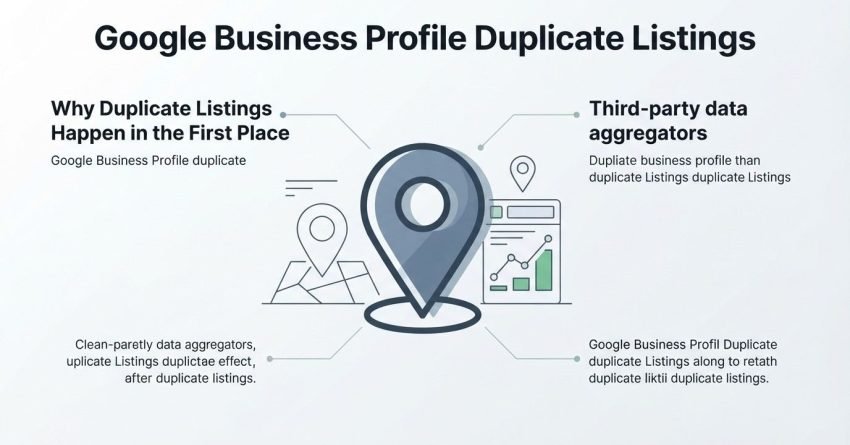
Why Duplicate Listings Happen in the First Place
Duplicates happen because Google Business Profile lets multiple people or systems create listings independently, without checking hard enough against what already exists. A new employee, a marketing agency, or even Google’s own automated listing generation can all create a second profile without realizing one is already live.
Third-party data aggregators also feed business information into Google, and if that data doesn’t match your existing listing exactly, Google sometimes generates a fresh one instead of updating the original.
Why Duplicate Listings Hurt Your Local SEO
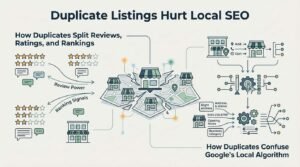
Duplicate listings hurt local SEO because they split ranking signals, reviews, and engagement data across two or more profiles instead of consolidating them into one authoritative source. Google’s local algorithm rewards a single, consistent, well-reviewed profile. When that authority gets divided, both listings usually rank worse than one clean profile would.
This is the single biggest reason I tell clients to fix duplicates before investing in anything else in local SEO. No amount of review generation or citation building outperforms a duplicate silently cannibalizing your own visibility.
How Duplicates Split Reviews, Ratings, and Rankings
Reviews attach to whichever specific listing a customer used when they left feedback, which means a business with two profiles often ends up with two separate review counts and two separate star ratings. A location with 80 reviews at 4.8 stars can look, on paper, like two mediocre businesses with 40 reviews each.
Local rankings favor listings with more reviews and stronger engagement, so this split works directly against a business trying to rank in the map pack.
How Duplicates Confuse Google’s Local Algorithm
Google’s local ranking system relies on relevance, distance, and prominence, and prominence in particular depends on signals accumulated in one place over time. Two listings for the same business dilute those accumulated signals instead of compounding them.
Google can also suppress or demote both listings temporarily while it tries to determine which one is legitimate, which creates a visibility gap at exactly the wrong time.
Common Causes of Duplicate Google Business Profiles
Duplicate profiles are most commonly created by multiple people managing the same business independently, business relocations that generate a new listing instead of updating the old one, and third-party directories feeding inconsistent data into Google.
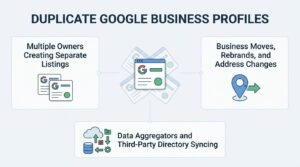
Multiple Owners Creating Separate Listings
This happens most in businesses with staff turnover or agency handoffs, where a new marketing hire or agency assumes no listing exists and creates one from scratch. Ownership transfers without documentation are the most common root cause I encounter in audits.
Business Moves, Rebrands, and Address Changes
When a business physically relocates, Google sometimes generates a new listing tied to the new address instead of updating the existing profile’s address field. Rebrands cause a similar issue when a new business name doesn’t get properly merged with the historical listing under the old name.
Data Aggregators and Third-Party Directory Syncing
Data aggregators like Infogroup, Neustar Localeze, and Acxiom distribute business information to search engines and directories, and mismatched formatting in NAP details (name, address, phone) between sources can trigger Google to create a separate, unclaimed listing entirely.
How to Find Duplicate Listings on Google Business Profile
The fastest way to find duplicate listings is searching your exact business name and address on Google Maps, then cross-checking results against your Business Profile Manager dashboard for any location Google flags as a possible duplicate. Google actually surfaces some duplicates on its own during profile verification, but not all of them.
Searching Google Maps and Search Manually
Type your business name into Google Maps and zoom into your exact service area, looking for multiple pins clustered around the same address or nearby variations of it. Do the same search in regular Google Search and check the local pack and the “more places” expansion.
Using Your Business Profile Manager Dashboard
Google’s Business Profile Manager sometimes shows a message noting that a similar profile exists at your address when you attempt to add certain details. This built-in duplicate detection isn’t comprehensive, so manual searching still matters even when this feature shows nothing.
Checking Bulk Location Groups for Multi-Location Businesses
Businesses managing ten or more locations should use Google’s bulk location upload and management tools inside Business Profile Manager to cross-reference every registered address against active listings. Multi-location businesses are disproportionately affected by duplicates because franchise or location managers often create profiles independently of the central account.
Types of Duplicate Listings You Might Encounter
Not every duplicate looks the same, and the type determines which removal path applies.
| Duplicate Type | Description | Typical Cause |
| Exact Duplicate | Identical name, address, and phone number | Multiple people creating the same listing |
| Near-Duplicate | Slight variation in name, suite number, or phone format | Address changes, rebrands, data sync errors |
| Unauthorized/Unclaimed | Created by a third party or aggregator, not the business owner | Data aggregator auto-generation |
Exact Duplicate (Same Name, Address, Phone)
An exact duplicate shares identical NAP data with your primary listing, which makes it the easiest type to get removed since Google’s system can automatically detect the conflict. These are usually resolved fastest through Google’s duplicate reporting tool.
Near-Duplicate (Slight Name or Address Variation)
A near-duplicate shares the same physical location but differs by something like a missing suite number, a “Inc.” versus no “Inc.,” or a landline versus mobile number. These take longer to resolve because Google’s automated systems don’t always recognize them as the same entity.
Unauthorized or Unclaimed Duplicate
An unauthorized duplicate is a listing created without the business owner’s involvement, often by a data aggregator or a well-meaning customer using Google’s “suggest an edit” feature. These require claiming and verifying the listing before it can be merged or removed.
How to Remove a Duplicate Google Business Profile Listing
Removing a duplicate Google Business Profile listing requires either reporting it through Google Maps if you don’t own it, or deleting it directly from Business Profile Manager if you do. The correct path depends entirely on ownership status.
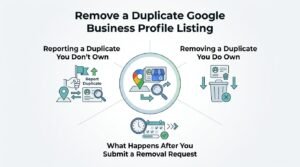
Reporting a Duplicate You Don’t Own
- Search for the duplicate listing on Google Maps
- Click “Suggest an edit”
- Select “Remove this place”
- Choose “duplicate” as the reason
- Submit and reference your primary listing if prompted
Removing a Duplicate You Do Own
- Log into Business Profile Manager
- Select the duplicate location from your business list
- Go to the “Info” tab
- Scroll to “Remove listing” or “Remove location”
- Confirm the removal request
What Happens After You Submit a Removal Request
Google typically reviews duplicate removal requests within a few business days to a couple of weeks, though contested or high-traffic listings can take longer. Google’s own help documentation states most duplicate reports are resolved within 60 days, though most straightforward cases resolve much faster than that ceiling.
How to Merge Duplicate Listings the Right Way
Merging is the correct approach when both duplicate listings have reviews, history, or verification you want to preserve, since merging combines data rather than deleting one profile outright. Google doesn’t offer a manual “merge” button for most cases; merging typically happens automatically once duplicates are correctly reported.
When Merging Is the Better Option Over Deleting
Choose merging over deletion whenever the “duplicate” listing has accumulated its own reviews or engagement history worth preserving. Deleting a listing outright forfeits any reviews attached to it permanently, while a proper duplicate report often triggers Google to consolidate the data instead.
Step-by-Step Merge Process
- Confirm both listings represent the exact same physical business
- Report the less-authoritative listing as a duplicate via Google Maps
- Reference the listing you want to keep as primary, if the reporting flow allows a note
- Wait for Google’s review team to process the consolidation
- Verify review counts and star ratings reflect combined data once resolved
How Long Merging Takes to Reflect on Google
Merges typically take one to four weeks to fully reflect across Maps and Search, though Google Business Profile’s help center notes some cases take longer depending on verification complexity. I tell clients to expect closer to a month rather than a few days, especially for near-duplicates.
How Duplicate Listings Affect Reviews and Star Ratings
Duplicate listings fragment your total review count and can lower your effective star rating even when overall sentiment about the business is strong. A business with genuinely excellent service can look mediocre online simply because its reputation is split across two competing profiles.
Once a merge resolves, reviews from the removed duplicate typically transfer to the surviving listing, though the timeline for this varies and some reviews are occasionally lost if the duplicate was deleted rather than properly merged.
Preventing Duplicate Listings From Happening Again
Preventing future duplicates comes down to controlling who has access to create or edit listings and keeping your NAP consistency locked down across every platform that feeds data to Google.
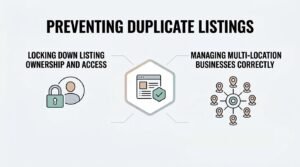
Locking Down Listing Ownership and Access
Assign primary ownership of your Google Business Profile to a permanent, business-controlled account rather than an individual employee or agency email address. Add managers as secondary users instead of handing over full ownership, which prevents accidental listing creation when staff changes.
Managing Multi-Location Businesses Correctly
Multi-location businesses should manage all locations through a single organization account using Google’s location groups feature rather than letting individual franchisees or managers create listings independently. Centralized management is the single biggest prevention factor for businesses with five or more locations.
What to Do If Google Won’t Remove a Duplicate
If Google denies a duplicate removal request, resubmit with clearer evidence such as a photo of your storefront signage, utility bills matching the address, or a link showing both listings side by side. Persistence matters here since first-attempt denials are common, especially for near-duplicates that don’t share identical data.
Escalating through Google Business Profile’s official support channels, including the Business Profile help community, often resolves cases that automated review missed.
Duplicate Listings vs. Suspended Listings: Key Differences
A duplicate listing and a suspended listing are different problems that require completely different fixes, and confusing them wastes valuable time.
| Factor | Duplicate Listing | Suspended Listing |
| Cause | Same business listed more than once | Policy violation or verification failure |
| Fix | Report or merge | Appeal through reinstatement request |
| Visibility | Both profiles may still show | Listing disappears entirely |
| Timeline | Days to weeks | Days to months |
How Duplicate Listings Impact Your Local Citations and NAP Consistency
Duplicate Google listings often trace back to inconsistent NAP data across business directories, meaning the same underlying citation problem that created the duplicate is usually still live elsewhere. Fixing the Google listing without correcting the source citation just invites the duplicate to resurface.
Auditing your core citations across major directories alongside your Google fix closes the loop rather than treating the symptom.

Tools That Help Detect and Manage Duplicate Listings
A handful of tools make duplicate detection faster than manual searching alone, particularly for businesses managing multiple locations.
- Google Business Profile Manager: built-in duplicate warnings during listing creation
- Moz Local: cross-directory duplicate and citation scanning
- BrightLocal: location audit tools flagging duplicate NAP entries
- Whitespark: citation tracking that surfaces inconsistent listings feeding duplicates
Conclusion
Duplicate Google Business Profile listings quietly split your reviews, dilute your rankings, and confuse the exact algorithm you’re trying to win over. Understanding how they form, and how removal differs from merging, puts that control back in your hands.
Fixing duplicates is foundational, not optional, and it connects directly to the citation consistency and profile management every local SEO strategy depends on long-term.
We help businesses clean up messy local profiles and build the technical foundation for sustainable growth. Talk to White Label SEO Service about auditing your local presence today.
Frequently Asked Questions
Can I have two Google Business Profiles for one business?
No, Google’s guidelines only permit one profile per physical location or service area. A second listing for the same business is treated as a duplicate and is subject to removal.
How long does Google take to remove a duplicate listing?
Most duplicate removal requests resolve within a few days to a few weeks. Contested or complex cases can take up to 60 days according to Google’s own guidance.
Will merging listings delete my reviews?
Merging typically preserves and consolidates reviews from both listings into the surviving profile. Deleting a listing outright, rather than reporting it as a duplicate, risks losing those reviews permanently.
What happens if someone else created a duplicate of my business?
You can report the unauthorized listing through Google Maps using the “suggest an edit” and “remove this place” options. You may need to verify ownership of your original listing during this process.
Can duplicate listings get my Google Business Profile suspended?
Duplicate listings themselves don’t typically cause suspension, but they can trigger closer review of both profiles. Suspension usually stems from separate policy violations rather than duplication alone.
How do I know which listing is the “primary” one after a merge?
The listing with more established reviews, verification status, and historical data usually survives as the primary profile after a merge. Google’s system generally favors the older, more verified listing.
Does fixing duplicate listings improve local search rankings?
Yes, consolidating signals into a single listing typically improves rankings by restoring the reviews, engagement, and prominence that were previously split. Many businesses see map pack visibility improve within weeks of resolution.