A manual action is a penalty that a human reviewer at Google applies to a site that violates its webmaster guidelines, and it directly suppresses rankings until the site is fixed and Google confirms compliance. I see this hit small business sites and enterprise domains alike. It shows up as a sharp, unmistakable drop in visibility, not a slow decline.
Ignoring a manual action costs real revenue every day it stays active. Traffic can drop to near zero on affected pages. Recovery only starts once you act.
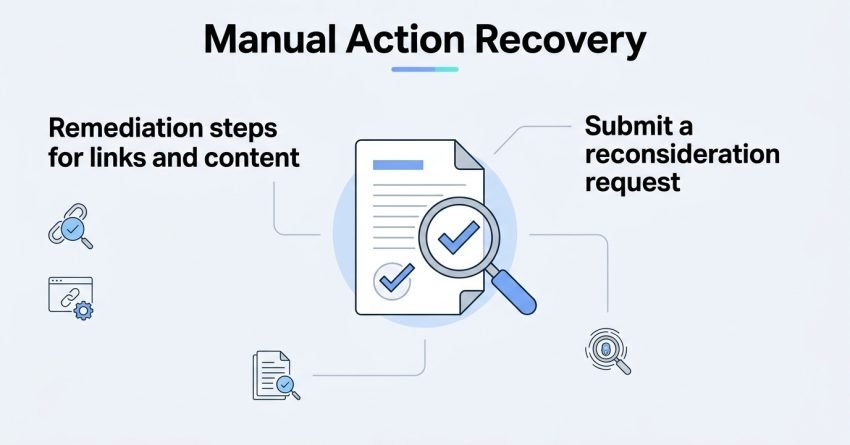
This guide covers what manual actions are and why Google issues them, the full range of penalty types you might be facing, how to diagnose and confirm the exact issue, the remediation steps for links and content, and how to submit a reconsideration request that actually gets approved.
What Is a Manual Action Penalty?
A manual action penalty is a direct, human-reviewed enforcement action Google applies when a site violates its spam policies, distinct from automatic ranking adjustments made by algorithms like the core updates. I always tell clients this distinction matters because the fix is different too. Manual actions require documented remediation and a reconsideration request. Algorithmic drops require improving the site and waiting for the next crawl and reassessment cycle.
You’ll find manual action notices inside Google Search Console under the Security & Manual Actions tab. That report names the specific violation type, lists affected pages or confirms it’s site-wide, and includes a brief description of what Google found. I check this report first any time a client reports a sudden, cliff-like traffic loss.
How Manual Actions Differ From Algorithmic Penalties
The core difference is human involvement. A person at Google reviewed the site and decided it violated guidelines seriously enough to warrant direct action. Algorithmic filtering happens automatically and continuously, with no explicit notification and no appeals process.
Where Manual Actions Show Up in Search Console
Search Console displays manual actions with a red warning indicator on the dashboard. The specific report shows the violation category, the date it was applied, and whether it affects the entire site or specific URLs.
Why Google Issues Manual Actions
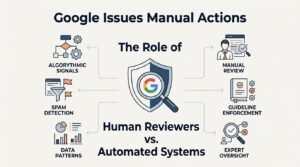
Google issues manual actions to protect search quality by penalizing sites that manipulate rankings through guideline violations rather than earning them through genuine value. I’ve reviewed dozens of these cases, and the pattern is consistent: attempts to manipulate the system trigger review. Google’s spam-fighting teams rely on both automated spam-detection signals and direct user reports to flag candidate sites for human review.
The Role of Human Reviewers vs. Automated Systems
Automated systems flag suspicious patterns first, things like sudden link spikes or duplicated content signatures. A trained reviewer then examines the flagged site manually to confirm intent and severity before any action gets applied, which is why manual actions feel more targeted than a broad algorithm update.
Types of Manual Actions in Google Search Console
Google’s manual action system currently recognizes several distinct violation categories, each requiring a different remediation path. Understanding which type applies to your site determines your entire recovery strategy, so I always start here before touching anything else.
| Manual Action Type | What Triggers It | Typical Scope |
| Unnatural links to your site | Paid links or link schemes pointing at your domain | Site-wide or partial |
| Unnatural links from your site | Selling or exchanging outbound links without nofollow | Site-wide or partial |
| Thin content with little or no added value | Auto-generated, scraped, or doorway pages | Partial or site-wide |
| User-generated spam | Spam in comments, forums, or user profiles | Partial |
| Spammy structured markup | Markup that doesn’t match visible page content | Partial |
| Cloaking and sneaky redirects | Showing different content to users vs. crawlers | Site-wide |
| Hacked content | Malicious code or content injected by attackers | Site-wide |
| Pure spam/scaled content abuse | Aggressive, large-scale manipulation tactics | Site-wide |
Spammy Structured Markup
This penalty applies when structured data markup describes content that doesn’t actually exist on the page, like a review schema showing five-star ratings nowhere visible to users. Fixing it means auditing every schema type on the site against what’s genuinely displayed.
Unnatural Links to Your Site
This is one of the most common manual actions, triggered by paid link placements, link exchanges, or participation in link networks. A full backlink audit becomes the starting point for any site hit with this violation.
Unnatural Links From Your Site
The inverse issue: a site sends manipulative outbound links, often through paid guest posts or sponsored content missing proper rel=”sponsored” or rel=”nofollow” attributes.
Thin Content With Little or No Added Value
Thin content includes auto-generated pages, scraped articles, and doorway pages built purely to rank for a keyword variant without offering unique value.
User-Generated Spam
Comment sections, forums, and user profile pages become liability points when spam accumulates unchecked. Active moderation and spam filters are the long-term fix here.
Cloaking and Sneaky Redirects
Cloaking happens when a site shows one version of a page to Googlebot and a different version to human visitors, usually to manipulate rankings while displaying unrelated content to users.
Hacked Content
Hacked content penalties apply when attackers inject spam pages, malicious redirects, or hidden links into a compromised site, and Google flags the entire domain until it’s cleaned and secured.
Pure Spam and Scaled Content Abuse
This is Google’s most severe classification, reserved for sites using aggressive, large-scale manipulation like AI-generated content networks or auto-generated gibberish pages built purely for ad revenue.
Site-Wide vs. Partial Manual Actions
A manual action’s scope determines whether Google penalizes the entire domain or only specific URLs, and that scope is stated directly inside the Search Console manual actions report. Site-wide actions tank visibility across every page. Partial actions isolate the damage to a subset of URLs while the rest of the domain keeps ranking normally.
How Scope Affects Recovery Strategy
A partial action lets you isolate and fix specific pages without disrupting the whole site’s performance during remediation. A site-wide action demands a full domain audit before you submit anything for reconsideration, since Google will re-crawl and re-evaluate the entire property.
How to Diagnose a Manual Action
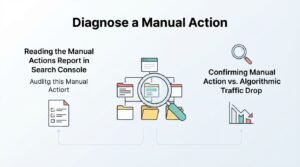
Diagnosing a manual action starts with confirming the exact violation type and affected scope inside the Search Console manual actions report, which removes any guesswork about what triggered the penalty. I never assume the cause without reading Google’s own description first. The report language, though sometimes brief, tells you exactly which policy was violated.
Reading the Manual Actions Report in Search Console
The report lists the violation category, application date, and a short explanation. Click into each listed issue for example URLs where Google found the problem, which gives you a starting point for the audit.
Confirming Manual Action vs. Algorithmic Traffic Drop
A manual action always appears in the Search Console report with an explicit notice, while an algorithmic drop shows no such notification anywhere in the account. If your traffic dropped and the manual actions tab is empty, you’re dealing with an algorithmic filter instead, which requires a completely different recovery approach centered on content and quality improvements rather than reconsideration requests.
Common Root Causes Behind Manual Actions
Most manual actions trace back to one of three sources: aggressive link building, content manipulation tactics, or a security compromise the site owner didn’t create intentionally. Recognizing the root cause early prevents wasted remediation effort on the wrong fix.
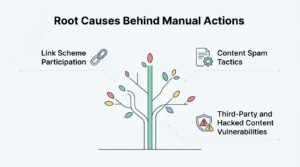
Link Scheme Participation
Buying links, joining link exchange networks, or using automated link-building software are the most frequent triggers for unnatural link penalties. Even links acquired years ago can surface in a current review.
Content Spam Tactics
Doorway pages, auto-generated text, and scaled content built without editorial oversight are common triggers for thin content and scaled abuse actions.
Third-Party and Hacked Content Vulnerabilities
Outdated plugins, weak admin credentials, and unpatched CMS software create openings for attackers to inject spam content that triggers a hacked content penalty entirely outside the owner’s direct actions.
Remediation Steps for Unnatural Links
Fixing an unnatural links penalty requires auditing every backlink pointing at the domain, removing or disavowing manipulative ones, and documenting the entire process for Google’s review. I treat this as a forensic exercise, not a quick cleanup. Every link needs a judgment call: natural, questionable, or clearly manipulative.
Auditing the Backlink Profile
Pulling a full link export from Search Console and a third-party tool gives the most complete picture, since neither source alone captures every link Google counts.
Removing or Disavowing Toxic Links
Outreach to remove links directly gets prioritized first, since Google prefers evidence of active removal attempts over blanket disavows. Google’s disavow tool handles links that can’t be removed through direct contact.
Remediation Steps for Thin or Spammy Content
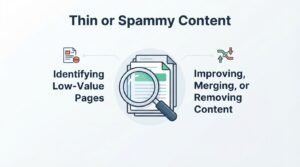
Resolving a thin content penalty means identifying every low-value page across the site and either substantially improving, consolidating, or removing it entirely. This step often surprises site owners with how many pages qualify as thin once reviewed honestly against Google’s guidelines.
Identifying Low-Value Pages
Pages with minimal unique text, heavy duplication across templates, or auto-generated structure without genuine editorial input are the clearest candidates for action.
Improving, Merging, or Removing Content
Thin pages covering a viable topic get rewritten with genuine depth and unique value. Pages with no real search value get merged into a stronger page or removed and redirected entirely.
How to Submit a Reconsideration Request
Submitting a reconsideration request means documenting every fix made, providing evidence of the remediation, and formally asking Google to re-review the site through Search Console. I’ve seen well-documented requests get approved within weeks, and vague ones bounce back repeatedly.
What to Include in Your Reconsideration Documentation
A strong request includes a clear description of the violation, the specific steps taken to fix it, and evidence like spreadsheets of removed links or before/after content examples.
Common Reconsideration Request Mistakes
The most frequent mistake is submitting before the fix is actually complete, which results in an automatic rejection and resets the review clock. Vague explanations lacking specific evidence are the second most common failure point.
Manual Action Review and Response Timelines
Google typically reviews reconsideration requests within a few days to a few weeks, though complex site-wide violations can take longer to fully re-evaluate. Waiting periods vary based on violation severity and how thoroughly the remediation was documented.
What Happens if a Reconsideration Request Is Rejected
A rejected request comes with a brief explanation of what still needs fixing, and you can resubmit once those specific issues are genuinely resolved. Repeated rejections without addressing the stated reason will keep the site penalized indefinitely.
How Manual Actions Impact Rankings and Traffic
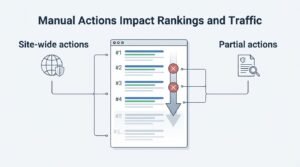
A manual action can cause rankings to drop to page two or beyond, or remove pages from search results entirely, depending on the violation’s severity and scope. Site-wide actions for pure spam can deindex a domain completely. Partial actions on specific pages leave the rest of the site’s traffic largely untouched while the flagged section disappears from results.
Preventing Future Manual Actions
Preventing future manual actions comes down to maintaining consistent guideline compliance across link acquisition, content creation, and site security practices. Recovery is expensive in time and lost traffic, so ongoing prevention is always the cheaper path.
Building a Sustainable Link and Content Compliance Process
Regular backlink audits, editorial review standards for all published content, and routine security patching create a compliance habit that catches problems before Google does.
Manual Actions vs. Algorithmic Penalties
The core distinction is that a manual action is applied by a human reviewer and requires a reconsideration request, while an algorithmic penalty is applied automatically and resolves through improved site quality alone. Algorithmic drops tied to updates like the helpful content system don’t appear in the manual actions report and don’t require any formal request to recover from.
Conclusion
Manual actions penalize specific guideline violations, from unnatural links to thin content, and recovery depends on accurate diagnosis and documented remediation.
Every fix strengthens the broader picture: sustainable link profiles, genuine content value, and secure site infrastructure protect long-term rankings.
We help businesses diagnose, remediate, and recover from manual actions correctly. White Label SEO Service builds the compliant foundation your rankings depend on.
Frequently Asked Questions
How long does manual action recovery take?
Recovery timelines vary widely based on violation severity and site size. Simple partial actions can resolve within a few weeks; complex site-wide penalties can take several months to fully remediate and reconsider.
Can I remove a manual action myself without submitting a reconsideration request?
No. Fixing the underlying issue is necessary but not sufficient. Google requires a formal reconsideration request confirming the violation has been resolved before restoring normal visibility.
Will my rankings fully recover after a manual action is lifted?
Rankings typically recover close to pre-penalty levels once the manual action is removed, though full recovery depends on how much competitive or algorithmic change occurred during the penalty period.
How many times can I submit a reconsideration request?
There’s no official limit on resubmissions. Each request should only be submitted once the specific issues from the prior rejection are genuinely fixed.
Does a manual action affect my entire website or just specific pages?
It depends on the violation type and severity. Google’s manual actions report specifies whether the action is site-wide or affects only particular URLs.
What’s the difference between a manual action and a core update penalty?
A manual action is a human-applied penalty for a specific guideline violation, visible in Search Console. A core update impact is algorithmic, applies no formal notice, and requires broad quality improvement rather than a reconsideration request.
Can a hacked website recover from a manual action without a security fix?
No. Google requires the security vulnerability to be fully resolved and malicious content removed before it will approve a reconsideration request for a hacked content penalty.