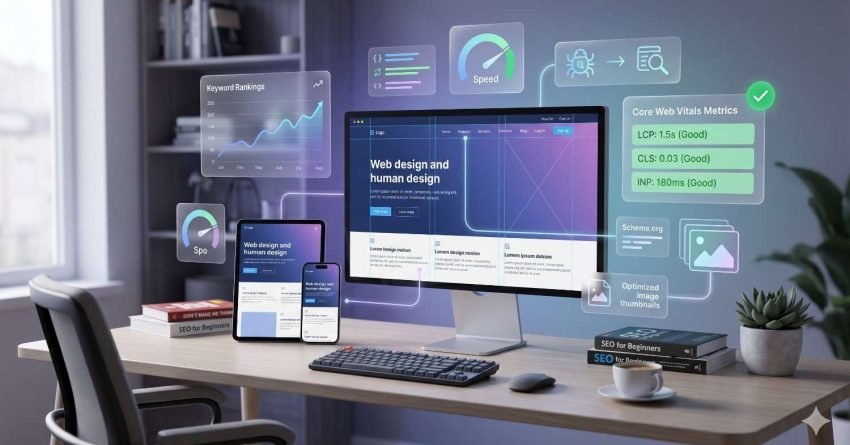
Web design and SEO are not separate disciplines, they are two sides of the same system. Every visual, structural, and technical decision made during the design of a website directly shapes how search engines crawl, index, and rank it, and how users experience it once they arrive.
When design and SEO are misaligned, even well-written content fails to rank. When they work together, every page on your site becomes a stronger, more visible, more competitive asset in organic search.
This guide covers the complete relationship between web design and search rankings, including page speed and Core Web Vitals, mobile-first indexing, site architecture, typography, image optimization, UX engagement signals, internal linking, structured data, design auditing, and the most common design mistakes that damage rankings.

What Is the Relationship Between Web Design and SEO?
Web design is the set of visual, structural, and technical decisions that shape how a website looks, functions, and is built. SEO is the practice of optimizing a website so that search engines can find, understand, and rank it for relevant queries. These two disciplines intersect at every level of a website — from the code that renders a page to the layout that determines whether a user stays or leaves.
Search engines like Google evaluate websites across three broad dimensions: technical access (can the crawler reach and index the page?), content relevance (does the page answer the query?), and user satisfaction (do users find what they need?). Web design decisions directly influence all three.
A slow-loading page built on unoptimized images and render-blocking scripts fails the technical access test. A page with poor heading hierarchy and dense, unreadable text fails the content relevance test. A page with confusing navigation and a disorienting layout fails the user satisfaction test. In each case, the design decision — not the content — is the ranking liability.
The relationship between design and SEO is not incidental. It is structural. Google’s ranking systems are built to reward websites that are fast, accessible, well-organized, and satisfying to use — all of which are design outcomes. Understanding this relationship is the first step toward building a website that earns and sustains organic visibility.
For businesses that need expert guidance aligning their website design with search engine requirements from the ground up, our white label web design services provide a structured, strategy-led approach that addresses both the technical and visual dimensions of search performance.
How Page Speed and Core Web Vitals Connect Design to Rankings
Core Web Vitals are Google’s set of performance metrics that measure real-user experience across three dimensions: loading speed, visual stability, and interactivity. Since Google’s 2021 Page Experience update, these metrics have been direct ranking signals — meaning that design decisions affecting performance scores directly affect organic rankings.
The three Core Web Vitals are:
Largest Contentful Paint (LCP) measures how long it takes for the largest visible element on a page — typically a hero image or headline — to load. Design decisions that cause poor LCP scores include unoptimized hero images, web fonts that block rendering, and server-side delays caused by heavy design frameworks. Google’s own data shows that pages with LCP under 2.5 seconds are considered good; above 4 seconds is classified as poor.
Cumulative Layout Shift (CLS) measures visual stability — how much the page layout shifts unexpectedly as it loads. Common design causes of poor CLS include images without defined dimensions, dynamically injected ad units, and web fonts that cause text to reflow after loading. A high CLS score signals to Google that the page delivers a disorienting user experience.
Interaction to Next Paint (INP) replaced First Input Delay in 2024 as Google’s measure of page interactivity — how quickly the page responds to user actions like clicks and taps. Heavy JavaScript frameworks, complex animations, and bloated design libraries are the primary design-level causes of poor INP scores.
Each of these metrics is a direct consequence of design decisions made during development. A website built with performance as a design constraint — using next-gen image formats, system fonts, defined layout dimensions, and lean JavaScript — will consistently outperform a visually identical site built without those constraints.
Because every design decision — from image formats to font loading strategies — has a measurable impact on your performance scores, our Core Web Vitals optimization guide walks through every metric, every design-level cause, and every technical fix your development team needs to improve rankings through performance.

Mobile-First Design and Its Direct Impact on Search Rankings
Mobile-first indexing is Google’s policy of using the mobile version of a website as the primary basis for crawling, indexing, and ranking. Google completed its mobile-first indexing rollout across all websites in 2023, meaning that for every site on the web, the mobile experience is now the ranking experience — not the desktop version.
This has a direct and consequential implication for web design: if your mobile design is broken, slow, or missing content that exists on your desktop site, your rankings suffer regardless of how polished your desktop experience is.
Three design decisions determine mobile-first indexing performance:
Responsive layout is the foundational requirement. A website built with a responsive design framework automatically adapts its layout to any screen size, ensuring that Google’s smartphone crawler sees the same content structure as a mobile user. Non-responsive designs — or designs that serve a stripped-down mobile version with less content — create indexing gaps that suppress rankings.
Content parity means that the mobile version of every page contains the same text, headings, structured data, and internal links as the desktop version. Design decisions that hide content on mobile — collapsing sections, removing text blocks, or deferring images — remove that content from Google’s primary index.
Mobile page speed is amplified in importance under mobile-first indexing because mobile networks are slower than desktop connections. Design decisions that are acceptable on desktop — large background images, complex animations, heavy JavaScript — become critical performance liabilities on mobile.
According to Statista, mobile devices account for approximately 60% of global web traffic — making mobile design not just an SEO requirement but the primary user experience your website delivers.
Since Google’s mobile-first indexing makes your mobile design the primary ranking signal, our guide to mobile SEO best practices covers every design and technical requirement — from responsive layout configuration to content parity audits — that ensures your mobile site earns the rankings your desktop site deserves.
Site Architecture, Navigation, and Crawlability
Site architecture describes the hierarchical organization of a website’s pages, URLs, and navigation — the structural design decisions that determine how both users and search engines move through the site. A well-designed architecture ensures that every important page is discoverable, indexable, and receives adequate crawl attention. A poorly designed architecture creates invisible pages, wasted crawl budget, and ranking gaps that no amount of content quality can overcome.
Three design-level architecture decisions have the greatest impact on SEO:
URL structure determines how Google interprets the hierarchy and topic of each page. Clean, descriptive, hierarchical URLs — such as /services/seo/technical-seo — communicate content relationships clearly. Dynamic URLs with query parameters, session IDs, or meaningless strings — such as /page?id=4721&ref=nav — obscure content relationships and create indexing inefficiencies. URL structure is a design decision made at the site architecture stage, not an afterthought.
Navigation design determines how link equity flows through the site. Every link in a navigation menu passes PageRank to the pages it points to. A flat navigation structure — where important pages are accessible directly from the homepage — distributes link equity efficiently and ensures those pages receive strong crawl signals. A deep navigation structure — where important pages are buried four or five clicks from the homepage — dilutes link equity and reduces crawl frequency for those pages.
Crawl depth is the number of clicks required to reach any given page from the homepage. The widely cited three-click rule — that every important page should be reachable within three clicks — is a design principle with direct SEO consequences. Pages buried beyond three clicks receive less crawl attention, accumulate less internal link equity, and rank less competitively than pages closer to the site’s root.
The structural decisions made during web design have lasting consequences for crawl efficiency and indexing completeness — our guide to technical SEO and site architecture covers the full audit process, from URL hierarchy design to crawl budget management, that ensures every page on your site is discoverable and rankable.
Typography, Readability, and On-Page SEO Signals
Typography in the context of SEO refers to the design decisions governing how text is presented — font size, heading structure, line spacing, paragraph length, and contrast — all of which shape how easily users and search engines can read and interpret page content. While Google does not directly evaluate font choices, it does evaluate the engagement signals that typography influences: how long users stay on a page, how far they scroll, and whether they return to search results immediately after clicking.
Three typography decisions have the most direct impact on SEO performance:
Heading hierarchy is the most technically significant typographic decision for SEO. The H1, H2, and H3 tags used in a page’s design are not just visual formatting — they are semantic signals that tell Google what the page is about, how the content is organized, and which topics are primary versus secondary. A page with a single clear H1, logically structured H2 sections, and supporting H3 subsections gives Google a clear content map. A page with multiple H1 tags, skipped heading levels, or headings used purely for visual styling creates ambiguity that suppresses content understanding.
Readability design — font size, line height, contrast ratio, and paragraph length — directly affects how long users engage with content. Small fonts, low contrast between text and background, and dense wall-of-text paragraphs increase bounce rates and reduce dwell time. Both are behavioral signals that Google interprets as indicators of poor page quality. The Web Content Accessibility Guidelines (WCAG) recommend a minimum contrast ratio of 4.5:1 for body text — a design standard that serves both accessibility and SEO.
Content scannability — achieved through short paragraphs, subheadings, and white space — determines whether users read or immediately leave. Users who can scan a page quickly to confirm it answers their question stay longer and engage more deeply. Design decisions that make content difficult to scan — dense paragraphs, no visual breaks, no subheadings — increase pogo-sticking, the behavior of returning immediately to search results, which signals to Google that the page failed to satisfy the query.
Typography is one of several design-level decisions that feed directly into on-page ranking signals, our guide to on-page SEO optimization covers the complete framework for structuring content, headings, and page elements in ways that satisfy both user readability standards and search engine content signals.

Visual Content, Image Optimization, and Search Visibility
Image optimization in SEO refers to the process of preparing visual design assets — through compression, format selection, alt text, and file naming — so they load quickly, rank in image search, and contribute to overall page performance rather than degrading it. Images are among the most powerful design elements on any webpage, and they are also among the most common sources of SEO performance problems when left unoptimized.
Four image optimization dimensions determine whether your visual content helps or hurts your rankings:
Alt text is the written description attached to an image in the HTML code. It serves two functions: it tells screen readers what an image contains (an accessibility requirement), and it tells search engines what the image depicts (an indexing signal). Images without alt text are invisible to Google’s image index and contribute nothing to the page’s topical relevance signals. Descriptive, keyword-relevant alt text turns every image into an indexable content asset.
File naming is a simple but frequently overlooked optimization. An image saved as hero-image-final-v3.jpg tells Google nothing. The same image saved as responsive-web-design-mobile-layout.jpg communicates topic relevance and improves the image’s chances of ranking in Google Image Search for related queries.
Image compression and format selection directly affect Largest Contentful Paint scores. Uncompressed JPEG or PNG files — common outputs from design tools — are often 5 to 10 times larger than necessary. Converting images to WebP or AVIF format, which Google recommends for their 25–34% smaller file sizes compared to JPEG at equivalent quality, is one of the highest-impact design-level performance improvements available.
Lazy loading defers the loading of below-the-fold images until the user scrolls toward them, reducing initial page weight and improving perceived load speed. It is a design and development decision that has a measurable impact on Core Web Vitals scores, particularly LCP and overall page load time.
Every image on your website is either an SEO asset or a performance liability depending on how it is prepared and implemented, our guide to image SEO and visual content optimization covers every dimension of image preparation, from format selection and compression to alt text strategy and image sitemap configuration.
UX Design, Engagement Metrics, and Ranking Signals
Engagement metrics are behavioral signals — including bounce rate, dwell time, and pages per session — that reflect how satisfying users find a page after clicking through from search results. Google uses these signals as indirect indicators of page quality and relevance. When users consistently leave a page quickly, return to search results, and click a different result, Google interprets this pattern as evidence that the page did not satisfy the query — and adjusts rankings accordingly.
UX design is the primary determinant of engagement signal quality. The layout, navigation clarity, content hierarchy, and visual design of a page determine whether users stay and engage or leave immediately.
Bounce rate is the percentage of users who visit a single page and leave without any further interaction. High bounce rates are not inherently negative — a user who finds an immediate answer and leaves satisfied is different from a user who leaves because the page was confusing or slow. But design-driven bounce rate problems — slow load times, disorienting above-the-fold layouts, misleading page titles, or intrusive pop-ups that appear before content loads — are genuine ranking liabilities. These are design decisions, not content failures.
Dwell time is the amount of time a user spends on a page before returning to search results. Longer dwell time signals that the page provided value. Design decisions that increase dwell time include clear content hierarchy that guides users through the page, internal navigation that surfaces related content, and visual design that makes reading comfortable and engaging. Design decisions that reduce dwell time include cluttered layouts, aggressive advertising, and poor mobile formatting that makes content difficult to consume.
Pogo-sticking — the behavior of clicking a search result, immediately returning to the SERP, and clicking a different result — is one of the strongest negative engagement signals available to Google. It indicates that the page failed to meet the user’s expectation. Pogo-sticking is most commonly caused by a mismatch between the page’s title and its actual content, or by a design that makes it difficult to find the information the user came for. Both are design and content strategy failures.
A 2023 study by Backlinko analyzing 11.8 million Google search results found that pages with higher user engagement metrics — including lower bounce rates and longer dwell times — consistently ranked higher than pages with weaker engagement signals, even when controlling for backlink profiles.
Because the connection between design decisions and behavioral ranking signals is one of the most underestimated dimensions of search performance, our guide to UX design and SEO engagement signals breaks down every major engagement metric, explains the design patterns that drive or damage each one, and provides a prioritized framework for improving user satisfaction signals across your site.

Internal Linking Structure as a Design and SEO Asset
Internal linking refers to the network of hyperlinks connecting pages within the same website — a structural design decision that determines how link equity flows, how content hierarchy is communicated to search engines, and how users navigate between related topics. The internal linking architecture of a website is built into its design: navigation menus, footer links, sidebar widgets, and contextual links within content are all design decisions with direct SEO consequences.
Three internal linking dimensions are most directly shaped by design:
Navigation design is the primary internal linking system on any website. Every link in a main navigation menu, dropdown, or mega-menu passes PageRank to the destination page. Pages linked from the main navigation receive the strongest internal link equity signals on the site. Design decisions about which pages appear in navigation — and at what level of the hierarchy — are therefore PageRank distribution decisions with ranking consequences.
Contextual linking refers to hyperlinks embedded within the body content of pages, connecting related topics and guiding users to deeper resources. Contextual links are the most semantically valuable form of internal linking because they appear within relevant content, carry descriptive anchor text, and signal topical relationships between pages. Design decisions that affect contextual linking include whether the content management system supports in-content links, whether templates allow for flexible content areas, and whether the design encourages or discourages long-form content where contextual links naturally occur.
Orphan page prevention is a design and architecture concern. An orphan page is a page with no internal links pointing to it — invisible to search engine crawlers unless it appears in an XML sitemap. Orphan pages accumulate no internal link equity, receive infrequent crawl attention, and rank poorly regardless of their content quality. Design decisions about site structure, navigation depth, and content templates determine whether orphan pages are created systematically or prevented structurally.
The way your site’s navigation and content are designed determines how effectively link equity flows to your most important pages — our guide to internal linking strategy for SEO covers the complete framework for designing a linking architecture that strengthens topical authority, eliminates orphan pages, and maximizes the ranking value of every page on your site.
Structured Data, Schema Markup, and Design Integration
Schema markup is structured code — typically implemented in JSON-LD format during the design and development process — that communicates the meaning and context of page content to search engines, enabling enhanced SERP features that increase visibility and click-through rates. While schema markup does not directly change a page’s ranking position, it changes how the page appears in search results — and appearance directly affects click-through rate, which is a behavioral ranking signal.
Schema markup is a design and development decision because it must be built into the page template, not added as an afterthought. The most impactful schema types for business websites include:
FAQ schema marks up question-and-answer content on a page, enabling Google to display individual questions and answers directly in search results as expandable FAQ boxes. Pages with FAQ schema can occupy significantly more SERP real estate than standard results, increasing visibility without changing ranking position.
Breadcrumb schema communicates the hierarchical position of a page within the site’s architecture, enabling Google to display breadcrumb navigation in search results. This reinforces site structure signals and improves click-through rates by giving users context about where the page sits within the site before they click.
Review and rating schema enables star ratings to appear in search results for product, service, and review pages. Google’s own research indicates that rich results with star ratings can increase click-through rates by up to 30% compared to standard blue-link results — a significant competitive advantage in crowded SERPs.
Local business schema communicates business name, address, phone number, hours, and service area to Google’s knowledge graph — essential for businesses targeting local search queries and seeking knowledge panel visibility.
Implementing structured data correctly requires both design-level planning and technical execution, our schema markup implementation guide covers every schema type relevant to business websites, from FAQ and review markup to breadcrumb and local business schema, with step-by-step implementation instructions for each.
How to Audit Your Website Design for SEO Performance
A design-focused SEO audit is the process of systematically evaluating a website’s visual, structural, and technical design decisions against SEO performance criteria — identifying which design choices are limiting search visibility and prioritizing the changes that will have the greatest ranking impact. Most website owners underestimate how many ranking issues originate at the design level rather than the content level.
Three audit dimensions cover the most critical design-SEO intersections:
Performance audit evaluates Core Web Vitals scores and page speed across the site. The primary tools are Google PageSpeed Insights, which provides LCP, CLS, and INP scores for any URL along with specific design-level recommendations, and the Core Web Vitals report in Google Search Console, which aggregates performance data across all indexed pages and flags URLs with poor or needs-improvement scores. A performance audit identifies which design elements — images, fonts, scripts, layout choices — are causing the most significant performance degradation.
Mobile audit evaluates how the site’s design performs under Google’s mobile-first indexing criteria. The Mobile Usability report in Google Search Console identifies pages with mobile design errors — text too small to read, clickable elements too close together, content wider than the screen. Supplementing this with manual testing on actual mobile devices and Google’s Mobile-Friendly Test tool provides a complete picture of mobile design gaps that are suppressing rankings.
Architecture audit evaluates the site’s structural design against crawlability and indexing criteria. Tools like Screaming Frog SEO Spider crawl the site and identify orphan pages (no internal links), pages with excessive crawl depth (more than three clicks from the homepage), broken internal links, duplicate URL patterns, and redirect chains — all of which are design and architecture decisions with direct ranking consequences.
A design-focused SEO audit covers more ground than most website owners realize, our guide to the complete website SEO audit process walks through every audit dimension in full detail, from Core Web Vitals diagnosis to crawl coverage analysis, with the exact tools and steps needed to identify and prioritize every design-related ranking issue on your site.

Common Web Design Mistakes That Hurt SEO Rankings
The most common web design mistakes that hurt SEO rankings include slow page load times, non-responsive mobile layouts, poor heading hierarchy, missing alt text, broken internal links, and JavaScript-heavy designs that block search engine crawlers. Understanding these mistakes is the first step toward eliminating the design-level liabilities that suppress organic visibility.
JavaScript-heavy designs that block crawlers. Websites built entirely in JavaScript frameworks — where content is rendered client-side rather than server-side — can be partially or completely invisible to search engine crawlers. Google can render JavaScript, but it does so in a second crawl wave that may take days or weeks, delaying indexing and reducing crawl efficiency. Design decisions that rely on JavaScript for critical content delivery create indexing gaps that suppress rankings.
Missing or duplicate H1 tags. Every page should have exactly one H1 tag that clearly states the page’s primary topic. Design templates that apply H1 styling to decorative elements, logos, or taglines — or that omit the H1 entirely — remove the most important on-page content signal from the page.
Non-responsive mobile layouts. Under mobile-first indexing, a non-responsive design is not just a usability problem — it is a ranking problem. Pages that display incorrectly on mobile devices receive poor mobile usability signals in Google Search Console and rank below responsive competitors for the same queries.
Unoptimized images causing slow LCP. Hero images, banner graphics, and product photos that are not compressed, not converted to next-gen formats, and not sized appropriately for their display dimensions are the single most common cause of poor Largest Contentful Paint scores — and therefore one of the most common design-level ranking liabilities.
Intrusive pop-ups and interstitials. Google’s intrusive interstitial penalty targets pages that display large pop-ups, full-screen overlays, or interstitials that cover the main content immediately after a user arrives from search results. Design decisions that implement aggressive pop-up strategies — particularly on mobile — risk ranking penalties that are difficult to diagnose and recover from.
Broken internal links. Navigation menus, footer links, and contextual links that point to deleted or redirected pages create crawl errors, waste link equity, and deliver poor user experiences. Broken internal links are a design maintenance failure with direct SEO consequences.
Poor URL structure. Dynamic URLs with query parameters, session IDs, or auto-generated strings — common outputs of certain CMS platforms and design frameworks — create duplicate content issues, dilute crawl budget, and make it difficult for Google to understand the site’s content hierarchy.
If your current website has accumulated design-related SEO issues over time, a professional SEO and web design audit from White Label SEO Service identifies every ranking-damaging decision and provides a prioritized remediation roadmap — so you can fix what matters most without rebuilding from scratch.
Conclusion
Web design and SEO are unified systems — every design decision, from page speed and mobile layout to heading structure and internal linking, directly shapes how search engines crawl, index, and rank your site, and how users experience it.
The spoke resources linked throughout this guide go deeper into each dimension — Core Web Vitals, mobile SEO, site architecture, on-page optimization, image SEO, UX signals, internal linking, and schema markup — providing the full frameworks your team needs to act on each area.
At White Label SEO Service, we help businesses align their design and SEO strategy from the ground up — building websites that earn sustainable organic visibility, drive qualified traffic, and deliver measurable long-term growth.
Frequently Asked Questions
Does web design directly affect Google search rankings?
Yes. Web design affects Google rankings through page speed, mobile usability, site architecture, heading structure, and engagement signals. Design decisions that make a site slow, hard to navigate, or poor on mobile directly suppress organic rankings.
What is the most important design factor for SEO?
Page speed and Core Web Vitals are among the most impactful design factors for SEO because they are direct Google ranking signals. Mobile-first design is equally critical since Google uses the mobile version of your site as its primary ranking basis.
How does a website redesign affect SEO rankings?
A website redesign can significantly impact SEO rankings — positively or negatively — depending on how it is managed. Changing URLs without proper redirects, removing content, or altering site architecture without an SEO plan can cause substantial ranking drops that take months to recover.
What is mobile-first indexing and why does it matter for design?
Mobile-first indexing means Google primarily uses the mobile version of your website to determine rankings. If your mobile design is slow, non-responsive, or missing content present on desktop, your rankings suffer regardless of your desktop site’s quality.
How do Core Web Vitals relate to web design?
Core Web Vitals — LCP, CLS, and INP — are performance metrics directly caused by design decisions. Unoptimized images cause poor LCP, unstable layouts cause poor CLS, and heavy JavaScript causes poor INP. Improving Core Web Vitals requires fixing design-level issues.
Does typography and font choice affect SEO rankings?
Typography does not directly affect rankings, but it influences engagement signals that do. Poor readability — small fonts, low contrast, dense paragraphs — increases bounce rates and reduces dwell time, both of which signal to Google that users are not finding value on the page.
What tools should I use to audit my website design for SEO issues?
The primary tools for a design-focused SEO audit are Google PageSpeed Insights for Core Web Vitals scores, Google Search Console for mobile usability and crawl coverage reports, and Screaming Frog for site architecture analysis including orphan pages, broken links, and crawl depth issues.