The right SEO tool tells you what to fix, what to publish, and where you are losing ground, and it does it before your competitor works the same thing out. That is the whole value proposition, and it is why I keep a working stack open every single day across client accounts.
I put this guide together because most tool lists read like a directory. They tell you a tool exists. They do not tell you who it suits, what it actually costs once you scale, or which of the 35 you should buy first.
So this is the version I wanted. Every tool gets a category, an ideal user, an honest ease-of-use read, the ways I actually use it, what I like, what irritates me, current pricing, and third-party ratings.
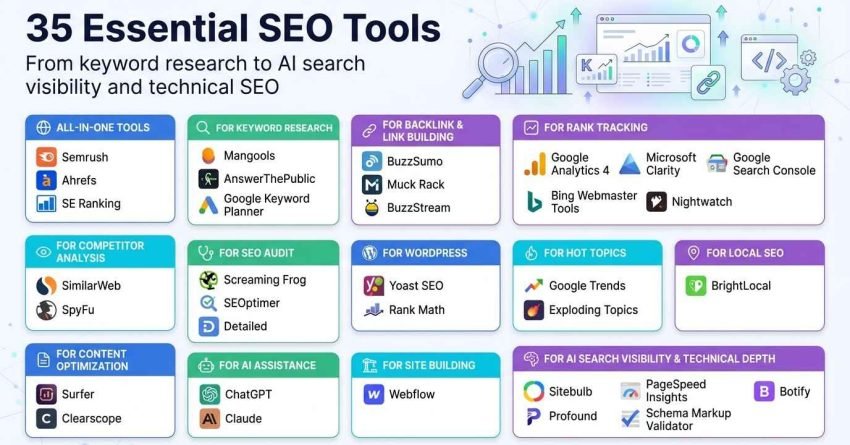
I cover what SEO tools do and how I judge them, then walk through the full 35, grouped into fourteen categories that span all-in-one platforms, keyword research, backlinks and outreach, competitor intelligence, content optimisation, rank tracking, audits, WordPress plugins, trend spotting, local SEO, AI assistance, automation, site building, and AI search visibility. After the tools, I show how all 35 compare side by side, what a realistic monthly stack costs at three budget levels, the order to build that stack in, and the spending mistakes that quietly drain budget.
Let us get into it.
What are SEO Tools?
An SEO tool is software that measures, diagnoses, or improves how a website performs in search. Some tools report on what is already happening. Others tell you what to change next.
That distinction matters more than the brand name on the login screen. A reporting tool shows you the score. A diagnostic tool shows you why the score looks like that.
Across every platform in this guide, the work splits into six jobs. Understanding those six makes the whole market far easier to navigate.
Demand discovery. Finding what people search for, how often, and with what intent. This is keyword research, question mining, and trend spotting.
Competitive intelligence. Working out who ranks, for what, with which pages and which links. This is where most strategy actually gets built.
Content guidance. Deciding what a page needs to cover, how deep to go, and which entities and subtopics belong on it.
Technical diagnosis. Crawling a site the way a search engine does, then surfacing the crawl, index, render, speed, and structured data problems holding it back.
Performance measurement. Tracking rankings, clicks, impressions, conversions, and revenue so you can prove whether any of it worked.
Execution and scale. Outreach management, publishing automation, reporting, and workflow tooling that turns a plan into shipped work.
Almost no tool does all six well. The all-in-one platforms cover four or five at good depth. The specialists cover one at exceptional depth. A working stack usually pairs one broad platform with two or three specialists, which is exactly what the comparison and stack sections later in this guide are built to help you assemble.
How Do I Consider the Best SEO Tools?
I judge a tool on four things: whether the data holds up against a source I trust, whether the interface lets me get an answer in under two minutes, whether it saves more hours than it costs, and whether it still makes sense at ten client accounts instead of one.
Here is how each of those plays out in practice.
I Start With Easy and Free
Before spending anything, I get the free layer running properly, because it is the only place you receive first-party data straight from the search engines themselves.
Four free tools do the heavy lifting. Google Search Console gives you real impressions, clicks, average position, and indexing status for your own pages. Google Analytics 4 tells you what those visitors then did. Bing Webmaster Tools adds a second technical opinion and matters more now that Bing feeds several AI search surfaces. Google Trends shows relative demand over time so you stop guessing at seasonality.
Add Google Keyword Planner for volume ranges and commercial intent signals, and Microsoft Clarity for session replays and heatmaps, and you have six tools, a real diagnostic picture, and a bill of zero.
Most sites under a few hundred pages can find their first two quarters of work inside that free layer alone. Paid tools become necessary when you need competitor data, because no free tool tells you what a rival ranks for or who links to them.
I Choose Based on What Stage I’m In
Tool value is stage-dependent, and buying ahead of your stage is the fastest way to waste money.
At the launch stage, the bottleneck is knowing what to write, so keyword and question tools earn their keep. At the growth stage, the bottleneck is competing against pages that already rank, so content optimisation and competitor research matter most. At the authority stage, the bottleneck is links and technical scale, so outreach platforms and serious crawlers move to the front.
At the reporting stage, which is where every agency account eventually lands, the bottleneck is proof, so rank tracking, analytics, and white-label reporting become the priority. Buying a $400 enterprise crawler for a 40-page site solves a problem you do not have yet.
I Need Competitive Insight
Three competitive questions justify paid tooling on their own, because no free tool answers any of them.
Which keywords does a competitor rank for that I do not, and which of those actually send traffic rather than just existing in an index? Where do their links come from, and which of those sources realistically link to me too? Which of their pages carry the most organic traffic, so I can see what the market rewards instead of guessing.
Semrush and Ahrefs answer all three at depth. SimilarWeb adds the channel mix behind the traffic, and SpyFu adds years of paid search history that reveals what a competitor kept spending on. That last signal is often the clearest read on what actually converts in a niche.
I Look for Tools That Save Time
My test is simple. If a tool does not remove at least three hours of manual work per month, it does not survive renewal.
Reporting is the biggest offender. Rebuilding the same ranking chart across several client accounts every month burns days across a year, which is why white-label reporting inside SE Ranking, Nightwatch, and SEOptimer earns its subscription immediately.
Bulk work is the second. Crawling a few thousand URLs, scraping structured data across a catalogue, or generating hundreds of templated pages are all tasks where the tool finishes in minutes, and a person finishes in weeks. A tool that costs $99 and returns five hours has already paid for itself if your hourly rate is above $20.
It Depends on Your Goal
There is no universally best SEO tool, only the best tool for the job in front of you this quarter.
If the goal is more organic traffic to existing pages, content optimisation and Search Console analysis come first. If the goal is ranking in a new topic area, keyword research and competitor gap analysis come first. If the goal is fixing a traffic drop, a crawler and an analytics deep dive come first.
If the goal is local visibility, a local rank tracker and citation manager come first, and an all-in-one platform is almost secondary. If the goal is proving return on investment to a board or a client, analytics and reporting come first.
So I start with the problem, not the shortlist. Then I pick the narrowest tool that solves it, because narrow tools are cheaper, faster to learn, and easier to cancel.
Right, that is the framework. Now the tools.
The Best SEO Tools by Category
Here is the full set of 35, grouped by the job each one does. Jump to whichever category matches your current bottleneck.
All-in-One Tools: Semrush, Ahrefs, SE Ranking
For Keyword Research: Mangools, AnswerThePublic, Google Keyword Planner
For Backlink & Link Building: BuzzSumo, Muck Rack, BuzzStream
For Competitor Analysis: SimilarWeb, SpyFu
For Content Optimization: Surfer, Clearscope
For Rank Tracking: Google Analytics 4, Microsoft Clarity, Google Search Console, Bing Webmaster Tools, Nightwatch
For SEO Audit: Screaming Frog, SEOptimer, Detailed
For WordPress: Yoast SEO, Rank Math
For Hot Topics: Google Trends, Exploding Topics
For Local SEO: BrightLocal
For AI Assistance: ChatGPT, Claude
For Automation: AirOps
For Site Building: Webflow
For AI Search Visibility & Technical Depth: Sitebulb, Profound, PageSpeed Insights, Schema Markup Validator, Botify
Fourteen categories, 35 tools. Eight of them cost nothing, which is worth noticing before you read the pricing lines.
1. All-in-One Best SEO Tools
An all-in-one platform makes sense when you would otherwise buy four specialists and stitch their exports together in a spreadsheet. One login, one dataset, one bill.
The trade-off is depth. A platform that does keyword research, backlinks, audits, and rank tracking will rarely beat a specialist at any single one of those jobs, and it will cost more than any single specialist.
For most in-house teams and agencies, the maths still favours the platform, because switching costs between tools is a real tax on time. Here are the three worth considering.
1.1 Semrush
Semrush began in 2008 as a keyword tool aimed at paid search advertisers and grew into one of the widest marketing platforms available. Its scope now runs past organic SEO into paid search, content, social, local, and AI search visibility.
That breadth is both the selling point and the reason new users feel lost in the first week.
Category
All-in-one SEO and marketing platform · competitor intelligence · AI search visibility · rank tracking
Who is It for
Agencies running several client accounts that need one dataset covering organic, paid, and local. In-house marketing teams whose remit stretches beyond SEO into ads and content. Enterprise brands that need AI search visibility monitoring alongside traditional rankings. Startups that would rather learn one platform than four.
Ease of Use
Intermediate to advanced
Best Use Cases
Here is how Semrush actually earns its place in my week.
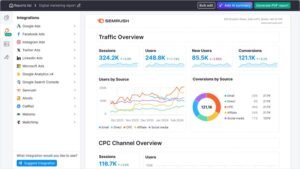
Sizing up a market before committing budget. Domain Overview gives me a competitor’s organic traffic estimate, their keyword count, and the split between top-three positions and page-one stragglers. Five domains later, I know whether a niche is winnable or already locked down by three entrenched sites, and that decision alone saves months.
Closing keyword gaps systematically. Keyword Gap compares up to five domains at once and returns the terms rivals rank for that I do not. I filter that list by intent and difficulty, then push the survivors into Keyword Magic Tool to pull the full related cluster, so one gap becomes a content brief rather than a single post.
Tracking visibility inside AI answers. The AI visibility tooling shows where a brand gets mentioned across large language model interfaces and AI Overviews, along with sentiment and share of voice against competitors. For any brand where a chunk of research now happens inside a chatbot rather than a results page, this is the only category of data that tells you whether you exist there.
Working an audit queue instead of a bug list. Site Audit crawls the site and sorts findings by severity, so I fix the crawl blockers and indexation errors before touching image alt text. Working top-down through that queue produces measurable movement far faster than fixing whatever is easiest.
Cleaning and building a link profile. Backlink Audit flags risky patterns, and Backlink Gap shows domains linking to several competitors but not to me. That second list is my outreach queue, and it is consistently the highest-converting prospect list I build, because those sites already link to sites like mine.
Reporting without rebuilding charts. Position Tracking runs daily across devices, locations, and SERP features, and the results feed straight into scheduled reports. Across the client accounts we handle at White Label SEO Service, that automation is the difference between reporting week and reporting afternoon.
[Image Source: Semrush]
Pros
The competitive research is genuinely deep. I can see a rival’s organic keywords, paid keywords, ad copy, landing pages, and estimated spend inside one interface, which means the SEO plan and the PPC plan get built from the same evidence.
The AI search visibility tooling arrived early and works. Monitoring brand mentions and sentiment across AI assistants gives a read on a channel most tools still ignore entirely.
Custom dashboards let me surface only the metrics a given stakeholder cares about. A founder sees traffic and conversions. A technical lead sees crawl errors and Core Web Vitals. Nobody has to interpret a report built for somebody else.
Local, content, and social modules sit in the same subscription, which suits teams whose remit covers more than organic search.
Cons
The feature count is genuinely overwhelming at the start. There are dozens of reports, many of which overlap, and new users routinely spend a fortnight before they know which five they will actually open again.
It is expensive relative to specialists. For a solo consultant or a small business with one site, the subscription is hard to justify against a $30 keyword tool plus free Search Console data.
The interface has grown dense as the feature set expanded. Common workflows sometimes need more clicks than they should, and finding a specific report often means using the search box rather than the navigation.
Some limits are per-seat rather than per-account, so growing agencies hit ceilings on projects, keywords, and users sooner than the headline price implies.
Pricing
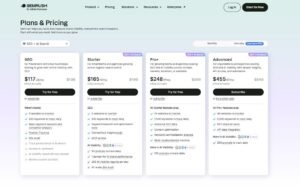
- 7-day free trial
- Starter: $165.17/month
- Pro+: $248.17/month
- Advanced: $455.67/month
Reviews
- G2: 4.5 out of 5 stars (3,026+ reviews)
- Capterra: 4.6 out of 5 stars (2,299+ reviews)
1.2 Ahrefs

Ahrefs launched in 2010 as a backlink index and expanded outward from there. Link data is still where it is strongest, and the crawler behind that index remains one of the most active on the web.
If your strategy is link-led, this is usually the first paid subscription that makes sense.
Category
All-in-one SEO platform · backlink intelligence · keyword research · site audit · rank tracking
Who is It for
SEOs whose primary lever is authority building and link acquisition. Content marketers who want traffic potential rather than raw search volume. Technical SEOs who need a reliable cloud crawler with plain-language explanations. Anyone doing serious competitor link analysis at any experience level.
Ease of Use
Intermediate
Best Use Cases
These are the workflows I return to most.
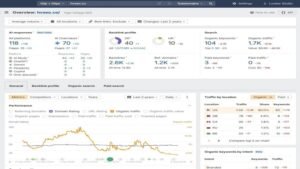
Reverse-engineering a competitor’s authority. Site Explorer returns referring domains, anchor distribution, link growth over time, and the specific pages attracting the most links. That last view is the useful one, because it shows which content formats in a niche actually earn citations rather than which ones simply exist.
Building a replicable prospect list. Link Intersect surfaces domains linking to two or more competitors but not to me. A site that has already linked to three companies in my category has demonstrated it links to companies in my category, which makes it a far warmer prospect than a cold list scraped from search results.
Choosing topics by traffic potential, not volume. Ahrefs estimates the total traffic a top-ranking page receives across all its keywords, not just the head term. A keyword with 400 monthly searches whose top page pulls 6,000 visits is a better target than a 3,000-volume term whose winner pulls 900, and volume-only tools cannot show you that.
Running audits that people will actually act on. Site Audit checks over a hundred technical and on-page issues and explains each in language a developer or a marketing manager can both follow. The health score trend over successive crawls is what I show clients, because it turns invisible technical work into a visible line moving upward.
Finding broken-link and unlinked-mention opportunities. Content Explorer surfaces dead pages in a niche that still attract links, plus brand mentions that never became links. Both are among the highest-conversion outreach angles available, because you are offering a fix rather than asking for a favour.
Watching brand presence in AI search. The brand monitoring tooling tracks mentions and citations across AI search interfaces. This is a fast-moving surface, and having early tracking beats reconstructing history later.
Pros
The backlink index is the industry reference point. When two tools disagree on a link profile, this is the one I check to settle it, and the freshness of the crawl means new links appear in days rather than weeks.
Traffic Potential is a genuinely better metric than search volume for content planning. It stops teams from building pages around head terms that convert nothing.
Site Audit explains problems rather than just listing them. Redirect chains, orphan pages, and canonical conflicts get described in plain terms with a suggested fix, which matters when a non-technical marketer owns the ticket.
Content Gap and Link Intersect turn competitor success into a task list. Both take under five minutes to run, and both produce work you can start the same day.
Cons
The price is the main objection I hear, and it is fair. Entry tiers still represent a serious monthly commitment for a freelancer or a single-site business.
The platform is deliberately SEO-only. There is no paid search suite, no social module, and no email tooling, so teams wanting one platform for all of marketing will find it narrow.
Data density overwhelms newcomers. Every report offers a dozen filters, and without a defined workflow, it is easy to browse for an hour and finish with no decision made.
Credit-style limits on some reports mean heavy research days can hit ceilings on lower tiers, which interrupts work at exactly the wrong moment.
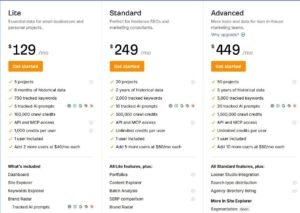
Pricing
- Lite: $129/month
- Standard: $249/month
- Advanced: $449/month
- Enterprise: $1,499/month
Reviews
- G2: 4.5 out of 5 stars (606+ reviews)
- Capterra: 4.7 out of 5 stars (577+ reviews)
1.3 SE Ranking

SE Ranking launched in 2013 with a deliberately different pitch: platform-level coverage at a price a small agency can absorb. Rank tracking, audits, competitor research, local SEO, and white-label reporting all sit in one subscription.
It is the tool I recommend most often to agencies who need to service many accounts without an enterprise budget.
Category
All-in-one SEO toolkit · local SEO and map visibility · rank tracking · white-label agency reporting
Who is It for
Small and mid-sized agencies managing multiple client projects on a controlled budget. In-house teams that need dependable rank tracking and audits without platform-level pricing. Local and multi-location businesses where map visibility drives revenue. Freelancers who need client-ready reporting from day one.
Ease of Use
Beginner to intermediate
Best Use Cases
Here is where it does the most work for me.
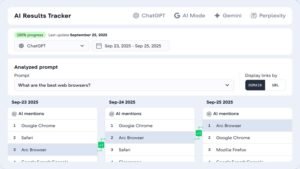
Tracking rankings at neighbourhood resolution. I can pin an exact location or lay a grid across a service area and watch how a keyword performs across it. When a client insists they rank well in the city but generate no calls from one suburb, grid data either confirms the gap or proves the problem sits elsewhere, and that ends the argument with evidence.
Managing local presence end to end. The local tooling audits directory listings, flags name, address, and phone inconsistencies, and monitors Google Business Profile activity including calls, direction requests, and search appearances. Across the GMB optimization and local citation work we run at White Label SEO Service, having audit, tracking, and profile metrics in one place removes most of the spreadsheet overhead.
Handling reviews without reading every one. Reviews pull in from major platforms with sentiment grouping, so I can see whether complaints cluster around wait times, pricing, or staff. That is a business insight, not just an SEO one, and it usually changes what the client does next.
Producing branded reports on a schedule. Reports generate as white-label PDFs in multiple languages, with client dashboard access and an embeddable audit widget for the agency’s own site. The widget doubles as a lead capture tool, which is a rare case of a reporting feature paying for itself.
Covering day-to-day SEO maintenance. Daily rank tracking runs across Google, Bing, and Yahoo on both desktop and mobile, alongside competitor keyword research, ad history, and basic backlink monitoring. For most accounts, that is the full weekly workload in one place.
[Image Source: SERanking]
Pros
It is built around multi-project reality. Adding projects, assigning seats, and issuing client logins is fast, and the interface is clean enough that a client can look at their own dashboard without a training call.
The local feature set is genuinely strong for the price. Grid tracking, citation auditing, profile metrics, and review sentiment together match tools that specialise in local alone.
Core functionality is dependable. Rank tracking accuracy holds up against more expensive platforms, audits cover the technical issues that matter, and competitor research gives a solid read on keywords, traffic, and ads.
Pricing scales in a way small agencies can plan around, which is the main reason it survives renewal discussions.
Cons
Single-site users get poor value. Much of what justifies the price is multi-project management, so a solo blogger pays for capability they will never touch.
The backlink index is adequate rather than exceptional. It works for monitoring and light prospecting, but a link-led strategy needs a dedicated link tool alongside it.
Data refresh on lower tiers can lag. Rank updates sometimes arrive later than expected, which is manageable for monthly reporting and frustrating if you are chasing a same-day change.
Some advanced research reports feel shallower than platform equivalents, so heavy competitive analysis eventually pushes you toward a second subscription.

Pricing
- Free trial available
- Essential: $52.00/month
- Pro: $95.20/month
- Business: $207.20/month
Reviews
- G2: 4.7 out of 5 stars (2,330+ reviews)
- Capterra: 4.7 out of 5 stars (296+ reviews)
2. Best SEO Tools for Keyword Research
Search volume is the most heavily weighted number in SEO. A 5,000-volume term you cannot rank for is worth nothing, and a 90-volume term that matches a buying decision can be worth more than a thousand informational visits.
So the tools that matter here are the ones that surface intent, difficulty, and question-level demand rather than volume alone.
Ahrefs and Semrush both handle keyword research well, and if you already pay for either, you may not need anything below. These three earn their place by doing something the platforms do not: costing far less, mapping questions visually, or reporting volume straight from Google.
2.1 Mangools

Mangools arrived in 2014 with a clear target: give small teams real keyword tooling without the enterprise interface or the enterprise invoice. The suite covers keyword research, results-page analysis, rank tracking, link checking, and domain overviews.
It is the tool I hand to people who found the big platforms intimidating and gave up.
Category
Budget SEO toolkit · keyword research · SERP analysis · rank tracking
Who is It for
New sites and side projects working within a tight budget. SEO professionals early in their learning curve who need clear metrics rather than a hundred filters. Bloggers, freelancers, and small businesses managing one or a handful of sites. Anyone who wants a second keyword opinion alongside a bigger platform.
Ease of Use
Beginner to intermediate
Best Use Cases
Here is where it fits my workflow.
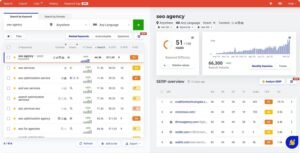
Finding winnable terms for a new domain. KWFinder surfaces long-tail keywords with realistic volume and a difficulty score, and I filter hard for the low end. A new site with no authority needs terms it can actually win in its first six months, and this is the fastest way to build that list.
Reading a results page quickly. SERPChecker shows the current top results with over 45 metrics per position plus estimated click share and the impact of SERP features. Two minutes there tells me whether a page is defended by three national brands or by two thin affiliate posts, which decides whether the keyword goes on the plan at all.
Tracking a small keyword set without setup overhead. SERPWatcher monitors positions across devices and locations, sends movement alerts, and produces shareable interactive reports. For a client with 40 keywords rather than 4,000, it is proportionate.
Sanity-checking competitor links. LinkMiner pulls link data with filters for strength and anchor text plus page previews. It is not a replacement for a full link index, but it answers whether a competitor’s authority comes from twenty real editorial links or six hundred directory entries.
Qualifying prospects at speed. SiteProfiler and the browser extension give authority, traffic estimates, and top content for any domain in one click. When I am working through an outreach list of a hundred sites, that speed compounds fast.
[Image Source: Mangools]
Pros
The value ratio is the headline. You get five connected tools for less than a single-seat platform tier, and for small projects the data depth is entirely sufficient.
The interface is genuinely beginner-friendly. Metrics come with explanations, and the design does not bury the useful numbers behind three menus.
Third-party trust metrics inside SERPChecker add a useful second opinion on how defensible a results page really is.
The five tools connect cleanly, so keyword to results page to tracking to link check is a smooth path rather than five exports.
Cons
Processing new projects can be slow. Adding a site and waiting for initial ranking data tests your patience if you are used to instant dashboards.
Data depth trails the large platforms. Keyword indexes and link databases are smaller, which shows up on niche or non-English research.
Lower tiers cap daily lookups, which bites on heavy research days when you want to run sixty queries in one sitting.
Reporting is basic. It works for a client update but not for a formal monthly deliverable.

Pricing
- Free
- Basic: $27.24/month
- Premium: $36.99/month
- Agency: $66.24/month
- 48-hour money-back guarantee
Reviews
- G2: 4.7 out of 5 stars (95+ reviews)
- Capterra: 4.8 out of 5 stars (91+ reviews)
2.2 AnswerThePublic

AnswerThePublic came out in 2014 and does one thing: it converts a seed term into the questions and phrases people actually type around it, then arranges them visually. The output is a map of curiosity rather than a keyword list.
For anyone stuck on what to write next, it removes the blank page problem in about thirty seconds.
Category
Question and topic research · long-tail discovery · content ideation
Who is It for
Content teams that need to fill a calendar with topics people genuinely ask about. Bloggers and creators looking for angles the obvious keywords miss. SEOs building topic clusters and FAQ sections around real intent. Anyone researching on a small budget who needs ideas rather than metrics.
Ease of Use
Beginner
Best Use Cases
These are the jobs it does best.
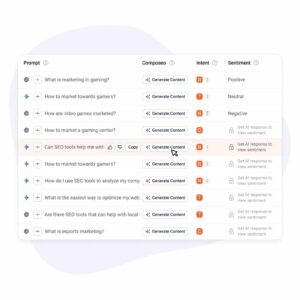
Turning one broad term into a content map. A seed like “technical SEO” returns hundreds of real phrasings, from definitional questions to comparison queries to troubleshooting problems. That range shows me which parts of a topic are already saturated and which ones nobody has answered properly.
Structuring clusters around question type. Because output groups by how, why, what, where, and comparison, the cluster structure builds itself. The how questions become tutorials, the why questions become explainers, and the comparison questions become decision pages.
Feeding a calendar and then prioritising it. I export the full list, then run the promising ones through a tool with volume and difficulty data. Ideas here, numbers there, and the combination produces a defensible plan rather than a hunch.
Spotting how demand differs by market. Country and language filters reveal that the same topic attracts different questions in different markets. For the worldwide accounts we handle, that difference decides whether one page serves all markets or each market needs its own.
Writing better prompts for AI drafting. When I use an AI assistant to draft, I feed it the real question list first and instruct it to answer each directly. The output tracks actual search demand instead of the model’s assumption about it, and that single step lifts draft quality noticeably.
Pros
The visual output is genuinely useful rather than decorative. Seeing the whole question landscape at once reveals gaps that a ranked list hides.
It is one of the cheapest useful tools in SEO, which makes it easy to justify for a small team or a single blog.
Coverage extends past Google. Question data from other search surfaces, including video and marketplace platforms, helps when your content strategy is not blog-only.
Export is clean, so the output slots straight into whatever prioritisation process you already run.
Cons
The scope is deliberately narrow. There is no technical auditing, no link data, and no rank tracking, so it will always be one tool in a stack rather than the stack.
Free-tier metrics are thin. Volume and cost-per-click data are limited or hidden, so decisions need a second tool alongside it.
There is no competitive layer at all. It tells you what people ask, never who is already answering it or how well.
Output can repeat across related seeds, so working through a large list involves some manual de-duplication.
Pricing
- 7-day free trial ·
- Individual: $5/month
- Pro: $49/month
- Expert: $99/month
- Cancel anytime
Reviews
- G2: 4.5 out of 5 stars (37+ reviews)
- Capterra: 4.6 out of 5 stars (10+ reviews)
2.3 Google Keyword Planner
Keyword Planner sits inside Google Ads and exists to help advertisers plan campaigns. That origin is exactly why SEOs use it, because the volume and cost data come from the system where real money changes hands.
It is free, and when third-party tools disagree about a number, this is my tiebreaker.
Category
Keyword discovery · search volume and cost-per-click data · demand forecasting
Who is It for
Anyone who needs volume and commercial-value data without a subscription. Beginners building a first keyword list. SEOs validating numbers from paid tools. Teams running both organic and paid search who want one source for both plans.
Ease of Use
Intermediate
Best Use Cases
Here is how I actually use it.
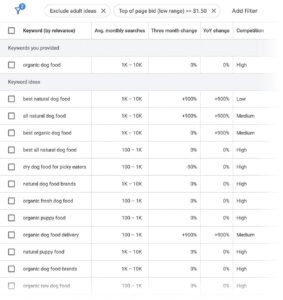
Generating a first list from a seed or a URL. Entering a few phrases returns hundreds of related terms with volume ranges and competition indicators. Entering a competitor’s URL instead returns the terms Google associates with that site, which often surfaces angles I had not considered.
Reading commercial intent from bid data. A high suggested bid means advertisers are paying repeatedly for that click, which is the clearest available signal that the traffic converts. I use it to sort informational curiosity from genuine buying intent, and it reorders my priorities more often than any difficulty score does.
Timing content around seasonality. The twelve-month trend view shows whether demand is flat, climbing, or seasonal. For anything with a seasonal peak, publishing several weeks ahead of the rise beats publishing into the middle of it.
Researching specific markets and languages. Location and language targeting narrows data to a country, region, or city. For the local SEO and national SEO work we run, that beats relying on a global average that reflects nobody’s actual market.
Aligning organic and paid plans. Because the same data drives both, the SEO keyword list and the PPC keyword list can be built from one source. Across the PPC Services side of our work, that shared foundation stops the two channels from bidding and writing against each other.
Pros
The data comes from Google’s own advertising system, which makes it the closest thing to an authoritative volume source available to anyone.
It costs nothing. No trial period, no credit limits, no seat pricing, which matters enormously when you are starting out.
Cost-per-click and competition data give you a commercial dimension that pure SEO tools often lack, so you can prioritise revenue rather than sessions.
Location and language targeting is granular and reliable, which makes it genuinely useful for international and local research.
Cons
Access requires a Google Ads account, and the path to Keyword Planner without creating a live campaign is not obvious. Plenty of beginners give up at that step.
It is not an SEO tool. There is no keyword difficulty score, no results-page preview, no backlink data, and no rank tracking, so it never works alone.
Volumes appear as broad ranges rather than exact figures for accounts without meaningful ad spend, so a term might read as 1K–10K, which is too wide for confident prioritisation.
Closely related terms get grouped together, which can hide the difference between two phrasings that need separate pages.
Pricing
Free
Reviews
N/A
3. Best SEO Tools for Backlink & Link Building
Link building splits into two jobs that people constantly conflate. Prospecting is finding sites worth approaching. Execution is running the outreach, following up, and tracking what landed.
Ahrefs and Semrush handle prospecting well. They handle execution poorly, because neither is built as an outreach system. The three tools below exist for the execution half, which is where most campaigns actually fail.
Across the link building services we run at White Label SEO Service, the split is roughly one prospecting tool to one outreach system, and skipping the second one is how campaigns quietly stall at forty unanswered emails.
3.1 BuzzSumo

BuzzSumo launched in 2014 to answer a question link tools cannot: what content in this niche actually earns attention. It indexes engagement and link data across a vast content set, then adds monitoring and journalist discovery.
It is a content intelligence tool that happens to be excellent for link prospecting.
Category
Content discovery and engagement analysis · digital PR · brand monitoring · journalist database
Who is It for
Content marketers building assets designed to attract links. Agencies scaling digital PR across multiple clients. Brands that need to measure earned media rather than just count it. Anyone replacing manual journalist research with a searchable database.
Ease of Use
Intermediate
Best Use Cases
These are the workflows that justify the subscription.
Working out which content format earns links in a niche. Searching a topic and sorting by backlinks rather than shares shows me which pieces publishers cite. Original data studies and definitive resource pages dominate that list far more often than opinion posts, which tells me what to commission.
Auditing a competitor’s content performance. Entering a rival’s domain returns their most engaged and most linked pieces. Reading the format, angle, and depth of those winners gives a clearer brief than any keyword tool, because it shows what the audience rewarded rather than what the algorithm indexed.
Finding the right journalist rather than any journalist. The journalist database filters by beat, outlet, and recent coverage, so pitches go to people who already write about the subject. For the press release services we run, that filtering is the entire difference between placement rates that work and a spreadsheet of silence.
Building prospect lists from proven interest. Anyone who linked to or shared a strong piece in my niche has demonstrated interest in that exact subject. That list converts far better than a cold list, because relevance is already established before the first email.
Monitoring mentions and catching unlinked ones. Alerts cover web, social, and podcast mentions with sentiment. Unlinked brand mentions are the easiest links in existence, because the publisher already decided you were worth naming.
[Image Source: BuzzSumo]
Pros
The content index is enormous, and being able to see what earned links across a whole niche is a planning advantage no keyword tool provides.
Monitoring is broad and deep, covering surfaces most SEO tools ignore, and the unlinked-mention alerts alone generate steady link opportunities.
Journalist and influencer discovery removes hours of manual research per campaign, and the recency data means you are pitching people still active on the beat.
Sentiment tracking makes it useful for reputation work as well as link acquisition, which helps justify the cost across more than one department.
Cons
Billing is annual at the serious tiers, so committing means committing for a year. That is a hard sell for anyone who needs it in bursts around campaigns.
Search, alert, and project limits exist on every plan, and large agencies monitoring dozens of brands will hit them.
Social share counts are directional rather than exact, because platform data access has narrowed over time. Treating those numbers as precise is a mistake.
There is no technical SEO capability at all. No crawler, no rank tracking, no keyword difficulty, so it always sits alongside a platform.
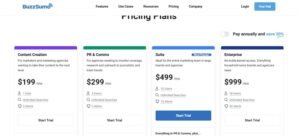
Pricing
- Trial available
- Content Creation: $199/month
- PR & Comms: $299/month
- Suite: $499/month
- Enterprise: $999/month
Reviews
- G2: 4.5 out of 5 stars (105+ reviews)
- Capterra: 4.5 out of 5 stars (146+ reviews)
3.2 Muck Rack
Muck Rack started in 2009 as a way to connect journalists with sources and became a full media relations platform. It maintains a large verified journalist database with beats, recent articles, and contact routes.
It is a public relations tool, and it earns a place in an SEO list because the links it produces are the kind you cannot buy.
Category
Media database and journalist outreach · public relations management · coverage monitoring
Who is It for
Public relations teams and agencies scaling earned media programmes. Brands building experience, expertise, authority, and trust signals through genuine press coverage. Organisations that need to report media impact to leadership rather than just to an SEO manager.
Ease of Use
Intermediate
Best Use Cases
Here is where it does work no SEO tool can.
Landing links from publications with real editorial standards. Filtering by beat and recent coverage identifies the specific journalists covering my client’s subject right now. A pitch built on their last three articles gets read, and the resulting coverage carries authority that no link-building tactic replicates.
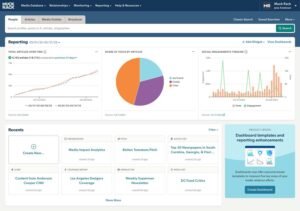
Tracking coverage across every format. Monitoring spans print, online, broadcast, podcasts, and social, with sentiment and visibility scoring. That turns a scattered set of mentions into a reportable picture of brand presence.
Building media lists that serve SEO as well as PR. I filter for outlets covering my client’s topics, then check those domains for authority and traffic in an SEO tool. The overlap becomes a target list that satisfies both the communications goal and the link goal, which is a rare alignment.
Establishing an expert as a recurring voice. Finding editors open to contributed articles and columns creates a repeatable placement channel. Over months, that produces a steady stream of natural links and citations without constant cold outreach, and it compounds in a way one-off campaigns never do.
Pros
The journalist database is substantial and well-maintained, with current beats and recent article history that make personalisation practical at scale.
The workflow is integrated end to end. List building, pitching, monitoring, and reporting live together, so you can connect an outreach effort to the coverage and links that followed it.
Coverage monitoring with sentiment gives a fuller picture of brand visibility than backlink counts alone, which matters when you report to communications leadership rather than a marketing manager.
Reporting is built for executive audiences, which helps secure ongoing budget for earned media work.
Cons
Pricing is custom and quoted privately, and real-world costs sit far above typical SEO tool budgets. It is realistically out of reach for solo consultants and small agencies.
It contains no SEO functionality. No rank tracking, no keyword research, no technical auditing, so it is strictly additive to an existing stack.
Contact records drift over time as journalists move outlets or change beats. It is more accurate than most databases and still needs verification before a campaign launches.
The learning curve assumes PR workflow familiarity, so an SEO-only team will need time to use it well.
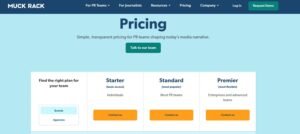
Pricing
Starter/Standard/Premier: Contact for pricing
Reviews
- G2: 4.6/5 (305+ reviews)
- Capterra: 4.3/5 (24+ reviews)
3.3 BuzzStream

BuzzStream launched in 2008 as a customer relationship system built specifically for link builders, and it still fills that niche better than a general sales tool does. Prospecting, contact discovery, sending, following up, and placement tracking all live in one system.
If your outreach currently lives in a spreadsheet and an inbox, this is the upgrade.
Category
Outreach management and link-building CRM · prospect research · campaign tracking
Who is It for
Teams running outreach at volume who need history, ownership, and follow-up tracking. Agencies managing link campaigns across several clients simultaneously. SEO professionals who need to prove which templates and which prospects actually produced links.
Ease of Use
Intermediate
Best Use Cases
These are the jobs it removes from my week.
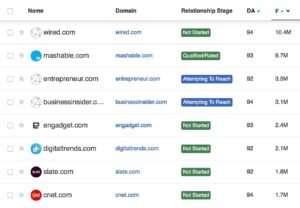
Building prospect lists without manual copying. The browser extension pulls prospects straight from search results, capturing contact details, social profiles, authority, and traffic metrics as it goes. What used to be an afternoon of tab-switching becomes a twenty-minute pass.
Sending at volume while keeping personalisation real. Templates with merge fields and automated follow-up sequences handle the mechanics, and I still edit the opening line for high-value targets. The result reads as if a human wrote it, because for the prospects that matter, a human did.
Keeping relationship history in one place. Every contact, thread, note, and tag sits against the site record. When a publisher who declined eight months ago becomes relevant again, I can see exactly what was said and by whom, which changes how the second approach lands.
Proving which outreach actually worked. It scans for new placements tied to campaigns and reports reply rates and link outcomes by template and by team member. That data ends template arguments, because one subject line demonstrably outperforms another.
Segmenting campaigns by type and niche. Guest posting, expert quotes, resource inclusion, and podcast pitching all need different messaging. Keeping them in separate campaigns stops the wrong pitch from reaching the wrong contact, which is the most common cause of a burnt relationship.
[Image Source: BuzzStream]
Pros
It automates the administrative half of outreach, which is the half that quietly consumes campaign time. Contact discovery, logging, and follow-up sequencing all run without manual effort.
The relationship history view is the feature that changes behaviour. Seeing a site’s full interaction record turns one-off outreach into a managed relationship pipeline.
Performance reporting by template, campaign, and team member makes outreach improvable rather than mysterious. You can test and know the answer.
Pricing starts genuinely low, so a small team can adopt it before they are running campaigns at scale.
Cons
There is real setup work before it pays off. Templates, sequences, and tagging conventions need defining, and teams sending a handful of emails a month will not recover that investment.
Its scope is outreach only. Keyword research, rank tracking, and technical auditing all live elsewhere.
Contact discovery accuracy varies by niche and site type, so some prospects still need manual research to reach the right person.
Solo bloggers doing occasional outreach will find even the entry plan heavier than they need against a simple spreadsheet.

Pricing
- Starter: $24/month
- Growth: $124/month
- Professional: $299/month
- Custom: $999/month
Reviews
- G2: 4.2 out of 5 stars (165+ reviews)
- Capterra: 4.5 out of 5 stars (22+ reviews)
4. Best SEO Tools for Competitor Analysis
Competitor data arrives in three layers, and confusing them leads to bad strategy. Keyword-level data tells you what they rank for. Page-level data tells you which content carries their traffic. Channel-level data tells you whether search is even their main growth engine.
That third layer is the one most SEOs skip, and it is often the most revealing. A competitor pulling most of their traffic from paid ads or affiliates is beatable in organic search far more easily than their apparent size suggests.
The two tools below cover the channel and historical-advertising layers that keyword tools miss.
4.1 SimilarWeb

SimilarWeb began in 2007 and built its business on estimating traffic and channel mix for any website. It models where a site’s visitors come from, what they do, and how that compares to competitors.
It answers a strategic question rather than a tactical one, which is why it sits in the analysis category rather than the keyword one.
Category
Digital market intelligence · traffic and channel estimation · competitive benchmarking
Who is It for
Marketers and business owners assessing a competitive landscape before committing budget. Mid-market and enterprise teams needing channel-level competitive data. Anyone evaluating an acquisition, a partnership, or a new market entry.
Ease of Use
Intermediate
Best Use Cases
Here is where it changes my strategy rather than just informing it.
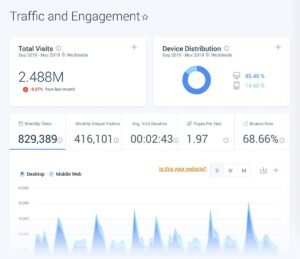
Diagnosing how a competitor actually grows. The channel breakdown splits traffic across organic, paid, direct, referral, social, and email. A rival whose traffic is 70% paid is not an SEO problem; they are a budget problem, and that distinction completely reframes what beating them requires.
Separating vanity keywords from earning ones. Seeing which terms drive real traffic across both organic and paid tells me where a competitor invests consistently. Sustained paid spend on a term is a strong signal that the term converts.
Benchmarking engagement, not just volume. Total visits, bounce rate, pages per visit, and duration compared against a peer set answers the question every client asks, which is whether they are ahead or behind. The numbers are estimates, and the relative picture is still decision-useful.
Finding markets and partners you had not considered. Audience and geography data show where a competitor is expanding and which other sites their visitors use. That second signal has produced more partnership and referral ideas for me than any dedicated tool.
[Image Source: Backlinko]
Pros
It gives a whole-business view of traffic rather than an SEO-only slice, which makes it far better for strategic planning than a keyword tool.
The interface presents complex data clearly, and the charts translate well for non-technical stakeholders who need to understand channel mix without a tutorial.
It exposes over-reliance. Spotting that a competitor depends heavily on one channel identifies both their fragility and your opportunity.
Geographic and audience segmentation is genuinely useful for international planning, which matters for worldwide accounts.
Cons
The price positions it firmly as a business tool. Detailed data sits on higher tiers, which puts it beyond most small teams and solo practitioners.
All figures are modelled from panel and partner data, not measured. They are reliable for trends and relative comparison and should never be quoted as exact traffic.
Accuracy degrades on smaller sites. Low-traffic domains produce thin or misleading estimates, so it works best on established competitors.
The most granular breakdowns require the more expensive subscriptions, so lower tiers deliver a partial picture.
Pricing
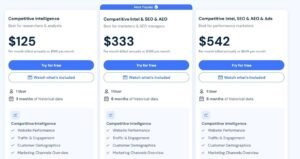
- Competitive Intelligence: $125/month
- Competitive Intel & SEO: $335/month
- Competitive Intel, SEO & Ads: $540/month
Reviews
- G2: 4.5 out of 5 stars (1,363+ reviews)
- Capterra: 4.6 out of 5 stars (246+ reviews)
4.2 SpyFu

SpyFu started in 2005 as a way to see competitors’ Google Ads activity and has been accumulating that history ever since. Its defining asset is longitudinal data, meaning years of keyword and ad records rather than a current snapshot.
That history answers a question no current-state tool can, which is what a competitor kept doing rather than what they tried once.
Category
Competitor keyword and advertising intelligence · historical SEO and PPC data
Who is It for
SEOs and paid search managers looking for gaps against specific rivals. Small agencies and solo marketers needing competitive depth on a modest budget. Anyone planning a paid campaign who wants to see what rivals have already tested.
Ease of Use
Intermediate
Best Use Cases
These are the cases where it beats more expensive tools.
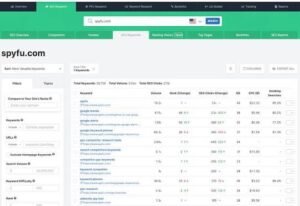
Reading a competitor’s advertising history. Entering a domain returns years of keyword bids, ad copy variations, and spend estimates. Terms a competitor has paid for continuously across several years are terms that convert, and that inference is worth more than any difficulty score.
Finding organic gaps ranked by opportunity. It lists keywords rivals rank for that I do not, sorted by volume, difficulty, and overlap. Filtering for decent volume with low difficulty produces a shortlist I can act on the same week.
Checking a link profile without a separate subscription. Backlink data with anchors and referring domains is included, and cross-referencing several competitors surfaces sites linking to multiple rivals. Those are the warmest prospects on any outreach list.
Building a paid campaign on evidence. Full ad histories, including seasonal variations and testing patterns,s show which messages a competitor kept and which they dropped. For the PPC Services and Facebook ads services side of our work, starting from a rival’s proven copy shortens the testing cycle considerably.
Comparing two domains quickly. Head-to-head views on rankings, traffic estimates, and top pages produce a clear gap picture in minutes. When a client asks why they are losing share, this is the fastest way to show them exactly where.
[Image Source: SpyFu]
Pros
The historical depth is unique at this price. Years of ad copy and keyword records reveal competitor strategy over time rather than in a single snapshot.
Searches are unlimited on every plan, which matters enormously for agency work. Researching two hundred domains in a day costs nothing extra and triggers no throttling.
It produces useful output fast. One domain entry returns top ads, organic keywords, and links, which makes it genuinely usable live in a client meeting.
Pricing sits far below the major platforms, so it works as an affordable second opinion alongside whatever else you run.
Cons
Figures are estimates, and spend numbers on smaller competitors can be significantly off. It is reliable for direction and unreliable for budgeting.
Coverage is strongest in English-language markets. European and Asian data thins out noticeably, which is a real limitation for worldwide work.
There is no live rank tracking and no site crawler, so daily monitoring and technical auditing need other tools.
The interface feels dated, and working through long keyword tables on a small screen is unpleasant.
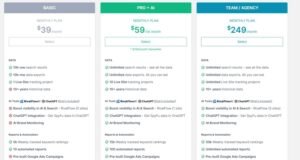
Pricing
- Basic: $39/month
- Pro+AI: $59 first month, then $119/month
- Team/Agency: $249/month
Reviews
- G2: 4.6 out of 5 stars (516+ reviews)
- Capterra: 4.5 out of 5 stars (144+ reviews)
5. Best SEO Tools for Content Optimization
There is a difference between writing tools and optimisation tools, and it matters. A writing tool helps you produce words. An optimisation tool tells you whether those words cover what a topic requires to compete.
The tools below analyse pages currently ranking for a term, extract the entities, subtopics, and questions those pages share, and score a draft against that benchmark. Used well, they raise the floor on content quality across a whole team.
Used badly, they produce keyword-stuffed pages chasing a score. Across the content writing services we run, the rule is that the score guides the brief and never overrides the editor.
5.1 Surfer

Surfer launched in 2017 out of agency work and grew into a content platform combining briefs, real-time optimisation guidance, topic clustering, and AI drafting. It integrates with the places writers already work rather than forcing a new editor on them.
It is the tool I reach for when a team needs consistent output rather than one perfect article.
Category
Content optimisation platform · content briefs · topical clustering · AI-assisted drafting.
Who is It for
Content teams producing volume who need consistent standards across multiple writers. SEOs building topic clusters and content hubs. Agencies delivering editorial work to clients. Anyone updating a large library of existing posts.
Ease of Use
Intermediate
Best Use Cases
Here is where it earns its subscription.
Reviving pages stuck on page two. Content Audit compares an existing post against current top results and flags missing terms, thin sections, and internal link gaps. Updating a page that already has some authority moves faster than publishing a new one, and this is the fastest way to find which pages qualify.
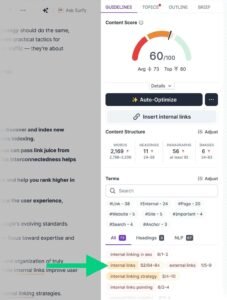
Briefing writers so they do not guess. The content editor produces a target score, suggested length, heading structure, and the terms to cover. A freelancer receiving that brief delivers something usable on the first pass, which cuts editing time more than any style guide does.
Planning hubs instead of scattered posts. Clustering and topical mapping show how related terms group together, which turns a keyword list into a pillar page with defined supporting articles. That structure is what builds topical authority rather than a pile of unconnected posts.
Producing first drafts at volume. Surfer AI generates drafts aligned to the results-page analysis, which I then edit heavily. It handles the structural scaffolding, and a human still supplies the judgement, examples, and accuracy.
Reading what the top results have in common. Results-page analysis shows shared structure, headings, entities, and length across ranking pages. Seeing that every top result answers a specific objection tells me my draft has a hole in it.
[Image Source: Backlinko]
Pros
Real-time guidance while writing converts vague optimisation advice into specific, actionable edits a writer can follow without SEO training.
Clustering and topical mapping make hub planning practical. Instead of researching keywords individually, you get a structure showing what connects to what.
The AI features genuinely reduce production time on briefs and first drafts, which matters most for teams shipping many similar pages.
Integrations with common writing environments mean writers do not have to change where they work, which is the difference between adoption and abandonment.
Cons
It runs on credits. AI generation and some optimisation actions consume allowance, so heavy publishing months cost more than the headline price suggests.
Entry pricing feels steep for solo creators, especially anyone already paying for a full platform.
There is no technical SEO capability. No crawler, no log analysis, no rank tracking, so it complements a stack rather than replacing part of it.
Chasing the score without editorial judgement produces stiff, over-optimised writing, which is a genuine risk with less experienced writers.
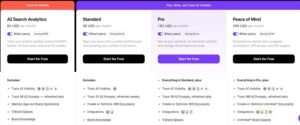
Pricing
- Essential: $79/month
- Scale: $175/month
- Enterprise: from $999/month
Reviews
- G2: 4.8 out of 5 stars (538+ reviews)
- Capterra: 4.9 out of 5 stars (421+ reviews)
5.2 Clearscope

Clearscope arrived in 2016 out of an agency’s own need to deliver ranking content repeatedly. It analyses top-ranking pages for a term, extracts the relevant terms and questions, and grades a draft in real time.
It does less than Surfer by design, and what it does it does with unusual polish.
Category
Content optimisation and relevance grading · content decay detection · editorial workflow
Who is It for
Managing editors and content leads maintaining quality across many writers. In-house teams competing for difficult, high-value keywords. Organisations updating a large existing content library. Teams that want a brief a writer will actually read.
Ease of Use
Intermediate
Best Use Cases
These are the situations where I choose it over alternatives.
Catching pages before they finish declining. The content decay view flags posts losing traffic over time, which turns content maintenance from a guessing exercise into a ranked queue. Fixing a page that is slipping is far cheaper than replacing a page that has already gone.
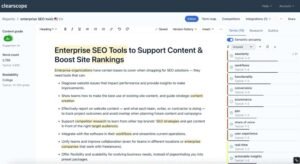
Competing for genuinely hard keywords. Building a draft inside the editor gives a content grade, readability guidance, and a relevance term list drawn from current top results. For a term defended by established brands, that benchmark is what keeps a new page competitive.
Finding better angles and rising variations. Keyword discovery surfaces related phrasings and terms gaining momentum, which sometimes reveals that the term I planned to target is not the one demand is moving toward.
Standardising quality across a writing team. Handing writers a report instead of a vague brief means everyone knows the terms that matter, the depth expected, and the questions to answer. Across dozens of articles, that consistency lifts the average far more than editing each piece harder.
[Image Source: Clearscope]
Pros
The focus is a real advantage. Almost every feature serves one question, which keeps the interface clean and the learning curve short.
Term suggestions read naturally rather than mechanically, so writers can weave them into good sentences instead of stuffing them into bad ones.
The decay view and momentum tagging remove guesswork from content maintenance, which is the part of content strategy most teams neglect entirely.
Reports are presentable enough to send straight to a freelancer or a client without reformatting.
Cons
It is not a full SEO platform. No backlink data, no crawler, no rank tracking, so other tools remain necessary.
Pricing is high for solo creators and small teams, particularly since lower tiers share report limits that make the step up feel abrupt.
Following every suggestion produces robotic writing. The grade is a guide, and treating it as a target degrades the reading experience.
Report allowances constrain heavy publishing schedules, so high-volume teams need the upper tiers.
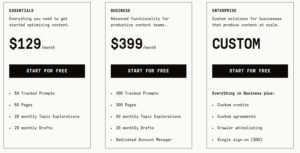
Pricing
- 7-day free trial
- Essentials: $129/month
- Business: $399/month
- Enterprise: Custom
- Cancel anytime without penalty or hassle
Reviews
- G2: 4.9 out of 5 stars (91+ reviews)
- Capterra: 4.9 out of 5 stars (60+ reviews)
6. Best SEO Tools for Rank Tracking
Rank tracking gets dismissed as a vanity metric, and that dismissal is a mistake. Positions are the leading indicator. Traffic and revenue are lagging indicators, and by the time they move, the cause is weeks old.
The five tools here cover the full measurement chain: positions, clicks, behaviour, and revenue. Three of them are free, which is worth noting before you budget for this category.
6.1 Google Analytics 4

Analytics 4 replaced the previous generation of Google Analytics with an event-based model built for cross-device tracking and a more privacy-restricted web. The migration was genuinely painful, and the platform underneath is powerful once configured.
It is where SEO stops being about rankings and starts being about revenue.
Category
Web analytics · first-party behaviour and conversion data · attribution
Who is It for
Every site owner who needs to know what happens after the click. Agencies proving return on investment with numbers a client can verify. Ecommerce and SaaS teams tracking funnels from organic and AI-referred traffic. Anyone reporting SEO performance in revenue terms.
Ease of Use
Advanced
Best Use Cases
Here is how I use it day to day.
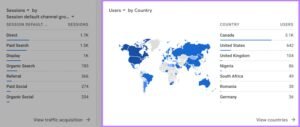
Joining impressions to outcomes. Linking Analytics 4 with Search Console produces the full chain from impression to click to on-site behaviour. Pages with heavy impressions and poor click-through get a title and description rewrite. Pages with good clicks and immediate exits get a content fix, and those are two completely different jobs.
Measuring traffic from AI assistants. Custom filters and channel groups isolate referrals from AI search interfaces so I can see how much traffic they send and how those visitors behave. That segment is growing, and sites without tracking in place will not know when it becomes material.
Proving SEO produced revenue. Configuring leads, signups, and purchases as conversion events, then segmenting by organic traffic, shows which pages actually earn. Across the Google Analytics Services we deliver, that configuration is usually the single highest-value piece of setup work, because it converts SEO from a cost line into a measurable channel.
Combining behaviour with crawl data. Exporting Analytics data alongside crawl output surfaces slow pages, high-exit templates, and URLs earning nothing despite being indexed. Matching technical findings to engagement data reveals which technical problems are costing money and which are cosmetic.
[Image Source: Semrush]
Pros
Because Google operates both Analytics 4 and Search Console, the connection between them is native, and the data reconciles without manual work.
The event model has no cap on custom events, so you can track any interaction that matters to your funnel rather than the handful the old platform allowed.
Predictive metrics forecast purchase and churn likelihood, which helps prioritise which segments and pages deserve attention first.
Free export to a data warehouse gives raw, unsampled data for large datasets. For anyone comfortable with queries, that alone justifies the migration effort.
Cons
The learning curve is steep, and the migration from the previous version is disorienting. Default reports are limited, so most useful analysis means building explorations from scratch.
Sampling applies to large datasets on the free tier, and low-count data gets withheld for privacy reasons, so smaller segments show gaps.
Data retention on the free tier is limited, and AI referral traffic often lands in direct unless you configure custom rules to catch it.
Accurate tracking of custom events and complex funnels realistically requires a tag manager, and serious analysis requires warehouse and query skills. That dependency chain makes it feel unfinished on its own.
Pricing
- Free with limits
- Google Analytics 360: $50,000/year
Reviews
N/A
6.2 Microsoft Clarity
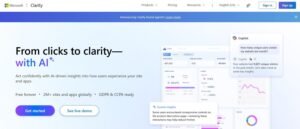
Clarity launched in 2020 as a free behavioural analytics tool and stayed free, with no session caps and no upgrade tier. It records sessions, builds heatmaps, and flags friction signals like rage clicks and dead clicks.
Analytics tells you people left. Clarity shows you why.
Category
Behavioural analytics · session replay · heatmaps · friction detection
Who is It for
Anyone diagnosing why traffic does not convert. Developers and designers needing evidence of usability problems. SEOs investigating high-exit pages. Small businesses and publishers who want behavioural data without a subscription. Agencies running it across many client sites.
Ease of Use
Beginner
Best Use Cases
These are the problems it solves that nothing else does.
Finding out why a good page converts badly. Session replays show where visitors click repeatedly on elements that do nothing and where they abandon a form. Rage-click and dead-click data turns a suspicion about a call to action into a specific fix, and those fixes are usually small.
Seeing how far people actually read. Scroll depth on long articles shows whether the section you consider essential is reached by most visitors or by a fifth of them. That data reorders content structure more effectively than any readability score.
Comparing behaviour across devices. Mobile and desktop visitors behave differently, and replays make gesture problems, sticky-element interference, and tap-target issues obvious rather than theoretical.
Validating a design change with evidence. Filtering recordings by variant and watching how people interact with each version adds qualitative weight to the numbers, which is what usually settles a disagreement about a layout.
Diagnosing funnel drop-off precisely. Segmenting sessions by funnel step reveals the exact field or step where hesitation happens. Fixing a confusing form field often lifts conversion from existing traffic more than a month of new content would.

[Image Source: Microsoft Clarity]
Pros
Unlimited sessions at no cost is genuinely unusual, and it means you can deploy it across every client site without a budget conversation.
Heatmaps are advanced for a free product, with device-specific views and fast loading that make them practical for daily use.
Privacy handling is built in, with masking of personal data and respect for regional privacy rules, which removes a compliance obstacle to session recording.
Integration with Analytics lets you segment replays by conversion events and campaign parameters, turning quantitative findings into observable behaviour.
Cons
Campaign attribution is limited without manual parameter and analytics configuration, so paid and referral segmentation needs setup work.
There is no testing capability. It observes behaviour and does not run experiments, so a separate tool is needed for that.
Sites built on modern JavaScript frameworks sometimes produce replay desynchronisation or missing states, which reduces reliability on a portion of sessions without custom event handling.
Volume of recordings can become its own problem. Without disciplined filtering, you watch a lot of uninformative sessions.
Pricing
Free
Reviews
- G2: 4.5 out of 5 stars (43+ reviews)
- Capterra: 4.8 out of 5 stars (55+ reviews)
6.3 Google Search Console
Search Console is the renamed successor to Google’s older webmaster tooling and remains the only source of first-party Google search data for your own site. Impressions, clicks, average position, indexing status, and Core Web Vitals all come straight from the source.
No paid tool replaces it, and every stack starts here.
Category
Search performance and indexing data · technical diagnostics · first-party Google data
Who is It for
Every website owner without exception. SEO professionals at any level diagnosing indexing and performance problems. Developers monitoring crawl and rendering issues. Anyone who needs to know what Google actually recorded rather than what a third party estimated.
Ease of Use
Beginner to intermediate
Best Use Cases
These are the reports I open most.
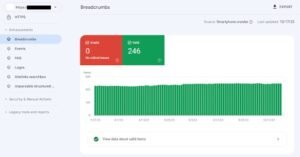
Tracking real performance rather than estimates. The performance report filters by date, page, query, country, and device across clicks, impressions, click-through rate, and average position. That combination shows which pages carry traffic, which queries are rising, and which pages sit just below the fold on page one.
Diagnosing why a page will not rank. Page indexing and URL inspection together reveal whether a page is indexed, what the crawler encountered, and whether a directive, duplicate, or canonical conflict is blocking it. Most mysterious ranking failures resolve in this report.
Reviewing the link profile Google credits. Top linking sites, top linked pages, and anchor text show which links Google associates with the site. Obvious spam patterns can be disavowed, and quality linking relationships can be built further.
Monitoring page experience signals. Core Web Vitals and page experience reports identify slow, unstable, or awkward URLs using real user data rather than a lab simulation. Google’s own documentation confirms these reports draw on the Chrome User Experience Report field dataset, which is why the numbers differ from a single lab test.
Harvesting easy wins from existing visibility. Filtering for deep impressions with low click-through identifies pages already appearing but not being clicked. Rewriting titles and descriptions on that list captures traffic without publishing anything new, and it is the highest-return hour in SEO.
Catching serious problems early. Manual action, security, and spam notifications arrive here first. Responding quickly to those messages prevents a recoverable issue from becoming a collapse.
[Image Source: Moz]
Pros
It is first-party data from Google, which makes it the reference point when third-party tools disagree. Clicks, impressions, and indexing status are recorded rather than modelled.
Indexing diagnostics, page experience reporting, and direct alerts for security and manual actions make it the most important technical monitoring tool available.
It is completely free with no usage limits, so budget never restricts access to the most authoritative data about your own site.
Data exports cleanly and connects to Analytics and reporting tools, so it feeds the rest of the stack.
Cons
Data arrives with a delay of roughly a day or two, so it is unsuitable for real-time incident response during a live outage.
There is no competitor data at all. You see your own site only, so competitive benchmarking requires a paid tool.
Query data is partially withheld for privacy reasons, meaning a share of impressions never attributes to a visible term.
Report naming and filtering conventions confuse beginners, and the interface offers less flexible querying than a dedicated analytics tool.
Pricing
Free
Reviews
- G2: 4.7 out of 5 stars (437+ reviews)
- Capterra: 4.8 out of 5 stars (211+ reviews)
6.4 Bing Webmaster Tools
Microsoft launched this in 2009, and it remains one of the more overlooked free tools available. It reports how Bing crawls, indexes, and ranks a site, and it imports Search Console data in a few clicks, so setup is nearly instant.
Its relevance rose sharply once Bing’s index began feeding AI answer surfaces.
Category
Technical SEO diagnostics · index and crawl monitoring · site submission
Who is It for
Any site owner wanting a second technical opinion at no cost. Small and mid-sized businesses where Bing traffic is meaningful. Anyone working to improve visibility in AI assistants that draw on Bing’s index.
Ease of Use
Beginner to intermediate
Best Use Cases
These are the reasons it stays in my stack.
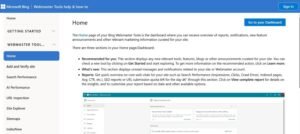
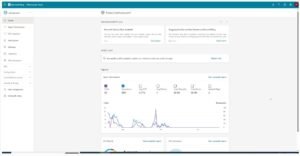
Getting an independent technical read. Its crawl and index reports occasionally surface issues that read more clearly here than elsewhere, and the recommendations tend to be specific rather than general. For a free second opinion, that is a reasonable return on ten minutes.
Ensuring discovery in Bing’s index. Submitting sitemaps and individual URLs helps content get found and indexed. For any site where Bing sends real traffic, that step is not optional.
Supporting visibility in AI answer surfaces. Microsoft’s own documentation describes the IndexNow protocol for instantly notifying participating search engines of content changes. Because several AI assistants draw on Bing’s index, a properly crawled and indexed site there is more likely to be eligible for citation in those answers.
Pros
It is free and takes minutes to set up, particularly with the Search Console import that removes manual configuration.
Some technical recommendations are more directly actionable than equivalents elsewhere, which occasionally surfaces a fix you would otherwise miss.
Because Bing’s index feeds several AI search experiences, improvements to Bing visibility can extend beyond Bing traffic itself.
The IndexNow integration provides a faster content-notification route than sitemap crawling alone.
Cons
Feature depth is limited compared with a full platform. There is no meaningful competitor analysis and no substantial keyword research capability.
Parts of the interface feel dated, and some workflows involve more clicking than they should.
For most sites, Bing’s traffic share is small, so the performance data is thin and less interesting to review regularly.
Some reports overlap heavily with Search Console, which reduces the marginal value of checking both often.
Pricing
Free
Reviews
- G2: 4.3 out of 5-star rating (42+ reviews)
- Capterra: 4.4 out of 5 star rating (26+ reviews)
6.5 Nightwatch

Nightwatch launched in 2017, built around one priority: ranking accuracy at fine geographic resolution. It tracks positions across a large set of locations, adds multi-engine coverage, and layers on auditing, backlink monitoring, and flexible reporting.
When location precision is the requirement, it is the tool I trust.
Category
Rank tracking and reporting · local and multi-location position monitoring · technical auditing
Who is It for
Agencies running local SEO campaigns across many locations. Multi-location businesses and franchises needing position data per area. Enterprises requiring accurate global tracking across countries and devices. Teams that report rankings to clients monthly.
Ease of Use
Intermediate
Best Use Cases
These are the jobs it handles better than general platforms.
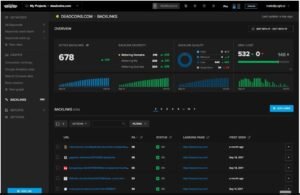
Tracking positions at postcode resolution. It monitors keywords across a very large location set with precise geographic targeting on both mobile and desktop. That precision shows exactly where map pack and organic visibility begins and ends, which is the difference between guessing at a proximity problem and proving one.
Monitoring visibility beyond Google. Tracking across multiple engines,s including video search, shows where a brand appears outside the obvious channel. For clients publishing video alongside articles, that view changes content priorities.
Catching keyword cannibalisation as it starts. Built-in cannibalisation detection identifies multiple URLs competing for one term before rankings suffer. Filtering by tag or intent turns that into a consolidation plan, and it replaces a slow manual comparison of Search Console exports.
Combining rankings with site health. The crawler flags speed problems, duplicate content, structured data errors, and a broad set of technical issues, and backlink monitoring runs alongside. Having positions and problems in one place suits agency workflows where one person owns both.
Automating client deliverables. Drag-and-drop branded reports, scheduled delivery, and API access into external dashboards mean monthly reporting builds once and runs thereafter. Across the client accounts we manage, that removes the highest recurring administrative cost in the month.
[Image Source: G2]
Pros
Ranking accuracy is its strongest attribute. Positions across engines and locations hold up under scrutiny, which matters when a client challenges a number.
Multi-engine coverage, including video, gives a fuller visibility picture than Google-only tracking.
Cannibalisation detection and intent filtering surface problems that usually require manual analysis, saving real time on larger keyword sets.
Reporting flexibility, including external dashboard integration, makes client communication low-maintenance once configured.
Cons
Costs scale with keyword volume, so large sites and enterprise keyword sets get expensive relative to all-in-one platforms.
There is a learning curve. Advanced filtering and setup assume familiarity with rank tracking concepts, which slows down newer users.
Performance can lag on very large projects. Heavy keyword lists across many locations take time to load and sort.
Auditing and backlink features are supporting capabilities rather than replacements for a dedicated crawler or link index.

Pricing
- 14-day trial
- 250 keywords: $32/month
- Cancel subscription anytime
Reviews
- G2: 4.9 out of 5 stars (43+ reviews)
- Capterra: 4.8 out of 5 stars (39+ reviews)
7. Best SEO Tools for SEO Audit
Audit tooling scales with site size, and picking the wrong tier wastes either money or time. A forty-page site needs a browser extension and a free crawl. A five-thousand-page site needs a desktop crawler. A site past a hundred thousand URLs needs log-file analysis, because crawl budget becomes the actual constraint.
Semrush and Ahrefs both include capable cloud audits, and for many sites those are sufficient. The three tools below go deeper, present findings better, or answer questions faster.
Across the technical seo services we deliver, the standard pattern is a desktop crawler for diagnosis, a browser extension for spot checks, and a reporting tool for the client-facing summary.
7.1 Screaming Frog

Screaming Frog launched in 2010 and became the default technical SEO crawler. It runs locally, crawls a site the way a search engine would, and reports on status codes, redirects, metadata, duplication, structured data, and much more.
It gives more control than any cloud crawler, and it asks more of the operator in return.
Category
Desktop site crawler · technical SEO auditing · data extraction
Who is It for
Technical SEOs running deep audits on sites of any size. Consultants and agencies needing full control over crawl configuration. Developers diagnosing crawl, render, and redirect problems. Anyone extracting structured data across many pages at once.
Ease of Use
Advanced
Best Use Cases
Here is where it does work nothing else matches.
Finding the technical issues cloud tools smooth over. A full crawl surfaces broken links, redirect loops, missing metadata, thin pages, and duplication with complete visibility into every URL. On large sites, it regularly exposes internal linking gaps that explain a traffic decline nobody could account for.
Auditing JavaScript-rendered sites properly. Rendering mode crawls single-page applications and confirms whether content and links actually appear after execution. On framework-built sites, that check answers the question of whether the content exists for a crawler at all, which is often the whole problem.
Managing redirects through a migration. Uploading old and new URL lists maps redirect rules, exposes chains, and identifies loops. Orphan page reports find URLs with no internal links, which frequently surfaces forgotten content that still holds links worth reclaiming.
Extracting structured data at scale. Custom extraction pulls specific elements such as prices, product identifiers, authors, or review counts across thousands of pages. On a large catalogue that replaces days of manual collection.
Explaining site structure visually. Crawl depth charts and structure diagrams show how content connects, which clusters are isolated, and which sections sit too deep. Those visuals communicate a linking problem to a non-technical stakeholder faster than any spreadsheet.
[Image Source: Screaming Frog]
Pros
The depth and configurability exceed any cloud crawler. Filters, custom extraction, and crawl controls let you interrogate a site rather than accept a preset report.
Integrations with Analytics and Search Console overlay performance data onto crawl data, so you can tie a technical issue to actual clicks and impressions rather than guessing at impact.
Rendering support means modern JavaScript sites can be audited accurately, which is now a requirement rather than a nice extra.
Pricing is remarkably low for the capability. An annual licence costs less than a single month of several enterprise crawlers.
Cons
The learning curve is genuinely steep. The interface is dense, and interpreting status codes, crawl settings, and filters assumes technical familiarity.
It runs on your machine, so large crawls depend on available memory and processing power. Underpowered hardware slows or fails on big sites.
Heavy crawls with rendering enabled can become unstable, which sometimes forces segmenting a site into smaller crawls.
Being desktop-based, it offers no scheduled remote crawls and no real-time collaboration. Sharing means exporting files.

Pricing
- Free version available
- Paid: $279/year
Reviews
- G2: 4.7 out of 5 stars (184+ reviews)
- Capterra: 4.9 out of 5 stars (132+ reviews)
7.2 SEOptimer

SEOptimer launched in 2012 to make site diagnostics fast and legible. It scans a page or a domain, grades the findings, and produces a report a non-technical reader can follow.
It is less powerful than a full crawler and considerably better at communicating.
Category
SEO auditing and reporting · white-label client reports · embedded audit widget
Who is It for
Agencies needing presentable audit reports without manual formatting. Marketers who want prioritised recommendations rather than raw data. Small businesses running a first site health check. Agencies using audits as a lead generation mechanism.
Ease of Use
Beginner
Best Use Cases
These are the situations where it beats a deeper tool.
Producing a fast, legible page assessment. A scan returns results in under a minute, covering technical setup, content, links, performance, usability, and mobile experience. The grading structure makes the findings explainable to a client who has never heard of a canonical tag.
Delivering branded audit reports. Reports customise with colours, logo, selected sections, and multiple languages. Across the white-label reporting we run at White Label SEO Service, that customisation removes hours of manual document assembly each month.
Capturing leads with an embedded audit tool. Visitors can run an audit on your own site, submit an email, and receive a branded report. Those enquiries arrive already aware of a problem, which shortens the sales conversation considerably.
Scanning a full domain for repeated template errors. The crawler covers many URLs and surfaces issues across the site. On multi-location and franchise sites, that is how you find one template error replicated across two hundred pages.
Handling light keyword and ranking needs. Keyword discovery and daily position tracking are included. They will not replace a dedicated tool on a competitive campaign, and they are adequate for smaller accounts.
[Image Source: SEOptimer]
Pros
It delivers a legible health assessment in seconds, with grading and breakdowns that translate well to clients preferring plain explanation over technical detail.
Recommendations are specific rather than vague. Findings on speed, metadata, usability, and markup come with a stated fix, so there is no interpretation step before action.
Bundled utilities such as sitemap generation and code minification handle small tasks without leaving the platform.
The white-label reporting and embedded audit widget together make it unusually well suited to agency lead generation and client communication.
Cons
Its remediation capability is limited. Basic fixes are covered, and complex technical problems still require specialist tools or developer work.
Supplementary utilities are functional rather than powerful, so it suits quick diagnostics better than deep optimisation workflows.
Keyword research and rank tracking provide surface-level insight only, and competitive campaigns will need something more granular.
Advanced practitioners will find the customisation, crawl logic, and depth constrained compared with a dedicated crawler.
Pricing
- Free trial · DIY SEO: $29/month
- White Label: $39/month
- White Label & Embedding: $59/month
Reviews
- G2: 4.6 out of 5 stars (312+ reviews)
- Capterra: 4.7 out of 5 stars (3+ reviews)
7.3 Detailed

Detailed launched in 2018 as a lightweight browser extension for instant on-page inspection. It surfaces titles, descriptions, canonicals, heading structure, structured data, and international targeting attributes without a scan or a dashboard.
It is the fastest tool in this guide, and speed is the entire point.
Category
Browser extension · on-page SEO inspection · competitor content structure analysis
Who is It for
Anyone checking page elements while editing or reviewing. Content strategists analysing competitor article structure. SEO professionals doing spot checks during audits. Writers who want heading hierarchy visible without leaving the page.
Ease of Use
Beginner
Best Use Cases
These are the moments I reach for it.
Checking page fundamentals instantly. One click shows titles, descriptions, canonicals, and heading structure with no wait. When editing content or reviewing a competitor before writing, that immediacy keeps me in the work instead of switching contexts.
Reading competitor content architecture. Heading hierarchy appears immediately, which reveals how a top-ranking page organises a topic. Missing subtopics and shallow sections become obvious, and that shapes a better outline than a keyword list does.
Verifying structured data and international targeting. Markup and language-targeting attributes display inside the extension, which removes a trip to a separate validator for a first-pass check.
Spot-checking during an audit. Inspecting individual pages for duplicate tags, missing attributes, weak heading structure, or odd link patterns narrows down where the real problem is before committing to a full crawl.
Simulating a different crawler view. Switching user agent shows how a page presents to a search engine crawler, which quickly reveals whether important text or links are hidden behind scripts or blocked resources.
[Image Source: Digidop]
Pros
Speed is the defining advantage. No crawl, no dashboard, no wait, which makes it practical to check dozens of pages in the time a scan would take on one.
The heading structure view is genuinely useful for content planning, revealing organisation patterns among top-ranking pages that a keyword tool cannot show.
Inline structured data and language-attribute checking remove a separate step from technical review.
Deliberate simplicity means there is nothing to learn. Install it, and it is immediately useful.
Cons
Image alt attributes require an export to review, which interrupts an otherwise seamless in-page workflow on image-heavy pages.
By design, it lacks depth. No large reports, no historical comparison, no crawling, so it complements rather than replaces audit tools.
Supplementary features are minimal compared with full-suite extensions, so heavier analysis needs another tool.
It works page by page only, so aggregate site-wide analysis is out of scope entirely.
Pricing
Free
Reviews
N/A
8. Best SEO WordPress Plugins
A WordPress SEO plugin handles the plumbing: title and description control, canonical tags, sitemaps, robots directives, structured data, and breadcrumbs. Getting that plumbing right prevents a category of problems rather than creating rankings.
What a plugin cannot do is make content worth ranking, build authority, or fix a site architecture problem. Treating a green light in an editor as an SEO strategy is the most common mistake in this category.
Both options below cover the plumbing properly. The real decision is about pricing model and complexity tolerance.
8.1 Yoast SEO

Yoast arrived in 2010 and became the default WordPress SEO plugin for a generation of site owners. It handles on-page guidance, readability feedback, and the technical basics without requiring any code.
Its guidance is opinionated, which is a strength for beginners and occasionally a constraint for experienced writers.
Category
WordPress SEO plugin · on-page guidance · technical SEO automation
Who is It for
WordPress site owners who want technical basics handled automatically. Beginners who need clear direction while writing. Content teams needing readability feedback inside the editor. Anyone managing a WordPress site without developer support.
Ease of Use
Beginner
Best Use Cases
Here is where it helps most in practice.
Guiding on-page work while writing. Entering a focus phrase produces immediate SEO and readability signals with a traffic-light indicator. Adjusting titles, descriptions, headings, and phrase placement until signals clear catches the obvious omissions before publishing.
Tightening readability without a separate tool. The readability panel flags long sentences, passive constructions, and heavy paragraphs. Writing quickly under a deadline produces all three, and having them flagged in the editor keeps the final piece cleaner.
Handling technical basics automatically. Sitemaps, canonicals, structured data, breadcrumbs, and robots directives are configured without manual work. That prevents the duplicate-content and indexing problems that most commonly affect self-managed WordPress sites.
Improving click-through with better snippets. The snippet preview shows how a title and description will appear across devices, with length guidance. Writing to that preview rather than guessing consistently improves click-through on pages already ranking.
Maintaining site health on larger sites. Internal link suggestions and automatic redirect management in the paid version catch broken URLs when slugs change, which prevents the slow accumulation of dead internal links.
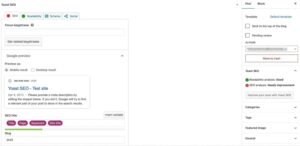
[Image Source: Kinsta]
Pros
Guidance appears where the writing happens, so there is no context switch and no separate checklist to remember.
Technical SEO handling requires no code, which removes a whole category of mistakes for site owners without developer support.
The snippet preview makes search appearance concrete rather than theoretical, which reliably lifts click-through rate on existing rankings.
The traffic-light system and plain explanations make optimisation approachable for people learning SEO, which is why it remains the common recommendation for beginners.
Cons
Some guidance is rigid and pushes toward a formula that does not fit every piece. Following every rule produces stiff, mechanical writing.
As a plugin, it requires regular updating for security and compatibility, and neglected sites can develop conflicts with themes and other plugins.
The scoring system encourages chasing green indicators even when content is already strong, which shifts writing toward the tool rather than the reader.
Several features that competitors include are behind the paid tier, which affects the value comparison.
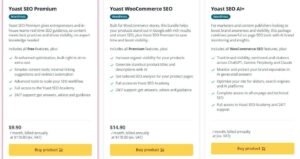
Pricing
- Premium: $118.80/year
- WooCommerce: $178.80/year
- AI+: $358.80/year
Reviews
Capterra: 4.6 out of 5 stars (128+ reviews)
8.2 Rank Math

Rank Math launched in 2018 with a straightforward strategy: give away features competitors charge for. Its free tier includes structured data types, redirect management, internal link tooling, and analytics integration.
It does more than Yoast in the free tier and shows you more settings while doing it.
Category
WordPress SEO plugin · structured data · redirect management · in-dashboard analytics
Who is It for
WordPress users wanting substantial capability without paying. Agencies and power users who value granular configuration and automation. Developers comfortable with detailed settings. Anyone migrating from another SEO plugin.
Ease of Use
Beginner to intermediate
Best Use Cases
These are its strongest practical uses.
Migrating from another plugin cleanly. Import runs in seconds and tidies the residue the previous plugin left behind, so there are no duplicate meta tags or orphaned redirect rules. On a large site that avoids a genuinely tedious cleanup.
Adding structured data without code or add-ons. A wide range of schema types covering reviews, recipes, questions, instructions, courses, and more are available in the free tier. That removes the need for a separate markup plugin or manual code, which is where most schema errors originate.
Getting content suggestions inside the editor. The built-in assistant proposes titles, descriptions, and structural ideas based on the target term and current top results. Free credits refresh monthly, and the paid tier expands them substantially.
Submitting new content for immediate indexing. One-click submission to search engine indexing interfaces gets new and updated URLs discovered quickly. For time-sensitive publishing, minutes instead of days changes what is possible.
Monitoring performance and fixing broken URLs in one place. Ranking keywords, clicks, impressions, and click-through appear inside the dashboard, and the not-found monitor suggests redirects automatically. That keeps routine maintenance from accumulating.
Controlling access on client sites. Role management and white-label mode limit what clients can change and remove plugin branding, which matters when the site is a deliverable rather than your own.
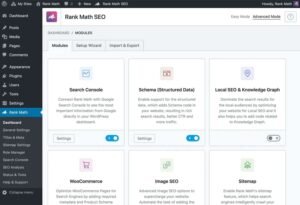
[Image Source: Rank Math]
Pros
The free tier is unusually generous. Structured data, redirects, internal link tooling, image optimisation, and local blocks are all included where competitors charge for them.
It is lightweight, adding less overhead than heavier alternatives, which matters because page speed is a ranking and conversion factor.
The content assistant draws on current top-ranking results rather than just checking phrase placement, which produces more useful direction than a scoring indicator alone.
The modular architecture lets you disable every unused feature, so the plugin footprint matches what you actually need.
Cons
The volume of settings intimidates newcomers. The configuration screen looks dense on first visit, and while the setup wizard guides you through it, the initial impression puts people off.
Free content assistant credits deplete quickly for anyone publishing frequently, so daily publishers will need the paid tier.
Feature breadth invites over-configuration, and enabling everything without understanding it can create conflicting directives.
Some advanced automation assumes technical confidence, so less experienced users may leave capability unused.

Pricing
- Pro: $4.08/month
- Business: $16.58/month
- Agency: $41.58/month
Reviews
- G2: 4.8 out of 5 stars (111+ reviews)
- Capterra: 4.5 out of 5 stars (52+ reviews)
9. Best SEO Tools for Hot Topics
Timing is an underrated ranking lever. Publishing on a rising topic before the results page fills up means competing against thin coverage rather than established pages, and that advantage compounds as the topic grows.
The two tools here answer different timing questions. One shows whether interest is rising right now. The other tries to identify what will rise next.
Both work best as validation layers rather than primary research tools, because a trend without commercial relevance is just noise.
9.1 Google Trends
Trends launched in 2006 and shows relative search interest over time, by region, and against comparison terms. It reports no absolute volumes, which is exactly why it works for questions volume tools cannot answer.
It is free, and I check it before committing to any topic with a time dimension.
Category
Trend analysis · relative demand comparison · seasonality and regional interest
Who is It for
Content teams deciding which topics to prioritise and when. SEOs validating whether a term is rising or declining. Marketers planning seasonal campaigns. Anyone comparing demand across regions before building location-specific content.
Ease of Use
Beginner to intermediate
Best Use Cases
These are the decisions it informs.
Catching rising terms before tools index them. A sharply climbing line with a breakout indicator signals demand that keyword tools have not yet assigned reliable volume to. Publishing into that window means arriving before the results page consolidates.
Timing seasonal content correctly. Historical patterns show precisely when interest peaks each year. Publishing several weeks ahead of the rise means being indexed and ranking when demand arrives, rather than competing during the peak itself.
Comparing demand across regions. Comparing a term across countries, states, or cities shows where interest concentrates. For the local seo services and national seo services we run, that comparison decides which locations get pages and which get postponed.
Building clusters from related queries. The related queries list supplies subtopics, question angles, and supporting article ideas grounded in how people actually move around a subject.
Validating trends spotted elsewhere. When a topic appears to be rising on social platforms or in a trend tool, checking it here confirms whether search demand followed. A flat line means attention without search intent, which is not worth a content investment.
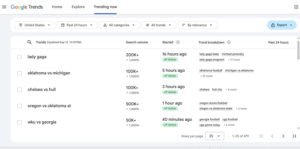
Pros
It provides both real-time and long-run historical perspective, which no monthly-average volume metric can, making it the right tool for timing decisions.
The charts communicate instantly to non-specialists. Showing a founder a rising line explains a content priority in seconds.
Regional and comparative views make prioritisation straightforward when you have more topic ideas than capacity.
It is free with no limits, which means it can be part of every topic decision rather than a rationed check.
Cons
It reports no absolute volumes. Everything is relative, so a keyword tool is still needed to know whether a rising term represents hundreds or hundreds of thousands of searches.
It reflects past behaviour rather than forecasting future demand, so inferring direction requires interpretation and can mislead.
Used alone, it biases toward spiky topics at the expense of stable evergreen terms, which are usually the more durable investment.
Comparison is limited to a small number of terms at once, which makes large-scale evaluation slow.
Pricing
Free
Reviews
N/A
9.2 Exploding Topics

Exploding Topics launched in 2017 to surface topics gaining momentum before they saturate. It monitors search, social, and investment signals, then presents topics with growth curves and category groupings.
It is a bet-placing tool. The bets are earlier, and the confidence is lower.
Category
Trend discovery · emerging topic research · market signal monitoring
Who is It for
Content teams wanting to establish authority in a topic before it becomes competitive. Companies tracking market shifts in their sector. Creators looking for topics with growth ahead of them rather than behind. Investors and strategists monitoring category momentum.
Ease of Use
Intermediate
Best Use Cases
Here is how I use it without over-committing.
Identifying topics with a runway. Filtering the trend database for steady, sustained growth rather than sharp spikes produces candidates worth early investment. A curve rising consistently over quarters is a different proposition from one that doubled last week.
Planning pillar pages around grouped trends. Related trends cluster into categories and larger movements, which supplies a ready-made structure for a hub page with supporting articles. That grouping is faster than assembling the same relationships manually.
Refreshing existing content with rising terminology. When a new term maps onto an older article, updating that piece to cover the new framing captures rising demand using the authority the page already has. That is a cheaper move than publishing new.
Sourcing credible thought leadership angles. For forward-looking pieces and category list posts, the database supplies topics with demonstrable growth rather than assumed relevance, which makes the resulting content defensible.
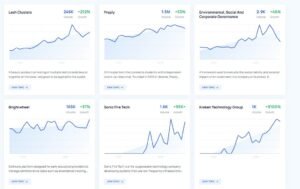
Pros
It focuses on future demand, which standard keyword tools handle poorly. Arriving early on a topic is a durable ranking advantage.
It draws on more than search data, incorporating social and investment signals, which helps distinguish a passing fad from a genuine market shift.
Long-range growth views support resource decisions. A one-off spike gets a single article, and sustained multi-year growth justifies a hub.
Category and metatrend groupings reveal relationships between topics that would take considerable manual research to establish.
Cons
It is not a keyword research suite. Volume, difficulty, and results-page analysis all require another tool, so it never works alone.
Deeper trend data and forecasting sit behind higher annual tiers, which is a significant commitment for a solo creator or small team.
Stable evergreen niches get limited value from it. If your topic set does not change, early trend detection has little to offer.
Early-stage signals carry genuine uncertainty. Some trends stall, so a portion of investments made on this data will not pay off.
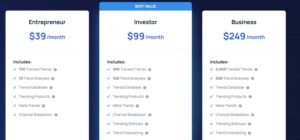
Pricing
- 7-day free trial
- Entrepreneur: $39/month
- Investor: $99/month
- Business: $249/month
Reviews
N/A
10. Best SEO Tool for Local SEO
Local SEO runs on different mechanics, which is why it needs its own tooling. Rankings vary by physical distance from the searcher, listing consistency across directories functions as a trust signal, and reviews influence both position and conversion directly.
A national rank tracker reporting one position for a local term is describing something that does not exist. The same keyword ranks differently across a city.
Across the local seo services, GMB optimization services, and local citation services we deliver at White Label SEO Service, the requirement is always the same three capabilities: grid-based position tracking, listing consistency auditing, and review monitoring in one place.
10.1 BrightLocal
BrightLocal launched in 2009 focused entirely on local search, and that focus still shows. Grid rank tracking, citation auditing and building, review management, and local audit reporting all sit in one platform.
For local-heavy portfolios, it does more per pound than a general platform does.
Category
Local rank tracking and citation management · reputation monitoring · local audit reporting
Who is It for
Agencies managing local SEO across many client locations. Multi-location brands and franchises needing consistent per-location data. Local businesses competing in map results. Anyone auditing listing consistency at scale.
Ease of Use
Beginner
Best Use Cases
These are the jobs it handles cleanly.
Mapping visibility across a service area. Daily rank checks across major search and map platforms display as a grid covering surrounding areas at adjustable resolution. That view shows exactly where visibility falls away with distance, which turns a vague complaint about lead volume into a specific geographic target.
Auditing and fixing listing consistency. Scans across many directories surface every inconsistency in business name, address, and phone details, with the option to approve corrections or add new listings. Consistent details across the directory ecosystem are foundational trust signalling, and doing it manually across dozens of locations is not realistic.
Managing reviews and generating more. Reviews consolidate from major platforms in one view, with request flows over message, email, and scannable codes. Sentiment grouping shows whether complaints cluster around a specific operational issue, which is a business insight as much as a search one.
Producing local audits clients understand. Audits cover a wide factor set spanning on-site elements, links, citations, and profile configuration, exported as branded reports or dashboards. Those reports work as both progress evidence and as a sales asset.
[Image Source: Capterra]
Pros
It covers the core local jobs at a price a small agency can sustain. Rank tracking, citations, and reviews in one subscription remove the need to assemble three tools.
Support is responsive and knowledgeable about local search specifically, and the training material shortens onboarding for new team members noticeably.
Local ranking data feels more dependable than the local features bolted onto general platforms, which matters when a client questions a position.
Reporting is client-ready without reformatting, which is a real time-saver across a portfolio.
Cons
The interface feels dated. Some reports load slowly, and navigating a large multi-location account involves more clicking than it should.
Citation submissions and review features consume credits, so a portfolio of many locations pushes the real monthly cost above the headline plan price. That needs planning for rather than discovering.
It is local-only by design. National organic work, deep link analysis, and broad keyword research all need other tools.
Bulk operations across many locations can be slow, which becomes noticeable at franchise scale.
Pricing
- 14-day free access
- Track: $29/month
- Manage: $36/month
- Grow: $44/month
Reviews
- G2: 4.6/5 (227+ reviews)
- Capterra: 4.8/5 (278+ reviews)
11. Best SEO Tools for AI Assistance
AI assistants are genuinely useful for structured thinking, editing, clustering, and drafting. They are unreliable for facts, statistics, current rankings, and anything requiring verification.
That boundary defines how they belong in an SEO workflow. They accelerate the thinking and drafting stages and contribute nothing verifiable to the data stages.
Used inside that boundary, they save meaningful time. Used outside it, they generate confident errors that reach publication, which is a reputational risk rather than an efficiency gain.
11.1 ChatGPT

OpenAI released ChatGPT in late 2022, and it changed how a lot of marketing work gets done almost immediately. It handles reasoning, drafting, summarising, restructuring, and code assistance across effectively any subject.
In SEO, its value sits in thinking and structuring rather than in data.
Category
- AI assistant
- strategy ideation
- content drafting and restructuring
Who is It for
SEO professionals working through strategy problems who need a thinking partner. Content teams needing faster ideation and drafting. Anyone troubleshooting a technical problem before escalating it. Marketers organising large unstructured inputs into usable plans.
Ease of Use
Beginner
Best Use Cases
These are the tasks where it reliably helps.
Turning a vague objective into a sequenced plan. Describing a situation and asking for a prioritised approach converts scattered thinking into ordered next steps. When I am mentally stuck on where to start, that structuring gets me moving faster than a blank document does.
Restructuring and tightening drafts. It rewrites for clarity, simplifies dense explanations, and reorganises weak structure. Treating it as an editor on my own draft produces better results than asking it to write from scratch.
Organising and clustering keyword lists. Pasting a large keyword export and asking for grouping by intent and theme produces a workable structure quickly. It reveals patterns that are tedious to spot by hand across a thousand rows.
Narrowing down a technical problem. Describing symptoms and getting a ranked list of likely causes provides direction before a deeper investigation. It is not diagnostic proof, and it stops me from investigating the wrong thing first.
Pros
It removes friction from thinking work. Ideation, restructuring, planning, and problem framing all move faster, which matters most when deadlines compress.
It handles messy input well. Rough notes, half-formed ideas, and unstructured lists get organised into something usable, which is often the hardest part of starting.
The cost is low relative to time saved. For anyone whose bottleneck is drafting and organising rather than data, the return is immediate.
Response quality has improved substantially, and it now handles longer, more complex reasoning tasks reliably enough to depend on for structure.
Cons
Vague prompts produce shallow answers. Getting depth requires specific, well-framed questions with context, which is a skill in itself.
It cannot replace rank tracking, backlink analysis, or crawling. There is no verified data behind its SEO claims.
It states incorrect facts confidently, so any statistic, source, or technical claim needs independent verification before use.
Output tends toward generic phrasing without strong direction, which means heavy editing on anything published.

Pricing
- Personal: Go: $5/month
- Plus: $20/month
- Pro: $200/month
Reviews
- G2: 4.7 out of 5 stars (1,075+ reviews)
- Capterra: 4.5 out of 5 stars (272+ reviews)
11.2 Claude

Anthropic released Claude in 2023, and its distinguishing characteristics are long-context handling and clean written output. It maintains coherence across extended documents and conversations better than most alternatives.
For editing long-form content, it is the assistant I default to.
Category
AI assistant · long-form editing and proofreading · keyword clustering · brief generation
Who is It for
Content creators and editors refining long-form work. Marketers improving grammar, structure, and flow across many pieces. SEOs clustering large keyword sets and generating detailed briefs. Anyone working with long documents that need consistent handling end to end.
Ease of Use
Beginner
Best Use Cases
These are the tasks where it performs best for me.
Editing long-form content without losing the thread. On a several-thousand-word article, it keeps track of terminology, argument, and structure from start to finish. Corrections at the end stay consistent with decisions made at the beginning, which is exactly where shorter-context models fail.
Clustering large keyword sets by intent. Pasting a substantial export and asking for intent-based grouping returns a structure I can build a content plan from. It reasons about why terms belong together rather than matching strings.
Generating detailed content briefs. Given competitor page content and a target term, it produces a brief covering angles, questions, and structure. That output needs review, and it saves the initial assembly work.
Rewriting for clarity and reading level. It flags dense passages and rewrites them without stripping the substance, which is the failure mode of most automated simplification.
Supporting a content production pipeline. Across the content writing services we deliver, it handles the repetitive editing and structural passes so human attention concentrates on accuracy, examples, and judgement.

[Image Source: Dipidop]
Pros
Long-context handling is its clearest strength. Extended documents and conversations stay coherent, which makes it genuinely usable for book-length or article-length editing.
Written output is clean. Sentences read naturally with fewer of the awkward constructions common in generated text, so editing time drops.
It follows detailed instructions closely, which matters when a brief specifies structure, tone, and constraints that must all hold.
Value for money is strong for anyone whose main use is editing and structuring rather than data retrieval.
Cons
Usage limits apply even on paid tiers, and long sessions on large documents hit them. That interrupts extended work at inconvenient moments.
It provides no SEO data. No rankings, no links, no volume, so it complements a stack and never substitutes for part of it.
Like every assistant, it produces confident inaccuracies, so factual claims and figures require verification.
Without specific direction, its output drifts toward safe, general phrasing that needs sharpening before publication.

Pricing
- Free
- Pro: $17/month
- Max: $100/month
Reviews
- G2: 4.4 out of 5 stars (66+ reviews)
- Capterra: 4.6 out of 5 stars (24+ reviews)
12. Best SEO Tool for Automation
Automation pays off on work that is repetitive, rule-based, and high-volume. It backfires on work requiring judgement, accuracy, or brand nuance.
Publishing templated pages from a structured data source is a good automation candidate. Writing a strategy page that carries a commercial argument is not.
The tool below handles the first category well, and using it for the second produces volume without value, which is a ranking liability rather than an asset.
12.1 AirOps

AirOps builds automated content and SEO workflows, generating pages from AI models and publishing them straight into a content management system. It connects to data sources and SEO platforms, so workflows run on real inputs rather than prompts alone.
It is a genuine production system, and it expects you to think like an operator.
Category
- SEO workflow automation
- programmatic content generation
- content management integration
Who is It for
Advanced SEO teams and agencies producing content at high volume. Enterprise teams automating multi-step workflows. Ecommerce operations generating pages from a product catalogue. Anyone maintaining large libraries that need systematic updating.
Ease of Use
Advanced
Best Use Cases
These are the situations where it earns its complexity.
Producing content at volume with structure. Workflows generate optimised pages and publish them directly into the content system. For teams shipping many similar pages monthly, removing the manual handoff between drafting, formatting, and publishing recovers substantial time.
Updating a large library systematically. Connecting to SEO data sources lets workflows identify pages needing refresh and apply updates in bulk. Refreshing two hundred pages against current results-page data manually is not realistic, and as a workflow, it runs overnight.
Publishing without manual transfer. Direct integration with common content platforms means generated content lands in place, formatted and ready. Eliminating copy-and-paste steps removes both time and the formatting errors those steps introduce.
Generating long-tail pages from a catalogue. Thousands of pages can be produced from structured product data with metadata and image attributes handled automatically. For large ecommerce catalogues, that is the only practical route to long-tail coverage, and it is central to the ecommerce seo services we run.
Enforcing brand consistency at scale. Brand configurations govern voice and terminology across generated output, and review checkpoints hold content before publication. Without those controls, automated volume produces off-brand pages faster than anyone can correct them.
[Image Source: GetMint]
Pros
It handles genuine production scale. Generation and publishing run as one connected process rather than a series of manual steps, which is what makes volume sustainable.
Direct content management integration removes the most error-prone part of programmatic publishing, which is moving content between systems.
Access to multiple underlying models allows matching the model to the task, so drafting, restructuring, and metadata generation can each use what suits them.
Review checkpoints and brand controls make automated output governable, which is the difference between a system and a liability.
Cons
Setup demands real expertise in both SEO and workflow design. It is not a tool you learn by exploring, and beginners will struggle to build anything reliable.
Credit-based pricing with custom quoting makes costs hard to forecast, which complicates budgeting for teams needing predictable spend.
Automated content quality depends entirely on the workflow design and the review process. Weak configuration produces volume that damages rather than helps.
It suits high-volume operations specifically. For teams publishing a handful of considered pieces monthly, the setup cost never returns.
Pricing
- 14-day free trial
- Solo/Pro/Enterprise: Custom pricing
Reviews
G2: 4.8 out of 5 stars (41+ reviews)
13. Best SEO Tool for Site Building
Platform choice creates or removes SEO problems before a single page is published. Rendering behaviour, page speed, control over metadata and structured data, and how the content model handles templated pages all get decided at build time.
Retrofitting SEO onto a platform that fights you is expensive and often incomplete. Across the web design services we deliver, platform selection is an SEO decision made jointly with the design brief rather than after it.
13.1 Webflow

Webflow launched in 2013 as a visual development platform producing real, responsive sites with a content management system and hosting included. It generates clean markup, handles technical basics natively, and gives designers direct control over on-page elements.
It removes the plugin dependency that causes most SEO problems on self-hosted sites.
Category
Visual site builder · content management system with hosting · programmatic page generation
Who is It for
Agencies and designers building performance-focused sites. Marketing teams wanting to avoid plugin maintenance and security overhead. Enterprises needing reliable hosting and fast delivery. Intermediate users building templated pages at scale.
Ease of Use
Intermediate
Best Use Cases
Here is where it changes technical outcomes.
Getting clean technical foundations without plugins. Markup, sitemaps, robots directives, and structured data are handled natively. Removing the plugin layer removes a whole class of conflicts, security exposure, and performance overhead that self-hosted sites accumulate over years.
Generating templated pages from structured content. Content collections combined with conditional logic produce large sets of pages from one template. For location pages, product categories, and comparison sets, that is how long-tail coverage gets built without hand-building each page.
Improving speed and page experience after migration. Edge caching and content delivery infrastructure come included, so migrated sites typically load faster without separate performance work. Because page experience signals draw on real user data, that improvement shows up in field measurements rather than only in a lab test.
Giving designers direct control over on-page SEO. Titles, descriptions, and structured data are editable inside the visual editor. Across the web design and SaaS seo services we deliver, that access means SEO requirements get implemented during design rather than filed as a follow-up ticket.

[Image Source: Webflow]
Pros
Native SEO handling removes the plugin dependency entirely, which reduces maintenance burden and eliminates a common source of technical faults.
The visual editor produces production-quality sites without extensive code, so changes ship quickly and get reviewed in context.
On-page controls sit where designers work, which means metadata and structured data get set correctly at build time rather than retrofitted.
Bundled hosting and delivery infrastructure deliver strong performance without a separate optimisation project.
Cons
Migrating away is genuinely difficult. A large site with a complex content model carries real lock-in, and exporting cleanly takes significant effort.
Advanced capabilities such as conditional logic and large-scale templated generation require technical confidence, so non-developers hit limits.
Pricing scales with site complexity and traffic, and larger content-heavy sites cost meaningfully more than self-hosted alternatives.
The content management system is less flexible than open-source options for unusual content structures and custom functionality.

Pricing
- Free
- Basic: $14/month
- CMS: $23/month
- Business: $39/month
Reviews
- G2: 4.4/5 (947+ reviews)
- Capterra: 4.5/5 (263+ reviews)
14. Best SEO Tools for AI Search Visibility and Technical Depth
The thirteen categories above cover the SEO stack as it existed for the last decade. Two things changed that make this fourteenth category necessary.
First, a growing share of research now happens inside AI assistants and AI-generated answers, and traditional rank tracking cannot see any of it. Second, technical requirements deepened, with structured data, field-measured performance data, and crawl budget management all becoming measurable disciplines rather than general advice.
The five tools here cover those gaps. Two are free, and one is the only category on this list where the enterprise option is genuinely necessary rather than merely nicer.
14.1 Sitebulb
Sitebulb is a technical SEO crawler available in both desktop and cloud versions, built around a specific philosophy: a crawler should tell you what to fix first and explain why, rather than handing over a spreadsheet of findings.
It covers similar ground to Screaming Frog and organises the output very differently.
Category
Technical SEO crawler · prioritised audit reporting · site architecture visualisation
Who is It for
Technical SEOs who want prioritised findings rather than raw data. Consultants presenting audits to non-technical stakeholders. Agencies needing scheduled cloud crawls with shared access. SEOs learning technical work who benefit from explained findings.
Ease of Use
Intermediate
Best Use Cases
These are the jobs where I choose it over a raw crawler.
Getting a prioritised remediation queue. Findings arrive as hints ranked by likely impact, each with an explanation of why it matters and how to address it. That ordering means a client’s development team works on crawl blockers before image attributes, which is the difference between an audit that changes rankings and one that fills a backlog.
Presenting technical findings to non-technical owners. Reports and architecture visualisations show link distribution, crawl depth, and orphaned sections in a form a marketing manager can act on. Explaining an internal linking problem with a diagram works where a URL list does not.
Scheduling recurring crawls with shared access. The cloud version runs crawls on a schedule with team access, so technical monitoring becomes ongoing rather than a quarterly project. Regressions get caught within days instead of at the next audit.
Auditing rendered content on JavaScript sites. Rendering mode confirms whether content, links, and structured data appear after script execution. Comparing rendered against raw output identifies exactly which elements depend on JavaScript, which is the specific answer a developer needs.
Reviewing structured data and internationalisation at scale. It validates markup and language-targeting implementation across the whole crawl. On a multi-market site, catching inconsistent language attributes site-wide is far faster than sampling pages by hand.
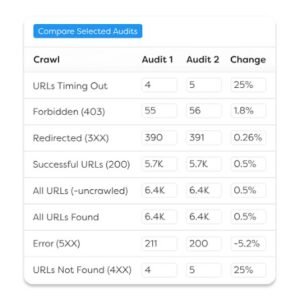
[Image Source: Sitebulb]
Pros
Prioritisation is the defining advantage. Ranked hints with explanations turn a findings list into a work plan, which changes whether an audit gets implemented.
Reporting and visualisation are genuinely presentation-ready, which reduces the work between finishing an audit and delivering it.
The cloud option enables scheduled crawls and team collaboration, removing the local hardware constraint that limits desktop crawlers on large sites.
Explanations alongside each finding make it a useful teaching tool, so junior team members learn technical SEO while doing it.
Cons
Pricing sits above a basic desktop crawler licence, particularly for the cloud tiers, which is a consideration for solo practitioners.
Crawls can be slower than a lean crawler because it performs more analysis on each URL, which is a real trade-off on very large sites.
The opinionated prioritisation occasionally disagrees with a specialist’s judgement, and overriding it means working against the interface.
Very large crawls still consume substantial resources on the desktop version, so enterprise-scale sites push you toward the cloud tiers.
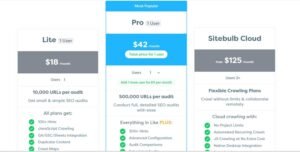
Pricing
- 14-day free trial
- Desktop plans from around $17.50/month
- Cloud plans priced by crawl volume
- Check current pricing on the vendor site
Reviews
G2: 4.6 out of 5 stars (30+ reviews)
Capterra: 4.7 out of 5 stars (10+ reviews)
14.2 Profound

Profound is a generative engine optimisation platform built to answer a question no traditional SEO tool addresses: how does a brand appear inside AI-generated answers?. It monitors mentions, citations, sentiment, and share of voice across major AI assistants and answer engines.
This is the category that did not exist three years ago and now belongs in serious stacks.
Category
AI search visibility monitoring · generative engine optimisation · citation and sentiment tracking
Who is It for
Brands whose buyers research inside AI assistants rather than only search engines. Enterprise marketing teams needing measurable AI visibility data. Agencies adding AI search reporting to client deliverables. Any business seeing traffic move from search results to AI answers.
Ease of Use
Intermediate
Best Use Cases
These are the questions it answers that nothing else does.
Finding out whether you appear in AI answers at all. It tracks brand mentions across major AI assistants for a defined prompt set, which produces the baseline nobody has. Discovering that a competitor is named in eight of ten relevant answers while you appear in one reframes the entire content priority.
Identifying which sources AI systems cite. It reports the pages and domains models draw on when answering questions in a category. That list is effectively a target list, because earning presence on cited sources is how brands enter those answers.
Monitoring how you are characterised. Sentiment and context tracking shows whether mentions are favourable, neutral, or unfavourable, and in what framing. A mention that positions you as the expensive option is a mention with a problem attached.
Comparing share of voice against competitors. Measuring relative presence across a prompt set turns AI visibility into a trackable metric rather than an anecdote. That is what makes it reportable to a board.
Prioritising content that AI systems actually use. Understanding which content formats and sources get cited informs what to publish next. Clear definitional content, structured comparisons, and well-sourced data pages tend to earn citations more reliably than narrative marketing copy.

[Image source: Profound]
Pros
It measures a channel most stacks cannot see. As research shifts into AI interfaces, having baseline data now is far better than reconstructing it later.
Citation source reporting is directly actionable. Knowing which domains models draw on gives you a concrete list to earn presence on.
Sentiment and framing analysis catches reputational problems inside AI answers, which is a surface most brands are not monitoring at all.
Share of voice measurement converts a vague concern into a metric that can be tracked and reported month over month.
Cons
It is priced for enterprise use, which puts it beyond small businesses and most solo practitioners.
AI answers vary between sessions and users, so figures represent sampled patterns rather than deterministic positions. That needs explaining before anyone treats them like rankings.
The discipline is young. Best practice for influencing AI citation is still forming, so the tool measures a problem more precisely than anyone can yet solve it.
Coverage depends on which assistants and interfaces are supported, and that landscape shifts, so gaps appear as new surfaces launch.

Pricing
- Custom pricing
- Contact vendor for a quote
Reviews
G2: 4.8 out of 5 stars (30+ reviews)
14.3 PageSpeed Insights

PageSpeed Insights is Google’s free performance analysis tool. It reports Core Web Vitals using both real-world field data and a controlled lab test, then lists specific opportunities to improve.
It is the authoritative source on page experience signals, and it costs nothing.
Category
- Page speed and Core Web Vitals analysis
- Performance diagnostics
- Field and lab measurement
Who is It for
Every site owner monitoring page experience signals. Developers diagnosing specific performance bottlenecks. SEO professionals proving the impact of speed work. Anyone comparing real user experience against a controlled test.
Ease of Use
Beginner to intermediate
Best Use Cases
These are the ways I use it in practice.
Separating real user experience from a lab result. It reports field data from actual visitors alongside a simulated test. Google’s documentation states that Core Web Vitals thresholds are assessed at the 75th percentile of page loads, which is why a fast lab score can sit alongside a failing field assessment. Knowing which one a client is looking at prevents a lot of pointless argument.
Diagnosing the specific cause of slowness. The opportunities and diagnostics list names the render-blocking resources, oversized images, and layout-shifting elements responsible. That specificity gives a developer a ticket rather than a complaint.
Prioritising fixes by measured impact. Estimated savings per opportunity show which change moves the number most. Compressing images beats refactoring a script when the numbers say so, and the numbers frequently surprise people.
Verifying improvements after deployment. Re-running after a change confirms whether the lab score moved, and field data confirms whether real users noticed. Field data updates on a rolling basis, so the second confirmation takes weeks rather than minutes, which is worth setting expectations about.
Comparing mobile and desktop separately. Because the two are assessed independently and mobile typically performs worse, checking both prevents a passing desktop score from masking a failing mobile experience.
Pros
It is the authoritative source for these signals, drawing on the same field dataset Google references, which makes it the reference point when tools disagree.
It reports both field and lab measurements, which is the distinction most performance discussions get wrong and the one that determines what work actually matters.
Diagnostics are specific and actionable, naming the exact resources causing problems rather than offering general advice.
It is completely free with no limits, so it can be part of every deployment check rather than a rationed audit step.
Cons
It analyses one URL at a time, so site-wide assessment means either scripting the API or checking pages manually.
Field data requires sufficient traffic to exist, so low-traffic pages and new sites show lab results only, which is the less meaningful of the two.
Lab scores fluctuate between runs on the same URL because conditions vary, which confuses people who expect a stable number.
Recommendations sometimes require significant engineering work, and the tool cannot tell you whether that work is commercially worthwhile.
Pricing
Free
Reviews
N/A
14.4 Schema Markup Validator
The Schema Markup Validator is the free validation tool maintained by Schema.org for checking structured data implementation. It parses a page or a code snippet and reports the markup found along with any syntax and property errors.
Structured data gets referenced constantly in SEO advice and rarely gets validated properly, which is exactly why it belongs on this list.
Category
Structured data validation · schema syntax and property checking
Who is It for
Anyone implementing structured data on a site. Developers verifying markup before deployment. SEOs auditing existing implementations. Teams working with markup types beyond what search-specific testing tools cover.
Ease of Use
Beginner
Best Use Cases
These are the checks it handles.
Verifying markup before it ships. Pasting a snippet or a URL returns every schema type detected with its properties and any errors. Catching a malformed property before deployment is considerably cheaper than diagnosing why an enhancement never appeared weeks later.
Auditing an inherited implementation. On a site with markup added over years by different people, validation reveals duplicated types, orphaned properties, and conflicting declarations. Those conflicts are a common reason rich results stop appearing.
Checking types beyond search-specific coverage. It validates against the full Schema.org vocabulary rather than only the types a search engine currently uses for enhancements. That matters for markup added for AI and machine readability rather than for a specific search feature.
Debugging nested and referenced structures. Complex implementations with nested entities and cross-references are where errors hide. Seeing the parsed structure laid out makes a broken reference immediately visible.
Confirming markup survives rendering. Testing the live URL rather than the source confirms whether JavaScript-injected markup actually reaches the parsed page, which is a frequent failure point on framework-built sites.
Pros
It validates against the full vocabulary rather than a search-feature subset, which makes it more complete than search-specific testing tools for general implementation work.
It is free with no account requirement, so it fits into a deployment checklist without friction.
Output shows the parsed structure clearly, which makes debugging nested implementations practical rather than guesswork.
Both snippet and live URL testing are supported, so it works during development and after deployment.
Cons
It validates syntax and vocabulary compliance, not eligibility for any particular search feature. Valid markup can still produce no visible enhancement.
It checks one page at a time, so site-wide auditing requires a crawler with structured data reporting.
It offers no guidance on which schema types are worth implementing for a given page, so strategy decisions happen elsewhere.
The interface is functional rather than polished, and interpreting output assumes some familiarity with structured data concepts.
Pricing
Free
Reviews
N/A
14.5 Botify

Botify is an enterprise SEO platform combining site crawling with log-file analysis, which lets it report on what search engines actually requested rather than only what exists on the site. On very large sites, that distinction is the whole game.
It is the most expensive tool in this guide and the only one where scale genuinely justifies the cost.
Category
Enterprise SEO platform · log-file analysis · crawl budget management · indexation monitoring
Who is It for
Enterprises and large ecommerce operations running sites past a hundred thousand URLs. Technical SEO teams managing crawl budget as a constraint. Organisations where indexation gaps directly cost revenue. Teams needing to prove what search engines crawl rather than infer it.
Ease of Use
Advanced
Best Use Cases
These are the problems only log-file analysis solves.
Seeing what search engines actually crawl. Log analysis shows which URLs crawlers requested, how often, and what they received. On a large site that reveals crawl budget being consumed by parameter URLs and filtered pages while important product pages go weeks without a visit, which no site crawler can tell you.
Finding the gap between existing and indexed pages. Comparing crawl data, log data, and analytics identifies pages that exist, get crawled, and generate nothing, plus pages that never get crawled at all. On a large catalogue, that second group is usually the largest recoverable revenue opportunity available.
Managing crawl budget deliberately. Understanding where crawl activity concentrates supports decisions about internal linking, parameter handling, and pagination. Redirecting crawl attention toward pages that convert is a technical intervention with a direct commercial outcome.
Monitoring large-scale technical health continuously. Scheduled crawls across hundreds of thousands of URLs with trend reporting turn technical SEO into ongoing monitoring rather than periodic audits. Regressions on a template affecting fifty thousand pages get caught in days.
Connecting technical work to revenue. Combining crawl, log, and performance data attributes revenue to technical categories, which is what secures engineering resources. A crawl budget argument that names a revenue figure gets prioritised.
[Image Source: Botify]
Pros
Log-file analysis is the capability that distinguishes it. Reporting actual crawler behaviour rather than inferring it answers questions no site crawler can address.
It handles genuine enterprise scale. Sites where desktop crawlers fail, and cloud crawlers strain, get analysed reliably.
Combining crawl, log, and performance data in one platform enables the technical-to-revenue attribution that justifies engineering investment.
Continuous monitoring at scale catches template-level regressions quickly, which prevents a single deployment error from affecting tens of thousands of pages for weeks.
Cons
Pricing is enterprise-level and quoted individually, which places it entirely out of reach for small and mid-sized businesses.
It requires log-file access, which means cooperation from infrastructure teams and a data pipeline. That dependency delays implementation and sometimes blocks it.
The learning curve is steep and assumes advanced technical SEO capability. It is not usable without a specialist.
On smaller sites, crawl budget is not a real constraint, so most of what justifies the platform delivers no value below a certain scale.
Pricing
- Custom enterprise pricing
- Contact vendor for a quote
Reviews
- G2: 4.4 out of 5 stars (60+ reviews)
- Capterra: 4.5 out of 5 stars (10+ reviews)
How These 35 SEO Tools Compare Side by Side
Reading 35 profiles is thorough and slow. This table is the shortlist version, built to answer one question: which of these belongs in my stack.
Cost column uses the lowest-priced tier, or free where applicable. Ratings show the higher of the two review platforms where both exist.
| Tool | Category | Best For | Ease | Entry Cost | Rating |
| Semrush | All-in-one | Widest coverage across SEO, PPC, and AI visibility | Advanced | $165.17/mo | 4.6 |
| Ahrefs | All-in-one | Backlink depth and traffic-potential research | Intermediate | $129/mo | 4.7 |
| SE Ranking | All-in-one | Multi-client agency work on a controlled budget | Beginner | $52/mo | 4.7 |
| Mangools | Keyword research | New sites needing low-competition terms cheaply | Beginner | $27.24/mo | 4.8 |
| AnswerThePublic | Keyword research | Question-level content ideation | Beginner | $5/mo | 4.6 |
| Google Keyword Planner | Keyword research | Authoritative volume and commercial intent data | Intermediate | Free | N/A |
| BuzzSumo | Link building | Finding content formats that earn links | Intermediate | $199/mo | 4.5 |
| Muck Rack | Link building | Journalist outreach and earned media | Intermediate | Custom | 4.6 |
| BuzzStream | Link building | Managing outreach campaigns at volume | Intermediate | $24/mo | 4.5 |
| SimilarWeb | Competitor analysis | Channel mix and traffic benchmarking | Intermediate | $125/mo | 4.6 |
| SpyFu | Competitor analysis | Years of competitor ad and keyword history | Intermediate | $39/mo | 4.6 |
| Surfer | Content optimization | Briefs and clustering for content teams | Intermediate | $79/mo | 4.9 |
| Clearscope | Content optimization | Editorial quality and content decay detection | Intermediate | $129/mo | 4.9 |
| Google Analytics 4 | Rank tracking | Conversion and revenue attribution | Advanced | Free | N/A |
| Microsoft Clarity | Rank tracking | Session replay and friction diagnosis | Beginner | Free | 4.8 |
| Google Search Console | Rank tracking | First-party Google performance and indexing data | Beginner | Free | 4.8 |
| Bing Webmaster Tools | Rank tracking | Second technical opinion and Bing indexing | Beginner | Free | 4.4 |
| Nightwatch | Rank tracking | Precise multi-location rank tracking | Intermediate | $32/mo | 4.9 |
| Screaming Frog | SEO audit | Deep configurable technical crawling | Advanced | $279/yr | 4.9 |
| SEOptimer | SEO audit | Client-ready audit reports and lead capture | Beginner | $29/mo | 4.7 |
| Detailed | SEO audit | Instant on-page and competitor structure checks | Beginner | Free | N/A |
| YoastSEO | WordPress | Guided on-page work for beginners | Beginner | $118.80/yr | 4.6 |
| Rank Math | WordPress | Most capability in a free WordPress plugin | Intermediate | $4.08/mo | 4.8 |
| Google Trends | Hot topics | Seasonality and relative demand timing | Beginner | Free | N/A |
| Exploding Topics | Hot topics | Spotting topics before they saturate | Intermediate | $39/mo | N/A |
| BrightLocal | Local SEO | Grid tracking, citations, and reviews together | Beginner | $29/mo | 4.8 |
| ChatGPT | AI assistance | Strategy structuring and drafting | Beginner | $5/mo | 4.7 |
| Claude | AI assistance | Long-form editing and keyword clustering | Beginner | $17/mo | 4.6 |
| AirOps | Automation | Programmatic page generation at volume | Advanced | Custom | 4.8 |
| Webflow | Site building | Clean technical foundations without plugins | Intermediate | $14/mo | 4.5 |
| Sitebulb | AI visibility & technical | Prioritised, explainable technical audits | Intermediate | ~$17.50/mo | 4.7 |
| Profound | AI visibility & technical | Measuring brand presence in AI answers | Intermediate | Custom | 4.8 |
| PageSpeed Insights | AI visibility & technical | Core Web Vitals field and lab data | Beginner | Free | N/A |
| Schema Markup Validator | AI visibility & technical | Validating structured data implementation | Beginner | Free | N/A |
| Botify | AI visibility & technical | Log-file analysis and crawl budget at scale | Advanced | Custom | 4.5 |
Three patterns stand out in that table.
Eight tools cost nothing, and they cover first-party search data, behavioural analytics, performance measurement, structured data validation, on-page inspection, and trend analysis. That is a functional stack before any spending.
The most expensive tools solve the narrowest problems. Botify, Profound, and Muck Rack each answer a question smaller operations do not have, which is why entry-level all-in-one platforms cost less than specialist enterprise tools.
Ease of use correlates weakly with price. Search Console and Clarity are free and beginner-friendly. Analytics 4 is free and difficult. Cost tells you nothing about learning curve.
What a Realistic SEO Tool Stack Costs Each Month
Every list of tools skips the arithmetic. Here it is at three levels, using the entry tier of each named tool and monthly-equivalent pricing where a tool bills annually.
| Tier | Stack | Monthly Cost | Suits |
| Free foundation | Search Console, Analytics 4, Bing Webmaster Tools, Google Trends, Keyword Planner, Microsoft Clarity, PageSpeed Insights, Schema Markup Validator, Detailed | $0 | New sites, sites under ~100 pages, anyone learning SEO |
| Working stack | Free foundation + SE Ranking ($52) + Mangools ($27.24) + Screaming Frog ($23.25) + Rank Math ($4.08) + AnswerThePublic ($5) | ~$111.57 | Small businesses, freelancers, single-site operations |
| Agency stack | Free foundation + Ahrefs ($129) + Semrush ($165.17) + Surfer ($79) + BuzzStream ($24) + Nightwatch ($32) + BrightLocal ($29) + SEOptimer ($39) + Sitebulb (~$17.50) + Claude ($17) | ~$531.67 | Agencies running multiple client accounts across service types |
A few observations from running stacks at all three levels.
The free foundation is not a compromise for small sites. For a site under a few hundred pages with no competitor research requirement, it covers demand data, performance measurement, behaviour, technical validation, and page experience completely.
The jump from free to the working stack buys exactly one thing: competitor data. That is what no free tool provides, and it is worth roughly a hundred pounds a month once you are competing rather than establishing.
The agency stack looks expensive until you divide it across accounts. At ten client accounts it is around fifty-three dollars per account per month, which is a rounding error against a retainer. That per-account maths is why agencies run two all-in-one platforms rather than one.
Enterprise tools sit outside all three tiers deliberately. Botify, Profound, Muck Rack, and AirOps are quoted individually and belong in a budget conversation rather than a stack list.
How to Build Your SEO Tool Stack in the Right Order
Buying tools out of sequence is the most common way to waste SEO budget. A crawler with nothing to crawl, a rank tracker with nothing ranking, and an outreach platform with nothing worth linking to all cost money and return nothing.
Here is the order that works, with the trigger that tells you to move to the next stage.
| Stage | Add | Trigger to move on |
| 1. Measure | Search Console, Analytics 4, Bing Webmaster Tools | Conversions tracked and organic traffic visible by page |
| 2. Understand demand | Keyword Planner, Google Trends, AnswerThePublic | You have a prioritised content plan you believe in |
| 3. Publish and optimise | A WordPress plugin or Webflow, plus a content optimisation tool | Pages ranking on page two or three consistently |
| 4. Diagnose technically | Detailed, PageSpeed Insights, Schema Markup Validator, then a crawler | Technical issues no longer explain your ranking gaps |
| 5. Research competitors | An all-in-one platform | You know exactly which competitors and keywords to target |
| 6. Build authority | An outreach platform, plus a content discovery tool | Links arriving consistently and authority metrics climbing |
| 7. Report and scale | Rank tracking, white-label reporting, local tooling if relevant | Reporting takes hours rather than days |
Two things about this sequence matter more than the specific tools.
Stage one is non-negotiable and cannot be skipped. Without conversion tracking configured properly, every later stage produces activity you cannot evaluate. Across the Google Analytics Services we deliver at White Label SEO Service, this is where most accounts arrive broken, and fixing it changes what every subsequent decision is based on.
Stage five sits deliberately late. Competitor research is the most engaging part of SEO and the least useful before you have measurement, content capability, and technical hygiene in place. Knowing what a competitor ranks for helps nobody who cannot yet publish and measure.
For local businesses, insert local tooling immediately after stage two, because map visibility and citation consistency drive revenue earlier than national organic work does. For large ecommerce catalogues, move technical diagnosis to stage two, because crawl and indexation problems usually cap growth before content does.
Mistakes That Waste SEO Tool Budget
Six spending mistakes account for most of the wasted tool budget I encounter. Each has a straightforward fix.
Paying twice for the same data. Running Semrush, Ahrefs, and SE Ranking together means paying three times for keyword and backlink data with heavy overlap. Two platforms are defensible for agencies who need both link indexes. Three is almost never justified. Audit your subscriptions against the comparison table above and cancel the third.
Committing annually before proving value. Annual billing discounts are attractive, and they lock you into a tool before you know your workflow. Run monthly for the first quarter, track what you actually open, then commit annually only to what survived. Several tools in this guide bill annually only, and those need genuine evaluation during the trial rather than after purchase.
Buying ahead of your stage. An enterprise crawler on a two-hundred-page site, or a log-file platform on a site with no crawl budget constraint, solves a problem that does not exist yet. Match the tool to the stage table above and revisit quarterly rather than buying for the site you hope to have.
Ignoring credit and seat limits. Several tools price on credits or per-seat allowances, and the headline price bears little relation to the real cost at volume. Content generation credits, citation submissions, and audit report allowances all deplete. Estimate monthly usage before subscribing, not after the first overage.
Leaving the free layer unconfigured. Paying for a platform while Analytics 4 has no conversion events configured and Search Console is unverified is the most expensive mistake on this list. The free tools carry the authoritative data, and configuring them properly costs hours rather than pounds.
Running tools nobody looks at. Subscriptions accumulate. A tool used once in the last two months is not a tool; it is a direct debit. Across the client accounts we manage, a quarterly review of what each subscription produced typically removes one or two entirely without any loss of capability.
Conclusion
I built this guide around the tools that survive renewal, not the ones with the best marketing. Thirty-five of them, across fourteen categories, with the honest limitations included because those are what determine whether a tool fits your situation.
The pattern worth remembering is that the free layer carries the authoritative data, the paid layer buys competitor intelligence and scale, and the enterprise layer solves problems most sites do not have. Start where you are, add tools when a specific bottleneck demands one, and cancel what you stop opening.
If you would rather have the stack run for you than assemble it yourself, that is what we do. At White Label SEO Service, we deliver technical seo services, content writing services, link building services, and local seo services across client accounts, and we bring the tooling and the reporting with us. Get in touch, and we will map the right stack to your stage.
Frequently Asked Questions
How many SEO tools does a business actually need?
Most businesses need three to five tools. One all-in-one platform, one technical crawler, plus the free Google and Microsoft tools cover nearly every requirement below enterprise scale.
Can you do SEO with free tools only?
Yes, for smaller sites. Search Console, Analytics 4, Keyword Planner, Trends, Clarity, and PageSpeed Insights cover demand, performance, and technical health. Competitor data is the only real gap.
What is the difference between Semrush and Ahrefs?
Semrush covers more ground, including paid search, social, and AI visibility. Ahrefs goes deeper on backlinks and traffic-potential data. Link-led strategies favour Ahrefs; broader marketing remits favour Semrush.
Do AI SEO tools replace traditional SEO tools?
No. AI assistants help with ideation, drafting, clustering, and editing. They supply no verified ranking, backlink, or crawl data, so traditional tools remain necessary for measurement.
Which SEO tools do agencies use for client reporting?
Agencies typically pair rank tracking with white-label reporting. SE Ranking, Nightwatch, SEOptimer, and BrightLocal all generate branded reports on a schedule, which removes most manual reporting work.