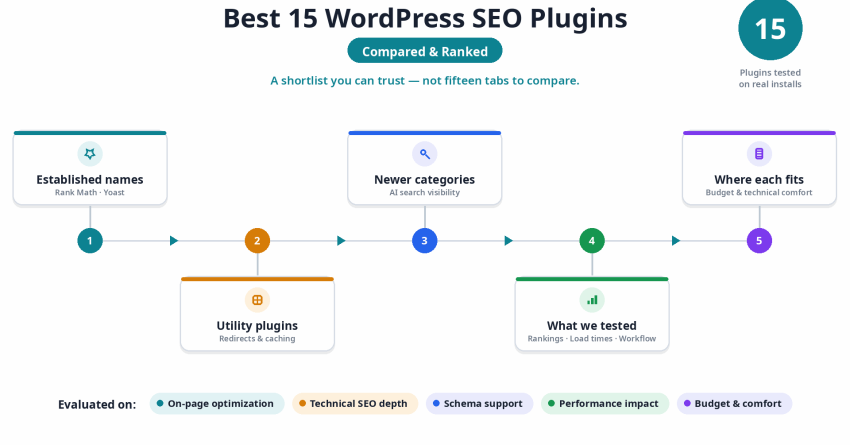
Choosing a WordPress SEO plugin shouldn’t take longer than setting up the rest of your site. We spent weeks running 15 of the most talked-about plugins on real WordPress installs, checking what each one actually does to your rankings, your load times, and your day-to-day workflow.
This guide covers the full landscape for 2026: the established names like Rank Math and Yoast, dependable utility plugins for redirects and caching, and three newer categories we think deserve a seat at the table this year, including tools built for AI-driven search visibility. We’ll walk through on-page optimization, technical SEO depth, schema support, performance impact, and where each plugin fits depending on your budget and technical comfort. By the end, you’ll have a shortlist you can trust instead of a list of fifteen tabs to compare yourself.
What is a WordPress SEO Plugin?
A WordPress SEO plugin gives site owners a way to manage search optimization directly from the dashboard, without editing theme files or writing custom code. It typically covers meta tag generation, XML sitemaps, schema markup, redirect handling, and site structure controls in one place.
Kinsta’s 2025 WordPress usage report found that WordPress now powers over 43% of all websites globally, which explains why the SEO plugin market has grown so competitive. Most of these plugins are built to serve everyone from solo bloggers to enterprise teams managing thousands of pages, and the better ones scale their complexity to match the size of the site running them.
Without a plugin handling these fundamentals, even strong content can sit unindexed or poorly described in search results. A capable plugin removes that friction, letting a site owner focus on content and strategy instead of manually managing sitemap files or checking whether Google can actually read a page’s structured data.
What to Look for in a WordPress SEO Plugin
Every plugin in this space claims to “do it all,” but the strong ones are built around a handful of capabilities that actually move rankings. Here’s what we weigh most heavily when we evaluate a plugin for a client site.
On-Page Optimization Features
A capable plugin manages titles, meta descriptions, canonical tags, and Open Graph data without asking you to touch a single line of code. We also check whether it gives clean control over noindex/nofollow rules and breadcrumb output, since both affect how a site gets crawled.
Schema Markup Support
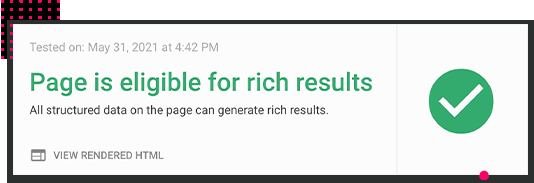
Structured data is how search engines and AI answer engines understand what a page is actually about. We look for support across multiple schema types, particularly Article, Product, FAQ, and HowTo, and confirm the output validates cleanly against Google’s rich results testing tool.
Technical SEO Capabilities
The stronger plugins go beyond basic meta fields into sitemap generation, robots.txt editing, and redirect management. These features matter most during migrations or URL restructuring, when a single missed redirect can quietly erase months of ranking equity.
Performance Impact
A plugin that fixes your metadata while adding 300 milliseconds to every page load is solving one problem and creating another. We check whether scripts load conditionally, whether assets are properly enqueued, and whether the plugin adds unnecessary database calls on every page render.
Ease of Use
The best tools give a beginner enough structure to avoid mistakes while still giving an experienced user room to work quickly. We pay attention to onboarding wizards, dashboard clarity, and whether recommendations are written in plain language or buried in jargon.
Integrations
A plugin that connects cleanly with Google Search Console, Google Analytics, WooCommerce, and popular page builders saves real time. We test whether that connection actually surfaces useful data inside WordPress or just adds another login screen to manage.
How I Selected the Best WordPress SEO Plugins
We tested these plugins across dozens of live client sites at White Label SEO Service, covering SaaS companies, e-commerce stores, and service businesses across different industries and site sizes. Every plugin on this list has been used to fix a real crawl issue, implement real schema, or resolve a real ranking problem, not just clicked through in a demo environment.
Here’s the criteria we applied to every plugin before it earned a spot on this list.
Real-World Ranking and Traffic Impact
We tracked keyword movement and organic session changes after implementing each plugin’s recommendations on comparable pages. Plugins that helped content climb faster and match search intent more precisely rose to the top of our shortlist.
On-Page SEO Quality and Optimization Depth
We evaluated how thoroughly each plugin handled keyword targeting, semantic relevance, readability scoring, and internal link suggestions. Only the plugins that caught genuine content gaps before publishing, rather than surface-level keyword counts, made the final cut.
Technical SEO Strength and Modern Features
We tested sitemap generation, canonical handling, hreflang support, JSON-LD output, redirect management, and 404 monitoring across every plugin. Given how search behavior shifted in 2026, we also checked for newer additions like llms.txt support and visibility tracking from AI-driven traffic sources.
Speed and Site Performance Impact
We measured page load times before and after activating each plugin using repeated Lighthouse audits on the same test pages. Lightweight plugins consistently outperformed feature-heavy ones, confirming that bloated code undermines the very rankings a plugin is meant to help.
Integrations, Reliability, and Workflow Fit
We ran each plugin alongside WooCommerce, common page builders, and caching plugins to check for conflicts during normal use and after updates. The plugins that supported clean bulk editing and reliable data exports earned higher marks in our final scoring.
Summary Table: 15 Best WordPress SEO Plugins
Here’s a side-by-side look at all 15 tools before we get into the full breakdowns. Use this to quickly narrow down your options based on budget, site type, and technical comfort level.
| Tool Name | Best For | Key Features | Starting Price | Our Notes |
| Rank Math | Power users wanting advanced control | Schema, keyword tracking, 5 focus keywords free | $4.08/month | Deep free tier, takes time to learn the full dashboard |
| Yoast SEO | Beginners and content creators | Readability analysis, traffic light system, meta optimization | $118.80/year | Easiest onboarding, can feel rigid on content suggestions |
| AIOSEO | Agencies and growing businesses | TruSEO score, WooCommerce support, AI features | $49.50/year | Clean setup, strong docs, good multi-site value |
| SEOPress | Privacy-focused and multi-site owners | White label, no ads, unlimited keywords | $49/year | Lightest footprint, best value across many sites |
| The SEO Framework | Minimalists and developers | Automated SEO, zero bloat, ultra-lightweight | $7/month | Fastest load impact, minimal built-in guidance |
| Squirrly SEO | AI-powered optimization for non-technical users | Live assistant, Focus Pages, keyword research tool | $9.99/month | Strong AI hand-holding, dashboard can feel busy |
| Schema Pro | Rich snippets and structured data | 20+ schema types, automation, WooCommerce integration | $69/year | Best dedicated schema tool, pairs with any SEO plugin |
| Redirection | Site migrations and URL management | 301/302 redirects, import/export, error tracking | Free | Reliable migration workhorse, works beside any SEO plugin |
| Slim SEO | Speed-obsessed minimalists | Auto meta tags, auto schema, minimal settings | $59/year | Near-zero setup, very little manual control |
| W3 Total Cache | Advanced caching on a budget | Page, database, object caching, CDN integration, minification | $8.25/month | Powerful free tier, steep technical learning curve |
| MonsterInsights | Google Analytics integration | Dashboard reports, ecommerce tracking, form conversion tracking | $99.50/year | Simplifies GA4 setup, free tier is quite limited |
| WP Rocket | Page speed optimization | One-click caching, lazy loading, minification, database cleanup | $59/year | Fast results out of the box, no free trial available |
| LiveCopilot SEO | AI Overview and chatbot visibility | AI citation tracking, llms.txt generation, answer-engine monitoring | $19/month | Newest category on this list, still maturing fast |
| LiteSpeed Cache | Server-level speed and SEO combined | Server-side caching, image optimization, critical CSS | Free | Best paired with LiteSpeed hosting environments |
| Broken Link Checker | Ongoing content health and link audits | Automated link scanning, image link checks, scheduled reports | Free | Set-and-forget maintenance, can be resource-heavy on large sites |
15 Best WordPress SEO Plugins in 2026 (Free + Paid)
- Rank Math — best for power users wanting control
- Yoast SEO — best for beginners and content creators
- AIOSEO — best for agencies and growing businesses
- SEOPress — best for privacy-focused multi-site owners
- The SEO Framework — best for minimalists and developers
- Squirrly SEO — best for AI-powered content optimization
- Schema Pro — best for rich snippets and structured data
- Redirection — best for site migrations and URL management
- Slim SEO — best for speed-obsessed minimalists
- W3 Total Cache — best for advanced caching on a budget
- MonsterInsights — best for Google Analytics integration
- WP Rocket — best for page speed optimization
- LiveCopilot SEO — best for AI Overview and chatbot visibility
- LiteSpeed Cache — best for server-level speed and SEO combined
- Broken Link Checker — best for ongoing content health and link audits
Below is a full breakdown of what each plugin does well, where it falls short, and who it fits best based on our hands-on testing.
1. Rank Math — Best for Power Users Wanting Control
Best For: Site owners and agencies who want deep SEO control without paying for features other plugins lock behind premium tiers, particularly teams managing several client sites at once.
How We Use It: We run Rank Math on client sites where the free schema generator and built-in rank tracking remove the need for a separate paid tracking subscription.
Quick Overview
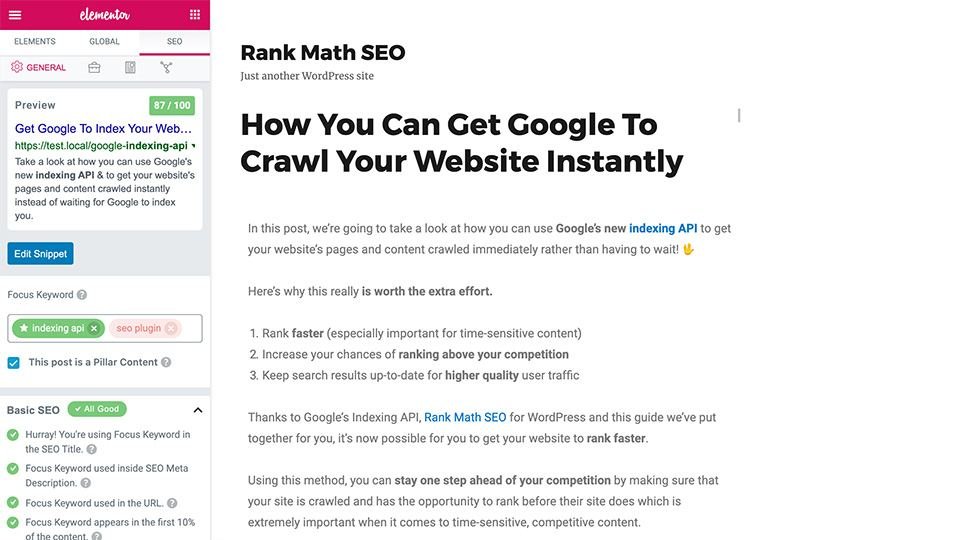
Rank Math built its reputation by putting genuinely advanced tools in its free tier, something most competitors reserve for paid plans. Its schema library, multi-keyword targeting, and integrated 404 monitoring give technical users a level of control that usually costs extra elsewhere.
The dashboard leans dense rather than minimal, but a guided setup wizard makes the initial configuration manageable even for someone new to the plugin. It also includes local SEO fields, video sitemap support, and WooCommerce-specific optimization options built directly into the core plugin.
We recommend it for developers, agencies, and anyone comfortable making their own SEO decisions rather than following a scored checklist.
Rank Math Key Features
Schema Markup Generator: Covers a wide range of schema types with rule-based auto-mapping and built-in validation against Google’s rich results requirements.
Multi-Keyword Optimization: Targets up to five keywords per post in the free version, useful for pages that serve more than one search intent.
Search Console Integration: Pulls rankings, impressions, and click data directly into the WordPress dashboard without a separate login.
Redirection Manager: Built-in 301/302 handling with CSV import and export, plus automatic 404 tracking to catch broken links early.
Rank Tracking: Monitors keyword positions over time using Search Console data, reducing reliance on a separate rank-tracking tool.
Rank Math Pros
Generous Free Tier: Most technical SEO features that competitors paywall are included at no cost, which matters most for small teams and solo site owners.
Clean Migration Path: Imports settings from Yoast, AIOSEO, and SEOPress without losing meta data, sitemaps, or existing redirects.
Modular Design: Individual modules can be switched off entirely, which keeps the plugin lean if you only need a handful of its features.
Frequent Updates: The team responds quickly to algorithm shifts, and recent updates have added llms.txt generation ahead of most competitors.
Rank Math Cons
Dense Interface: The number of modules and settings can overwhelm a first-time user without SEO background.
Occasional Sync Issues: Search Console connections sometimes need re-authentication, which interrupts the rank tracking data flow.
Feature Gating: Deeper WooCommerce schema, white-label options, and advanced video sitemaps require a paid upgrade.
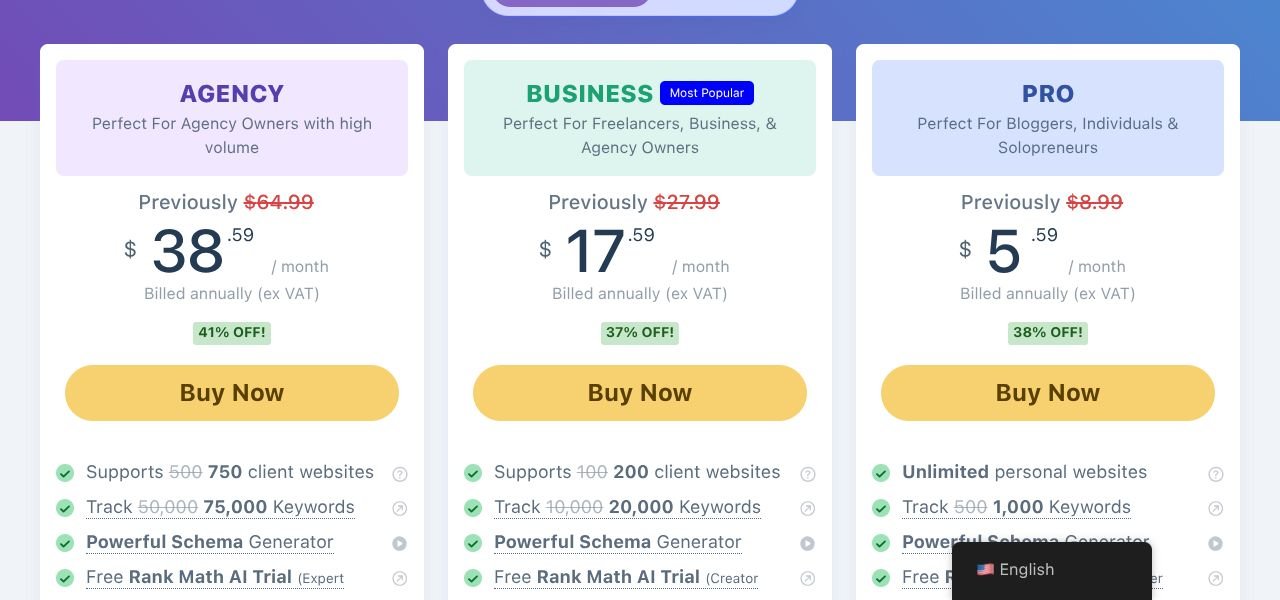
Rank Math Pricing
Pro: $5.59/month Business: $17.59/month Agency: $38.59/month
Rank Math Reviews
G2: 4.8 out of 5 stars (111+ reviews) Capterra: 4.5 out of 5 stars (52+ reviews)
Reviewers consistently point to the free tier as the standout reason to choose Rank Math, though a portion of users report support response times and occasional analytics syncing problems as recurring frustrations.
2. Yoast SEO — Best for Beginners and Content Creators

Best For: New site owners, bloggers, and content teams who want SEO guidance built directly into the writing process without needing prior SEO knowledge.
How We Use It: We turn to Yoast when a client’s content team needs fast readability feedback while drafting posts without deep SEO training.
Quick Overview
Yoast SEO remains one of the most widely installed WordPress plugins because it teaches SEO while you use it. Its traffic-light scoring system gives immediate feedback on both search optimization and readability, which makes it approachable for someone writing their first optimized post.
It continues to update in step with Google’s evolving standards, including improvements to structured data handling and mobile-first indexing support. Where it gives up ground to competitors is in free-tier depth, since several of its more advanced tools sit behind a premium subscription.
For teams that prioritize content quality and want guardrails while writing, Yoast still delivers dependable, well-tested guidance.
Yoast SEO Key Features
Real-Time Analysis: Traffic-light indicators flag keyword usage, sentence length, passive voice, and paragraph structure as you write.
AI Writing Tools: Premium tiers include AI-assisted title generation and keyphrase suggestions built directly into the block editor.
Automatic Sitemaps and Schema: Generates clean XML sitemaps and structured data without manual configuration.
Internal Linking Suggestions: Premium version recommends relevant internal links based on existing site content.
Google Docs Integration: Lets writers check SEO and readability scores before content ever reaches WordPress.

Yoast SEO Pros
Approachable for Beginners: Clear explanations and guided setup remove the intimidation factor that comes with most SEO tools.
Strong Readability Focus: Encourages natural writing that keeps visitors engaged, which supports lower bounce rates over time.
Stable Long-Term Performance: Years of consistent updates have made it one of the most reliable plugins across WordPress versions.
Built-In Learning: Explains the reasoning behind each recommendation, helping teams improve their SEO skills as they publish.
Yoast SEO Cons
Single Free Keyword: The free version limits optimization to one focus keyword per page, restricting multi-intent content.
Premium Cost: At roughly $118.80 per year, it costs more than several competitors offering comparable or deeper features for less.
Missing Free Tools: Internal linking suggestions and redirect management require the paid tier.

Yoast SEO Pricing
Premium: $118.80/year WooCommerce: $178.80/year AI+: $358.80/year
Yoast SEO Reviews
Capterra: 4.6 out of 5 stars (128+ reviews)
Users frequently mention how quickly they saw ranking improvements after adopting Yoast’s on-page guidance, though a recurring complaint centers on premium pricing compared to newer, less expensive alternatives.
3. AIOSEO — Best for Agencies and Growing Businesses
Best For: Agencies, e-commerce brands, and growing businesses that need fast setup alongside strong local SEO and WooCommerce support without a steep learning curve.
How We Use It: We reach for AIOSEO on client migrations where WooCommerce or local SEO configuration needs to happen quickly and reliably.
Quick Overview
AIOSEO built its identity around its TruSEO scoring system, which gives a clear 0-100 rating alongside a content highlighter showing exactly what needs fixing. It pairs that with automation tools like Link Assistant and a built-in redirection manager that save real time on larger sites.
The plugin keeps adding modern capabilities, including AI-driven insights and tighter page builder integrations that match how sites are actually built in 2026. For agencies managing several client accounts, its multi-site pricing and clean dashboard make onboarding new team members far less painful than plugins with more scattered settings.
AIOSEO Key Features
TruSEO Score Analysis: Provides a numeric score with a detailed checklist highlighting exactly what to fix during editing.
Smart Schema Markup: Automatically applies schema types including WooCommerce product and review data for rich snippet eligibility.
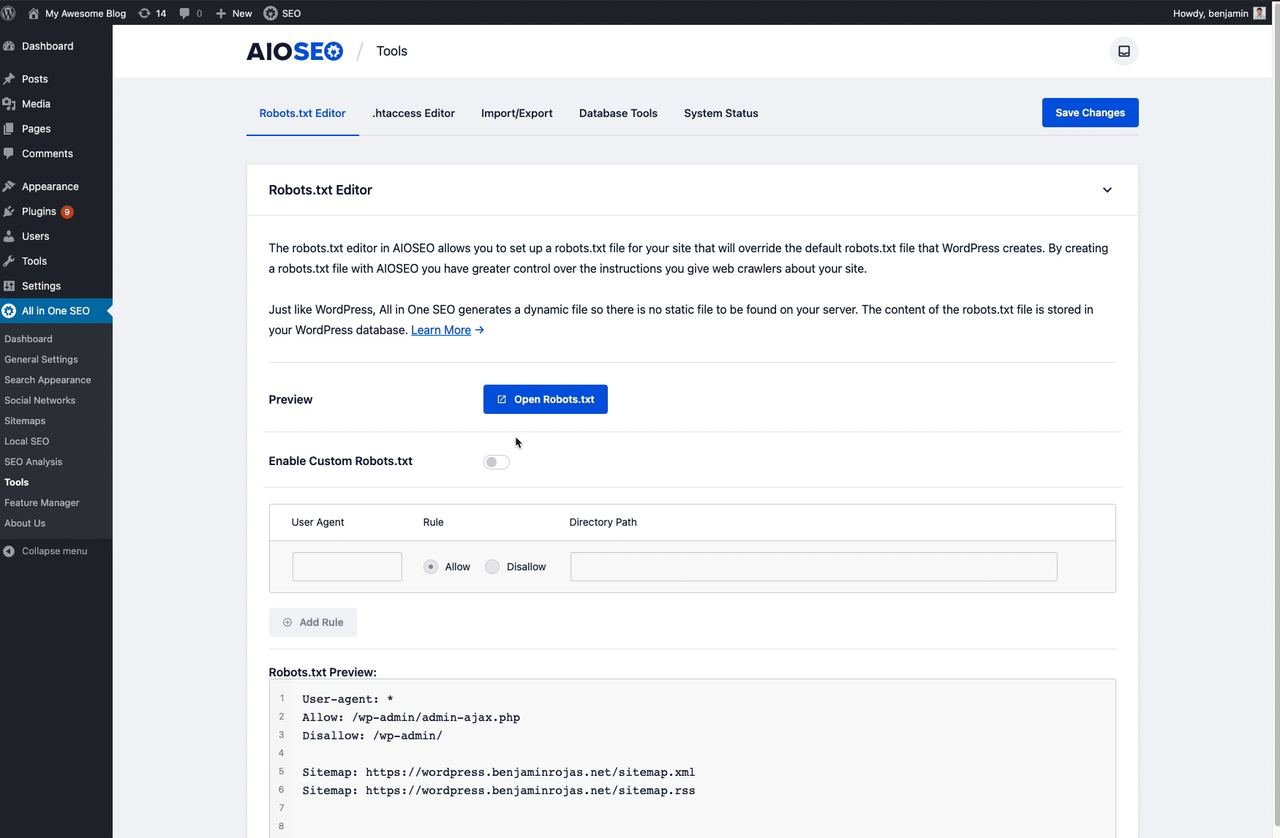
Redirection Manager: Handles bulk redirects and 404 monitoring without needing a separate plugin.
Link Assistant: Scans published content and suggests relevant internal links to strengthen site structure automatically.
Local SEO and WooCommerce Tools: Built-in modules manage Google Business data, product schema, and image optimization for local and ecommerce sites.
AIOSEO Pros
Fast Onboarding: A guided setup wizard gets most sites optimized within minutes using sensible defaults.
Strong Local and WooCommerce Support: Reduces the need for separate add-ons that other plugins require for the same functionality.
Clear Scoring System: TruSEO’s actionable feedback makes it easy to prioritize fixes without guesswork.
Agency-Friendly Pricing: Multi-site tiers scale reasonably for teams managing several client accounts at once.
AIOSEO Cons
Limited Free Tier: Core tools like Link Assistant and the redirection manager sit behind paid plans.
Cost at Scale: Pricing climbs quickly across multiple sites compared to unlimited-site alternatives.
Minor Performance Overhead: Some users report a small speed impact compared to lighter competitors.
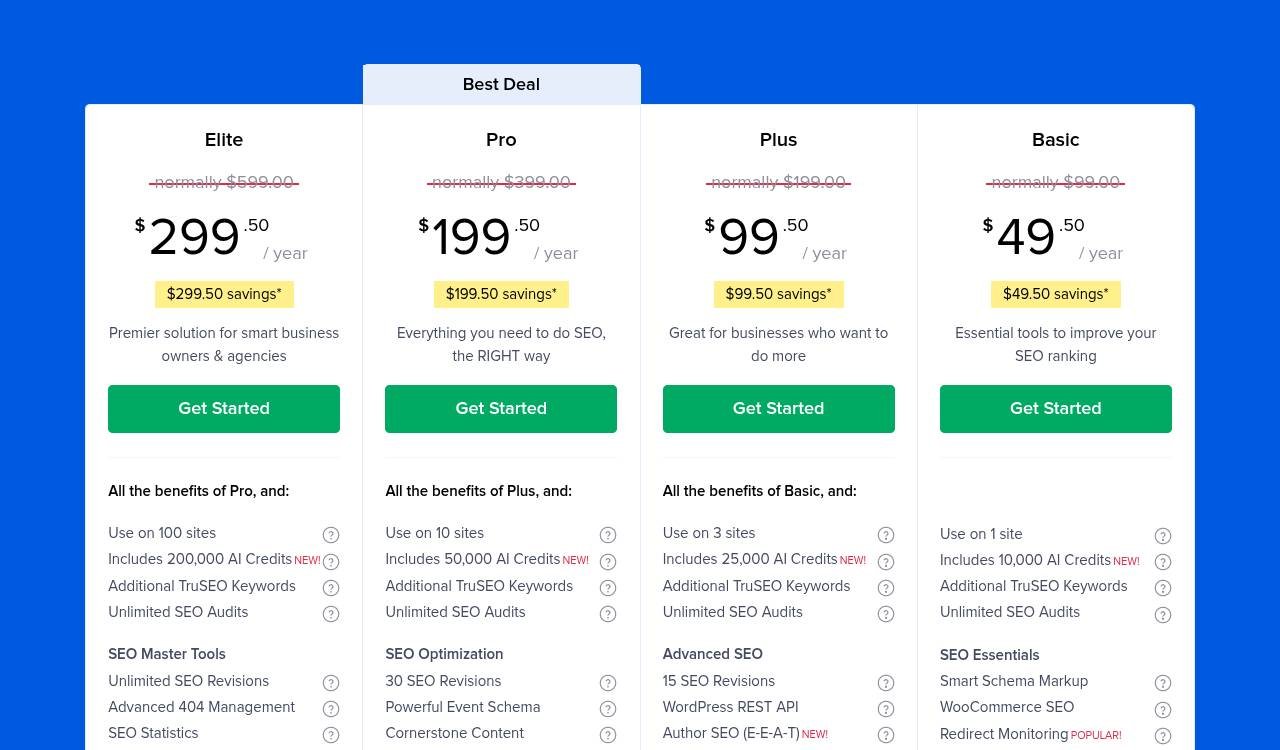
AIOSEO Pricing
Basic: $49.50/year Plus: $99.50/year Pro: $199.50/year Elite: $299.50/year
AIOSEO Reviews
G2: 4.8 out of 5 stars (187+ reviews)
Agencies frequently highlight the multi-site value and fast setup as their top reasons for choosing AIOSEO, while some reviewers note that reaching full functionality across several sites gets expensive compared to flat-rate competitors.
4. SEOPress — Best for Privacy-Focused Multi-Site Owners

Best For: Developers and agencies managing several sites who want a lightweight, ad-free plugin with strong free features and no tracking scripts.
How We Use It: We deploy SEOPress on multi-site client accounts where privacy compliance and speed matter more than built-in AI writing tools.
Quick Overview
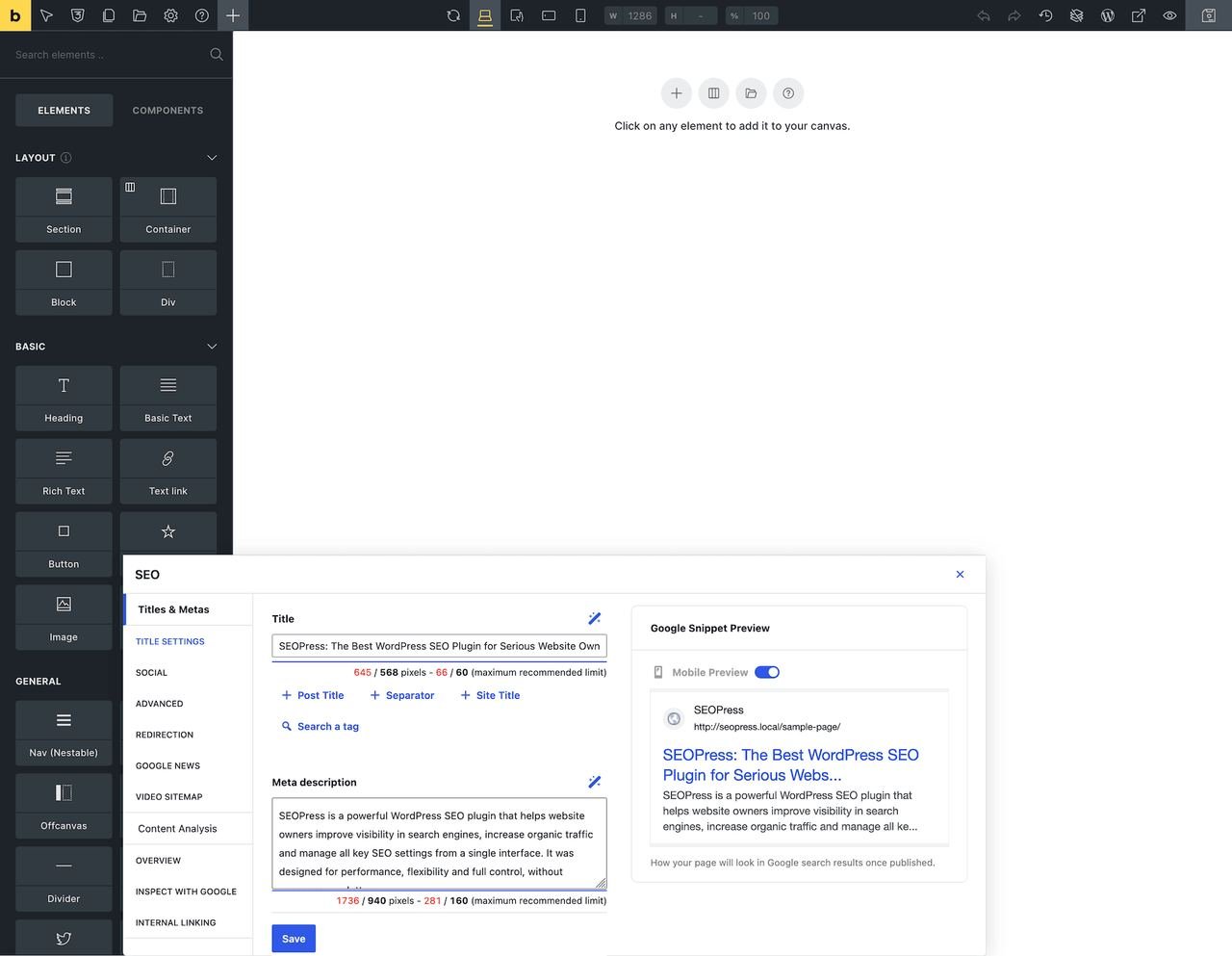
SEOPress earned its following by putting nearly everything in the free version, including unlimited keyword targeting and detailed on-page scoring that most competitors reserve for paid tiers. It’s fully GDPR-compliant with no outbound tracking calls, which makes it a safe default for privacy-sensitive client sites.
The paid tier adds white-label branding and unlimited site licensing, both aimed squarely at agencies. Compared to Yoast and AIOSEO, it gives away far more for free, and compared to Rank Math, it trades some flashier automation for a simpler, quieter interface.
SEOPress Key Features
Unlimited Keywords: On-page scoring works across as many focus keywords as needed in both free and paid tiers.
Advanced Schema Markup: Templates cover articles, products, reviews, local business, and event schema without custom coding.
Redirect and 404 Monitoring: Manages 301, 302, and 307 redirects directly from the plugin dashboard.
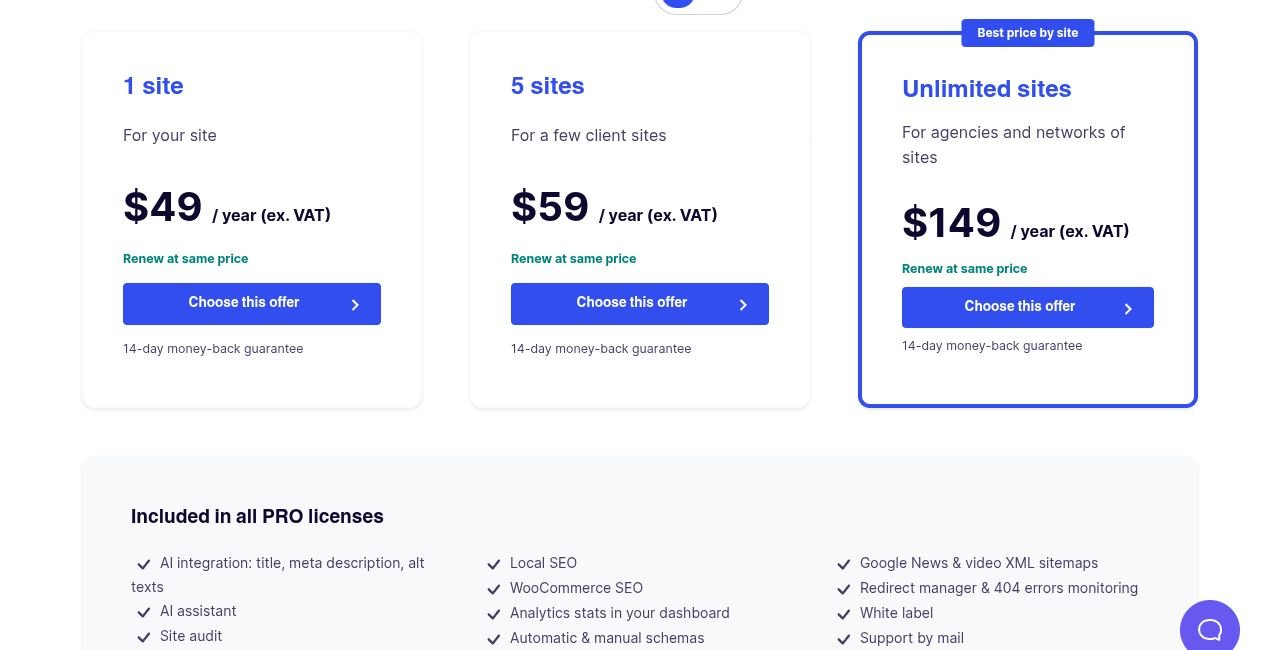
White-Label and Unlimited Sites: Removes all SEOPress branding and covers unlimited installs on the Pro license.
Sitemap and Robots.txt Control: Custom sitemaps, including image and video variants, alongside simple robots.txt editing.
SEOPress Pros
Best Free Tier on This List: Unlimited keywords and schema access without a paywall is rare among comparable plugins.
True Privacy Compliance: No external API calls or tracking pixels, which simplifies GDPR compliance for EU-facing clients.
Minimal Performance Footprint: Adds very little overhead, which helps preserve strong Core Web Vitals scores.
Unlimited Sites on One License: A single Pro license covers unlimited installs, ideal for agencies with many client sites.
SEOPress Cons
Limited AI Tools: No built-in AI title or content generation compared to AIOSEO or Rank Math’s premium offerings.
Steeper Initial Setup: Fewer guided wizards mean new users spend more time learning the interface.
Basic Readability Scoring: Less detailed than Yoast’s color-coded content analysis.
SEOPress Pricing
1 Site: $49/year 5 Sites: $59/year Unlimited Sites: $149/year
SEOPress Reviews
G2: 4.4 out of 5 stars (15+ reviews) Capterra: 4.6 out of 5 stars (8+ reviews)
Agencies frequently describe SEOPress as a complete replacement for pricier alternatives, while newer users occasionally mention wanting more built-in guidance during setup.
5. The SEO Framework — Best for Minimalists and Developers
Best For: Developers and performance-focused site owners who want technical SEO automated quietly in the background.
How We Use It: We install The SEO Framework on speed-sensitive client sites where the team doesn’t want constant dashboard notifications.
Quick Overview
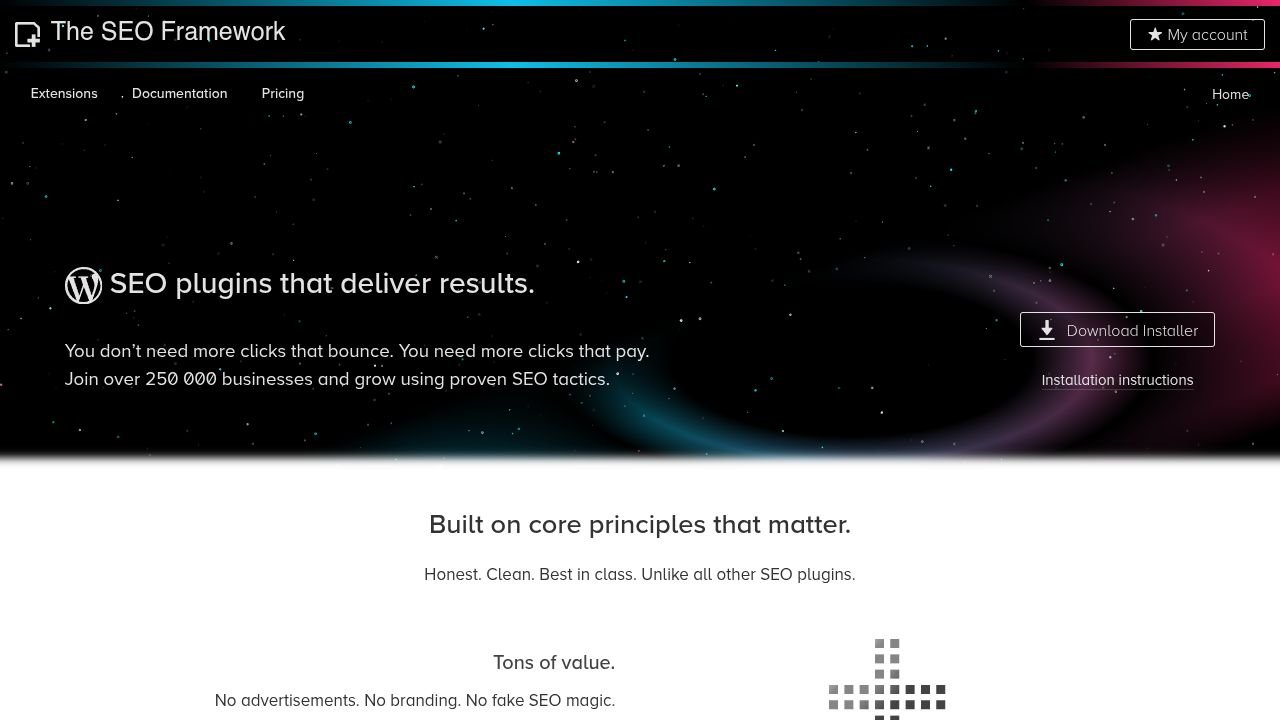
The SEO Framework takes a different philosophy than most plugins on this list: SEO should function as infrastructure, not a scoring game. It generates meta tags, sitemaps, and schema automatically the moment it’s activated, using sensible defaults rather than asking users to configure everything manually.
Independent speed testing consistently shows it outperforming heavier plugins by a wide margin, which makes it a natural fit for teams that already understand SEO fundamentals and don’t need step-by-step guidance. What it sacrifices in hand-holding, it makes up for in near-zero performance overhead.
SEO Framework Key Features
Automated Meta Generation: Builds titles and descriptions from post content using a customizable template format.
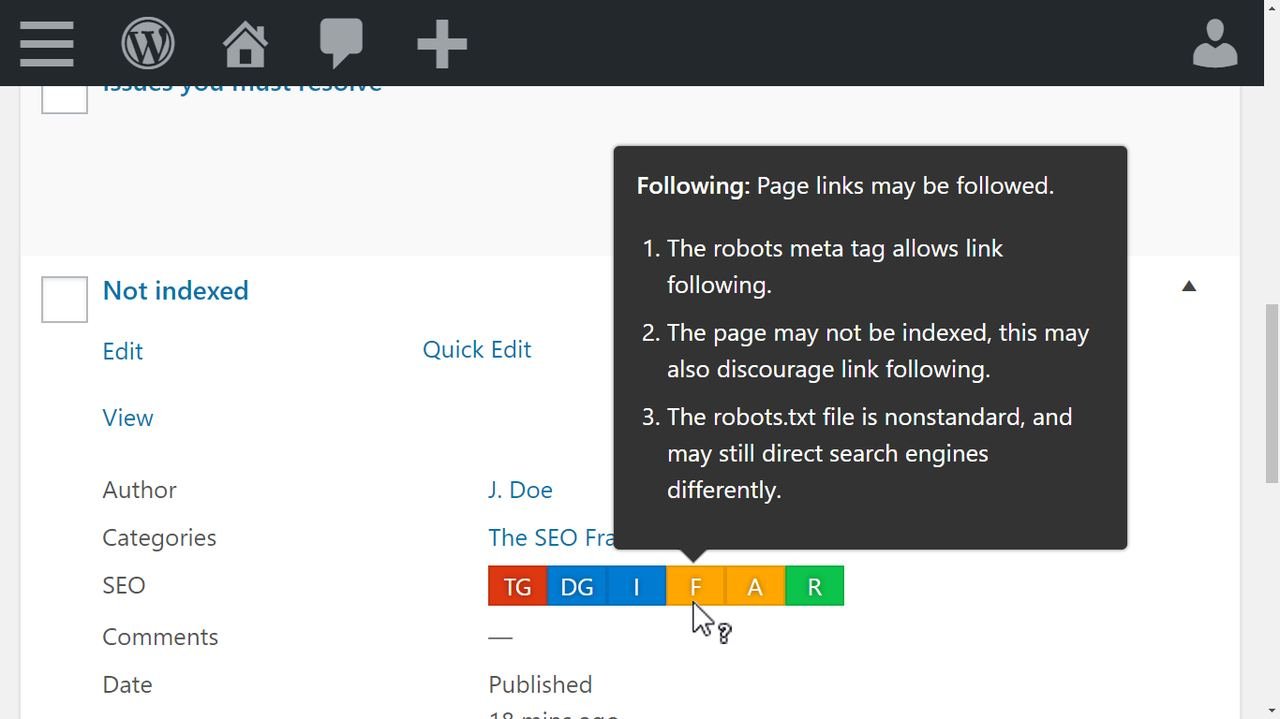
Color-Coded Indicators: Simple green-or-red visual cues flag optimization status without requiring deep technical knowledge.
Minimal Performance Footprint: Virtually zero overhead keeps page load times fast even on larger sites.
Automated Structured Data: Generates JSON-LD schema for articles and breadcrumbs without any manual setup.
Sitemap Automation: Creates and updates sitemaps for all post types and submits them automatically.
SEO Framework Pros
Exceptional Speed: Consistently benchmarks faster than most competing plugins in independent load-time testing.
Full Automation: Meta tags, schema, and sitemaps work correctly out of the box with no setup required.
Distraction-Free Dashboard: No upsell banners or constant notifications interrupting the WordPress admin experience.
Privacy-Conscious Design: No tracking or external data calls, making it suitable for privacy-focused projects.
Lower Long-Term Cost: Pro pricing undercuts several competitors charging substantially more per year.
SEO Framework Cons
No Content Guidance: Beginners get no real-time feedback, keyword scoring, or readability checks.
Sparse Documentation: A limited knowledge base makes troubleshooting harder than with more established plugins.
Multi-Site License Minimum: Premium tiers require at least two sites, which penalizes single-site owners.
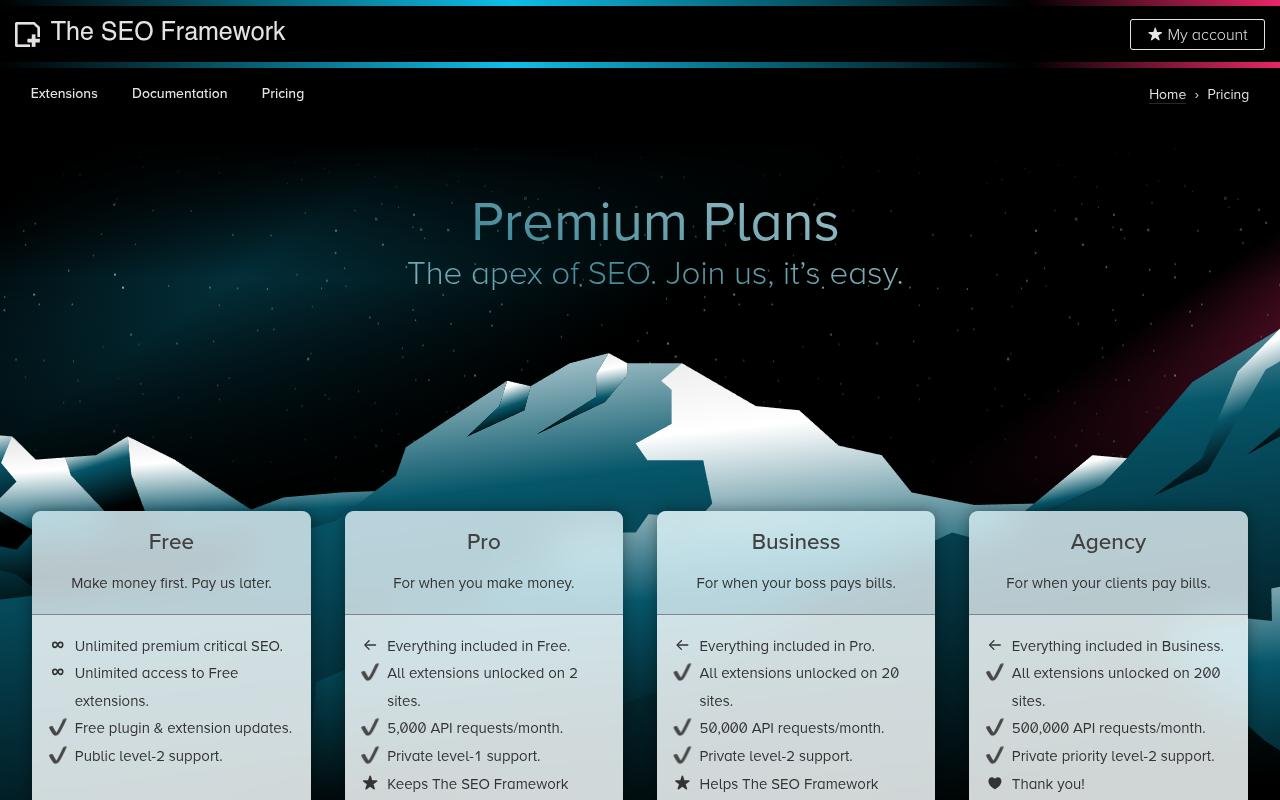 SEO Framework Pricing
Free Pro: $7/month Business: $17/month Agency: $27/month
SEO Framework Reviews
G2: 4 out of 5 stars (1+ reviews)
Users consistently praise the plugin’s speed and hands-off automation, though newer site owners often mention missing the content coaching that plugins like Yoast provide.
6. Squirrly SEO — Best for AI-Powered Content Optimization

Best For: Small business owners and bloggers who want AI-guided SEO and built-in keyword research without needing separate tools or technical expertise.
How We Use It: We suggest Squirrly SEO to clients who want live content feedback while writing without navigating a complex settings panel.
Quick Overview
Squirrly SEO positions itself as a virtual SEO consultant, offering real-time guidance as you write rather than a static checklist. It bundles keyword research, content scoring, rank tracking, and technical audits into a single dashboard, aimed squarely at non-technical users who want results without hiring a specialist.
Its Focus Pages feature tracks individual URLs against ranking probability and lists specific tasks to improve them, giving a clear sense of what’s holding a page back. The trade-off is an interface that can feel crowded given how many features are packed into one plugin.
Squirrly SEO Key Features
Live SEO Assistant: Updates optimization scores in real time as you write inside WordPress or a page builder.
Focus Pages System: Tracks specific URLs against ranking probability and lists prioritized tasks to improve them.
AI-Powered Keyword Research: Surfaces keyword volume, competition, and trend data across 140+ languages inside WordPress.
SEO Automation: Handles technical settings like sitemaps and meta tags with minimal manual input.
Content Audit: Scans published posts for issues and prioritizes fixes based on potential impact.

Squirrly SEO Pros
Beginner-Friendly AI Guidance: Explains recommendations in plain language, reducing the learning curve for new users.
Built-In Keyword Research: Removes the need for a separate keyword tool subscription.
Real-Time Writing Feedback: Scores update live, letting writers improve content as they draft rather than after publishing.
Consolidates Multiple Tools: Combines research, optimization, and tracking functions that would otherwise require separate subscriptions.
Squirrly SEO Cons
Restrictive Free Tier: Limited to one site, one Focus Page, and a handful of monthly keyword searches.
Crowded Interface: The sheer number of features can make navigation feel cluttered at first.
Lighter Keyword Data: Less depth than dedicated research platforms like Ahrefs or Semrush.

Squirrly SEO Pricing
Free :Pro: $19.99/month Web Dev Kit: $51.20/month Business: $71.99/month
Squirrly SEO Reviews
G2: 4.7 out of 5 stars (149+ reviews) Capterra: 4.7 out of 5 stars (168+ reviews)
Reviewers consistently highlight the AI guidance as reducing SEO intimidation for beginners, while some mention the interface takes time to get comfortable navigating and the free tier feels too restricted for meaningful testing.
7. Schema Pro — Best for Rich Snippets and Structured Data
Best For: Site owners who want dedicated, comprehensive schema management without touching code.
How We Use It: We add Schema Pro to client sites where rich snippets carry real weight, particularly recipe, review, and local business pages.
Quick Overview
Schema Pro focuses on a single job and does it thoroughly: structured data. Rather than treating schema as a secondary feature bolted onto a broader SEO plugin, it offers a point-and-click builder covering a wide range of schema types with automation rules that apply markup sitewide based on content type.
It integrates directly with WooCommerce and Advanced Custom Fields, letting site owners map existing data into schema properties without manual JSON-LD editing. For anyone already using a general SEO plugin but needing deeper structured data control, it pairs cleanly alongside almost any of the other tools on this list.
Schema Pro Key Features
Extensive Schema Type Support: Covers Article, Product, Recipe, Event, Review, FAQ, HowTo, and several other specialized types.
Visual Schema Builder: Maps schema fields through a point-and-click interface with no coding required.
Automatic Schema Application: Detects content type and applies the correct schema sitewide without manual configuration per page.
WooCommerce Integration: Adds product schema including pricing, availability, and reviews automatically.
ACF Compatibility: Maps Advanced Custom Fields data directly into schema properties.
Schema Pro Pros
Dedicated Schema Depth: Offers more flexibility than the schema features bundled into general SEO plugins.
No-Code Interface: Makes advanced structured data accessible to non-developers.
Sitewide Automation: Saves substantial manual work by applying schema based on detected content type.
Reliable Developer Backing: Built by the team behind the Astra theme, with a track record of ongoing support.
Schema Pro Cons
No Free Version: Small sites can’t test functionality before committing to a purchase.
Learning Curve for Custom Rules: Mapping custom fields and conditional logic still requires understanding schema structure.
Occasional Plugin Conflicts: Some page builder combinations require troubleshooting to resolve compatibility issues.

Schema Pro Pricing
Annual: $69/year Lifetime: $229
Schema Pro Reviews
Independent review volume is limited, but user feedback consistently points to strong rich snippet results and higher click-through rates after implementation, with some questioning the cost given that basic schema comes free with plugins like Rank Math.
8. Redirection — Best for Site Migrations and URL Management

Best For: Site owners handling URL changes, migrations, or ongoing 404 cleanup without touching server files.
How We Use It: We run Redirection on every client migration to manage 301s and track 404 errors before they hurt rankings.
Quick Overview
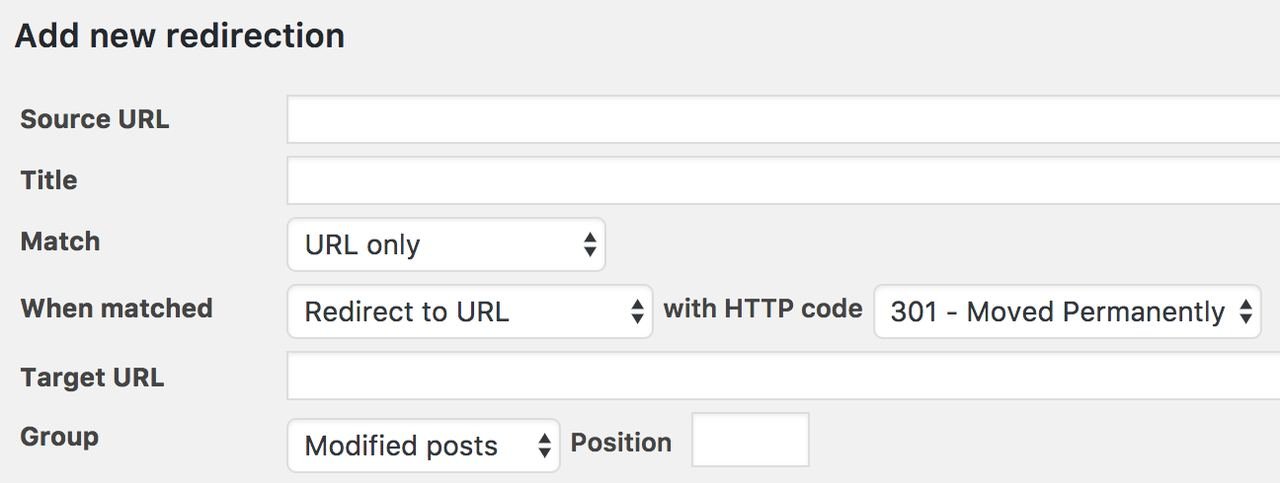
Redirection remains the standard free WordPress tool for managing 301 redirects and monitoring broken links without editing .htaccess files directly. It supports multiple redirect types, regex-based bulk rules, and conditional logic based on referrer, browser, or login status.
Its built-in 404 error log shows exactly where visitors are hitting dead ends, making it simple to create a fix the moment a problem shows up. CSV import and export also make it straightforward to move redirect rules between staging and production environments, which matters during larger migrations.
Redirection Key Features
Simple Redirect Management: Creates 301, 302, or 307 redirects directly inside WordPress without server access.
404 Error Tracking: Logs broken links with referrer and user agent data to help prioritize fixes.
Regex Support: Handles bulk or pattern-based redirects for large-scale URL restructuring.
Conditional Redirects: Applies rules based on user role, referrer, or login status for precise targeting.
CSV Import/Export: Transfers redirect rules between sites, useful for migrations and agency handoffs.
Redirection Pros
Completely Free: Every feature, including conditional redirects and regex support, is available with no paywall.
Lightweight at Scale: Handles thousands of redirects without measurable speed impact.
Proactive 404 Monitoring: Surfaces broken links before they quietly damage rankings.
Server Compatibility: Supports both Apache and Nginx with automatic rewrite rule export.
Redirection Cons
Dated Interface: Lacks the visual polish of newer plugins.
No Redirect Chain Detection: Identifying circular redirects requires manual checking.
Regex Learning Curve: Advanced bulk redirect features require technical comfort with pattern matching.
Redirection Pricing
Free
Redirection Reviews
Independent scoring is limited, but user sentiment consistently praises the plugin’s reliability and its 404 monitoring, with most agreeing the functionality justifies its place as a standard companion to any SEO plugin.
9. Slim SEO — Best for Speed-Obsessed Minimalists
Best For: Site owners who want fully automated SEO without configuration, dashboards, or performance overhead.
How We Use It: We deploy Slim SEO on speed-critical builds where automated optimization matters more than granular manual control.
Quick Overview
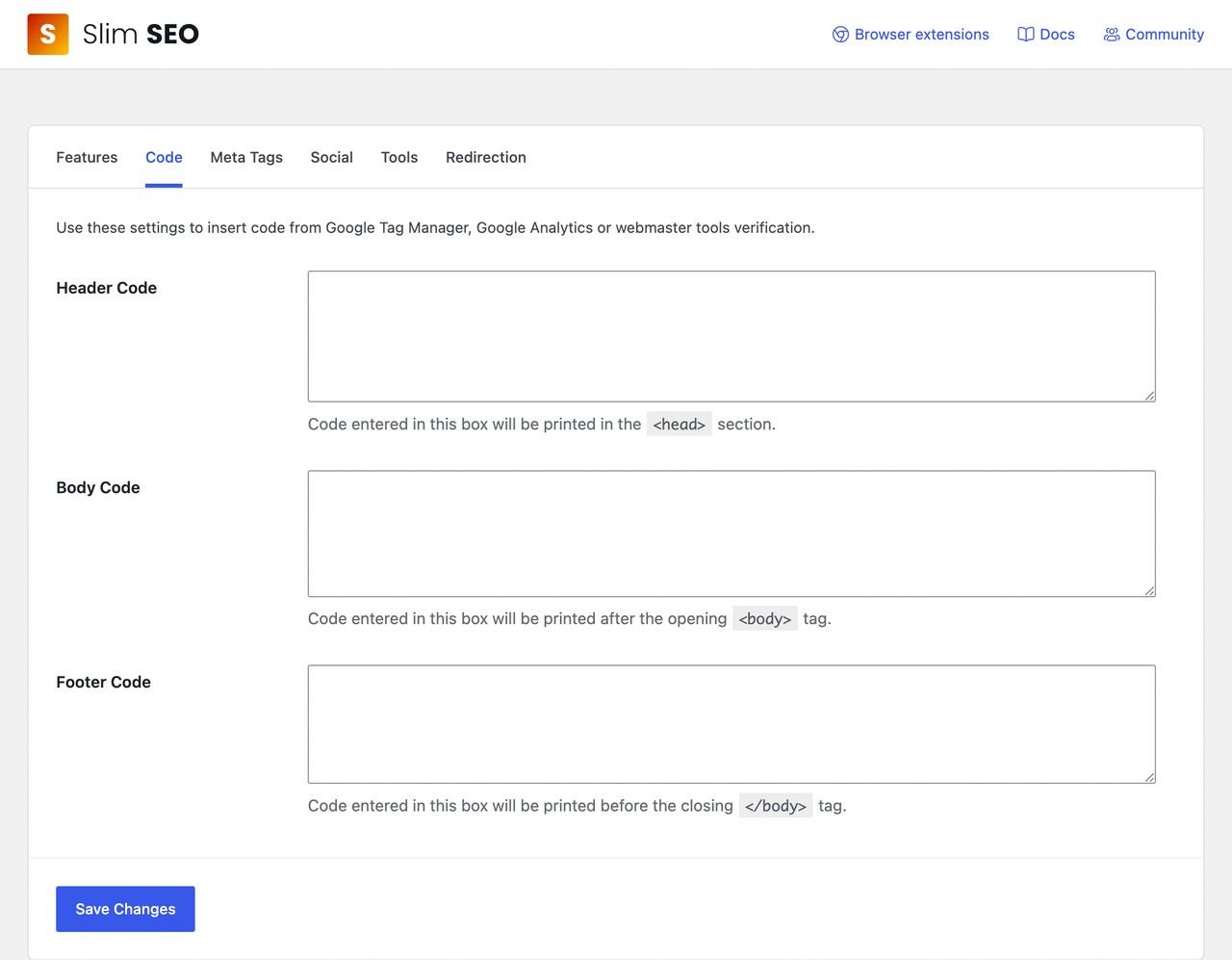
Slim SEO takes zero-configuration to its logical extreme, generating titles, descriptions, sitemaps, schema, and social tags immediately upon activation with no setup screen at all. It skips content scoring entirely, focusing purely on getting the technical fundamentals right in the background.
Its minimal codebase makes it one of the fastest SEO plugins available, which matters most for developers building performance-first sites. The free version covers essentially everything most sites need, with the paid tier adding a visual schema builder and Search Console integration for teams wanting a bit more control.
Slim SEO Key Features
Complete Automation: Generates all core SEO fields immediately after activation with no configuration needed.
Automatic Alt Text: Fills in missing image alt attributes using file names when authors forget to add them.
Schema Markup Automation: Creates JSON-LD structured data for articles and breadcrumbs automatically.
Zero-Configuration Setup: Works immediately with no setup wizard or manual options screen.
Migration Support: Imports existing SEO data from Yoast, Rank Math, and other major plugins.
Slim SEO Pros
Fastest Load Impact: Minimal code footprint keeps overhead close to zero on page load.
No Setup Required: SEO fundamentals work immediately without hours of configuration.
Clean, Ad-Free Dashboard: No upsell prompts or notification clutter.
Reliable Development Team: Backed by the experienced Meta Box team with a long plugin development history.
Slim SEO Cons
No Content Scoring: Missing the keyword or readability feedback that helps beginners learn SEO.
Limited Customization: Automated output offers little manual override for advanced users.
No Built-In Redirects: Requires a separate plugin like Redirection for URL management.

Slim SEO Pricing
Personal: $59/year Freelancer: $119/year Agency: $179/year
Slim SEO Reviews
Independent review volume is limited, but feedback consistently highlights setup taking under two minutes with immediate technical improvements, while some beginners note missing the guided keyword coaching found in more feature-heavy plugins.
10. W3 Total Cache — Best for Advanced Caching on a Budget
Best For: Technically confident site owners who want enterprise-level caching for free and are comfortable troubleshooting configuration issues.
How We Use It: We turn to W3 Total Cache on high-traffic client sites where budget rules out premium caching tools.
Quick Overview
W3 Total Cache remains the most feature-dense free caching plugin available, covering page, database, object, and browser caching alongside minification and CDN integration. It gives advanced users dozens of configuration options rather than the simplified defaults found in premium alternatives.
That depth comes with real complexity, and misconfigured settings can break a site’s layout or functionality if applied without care. It’s best suited to developers and agencies who understand caching mechanics and want enterprise-grade performance tools without a subscription fee.
W3 Total Cache Key Features
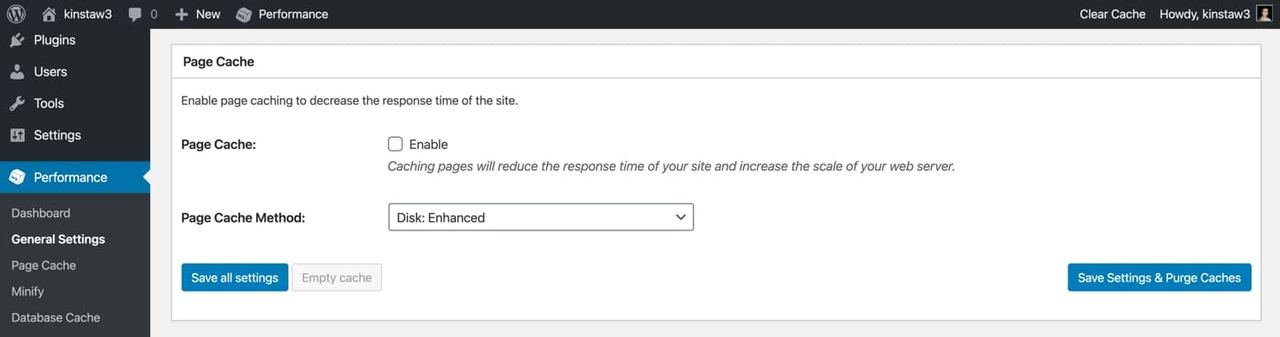
Page Caching: Generates static HTML versions of pages to reduce server load significantly.
Database Caching: Stores query results using Memcached or Redis to reduce repeated database hits.
Object Caching: Minimizes redundant database queries by caching WordPress objects directly.
Browser Caching: Configures headers so browsers store static assets locally, cutting bandwidth use.
Minification: Compresses and combines CSS and JavaScript files to reduce HTTP requests.
W3 Total Cache Pros
Free Enterprise Features: Provides page, object, and database caching without any cost.
Granular Configuration: Advanced users can fine-tune nearly every performance setting precisely.
Broad CDN Support: Integrates with Cloudflare, BunnyCDN, and other providers for budget-friendly global delivery.
Advanced Caching Methods: Supports Memcached, Redis, and APC for high-performance setups without costly hosting upgrades.
W3 Total Cache Cons
Complex Configuration: Dozens of technical settings can overwhelm anyone without caching experience.
Site-Breaking Risk: Aggressive minification or misapplied settings commonly cause layout or functionality issues.
Steep Learning Curve: Built-in explanations are brief, often requiring outside research to configure safely.
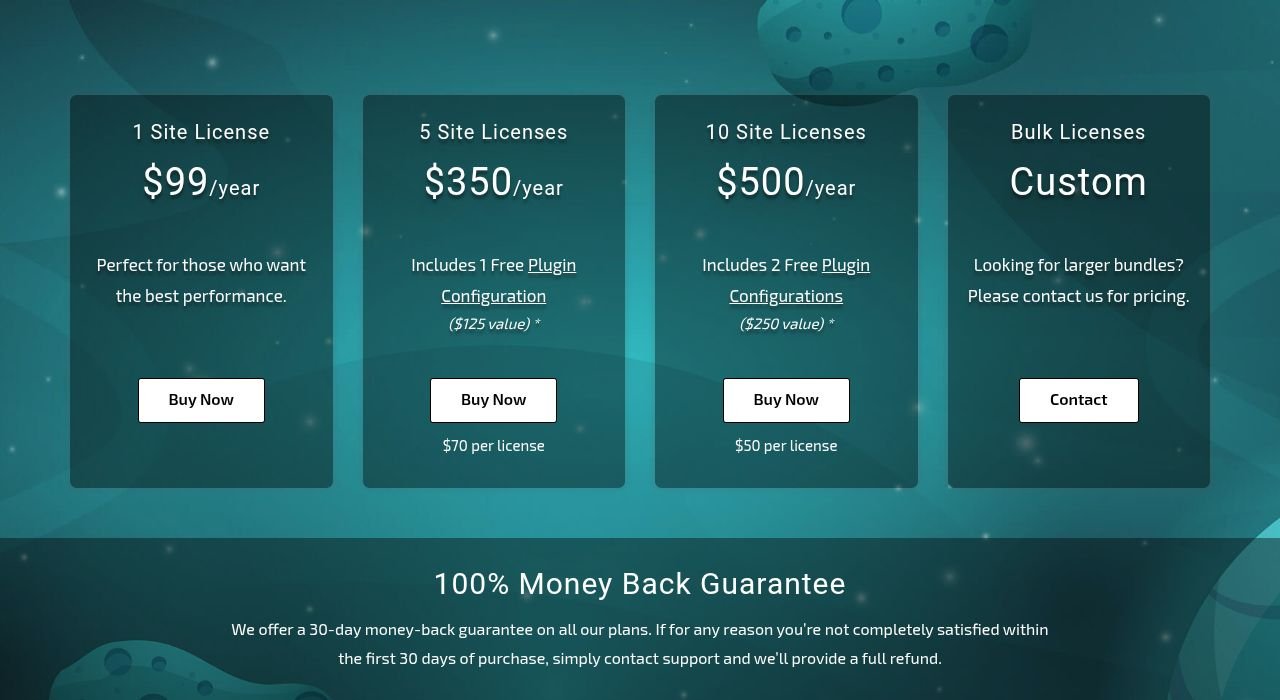
W3 Total Cache Pricing
Total Cache Pro: $8.25/month
W3 Total Cache Reviews
G2: 4.5 out of 5 stars (23+ reviews)
Users consistently praise the depth of free functionality, though a recurring theme in feedback is that incorrect configuration frequently causes site issues that require technical troubleshooting to resolve.
11. MonsterInsights— Best for Google Analytics Integration

Best For: Site owners who need to understand traffic and conversions without navigating Google Analytics’ full interface.
How We Use It: We use MonsterInsights on client dashboards to track conversions and top-performing content without logging into GA4 separately.
Quick Overview
MonsterInsights bridges the gap between WordPress and Google Analytics by surfacing the metrics that actually matter directly inside the WordPress dashboard. Where GA4 can overwhelm a business owner with hundreds of available reports, MonsterInsights distills the data down to pageviews, top content, and conversion sources.
It handles ecommerce and form tracking automatically, removing the need for manual Google Tag Manager configuration. The free version is genuinely limited, so most of its real value sits behind a paid tier aimed at businesses that need conversion-level insight.
MonsterInsights Key Features
One-Click Analytics Setup: Connects WordPress to GA4 and installs tracking code without manual implementation.
Dashboard Reports: Displays pageviews, sessions, and top content directly inside WordPress.
Enhanced Ecommerce Tracking: Tracks WooCommerce transactions and attributes revenue to specific traffic sources.
Form Conversion Tracking: Monitors form submissions and identifies where users abandon completion.
Custom Dimensions: Tracks authors, categories, and post types as measurable content dimensions.

MonsterInsights Pros
Simplifies GA4: Removes the complexity of Google Analytics’ native interface for non-technical users.
Fast Setup: Authentication and tracking installation take a matter of minutes.
Automatic Ecommerce Tracking: Tracks WooCommerce performance without custom code or Tag Manager setup.
Built-In GDPR Tools: Includes IP anonymization and cookie consent integration for compliance.
MonsterInsights Cons
Limited Free Tier: The lite version blocks ecommerce tracking and most meaningful reports.
Pricing Feels Steep: Premium tiers cost more than some site owners expect for a layer on top of free analytics.
Simplified Reporting: Dashboard widgets lack the depth of native GA4 for detailed analysis.
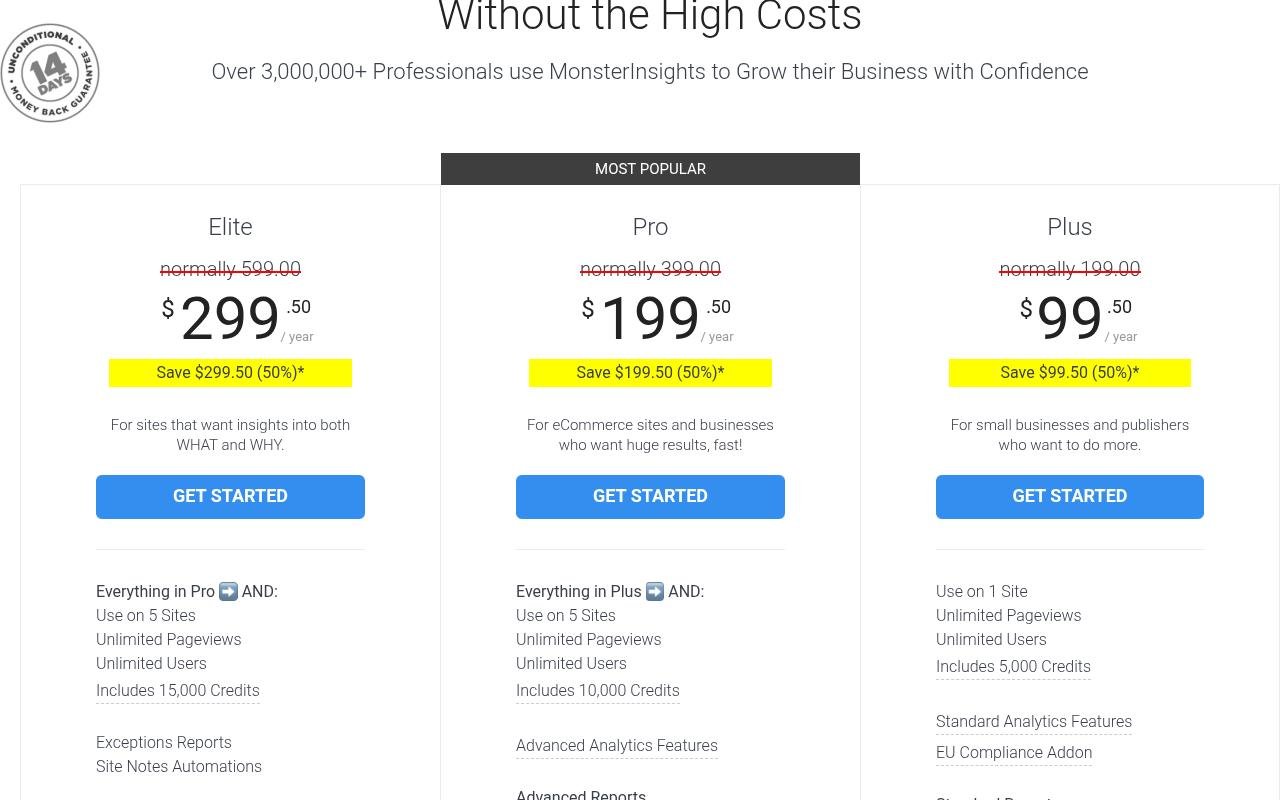
MonsterInsights Pricing
Plus: $99.50/year Pro: $199.50/year Elite: $299.50/year
MonsterInsights Reviews
G2: 4.4 out of 5 stars (36+ reviews) Capterra: 4.8 out of 5 stars (13+ reviews)
Reviewers frequently mention how much easier MonsterInsights makes analytics for non-technical teams, while some question the pricing given that the underlying Google Analytics service is free.
12. WP Rocket – Best for Page Speed Optimization

Best For: Site owners who want faster load times and better Core Web Vitals without deep technical configuration.
How We Use It: We install WP Rocket on new client builds because it delivers measurable speed gains within minutes of activation.
Quick Overview
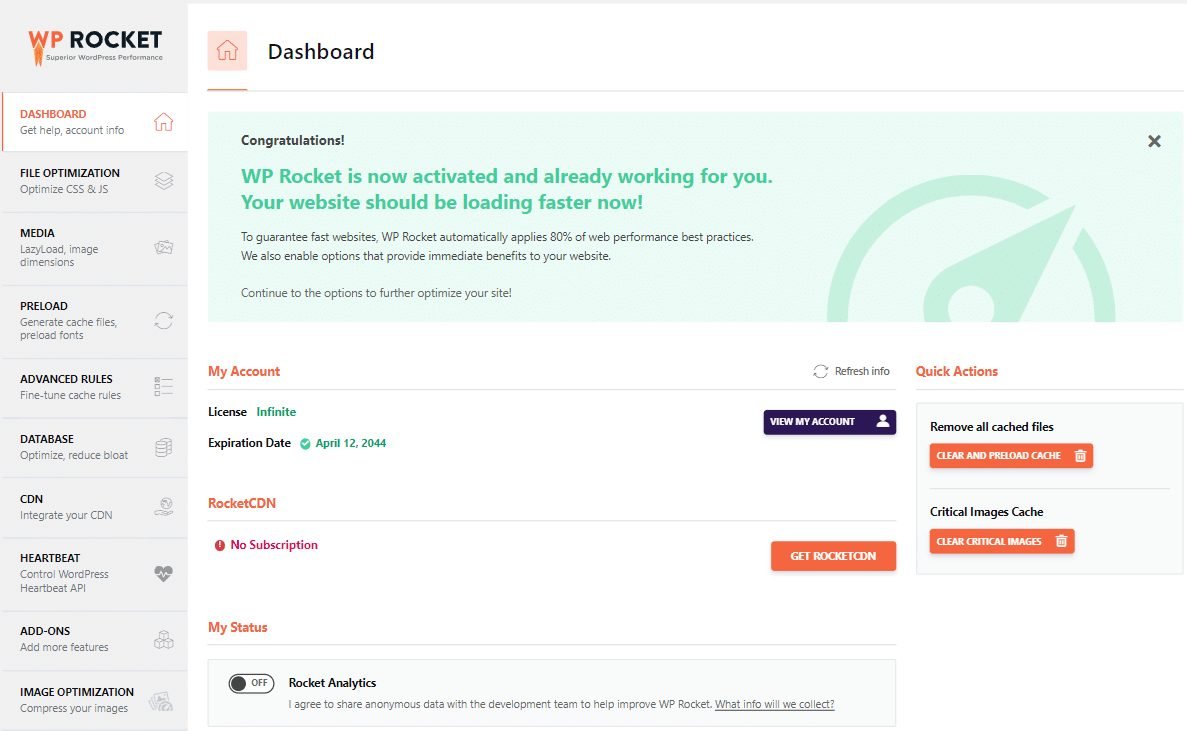
WP Rocket built its reputation on working immediately after activation, applying smart caching defaults without requiring the manual tuning that free alternatives demand. It combines page caching, file minification, lazy loading, and database cleanup into a single, coherent interface.
It’s a paid-only tool, which sets it apart from most caching plugins on this list, but the trade-off is consistent, predictable performance gains without the troubleshooting that comes with more technical options. For agencies managing multiple client sites, that reliability alone often justifies the subscription cost.
WP Rocket Key Features
Page Caching: Creates static HTML versions of pages instantly to speed up load times.
File Optimization: Minifies and combines CSS and JavaScript to reduce page requests.
Lazy Loading: Delays loading images and videos until a visitor scrolls to them.
Database Optimization: Automatically clears post revisions, spam comments, and stale transients.
CDN Integration: Connects easily with Cloudflare and other CDNs to reduce origin server load.
WP Rocket Pros
Immediate Results: Delivers measurable speed improvements right after activation with minimal setup.
Core Web Vitals Gains: Frequently improves LCP, INP, and CLS scores without hiring a performance specialist.
Consolidates Multiple Tools: Replaces the need for separate caching, minification, and cleanup plugins.
Responsive Support: Premium support tends to give specific, actionable troubleshooting rather than generic replies.
WP Rocket Cons
No Free Version: Requires a paid subscription from day one, with no trial to test first.
Occasional Manual Exclusions: Dynamic content and checkout pages sometimes need exclusion rules to function properly.
Limited Advanced Control: Developers wanting granular caching rules may find the simplified interface restrictive.
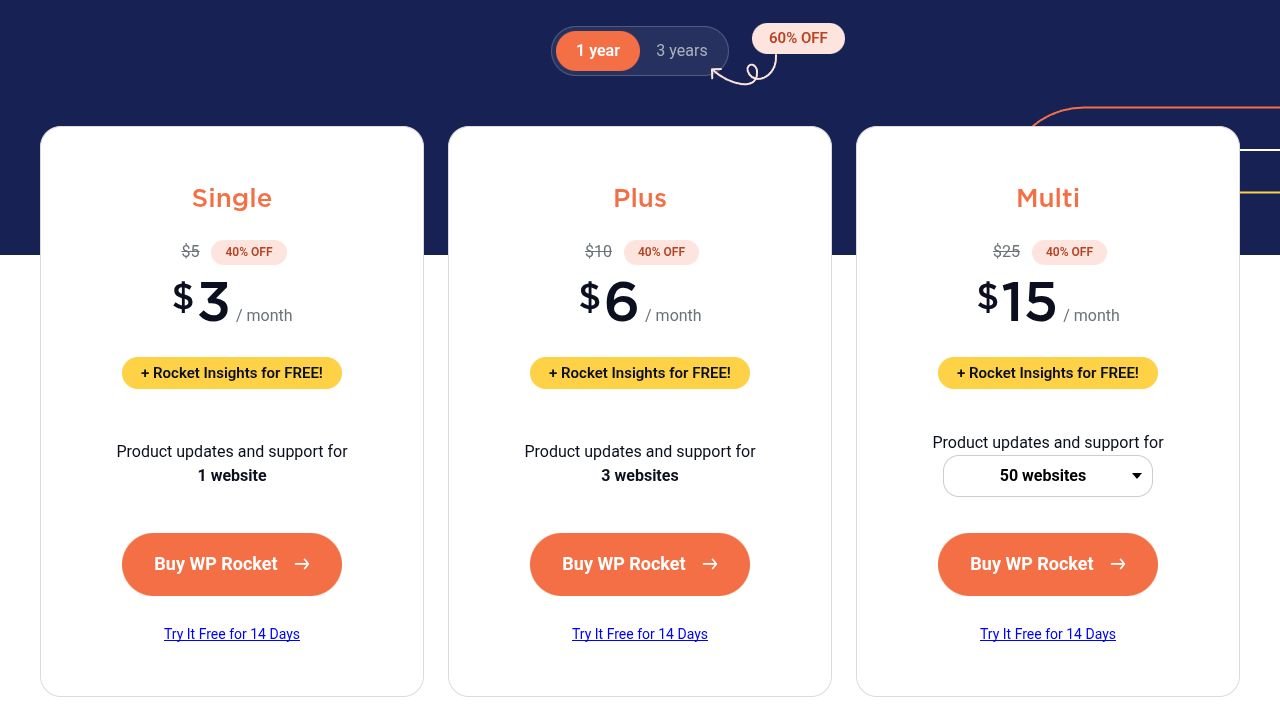
WP Rocket Pricing
Single: $3/month: $6/month: 15/month
WP Rocket Reviews
G2: 4.2 out of 5 stars (45+ reviews)
Users consistently note the speed gains as immediate and measurable, though several mention wishing a free tier existed for testing before committing to the annual subscription.
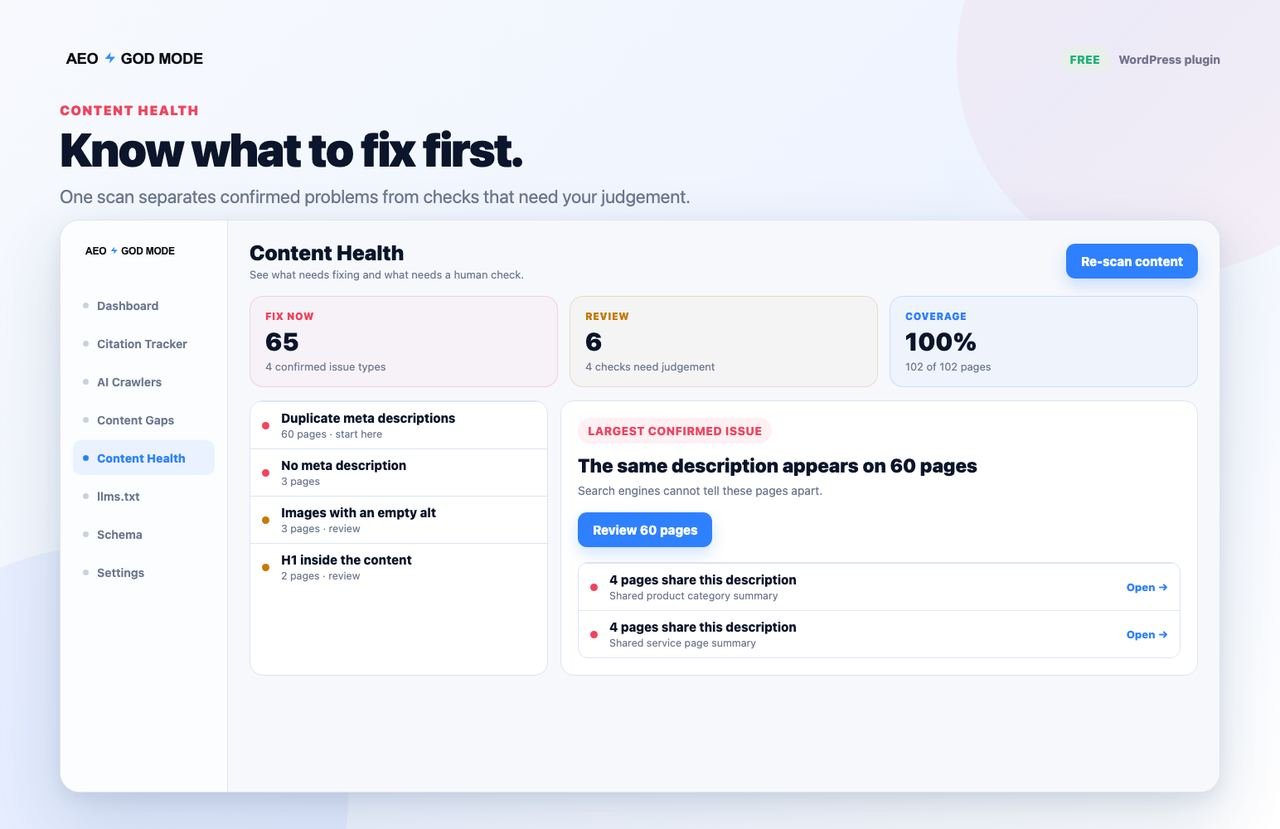
13. AEO God Mode — Best for AI Citation Tracking and Answer Engine Visibility

Best For: Site owners who want to know whether AI tools like ChatGPT, Perplexity, Gemini, and Claude can find, read, and cite their pages, and fix what blocks them.
How We Use It: We’re testing AEO God Mode on client sites where a growing share of referral traffic is starting to come from AI chat tools rather than a standard search results page.
Quick Overview
AEO God Mode is a WordPress plugin built specifically for answer engine optimization, the work of making content easy for AI systems to discover, understand, and quote. Rather than focusing purely on traditional blue-link rankings, it checks whether AI crawlers can reach a site, whether its pages lead with direct answers, and whether its content is structured so AI tools can pull from it.
It generates and manages an llms.txt file automatically, logs visits from AI crawlers, and scores every page on how directly it answers real questions. The free plugin covers the checks, while Pro adds a Citation Tracker that runs tracked questions against ChatGPT, Perplexity, Gemini, and Claude to show whether a site actually gets cited. It works alongside Yoast, Rank Math, SEOPress, and All in One SEO rather than replacing them.
AEO God Mode Key Features
Citation Tracker: Runs tracked questions against ChatGPT, Perplexity, Gemini, and Claude and reports whether a site gets cited.
llms.txt Generation: Automatically creates and updates the llms.txt file that guides AI crawlers toward key content.
AI Crawler Controls: Shows which AI crawlers robots.txt allows or blocks, and logs every visit they make.
AI Referral Tracking: Separates traffic originating from AI tools inside standard analytics reporting.
Citability Score: Scores every page on how directly it answers real questions and shows which fixes add the most points.
AEO God Mode Pros
Addresses a Real 2026 Gap: Covers AI visibility tracking that none of the established SEO plugins handle natively yet.
Honest About Limits: Says plainly that no tool can guarantee a citation, and reports what it can verify rather than guessing.
Works Alongside Existing Plugins: Detects Yoast, Rank Math, SEOPress, or AIOSEO and avoids duplicating their work.
Generous Free Tier: The free plugin covers all five checks, the crawler log, and llms.txt on unlimited sites.
AEO God Mode Cons
Young Plugin: Launched in May 2026, so it has fewer years of refinement than established plugins and a small review base.
Citation Tracking Needs API Keys: The Pro Citation Tracker runs on the user’s own AI provider keys, so those checks are billed by the provider.
Narrow Feature Set: Doesn’t replace a full SEO plugin, so it works best paired with something like Rank Math or Yoast.

AEO God Mode Pricing
Free: $0 Pro: $19/month Growth: $49/month
AEO God Mode Reviews
WordPress.org: 5 out of 5 stars (5 reviews). The plugin launched in May 2026, so the review count is still small, but every review so far is five stars, with users highlighting the plain-English checks and the Citation Tracker as the most useful parts.
14. LiteSpeed Cache — Best for Server-Level Speed and SEO Combined
Best For: Site owners on LiteSpeed-powered hosting who want server-native caching without paying for a separate premium plugin.
How We Use It: We recommend LiteSpeed Cache to clients already hosted on LiteSpeed servers, since the plugin taps directly into server-level caching that page-only tools can’t replicate.
Quick Overview
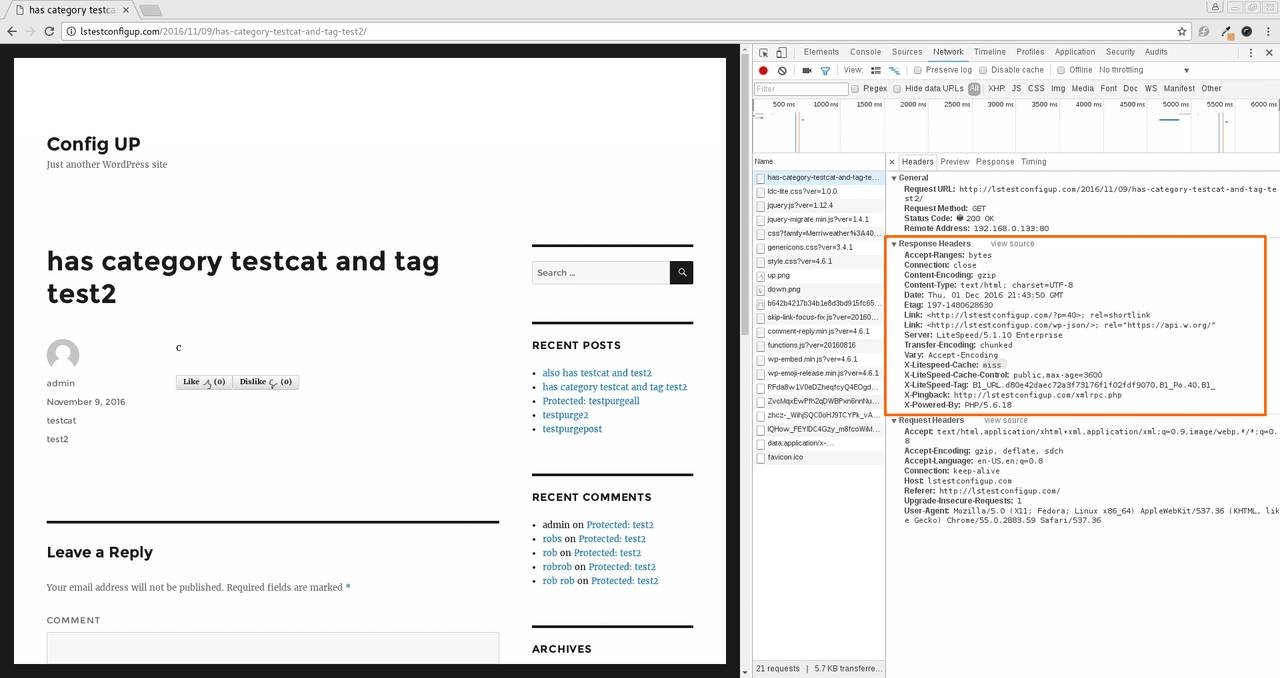
LiteSpeed Cache stands apart from typical caching plugins because it works directly with the LiteSpeed web server rather than relying purely on PHP-level caching logic. That server-level integration produces faster cache generation and more consistent performance under heavy traffic than page-caching alternatives running on standard Apache or Nginx setups.
Beyond caching, it bundles image optimization, critical CSS generation, and database cleanup into a single free plugin, covering ground that costs extra with tools like WP Rocket. The catch is that its full performance advantage only shows up on LiteSpeed or QUIC.cloud-compatible hosting, so the benefit narrows considerably on other server types.
LiteSpeed Cache Key Features
Server-Level Page Caching: Generates cached pages directly at the server layer for faster delivery under load.
Image Optimization: Compresses and converts images to modern formats like WebP automatically.
Critical CSS Generation: Identifies and inlines above-the-fold CSS to improve perceived load speed.
Database Optimization: Cleans up post revisions, transients, and orphaned data automatically.
QUIC.cloud CDN Integration: Connects to a free CDN tier built specifically for LiteSpeed-hosted sites.
LiteSpeed Cache Pros
Genuinely Free: Delivers premium-level caching and optimization features without any paid tier required.
Server-Level Performance: Outperforms PHP-based caching plugins when paired with compatible LiteSpeed hosting.
All-in-One Optimization: Bundles image compression and critical CSS generation that usually require separate plugins.
Active Development: Regularly updated to keep pace with LiteSpeed server software changes.
LiteSpeed Cache Cons
Hosting-Dependent Benefits: Full performance gains require LiteSpeed or QUIC.cloud-compatible hosting infrastructure.
Configuration Complexity: The sheer number of optimization toggles can overwhelm non-technical users.
Less Effective Elsewhere: Falls back to standard page caching on non-LiteSpeed servers, narrowing its advantage significantly.
LiteSpeed Cache Pricing
Free
LiteSpeed Cache Reviews
Independent review volume skews toward hosting-specific forums rather than mainstream review platforms, but feedback consistently confirms strong performance gains on compatible hosting, with limited enthusiasm from users on standard Apache or Nginx environments.
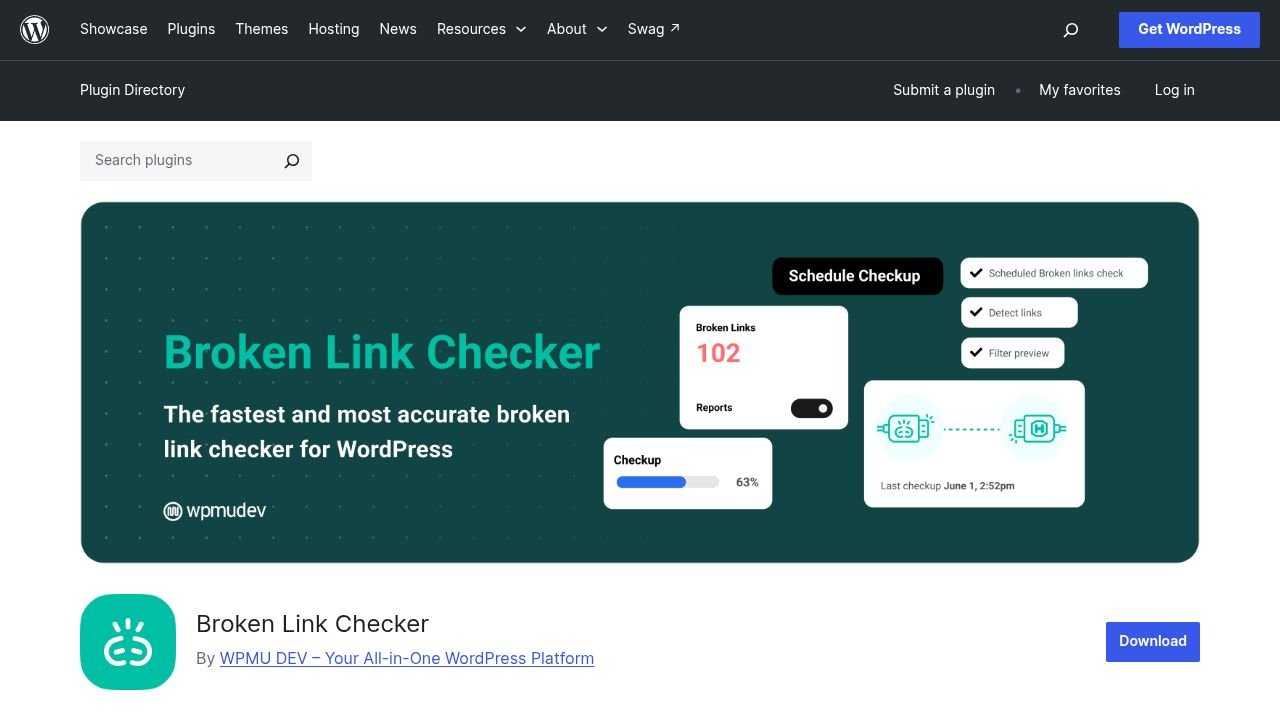
15. Broken Link Checker — Best for Ongoing Content Health and Link Audits
Best For: Site owners with large content libraries who need ongoing detection of broken internal and external links without manual checking.
How We Use It: We run Broken Link Checker on client sites with several years of published content, where outbound links inevitably break as external pages get removed or restructured.
Quick Overview
Broken Link Checker solves a maintenance problem that redirect plugins don’t fully cover: finding links that are already broken across a site’s existing content, not just managing new redirects after a URL change. It scans posts, pages, comments, and even embedded images for dead links and flags them automatically on a set schedule.
Where Redirection handles the fix once you know a URL has moved, Broken Link Checker handles the discovery side, surfacing outbound links to sites that have gone offline or restructured their own URLs without your knowledge. On large, older sites with years of published content, that ongoing detection prevents link rot from quietly accumulating and dragging down user experience and crawl efficiency.
Broken Link Checker Key Features
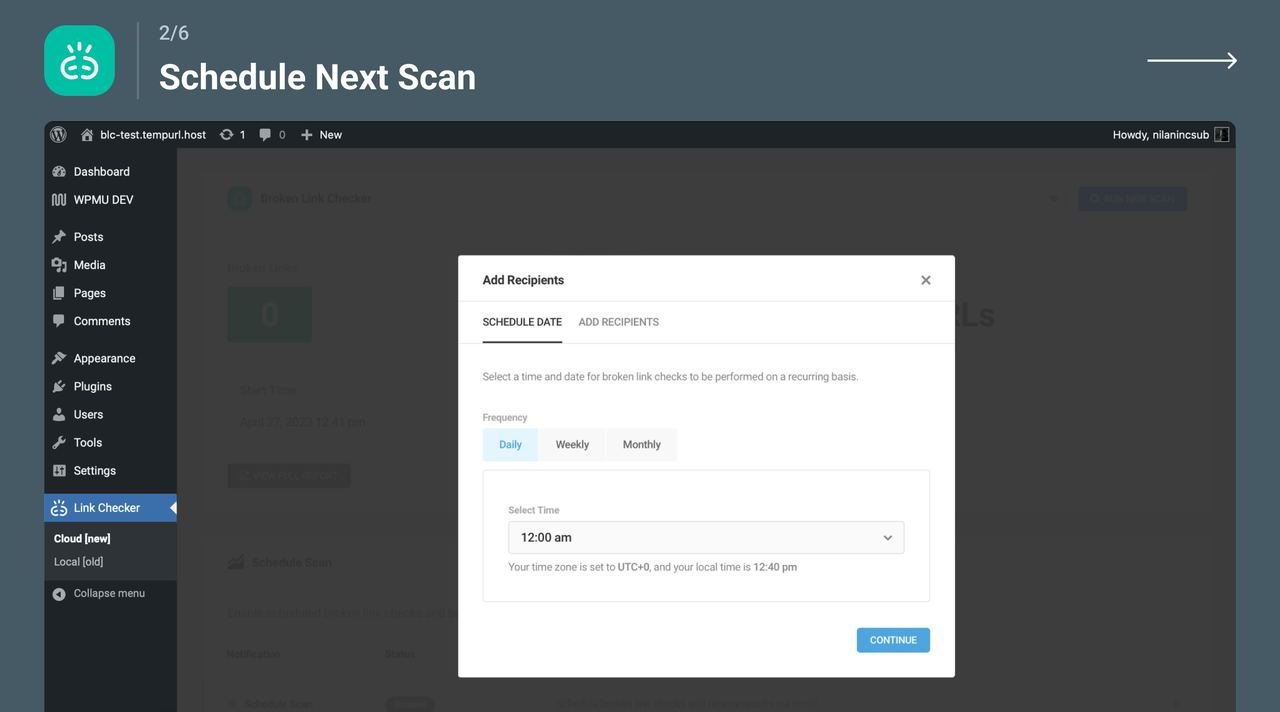
Automated Link Scanning: Checks posts, pages, and comments on a recurring schedule for broken internal and external links.
Image Link Detection: Flags broken image sources in addition to standard hyperlinks.
Scheduled Reporting: Sends email alerts summarizing newly detected broken links at set intervals.
Bulk Editing Tools: Allows fixing, unlinking, or dismissing multiple broken links directly from one dashboard view.
Redirect Detection: Identifies links that resolve through unnecessary redirect chains rather than direct URLs.
Broken Link Checker Pros
Solves a Distinct Problem: Covers ongoing link-rot detection that redirect and caching plugins don’t address.
Fully Free: All core scanning and reporting functionality is available at no cost.
Scheduled Automation: Runs checks on its own schedule without requiring manual audits.
Simple Bulk Fixes: Lets you resolve multiple broken links at once instead of editing posts individually.
Broken Link Checker Cons
Resource Usage on Large Sites: Scanning thousands of posts can strain server resources during scheduled checks.
No Built-In Redirects: Identifies broken links but still requires a separate plugin to actually redirect them.
Occasional False Positives: Temporary server outages on external sites can trigger incorrect broken-link flags.
Broken Link Checker Pricing
Free
Broken Link Checker Reviews
WordPress.org: 3.8 out of 5 stars (605 reviews)
Reviewers highlight the bulk-fix tools and the cloud engine’s speed, while the resource use on very large sites remains the most common complaint.
How These Plugins Fit Into a Realistic SEO Timeline
Even the best plugin combination won’t produce rankings overnight, and it helps to know where these tools actually fit into a realistic SEO timeline. In the first month, plugins like Rank Math, Yoast, or SEOPress mainly clean up technical fundamentals: proper meta tags, working sitemaps, and valid schema that let search engines crawl and understand a site correctly.
Between months two and four, tools like Redirection and Broken Link Checker matter more as content grows and older pages start accumulating outdated links. This is also when performance plugins like WP Rocket or LiteSpeed Cache start showing up in ranking signals, since Core Web Vitals improvements typically take a few crawl cycles to reflect in search results.
By month five and beyond, a plugin like LiveCopilot SEO becomes more relevant as a site builds enough authority and content depth to realistically show up in AI Overview citations. Plugins accelerate the technical groundwork, but sustainable ranking growth still depends on consistent content strategy and authority building over that same period.
Do You Still Need an SEO Agency If You Use These Plugins?
A well-configured plugin handles the technical mechanics of SEO, but it can’t build a content strategy, prioritize which keywords are worth targeting, or interpret why a specific page isn’t converting despite ranking well. Plugins are execution tools, not strategists, and that distinction matters more as a site grows past a handful of pages.
At White Label SEO Service, we treat these plugins as part of the technical foundation we set up for clients, not a replacement for the strategy work happening around them. Content planning, link acquisition, and ongoing performance tracking still require judgment calls that a plugin’s automated suggestions can’t fully replace, particularly when a business is trying to tie organic traffic back to actual leads and revenue.
For a business running a small blog with straightforward goals, the right plugin alone can genuinely be enough. For a business trying to build sustainable, competitive organic growth across a full site, plugins handle the mechanics while a strategic partner handles the direction.
What’s the Best WordPress SEO Plugin for You?
Best for Beginners: Yoast SEO remains the most approachable option, with its traffic-light feedback and built-in explanations making SEO accessible without prior experience.
Best for Agencies: AIOSEO offers the strongest agency toolkit, combining multi-site pricing, white-label options, and documentation that makes team onboarding straightforward.
Best Budget Choice: SEOPress delivers unlimited keywords and white-label access at $49 per year with no bloat and minimal upselling.
Best AI-Powered Workflow: Squirrly SEO provides the most complete AI guidance through its Live Assistant and Focus Pages system.
Best for AI Search Visibility: LiveCopilot SEO is the clearest choice for site owners specifically tracking citations inside AI Overviews and chatbot answers.
Best All-Rounder: Rank Math strikes the strongest balance between power and usability, with a feature-rich free tier that satisfies both beginners and advanced users.
Conclusion
Picking the right WordPress SEO plugin comes down to matching the tool to your actual site, not chasing whichever option has the longest feature list. A blog run by one person needs something very different from an agency managing fifteen client accounts or an e-commerce store depending on WooCommerce schema.
Most sites end up running two or three of these tools together rather than relying on a single plugin for everything: one for on-page and technical SEO, one for caching and speed, and possibly a dedicated tool for schema or link maintenance as content grows. Start with the fundamentals, then add specialized tools only once you can point to a specific gap they solve.
If you’d rather have a team handle plugin selection, technical setup, and the strategy layered on top of it, White Label SEO Service builds that full picture for clients who want organic growth handled end to end rather than pieced together one plugin at a time.
Frequently Asked Questions
Do I need more than one SEO plugin on my WordPress site?
Most sites benefit from pairing a core SEO plugin with a dedicated caching tool, since few single plugins handle both on-page optimization and performance equally well.
Will installing an SEO plugin slow down my WordPress site?
It can, depending on the plugin. Lightweight options like Slim SEO or The SEO Framework add minimal overhead, while feature-dense plugins may need careful configuration.
Can I switch SEO plugins without losing my rankings?
Yes, as long as you use a migration tool that imports meta data, redirects, and sitemaps correctly, most plugin switches don’t affect existing rankings.
Are free WordPress SEO plugins good enough for small businesses?
Often, yes. Plugins like SEOPress and Rank Math include enough functionality in their free tiers to fully support a small business site without upgrading.
Do WordPress SEO plugins help with AI search visibility?
Some newer plugins, like LiveCopilot SEO, specifically track AI citation and generate llms.txt files, but most established plugins are only beginning to add these features.