Toxic backlinks are links from low-quality, spammy, or manipulative sources that violate Google’s link scheme guidelines and can trigger ranking penalties. I’ve seen sites lose 40-60% of their organic traffic overnight because of a link profile nobody had reviewed in years. It happens quietly, then all at once.
Ignoring a toxic link problem rarely fixes itself. The damage compounds every month you wait, and recovery gets slower the longer a manual action sits unaddressed.
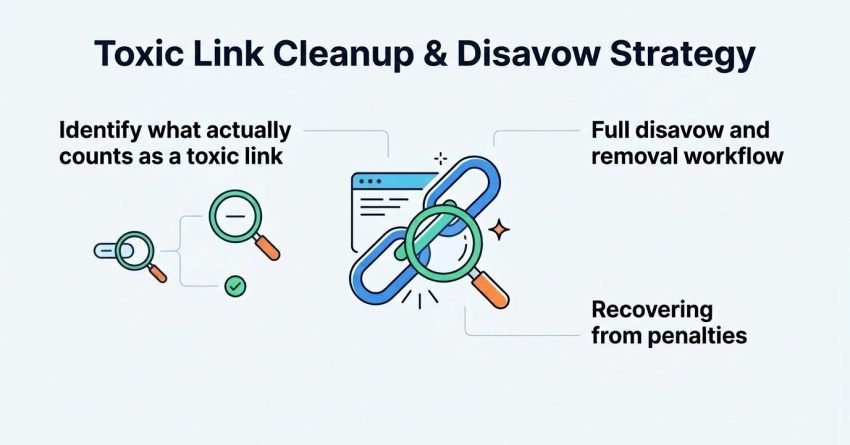
This guide covers how to identify what actually counts as a toxic link, how Google detects and penalizes them, the audit process for finding risk in your own backlink profile, and the full disavow and removal workflow. I also cover recovering from penalties, defending against negative SEO, and preventing this problem from resurfacing.
What Counts as a Toxic or Unnatural Link?
A toxic link is a backlink from a source that violates Google’s spam policies, typically because it was created to manipulate rankings rather than earned through genuine editorial merit. Not every low-quality link is dangerous, and not every unnatural-looking link was placed by the site owner.
Google draws a real distinction between links a website builder actively pursued and链接 that simply appeared. A blog getting scraped and republished on a spam site creates a backlink nobody asked for. That’s different from paying for placements on a private blog network, which is a deliberate manipulation attempt.
Manipulative vs. Naturally Occurring Bad Links
Manipulative links come from paid placements, link exchanges, comment spam, or automated directory submissions built specifically to pass authority. Naturally occurring bad links show up on their own through scraper sites, spam aggregators, or negative SEO attacks with no action from the site owner.
I always separate these two categories first because they call for different fixes. Manipulative links usually need active outreach or disavowing. Naturally occurring junk links are often safe to ignore since Google’s algorithms already discount them.
Common Toxic Link Sources
Private blog networks, expired domain redirects, spam directories, and scraped content sites make up most of the toxic links I find during audits. Foreign-language spam domains and adult content sites also show up frequently in older link profiles.
Comment spam and forum profile links round out the list, especially on sites that ran early link-building campaigns before Google’s spam policies tightened. These sources rarely carry real referral value, and dense clusters of them are the clearest audit red flag.
How Does Google Identify and Penalize Unnatural Links?
Google identifies unnatural links through a combination of algorithmic detection systems and manual reviews conducted by its search quality team. Both processes can suppress rankings, but they work differently and require different responses.
Algorithmic actions happen continuously and quietly, adjusting how much weight a link profile passes without any notification. Manual actions are different. They’re applied by a human reviewer and show up directly inside Search Console with a specific reason attached.
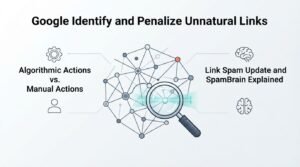
Algorithmic Actions vs. Manual Actions
An algorithmic action devalues suspicious links automatically, often without any visible notice, simply reducing their impact on rankings. A manual action is a direct penalty applied by a Google reviewer, and it appears as a formal notification in the Manual Actions report inside Search Console.
Recovering from each looks different. Algorithmic suppression tends to lift gradually once toxic links are cleaned up and Google recrawls the profile. Manual actions require a formal reconsideration request after cleanup, and rankings won’t recover until Google approves it.
Link Spam Update and SpamBrain Explained
SpamBrain is Google’s machine-learning system built specifically to detect link spam patterns at scale, including paid links and PBN structures. Google’s Search Central documentation describes SpamBrain as capable of identifying both the sites buying links and the ones selling them.
The Link Spam Update rolled out in December 2022 expanded this detection specifically to devalue links from sites created mainly to pass authority. Since that update, PBN links lose their ranking value far faster than they used to, sometimes within weeks of going live.
Warning Signs Your Site Has a Toxic Backlink Problem
The clearest warning sign of a toxic backlink problem is a sudden, unexplained drop in organic traffic or rankings that isn’t tied to a content or technical change. When multiple pages lose position at once, a link issue deserves investigation before anything else.
I run a quick link check any time a client sees a traffic cliff without a matching algorithm update or site change on record. Nine times out of ten, something in the backlink profile lines up with the drop date.
Sudden Ranking or Traffic Drops
A sharp, site-wide ranking drop that coincides with a known Google algorithm update, particularly a spam or core update, often points to a link quality issue rather than a content problem. Isolated page-level drops usually mean something else, like a content or technical issue.
Cross-referencing the drop date against Google’s publicly documented update history is the fastest way to confirm the timing. If the dates line up, the backlink profile becomes the first place to look.
Manual Action Notices in Search Console
A manual action notice appears directly inside the Manual Actions report in Google Search Console and explicitly states the type of violation Google identified. Common notices include “unnatural links to your site” or “unnatural links from your site,” and each requires a different remediation path.
This notification is the single clearest signal a site has a real link problem, because it comes straight from Google’s review team rather than inferred from ranking data. I treat any manual action as the top priority the moment it appears.
How to Audit Your Backlink Profile for Toxic Links
Auditing a backlink profile for toxic links starts with exporting the complete link list from a dedicated backlink tool and Google Search Console, then filtering that list by risk indicators like spam score, domain authority, and anchor text patterns. This combined data set catches links that a single tool might miss.
I never rely on just one source for this. Search Console shows what Google actually knows about, while third-party tools add spam scoring models that flag risk before Google’s own systems catch up.
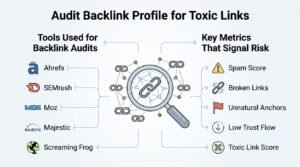
Tools Used for Backlink Audits
Backlink audit tools like Ahrefs, Semrush, and Moz assign spam or toxicity scores to each referring domain based on factors like anchor text ratios, domain age, and link neighborhood quality. Google Search Console’s Links report adds the ground-truth data of exactly which links Google has indexed and is counting.
Cross-referencing both data sets catches links that either tool alone would miss. A domain that looks clean in one spam-scoring model sometimes shows obvious red flags in another, so I always check at least two sources before making a disavow decision.
Key Metrics That Signal Risk
Spam score, anchor text over-optimization, and domain rating mismatches are the three metrics that most reliably flag a toxic link during an audit. A referring domain with a spam score above 30%, paired with exact-match anchor text, is a strong candidate for removal or disavowal.
Link velocity spikes matter too. A sudden jump of hundreds of new referring domains in a single month, especially from low-authority or unrelated-niche sites, is a pattern I flag immediately regardless of individual spam scores.
Toxic Link Scoring Criteria: What Makes a Link Dangerous
A link becomes dangerous when it combines low domain quality with manipulative intent signals, rather than any single metric acting alone. I look at anchor text, placement context, and site relevance together, because any one factor in isolation rarely tells the full story.
| Risk Factor | Low Risk | High Risk |
| Anchor text | Branded or natural phrase | Exact-match commercial keyword |
| Site relevance | Same or adjacent industry | Unrelated niche, foreign language |
| Placement | Editorial content, in-context | Footer, sidebar, or link farm page |
| Domain spam score | Under 15% | Over 30% |
| Link pattern | Organic growth over time | Sudden spike in short period |
Anchor Text Over-Optimization
Anchor text over-optimization happens when a disproportionate share of a site’s backlinks use the exact same commercial keyword phrase instead of natural variations or branded terms. A healthy link profile typically shows branded anchors making up the largest share, with exact-match keywords in the low single digits.
I get concerned any time exact-match commercial anchors exceed roughly 5-8% of the total profile. That ratio rarely happens organically and almost always points to deliberate link building rather than natural citation.
Link Placement and Site Relevance Signals
Link placement and site relevance both influence how much risk a backlink carries, with editorial in-content links from topically related sites carrying the lowest risk. Footer links, sitewide links, and links from completely unrelated industries carry substantially more risk regardless of the linking domain’s overall authority.
A link from a home decor blog to a plumbing company site raises questions even if that blog has decent authority metrics. Context matters as much as the numbers behind it.
The Google Disavow Tool: What It Does and When to Use It
The Google Disavow Tool lets website owners tell Google to ignore specific backlinks when assessing a site’s search rankings, effectively neutralizing their influence. Google’s own guidance describes it as a tool for advanced users, meant for cases where manual removal wasn’t possible.
I treat disavowing as a targeted, last-resort action rather than routine maintenance. Submitting a bloated disavow file full of harmless links can sometimes suppress legitimate authority signals a site was actually benefiting from.
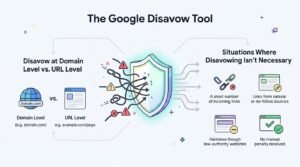
Disavow at Domain Level vs. URL Level
Disavowing at the domain level tells Google to ignore every link from an entire domain, while disavowing at the URL level targets only specific pages on that domain. Domain-level disavows make sense for clearly spammy sites where every page is low quality, like PBNs or scraper networks.
URL-level disavows fit situations where a domain has mixed quality, with some legitimate pages and a few spammy ones linking in. I default to domain-level whenever a site is entirely untrustworthy, since it’s cleaner and reduces future risk from new pages on that same domain.
Situations Where Disavowing Isn’t Necessary
Disavowing isn’t necessary when toxic-looking links carry low spam scores, show no manual action, and aren’t correlated with a ranking drop. Google’s algorithms already discount most low-quality links automatically, so disavowing them adds no measurable benefit.
I skip disavowing for sites in a healthy ranking position with a scattering of low-quality links but no penalty and no downward trend. Preemptive disavowing without evidence of harm is one of the more common mistakes I see site owners make.
How to Build and Submit a Disavow File
Building a disavow file means compiling a plain text document listing the specific URLs or domains to be disavowed, formatted according to Google’s exact syntax requirements. Getting the format wrong means Google either rejects the file or ignores the entries that don’t match its rules.
I always double-check formatting before submission, because a single syntax error can invalidate the entire file rather than just the broken line.
Disavow File Format Requirements
A disavow file must be a plain .txt file with UTF-8 or 7-bit ASCII encoding, listing one URL or domain per line using the domain: prefix for domain-level entries. Comments can be added using a # at the start of a line, and the file cannot exceed Google’s stated limit of two million lines.
A correctly formatted domain-level entry looks like domain:spamsite.com, while a URL-level entry is simply the full URL on its own line, such as https://spamsite.com/bad-page. Mixing formats incorrectly, like adding domain: before a full URL, breaks that specific line.
Submitting Through Google Search Console
The disavow file is submitted through the dedicated Disavow Links tool in Google Search Console, which requires selecting the correct property before uploading. Each new submission completely replaces the previous file rather than adding to it.
I keep a master version of the file saved locally and update that master before every re-upload, since Search Console doesn’t merge old and new submissions. Forgetting this step means accidentally removing previously disavowed domains.
Toxic Link Removal: Outreach Before You Disavow
Outreach for link removal means directly contacting webmasters of sites hosting toxic links and requesting they take the link down, and it should happen before submitting a disavow file. Google’s own guidance recommends removal as the preferred first step, treating disavowing as the fallback for links that can’t be removed.
I run outreach for at least two to three weeks before finalizing a disavow list, since a percentage of webmasters do respond and remove links voluntarily.
Writing Effective Link Removal Requests
An effective link removal request identifies the exact URL containing the link, states clearly which page it points to, and gives a direct, specific reason for the removal request. Vague or overly aggressive messages get ignored far more often than clear, polite, specific ones.
I always include the exact URL and anchor text in the first two sentences, since webmasters managing hundreds of pages won’t hunt for the details themselves. A request that requires extra work rarely gets acted on.
Documenting Removal Attempts for Reconsideration
Documenting removal attempts means keeping dated records of every outreach email, response, and follow-up sent during the cleanup process, since Google’s reconsideration review explicitly asks for this evidence. A spreadsheet tracking the domain, contact date, response status, and outcome works well for this.
This documentation becomes essential if a manual action penalty is in play, since Google’s reviewers want to see genuine effort to remove links, not just a disavow file submitted as a shortcut.
Recovering From a Manual Action Penalty
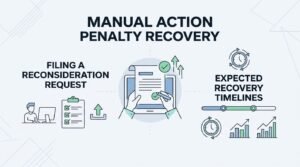
Recovering from a manual action penalty requires cleaning up the toxic links causing it, submitting a disavow file for anything that couldn’t be removed, and then filing a reconsideration request through Search Console. Skipping straight to disavowing without genuine removal attempts often results in a rejected reconsideration request.
I’ve seen reconsideration requests denied specifically because the site owner disavowed everything without first attempting outreach, which Google’s reviewers can often tell.
Filing a Reconsideration Request
A reconsideration request is submitted through the Manual Actions report in Search Console and must explain the specific steps taken to identify, remove, and disavow the toxic links causing the penalty. The request should include a summary of outreach efforts, a link to the disavow file, and evidence of genuine cleanup work.
Vague requests claiming the problem is “fixed” without specifics get rejected quickly. I write these as a clear narrative, with dates and numbers, showing exactly what changed.
Expected Recovery Timelines
Google typically reviews reconsideration requests within a few days to several weeks, though the exact timeline varies based on the complexity of the case and current review volume. Rankings don’t recover instantly even after approval, since Google needs to recrawl and reprocess the site’s signals.
I set client expectations at four to six weeks from reconsideration approval to see rankings stabilize back toward pre-penalty levels, though partial recovery often starts sooner.
Negative SEO and Link-Based Attacks
Negative SEO is a deliberate attempt by a competitor or malicious party to harm a site’s rankings, most commonly through building large volumes of spammy backlinks pointing at the target site. This differs from a self-inflicted toxic link problem because the site owner never requested or built any of the harmful links.
I look for a distinct signature when diagnosing this: a sudden, concentrated spike of low-quality links appearing within days, often from similar-looking spam networks, with zero connection to the site’s own marketing activity.
Recognizing Deliberate Toxic Link Bombing
Toxic link bombing shows up as hundreds or thousands of spammy backlinks appearing within a very short window, often using identical or near-identical anchor text across unrelated foreign domains. This pattern rarely occurs naturally and stands out clearly against a site’s normal link acquisition pace.
Google’s systems are generally good at recognizing and discounting this pattern automatically, since Google has stated publicly that negative SEO campaigns rarely succeed at causing lasting harm. Disavowing the identified batch is still worth doing as a precaution, particularly if a ranking drop coincides with the spike.
Preventing Future Toxic Link Accumulation
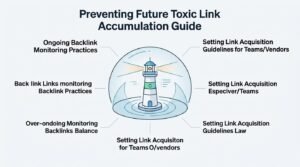
Preventing future toxic link accumulation means establishing ongoing monitoring and clear guidelines for any link-building work done on a site’s behalf, rather than treating cleanup as a one-time project. Sites that get hit once are statistically more likely to accumulate problem links again without a monitoring system in place.
I build recurring link audits into every ongoing SEO engagement now, specifically because reactive cleanup costs far more time and ranking damage than early detection.
Ongoing Backlink Monitoring Practices
Ongoing backlink monitoring involves setting up automated alerts through a backlink tool that flag new referring domains crossing a defined spam-score threshold as soon as they appear. Reviewing this alert list monthly catches problems within weeks instead of the months it typically takes to notice through a ranking drop alone.
I schedule a recurring link audit every 60-90 days for active client sites, checking new referring domains against the same risk criteria used in the original audit.
Setting Link Acquisition Guidelines for Teams/Vendors
Setting clear link acquisition guidelines means documenting exactly which link-building tactics are approved, which vendors are vetted, and what quality thresholds every new backlink must meet before anyone on a team pursues outreach. Without written guidelines, a well-meaning freelancer or agency can undo months of clean link building in a single bad campaign.
I put this in writing for every client relationship now, specifying minimum domain rating, relevance requirements, and a hard ban on paid link networks or automated placements.
Toxic Link Cleanup Costs and Timelines
Toxic link cleanup typically takes between four and twelve weeks from initial audit through disavow submission, with total cost varying widely based on the size of the backlink profile and number of links requiring individual outreach. A site with a few hundred referring domains and a handful of toxic links moves through this process much faster than one with tens of thousands of spammy links accumulated over years.
What Affects Recovery Speed
Recovery speed depends primarily on whether a manual action penalty is involved, since algorithmic suppression can lift within weeks of cleanup while manual action recovery requires waiting on Google’s reconsideration review. The size of the toxic link volume and how many webmasters respond to removal outreach also directly affect the overall timeline.
Sites with a manual action tend to see the longest total timelines, since outreach, disavowing, documentation, and the reconsideration review process all have to happen in sequence before recovery even begins.
Conclusion
Toxic link cleanup combines auditing, targeted outreach, and disavowing to remove the specific links harming a site’s rankings. Manual actions require reconsideration; algorithmic suppression often resolves once cleanup is complete.
Ongoing monitoring prevents this cycle from repeating, keeping a link profile clean as new backlinks accumulate naturally over time through legitimate growth.
We help businesses audit, clean, and protect their backlink profiles long-term. Reach out to White Label SEO Service to get started today.
Frequently Asked Questions
Do toxic backlinks really hurt rankings?
Yes, toxic backlinks can hurt rankings, either through algorithmic devaluation or a manual action penalty. The severity depends on volume, link quality, and whether Google’s spam systems specifically flag the pattern.
How many toxic links does it take to trigger a penalty?
There’s no fixed number that triggers a penalty, since Google evaluates patterns and intent rather than a link count. A small number of clearly manipulative links can trigger action, while thousands of low-quality natural links might not.
Should I disavow low-quality links even without a penalty?
Not always. If there’s no ranking drop or manual action, low-quality links are usually already being ignored by Google’s algorithms, and disavowing adds little benefit.
How long does Google take to process a disavow file?
Google doesn’t publish an exact timeline for disavow file processing, but changes typically take effect over several weeks as Google recrawls affected pages. Ranking impact, if any, follows after that reprocessing.
Can I recover from negative SEO attacks?
Yes, most sites recover from negative SEO attacks since Google’s systems are designed to recognize and discount unnatural link spikes automatically. Disavowing the flagged links adds an extra layer of protection.
How often should I audit my backlink profile?
Auditing every 60 to 90 days catches new toxic links early, before they accumulate into a larger ranking risk. Sites with active link-building campaigns benefit from more frequent checks.
What’s the difference between toxic and spammy links?
Toxic links actively risk harming rankings through manipulative intent or penalty triggers, while spammy links are simply low-quality but often already discounted by Google without causing direct harm. The distinction affects whether removal or disavowing is actually necessary.