A hacked website is a site compromised by unauthorized code, content, or redirects, and cloaking is the practice of showing search engines different content than what real visitors see. Both problems tank rankings fast because Google actively penalizes sites it can’t trust. I’ve watched this hit businesses overnight, wiping out years of organic visibility.
Recovering trust with Google takes technical cleanup, verified security fixes, and patience. Rankings don’t return the moment the malware disappears.
This guide covers how hacks and cloaking actually work, the warning signs to watch for, the exact cleanup and recovery steps, how long rankings take to bounce back, and how to prevent it from happening again.
What Does It Mean When a Site Is Hacked for SEO Purposes?
A site hacked for SEO purposes has been compromised so attackers can inject spam content, links, or scripts that manipulate search rankings for their own benefit. I see this most often on sites running outdated CMS software or plugins with known vulnerabilities.
Attackers don’t always deface a site visibly. Many hacks are designed to stay hidden from the site owner while actively serving spam to search engines or specific visitor segments.
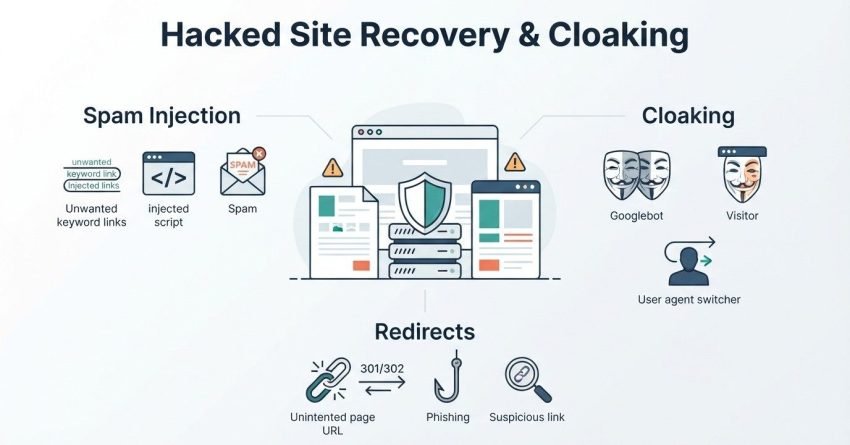
Common Types of SEO Hacks (Spam Injection, Cloaking, Redirects)
Spam injection hacks insert hidden text, links, or entire pages promoting pharmaceuticals, gambling, or counterfeit goods into an otherwise legitimate site. Redirect hacks send search engine crawlers or mobile users to entirely different malicious destinations while desktop visitors see the normal site.
Doorway pages are another common pattern I run into during audits. These are auto-generated pages built purely to rank for specific keywords before redirecting users elsewhere, and they violate Google’s spam policies directly.
How Hackers Exploit Site Vulnerabilities
Outdated plugins, weak admin passwords, and unpatched CMS core files create the openings attackers use most. Once inside, they typically install a backdoor script that lets them regain access even after the original vulnerability gets patched.
I always tell clients that a single compromised plugin can expose an entire multi-site network. Shared hosting environments make this risk even higher.
What Is Cloaking and Why Do Hackers Use It?
Cloaking is a technique that shows different content or URLs to search engine crawlers than what human visitors actually see. Hackers use it because it lets spam content rank in search results while staying invisible to the site owner browsing normally.
This mismatch between crawler and visitor experience is exactly what triggers Google’s spam detection systems.
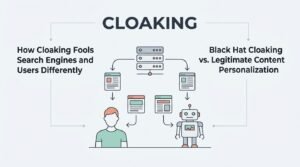
How Cloaking Fools Search Engines and Users Differently
Cloaked pages detect the user agent or IP address of an incoming request and serve content accordingly. Googlebot might see a page stuffed with spam keywords and links, while a regular visitor sees the site’s normal homepage.
This selective serving is what makes cloaking so hard for site owners to catch without specialized crawling tools.
Black Hat Cloaking vs. Legitimate Content Personalization
Legitimate personalization, like showing localized pricing based on visitor location, doesn’t attempt to deceive search engines about the page’s core content. Black hat cloaking exists specifically to manipulate rankings by hiding true page content from crawlers.
Google’s guidelines draw a hard line here: intent to deceive is what separates a manual action from an accepted practice.
Warning Signs Your Site Has Been Hacked
The clearest warning sign of a hacked site is a manual action notification inside Google Search Console flagging “hacked content” or a spam violation. I check this report first on every recovery case that comes across my desk.
Sudden ranking drops for previously stable keywords are another strong signal worth investigating immediately.
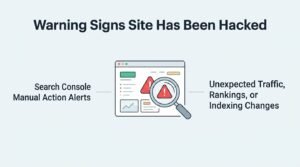
Search Console Manual Action Alerts
Google sends manual action alerts directly through Search Console when its review team identifies hacked content, cloaking, or spam violations on a site. These alerts include the specific violation type and sometimes example URLs affected.
Sites without Search Console access to their domain often miss these alerts entirely until traffic has already collapsed.
Unexpected Traffic, Rankings, or Indexing Changes
A sudden spike in indexed pages the site owner didn’t create usually points to injected spam content. A Google Search Central analysis of hacked-site cases notes that attackers frequently generate hundreds of auto-created pages within days of a breach.
Rankings for core pages dropping while irrelevant new pages appear in search results is one of the fastest ways I identify an active compromise.
How Google Detects Hacked Content and Cloaking
Google detects hacked content and cloaking through a combination of algorithmic pattern recognition and manual reviewer verification. Its systems compare what Googlebot renders against what a typical browser session displays for the same URL.
Discrepancies between those two renders are a primary trigger for deeper review.
Googlebot vs. User Rendering Differences
Google’s fetch and render tools inside Search Console let site owners see exactly what Googlebot receives when crawling a page. Comparing that render against a normal browser view exposes cloaking almost immediately when it’s present.
I use this comparison as a first diagnostic step on every suspected cloaking case.
Algorithmic and Manual Review Triggers
Automated spam-detection algorithms flag unusual patterns like sudden backlink spikes, keyword stuffing, or mismatched content signals. Manual reviewers then verify flagged sites before issuing an official action.
This two-layer system means recovery requires fixing both the technical issue and satisfying a human reviewer that the fix is genuine and complete.
Immediate First Steps After Discovering a Hack
The first step after discovering a hack is isolating the site to stop further damage while preserving evidence of the breach for diagnosis. I never recommend deleting files immediately, since understanding the attack vector matters for preventing round two.
Speed matters here, but so does documentation.
Taking the Site Offline or Isolating It Safely
Putting the site into maintenance mode or restricting public access prevents the malicious code from continuing to serve spam while cleanup happens. This step protects both search rankings and site visitors from ongoing harm.
A full backup taken before any changes gives you a rollback point and forensic record if law enforcement or your host needs details later.
Notifying Your Hosting Provider and Team
Most hosting providers have dedicated security teams that can assist with malware removal and may already have logs showing exactly how the breach occurred. I’ve had hosts identify the exact injected file within minutes using server-side scanning tools unavailable to site owners directly.
Internal team notification matters too, since credentials may need resetting across every connected account.
How to Identify and Remove Malicious Code or Spam Content
Identifying malicious code requires scanning every file, database table, and plugin against known-clean versions to spot unauthorized changes. I rely on file integrity comparisons against the original CMS distribution as a starting point.
Removal has to be thorough, because a single missed backdoor file undoes the entire cleanup.
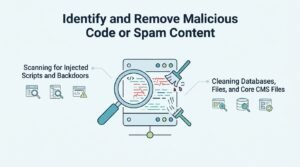
Scanning for Injected Scripts and Backdoors
Malware scanners like Sucuri or Wordfence compare site files against known malware signatures and flag suspicious code patterns automatically. Backdoor scripts often hide inside legitimate-looking file names within theme or plugin directories.
Sucuri’s 2024 Hacked Website Report found that 56% of infected sites contained more than one type of malware simultaneously, which is why single-pass scans frequently miss reinfection vectors.
Cleaning Databases, Files, and Core CMS Files
Database cleanup involves searching content tables for injected spam text, hidden links, and unauthorized admin accounts created during the breach. Core CMS files should be replaced entirely with fresh downloads from the official source rather than patched individually.
I treat any file that doesn’t match a clean checksum as compromised and replace it outright.
Fixing Cloaked Pages and Redirect Hacks
Fixing cloaked pages starts with identifying every URL serving different content to crawlers versus users, then removing the conditional logic causing the mismatch. This usually means locating injected .htaccess rules or PHP redirect scripts.
Redirect hacks frequently hide inside server configuration files rather than the visible site codebase.
Identifying Cloaked URLs via Fetch and Render Tools
Search Console’s URL Inspection tool shows exactly what Googlebot rendered for any given page, making mismatches easy to spot once you know what to compare it against. Testing a sample of URLs across the site catches cloaking that only activates on specific pages.
I test category pages, high-traffic landing pages, and any URL that appeared unexpectedly in the site’s index.
Removing Unauthorized Redirects and Doorway Pages
Checking the .htaccess file, nginx config, and any custom redirect plugins reveals most injected redirect rules. Doorway pages need full deletion along with a 410 status code, telling Google the pages are permanently gone rather than temporarily missing.
Leaving deleted doorway URLs to return a generic 404 slows down their removal from the index compared to an explicit 410 response.
Requesting a Google Security Review and Reconsideration
Requesting a security review happens through Search Console once every piece of malicious code and content has been removed and verified clean. Submitting the request before cleanup is fully complete almost always results in rejection.
I never submit a review request without re-scanning the entire site at least twice first.
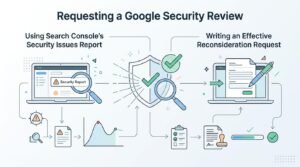
Using Search Console’s Security Issues Report
The Security Issues report inside Search Console lists every flagged URL along with the specific violation type detected. This report is also where the “Request a Review” button appears once issues are marked as resolved on your end.
Reviewing each flagged URL individually confirms nothing was missed before submission.
Writing an Effective Reconsideration Request
An effective reconsideration request explains what caused the breach, exactly what was removed, and what security measures now prevent recurrence. Vague requests claiming “the issue is fixed” without specifics get rejected far more often than detailed technical explanations.
I include before-and-after file comparisons and a timeline of remediation steps in every request I help prepare.
How Long Does It Take to Recover Rankings After a Hack?
Most sites see rankings begin recovering within two to eight weeks after a successful security review, though full recovery to pre-hack levels can take three to six months. Recovery speed depends heavily on how long the hack was active and how much content was compromised.
Sites hacked for only a few days typically recover faster than those compromised for months without detection.
Factors That Influence Recovery Timelines
Domain authority loss during the hack period, the volume of spam content indexed, and crawl budget consumed by junk pages all affect recovery speed. Google’s own guidance on hacked sites notes that recovery time varies significantly based on the scope and duration of the compromise.
Sites with strong historical trust signals and clean backlink profiles tend to bounce back faster than newer or previously penalized domains.
Restoring Search Rankings and Trust Signals Post-Recovery
Restoring trust signals after recovery means actively demonstrating to Google that the site is clean through fresh crawl signals and consistent monitoring. Simply waiting passively after the review approval slows the process down unnecessarily.
I push clients to take an active role in this phase rather than assuming Google will notice the fix automatically.
Rebuilding Crawl Trust with Fresh Sitemaps and Fetch Requests
Submitting an updated XML sitemap and requesting indexing on key pages through Search Console signals to Google that the site’s structure is now clean and stable. This also helps flush out any lingering cached versions of hacked pages faster.
Removing the deleted doorway URLs from any old sitemap files prevents Google from re-crawling dead spam pages unnecessarily.
Monitoring Rankings and Traffic Recovery Patterns
Tracking keyword rankings and organic traffic weekly after recovery reveals whether the fix is holding or whether reinfection has occurred. A sudden dip after initial recovery almost always means a backdoor was missed during cleanup.
I keep clients on a 90-day monitoring cadence minimum following any security incident.
Preventing Future Hacks and Cloaking Attacks
Preventing future hacks requires layered security practices covering software updates, access control, and continuous monitoring rather than a single fix. Sites that get hacked once without addressing root causes face significantly higher reinfection rates.
Prevention costs far less time and money than another full recovery cycle.
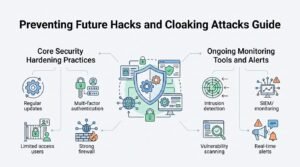
Core Security Hardening Practices
Keeping CMS core files, themes, and plugins updated closes the vulnerabilities attackers exploit most frequently. Strong, unique admin passwords combined with two-factor authentication block the majority of brute-force compromise attempts.
Verizon’s 2024 Data Breach Investigations Report found that 68% of breaches involved a human element like stolen credentials or misconfiguration, reinforcing why access control matters as much as software patching.
Ongoing Monitoring Tools and Alerts
Automated malware scanning tools that run daily checks catch reinfection far faster than manual reviews. Setting up Search Console alerts ensures the site owner learns about a manual action within hours rather than weeks.
File integrity monitoring tools that flag unauthorized changes in real time close the gap between compromise and detection significantly.
How Hacked Site Recovery Fits Into a Long-Term SEO Strategy
Hacked site recovery connects directly to long-term SEO strategy because technical trust signals underpin every other ranking factor a site relies on. A site with recurring security issues struggles to build the sustained authority that content and links depend on.
Security has to sit alongside technical SEO fundamentals rather than as an afterthought handled only during emergencies.
Technical SEO Health as a Ranking Foundation
Site speed, crawlability, mobile usability, and security all fall under the technical SEO umbrella that determines whether Google can trust and properly index a site. A security incident undermines every other optimization effort until it’s fully resolved.
I treat security audits as a standing line item in ongoing technical SEO work, not a one-time reaction.
Working With an SEO Agency vs. DIY Recovery
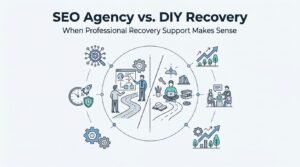
Working with an SEO agency during recovery typically shortens the timeline because experienced teams recognize attack patterns and reconsideration requirements DIY site owners often miss. DIY recovery works fine for smaller, simpler hacks caught early.
Complex or repeated infections usually justify bringing in specialized help.
When Professional Recovery Support Makes Sense
Sites facing repeated reinfection, large-scale content compromise, or unclear manual action language from Google typically benefit most from professional recovery support. An experienced team can also rebuild the technical foundation to prevent recurrence rather than just patching the immediate issue.
I’ve seen DIY attempts drag recovery timelines from weeks into many months simply from missed backdoor files.
Conclusion
A hacked site brings together compromised code, broken trust signals, and lost rankings that only recover through complete technical cleanup and verified security fixes.
This process connects directly to broader technical SEO health, and stronger security practices protect the organic growth built over time.
We help businesses recover from security incidents and rebuild lasting search visibility with White Label SEO Service by their side.
Frequently Asked Questions
How do I know if my website has been hacked?
Check Google Search Console for manual action alerts under Security Issues, which is the clearest confirmation of a hack. Unexpected pages, ranking drops, or unfamiliar redirects are additional warning signs.
Can a hacked site fully recover its previous rankings?
Yes, most sites recover previous rankings within three to six months after a complete cleanup and approved security review. Recovery speed depends on how long the hack was active and how much content was affected.
What is cloaking and is it always malicious?
Cloaking shows different content to search engines than to real visitors, and it violates Google’s guidelines when used to deceive rankings. Legitimate personalization differs because it doesn’t hide the page’s true content from crawlers.
How long does Google’s security review take after a reconsideration request?
Google’s security reviews typically take a few days to a couple of weeks once a reconsideration request is submitted. Incomplete cleanup is the most common reason for delays or rejection.
Should I take my site offline immediately after discovering a hack?
Isolating the site through maintenance mode is safer than a full offline takedown, since it stops the damage without destroying evidence. A full backup before any changes preserves data needed for diagnosis.
What causes most website hacks in the first place?
Outdated CMS software, vulnerable plugins, and weak admin credentials cause the majority of website hacks. Shared hosting environments increase this risk further across multiple sites.
Do I need an SEO agency to recover from a hacked site?
An SEO agency isn’t required for simple, early-caught hacks, but complex or recurring infections usually recover faster with professional support. Experienced teams recognize attack patterns and remediation requirements that DIY efforts often miss.