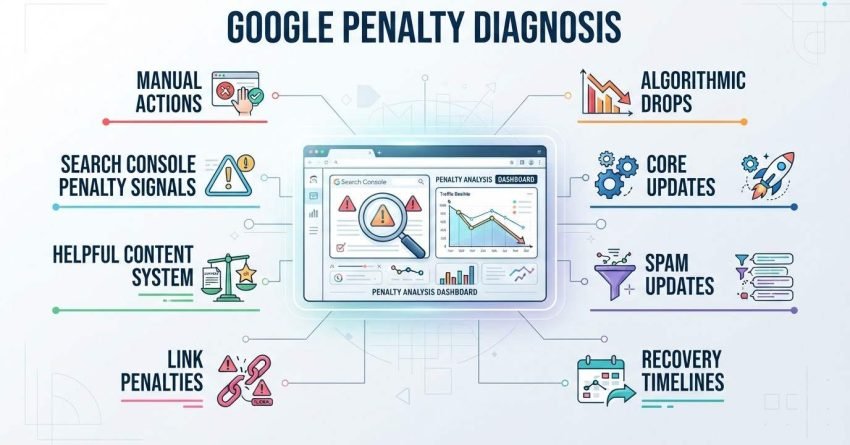
Google penalty diagnosis is the process of identifying whether a traffic or ranking drop stems from a manual action, an algorithmic update, or a technical fault, using Search Console data and update timelines to isolate the true cause. I’ve watched too many teams throw content at a problem that was actually a technical issue, or disavow links when the real cause was a helpful content system reclassification. Getting the diagnosis wrong wastes months.
Misdiagnosing a penalty burns budget, delays recovery, and can trigger secondary damage. We built this framework from direct recovery work across hundreds of sites.
This guide covers how to tell manual actions apart from algorithmic drops, how to read Search Console for penalty signals, the root causes behind core updates, helpful content system changes, spam updates, and link penalties, and a step-by-step triage process to isolate your dominant cause. We close with realistic recovery timelines.
Algorithmic vs. Manual Penalties: How to Tell Them Apart
A manual action is a human reviewer’s decision to suppress specific pages, while an algorithmic penalty is an automatic ranking adjustment triggered by a system like the Helpful Content System or a core update. I check the distinction first because the fix path is completely different for each one. Manual actions come with an explicit notice in Search Console. Algorithmic suppressions never do; they show up only as unexplained ranking or traffic movement.
Signs You Have a Manual Action
A manual action always appears in the Manual Actions report inside Search Console, with a stated reason and a list of affected URLs or the entire site. There’s no ambiguity here. If that report is empty, you are not dealing with a manual action, full stop.
Signs You Have an Algorithmic Suppression
Algorithmic suppression shows up as a sudden traffic or ranking drop with no corresponding manual action notice, usually aligned to a confirmed Google core update or spam update rollout. I always cross-reference the drop date against the official update log before assuming content quality is the cause. Traffic drop timeline correlation, covered next, is how you confirm this.
Reading Google Search Console for Penalty Signals
Search Console is the primary diagnostic tool for confirming or ruling out a manual action, and it’s the first place I open when a client reports a drop. The Performance report and the Manual Actions report together tell you whether you’re dealing with a policy violation or something else entirely. Skipping this step means guessing.
Manual Actions Report Walkthrough
The Manual Actions report sits under Security & Manual Actions in the left sidebar, and it lists every active violation along with the specific pages affected. An empty report with a green checkmark rules out manual actions entirely. I treat this as step one in every diagnosis, no exceptions.
Interpreting Traffic Graphs and Sudden Drops
A cliff-edge drop that happens within a single day almost always points to a manual action or a security issue, while a gradual decline over weeks usually signals an algorithmic reclassification. The shape of the graph is a diagnostic clue on its own. I overlay the Performance report’s date range against known update rollout windows to narrow this down further.
The Traffic Drop Timeline Method (Correlating Drops to Update Dates)
The traffic drop timeline method works by plotting your exact drop date against Google’s confirmed update rollout dates to identify which specific update likely caused the change. This single technique resolves more misdiagnoses than any other step in the process. A drop that lines up precisely with a core update rollout window is rarely a coincidence.
Building Your Update-Date Reference Calendar
I keep a running reference of every confirmed core update, spam update, and Helpful Content System rollout alongside my analytics annotations. Search Engine Land’s update tracker maintains a reliable public log of these dates. Cross-referencing your Search Console data against this calendar turns a vague “traffic dropped” into “traffic dropped three days into the March core update.”
Core Update Penalties: Content Quality Root Causes
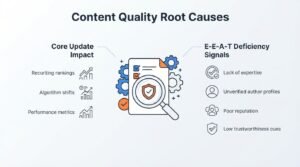
Core update impact is an algorithmic reassessment of content quality, expertise, and trustworthiness rather than a penalty in the punitive sense. Google doesn’t “punish” a site during a core update; it re-evaluates how well pages satisfy the query relative to competitors. That distinction matters because the fix is improvement, not removal.
E-E-A-T Deficiency Signals
Thin author information, absent citations, and generic content that doesn’t demonstrate first-hand expertise are the most common signals behind a core update drop. I look for pages with no named author, no original data, and no evidence the writer actually knows the subject. These patterns show up repeatedly across sites hit by the same update.
Helpful Content System Penalties: Root Causes
The Helpful Content System devalues content created primarily to rank in search rather than to genuinely help a specific audience. This system runs continuously as part of the core ranking algorithm rather than as a separate periodic update. Sites hit hardest tend to have large volumes of shallow, templated, or AI-generated content with no clear audience in mind.
Spam Update Penalties: Root Causes
Spam update penalties target specific manipulative patterns like scaled content abuse, expired domain abuse, and site reputation abuse rather than general content quality. Each spam update targets a defined set of behaviors, which is why identifying the exact pattern matters for recovery.
Scaled Content Abuse Signals
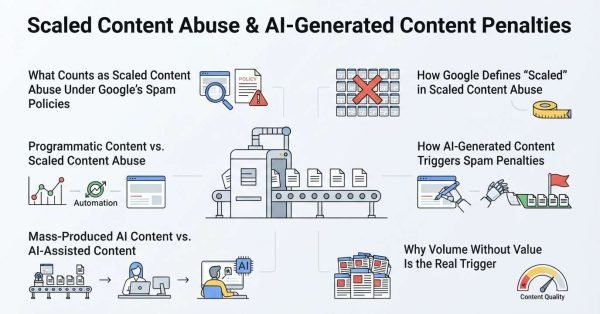
Scaled content abuse involves publishing large volumes of pages, often through automation, with the primary intent of manipulating rankings rather than serving users. Sites publishing hundreds of near-identical pages in short windows are the classic target here.
Site Reputation Abuse Signals
Site reputation abuse happens when a trusted site hosts low-quality third-party content to exploit its own ranking authority, often through sponsored sections or syndicated partner content. Google has specifically named this pattern in recent spam policy updates.
Link-Based Penalties: Manual Actions and Link Spam Updates
Link-based penalties fall into two distinct categories: a manual “unnatural links” action tied to a specific notice, and algorithmic link spam devaluation with no notice at all. Confusing these two leads to wasted disavow efforts aimed at the wrong problem.
Unnatural Links Manual Action
An unnatural links manual action appears explicitly in the Manual Actions report and names either “links to your site” or “links from your site” as the violation. This one is unambiguous and requires a documented cleanup and reconsideration request.
Algorithmic Link Devaluation (No Manual Action)
Algorithmic link devaluation simply ignores the value of manipulative links rather than penalizing the site directly, and it never generates a Search Console notice. Google’s SpamBrain system handles most of this devaluation automatically, which is why many sites never realize their link profile was ever a factor.
Technical Penalties: Crawling, Indexing, and Security Issues
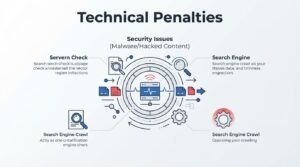
Technical penalties stem from crawling, indexing, or security failures rather than content or link quality, and they’re often the easiest root cause to miss because teams assume the issue must be content-related. A blocked robots.txt directive or a hacked site can produce a drop that looks identical to an algorithmic penalty on the surface.
Security Issues (Malware/Hacked Content)
Hacked or malware-infected sites receive an explicit Security Issues notice in Search Console and typically see rankings collapse within days. This is one of the fastest-moving penalty types, and it demands immediate remediation before any other diagnostic step matters.
The Root-Cause Triage Framework: A Step-by-Step Diagnostic Process
This five-step triage framework isolates the dominant root cause behind any ranking or traffic drop, in order of diagnostic priority. I run every case through this exact sequence because skipping a step almost always leads to a wrong conclusion.
- Confirm the drop is real. Rule out seasonality, tracking errors, and GA4 configuration issues before assuming a penalty exists at all.
- Check for a manual action. Open the Manual Actions report first, since this eliminates or confirms the clearest possible cause.
- Correlate against the update timeline. Match your drop date against confirmed core, spam, and Helpful Content System rollout windows.
- Segment affected pages and queries. Identify whether the drop hit the entire site, a specific section, or specific query types.
- Isolate the dominant root cause. Combine the previous four steps into a single primary diagnosis before planning any recovery action.
Step 1 – Confirm the Drop Is Real
Before diagnosing anything, I verify the drop shows up consistently across both Search Console and GA4, ruling out tracking misconfigurations or seasonal demand shifts.
Step 2 – Check for Manual Actions
This step takes thirty seconds and eliminates an entire category of possible causes, so it always comes before deeper analysis.
Step 3 – Correlate Against Update Timeline
Precise date correlation, using the method described earlier in this guide, narrows the cause down to a specific named update in most cases.
Step 4 – Segment Affected Pages and Queries
A site-wide drop points toward a core update or Helpful Content System reclassification, while a drop isolated to specific pages often points toward a link or technical issue on those pages specifically.
Step 5 – Isolate the Dominant Root Cause
By this stage, the evidence from steps one through four usually converges on one clear explanation, letting recovery work start on the right problem instead of a guess.
Common Diagnostic Mistakes That Delay Recovery
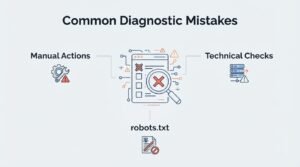
The most common diagnostic mistake is assuming every drop is content-related and skipping the Manual Actions and technical checks entirely. I’ve seen teams spend months rewriting content when a single blocked directive in robots.txt was the actual cause. Another frequent error is disavowing links without confirming a link-specific manual action first, which can strip authority the site never needed to lose.
How long does penalty recovery actually take once the root cause is confirmed?
How Long Google Penalty Recovery Takes
Manual action recovery typically takes two to four weeks after a successful reconsideration request, while algorithmic recovery can take one to three months following the next relevant update cycle. These are two fundamentally different timelines because manual actions resolve on Google’s review schedule, while algorithmic penalties resolve on Google’s next reassessment of your site.
Manual Action Recovery Timelines
Once you submit a reconsideration request, Google generally responds within two to four weeks, though sites with extensive link cleanup can wait longer. I always tell clients to expect the low end only if the cleanup documentation is thorough and complete.
Algorithmic Recovery Timelines
Algorithmic recovery doesn’t follow a submission process at all. It requires waiting for Google to reassess the site, which usually happens during the next core update or the next Helpful Content System refresh, a pattern Google’s own documentation confirms. Sites that make genuine quality improvements sometimes see partial recovery even before a full reassessment.
When to Bring in Professional SEO Help

Professional help becomes worthwhile when the diagnosis itself is unclear after working through the triage framework, or when the recovery work spans technical, content, and link disciplines simultaneously. We step in most often at exactly this point, when a business has confirmed something is wrong, but the root cause spans more than one category. An experienced diagnostic partner shortens the guesswork considerably.
Tools for Ongoing Penalty Monitoring
Ongoing monitoring relies on three core tools: Search Console for manual action alerts, an analytics platform for traffic pattern detection, and a rank tracker for query-level movement. I set up automated alerts across all three so a drop gets flagged within a day rather than a month.
| Tool | Primary Monitoring Function |
| Google Search Console | Manual actions, indexing status, security issues |
| Google Analytics 4 | Traffic pattern shifts, segment-level drops |
| Rank tracking software | Query-level ranking volatility |
Conclusion
Diagnosing a Google penalty comes down to separating manual actions from algorithmic shifts, then correlating timing, segments, and technical signals to find the real cause.
Recovery depends on treating the actual root cause, not the symptom, and staying aligned with how Google’s systems reassess sites over time.
We help businesses run this exact triage process daily. Talk to White Label SEO Service if your traffic dropped and you need a clear diagnosis fast.
Frequently Asked Questions
What is the fastest way to know if I have a Google penalty?
Check the Manual Actions report in Search Console first. It confirms or rules out a manual penalty in under a minute, before any deeper analysis is needed.
Can a website recover from a manual action without a reconsideration request?
No, a manual action stays active until you submit a reconsideration request and Google confirms the issue is resolved. The notice never expires on its own.
How do I know which Google update caused my traffic drop?
Compare your exact drop date against a confirmed update timeline. A drop that aligns precisely with a rollout window strongly suggests that update caused it.
Does a traffic drop always mean a penalty?
No, traffic drops often stem from seasonality, tracking errors, or algorithm updates unrelated to any penalty. Confirming the drop’s cause always comes before assuming a penalty exists.
What is the difference between a penalty and an algorithm update impact?
A penalty typically implies a manual, punitive action tied to a policy violation, while an algorithm update impact reflects an automatic reassessment of content relevance and quality.
How often should I check Google Search Console for manual actions?
Weekly checks catch most manual actions quickly, though setting up email alerts inside Search Console removes the need to check manually at all.
Should I disavow links before confirming a link penalty?
No, disavowing links without confirmation can remove value from legitimate links. Confirm an unnatural links manual action first, then build the disavow file around documented evidence.