Google suspends a business profile when it detects a violation of its guidelines, which removes the listing from Maps and the local pack until the issue is resolved. This happens to legitimate businesses more often than most owners expect, and it hits local visibility hard. I’ve watched clients lose an entire month of local leads over a suspension that could have been fixed in days with the right documentation.
Suspensions rarely happen for no reason, but the reason isn’t always obvious to the business owner. Ignoring it costs rankings, calls, and revenue every day it stays unresolved.
This guide covers what triggers a suspension and how to spot one, the exact reinstatement process and realistic timelines, how a suspension affects your local pack visibility, and the core ranking fundamentals: on-page signals, reviews, and citations that keep your profile compliant and competitive long after recovery.
What Google My Business Suspension Means for Local SEO
A Google Business Profile suspension is an enforcement action that removes a business listing from Google Search and Maps for violating Google’s guidelines. I think of it less as a penalty and more as Google hitting pause until it can verify you’re a real, compliant business.
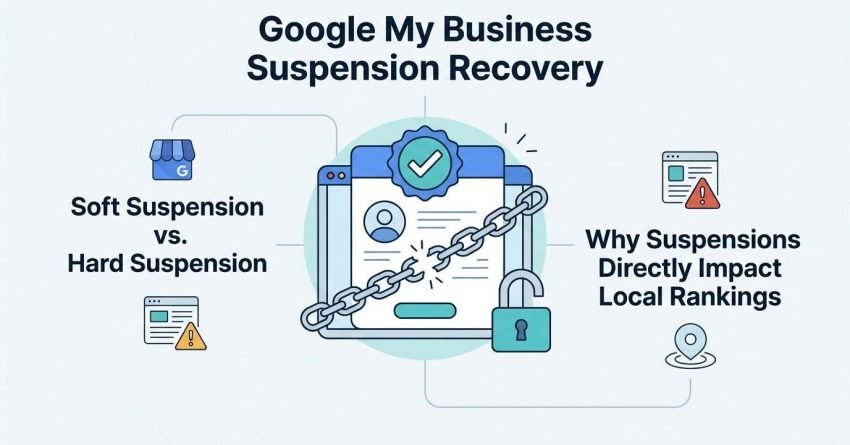
There are two forms this takes, and they behave very differently. A soft suspension keeps your profile accessible to you in the dashboard but strips it from public search results, while a hard suspension locks you out of the account entirely, including edit access.
Soft Suspension vs. Hard Suspension
Soft suspensions are more common and generally easier to resolve because you can still see your dashboard, check your data, and often self-correct the violation before requesting reinstatement. Hard suspensions usually follow repeated violations or a pattern Google flags as deliberate manipulation, like fake locations or a history of suspended accounts tied to the same owner.
The distinction matters because it changes your recovery path entirely. Hard suspensions typically require the formal reinstatement request form since dashboard access is gone, while soft suspensions sometimes resolve after a fix and a short waiting period.
Why Suspensions Directly Impact Local Rankings
Local rankings depend almost entirely on an active, verified Business Profile, so a suspended listing effectively drops to zero visibility in the map pack and local search results. Every day suspended is a day competitors capture the clicks, calls, and direction requests that would have gone to you.
Common Reasons Google Suspends Business Profiles
Google suspends business profiles for guideline violations that fall into three main categories: false information, duplicate or ineligible listings, and suspicious account activity. I’ve reviewed dozens of suspended profiles, and the majority trace back to a handful of repeat offenses.
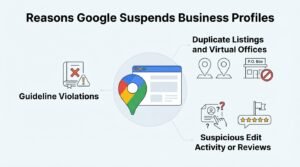
Guideline Violations (Keyword Stuffing, Fake Addresses)
Keyword stuffing in the business name field is one of the fastest ways to trigger review, since Google explicitly prohibits adding descriptive terms like “best” or a service keyword to a legal business name. A fake or virtual address for a service-area business that doesn’t qualify for a physical listing raises the same red flag.
- Business name containing unauthorized keywords or descriptors
- A P.O. box, virtual office, or residential address used to fake a storefront
- A listing for a business that doesn’t have a legitimate physical presence at the stated address
Duplicate Listings and Virtual Offices
Duplicate listings happen when a business or a competitor creates a second profile for the same location, which Google’s system treats as a guideline violation regardless of intent. Virtual offices and coworking spaces present a similar problem because Google increasingly cross-checks listed addresses against known shared-office databases.
Suspicious Edit Activity or Reviews
A sudden spike in profile edits, especially changes to business name, category, or address made in a short window, reads as suspicious to Google’s automated systems. A cluster of reviews arriving in an unnatural pattern, particularly from accounts with no other review history, can trigger the same scrutiny.
How to Tell If Your Listing Is Suspended
A suspended listing typically disappears from Google Maps and local search results while still showing a status message inside the Google Business Profile dashboard. The clearest sign is a sudden, complete drop in profile views, calls, and direction requests reported in your performance metrics.
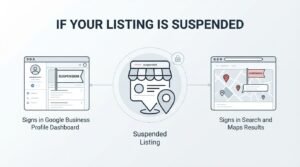
Signs in Google Business Profile Dashboard
The dashboard usually displays a banner stating the listing has been suspended or disabled, along with a reason code if Google has provided one. Insights and performance data often stop updating entirely once suspension takes effect.
Signs in Search and Maps Results
Searching your exact business name in Google will show no knowledge panel, no map pin, and no local pack entry where your listing used to appear. Customers searching by name may land on a generic search results page instead of your profile.
Immediate Steps to Take After Suspension
The first step after suspension is auditing your profile against Google’s guidelines to identify the specific violation before requesting reinstatement. Acting within the first 24 to 48 hours preserves the best chance of a fast resolution before the issue compounds.
Auditing Your Business Profile for Violations
Compare your business name, address, categories, and photos against Google’s guidelines for representing your business, checking each field individually rather than skimming the whole profile at once. Correct any keyword stuffing, inaccurate categories, or address discrepancies before submitting anything to Google.
- Review the exact business name field for added keywords or descriptors
- Confirm the listed address matches a verifiable, physical location
- Check selected categories match your actual services
- Review recent edit history for unauthorized or unusual changes
- Screenshot the current state of the listing for your own records
Documenting Business Legitimacy
Gather proof that ties your business name directly to the physical address on the listing, since this is the single most requested evidence type in reinstatement reviews. A Google support thread analysis by Local Search Forum found utility bills, lease agreements, and business licenses were the most frequently accepted documents.
The Google My Business Reinstatement Process
Reinstatement requires submitting a formal appeal through Google’s Business Profile support form along with evidence proving the business is legitimate and compliant. I always tell clients this step is about proving legitimacy, not arguing that the suspension was unfair.
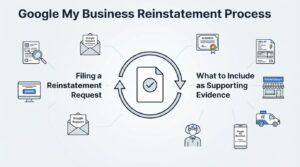
Filing a Reinstatement Request
Locate the reinstatement request form through the Google Business Profile Help Center, since a suspended account often can’t access the standard support chat. Fill out every field completely, including business name, address, phone number, and a clear, factual description of what happened.
What to Include as Supporting Evidence
Strong reinstatement requests include a business license, a utility bill matching the listed address, and photos of exterior signage showing the business name. Vague explanations without documentation are the most common reason first appeals get rejected.
Reinstatement Timelines and What to Expect
Most Google Business Profile reinstatement requests are resolved within 3 to 14 business days, though complex cases involving hard suspensions can take longer. I set client expectations at two weeks minimum so nobody panics if day four passes with no update.
Typical Review Windows and Escalation Paths
First responses typically arrive within 3 to 5 business days, and if there’s no reply after that window, resubmitting or escalating through the Business Profile Community Forum in Google’s official product forum is the standard next move. Escalation through a Google Small Business Advisor, when available, tends to move cases faster than repeated resubmissions.
How Suspension Affects Local Pack and Map Rankings
A suspended profile is removed entirely from the local pack, Maps results, and knowledge panel, which means all accumulated ranking signals stop counting during the suspension period. Rankings don’t necessarily reset to zero, but the visibility loss functions the same way for anyone searching during that window.
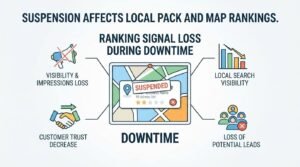
Ranking Signal Loss During Downtime
Review velocity, post engagement, and Q&A activity all pause because the public can’t interact with a suspended listing. Competitors ranking below you before the suspension often absorb the local pack positions you vacate, and reclaiming them after reinstatement takes real time.
Preventing Future Suspensions Through Compliance
The most reliable way to prevent suspension is maintaining strict NAP consistency and avoiding any edit that isn’t backed by a verifiable, real-world change to the business. Google’s automated systems flag inconsistency far more often than they flag genuine mistakes, so precision matters more than intent.
NAP Consistency Across Directories
Name, address, and phone number should match exactly, character for character, across your website, Google profile, and every directory listing. Even small inconsistencies, like “St.” versus “Street,” can create the kind of mismatch signal that triggers automated review.
Ongoing Profile Monitoring
Checking your profile weekly for unauthorized edits catches competitor sabotage or hacked-account changes before they escalate into a suspension. Setting up Google alerts for your business name adds an early warning layer beyond the dashboard itself.
Core Local SEO Ranking Factors Beyond Your Profile
Local rankings are determined primarily by three factors: proximity to the searcher, relevance to the search query, and prominence of the business online. A fully compliant, reinstated profile still needs these three factors working in its favor to rank competitively.
Proximity, Relevance, and Prominence
Proximity is largely outside your control since it’s based on the searcher’s physical location relative to your business address. Relevance depends on how well your categories, services, and content match the search query, while prominence reflects your overall online authority, including reviews and links.
| Ranking Factor | What It Measures | How Much Control You Have |
| Proximity | Distance between searcher and business | Low |
| Relevance | Match between query and business profile/content | High |
| Prominence | Overall authority, reviews, and citations | Medium-High |
Citations and Local Link Signals
A citation is any online mention of your business name, address, and phone number, and consistent citations across directories reinforce trust signals to Google. Local backlinks from community organizations, chambers of commerce, or local press carry disproportionate weight for geographic relevance.
On-Page Local SEO Fundamentals
Location pages are dedicated website pages built around a specific geographic service area, and they help search engines match your site to local queries beyond what the Business Profile alone can do. A well-built location page includes unique content, local schema markup, and embedded contact information specific to that area.

Location Pages and Local Schema Markup
LocalBusiness schema markup gives search engines structured data about your name, address, hours, and service area in a format they can parse directly. Pages using this markup are more likely to surface rich results and appear in local knowledge panels.
Reviews and Reputation Management for Local Rankings
Customer reviews function as both a trust signal for potential customers and a ranking input for Google’s local algorithm. A steady, natural flow of new reviews tends to outperform a large batch collected all at once, since velocity spikes can look artificial.
Review Velocity and Response Strategy
Responding to every review, positive or negative, within 24 to 48 hours signals active management to both customers and Google’s systems. A pattern of thoughtful responses to negative reviews often does more for trust than the volume of five-star reviews alone.
Rebuilding Visibility After Reinstatement
Rankings after reinstatement typically recover gradually over 4 to 8 weeks as Google re-establishes trust in the profile’s activity and consistency. I’ve seen faster recoveries when the business stays highly active with posts, photo uploads, and review responses immediately after getting reinstated.
Re-establishing Trust Signals
Posting updates, adding new photos, and responding to every new review in the weeks following reinstatement signals to Google that the account is active and legitimate again. Avoiding any further profile edits during this window reduces the risk of another automated flag.
Recovering Lost Rankings and Traffic
Comparing Google Search Console and Business Profile insights data from before and after suspension shows exactly which queries and positions need rebuilding. Rankings for branded searches typically recover first, while competitive non-branded local pack positions take longer to reclaim.
When to Escalate to Google Support or a Professional
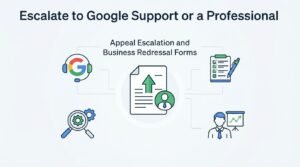
Escalation becomes necessary when a reinstatement request has been rejected twice or has received no response after 30 days. At that point, working through official channels with detailed, organized evidence gives the strongest chance of resolution.
Appeal Escalation and Business Redressal Forms
The Google Business Profile Community Forum allows a Product Expert to review and sometimes directly escalate stuck cases to Google’s internal team. Persistent unresolved cases can also be raised through Google’s official business redressal complaint form as a final formal step.
Conclusion
Suspension recovery comes down to understanding Google’s guidelines, documenting legitimacy clearly, and rebuilding trust signals methodically. Local rankings depend on compliance, consistency, and ongoing visibility work well beyond reinstatement day.
We know how disruptive a suspension feels when leads stop coming in overnight. White Label SEO Service helps businesses recover fast and build lasting local visibility.
Frequently Asked Questions
How long does a Google Business Profile suspension last?
Suspension length varies, but most resolve within 3 to 14 business days after a valid reinstatement request is submitted. Hard suspensions and cases requiring escalation can take longer.
Can a suspended Google Business Profile be permanently banned?
Yes, repeated violations or fraudulent activity can result in a permanent ban rather than a temporary suspension. Google generally reserves permanent bans for deliberate, repeated guideline violations.
Will I lose my reviews if my listing is suspended?
No, reviews are typically preserved and reappear once the profile is reinstated. The suspension hides the listing rather than deleting its historical data.
Does a suspension affect my website’s organic rankings too?
A Business Profile suspension primarily affects local pack and Maps visibility, not standard organic website rankings. Your website can still rank in regular search results during a profile suspension.
What triggers an automatic suspension without warning?
Automatic suspensions are usually triggered by algorithmic detection of guideline violations like keyword stuffing, address mismatches, or suspicious edit patterns. Google’s systems flag these without manual review in many cases.
How many times can I appeal a suspended listing?
There’s no official fixed limit, but repeated rejected appeals without new evidence rarely succeed and can slow the process further. Each resubmission should include additional or corrected documentation.
Should I create a new listing if my old one stays suspended?
No, creating a duplicate listing while the original is suspended violates Google’s guidelines and can result in both listings being penalized. Reinstating the original profile is always the recommended path.